

Facebook Followers & Following Scraper
Pricing
from $1.94 / 1,000 results
Facebook Followers & Following Scraper
Facebook Followers & Following Scraper — Extract Facebook followers and following data, including names, profile URLs, usernames, and publicly available profile details. Useful for audience research, influencer analysis, lead generation, competitor monitoring, and social network insights.
Pricing
from $1.94 / 1,000 results
Rating
0.0
(0)
Developer

Social Data API
Maintained by CommunityActor stats
0
Bookmarked
1
Total users
0
Monthly active users
4 days ago
Last modified
Categories
Share
Facebook Followers & Following Scraper — Names, Profiles and Photos
The Facebook Followers & Following Scraper pulls the followers and following list from any public Facebook profile or page, using the Facebook session cookies you provide and switching automatically from a residential to a datacenter proxy if one gets blocked. Each row returns the person's display name, profile URL, profile photo and Facebook account ID. Every response is structured JSON — ready to pass directly to an LLM, index into a vector store, or feed a social-listening pipeline. Start with one profile, then scale up to every account you track.
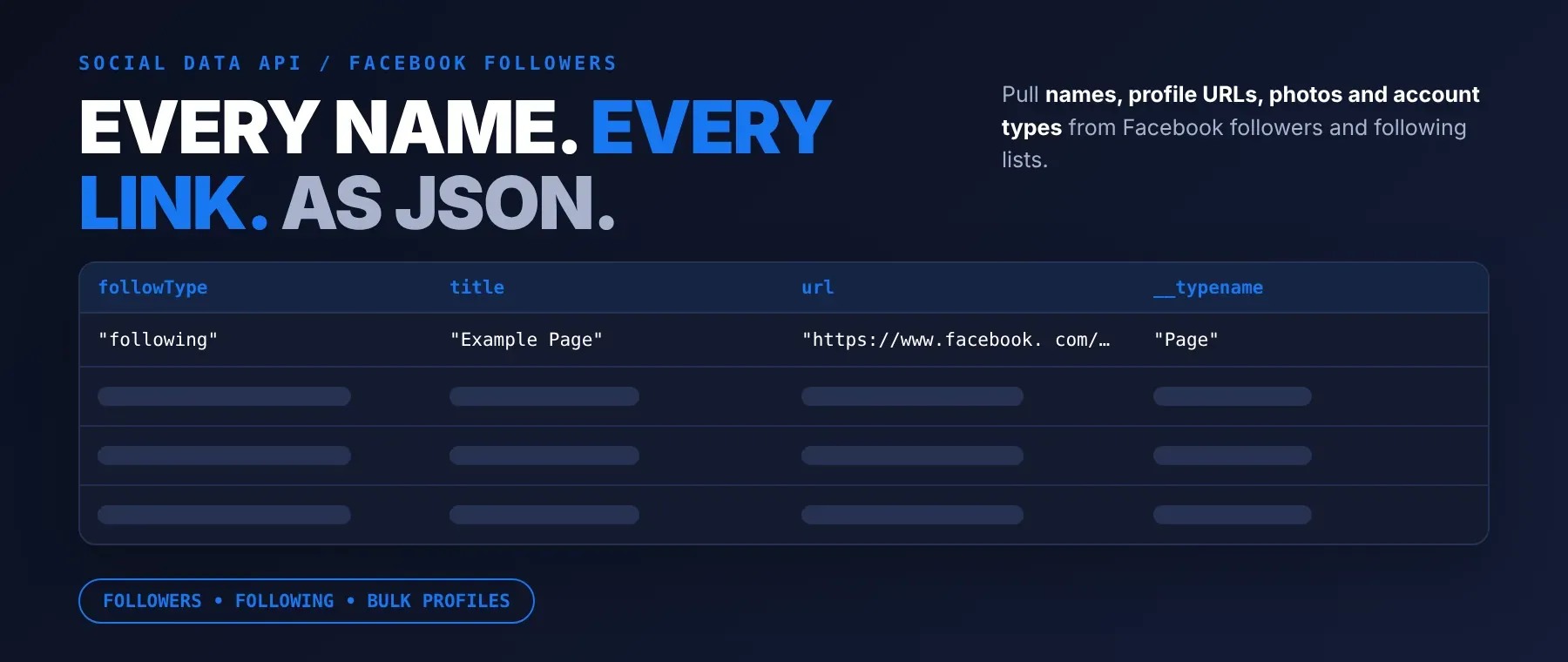
What data can I extract with Facebook Followers & Following Scraper?
Using this Facebook followers and following scraper, you will be able to extract the following Facebook follower/following data:
| 👤 Display name | 🔗 Follower/following profile URL | 🖼️ Profile photo | 🆔 Facebook account ID |
|---|---|---|---|
| 🗂️ List type (follower or following) | 📝 Subtitle text (often empty) | 🏷️ Account type (User or Page) | 🔑 Scraped profile's username |
| 🔗 Scraped profile URL | 🔒 Privacy-scope data (if available) | 📑 List navigation links | 🆔 Internal list identifier |
| 🧩 Entity interface name |
How to use Facebook Followers & Following Scraper
Anyone who wants to scrape Facebook followers list data for a profile or page can run this actor with one or more profile URLs and their own Facebook session cookies, and get back follower and following rows as structured JSON — no scraping code to write.
Copy to your AI assistant:
Facebook Followers & Following Scraper MCP Server: use these Actors from ChatGPT, Claude or Cursor
Point your AI assistant at Apify and it can read Facebook follower and following data on its own: give it a profile URL or username and your session cookies, and it returns the rows as structured JSON. No glue code, no scraping logic in your prompts.
Step by step
- Create a free Apify account.
- Open Facebook Followers & Following Scraper in the Apify Store.
- Enter the Facebook profile URL or username, and your Facebook c_user and xs session cookies.
- Click Start (or send your API request).
- Download or stream your results in JSON, CSV or Excel.
How to scale Facebook Followers & Following Scraper to bulk
startUrls takes a list, so a bulk Facebook followers scraper run is just a longer list of profile URLs or usernames in one call — each profile is processed with the same session cookies and the same follow-type and limit settings. For a recurring Facebook audience analysis tool workflow, schedule the same input daily or weekly in Apify Console, or trigger runs from your own code through the API whenever you need an updated snapshot.
✨ Features
Facebook Followers & Following Scraper fetches clean, structured follower and following data from Facebook profiles and pages ⚡. It's ideal for competitor audience research, influencer discovery, building outreach lists, and comparing a page's followers against who it follows. It extracts, per entry:
- Display name – the person's or page's name as shown on Facebook
- Profile URL – a direct link to the follower's or following's Facebook profile
- Profile photo – the profile picture URL, when Facebook returned one
- List type – whether the row came from the followers list or the following list
- Subtitle text – extra context Facebook shows under the name, such as mutual friends (often empty)
- Account type – whether the entry is a personal account or a Page
⚡ Switches automatically from a residential proxy to a datacenter proxy if one gets blocked, and works as both a facebook followers scraper and a facebook following scraper in the same run.
Use cases 💡
- Marketer — track Facebook follower growth for a competitor page over time.
- Researcher — export a public figure's follower list for audience-composition studies.
- Recruiter — scan who a company page follows to map its partner network.
- Growth team — pull a creator's following list to find similar accounts to approach.
- AI agent builder — feed follower and following rows into a RAG pipeline for audience lookups.
Building an AI agent? Connect Facebook Followers & Following Scraper over MCP and let it call the actor on its own.
Why choose this actor?
- Both lists in one run. Follower and following data for the same profile come back in a single run, with the results limit split evenly between the two when you ask for both, then backfilled from whichever list has more available.
- 17 fields per entry. Each row carries the person's name, profile link, photo, account type, and the internal list-navigation data Facebook's own page doesn't expose directly.
- 3 ways to filter one run. Scrape followers only, following only, or both, and optionally narrow results with a name/subtitle keyword filter — all from the same input.
⬇️ Input
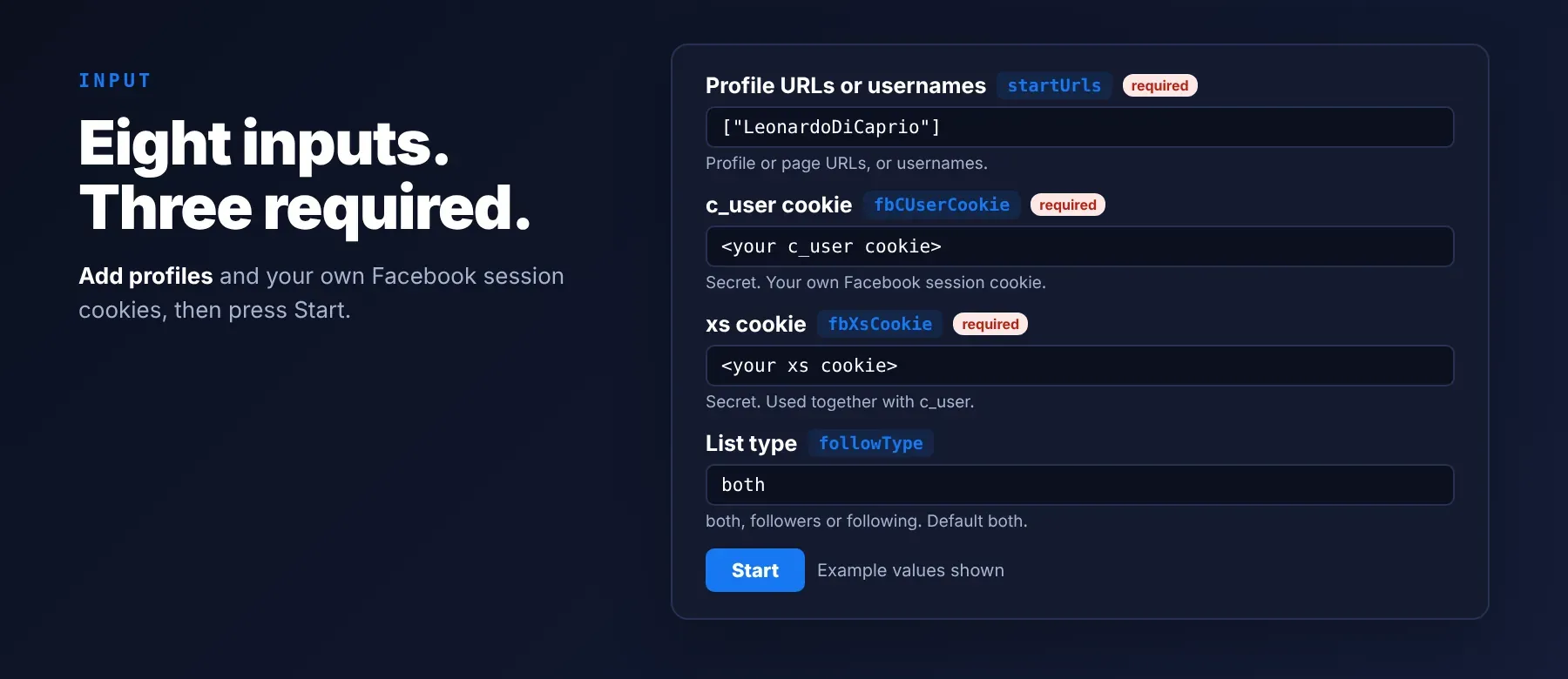
Give the actor one or more Facebook profile URLs or usernames and your own Facebook session cookies; startUrls is the only required list, and fbCUserCookie/fbXsCookie are the only required secrets.
| Parameter | Required | Type | Description | Example value |
|---|---|---|---|---|
| startUrls | Yes | array | Facebook profile URLs or usernames to scrape; an entry that isn't a URL or username is used as a name/subtitle keyword filter instead | ["LeonardoDiCaprio"] |
| followType | No | string | Which list to return: "both" (default), "followers", or "following" | "both" |
| resultsLimit | No | integer | Maximum rows to collect per profile (default 20, 1–100000) | 20 |
Free plan limits
Free plan: up to 20 rows per run (all profiles together) and 200 per month; paid plans have no limit.
| maxRetries | No | integer | Retry attempts for a failed or blocked request before giving up on that page (default 3, 1–10) | 3 |
| fbCUserCookie | Yes | string (secret) | Your Facebook account's c_user cookie value, used together with the xs cookie | "100012345678901" |
| fbXsCookie | Yes | string (secret) | Your Facebook account's xs cookie value, used together with the c_user cookie | "18:AbCdEfGh1234567890IjKlMnOpQrStUvWxYz" |
| proxyConfiguration | No | object | Apify Proxy settings; when left on the default, the actor applies a residential proxy automatically with a datacenter fallback | {"useApifyProxy": true} |
| disableDefaultProxy | No | boolean | Turn on to stop the actor's own automatic proxy fallback when no proxy is selected above | false |
Example input
⬆️ Output
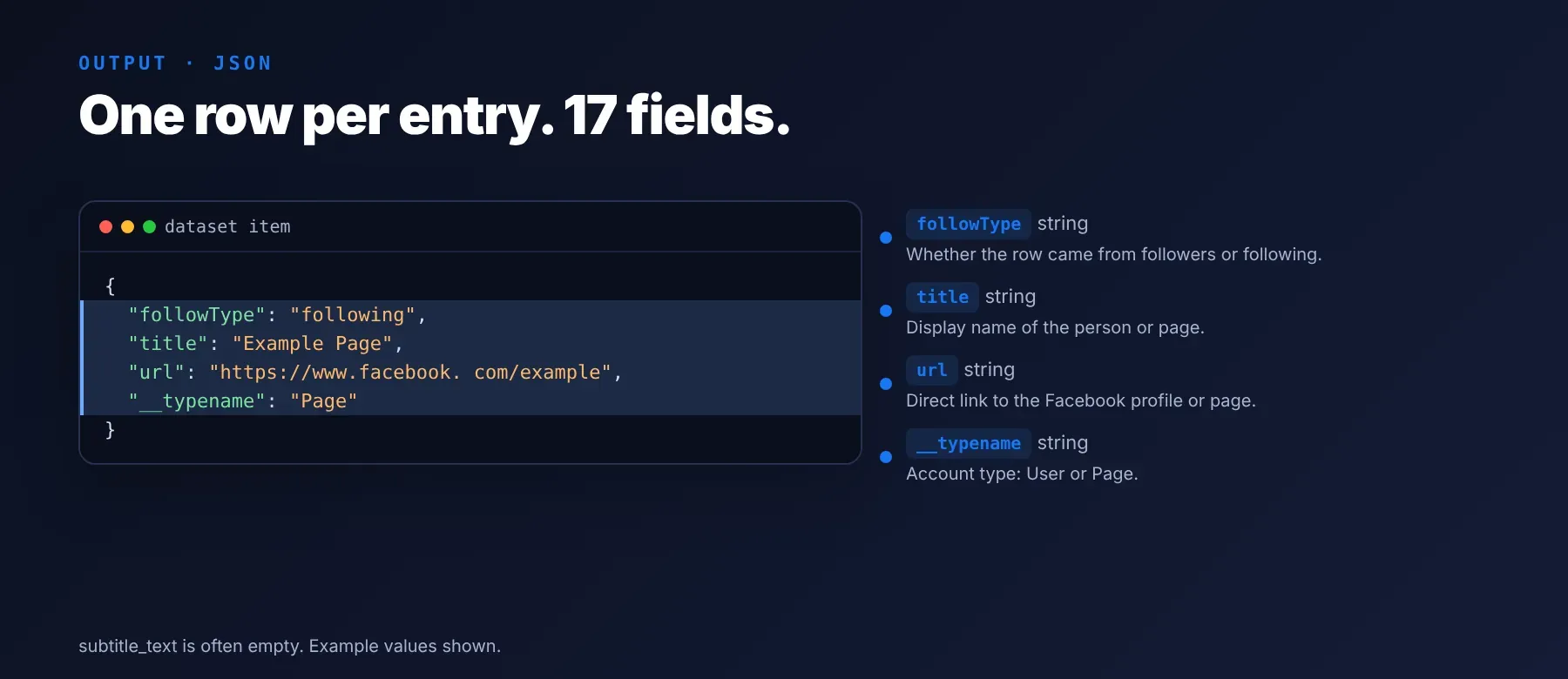
Every follower or following entry is one typed, normalized JSON item with the same schema on every run. Export Facebook followers to CSV, or download the same rows as JSON or Excel, directly from the dataset.
Example output
How does it work?
Facebook Followers & Following Scraper reads the same follower and following pages your browser loads when you're signed in, using the session cookies you provide so it can see lists Facebook hides from logged-out visitors. Requests go through rotating proxies — residential by default, with an automatic switch to a datacenter proxy if one gets blocked — so a run keeps going instead of stopping at the first block. It returns only the follower and following data your own account could already see on Facebook; the actor does not request or store anything beyond that. The output schema stays the same shape on every run, so your code doesn't need to change if Facebook adjusts its page layout.
How do you integrate Facebook Followers & Following Scraper into your stack?
Facebook Followers & Following Scraper works with what you already use: call it as a Facebook follower export API from any language, connect it to an agent over MCP, or wire it into a no-code tool.
Using Facebook Followers & Following Scraper with the Apify API
Works in Go, Ruby, Node.js, cURL — any language that can make an HTTP request.
MCP integration for AI agents
Point your AI assistant at Apify and it can call Facebook Followers & Following Scraper directly: pass a profile URL or username and your session cookies, and it returns the follower or following rows as structured JSON. No glue code, no scraping logic in your prompts.
This registers Facebook Followers & Following Scraper as a tool your agent can call directly, alongside the rest of Apify's actor catalog. Compatible with Claude Code, Cursor and Windsurf.
No-code tools (n8n, Make, LangChain)
In n8n, use the Apify node's "Run an Actor" action, or the HTTP Request node pointed at the run-sync endpoint with your API token. In Make, use the Apify app's "Run an Actor" module followed by "Get Dataset Items". In LangChain, install langchain-apify and call ApifyActorsTool("facebook-followers-following-scraper") to let an agent run it on its own.
Is it legal to scrape Facebook data?
Scraping publicly visible data is generally permitted; what's not allowed is bypassing access controls or violating a platform's terms of service through the methods used to collect it. Facebook Followers & Following Scraper returns only the follower and following data visible to your own logged-in Facebook account — the same lists you could view and copy manually. Under GDPR and similar laws, collecting public personal data is generally permissible, but storing and using it must comply with local data-protection law. Consult legal counsel if your use case involves bulk storage of personal data.
Frequently asked questions
What fields does Facebook Followers & Following Scraper return?
The top fields are display name, profile URL, profile photo, list type (follower or following), and account type. See the data fields section for the full list.
Does Facebook Followers & Following Scraper require a Facebook account or login?
Yes — the actor needs your own Facebook account's c_user and xs session cookies to reach follower and following lists reliably. Both cookie fields are marked secret in the input form and are never logged or written anywhere by the actor.
What happens if a profile is private or doesn't exist?
If a profile is private, the URL is wrong, or the session can't load that list, the actor logs a warning and returns no rows for that profile while continuing with the rest of your input; it does not stop the whole run.
Can I scrape multiple Facebook profiles at once?
Yes — startUrls takes an array, so a bulk Facebook followers scraper run just needs a longer list of profile URLs or usernames in the same input.
Does Facebook Followers & Following Scraper work with Claude, ChatGPT, and other AI agent tools?
Yes — Facebook Followers & Following Scraper is available as an MCP tool. Use the command above to register it in Claude Code, Cursor or Windsurf. Any agent that can call an HTTP endpoint can use the REST API directly.
Does Facebook Followers & Following Scraper return data in a format LLMs can use directly?
Yes. Typed, normalized JSON with consistent field names. No HTML parsing, no selectors. Pass it straight to an LLM, index it into a vector store, or feed it to an agent tool — no transformation step.
What happens when Facebook changes its layout or blocks the current approach?
The actor is actively maintained; when Facebook changes how its pages work, the actor is updated and keeps returning the same JSON fields with no changes needed on your end.
Can I use Facebook Followers & Following Scraper without managing proxies or browser infrastructure?
Yes. Proxy rotation — residential by default, with an automatic datacenter fallback — runs on the actor's side. You still provide your own Facebook session cookies; there's no headless browser to install or maintain.
Which Facebook follower/following fields work best for AI training data and RAG indexing?
For RAG: the display name and subtitle text fields work well for name-based lookups. For structured training data: the list type and account type fields are clean categorical values, and the Facebook account ID is a stable unique key. All fields are typed primitives or simple nested objects — no markup to strip.
Your feedback
Found a bug or missing a field? Let us know using the Issues tab on this actor's Apify Store page. Every report gets read, and fixes ship as updates to this actor.


