

Facebook Pages Scraper
Pricing
from $2.09 / 1,000 results
Facebook Pages Scraper
Facebook Pages Scraper — Extract Facebook Page data including names, usernames, categories, descriptions, follower counts, likes, contact details, locations, websites, and page URLs. Useful for lead generation, market research, competitor analysis, and business discovery.
Pricing
from $2.09 / 1,000 results
Rating
0.0
(0)
Developer

Social Data API
Maintained by CommunityActor stats
0
Bookmarked
2
Total users
1
Monthly active users
21 hours ago
Last modified
Categories
Share
Facebook Pages Scraper — Followers, Email, Phone, Address and Website
This actor pulls public details from Facebook Pages: page name, category, follower count, email, phone number, address, website, Instagram account and recommendation rating. Paste page links or usernames and get one clean row per page, plus a clear error row for any page Facebook won't show. Every response is structured JSON — ready to pass directly to an LLM, index into a vector store, or feed a lead generation pipeline. No Facebook account or cookies needed. Start with a short list, then schedule it weekly to track follower growth.
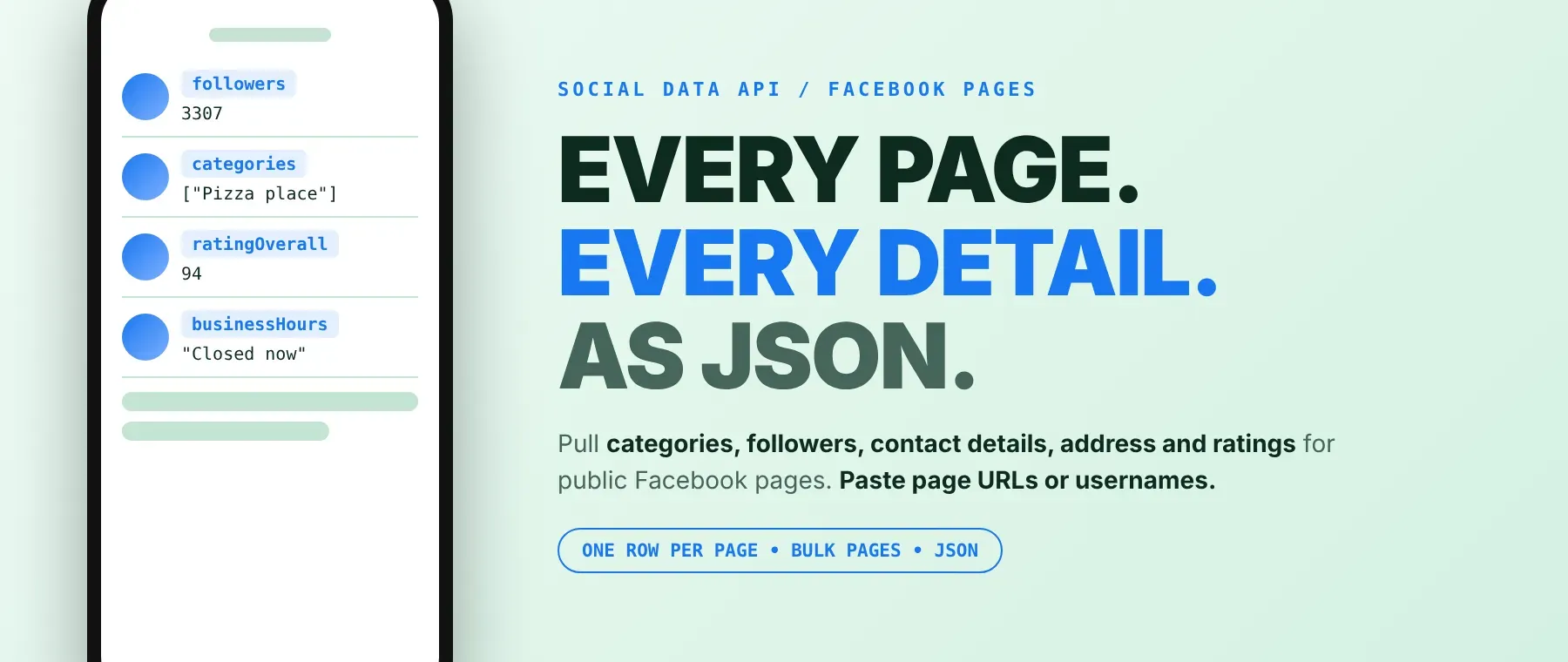
What data can I extract with Facebook Pages Scraper?
Using this Facebook Page API, you will be able to extract the following Facebook page data:
| 🏷️ Page name | 🧩 Category | 👥 Follower count | ➡️ Following count |
|---|---|---|---|
| 📧 Email (if public) | 📞 Phone number (if public) | 🏠 Address (if public) | 🗺️ Google Maps link |
| 🌐 Website domain | 🔗 All outbound links | 📸 Instagram account | 💲 Price range |
| 🕒 Opening status | 🛎️ Services | ⭐ Recommend % and review count | ✍️ Short intro (about 100 characters) |
| 🖼️ Profile picture | 🌄 Cover photo | 🆔 Page ID | 🔤 Username from the link |
| 📢 Ad Library ID and active flag | 📝 Page summary lines | ✅ Row status with error text |
How to use Facebook Pages Scraper
Sales teams, marketers and researchers use it to scrape Facebook pages from a list and get one clean table of names, follower counts and contact details per run.
Copy to your AI assistant:
Facebook Pages Scraper MCP Server: use these Actors from ChatGPT, Claude or Cursor
Point your AI assistant at the hosted Apify MCP server with this command and it starts with this Actor already loaded as a tool, ready to call. No glue code, no scraping logic in your prompts.
Step by step
- Create a free Apify account.
- Open Facebook Pages Scraper in the Apify Store.
- Enter the Facebook page URLs or usernames, one per line.
- Click Start.
- Download or stream your results in JSON, CSV or Excel; to export Facebook page data to CSV, pick CSV in the export menu.
How to scale Facebook Pages Scraper to bulk
Paste your whole list into the pages field: one run processes every page in your list, three at a time. Each page is one row and one row_result event. For bigger lists, or to re-check the same pages every week, use Apify Schedules or start runs in a loop from the Apify API. That is all a Facebook business page scraper job needs.
✨ Features
Facebook Pages Scraper fetches clean, structured pages from Facebook ⚡. It's ideal for building contact lists of local businesses, tracking competitor follower counts, filling a directory with page details and checking which pages link a website or Instagram account.
It extracts, per page:
- Email, phone and address – the contact details shown on the page, which makes it a Facebook page email extractor too
- Follower and following counts – the exact follower number when the page shows it, otherwise the rounded count
- Website and outbound links – the main website domain plus every linked site, Google Maps link and Instagram link, as direct links
- Category, price range, opening status and services – the business details shown on the public page
- Recommendation rating – the recommend percentage and the review count behind it
- Page name, page ID, photos – name, numeric ID, profile picture, cover photo and a link to the profile photo
⚡ A page Facebook won't show comes back as a row with a clear error text, so a Facebook page scraper run never hides a gap in your list.
Use cases 💡
- Sales rep — turn a list of restaurant pages into emails and phone numbers for outreach.
- Agency marketer — track competitor follower counts week by week with scheduled runs.
- Directory builder — fill listings with category, address, website and opening status per page.
- Lead researcher — use it as a Facebook page contact scraper for pages missing a website.
- AI engineer — feed page names, intros and categories into a RAG index for an agent.
Building an AI agent? Connect Facebook Pages Scraper over MCP and let it call the actor on its own.
Why choose this actor?
- Your whole list in one run. A recorded local test run processed 7 pages in 7.7 seconds: 6 came back with page data and 1 non-existent page came back as a row saying so.
- The numbers behind each page. A recorded Regina pizza place came back with 3,307 followers, a 94% recommend rating from 201 reviews, a public email, phone number, address and Google Maps link.
- 33 fields, one row per page. Every scraped page carries the same 33 fields, so this Facebook page followers scraper also gives you contact and business details in the same row.
⬇️ Input
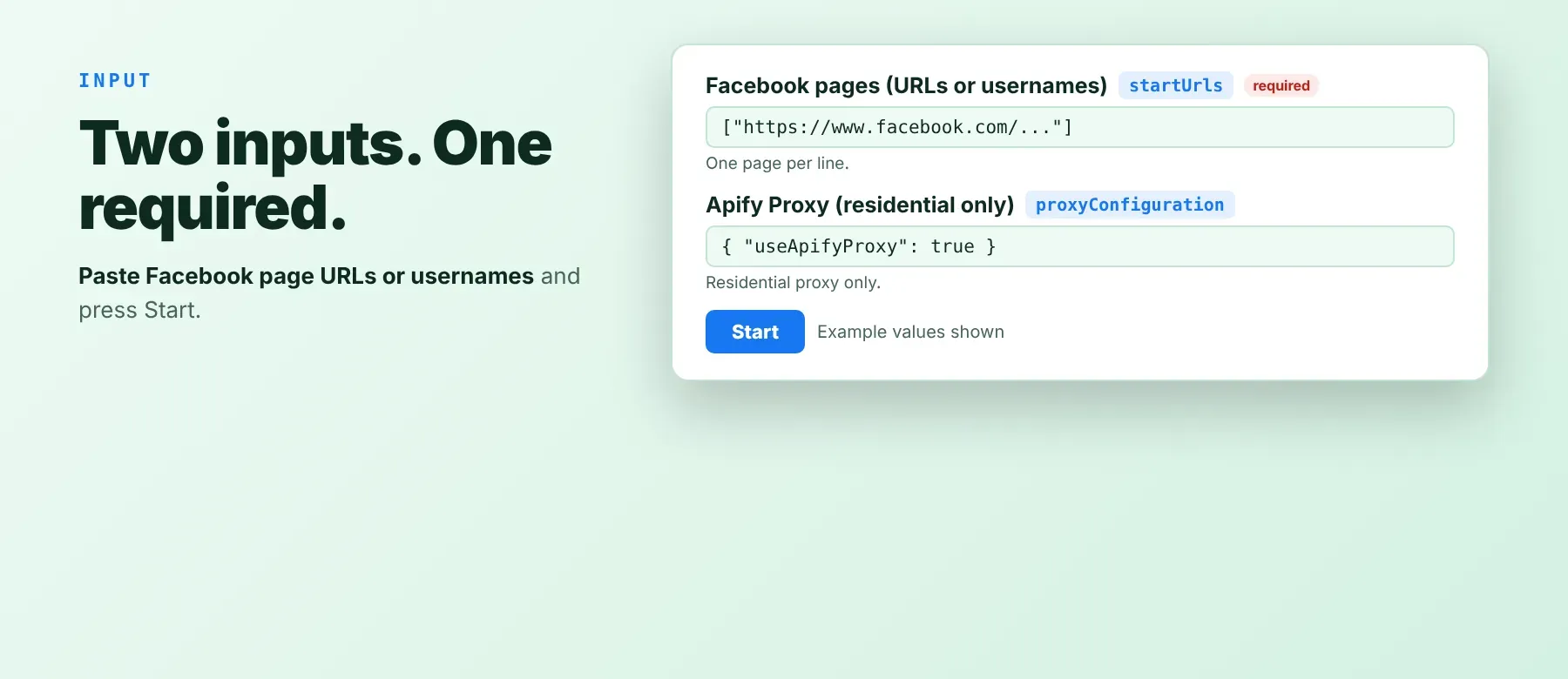
Give it Facebook page links or plain usernames, one per line; the page list is the only required field.
| Parameter | Required | Type | Description | Example value |
|---|---|---|---|---|
startUrls | Yes | array | Facebook pages, one per line: a full link (https://www.facebook.com/yourbrand, profile.php?id= links work too) or a username. A value without http:// or https:// becomes https://www.facebook.com/<value>. Plain strings and {"url": "..."} objects are both read. | ["https://www.facebook.com/copperkettleyqr", "NASA"] |
proxyConfiguration | No | object | Shown for Apify Proxy settings, but the actor always uses Apify residential proxy; other choices here are ignored. Residential proxy access must be on your Apify plan. | {"useApifyProxy": true} |
Accepted page formats:
https://www.facebook.com/copperkettleyqrhttps://www.facebook.com/profile.php?id=100064027242849copperkettleyqr(username only)
Free plan limits
Users on the Apify free plan can fetch up to 20 pages per run (all listed pages together) and 200 pages per month. When the limit is reached, the run finishes successfully with a status message explaining the limit. Upgrade to any paid Apify plan to remove these limits.
Example input
⬆️ Output
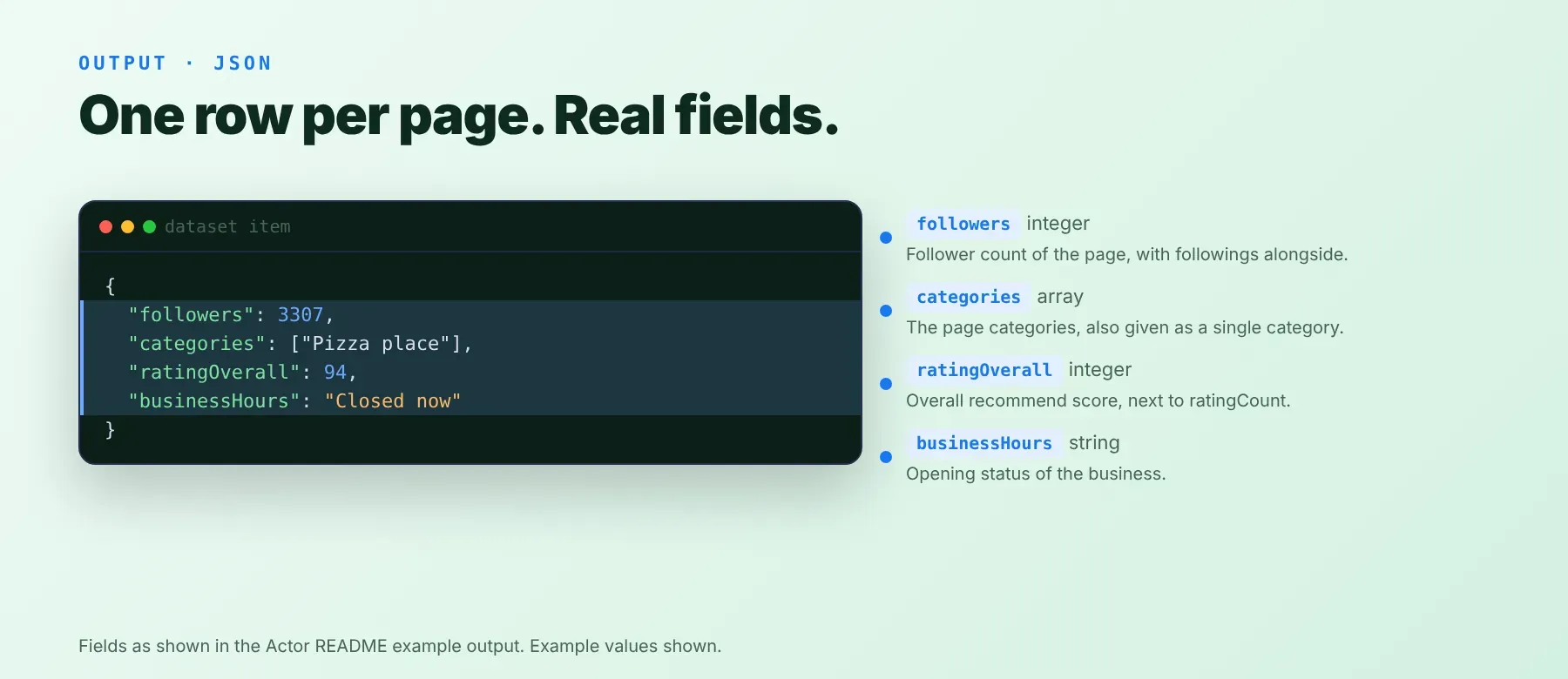
Every page is one typed, normalized JSON item with the same 33 keys on every run; values Facebook does not show come back as null or an empty list. Export as JSON (default), CSV or Excel. A page that could not be scraped is a short row with only the link, an error text and a failed status, and it is charged like any other row.
Example output
Real rows from a test run (photo links shortened).
How does it work?
The actor opens each page the way a logged-out visitor does, with plain HTTP requests and no browser, and reads only the public details any visitor can see. Every page is fetched through its own Apify residential proxy connection. When a request is blocked, or loads but carries no usable page data at all, that page is retried up to three more times through a new residential proxy connection, with a short pause between tries. Up to three pages are fetched at a time, and rows are saved in the order of your list. It returns only publicly visible data, what any visitor sees without logging in: no posts, reviews, comments or personal profile content. Every scraped page keeps the same 33 keys; a value Facebook stops sending comes back empty instead of breaking the row.
How do you integrate Facebook Pages Scraper into your stack?
It works with what you already use: the Apify REST API from any language, MCP for AI agents, and no-code tools.
MCP integration for AI agents
Add the hosted Apify MCP server to your agent with one command:
This registers the Apify MCP server with this actor already added as a tool, so your agent can call it directly with no search or add step. Compatible clients include Claude Code, Cursor and Windsurf.
No-code tools (n8n, Make, LangChain)
- n8n: add the Apify node, choose "Run an Actor", pick this actor and paste your input JSON. Filter the returned rows on the success flag before sending them to Google Sheets or your CRM.
- Make: use the Apify app's "Run an Actor" module with this actor, then its "Get Dataset Items" module to map each page's email, phone and address into your scenario.
- LangChain: install
langchain-apifyand wrap this actor withApifyActorsTool, so your agent can run it on a list of pages and read the rows as tool output.
Is it legal to scrape Facebook data?
Collecting publicly visible Facebook Page details is generally lawful when no login is bypassed and the data is stored and used lawfully. This actor returns only publicly available data, what any user sees without logging in: page names, categories, follower counts and the contact details a page owner chose to publish. Under GDPR, scraping public data is generally permissible, but storing and using it must comply with local data-protection law, because a sole trader's email, phone number or address can still count as personal data. Facebook's terms of service also apply to automated collection. Consult legal counsel if your use case involves bulk storage of personal data.
Frequently asked questions
What fields does Facebook Pages Scraper return?
The top five are the page name, category, follower count, public email and phone number. Every scraped page also carries the address, website, Instagram account, recommendation rating, photos and page ID; see the data fields section.
Does Facebook Pages Scraper require a Facebook account or login?
No. Only public page data is extracted, the same page a logged-out visitor sees. No credentials or cookies are needed; residential proxy access on your Apify plan is the only requirement.
How fast does Facebook Pages Scraper run?
Recorded local test runs (direct connection instead of the residential proxy) took 3.3 seconds for 3 pages and 7.7 seconds for 7 pages, one of which did not exist. The data is live, fetched from Facebook during the run and never cached.
What happens if a page is private or doesn't exist?
You still get a row for it, marked as failed with an error text, and it is charged like any other row. A page that does not exist or shows no public data gives "Page not found or not publicly available"; a page that stays blocked after four attempts, or hits a network error, gives "Failed to scrape page after N attempts". Keep rows where success is true, for example [r for r in rows if r.get("success")].
Can I scrape multiple Facebook pages at once?
Yes. Put every page in the pages field, one per line; one run processes every page in your list.
Does Facebook Pages Scraper work with Claude, ChatGPT, and other AI agent tools?
Yes — Facebook Pages Scraper is available as an MCP tool through the hosted Apify MCP server. Register the server in Claude Code, Cursor or Windsurf with claude mcp add --transport http apify "https://mcp.apify.com?tools=socialdataapi/facebook-pages-scraper", and the agent can call the actor right away, since it is already loaded as a tool. Any agent that can call an HTTP endpoint can use the Apify REST API directly.
Does Facebook Pages Scraper return data in a format LLMs can use directly?
Yes. Every page is typed, normalized JSON with the same field names on every row. There is no HTML parsing and no selectors, so you can pass rows straight to an LLM, index them into a vector store or feed them to an agent tool without a transformation step.
What happens when Facebook changes its layout or updates its anti-bot system?
Blocks are handled on the actor's side with proxy retries. If Facebook changes its pages, every scraped page keeps the same 33 keys and the affected value comes back empty until the actor is updated, so your code does not need to change.
Can I use Facebook Pages Scraper without managing proxies or browser infrastructure?
Yes. The actor uses plain HTTP requests, so there is no browser to run, and it routes every request through Apify residential proxy with automatic retries on blocks. You send one request and get structured JSON back. No proxy accounts, no headless browser setup, no maintenance.
Which Facebook page fields work best for AI training data and RAG indexing?
For RAG, use the text-rich fields: page name, short intro, category, services and address. For training data, use the numeric fields: follower count, following count, recommend percentage and review count. Counts are integers and categories, links and Instagram accounts are lists, so flatten the lists if your pipeline needs plain text.
Your feedback
Found a bug or missing a field? Let us know through the Issues tab on this Actor's page in the Apify Store. Reports with the exact page link you used help keep this Facebook page data extractor in line with Facebook's latest page format.


