

Instagram Profile Scraper
Pricing
from $1.99 / 1,000 results
Instagram Profile Scraper
Instagram Profile Scraper extracts public Instagram profiles in bulk from usernames or URLs: followers, following, post count, bio, external links, verification status, business category, related profiles and latest posts. No login or cookies. Export to JSON, CSV or Excel, or use via API.
Pricing
from $1.99 / 1,000 results
Rating
0.0
(0)
Developer

Social Data API
Maintained by CommunityActor stats
0
Bookmarked
2
Total users
1
Monthly active users
2 days ago
Last modified
Categories
Share
Instagram Profile Scraper — Bio, Followers, Links and Latest Posts
Instagram Profile Scraper pulls public profile data from Instagram for any username, @handle or profile link. Each result gives the bio, follower and following counts, post count, verified and business badges, bio links, profile photo, the latest posts with likes and comments, and related accounts. Every response is structured JSON — ready to pass directly to an LLM, index into a vector store, or feed an influencer marketing pipeline. No Instagram account or cookies needed. Start with one creator, then scale to your whole shortlist.
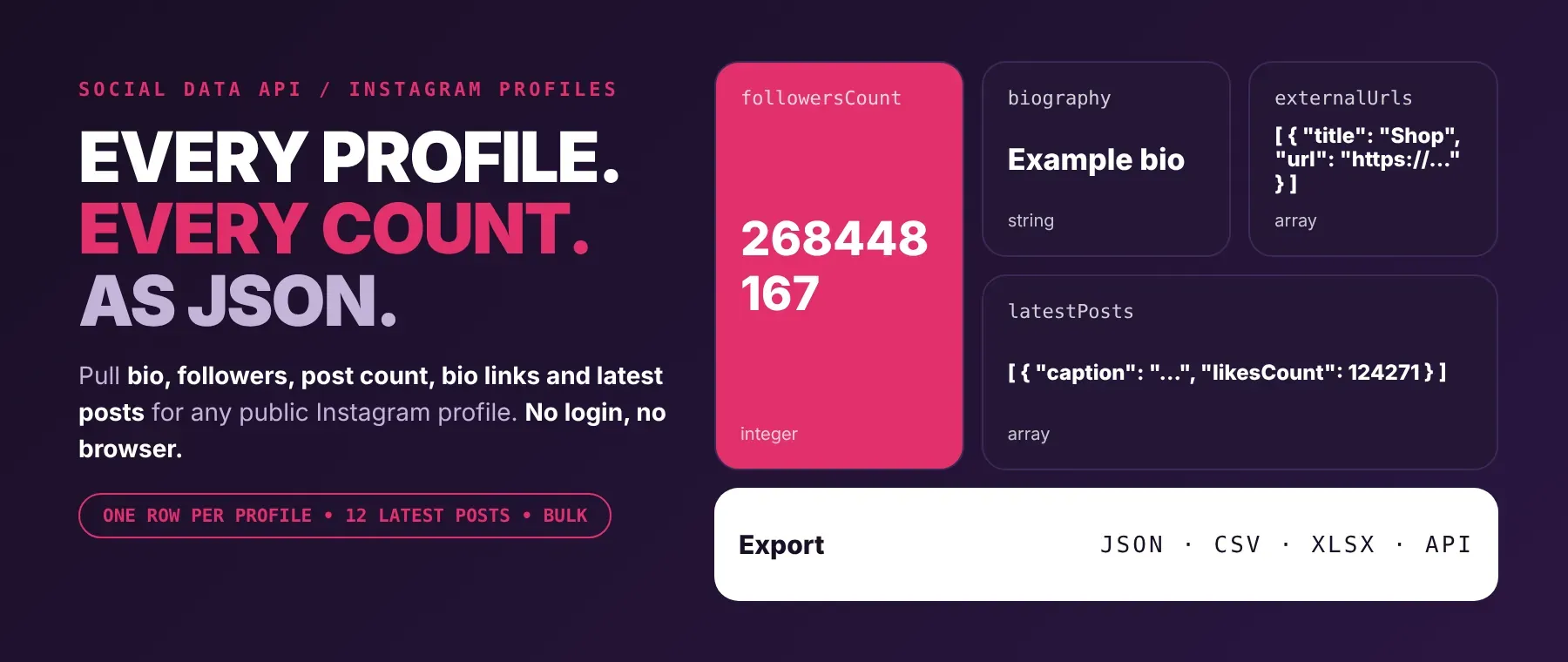
What data can I extract with Instagram Profile Scraper?
Using this Instagram Profile API, you will be able to extract the following Instagram profile data:
| 👤 Username and full name | 📝 Biography | 👥 Follower count | ➕ Following count |
|---|---|---|---|
| 📷 Post count (rounded by Instagram for very large accounts) | ✅ Verified badge | 🏢 Business account flag | 🔒 Private account flag |
| 🔗 Main bio link and Instagram-wrapped link | 🧾 All bio links with titles | 🖼️ Profile photo (standard and HD) | 🆔 Account ID and linked Facebook ID |
| 🎞️ Latest posts (up to 12) with caption, hashtags, mentions, likes, comments, time and images | 🧩 Carousel items inside each post | 🤝 Related profiles (if shown) | 📺 IGTV videos and IGTV count (if any) |
| 🌐 Profile URL and your input as a URL | 📅 About section: joined date and country (currently always empty) |
How to use Instagram Profile Scraper
Influencer marketers, growth teams and researchers use it as an instagram user data scraper: one clean record per profile from a single run, for as many profiles as they list.
Copy to your AI assistant:
Instagram Profile Scraper MCP Server: use these Actors from ChatGPT, Claude or Cursor
Point your AI assistant at Apify's MCP server and it can find and run this Actor on its own through the server's search, add and call actor tools. No glue code, no scraping logic in your prompts.
Step by step
- Create a free Apify account.
- Open Instagram Profile Scraper in the Apify Store.
- Enter the Instagram profile URL, username or @handle (with or without @), one per line.
- Click Start (or send your API request).
- Download or stream your results in JSON, CSV or Excel.
How to scale Instagram Profile Scraper to bulk
For a bulk Instagram profile lookup, put every profile in the profile list of one run. The Actor works on 16 profiles at a time and saves each result in your input order as soon as it is ready, so you can watch the dataset fill up. Duplicates are removed, and post, reel and story links are skipped with a warning. Each saved profile is one row_result event, and profiles that fail are not charged. For recurring checks, save the input as a task and schedule it, or call the Actor in a loop from your own code.
✨ Features
Instagram Profile Scraper fetches clean, structured profiles from Instagram ⚡. It's ideal for instagram influencer vetting, creator lead lists, competitor benchmarking and audience research.
It extracts, per profile:
- Follower count – how many people follow the account
- Biography – the bio text, including any contact line the owner wrote
- Bio links – the main link plus every titled link, as an instagram bio link extractor would list them
- Verified and business badges – an instagram business account checker in the same row
- Latest posts – up to 12 posts with caption, likes, comments and time
- Related profiles – accounts Instagram suggests next to this one
- Account ID and Facebook ID – the identifiers an instagram account info extractor should return
⚡ Reads only public data, with no Instagram account, cookies or browser on your side.
Use cases 💡
- Influencer marketer — shortlist creators by follower count, verified badge and bio keywords.
- Sales team — scrape instagram profiles of brands, then pull their bio links for outreach.
- Competitor analyst — compare post counts and latest-post likes across rival accounts.
- Agency — export instagram profile data to csv for weekly client reports.
- AI engineer — feed bios and captions into a RAG index for creator search.
Building an AI agent? Connect Instagram Profile Scraper over MCP and let it call the actor on its own.
Why choose this actor?
- Several profiles in seconds. A recorded run took 3 profiles (one of them missing) and saved 2 full profiles in 4.2 seconds, with the missing one reported and not charged.
- The numbers behind each account. A recorded National Geographic profile came back with 268,448,167 followers, 39 related profiles, 2 bio links and 12 latest posts with likes and comments.
- 23 fields, one row per profile. Bio, counts, badges, links, photos, posts, carousel items, related profiles and IGTV data arrive in one record, with null where Instagram shows nothing.
⬇️ Input
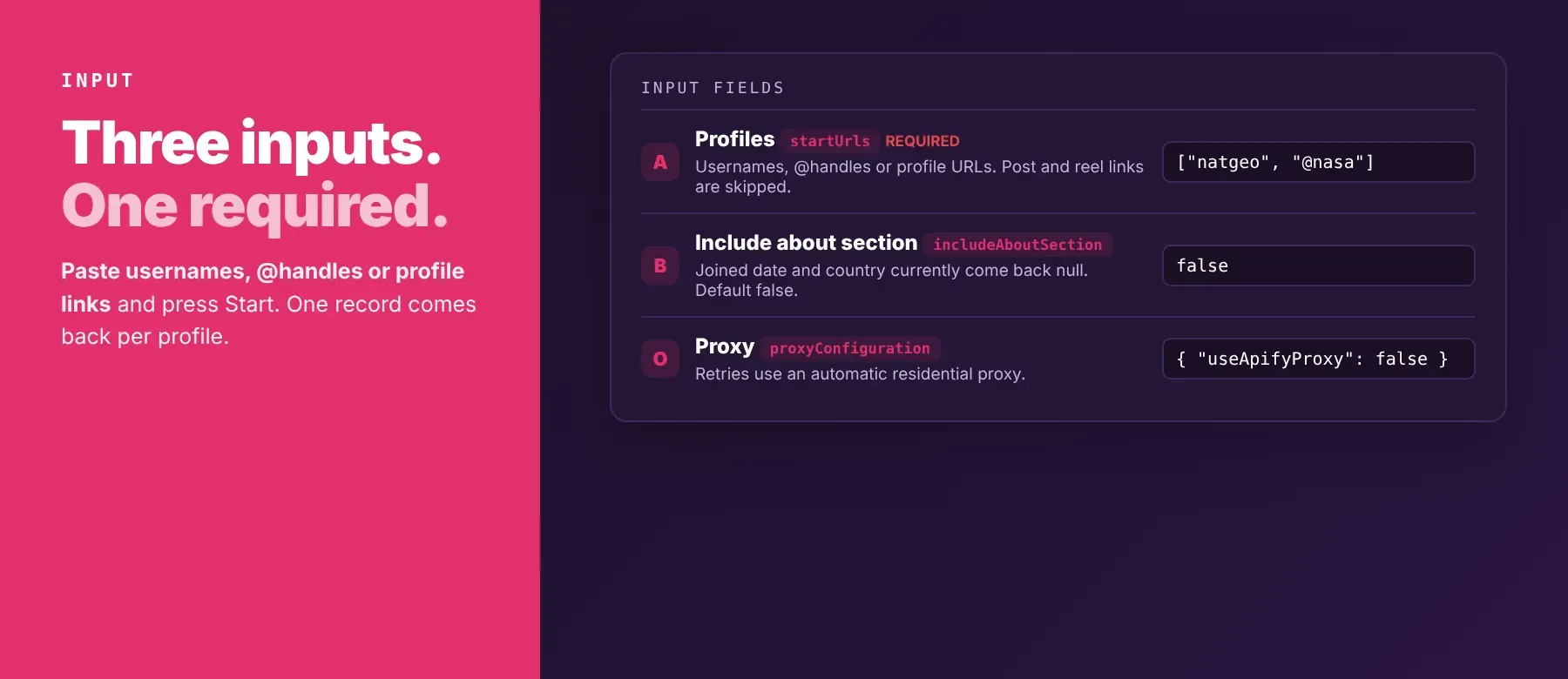
The Actor takes a list of Instagram profiles: profile URLs, usernames or @handles. The profile list is the only required field.
| Parameter | Required | Type | Description | Example value |
|---|---|---|---|---|
startUrls | Yes | array of strings | Profiles to scrape. Accepts https://www.instagram.com/username/, username or @username. Post, reel and story links are skipped; duplicates are removed. | ["https://www.instagram.com/humansofny/", "@natgeo"] |
includeAboutSection | No | boolean | Adds an about object with joined date and country. Instagram shows these only to logged-in visitors, so both are currently null. Default: false. | true |
proxyConfiguration | No | object (proxy) | Proxy used for retries. Pre-filled as off; off or left out means an automatic residential proxy on retries. Your own Apify proxy groups or proxy URLs are used instead when set. | {"useApifyProxy": false} |
Accepted profile formats:
https://www.instagram.com/natgeo/instagram.com/natgeonatgeoor@natgeo
Example input
⬆️ Output
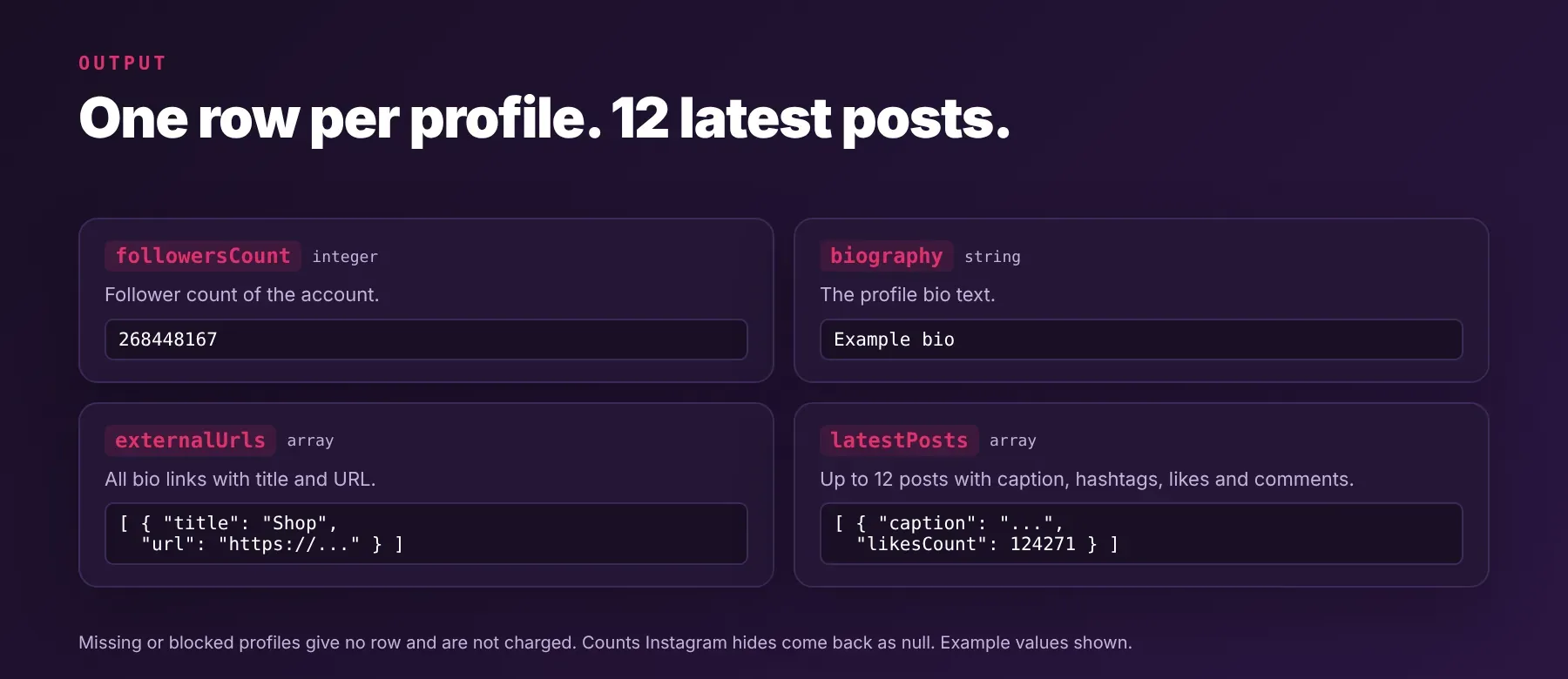
Every profile is one typed, normalized JSON item with the same schema on every run; profiles that are missing or blocked are logged and produce no item. Export as JSON (default), CSV or Excel.
Example output
How does it work?
The Actor reads the same public pages and data the Instagram site loads for a logged-out visitor. It makes plain HTTP requests, with no browser, and it never logs in or uses cookies, so it only returns what anyone can see on a public profile. Each profile is first requested directly. When Instagram blocks or slows a request, the Actor waits briefly and tries again, up to three attempts in total, switching to a proxy for the retries. If part of a profile cannot be read, the fields Instagram did show are still returned and the missing ones come back empty. Results are normalized into one stable schema before they are saved, so your code keeps working when Instagram changes its page design. A profile that still fails is logged with a plain reason and skipped, and the rest of the run continues.
How do you integrate Instagram Profile Scraper into your stack?
It works with what you already use: the REST API from any language, MCP for AI agents, and no-code tools.
MCP integration for AI agents
Register Apify's hosted MCP server once, and your agent can search the Apify Store, add this Actor and call it with a list of profiles:
This registers Instagram Profile Scraper as a tool your agent can call directly. It works in Claude Code, Cursor and Windsurf, and the agent gets the same JSON fields described above for every profile it looks up.
No-code tools (n8n, Make, LangChain)
In n8n, add the Apify node and choose "Run an Actor", or use the HTTP Request node pointed at the Actor's run-sync endpoint with your Apify token. Map the profile list from an earlier step.
In Make, use the Apify app's "Run an Actor" module, then "Get Dataset Items" to pass each profile to the next module.
In LangChain, install langchain-apify and wrap this Actor with ApifyActorsTool, so an agent can look up Instagram profiles mid-conversation.
Is it legal to scrape Instagram data?
Scraping publicly available Instagram data is generally lawful when you collect only what any visitor can see. This Actor returns only publicly available data — what any user sees without logging in. Under GDPR, collecting public data is generally permissible, but storing and using it, especially names, bios and photos of identifiable people, must comply with local data-protection law. Instagram's own terms also limit automated access. Consult legal counsel if your use case involves bulk storage of personal data.
Frequently asked questions
What fields does Instagram Profile Scraper return?
It returns the username, biography, follower count, following count and post count, plus badges, bio links, latest posts and related profiles. See the data fields section for the full list.
Does Instagram Profile Scraper require an Instagram account or login?
No. Only public profile data is extracted, and the input has no login, cookie or session field. No credentials are needed.
How fast does Instagram Profile Scraper run?
A recorded run saved 2 profiles and reported 1 missing profile in 4.2 seconds. Data is fetched live on every run, not from a cache.
What happens if a profile is private or doesn't exist?
A missing profile is logged as "profile not found or unavailable", produces no item and is not charged. Post, reel and story links are skipped with a warning, and a run with no valid profile at all stops with a clear status message. In code, compare the usernames you sent with the usernames in the dataset to find the ones that failed.
Can I scrape multiple Instagram profiles at once?
Yes. Put every profile in the profile list; the Actor works on 16 at a time and saves each one in your input order.
Does Instagram Profile Scraper work with Claude, ChatGPT, and other AI agent tools?
Yes — Instagram Profile Scraper is available as an MCP tool through Apify's MCP server. Register it in Claude Code, Cursor or Windsurf with claude mcp add --transport http apify "https://mcp.apify.com". Any agent that can call an HTTP endpoint can use the Apify REST API directly.
Does Instagram Profile Scraper return data in a format LLMs can use directly?
Yes. It returns typed, normalized JSON with consistent field names. There is no HTML parsing and no selectors; pass it straight to an LLM, index it into a vector store, or feed it to an agent tool.
What happens when Instagram changes its layout or updates its anti-bot system?
The Actor is maintained. When Instagram changes, the Actor is updated, and your calls keep returning the same JSON schema with no changes on your end.
Can I use Instagram Profile Scraper without managing proxies or browser infrastructure?
Yes. Retries and the switch to a proxy run on the Actor's side, and no browser is used. You send a list of profiles and get structured JSON back, with no proxy account to set up.
Which Instagram profile fields work best for AI training data and RAG indexing?
For RAG, index the biography and the captions of the latest posts. For training data, use the follower count, following count, post count and the verified, business and private flags. Counts are integers and flags are booleans, with null where Instagram shows nothing.
Your feedback
Found a bug or missing a field? Let us know through the Issues tab on this Actor's page. Every report is read, and fixes ship as Instagram changes.


