
LinkedIn Email Scraper - Cheapest
Pricing
from $1.27 / 1,000 results
LinkedIn Email Scraper - Cheapest
LinkedIn Email Scraper finds contact emails on public LinkedIn pages from your keywords, with optional location and email-domain filters. Output: network, keyword, title, url, email. No LinkedIn login or cookies. Export JSON, CSV or Excel, or use the API.
Pricing
from $1.27 / 1,000 results
Rating
0.0
(0)
Developer

Social Data API
Maintained by CommunityActor stats
0
Bookmarked
2
Total users
1
Monthly active users
12 days ago
Last modified
Categories
Features
Share
LinkedIn Email Scraper — Emails, Page Titles and Links
LinkedIn Email Scraper finds email addresses that public LinkedIn profiles, company pages and posts show for your keywords. Each result returns the email, the LinkedIn page link, the page title and the public text the email appears in, filtered by the email domains you choose. Every response is structured JSON — ready to pass directly to an LLM, index into a vector store, or feed a lead-generation pipeline. No LinkedIn account or login needed to run a search. Add more keywords to cover more profiles, company pages and posts in one run.
What data can I extract with LinkedIn Email Scraper?
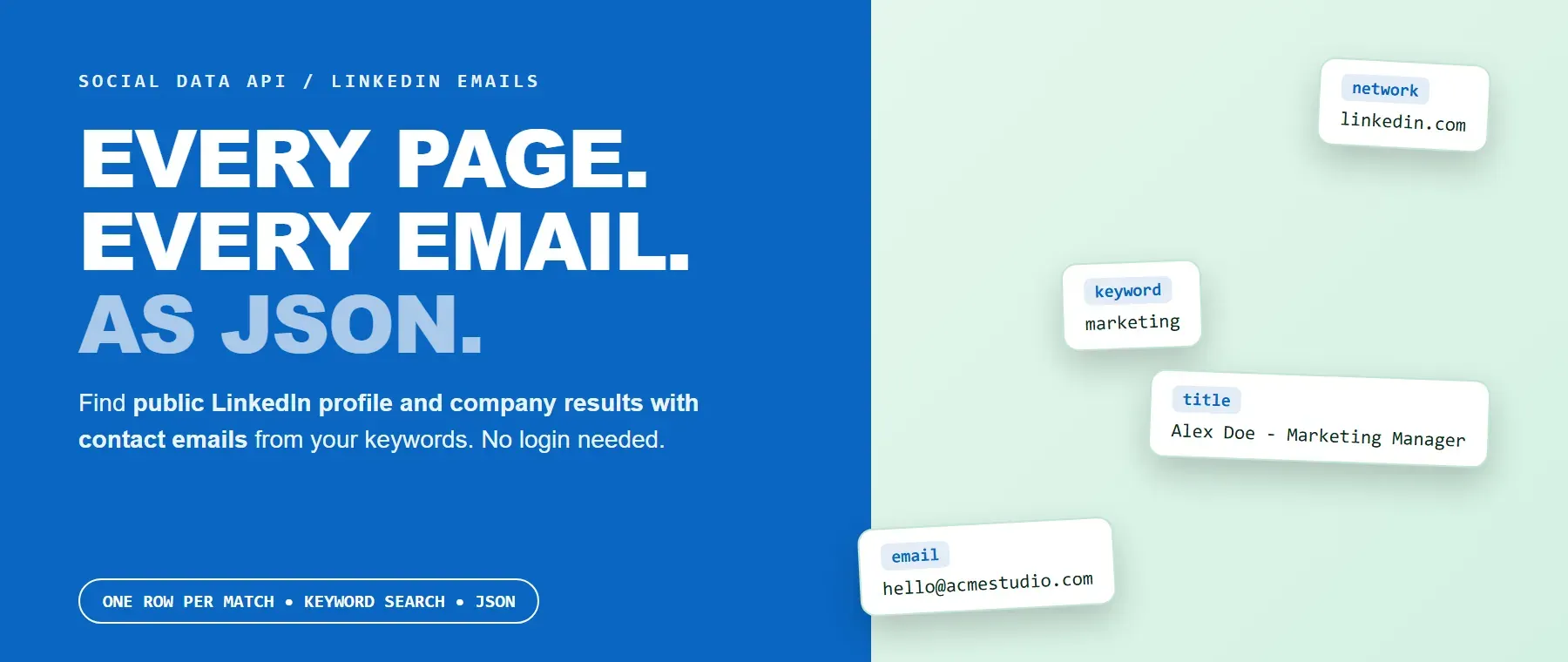
Using this LinkedIn email API, you will be able to extract the following LinkedIn email data:
| 🌐 Network | 🔑 Keyword searched | 📝 Page title |
|---|---|---|
| 📰 Page description | 🔗 Page URL | 📧 Email address |
How to use LinkedIn Email Scraper
Marketers, recruiters and lead-generation teams use this actor to collect public LinkedIn contact emails without opening every page by hand.
Copy to your AI assistant:
LinkedIn Email Scraper MCP Server: use these Actors from ChatGPT, Claude or Cursor
Point your AI assistant at the Apify MCP server and it can call LinkedIn Email Scraper directly — no glue code, no scraping logic in your prompts.
Step by step
- Create a free Apify account.
- Open LinkedIn Email Scraper in the Apify Store.
- Enter one or more keywords, for example
marketing,recruiterorfounder. - Optionally add a location and the email domains you want (default
@gmail.com). - Click Start, then download your results as JSON, CSV or Excel.
How to scale LinkedIn Email Scraper to bulk
keywords takes a list, so add every search term you want covered in one run — up to 3 keywords are processed at the same time, each with its own maxEmails budget. To cover more ground over time, schedule the Actor with a rotating keyword list, or call it from the Apify API with a different keywords / location pair per run.
✨ Features
LinkedIn Email Scraper is a LinkedIn email finder: give it a keyword and it returns clean, structured matches from public LinkedIn profiles, company pages and posts.
It extracts, per match:
- Email – the address shown on the page, lower case, matching your email domains.
- Page URL – the public LinkedIn page the email was found on.
- Page title – the result's title as shown in the search listing.
- Description – the public text the email appears in (up to 500 characters).
- Keyword / network – the keyword that found the row and the platform (
linkedin.com).
Think of it as a LinkedIn company contact email extractor for account-based outreach, or a LinkedIn lead generation tool for your sales pipeline. Use it to find emails on LinkedIn by any keyword, scrape LinkedIn profile emails at scale, and export LinkedIn emails straight to CSV. It also works as a LinkedIn recruiter email finder for talent sourcing, or a LinkedIn email list builder for ongoing outreach — in short, a LinkedIn email address finder by keyword, not by browsing every profile one by one.
⚡ Every address is checked before it is kept: shortened or cut-off addresses, prose such as "that @gmail.com" and placeholders such as "username@gmail.com" are rejected, and the same email is returned once per keyword.
Use cases 💡
- Sales rep — build an outreach list of LinkedIn contacts by keyword and city in one run.
- Recruiter — find contact emails behind niche profiles, company pages and posts.
- Agency — collect leads for a client's niche and location filter.
- Market researcher — map which profiles, company pages and posts publish a contact email for a topic.
- AI agent builder — feed matched emails straight into a CRM-enrichment or lead-scoring pipeline with no parsing step.
Why choose this actor?
- Real public emails, not guesses. A recorded local test run returned 10 emails for the keyword
marketingin 16.4 seconds. - Six clean fields per match. Every row carries the keyword, the page title, the public text the email appeared in and the page link.
- Built-in retry. When a search attempt is blocked the actor retries it with a fresh connection, and a backup source runs alongside, so a run still delivers results.
⬇️ Input
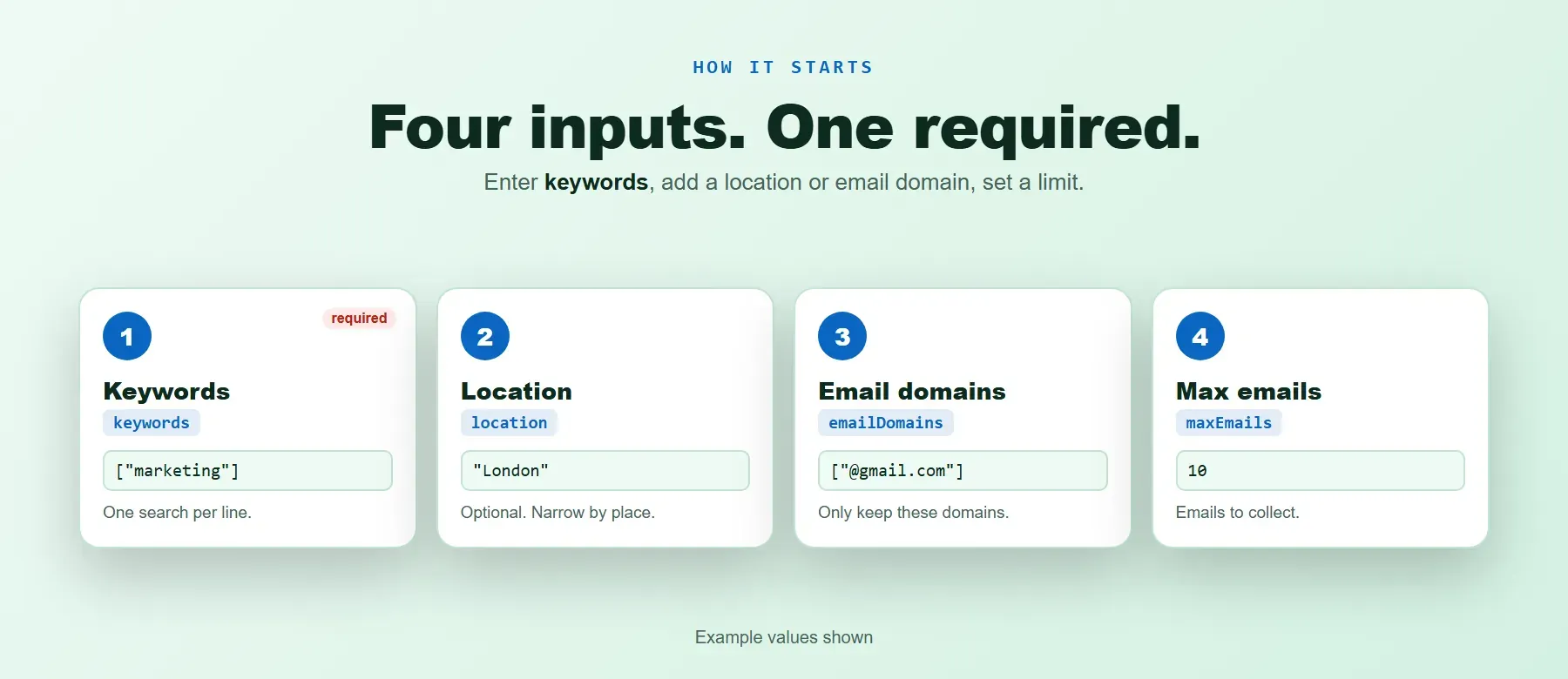
Enter one or more keywords (required); the rest is optional and has a working default.
| Parameter | Required | Type | Description | Example value |
|---|---|---|---|---|
keywords | Yes | Array of strings | Keywords to search on public LinkedIn profiles, company pages and posts. Each one gets its own maxEmails budget; duplicates are removed. | ["marketing", "recruiter"] |
location | No | String | City or region searched as an exact phrase. Empty = worldwide. | "London" |
emailDomains | No | Array of strings | Keep only emails of these domains (@ optional). Default ["@gmail.com"]; [] accepts any domain. | ["@gmail.com", "@outlook.com"] |
maxEmails | No | Integer | Emails to collect per keyword (1–100,000, default 10). Free-plan runs are capped at 20 per run (all keywords together) and 200 per month. | 50 |
engine | No | String (select) | Processing engine; legacy is the only value. | "legacy" |
proxyConfiguration | No | Object | Connection settings. Leave as it is and a suitable Apify proxy is selected automatically. | {"useApifyProxy": false} |
Free plan limits
Users on the Apify free plan can fetch up to 20 emails per run (all keywords together) and 200 emails per month. When the limit is reached, the run finishes successfully with a status message explaining the limit. Upgrade to any paid Apify plan to remove these limits.
Example input
⬆️ Output
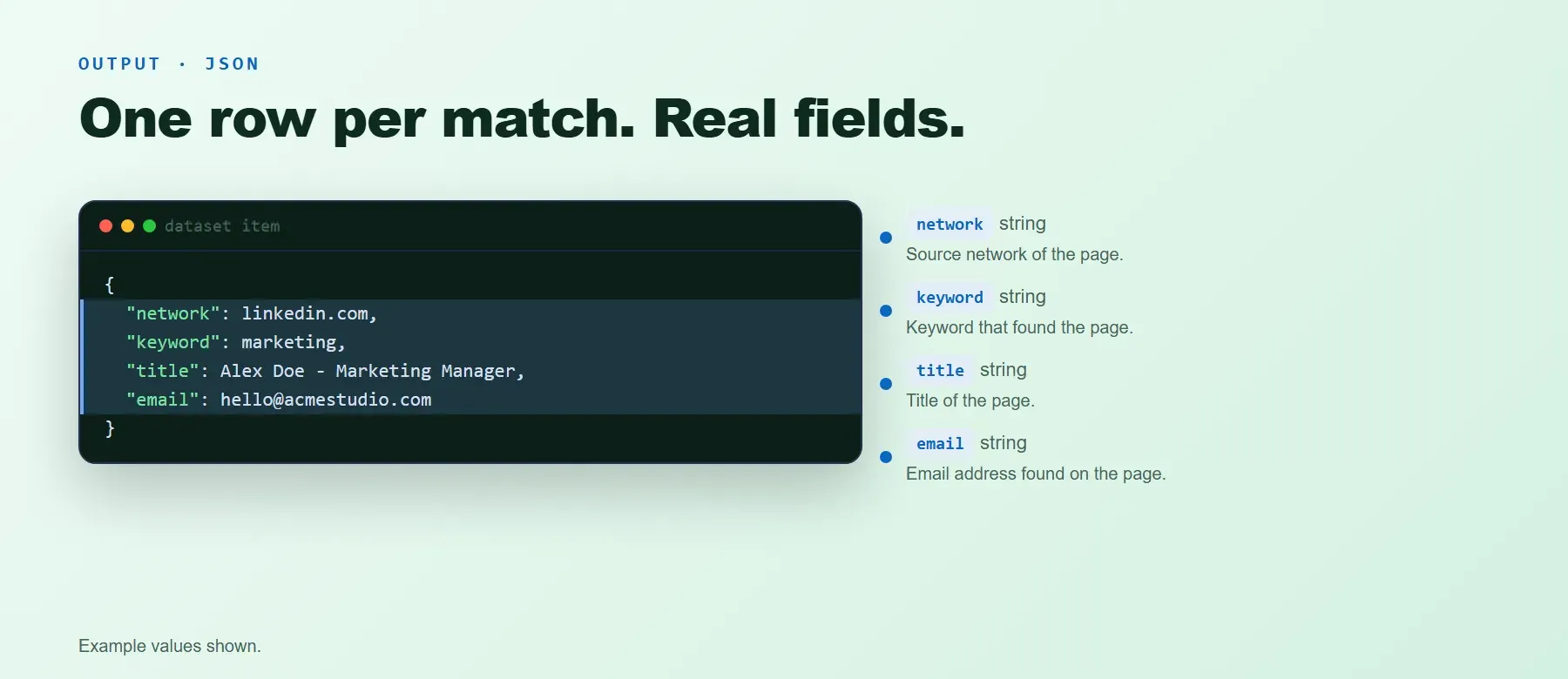
Every match is one JSON item with the same six fields on every run. Within a keyword the same email is returned once. Export as JSON, CSV or Excel.
Example output
How does it work?
LinkedIn Email Scraper doesn't log into LinkedIn at all. For every keyword it searches public LinkedIn profiles, company pages and posts that show an email address of your chosen domains (retrying with a fresh connection when a search is blocked, with a backup source running alongside). It only reads what any logged-out visitor can already see. The email is read from the page's public title and text, checked, lower-cased and returned with the page link.
How do you integrate LinkedIn Email Scraper into your stack?
Call it from any language over the Apify REST API, or wire it into a no-code tool.
No-code tools (n8n, Make, LangChain)
In n8n, use the Apify node's Run an Actor action. In Make, use the Apify app's Run an Actor module followed by Get Dataset Items. In LangChain, install langchain-apify and call ApifyActorsTool() to let an agent run it as a tool.
MCP (Claude, Cursor and other AI agents)
Add the Apify MCP server with claude mcp add --transport http apify "https://mcp.apify.com?tools=socialdataapi/linkedin-email-scraper"; the agent then finds this Actor through the server's search, add and call actor tools.
Is it legal to scrape LinkedIn data?
Scraping publicly available data is generally permitted; the legal risk sits mostly in how the data is stored and used afterward. LinkedIn Email Scraper returns only data that any logged-out visitor already sees. If you operate in the EU, GDPR applies to storing and using emails you collect: keep records you can justify and delete them when asked. Anti-spam rules (such as CAN-SPAM) still apply to outreach — the Actor finds public emails, it does not grant permission to contact them. Consult legal counsel if your use case involves bulk storage of personal data.
Frequently asked questions
What fields does LinkedIn Email Scraper return?
The network, keyword, page title, description, page URL and email for every match. See the data fields section.
Does LinkedIn Email Scraper require a LinkedIn account or login?
No. Only public pages are read and no LinkedIn credentials are ever requested.
Can I get emails of any domain, not only Gmail?
Yes. Set emailDomains to the domains you want (for example @outlook.com or your company domain), or to [] to accept any domain.
Can I search many keywords at once?
Yes. keywords takes a list; up to 3 keywords are processed at the same time, each with its own maxEmails budget.
Does LinkedIn Email Scraper return data in a format LLMs can use directly?
Yes. Every result is typed JSON with consistent field names — pass it straight to an LLM, a vector store or an agent tool.
Can I use it with an AI agent through MCP?
Yes. Add the Apify MCP server (https://mcp.apify.com?tools=socialdataapi/linkedin-email-scraper) to your agent; it can then call this Actor directly.
What happens when LinkedIn changes its layout or anti-bot system?
The actor reads general page text rather than one fixed selector, so most layout changes don't break it. When a bigger change happens the actor is updated and your calls keep returning the same JSON schema.
Do I need to manage proxies?
No. Proxy rotation and retries run on the Actor's side — plain HTTP requests, no browser to maintain.
Why do LinkedIn searches return fewer emails than other platforms?
LinkedIn hides most contact details behind login, so the emails this actor finds come only from profiles, company pages and posts where someone has put an email in their own name, headline, bio or post text. Expect fewer results per keyword than on a platform whose public pages routinely list a contact email — raise maxEmails or add more keywords to cover more ground.
Related scrapers
| Scraper | What it extracts |
|---|---|
| Douyin Email Scraper | Email addresses shown on public Douyin creator profiles and videos |
| Newegg Email Scraper | Email addresses shown on public Newegg seller and product pages |
Your feedback
Found a bug or missing a field? Let us know through the Issues tab on this actor's Apify Store page.


