

Bing Image Search API Scraper - No Azure Key Needed
Pricing
from $2.20 / 1,000 results
Bing Image Search API Scraper - No Azure Key Needed
Bing Image Search API scraper tool. Microsoft retired v7 in 2025; this returns hundreds of full-size Bing image URLs per keyword with source pages. No Azure key.
Pricing
from $2.20 / 1,000 results
Rating
0.0
(0)
Developer

Thodor
Maintained by CommunityActor stats
1
Bookmarked
14
Total users
0
Monthly active users
a month ago
Last modified
Categories
Share
A Bing Image Search API replacement and Bing images scraper tool: type a keyword, get hundreds of unique full-size image URLs back with source pages and metadata, as JSON, CSV, or Excel. No Microsoft API key, no Azure subscription, no quota forms.
Microsoft retired the Bing Search APIs in August 2025; old v7 keys now return HTTP 410 and the official replacement, Grounding with Bing Search, needs Azure billing and restricts how you store results. This actor fills the gap and reaches further than the old API did: it queries Bing across multiple markets and proxy regions in parallel, so one keyword returns 200 to 350 unique images instead of the ~35 a browser shows.
📋 How to scrape Bing Images
- Enter keywords in Search queries, one per line.
- Toggle regions: Europe and US are on by default, Asia is opt-in.
- Click Start. A query takes 10 to 20 seconds.
- Open the Output tab and click Export for JSON, CSV, Excel, or HTML.
🎁 So what do you get?
| 🖼️ Full-size image URL | 🔗 Source page | 🧬 md5 hash for dedup |
|---|---|---|
| 🏷️ Title and description | 🗺️ Which Bing markets returned it | 🌍 Which regions surfaced it |
| ⚡ Bing CDN thumbnail | 📌 Bing image and content IDs | 🧾 Full provenance per row |
⚖️ Compared to the retired Bing Image Search API
| Bing API v7 | This actor | |
|---|---|---|
| 🚦 Status | ❌ Retired, keys return HTTP 410 | ✅ Working |
| 🖼️ Results per query | 35 per page | ✅ 200 to 350 unique |
| 🔑 Access | ❌ Azure key, quota tiers | ✅ Register on Apify, $5 free monthly credit |
| 📦 Output rights | ⚠️ Storage restrictions in the successor | ✅ Keep, cache, train on it |
| 🧬 Dedup hash | ❌ | ✅ md5 on every row |
Migrating from Bing API v7
Porting code that parsed the old Bing image API images/search response? The fields map one to one:
Bing API v7 (value[] field) | This actor |
|---|---|
contentUrl | image_url |
hostPageUrl | page_url |
thumbnailUrl | thumbnail_url |
name | title |
imageId | mid |
| no v7 equivalent | md5, regions, markets, provenance |
Not carried over: width, height, contentSize, and accentColor. If your pipeline depends on any of these, open a ticket on the Issues tab and I'll add them.
🎯 Three things people run this for
| How | |
|---|---|
| 🧠 ML training datasets | One query per class label; the query field on every row becomes the label. The fast.ai dataset workflow, without the dead API key |
| 🛍️ Product and competitor research | Batch a list of product keywords and export one spreadsheet of images, sources, and titles |
| 📈 SEO across regions | markets shows which Bing market surfaced each image. Searching cat returns very different images from Bing Japan than Bing Europe |
📥 Input
queries: one search per keywordscanEU: defaulttrue. Bing's European markets (nl-BE, en-GB)scanUS: defaulttrue. Bing's US market (en-US)scanAsia: defaultfalse. Bing's Asian markets (ja-JP), worth enabling for Asian subjectsmarketOverride: a single Bingmktcode likept-BRorar-SA. Overrides the region togglessafeSearch: defaultfalsefor maximum coverage. Settruefor Bing's moderate filter
🧠 A dataset with one query per class
🇧🇷 One specific market
📤 Output
One row per unique image, deduplicated by Bing's md5 hash within each query.
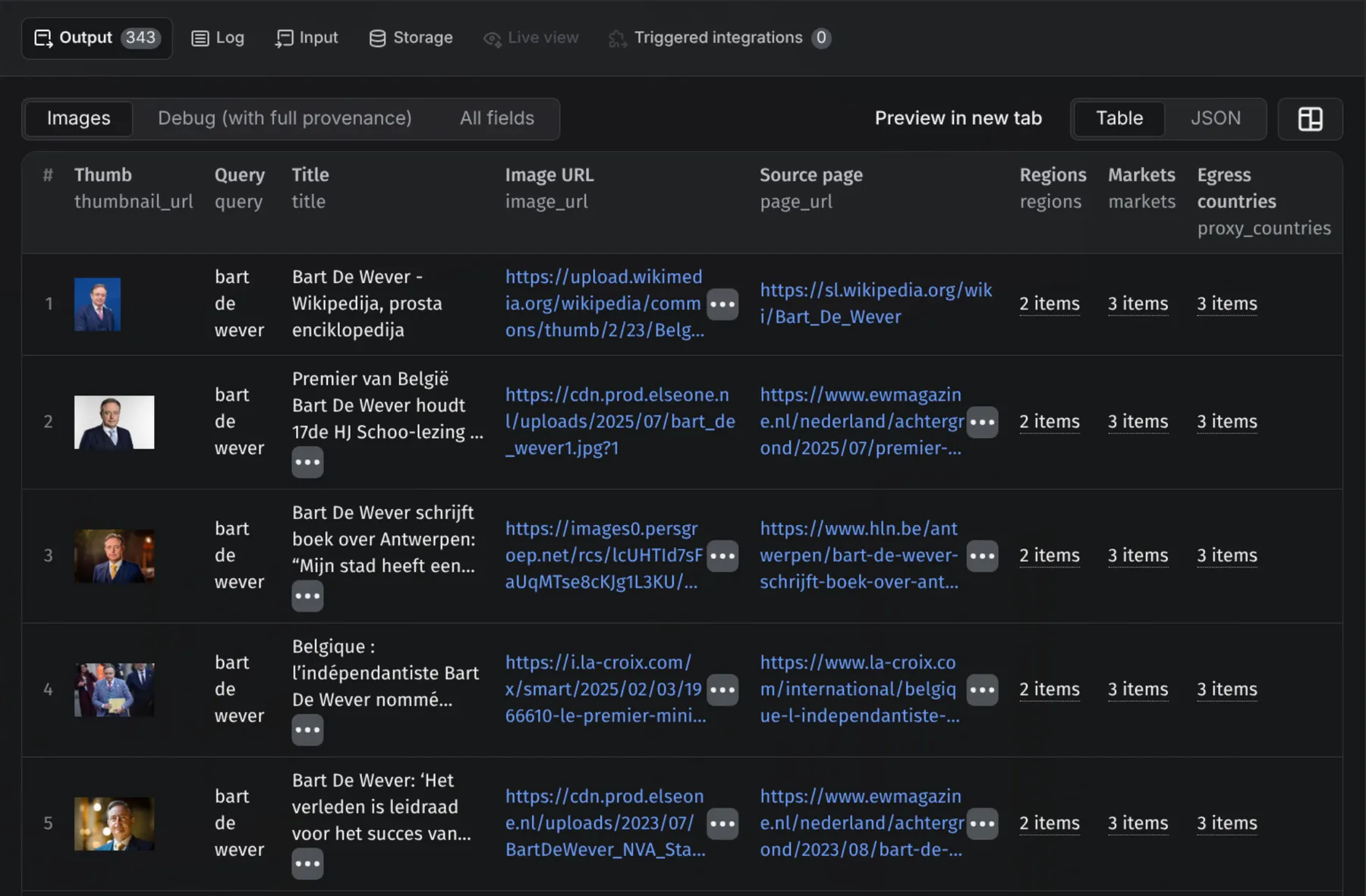
⚠️ Dedup is per query. The same image matched by two of your queries gives two rows, one per query, so billing matches exactly what you asked for. Group by
md5to dedup across queries yourself.
Fields
| Field | Description |
|---|---|
query | The search term that returned this image, your class label in dataset work |
image_url | The full-size image on the source site, not a Bing thumbnail |
page_url | The webpage hosting the image |
thumbnail_url | Bing's CDN thumbnail, fast to display and virtually never blocked |
title, desc | Image title and description, when Bing provides them |
md5 | Bing's content hash. The dedup key |
mid, cid | Bing's internal image and content IDs |
regions, markets, proxy_countries | Where this image was surfaced |
provenance | Full (market, region, proxy_country) tuples, for debugging surprising results |
🧠 Build an ML image dataset
The old fast.ai-style dataset loop died with the Bing API in August 2025. This is the same loop without the Azure key: one query per class label, run, then download from the URL list.
The folder-per-label layout drops straight into PyTorch's ImageFolder, Keras' image_dataset_from_directory, or fast.ai's ImageDataLoaders.
💡 Tip: the download uses curl_cffi instead of plain
requestsbecause some hosts refuse requests whose TLS fingerprint doesn't look like a browser. If a host still refuses, fall back tothumbnail_url, served from Bing's own CDN.
⚙️ Use it as a Bing Image Search API
Every run is an HTTP endpoint, so this doubles as a Bing Images API: POST the same JSON as the form and the images come back in the response body.
Bing Image Search API in Python
Node.js
curl
Swap run-sync-get-dataset-items for runs to fire async with a webhook on big keyword lists. The apify-client SDK works too, in Python and JavaScript, and the n8n, Make, and Zapier integrations take the same input.
💡 Tip: no need to write the JSON by hand. Fill in the form on the Input tab, switch the editor from Form to JSON, and copy the result into your code.
💰 How much does it cost to scrape Bing images?
Billing is per result, at the rate on the price card on this page. No compute charges, no subscription, no minimum spend. A default run returns roughly 200 to 350 images per query and the Asia toggle adds about 50 more, so the region toggles are also your cost control: disable what you don't need.
❓ FAQ
Is the Bing Image Search API still available? No. Microsoft retired the Bing Search APIs in August 2025, and the replacement inside Azure AI Foundry requires an Azure subscription and restricts how you store results. This actor is the working alternative.
How do I get a Bing Image Search API key?
You can't anymore; existing v7 keys return HTTP 410 Gone. If a tutorial or course asks for one, this actor is the drop-in replacement with no key at all.
Is there a free Bing Image Search API? Not from Microsoft anymore. This one is free to try: registering on Apify comes with $5 of free platform credit every month, no credit card needed, enough for real test batches.
Why do some images look like duplicates?
Bing's regional indexes rank overlapping images differently. Rows are deduplicated by md5 within each query, so lookalikes in the output are genuinely different files: cropped, resized, or hosted elsewhere.
Does this do reverse image search? Not yet, keyword search only. For finding where an image appears online, use the Reverse Image Search API. If you need Bing Visual Search specifically, open a ticket and I'll prioritize it.
Will Bing block me? Not under normal use. Requests go through residential proxies with browser TLS impersonation, and Bing is far more permissive than Google: no rate limits or captchas seen across thousands of test queries.
Can I use the images commercially?
The actor returns URLs and metadata, not licences. Check terms per source via page_url. Nothing here grants rights to the underlying files.
🛟 Support
Something not working, or missing a feature like Bing Visual Search or a specific region? Message me in the Issues tab and I'll look into it quickly. I'm a solo dev, so don't hesitate.
Scraping Google instead? The Google Images Scraper - up to 100K per Keyword pulls up to 100,000 of full-size images per keyword.
- Thodor


