
Federal Grants & Contracts Finder: Grants.gov + USAspending
Pricing
from $0.60 / 1,000 grant opportunity returneds
Federal Grants & Contracts Finder: Grants.gov + USAspending
Federal grants and contracts finder that combines open and forecasted grant opportunities from Grants.gov with contract and grant awards from USAspending.gov in one unified schema. Returns deadlines, ceilings, amounts, agency, NAICS/PSC, recipient, and an official record link. No API key.
Pricing
from $0.60 / 1,000 grant opportunity returneds
Rating
0.0
(0)
Developer

Detroit Web Agent - Open Data
Maintained by CommunityActor stats
0
Bookmarked
2
Total users
1
Monthly active users
6 days ago
Last modified
Categories
Share
Federal grants and contracts from two official US government sources in one schema: open and forecasted grant opportunities from the federal grants portal, plus contract and grant awards already made from USAspending, with keyword, agency, NAICS, deadline and amount filters and a monitor mode.
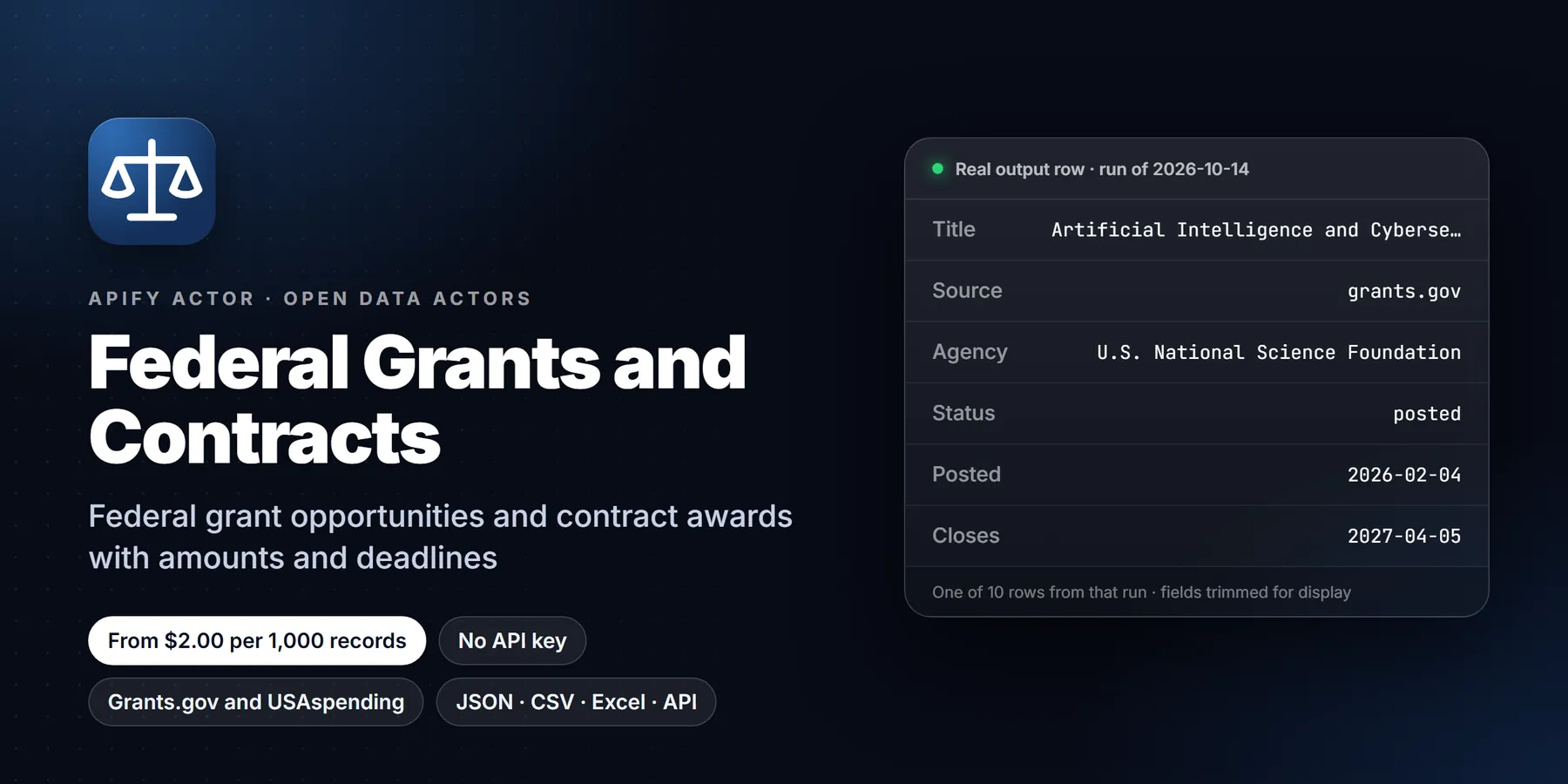

| Price per 1,000 records | Free plan | Starter | Scale | Business |
|---|---|---|---|---|
| This Actor | $2.00 | $2.00 | $2.00 | $2.00 |
| Most-used alternative | $5.00 | $5.00 | $5.00 | $5.00 |
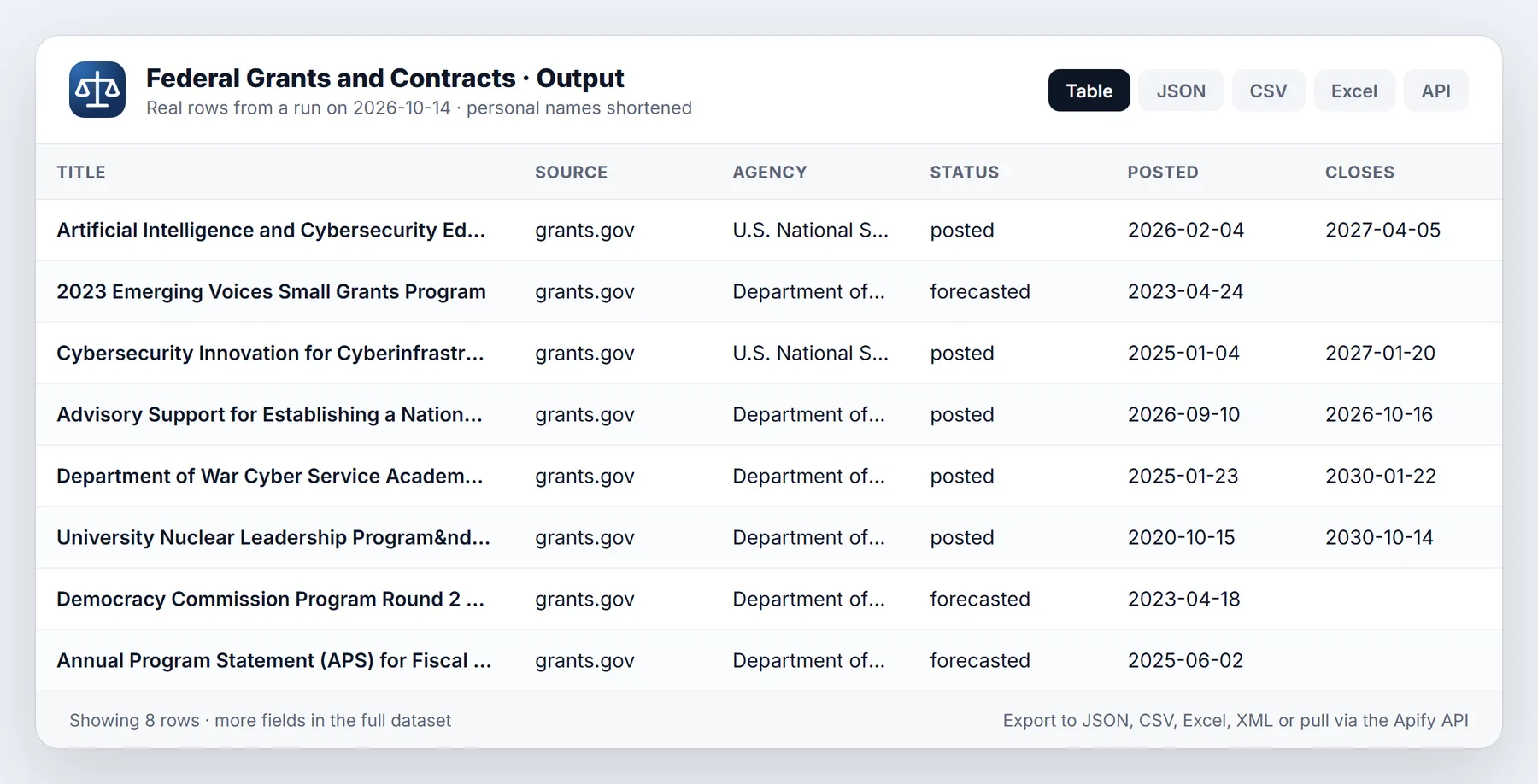
One Actor, two official US government data sources, one consistent output. Search open and forecasted federal grant opportunities from Grants.gov, and look up contract and grant awards that have already been made from USAspending.gov. Every row has the same field names, a source label, deadlines and amounts where the agency published them, and a link back to the official record.
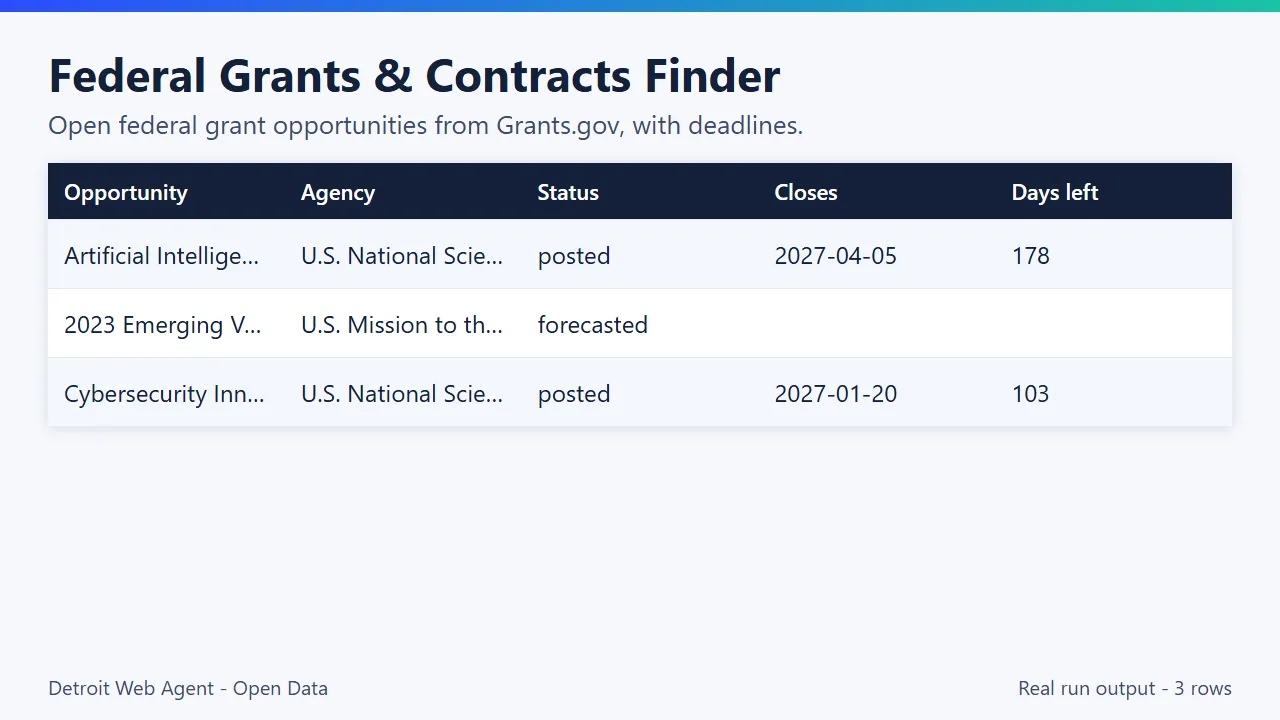
No API key, no login, no proxy, no browser. Both sources are free public APIs run by the US federal government, and this Actor calls them politely with retries and spacing.
- Grant opportunities (Grants.gov): filter by keyword, agency, applicant eligibility, funding category, Assistance Listing (CFDA) number, status (posted or forecasted) and "closing within N days". Optionally fetch the full record for each hit: description, award ceiling and floor, expected number of awards, eligible applicants, funding instruments and archive date.
- Awards (USAspending.gov): contract awards and grant awards by keyword, awarding agency, NAICS, PSC, place of performance state, recipient name, date range and amount range. Sorted by largest amount or newest start date.
- Both at once: one run can return the open opportunities in a niche and the recent awards in the same niche, so you see what is open now and who has been winning.
- Pay per event: $0.002 per grant opportunity and $0.0015 per award record, plus the platform's tiny per-run start fee. You are only charged for rows actually delivered to your dataset.
What is Federal Grants & Contracts Finder: Grants.gov + USAspending?
Federal grants and contracts finder that combines open and forecasted grant opportunities from Grants.gov with contract and grant awards from USAspending.gov in one unified schema. Returns deadlines, ceilings, amounts, agency, NAICS/PSC, recipient, and an official record link. No API key. Run it from the Apify Console, the API or a schedule, and export the results as JSON, CSV, Excel or HTML.
Run in 30 seconds
- Open the prefilled run (free Apify account; it creates a saved task with a working input).
- Press Start. The input is small on purpose, so the first run is quick and costs a few cents at most.
- Open the Output tab, switch to Table view, download as CSV, Excel or JSON.
Prefilled input:
Ready-made presets by use case (each opens as a saved task you can edit):
Why use it
Government contracting business development. Find the recent awards in your NAICS and PSC codes, see which agencies buy what, who the incumbents are, how big the awards are and when their period of performance ends. The end date of an award is often the date the recompete conversation starts.
Grant writers and consultants. Pull every open and forecasted opportunity that matches a client's field, with the close date, daysUntilClose, award ceiling and eligible applicant types in one table. Sort by deadline and you have a pipeline. Re-run weekly to catch new postings.
Competitor and customer award tracking. Put a company name in recipientSearch and see the federal awards it has received in a date range, by agency and by amount. Useful before a bid, a partnership call or an investor meeting.
Nonprofits, universities and local governments. Filter opportunities by applicant type code (for example county governments, nonprofits with 501(c)(3) status, small businesses) and by funding category, then look at the awards from the previous cycle to see what funded projects looked like.
Market research and journalism. How much federal money went to a topic in a state in the last year? Combine awards mode with placeOfPerformanceStates, keyword and date filters, and export to CSV or Excel.
AI agents and automation. The output is flat, consistently named JSON with a source link on every row, which makes it easy to feed into an LLM workflow, a CRM or a scheduled alert.
Sample output
A grant opportunity (real record from Grants.gov, description shortened):
A contract award (real record from USAspending.gov, description shortened):
(The award above is a good example of why keyword matching on USAspending is broad: the word appears in a long description of a large delivery order whose NAICS code is aircraft parts. Use NAICS, PSC and amount filters when you need tighter results.)
What you get
- A dataset with three table views: All records, Grant opportunities and Awards. Download as JSON, CSV, Excel, XML or RSS, or read it through the Apify API.
- An
OUTPUTrecord in the key-value store with run statistics: rows by type, events charged, upstream request count, the total hit count Grants.gov reported per keyword, and any warnings.
How to use
- Open the Actor and press Try for free, or call it through the API.
- Pick a mode:
openOpportunities,awardsorboth. - Add one or more keywords. Each keyword is a separate search and the results are merged.
- Add filters if you want to narrow things down (agency, NAICS, state, amount, close date).
- Set Max rows in total. This is also your cost ceiling: at the default of 50 rows a run costs about 10 cents at most.
- Run it. Open the Overview tabs (opportunities and awards) or download the dataset as JSON, CSV, Excel or XML.
Quick start input
All inputs
| Input | What it does |
|---|---|
mode | openOpportunities, awards or both (default both). |
keywords | List of search terms. One search each, merged and de-duplicated. Empty means no keyword filter. |
maxItems | Hard cap on rows delivered and billed across the whole run (default 50, max 5000). |
opportunityStatuses | posted, forecasted or both (default both). |
agencies | Grants.gov agency codes such as HHS, DOC, DOE, USDA, NSF. |
eligibilityCodes | Grants.gov applicant type codes, for example 23 small businesses, 12 nonprofits with 501(c)(3), 00 state governments. The full list is in the input form. |
fundingCategories | Grants.gov category codes such as ST, HL, ED, EN, AG, TR. |
assistanceListings | CFDA numbers, for example 11.029. |
closingWithinDays | Keep only opportunities closing within N days. Opportunities with no close date are dropped when this is set. |
includeDetails | Fetch the full opportunity record (description, ceiling, floor, eligible applicants). Default on, no extra charge. |
awardKinds | contracts, grants or both. |
awardsLookbackDays | Awards with activity in the last N days (default 365). Ignored when both dates below are set. |
awardsFromDate, awardsToDate | YYYY-MM-DD range. USAspending search starts at 2007-10-01. |
awardingAgencies | Top-tier agency names as USAspending writes them, for example Department of Defense. |
naicsCodes, pscCodes | Contract awards only. |
placeOfPerformanceStates | Two-letter state codes. |
recipientSearch | Recipient name contains this text. |
minAwardAmount, maxAwardAmount | Award amount range in USD. |
awardsSortBy | amount (largest first) or startDate (newest first). |
Pricing
Pay per event. You are charged for three things only.
| Event | Price | When it is charged |
|---|---|---|
| Actor start | $0.00005 | Once per run (platform standard) |
| Grant opportunity returned | $0.002 | Once per Grants.gov opportunity row delivered to the dataset |
| Award record returned | $0.0015 | Once per USAspending contract or grant award row delivered |
What is not charged: rows removed as duplicates inside the run, opportunities filtered out by closingWithinDays, detail fetches (includeDetails is free), failed upstream calls, and anything beyond your maxItems cap or your run spending limit. Platform compute is a small amount on top (a small run uses well under a cent).
| Scenario | Billed events | Cost |
|---|---|---|
| 25 open opportunities for one keyword with details | 25 opportunities | $0.05005 |
| 100 contract awards over $1M in one NAICS code | 100 awards | $0.15005 |
| Weekly BD pipeline: 40 opportunities + 60 awards | 40 + 60 | $0.17005 |
| 1,000 awards for a competitor-tracking export | 1,000 awards | $1.50005 |
What does it do
Grants.gov is where US federal agencies post funding opportunities that organisations can apply for. USAspending.gov is the official record of federal spending after the fact: who received which contract or grant, from which agency, for how much.
Both are public, but they use different search tools, different vocabularies and different date formats. This Actor queries both APIs and maps what comes back to one schema, so one spreadsheet, one database table or one AI agent can work with all of it.
A run does this:
- Reads your input (keywords and filters, mode, row cap).
- For
openOpportunitiesorboth: calls the Grants.govsearch2endpoint per keyword (paging 100 at a time), then, if you left detail fetching on, callsfetchOpportunityonce per opportunity. - For
awardsorboth: calls the USAspendingspending_by_awardendpoint per award kind (contracts, grants) and per keyword, paging until your cap is reached. - Maps everything to the unified row, removes duplicates inside the run, writes each row to the dataset and charges one event for it.
- Stops cleanly at your row cap or at the spending limit you set on the run.
If one upstream call fails, the run does not fail. The failure becomes a warning in the OUTPUT record (key-value store) and the run carries on with what it has.
What each row contains
Every row has the same fields. Fields that do not apply to a record type are null, so downstream code never has to guess which keys exist.
| Field | Opportunities | Awards |
|---|---|---|
source | grants.gov | usaspending.gov |
recordType | opportunity | contract_award or grant_award |
opportunityNumber | Funding opportunity number, e.g. 2026-NTIA-TBCP | null |
awardId | null | The award identifier (PIID or FAIN) |
title | Opportunity title | First 140 characters of the award description (USAspending has no separate title) |
description | Synopsis with HTML removed (needs detail fetch) | Award description as published |
agency, subAgency | Top-level agency and sub-agency | Awarding agency and sub-agency |
status | posted or forecasted | null |
postedDate, closeDate, archiveDate | ISO dates | null |
daysUntilClose | Days from today to the close date | null |
amountCeiling, amountFloor, estimatedFunding, numberOfAwards | As published, when the agency filled them in | null |
amount | null | Award amount as USAspending reports it |
recipient, recipientCity, recipientState | null | Recipient name and the city and state of its recorded location |
placeOfPerformanceState | null | Two-letter state code |
naicsCode, naicsDescription, pscCode, pscDescription | null | Contract awards only |
assistanceListings | CFDA numbers | CFDA numbers (grant awards) |
awardType | null | e.g. DELIVERY ORDER, PROJECT GRANT (B) |
fundingInstruments, fundingCategories, eligibleApplicants | From the detail record | empty |
startDate, endDate | null | Award period |
url | Link to the opportunity on grants.gov | Link to the award on usaspending.gov |
apiReference | The API call that produced the row | The API record for the award |
matchedKeyword, retrievedAt | Which keyword found it, and when | Same |
Dates are ISO YYYY-MM-DD. Money amounts are plain numbers in US dollars.
Monitor mode: only new or changed opportunities and awards
Set monitorMode to true for a recurring feed. The first run is a baseline and returns everything your filters match. Later runs return only records that are new or whose status, close date, title, award ceiling or floor, estimated funding, number of awards (opportunities) or amount, dates, recipient, award type (awards) changed, each marked changeType = new or changed. Unchanged records are skipped and not charged. maxItems caps the records returned, not the records scanned: skipped records do not count toward it, so a small maxItems keeps surfacing the next unseen records on each run until your filters are exhausted.
- Baseline is stored in the key-value store
federal-grants-contracts-monitorunderMONITOR_<monitorName>; use a separatemonitorNamefor each keyword set. - Set
maxItemsabove the number of records your filters match (the first run tells you), so new records are never pushed past the cap. - The monitor reports what the public APIs return at run time. A record withdrawn upstream is not reported as removed.
- With
includeDetailson, details are fetched for every matching opportunity on every run (to detect changes); turn it off for faster, lighter checks that still catch status and close-date changes.
Schedule it. Open the actor in Apify Console, click Save as a new task with monitorMode on and a fixed monitorName, then open Schedules > Create new schedule and add that task on a cron such as 0 7 * * * (daily at 07:00). Add a webhook or an integration (Slack, email, Make, Zapier, n8n) to the task's Run succeeded event so each run's delta is delivered where you need it. A run that finds no changes returns zero rows and incurs no per-result charges.
Removed records (reportRemoved, opt-in)
Turn on reportRemoved (together with monitorMode) and a run also emits opportunities and awards that were in your saved baseline but are absent now, once each, with changeType: "removed", lastSeenOn and a removedNote. Removed rows are never charged; new and changed rows are priced exactly as before. Nothing changes if you leave it off.
Honesty guards: removals are reported only when every search was paged to its end (no maxItems stop, no charge limit, no upstream error). The row is skipped (and the reason is logged and in OUTPUT.monitor.removedSkipped) when the fetch was incomplete or hit an error, when you changed the filters since the baseline was built, or when the baseline was created before this option existed (run once with it on to build a scope-tagged baseline). A removed row means "not returned any more", which can also mean the source retired or re-filtered the record.
An opportunity that closed or was archived, or an award outside the look-back window, also stops being returned and shows up as removed.
Use cases
- Government contracting business development: find recent awards in your NAICS and PSC codes, see which agencies buy what, who the incumbents are and when their period of performance ends.
- Grant writers and consultants: pull every open and forecasted opportunity in a client's field with close date,
daysUntilClose, award ceiling and eligible applicant types. - Competitor and customer award tracking: put a company name in
recipientSearchand see its federal awards by agency and amount. - Nonprofits, universities and local governments: filter opportunities by applicant type and funding category, then look at past awards in the same niche.
- Scheduled alerts: run daily with
closingWithinDaysand send new rows to Sheets, Slack or a CRM.
Tips for good results
- Use several specific keywords instead of one vague one. Each keyword is a separate search, and a row found by two keywords is delivered once.
- For awards, filter by NAICS or PSC when you can. Keyword search on USAspending looks across descriptions and can match words in unrelated contexts.
- Set
closingWithinDaysfor a deadline-driven pipeline, and schedule the Actor weekly. Theurlis a stable key if you want to diff runs. - Keep
maxItemssmall while experimenting. It is your cost ceiling. - Large lookbacks with a big amount floor are the fastest way to see where the money actually is.
Related actors
More tools from the same publisher that fit this workflow:
- SAM.gov Contract Opportunities: federal bids and RFPs from SAM.gov
- OFAC Sanctions Screening: fuzzy-match names against OFAC, EU, UN and UK lists
- New Business Filings: newly registered LLCs and corporations
- SEC Form D Startup Funding Leads: recently funded startups from SEC Form D
- FMCSA New Motor Carrier Leads: new motor carriers with contact details
- Building Permits Leads: city building permits and violations as leads
Use from AI agents: every actor here is callable through the Apify MCP server (mcp.apify.com) and our open-data-actors MCP endpoint.
Send results to Google Sheets, Zapier, Make or n8n
- Google Sheets: every run's dataset has a CSV export link:
https://api.apify.com/v2/datasets/<DATASET_ID>/items?format=csv&clean=true(the dataset ID is on the run's Storage tab). In Sheets,=IMPORTDATA("<that link>")loads it. Anyone with the link can read that dataset, so share it carefully. To export to Google Drive automatically, use the Google Drive integration on the actor's Integrations tab. - Zapier: in the Apify app, use the trigger Finished Actor run (or Run Actor as an action) with
transparent_meteorite/federal-grants-contracts, then Fetch dataset items and pass the rows to Google Sheets, a CRM or Slack. - Make: the Apify app has Watch Actor Runs, Run an Actor and Get Dataset Items modules; connect them to any Make app.
- n8n: install the Apify node (
@apify/n8n-nodes-apify) and use Run an Actor and get dataset, or the On new Apify event trigger. - Schedule and webhooks: create a Task with your input, add a Schedule in Apify Console, and add a webhook if you want a call when a run finishes.
See the Apify integrations docs for setup steps.
Limitations
- No SAM.gov. Open contract solicitations and entity registrations are not included (they need a key and have their own terms).
- Data is as published. Agencies enter their own data; typos, missing fields and late updates exist in the sources and are passed through.
- Grants.gov ceiling, floor and eligibility need
includeDetails. Without it you get the search-result fields only (number, title, agency, dates, status, CFDA list). - One request per opportunity for details. Large detail-enabled runs take longer because requests are spaced politely. Expect a few opportunities per second at best.
- Keyword semantics belong to the sources. Grants.gov and USAspending each interpret keywords their own way.
- Sub-awards and sub-contracts are not included. Only prime awards from
spending_by_award. - Loans, direct payments and other assistance types are not in the "grants" kind (it covers grants and cooperative agreements, award type codes 02 to 05).
- No change tracking. The Actor does not diff against earlier runs; compare datasets on
url.
Is it legal and allowed?
Grants.gov and USAspending.gov are official US federal sources whose data is public and offered through documented, keyless APIs for reuse. This Actor uses those APIs, sends a descriptive User-Agent, spaces its requests and does not bypass any access control. It is not affiliated with or endorsed by the US government. Consult your own advisers if you plan to redistribute data in a regulated context.
Related actors
- new-business-filings: newly registered US businesses from state open-data portals.
- sec-form-d-funding-leads: companies that just raised money, from SEC Form D filings.
- building-permits-leads: new building permits and violations from city open-data portals.
- city-council-agendas: public meeting agendas from city councils.
Reliability
Last 30 days, measured from Apify run records (all runs, including our own daily health checks): 28 of 28 finished runs succeeded (100.0%), median run time 2.3 s (90th percentile 14.6 s). Aborted runs (0) are not counted.
Updated 2026-10-11 automatically every week from the run history. Report any failure on the Issues tab with the run URL.
More resources
- Guide & examples: mamoo85.github.io/open-data-actors/federal-grants-contracts.html
- Sample output and example input on GitHub (masked sample CSV): github.com/Mamoo85/apify-actor-samples/federal-grants-contracts
Support and feedback
Open an issue on the Actor's Issues tab with the input you used and the run id. If a field is wrong or missing in a way you can show against the official record, include the record's URL and it will become a regression test.
Works well with
Other actors from Detroit Web Agent - Open Data that pair with this one:
- SEC Form D Funding Leads: find companies that just raised private money, a common bid and partner list for contractors.
- Company News Monitor: follow news about the agencies, incumbents or recipients you find.
- New Business Filings: spot newly registered companies in a state that may start bidding.
- Company Enrichment by Domain: add website, socials and public contacts for award recipients.
Use it from AI assistants (MCP)
Federal Grants and Contracts works as a tool for AI assistants through the official Apify MCP server. Add this server URL to any MCP client (Claude Desktop, Claude Code, Cursor, ChatGPT connectors, VS Code):
Feedback: if this Actor was useful, or if it fell short, an honest review on the Reviews tab helps other users decide. Problems or feature requests: please open an Issue and we usually reply within one business day.
FAQ
Do I need an API key or a SAM.gov account?
No. This Actor uses only keyless public APIs: Grants.gov and USAspending.gov. It does not use SAM.gov, so it does not return SAM.gov contract solicitations (the "contract opportunities" that agencies post to bid on). It returns grant opportunities (Grants.gov) and contract and grant awards (USAspending). If you need open contract solicitations, that is a different source.
Is this the official data?
It is the data the agencies publish through the official public APIs, passed through without editing, except for normalising dates to ISO format, converting numeric strings to numbers, removing HTML from descriptions and replacing email addresses in descriptions with [email omitted]. Every row has a url that opens the official record. Always confirm deadlines, eligibility and amounts on the official page before you act on them.
How fresh is it?
Grants.gov results are live when you run. USAspending is updated by the agencies on their own schedule, and contract data can lag the action date, so very recent awards may not be there yet.
What does amount mean for an award?
It is the "Award Amount" field USAspending returns for that award. For many awards this is the total amount obligated so far, which can be lower than the potential value of a multi-year contract, and it can include modifications. Read the official award page for the full breakdown.
Why are amountCeiling or closeDate sometimes null?
Because the agency did not publish them. Some opportunities have no ceiling or floor ("none" on Grants.gov), and rolling opportunities have no close date. The Actor never invents a value.
Why does a keyword return odd awards?
USAspending's keyword filter matches text in award descriptions and related fields. Add NAICS, PSC, agency, state or amount filters to tighten results.
Does it return closed or archived grant opportunities?
No. Opportunity mode returns posted and forecasted opportunities. For history, use awards mode, which goes back to 2007-10-01.
Does it collect personal data?
No enrichment. The Actor does not look up individuals, does not return contact names, phone numbers or emails for agency staff, and scrubs email addresses from description text. Award recipients are the organisation names as USAspending publishes them (assistance awards to individuals are masked by the source). Only city and state of the recipient's recorded location are returned, not street addresses.
Will it break if the APIs are down?
The run will not fail. Retries with backoff handle temporary 429 and 5xx responses; if a source stays down, the run ends with whatever it collected and a warning in OUTPUT.
How many rows can I get?
Up to 5,000 per run via maxItems. For larger extractions, split by date range or agency.
This Actor vs parseforge/usaspending-scraper: that one also returns sub-award records from USAspending. This one pairs awards already made with open and forecasted grant opportunities in one consistent output, so you see what is open now and who has been winning, and its monitor mode returns only new or changed records.
More questions
How do I find open federal grants for my field?
Use mode: openOpportunities with keywords. Add closingWithinDays to keep only grants closing soon, and filters for agency, eligibility and funding category. Each row has the deadline, award ceiling and a link to Grants.gov.
How do I find who won federal contracts in my NAICS code?
Use mode: awards with naicsCodes (and optionally pscCodes, a date range and an amount range). Rows come from USAspending.gov with the recipient, awarding agency, amount and period of performance.
Do I need an API key or a SAM.gov account? No. It uses only keyless public APIs: Grants.gov and USAspending.gov. It does not use SAM.gov, so it does not return open contract solicitations.
Is this official government data? Yes, it comes from Grants.gov and USAspending.gov. Amounts and dates are as the agencies publish them, and each row links back to the official page.
Can I get both open grants and past awards in one run?
Yes. mode: both (the default) returns open and forecasted opportunities and recent awards in the same niche, with consistent field names and a source label.
How much does it cost?
$0.002 per grant opportunity and $0.0015 per award record, plus the platform start fee. maxItems caps the spend.
How this compares
Grants.gov and USAspending.gov are free and have their own search pages and APIs. This actor merges both into one table with consistent field names, filters, deadlines and a pay-per-row price, ready to schedule. It does not include SAM.gov contract solicitations, and paid bid-matching services may add alerts and curation that this actor does not.
Use it from code
Small real input: it returns only a couple of rows, so a test run costs very little (see Pricing). Set the APIFY_TOKEN environment variable to your token from Apify Console > Settings > API & Integrations.
Python (pip install apify-client)
JavaScript / Node.js (npm install apify-client)
curl (runs the actor and returns the dataset items in one call)
What the free plan gets you
Free plan: about 2,500 opportunities from your $5 monthly Apify credit (at $0.002 each, today's price); default settings return about 3 rows. Award records are $0.0015 each. Need more? Upgrade your Apify plan or set a higher result limit in the input.
Built and maintained by Detroit Web Agent - Open Data (Detroit, Michigan). Questions, bugs or a field you need: open an issue on this Actor's Issues tab and we will reply there.
Changelog
- 0.1 (2026-10-09): first release. Grants.gov search and detail, USAspending contract and grant awards, unified output, three dataset views.
- 2026-10-09: Input sections with a tiny prefill, run status messages, friendly input errors, examples, API snippets, integrations how-tos, FAQ.
- 2026-10-09: Branding: maintained by Detroit Web Agent - Open Data.
- 2026-10-11: Closing log line points to the Issues tab; Reliability section added to this README.
- 2026-10-13: Added a Run in 30 seconds section with a one-click prefilled run link, saved use-case presets and Store title and search description reworded around how buyers search.
- 0.2 (2026-10-13): new filters: noticeTypes (incl. closed/archived), setAsideCodes, postedFrom/To, responseDueFrom/To, naics alias. New fields: solicitationNumber, noticeType, setAside, responseDeadline, pointsOfContact (agency-published name and phone, no email), naicsCodes, department, office. Lighter default run (10 items). Pricing unchinged; price_1107 note: keep until 2026-11-07, then review against leaders.
- 2026-10-25: Listing refresh: new Store icon, README reorganised (overview, data fields, pricing, FAQ) and changelog tab added. No code change.
Volume tier pricing
Price per 1,000 events by Apify plan (paid plans get the lower rate automatically):
| Event | Free | Bronze | Silver | Gold+ |
|---|---|---|---|---|
opportunity-returned | $2 | $1.2 | $0.9 | $0.6 |
award-returned | $1.5 | $1.5 | $1.28 | $1.05 |


