
FMCSA Carrier Delta Feed: Daily New MC and USDOT Numbers
Pricing
$8.00 / 1,000 new carrier record returneds
FMCSA Carrier Delta Feed: Daily New MC and USDOT Numbers
FMCSA carrier delta feed: new trucking companies and FMCSA carriers from the official FMCSA census, with new USDOT and MC numbers, authority registrations, officer names, status, filed email and phone. Filter by state and fleet size; daily runs only bill new carriers in the delta.
Pricing
$8.00 / 1,000 new carrier record returneds
Rating
0.0
(0)
Developer

Detroit Web Agent - Open Data
Maintained by CommunityActor stats
0
Bookmarked
26
Total users
3
Monthly active users
4 days ago
Last modified
Categories
Share
FMCSA Carrier Delta Feed: Daily New MC and USDOT Authority
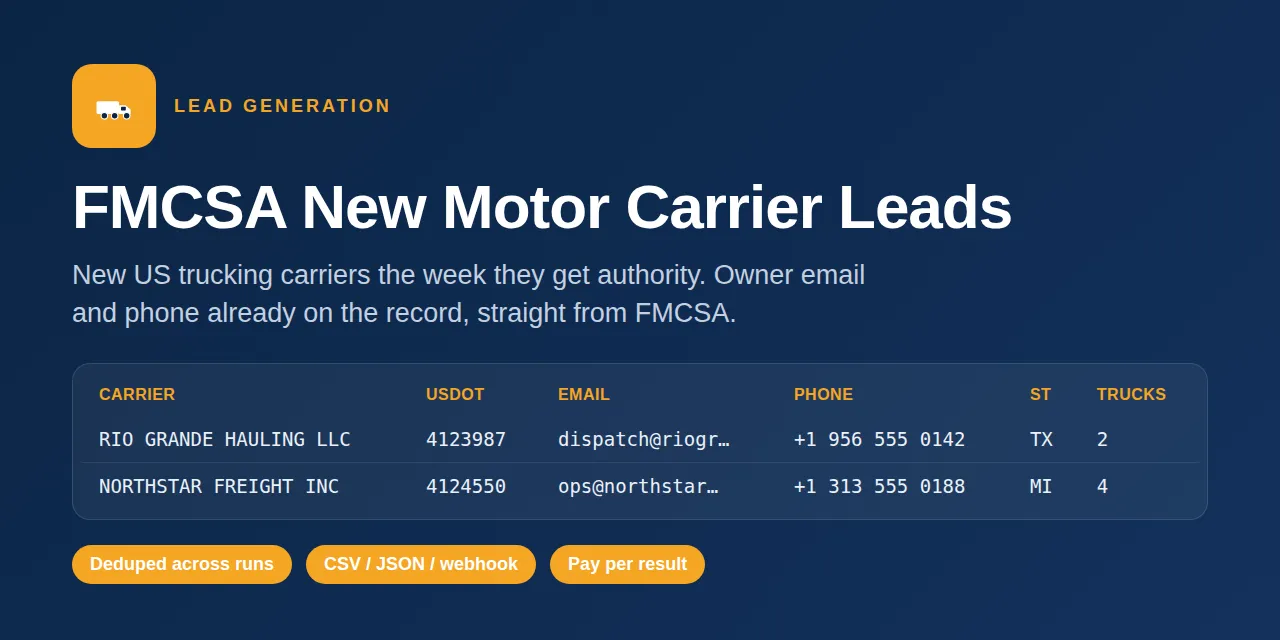
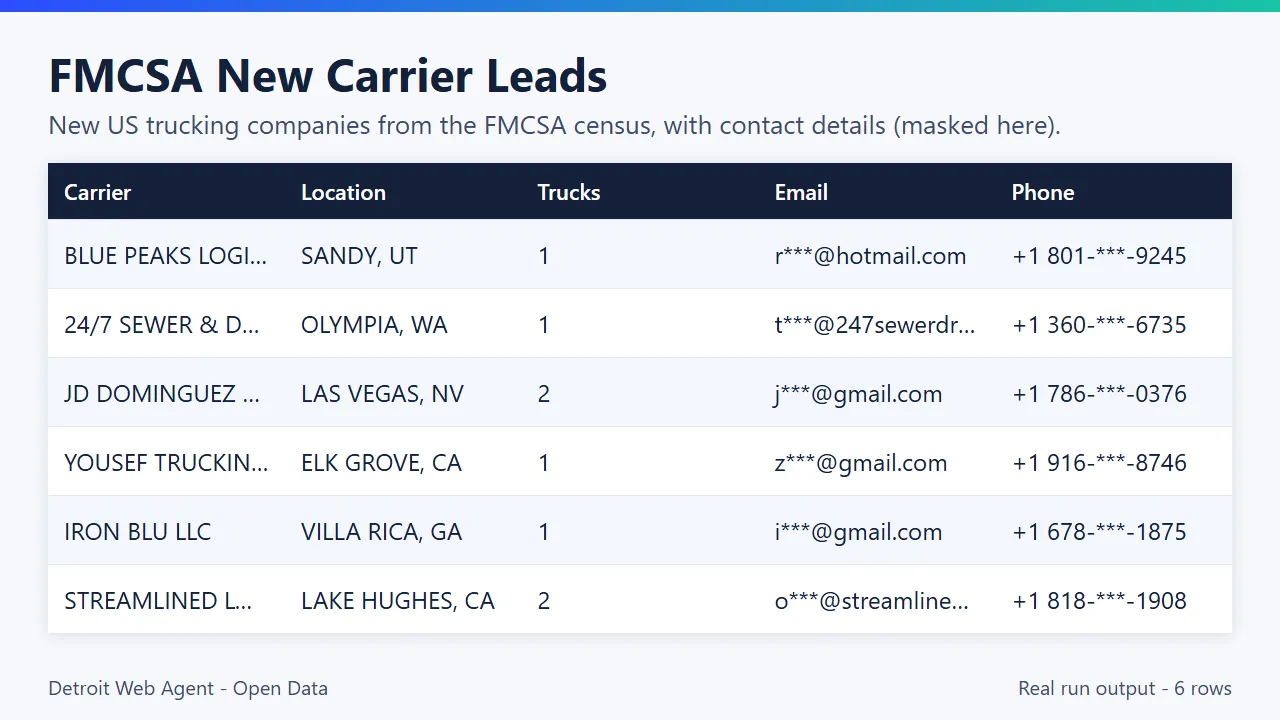
FMCSA new carrier leads, straight from the official FMCSA motor carrier census: trucking companies that just received a USDOT number or MC authority, with the phone and email they filed, ready for a CRM or a call list.
Free sample: download a CSV of real rows from recent runs of this Actor (up to 50 rows, refreshed weekly, no account needed).
Video walkthrough: Watch the 1-minute demo on YouTube
- In short: FMCSA New Carrier Leads (Apify actor
transparent_meteorite/fmcsa-new-carrier-leads) returns newly registered US trucking companies (new USDOT and MC authority) from the official FMCSA motor carrier census, with the business email and phone from their filing. - Who it is for: freight insurance agents, truck factoring and fuel-card sales teams, ELD and dispatch software vendors, and trucking recruiters.
- Input: states, days back, fleet size (power units, drivers), interstate/intrastate, hazmat, cargo types, or a list of DOT/MC numbers to look up.
- Output: one row per carrier: legal and DBA name, USDOT and MC number, address, phone, email, power units, drivers, operation type, cargo, add date.
- Price: pay per carrier delivered, no subscription (current price in the Pricing section below). Apify's free plan credit covers a first test.
- Limits: US carriers only; data is as current as the FMCSA census (usually updated daily); only carriers that filed an email have one.
Key facts
- Actor name: FMCSA New Carrier Leads
- Actor ID:
transparent_meteorite/fmcsa-new-carrier-leads - Store page: https://apify.com/transparent_meteorite/fmcsa-new-carrier-leads
- Data source: FMCSA motor carrier census (data.transportation.gov, official US DOT open data)
- Pricing model: pay per event (
carrier-record, current rate in the Pricing section below) - Output formats: JSON, CSV, Excel, XML, HTML table, RSS (Apify dataset)
- Access: Apify Console, REST API, JavaScript/Python clients, schedules, webhooks, Apify MCP server
- Login or third-party API key needed: no, only an Apify account
- Also known as: FMCSA scraper, new trucking authority list, new MC numbers, USDOT lookup, motor carrier leads, trucking company email list
- Maintainer: transparent_meteorite (independent developer)
- Last updated: 2026-10-07
Every trucking company that registered with FMCSA this week, with the email and phone from its own filing, as a clean spreadsheet or API feed.
About 400 active carriers are added to the FMCSA census every day (12,162 between Sept 5 and Oct 4, 2026; Texas alone 1,507). This actor pulls them from the official federal dataset, filters by state, fleet size and operation type, and only ever bills you once per carrier.
Motor carrier leads from the federal source. Each run lists the trucking companies newly added to the FMCSA motor carrier census (new USDOT numbers, with MC authority details where FMCSA has them), with the email and phone they filed, fleet size and operation type, so you can reach them in their first weeks of operating.
Run it now. Paste this into the Input tab (JSON view) and press Start:
This input returns at most 10 carriers, so the cost is at most 10 times the per-carrier rate in the Pricing section below. Measured: default-input test runs on 2026-10-11 (5 carriers) took 3.9 to 10.5 seconds of run time.
What is FMCSA Carrier Delta Feed: Daily New MC and USDOT Authority?
FMCSA carrier delta feed: new trucking companies from the official FMCSA census, with new USDOT and MC authority registrations, officer names, status, filed email and phone. Filter by state and fleet size; daily runs only bill new carriers in the delta. Run it from the Apify Console, the API or a schedule, and export the results as JSON, CSV, Excel or HTML.
Run in 30 seconds
- Open the prefilled run (free Apify account; it creates a saved task with a working input).
- Press Start. The input is small on purpose, so the first run is quick and costs a few cents at most.
- Open the Output tab, switch to Table view, download as CSV, Excel or JSON.
Ready-made presets by use case (each opens as a saved task you can edit):
Why choose this over alternatives
- Company officer names (
officer_1,officer_2) and the current authority type, status and status date on every row, from FMCSA's own census and authority history. - Lookup mode: check specific carriers, not only the daily new-authority feed.
- Deduplicated across runs, so a daily schedule only bills carriers you have not received yet.
- Delivered as CSV, JSON, API or batched webhook POSTs.
| Check | This actor |
|---|---|
| Automated tests on the current build | 141 passed, 0 failed (unit, live FMCSA data, end-to-end) |
| Officer names and authority status | Included on every row |
Measured 2026-10-09 (source: this actor's own test suite and runs).
Sample output
Real rows from a run on Oct 5, 2026 (daysBack: 7). Emails and phones are partly masked here only; your dataset has the full values.
| Carrier | City, State | Trucks | Drivers | Operation | Phone | Registered | |
|---|---|---|---|---|---|---|---|
| CHULA VISTAS HOLDINGS | Peoria, AZ | 3 | 4 | Interstate | d***@chulavistaholdings.com | +1 727-744-xxxx | 2026-10-04 |
| SUPERIOR EARTHWORKS LLC | Brooklyn, NY | 1 | 1 | Intrastate | s***@gmail.com | +1 917-470-xxxx | 2026-10-04 |
| PURA VIDA CREATIONS LLC | Leola, PA | 1 | 4 | Interstate | p***@gmail.com | +1 717-415-xxxx | 2026-10-03 |
| DANIELS EQUIPMENT, INC. | Santa Ynez, CA | 2 | 4 | Intrastate | o***@dei.rocks | +1 805-325-xxxx | 2026-10-03 |
| JAC LOGISTICS INC | Leesville, LA | 4 | 4 | Interstate | c***@myjaclogistics.com | +1 337-353-xxxx | 2026-10-03 |
In that run, 10 of 10 rows had both an email and a phone.
What you get
One row per new carrier:
| Field | Example | Notes |
|---|---|---|
legal_name, dba_name | CHULA VISTAS HOLDINGS | DBA when filed |
usdot | 8444058 | USDOT number, the dedupe key |
email | (on file) | Lower-cased, from the FMCSA filing |
phone, cell_phone | +17277446889 | Normalized to +1XXXXXXXXXX |
street, city, state, zip | 26477 N 84TH AVE, PEORIA, AZ | Physical address |
mailing_street, mailing_city, mailing_state, mailing_zip | Mailing address | |
power_units, total_drivers, total_cdl | 3, 4, 0 | Fleet size |
carrier_operation, carrier_operation_label | A, Interstate | Interstate or intrastate |
business_type | LLC | When filed |
registered_date | 20261004 | Date added to the FMCSA census (YYYYMMDD) |
safer_url | safer.fmcsa.dot.gov/... | Link to the carrier's SAFER snapshot |
mc_number, mc_status, ff_number, mx_number | MC-1234567, Active | Operating-authority docket numbers and MC status |
census_status, registered_date_iso | Active, 2026-10-04 | Census status and ISO registration date |
hazmat, cargo_types | false, ["General Freight"] | Hazmat flag and declared cargo types |
classification, fleet_size_class | AUTHORIZED FOR HIRE, 1-5 units | Carrier class and fleet-size bucket |
units_owned, units_term_leased, units_trip_leased, truck_units, bus_units | 2, 0, 0 | Power units by ownership |
interstate_drivers, intrastate_drivers | 2, 0 | Driver split |
safety_rating, safety_rating_date, last_review_date | Satisfactory | FMCSA compliance-review rating (null when never rated) |
mcs150_date, mcs150_mileage, mcs150_mileage_year | 2026-09-01, 120000, 2025 | Latest MCS-150 biennial update |
recordable_crash_rate, duns_number, county_code | Other census fields, null when not on file | |
officer_1, officer_2 | Jane Doe | Company officer names exactly as filed in the FMCSA census (company_officer_1/2); null when the filer left them blank |
authority_type, authority_status, authority_status_date, authority_status_reason | Motor Carrier of Property, Active, 2026-10-04, Granted | Current state of the carrier's main operating-authority docket, from the FMCSA authority history. New carriers are often Pending until granted |
authority_granted_date | 2026-10-04 | Date the docket first became Active (null while still Pending) |
authority_dockets | [{docket_number, type, status, status_date, reason, granted_date}] | Every docket on the carrier (MC, MX, FF), each with its current status |
Export as CSV, Excel or JSON, read it from the API, or have it POSTed to your webhook.
Sample output table (real run data)
Rows from a real past run (Apify run mbh8kshdUfYNo7iZW, Oct 22, 2026; the first 5 rows of the 25 it returned). Email, phone and officer names are blanked here because many new carriers are one-person businesses; your dataset has the full values.
| Carrier | State | USDOT | Power units | Drivers | Registered | Lead score | Phone | |
|---|---|---|---|---|---|---|---|---|
| VANHULLE PERFORMANCE LLC | MI | 7772625 | 1 | 4 | 2026-10-20 | 85 | (hidden here) | (hidden here) |
| LARKIN DISPOSAL | MN | 7395031 | 1 | 4 | 2026-10-20 | 85 | (hidden here) | (hidden here) |
| WHEELSMATRIX | NJ | 7154583 | 4 | 10 | 2026-10-20 | 90 | (hidden here) | (hidden here) |
| ZEUS & CO LANDSCAPING AND TREE SERVICES | PA | 6922327 | 1 | 2 | 2026-10-20 | 70 | (hidden here) | (hidden here) |
| SKY LOGISTIC LLC | AZ | 6035255 | 1 | 4 | 2026-10-20 | 85 | (hidden here) | (hidden here) |
Lookup and extra filters
Beyond the new-authority feed you can: look up exact carriers with dotNumbers or mcNumbers (the date window is ignored; untick requireEmail and onlyNewSinceLastRun to get every one), filter with nameContains, hazmatOnly, cargoTypes, maxPowerUnits, minDrivers and maxDrivers. All fields come from the public FMCSA Company Census; nothing needs a login. Defaults leave the original behavior and price unchanged.
Example inputs from real runs
Each input below was used in a real run of this Actor in October 2026. Paste one into the Input tab (JSON view) to start from it.
1. New Florida owner-operators with phone and email (that run returned 10 rows)
2. New hazmat carriers with email, last 30 days (that run returned 10 rows)
3. All new carriers, last 7 days (that run returned 120 rows)
4. New fleets of 2+ trucks with email, last 3 days (that run returned 10 rows)
5. Daily monitor: only carriers not seen before (that run returned 25 rows)
Quick start
Press Start with the prefilled form: you get up to 50 carriers registered in the last 7 days, all states, email required. That run returns at most 50 carriers, so it costs at most 50 times the per-carrier rate in the Pricing section below.
New carriers in Texas and Florida this week, with a phone:
Daily feed of interstate carriers with 2+ trucks (schedule it once a day):
Push every new carrier straight to your CRM or automation:
Example
Input example
Sample output
Three real rows from a recent run of this Actor. Personal data is masked, some fields are left out and long values are shortened for readability.
Lookup mode and monitoring (v0.2)
Set mode to lookup to look up specific carriers instead of pulling the new-carrier feed. Provide any of dotNumbers, mcNumbers (MC or MX docket numbers, digits only) and companyName (matches legal or DBA name). Registration date does not matter. Lookup mode ignores the "new in the last N days" window, "Only new since last run" and "Only carriers with an email", so every match is returned. Other filters (state, fleet size, hazmat, cargo, authorityStatus) still apply. Lookup mode with no identifiers fails with a clear error instead of returning everything.
Default is newCarriers, which behaves exactly as before.
New in 0.2: registeredAfter / registeredBefore (YYYY-MM-DD) for an exact registration window, activeOnly, maxResultsPerState, and monitorMode (turns on dedupe and starts each run from the previous run's date, so a schedule returns only carriers you have not received). New output fields: lead_score (0-100 outreach readiness from email, phone, MC authority, for-hire class, fleet size and freshness), age_in_days, operation_type (Interstate / Intrastate). An empty input runs a 5-carrier demo.
Monitoring on a schedule: keep mode = newCarriers, onlyNewSinceLastRun on and daysBack at 2 or 3. Each scheduled run delivers only carriers not delivered in an earlier run (tracked by USDOT in a named store that survives between runs) and you are only billed for those. To watch authority becoming active, schedule with authorityStatus: "Active".
Sources: the FMCSA Motor Carrier Census (az4n-8mr2) for carrier, fleet, cargo, hazmat and officer fields, and the FMCSA authority history (yu5v-wbh6) for authority type, status and granted date, both on data.transportation.gov. Authority date means the date of the status change recorded by FMCSA; authority_granted_date is the first Active entry. Authority history covers carriers that hold or applied for an MC, MX or FF docket; private carriers with only a USDOT number have no authority record, so those fields are null for them. Insurance filings are in a separate FMCSA dataset and are not included.
Pricing
Pay per event, no subscription. Current prices:
| Event | Price |
|---|---|
| New carrier record returned | $0.008 |
Apify's free plan includes monthly platform credit that covers test runs.
A scheduled price change is on file and takes effect on its start date. The Pricing tab always shows current and upcoming prices.
Examples at the current price (one carrier-record event per result; Free-plan tier):
| You pull | You pay |
|---|---|
| 100 results | $0.80 |
| 1,000 results | $8.00 |
| 10,000 results | $80.00 |
Scheduled runs stay cheap when each run only returns new records.
Daily new carriers: scheduled run
To get a fresh list of newly registered carriers every morning, save a Task with this input and attach a Schedule in Apify Console (Schedules, cron 0 13 * * * runs daily at 13:00 UTC):
onlyNewSinceLastRun skips any USDOT number you already received, so each daily run returns, and bills, only carriers you have not seen. daysBack: 2 overlaps the previous day so a late FMCSA update is not missed. Leave states empty for all states. maxResults is a hard cap on carriers returned and charged per run. Pair the run with a webhook (webhookUrl) or the Apify integrations to push each batch into a sheet or CRM.
When to use this vs ParseForge's FMCSA Carrier Safety Scraper
Use this actor when you want a feed of newly registered carriers (registration date, lead score, email and phone where FMCSA has them). Use ParseForge's FMCSA Carrier Safety Scraper when you need to vet specific carriers: its store page describes lookup by company name, DOT or MC number, with safety rating, insurance status and out-of-service orders, and this actor's output has no insurance-status field. Checked against its public store page on Oct 24, 2026.
Use with the API, n8n, Make, Zapier, Clay or AI agents
API (returns the rows in one call):
Python
- n8n, Make, Zapier: use the Apify app's "Run Actor" step with actor
transparent_meteorite/fmcsa-new-carrier-leads, then map the dataset items to your CRM. Or setwebhookUrlto a catch-hook URL and skip the polling. - Clay: add an HTTP API column that calls the run-sync endpoint above.
- AI agents (MCP): connect the Apify MCP server at
https://mcp.apify.com?tools=transparent_meteorite/fmcsa-new-carrier-leadsto Claude, Cursor or any MCP client, and your agent can pull new carriers on request. - Schedules: in Apify Console, Schedules, run it daily with
daysBack: 2for a steady feed.
Use from AI agents (MCP, ChatGPT, Claude, Perplexity)
FMCSA New Carrier Leads works as a tool for AI assistants through the official Apify MCP server. Add this server URL to any MCP client (Claude Desktop, Claude Code, Cursor, ChatGPT connectors, VS Code):
Claude Desktop / Cursor config:
Then ask in plain language, for example: "How do I get a list of new trucking companies with phone numbers?"
Call it directly over HTTP (runs the actor and returns the dataset items in one request):
Python:
The same actor works in n8n, Make, Zapier, LangChain, LlamaIndex and CrewAI through their Apify integrations.
Questions people ask
How do I get a list of new trucking companies with phone numbers? Run this actor with daysBack 7 and requirePhone true. Each row is a carrier that got USDOT or MC authority in that window, with the phone and email from its FMCSA filing.
Is there an API for new FMCSA authorities / new MC numbers? Yes. Call the actor through the Apify API (example below) or schedule it daily with onlyNewSinceLastRun so each run returns only carriers you have not seen yet.
Can I look up a carrier by DOT or MC number? Yes. Put the numbers in dotNumbers or mcNumbers and the actor returns the census record for each.
Use it from code
Small real input: it returns only a couple of rows, so a test run costs very little (see Pricing). Set the APIFY_TOKEN environment variable to your token from Apify Console > Settings > API & Integrations.
Python (pip install apify-client)
JavaScript / Node.js (npm install apify-client)
curl (runs the actor and returns the dataset items in one call)
Send results to Google Sheets, Zapier, Make or n8n
- Google Sheets: every run's dataset has a CSV export link:
https://api.apify.com/v2/datasets/<DATASET_ID>/items?format=csv&clean=true(the dataset ID is on the run's Storage tab). In Sheets,=IMPORTDATA("<that link>")loads it. Anyone with the link can read that dataset, so share it carefully. To export to Google Drive automatically, use the Google Drive integration on the actor's Integrations tab. - Zapier: in the Apify app, use the trigger Finished Actor run (or Run Actor as an action) with
transparent_meteorite/fmcsa-new-carrier-leads, then Fetch dataset items and pass the rows to Google Sheets, a CRM or Slack. - Make: the Apify app has Watch Actor Runs, Run an Actor and Get Dataset Items modules; connect them to any Make app.
- n8n: install the Apify node (
@apify/n8n-nodes-apify) and use Run an Actor and get dataset, or the On new Apify event trigger. - Schedule and webhooks: create a Task with your input, add a Schedule in Apify Console, and add a webhook if you want a call when a run finishes.
See the Apify integrations docs for setup steps.
Use cases
- Motor carrier leads by state and size: set
states(for example["TX", "FL"]) andminPowerUnits/maxPowerUnitsto match the fleets you sell to. - Daily motor carrier leads feed: schedule with
daysBack: 2andonlyNewSinceLastRunon, so each carrier is delivered and billed once.
- Freight insurance agents: a daily list of carriers that just received USDOT/MC authority, with the email and phone from their filing.
- Factoring, fuel-card and ELD vendors: filter by state and fleet size (power units, drivers) to match your offer.
- Trucking recruiters: find new for-hire carriers (
forHireOnly) and small fleets in your region. - Compliance and data teams: look up specific carriers by DOT or MC number (
dotNumbers,mcNumbers). - CRM automation: schedule it daily with
onlyNewSinceLastRunso each run delivers only carriers you have not seen.
Ready-made inputs by buyer
Copy one of these into the JSON input tab, then schedule it daily (Schedules > Create) so each run delivers only carriers you have not seen.
Truck insurance agent, one or two states, reachable carriers only
Factoring or fuel-card sales, small for-hire fleets
ELD, dispatch or compliance services, nationwide, interstate only
Hazmat-focused insurance or training
Push straight to your CRM or Zapier: add "webhookUrl": "https://hooks.zapier.com/..." to any recipe above; records are POSTed in batches of webhookBatchSize.
How this compares
The underlying FMCSA census is free public data, and you can query data.transportation.gov yourself. This actor saves that work: it applies the date window, state and fleet filters, flags carriers that filed an email or phone, remembers what you already received, and hands you a clean table. Paid trucking-data providers may add enrichment this actor does not have (for example, verified emails or insurance history); this actor only returns what FMCSA publishes.
Limitations
-
USDOT numbers are not only for trucking companies: contractors, landscapers and other businesses that move their own goods across state lines must register too, so a default run includes some of them (for example a home improvement LLC with one pickup). Turn on
forHireOnlyto keep only carriers registered as for-hire (authorized or exempt), which is about three in four new registrations (Sept 2026 data). -
Freshness follows FMCSA. The census file updates on FMCSA's schedule, not ours. In our Oct 5 run the newest carriers were dated the day before.
-
Contact data is what the carrier filed. Most new carriers are owner-operators; the email is often a personal Gmail-style inbox and the phone is often a cell.
-
No MC docket number or insurance filing status. Those are not in the census file. Use the
safer_urllink to check authority status. -
US carriers only, as registered with FMCSA.
-
Use the contact data in line with US telemarketing and email rules (TCPA, CAN-SPAM).
New-registration lead actors
These actors share one lead schema (name, dates, status, address, source link, lead score) and cover the five public signals that a business is starting up. Combine them to reach the same company at several stages:
- New Business Filings: newly registered LLCs, corporations and nonprofits by state
- New Liquor License Applications: bars and restaurants applying for liquor licenses (NY, TX, MO)
- Building Permits Leads: new city building permits with property address and contractor
- Contractor License Lookup: trade and contractor licenses from official state portals
Related actors
- WARN Layoff Notices: Texas WARN Act layoff notices as a deduped feed.
Questions, a field you need, or a bad row? Open an issue on the Issues tab and we reply quickly.
Reliability
Last 30 days, measured from Apify run records (all runs, including our own daily health checks): 25 of 25 finished runs succeeded (100.0%), median run time 3.3 s (90th percentile 15.4 s). Aborted runs (0) are not counted.
Updated 2026-10-11 automatically every week from the run history. Report any failure on the Issues tab with the run URL.
More resources
- Guide & examples: mamoo85.github.io/open-data-actors/fmcsa-new-carrier-leads.html
- Sample output and example input on GitHub (masked sample CSV): github.com/Mamoo85/apify-actor-samples/fmcsa-new-carrier-leads
- Workflow templates: n8n, Make, Zapier recipe
Feedback
Found this useful? A quick review on the Store page helps other people find it.
FAQ
Where do these motor carrier leads come from?
From the FMCSA motor carrier census that the US DOT publishes as open data on data.transportation.gov. The email and phone are the ones the carrier filed with FMCSA; carriers that filed no email have none (requireEmail keeps only those that did).
How fresh are the motor carrier leads?
As fresh as the FMCSA census, which is usually updated daily. daysBack sets how many days of new registrations one run looks at.
How do I get a list of new trucking authorities every day?
Schedule this actor daily with daysBack: 2 and onlyNewSinceLastRun on. Each run returns only carriers added since the last one, with contact info, and never repeats a carrier.
Can I get the owner or officer name and when the carrier's authority was granted?
Yes. officer_1 and officer_2 are the officer names as filed in the public FMCSA census (blank when the carrier left them empty). authority_status and authority_granted_date come from the FMCSA authority history. FMCSA does not publish an owner phone or insurer in these datasets, so those are not included.
Can I look up one specific carrier by MC or USDOT number or by name?
Yes. Set mode to lookup and fill mcNumbers, dotNumbers or companyName. See "Lookup mode and monitoring" above.
Where does the FMCSA new carrier data come from?
The official FMCSA Company Census File published on data.transportation.gov (dataset az4n-8mr2). It is public record, pulled without any login. Only active carriers (status_code = A) are returned.
Do new motor carriers have email addresses on file?
Almost always. Carriers give FMCSA an email when they register. In our June 2026 sample of the 200 newest active carriers, 100% had an email and a phone, and every email domain accepted mail (MX-valid). We do not verify individual inboxes; run them through your own verifier if you need that.
Can I get new FMCSA carriers for just one state?
Yes. Set states, e.g. ["TX"] or ["TX","OK","LA"]. Leave it empty for every state.
What is the difference between interstate and intrastate carriers?
Interstate carriers haul across state lines and need operating authority (an MC number). Intrastate carriers stay inside one state. Filter with carrierOperation.
Will I be charged twice for the same carrier?
No, as long as onlyNewSinceLastRun stays on. Carriers are deduped by USDOT number across all your runs.
How is this different from the FMCSA SAFER website?
SAFER shows one carrier at a time. This gives you every new carrier in a date window as a filterable list, with contact fields, ready for a CRM.
This Actor vs tagadanar/fmcsa-carrier-leads: both read new FMCSA authority filings. Choose this one if you want officer names, fleet-size and hazmat filters, and dedupe across runs so a daily schedule only returns (and bills) carriers you have not seen yet.
More questions
Where can I download a list of new MC numbers / new trucking authorities?
Run this actor with a state list and daysBack; it reads the official FMCSA motor carrier census on data.transportation.gov and returns one row per newly registered carrier. Export as CSV, Excel or JSON from the dataset.
Do all new carriers have an email address?
No. The email and phone are what the carrier filed with FMCSA. Use requireEmail or requirePhone to keep only rows that have them.
Are all USDOT registrants trucking companies?
No. USDOT numbers are also held by private fleets and non-trucking businesses. Turn on forHireOnly to keep authorized for-hire carriers only.
Can I get only the carriers I have not seen before?
Yes. onlyNewSinceLastRun (on by default) remembers what earlier runs returned, so a daily schedule gives you only new rows.
Can I look up one carrier by DOT number?
Yes. Put the numbers in dotNumbers or mcNumbers; lookup mode ignores the date window.
Pairs well with
- Website Contact Extractor: deeper contact-page crawl: roles-tagged emails, E.164 phones, 11 social profiles.
- Company Enrichment by Domain: domain list in, company profile, socials, careers page, emails, MX and tech stack out.
- Local Business Leads: OpenStreetMap businesses, including ones with no website.
What the free plan gets you
Free plan: about 625 new carrier leads from your $5 monthly Apify credit (at $0.008 each, today's price); default settings return about 5 rows (pre-filled input). Need more? Upgrade your Apify plan or set a higher result limit in the input.
Built and maintained by Detroit Web Agent - Open Data (Detroit, Michigan). Questions, bugs or a field you need: open an issue on this Actor's Issues tab and we will reply there.
Did this actor do the job? If it saved you time, a short honest review on the Reviews tab helps other people judge it. If something was off, open an Issue on this page with the input you used. I read every one and fix real bugs, usually the same day.
Changelog
- 2026-10-05: Listing rewrite, real example input and sample output.
- 2026-10-06: More census fields (MC/FF/MX numbers, cargo types, fleet size, hazmat), DOT/MC lookup mode and fleet/cargo filters.
- 2026-10-07: Per-carrier price notice filed, effective 2026-10-21.
- 2026-10-09: New
forHireOnlyfilter and a README note that USDOT also covers non-truckers; Output tab table view; video walkthrough. - 2026-10-09: Input sections, status messages, examples.
- 2026-10-09: Branding: maintained by Detroit Web Agent - Open Data.
- 2026-10-09: README free-credit note; clear log line and status when your Maximum cost per run is reached.
- 2026-10-11: Closing log line points to the Issues tab; Reliability section added to this README.
- 2026-10-11: Store title, search description and README intro reworded around how buyers search; added a ready-to-run example input with its maximum cost and measured test-run timing.
- 2026-10-13 v0.2: registeredAfter/Before, activeOnly, maxResultsPerState, monitorMode; fields lead_score, age_in_days, operation_type; empty input = 5-row demo, 30 s fetch timeout, 240 s budget (fixes aborted auto-tests); default maxResults 25. price_1107 plan (note only, not applied): keep $0.008 or tier to $0.004-0.005 (Matt decision).
- 2026-10-13: Added a Run in 30 seconds section with a one-click prefilled run link and saved use-case presets.
- 2026-10-25: Listing refresh: new Store icon, README reorganised (overview, data fields, pricing, FAQ) and changelog tab added. No code change.


