

Construction Permit Delta Feed: Building Permits & Violations
Pricing
from $1.05 / 1,000 permit or violation record returneds
Construction Permit Delta Feed: Building Permits & Violations
Construction permit feed from official city open-data portals (Chicago, NYC, LA, SF, Seattle, Austin, Baton Rouge, Montgomery Co. MD, Cincinnati). Returns type, status, dates, valuation, property address, contractor business if published, source link, and code violations. Delta mode available.
Pricing
from $1.05 / 1,000 permit or violation record returneds
Rating
0.0
(0)
Developer

Detroit Web Agent - Open Data
Maintained by CommunityActor stats
0
Bookmarked
2
Total users
1
Monthly active users
3 days ago
Last modified
Categories
Share
Building permit leads from the open-data portals of 9 US cities: new building permits and code violations in one schema, with a monitor mode that returns only new or changed permits.
Free sample: download a CSV of real rows from recent runs of this Actor (up to 50 rows, refreshed weekly, no account needed).
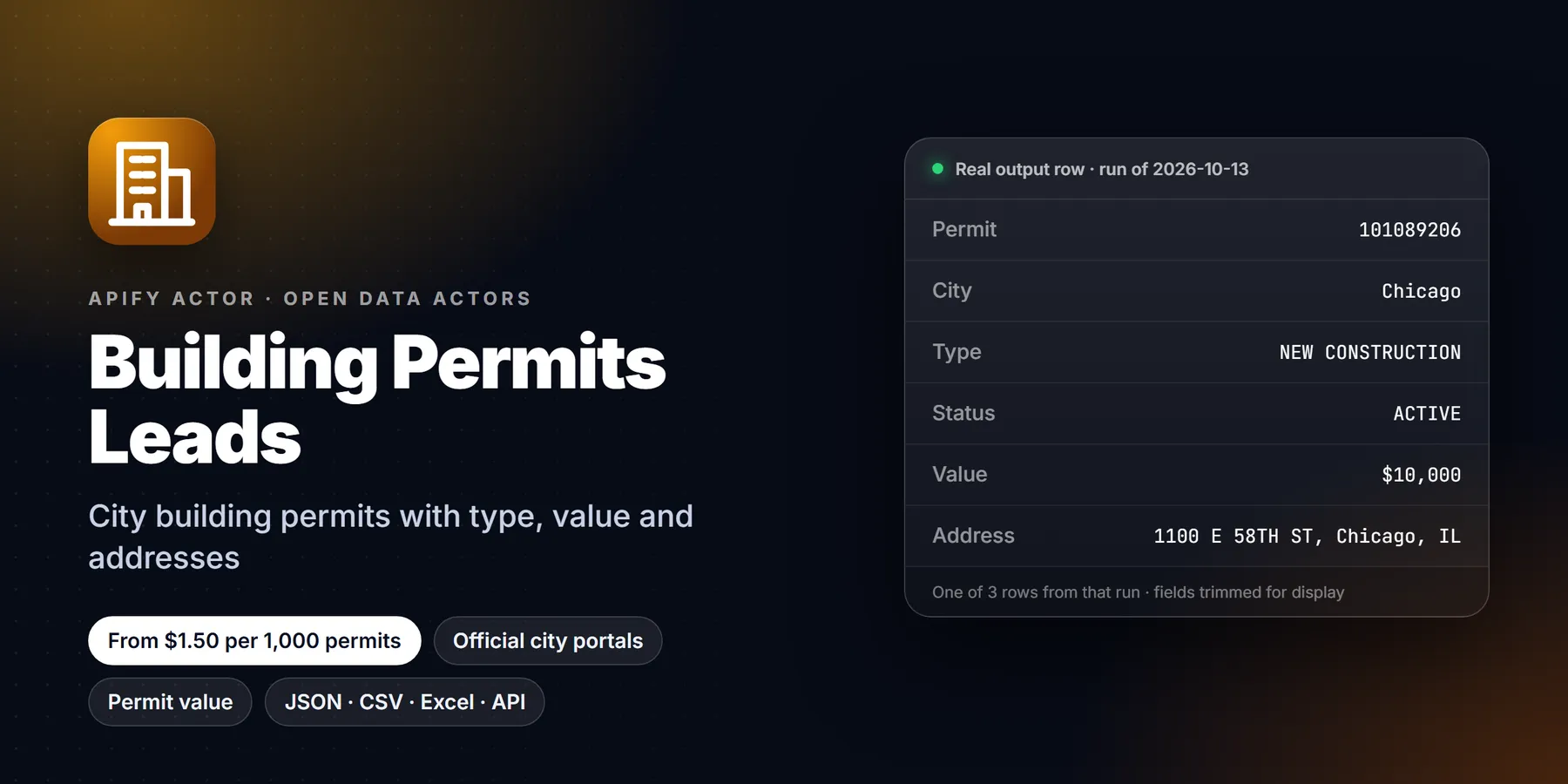

| Price per 1,000 permits | Free plan | Starter | Scale | Business |
|---|---|---|---|---|
| This Actor | $1.50 | $1.50 | $1.50 | $1.50 |
| Most-used alternative | $2.00 | $2.00 | $2.00 | $2.00 |
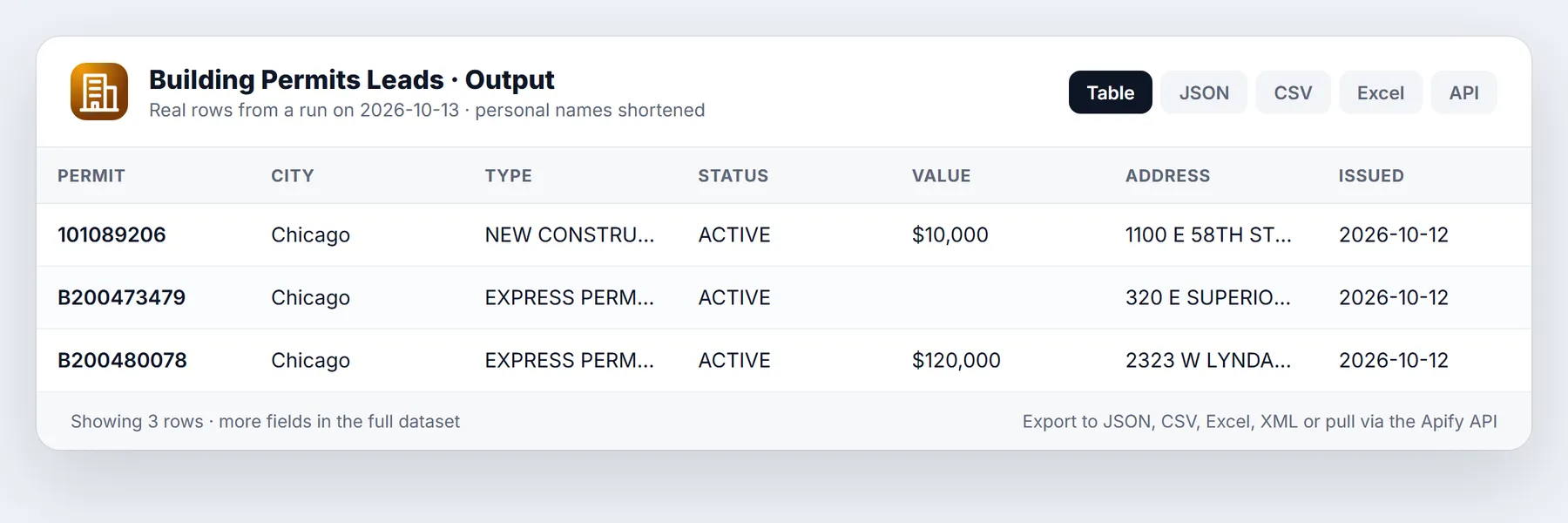
Fresh building permits and code-enforcement violations pulled straight from official city and county open-data portals, returned as clean rows: permit ID, city and state, permit type and work class, description, status, issue or filing date, declared project value, the property address, the contractor business name when the city publishes one, and a link back to the source record. Filter by city, keyword, minimum valuation and look-back window, and switch on delta mode so every scheduled run delivers only records you have not seen before. $0.0015 per record, no login, no proxy, no LLM.
Coverage is exactly the cities listed below, and nothing else. This actor does not cover "the US". It covers nine official portals that publish usable, current data today (eight for permits, two for violations). If your target city is not on the list, this actor will not return it. See Which cities are covered and Limitations.
Building permits leads for roofing, solar, HVAC and other trades, suppliers and local marketers: see which properties just pulled a permit, what the job is worth on paper and, where the city publishes it, which contractor business is on it.
Run it now. Paste this into the Input tab (JSON view) and press Start:
At most 20 permits x $0.0015 plus a $0.00005 start fee = about $0.03 for this input. Measured: default-input test runs on 2026-10-11 (Chicago, 3 permits) took 3.0 to 3.7 seconds of run time.
What is Construction Permit Delta Feed: Building Permits & Violations?
Construction permit feed from official city open-data portals (Chicago, NYC, LA, SF, Seattle, Austin, Baton Rouge, Montgomery Co. MD, Cincinnati). Returns type, status, dates, valuation, property address, contractor business if published, source link, and code violations. Delta mode available. Run it from the Apify Console, the API or a schedule, and export the results as JSON, CSV, Excel or HTML.
Run in 30 seconds
- Open the prefilled run (free Apify account; it creates a saved task with a working input).
- Press Start. The input is small on purpose, so the first run is quick and costs a few cents at most.
- Open the Output tab, switch to Table view, download as CSV, Excel or JSON.
Ready-made presets by use case (each opens as a saved task you can edit):
Why use it
- Official sources only. City and county open-data portals. No scraping of permit-search web pages, no CAPTCHA, no login, no residential proxies.
- One schema across nine portals. You write one integration, not nine.
- Server-side filters. Date window, keyword and minimum valuation are pushed into the portal query, so a "permits over $1M issued this week in Chicago" run reads a handful of rows, not a million.
- Delta mode.
onlyNewSinceLastRun(on by default) remembers what it has delivered in a named key-value store, so a daily schedule returns only new permits and you are never charged twice for the same record. A repeat run on the same input returns zero rows and charges zero record events. - Pay per record, cheap. $0.0015 per delivered record, about $1.50 per 1,000, plus a fixed $0.00005 start charge. Filtered-out and already-seen rows cost nothing.
- Honest about what it is not. The README names the cities, the fields each one does and does not publish, and where the data is thin.
Sample output
Rows below are real, from a platform run on 2026-10-09 (run UQSonexKjFRrHgaLc, default input, 30 records, 4.4 seconds). Property addresses are public record of the property, not of a person.
| Date | City | Type | Work class | Status | Valuation | Property address | Contractor (business) |
|---|---|---|---|---|---|---|---|
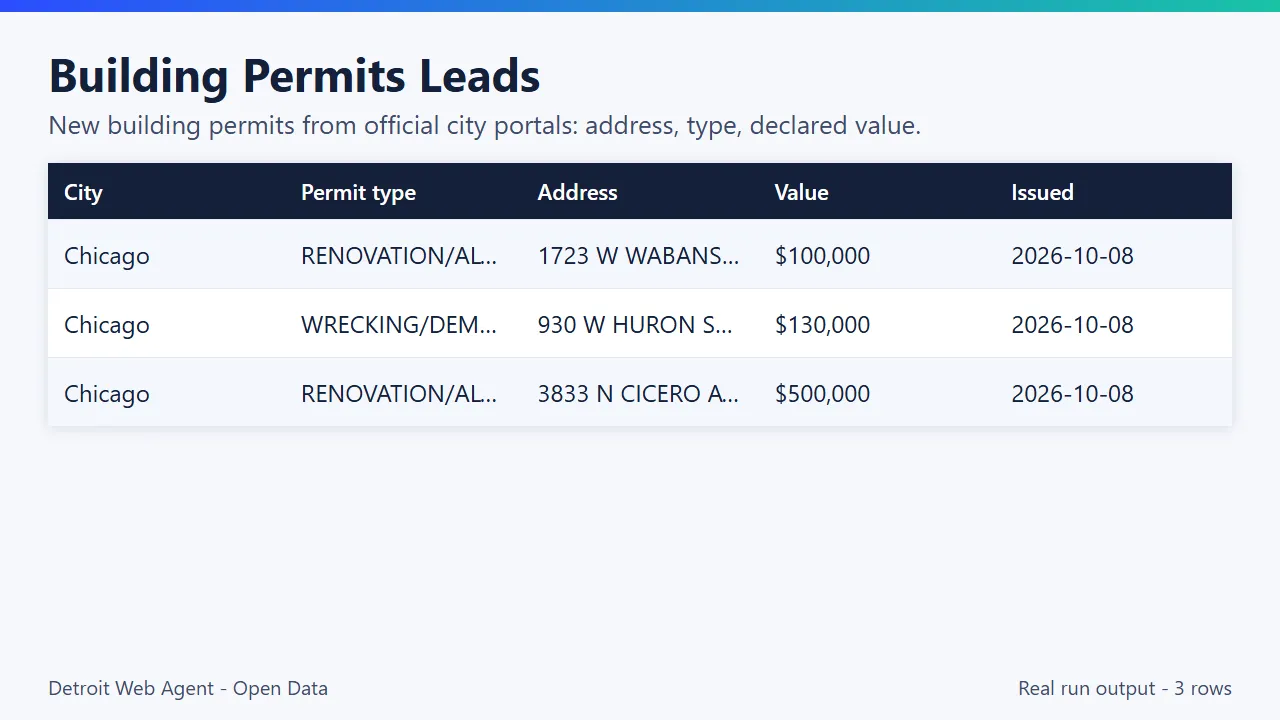
| 2026-10-08 | Chicago | RENOVATION/ALTERATION | - | ACTIVE | $100,000 | 1723 W WABANSIA AVE, Chicago, IL | REVEAL DESIGN LLC |
| 2026-10-08 | Chicago | WRECKING/DEMOLITION | - | - | $130,000 | 930 W HURON ST, Chicago, IL | TIR CONAILL CONCRETE INC |
| 2026-10-07 | Seattle | Demolition | Single Family/Duplex | Issued | $1,800,000 | 7728 MERIDIAN AVE N, SEATTLE, WA 98103 | - |
| 2026-10-07 | Seattle | Building - Addition/Alteration | Single Family/Duplex | Issued | $255,706 | 825 NE 94TH ST, SEATTLE, WA 98115 | - |
| 2026-10-07 | Austin | Plumbing Permit | Demolition | Active | - | 1205 E 13TH ST, AUSTIN, TX 78702 | Nueva Era Plumbing Services LLC |
One full JSON item:
Note the honest nulls: Chicago's permit dataset has no separate work-class value on this row, no status column on some permit types, and no ZIP code. Fields the city does not publish come back null; they are never guessed or filled from elsewhere.
Output fields
| Field | Meaning |
|---|---|
permitId | The city's permit, work-permit or case number. Also returned as permitNumber. |
recordType | permit or violation. |
cityCode, city, state | Source jurisdiction. |
permitType, workClass | The city's own type and sub-type labels (violation code and department for violations). |
description | Work description, whitespace-collapsed, truncated to 600 characters. For violations, the violation description plus inspector comment text where published. |
status | The portal's status text, or null. |
applicationDate, issueDate | YYYY-MM-DD where published. issueDate is null for violations and for San Francisco filings that are not issued yet. |
recordDate | The date sinceDays was applied to (issue date, filing date for SF, violation or case-entered date for violations). |
valuation | Declared project value in USD, number or null. |
propertyAddress, zip | Property address assembled from the portal's address columns. |
latitude, longitude | Property coordinates where published. |
contractorBusiness | Contractor business name if published and recognisable as a business, else null. |
sourceUrl | Link to the city's own record (a direct permit page where the city supplies one, otherwise the portal's record API URL for that ID). |
sourcePortal | Portal host and dataset ID. |
scrapedAt | UTC timestamp of the fetch. |
How to use
- Open the actor and press Start with the defaults. You get up to 30 of the last seven days' permits from Chicago, Seattle and Austin in a few seconds.
- Pick Cities (codes above), Record types (permit, violation or both), and a Since days window.
- Optionally add keywords (
roof,solar,demolition,new construction,hvac) and a Minimum valuation. - Set Max items to cap the spend. The cap is split evenly across the selected city sources.
- Run once to see data, then put the actor on a daily schedule with
onlyNewSinceLastRunleft on to receive only new records each day.
Input example
Input fields
| Field | Type | Default | What it does |
|---|---|---|---|
cities | array of codes | CHI, SEA, AUS | Which city sources to query. Empty list means all nine. |
recordTypes | array | permit | permit, violation or both. Violations exist only for CHI and CIN. |
sinceDays | integer 1 to 180 | 7 | Look-back window, applied to the portal's date field shown in the table above. |
keywords | array of strings | none | Keep a record if its type, work class, or description contains any keyword (case-insensitive). |
minValuation | integer USD | 0 | Keep permits with a declared value at or above this number. Violations are not filtered by it. |
maxItems | integer | 30 | Cap on records delivered and charged in this run, split evenly across selected sources. |
onlyNewSinceLastRun | boolean | true | Delta mode: skip anything delivered in earlier runs that used the same store. |
stateStoreName | string | building-permits-leads-seen | Named key-value store holding the delta memory. Change it to run separate feeds or to reset. |
Pricing
Pay per event, no subscription, no minimum.
| Event | Price |
|---|---|
| Actor start (once per run) | $0.00005 |
| Permit or violation record returned | $0.0015 each (about $1.50 per 1,000) |
Records skipped by delta mode, dropped by your filters, or missing a permit ID or date are never charged. Set Max items (and the Apify "maximum cost per run" if you like) and the actor stops at the cap.
Worked examples:
- Default run, 30 records: 30 x $0.0015 + $0.00005 = $0.04505.
- Daily schedule, 8 cities, about 600 new permits a day: about $0.90 per day, about $27 per month, thanks to delta mode paying only for new rows.
- One-off backfill, 90 days of Chicago permits over $500,000: pay only for the rows that match.
Platform compute for these runs is a fraction of a cent (the verification run used about $0.0002 of compute on 512 MB).
What does Building Permits Leads do?
Cities publish the permits they issue as open data. That data is public record, but every city uses a different portal, different column names, different date fields and different ways of encoding "how much is this job worth". This actor talks to each portal's official open-data API (Socrata SODA), applies your filters on the server side where the portal supports it, normalises the result into one schema, and hands you a dataset you can download as JSON, CSV or Excel, read through the API, or stream into n8n, Make, Zapier, Clay, Google Sheets or a CRM.
For each record you get:
- Permit or case ID exactly as the city issues it, plus a source link to the city's own record so you can verify any row in one click.
- City, state, record kind (
permitorviolation). - Permit type and work class as the city labels them (for example "RENOVATION/ALTERATION", "Demolition", "Electrical Permit", "otc alterations permit"), and a description of the work when the city publishes one.
- Status where the portal has one (Issued, Active, Ready for Issuance, Permit Issued, OPEN...).
- Application or filing date where published, issue date, and a single normalised
recordDatethat is the date your look-back window is applied to. - Valuation in US dollars as declared on the permit (the city's own number, which is often an estimate and sometimes a placeholder; see Limitations).
- Property address (street, city, state, ZIP where the portal gives one) and latitude/longitude of the property where published.
- Contractor business name, only when the portal publishes one and it reads as a business (a legal suffix such as INC, LLC, CORP or a trade word such as ROOFING, ELECTRIC, PLUMBING, CONSTRUCTION). Person-style names are dropped, not emitted.
What this actor will not give you
This is a deliberate design decision, not a gap:
- No property-owner names. Several portals publish an owner or applicant column. The actor never reads it into the output.
- No applicant, filer, architect, engineer or inspector personal names.
- No phone numbers, e-mail addresses or mailing addresses of individuals, and no skip-tracing or contact enrichment. The actor does not look anyone up.
- No contractor person names. If a city lists an individual as the contractor of record, that field comes back
null.
What remains is a record about a property and a job, which is what a supplier, roofer, solar installer, insurer's survey team, code-compliance consultant or local marketer actually needs to prioritise work. If you want to reach the business that did the work, use the contractor business name together with its own public website or listing (see Related actors).
Which cities are covered
Every row below was probed live against the portal on 2026-10-09 and returned current rows (latest record dates within one to three days, except where noted). Portals that returned no rows, stale data (more than a year old), or no usable date field were dropped rather than shipped.
| Code | Jurisdiction | Record kinds | Dataset (portal) | Date used for sinceDays | Contractor business published | Valuation published |
|---|---|---|---|---|---|---|
CHI | Chicago, IL | permits, violations | Building Permits ydr8-5enu, Building Violations 22u3-xenr (data.cityofchicago.org) | issue date / violation date | Yes, usually (about 9 in 10 recent permits) | Yes (reported cost) |
NYC | New York City, NY | permits | DOB NOW: Build Approved Permits rbx6-tga4 (data.cityofnewyork.us) | issue date | Yes, usually (about 9 in 10), field is truncated by the city to ~25 characters | Yes (estimated job cost) |
LAX | Los Angeles, CA | permits | Building Permits submitted from 2020 pi9x-tg5x (data.lacity.org) | issue date | No | Yes |
SFO | San Francisco, CA | permits | Building Permits p4e4-a5a7 (data.sf.gov) | filing date (many filed permits are not issued yet) | No | Yes (estimated cost) |
SEA | Seattle, WA | permits | Building Permits 76t5-zqzr (data.seattle.gov) | issue date | Rarely (2 in 94 recent rows) | Yes |
AUS | Austin, TX | permits | Issued Construction Permits 3syk-w9eu (data.austintexas.gov) | issue date | Yes, usually (about 9 in 10) | Only on a minority of rows (about 1 in 15 recent rows carries a value above $0) |
BTR | Baton Rouge, LA (East Baton Rouge Parish) | permits | Building Permits 7fq7-8j7r (data.brla.gov) | issue date | Sometimes (about 2 in 3 recent rows) | Yes, often $0 for occupancy-type permits |
MOCO | Montgomery County, MD | permits | Building Permits i26v-w6bd (data.montgomerycountymd.gov) | issue date | No | Yes (declared valuation) |
CIN | Cincinnati, OH | violations only | Code Enforcement cncm-znd6 (data.cincinnati-oh.gov) | case entered date | No | No (not applicable) |
Coverage by record kind: permits from CHI, NYC, LAX, SFO, SEA, AUS, BTR, MOCO; code violations from CHI, CIN. If you ask for recordTypes: ["violation"] and a city that publishes no violations here (for example LAX), that city simply contributes nothing, and a warning is written to the run's OUTPUT record.
Considered and dropped during probing: Kansas City, MO (dataset current only to May 2025), Dallas, TX (the issue date is stored as text, so a date window cannot be applied reliably), Orlando, FL (latest issue date in the probe was 2026-09-23, weeks behind the others), the legacy San Francisco "Building Permits" dataset i98e-djp9 (last refreshed in 2025; replaced by p4e4-a5a7), and Nashville (the SODA endpoint redirects to a legacy ArcGIS hub page and returned no rows). These are not covered and are not promised.
Monitor mode: only new or changed permits
Set monitorMode to true to turn the actor into a change feed. The first run is a baseline and returns every permit in scope. Every later run returns only permits that are new or whose status, valuation, issue date, type, work class, contractor or address changed, each with changeType set to new or changed. Unchanged permits are skipped and not charged. maxItems caps the permits returned, not the permits scanned: skipped permits do not count toward it, so a small maxItems keeps surfacing the next unseen permits on each run until the feed is exhausted.
- State lives in the named key-value store
building-permits-leads-monitor(override withmonitorStoreName), under keyMONITOR_<monitorName>. Use a differentmonitorNameper watch list so schedules never share a baseline. - Monitor mode replaces
onlyNewSinceLastRunwhile it is on (that older mode reports new permits only, never changes). - Changes are detected only for permits that still fall inside your
sinceDayswindow and city selection. A permit that has aged out of the window is not re-checked. KeepsinceDaysat least as long as your schedule interval times two. - Set
maxItemshigh enough to cover the window, otherwise the cap is spent on the first rows and the rest arrive on later runs. - Removed or withdrawn records are not reported. Baselines are pruned after 180 days without being seen and capped at 200,000 records.
Schedule it. Open the actor in Apify Console, click Save as a new task with monitorMode on and a fixed monitorName, then open Schedules > Create new schedule and add that task on a cron such as 0 7 * * * (daily at 07:00). Add a webhook or an integration (Slack, email, Make, Zapier, n8n) to the task's Run succeeded event so each run's delta is delivered where you need it. A run that finds no changes returns zero rows and incurs no per-result charges.
Removed records (reportRemoved, opt-in)
Turn on reportRemoved (together with monitorMode) and a run also emits permits and leads that were in your saved baseline but are absent now, once each, with changeType: "removed", lastSeenOn and a removedNote. Removed rows are never charged; new and changed rows are priced exactly as before. Nothing changes if you leave it off.
Honesty guards: a record is reported removed only if its date is still inside the current sinceDays window and its city source was read to the end this run (no maxItems stop). Records that simply aged out of the window are never reported. The row is skipped (and the reason is logged and in OUTPUT.monitor.removedSkipped) when the fetch was incomplete or hit an error, when you changed the filters since the baseline was built, or when the baseline was created before this option existed (run once with it on to build a scope-tagged baseline). A removed row means "not returned any more", which can also mean the source retired or re-filtered the record.
Use cases
- Building permits leads by trade:
keywordssuch asroof,solarorhvac, plusminValuation, keep only the jobs worth a call. - Weekly building permits leads: turn on
monitorModeand schedule weekly; after the first baseline run, each run returns only new or changed permits, and unchanged ones are not charged.
- Roofing, solar, HVAC, electrical and plumbing sales. Filter by keyword (
roof,solar,furnace) and see which properties just pulled a permit, and which competitor's business name is on it where the city publishes one. - Building-material and equipment suppliers. Large new-construction and demolition permits show where material demand is about to land. Use
minValuationto look only at the big jobs. - Commercial real-estate and development research. Track new-construction and addition permits by neighbourhood to see where activity is clustering.
- Insurance, appraisal and inspection teams. Pull permit history around an address list, or monitor new demolitions and major alterations.
- Code-compliance and property-management services.
violationrecords for Chicago and Cincinnati point at properties with open enforcement cases, so a compliance consultant knows where the work is. - Market and local-news analysis. Count permits by type per week per city, or watch for unusually large projects.
- Marketing lists for contractors' suppliers. The
contractorBusinessfield is a list of businesses actively pulling permits, which you can then look up on their own websites.
Use with AI agents and MCP
The actor is callable from any MCP client through Apify's hosted MCP server at https://mcp.apify.com. Add the server to Claude, ChatGPT, Cursor or any other MCP-capable agent, authorise with your Apify account, and ask in plain language. The actor ID is XhTgNUTP7fFiKhBBN (transparent_meteorite/building-permits-leads).
Example prompt: "Use the building-permits-leads actor to get permits issued in the last 7 days in Chicago, Seattle and Austin with a valuation over $500,000 and the word 'demolition' or 'new', then summarise by neighbourhood."
Rows come back as structured JSON, so an agent can sort, group and cross-reference them without parsing HTML.
Use it from code
Small real input: it returns only a couple of rows, so a test run costs very little (see Pricing). Set the APIFY_TOKEN environment variable to your token from Apify Console > Settings > API & Integrations.
Python (pip install apify-client)
JavaScript / Node.js (npm install apify-client)
curl (runs the actor and returns the dataset items in one call)
Send results to Google Sheets, Zapier, Make or n8n
- Google Sheets: every run's dataset has a CSV export link:
https://api.apify.com/v2/datasets/<DATASET_ID>/items?format=csv&clean=true(the dataset ID is on the run's Storage tab). In Sheets,=IMPORTDATA("<that link>")loads it. Anyone with the link can read that dataset, so share it carefully. To export to Google Drive automatically, use the Google Drive integration on the actor's Integrations tab. - Zapier: in the Apify app, use the trigger Finished Actor run (or Run Actor as an action) with
transparent_meteorite/building-permits-leads, then Fetch dataset items and pass the rows to Google Sheets, a CRM or Slack. - Make: the Apify app has Watch Actor Runs, Run an Actor and Get Dataset Items modules; connect them to any Make app.
- n8n: install the Apify node (
@apify/n8n-nodes-apify) and use Run an Actor and get dataset, or the On new Apify event trigger. - Schedule and webhooks: create a Task with your input, add a Schedule in Apify Console, and add a webhook if you want a call when a run finishes.
See the Apify integrations docs for setup steps.
Integrations
API (JavaScript)
API (Python)
n8n
Use the Apify node: operation "Run actor", actor transparent_meteorite/building-permits-leads, paste the input JSON, then a second Apify node (or an HTTP Request node) to "Get dataset items". Put a Schedule Trigger (daily) in front, and leave onlyNewSinceLastRun on so each execution only carries new permits into your Google Sheet, Slack message or CRM.
Make
Use the Apify app: Run an Actor then Get Dataset Items (or the Watch Actor Runs trigger for run-finished webhooks). Map permitId, propertyAddress, permitType, valuation and contractorBusiness into your Airtable, Sheets or HubSpot module. Schedule the scenario daily.
Zapier
Use the Apify app: trigger "Actor Run Finished" (or schedule a run with Run Actor), then action "Get Dataset Items", then add a Zapier "Looping" step to send each row to Google Sheets, Slack, e-mail or your CRM.
Clay
Add an HTTP/webhook source or the Apify integration in Clay, run the actor, and import the dataset as a table. Use contractorBusiness as the company name column to enrich with the contractor's own website through Clay's company enrichment (that enrichment is Clay's, not this actor's), and propertyAddress for location-based filtering. Since the actor does not return personal contact data, any person-level enrichment you add in Clay is your own decision and compliance responsibility.
Webhooks and schedules
Apify can call a webhook of your choice when a run finishes. Combine a daily schedule, delta mode and a webhook to push only new permits to your own endpoint.
Tips
- Start narrow, then widen. A
keywords+minValuationcombination on two cities shows you the data shape quickly and cheaply. - Keep
maxItemsrealistic. The cap is split evenly across selected sources. With nine sources andmaxItems: 90, each gets about ten. If one source has fewer matches than its share, the unused share is not redistributed; raisemaxItemsinstead. - Use delta with separate stores for separate feeds. Different
stateStoreNamevalues keep, for example, a "solar leads" feed and a "demolition watch" feed independent. - Mind the date field. Look-back is applied to each portal's own date (see the table). San Francisco filters on filing date, so includes permits that are filed but not yet issued.
- Treat valuation as the city's number. Declared values are often round figures, placeholders (
1,0) or estimates. Use them for ranking, not accounting.
New-registration lead actors
These actors share one lead schema (name, dates, status, address, source link, lead score) and cover the five public signals that a business is starting up. Combine them to reach the same company at several stages:
- FMCSA New Motor Carrier Leads: new USDOT and MC registrations with phone, email and fleet size
- New Business Filings: newly registered LLCs, corporations and nonprofits by state
- New Liquor License Applications: bars and restaurants applying for liquor licenses (NY, TX, MO)
- Contractor License Lookup: trade and contractor licenses from official state portals
Related actors
More tools from the same publisher that fit this workflow:
- SAM.gov Contract Opportunities: federal bids and RFPs from SAM.gov
- Federal Grants & Contracts Finder: Grants.gov and USAspending awards in one place
- OFAC Sanctions Screening: fuzzy-match names against OFAC, EU, UN and UK lists
- New Business Filings: newly registered LLCs and corporations
- SEC Form D Startup Funding Leads: recently funded startups from SEC Form D
- FMCSA New Motor Carrier Leads: new motor carriers with contact details
Use from AI agents: every actor here is callable through the Apify MCP server (mcp.apify.com) and our open-data-actors MCP endpoint.
How this compares
City open-data portals are free and you can query them yourself. This actor puts eight permit portals and two violation portals into one consistent schema (normalised dates, valuation, address, business-only contractor names), with a delta mode for daily runs. Commercial permit databases cover far more jurisdictions and add owner and contact data; this actor covers only the cities listed and deliberately returns no personal data.
Limitations
- Only the cities listed. Nine sources: Chicago, New York City, Los Angeles, San Francisco, Seattle, Austin, Baton Rouge, Montgomery County MD (permits) and Chicago and Cincinnati (violations). No other jurisdiction is included.
- Violations: Chicago and Cincinnati only. Other cities' code-enforcement data is not covered.
- Open-data lag. Portals refresh daily, weekly or irregularly. Los Angeles was about a week behind in testing. Portals can also change dataset IDs or columns without notice; if one breaks, the run records a warning for that source and carries on with the others.
- Permits only, as issued (or filed, for SF). This is not a pre-application pipeline, not a bid list, and does not include private-sector projects that never need a permit.
- Valuation quality varies. Declared values are self-reported, sometimes placeholders, and some portals omit them.
- NYC covers DOB NOW approved permits, not the legacy DOB BIS permits or other agencies' permits, and the contractor business field is truncated by the city.
- Contractor business names are partial and heuristically screened. Missing does not mean none exists.
- Not an entity-resolution tool. The same contractor can appear under several spellings across rows and cities; the actor does not merge them.
- Descriptions are the city's free text and can be terse, shouty or truncated (to 600 characters here).
- Reading a portal row is not a recommendation to contact anyone. Check your local rules before outreach.
Related actors
Other actors from the same account that pair with permit data:
- New Business Filings: newly registered LLCs and corporations from official state open data (CO, NY, OR, CT). Useful to spot new contractors and new property-holding entities.
- Local Business Leads: businesses by type and area from OpenStreetMap, with optional website enrichment. A way to find a contractor's own website after you have its business name from a permit.
- Website Contact Extractor: public business contact details (role e-mails, phones, social links) from business websites. Use it on contractor websites, subject to your compliance obligations.
- Domain Intelligence Lookup: registration, DNS and security details for a list of domains.
- Shopify Store Leads: store and app detection for e-commerce prospecting.
Support and changes
Found a portal that broke, or a city with a clean public permits API you want covered? Open an issue from the actor page with the portal URL and what you expected. New cities are added only after a live probe shows current, filterable data, and removed if their data goes stale.
Reliability
Last 30 days, measured from Apify run records (all runs, including our own daily health checks): 24 of 24 finished runs succeeded (100.0%), median run time 2.8 s (90th percentile 5.0 s). Aborted runs (0) are not counted.
Updated 2026-10-11 automatically every week from the run history. Report any failure on the Issues tab with the run URL.
More resources
- Guide & examples: mamoo85.github.io/open-data-actors/building-permits-leads.html
- Sample output and example input on GitHub (masked sample CSV): github.com/Mamoo85/apify-actor-samples/building-permits-leads
- Workflow templates: n8n, Make, Zapier recipe
Works well with
Other actors from Detroit Web Agent - Open Data that pair with this one:
- New Business Filings: spot newly registered LLCs and corporations that may become permit applicants or contractors.
- Local Business Leads: find a contractor's own website and listing after you have its business name from a permit.
- Website Contact Extractor: pull public business contact details from those contractor websites, subject to your compliance obligations.
- Domain Intelligence Lookup: check registration and DNS facts for a contractor's domain.
FAQ
Which cities do the building permits leads cover?
Only the cities listed in Which cities are covered. If a city is not on that list, the actor does not return it.
Do building permits leads include owner names or phone numbers?
No. The actor never outputs property-owner, applicant or other personal names, phones or emails. You get the property address, the job and the contractor business name when the city publishes one.
Is this legal?
The actor reads official city and county open-data APIs that are published for public use, makes serial, rate-limited requests with an identifying User-Agent, and does not bypass logins, CAPTCHAs or blocks. Building permit records are public records. You remain responsible for how you use the data and for complying with each portal's terms and with laws that apply to your outreach (for example CAN-SPAM, TCPA and state telemarketing and privacy rules).
Does it include homeowner or applicant names, phones or e-mails?
No. The actor never reads owner, applicant, filer, architect, engineer, inspector or contractor-person fields, and returns no phone numbers or e-mail addresses. It performs no skip-tracing. The contractor field only contains names that read as businesses.
How do you decide that a contractor name is a business?
A name is emitted only if it contains a legal-entity suffix (INC, LLC, LLP, LTD, CORP, CO, COMPANY...) or a trade or business word (ROOFING, ELECTRIC, PLUMBING, CONSTRUCTION, BUILDERS, SERVICES, GROUP...), or an ampersand or "AND". Names with e-mails or phone numbers, "owner", "self", "N/A" and similar placeholders are rejected. This is a heuristic: a business trading under a purely personal-sounding name with no suffix (for example "Mike Smith") will be dropped, and rarely a person's name containing a word like "Group" could slip through. The source column is what the city published; the actor does not enrich it.
Why do some cities show no contractor?
Because the city does not publish one in that dataset. Los Angeles, San Francisco and Montgomery County do not include contractor columns in the datasets used here, Seattle's dataset carries one on very few rows, and violations have none. The actor does not look contractors up elsewhere.
Why is valuation empty or tiny for Austin?
Austin publishes a job-valuation column on only a small share of issued permits and often uses placeholder values such as 1. The actor returns what the city published.
How fresh is the data?
As fresh as each city's portal. During testing, latest records were typically one to three days old (Chicago, San Francisco and Seattle were updated within the day or the previous day; Los Angeles lagged by about a week). Cities update on their own schedules and the actor cannot make them faster.
Can I get all of the US, or a state, or my county?
Only the jurisdictions in the coverage table. If your county or city is not listed, this actor will not return it. Open-data coverage across US cities is uneven, and many jurisdictions publish permits only through search pages or paid vendors.
What does delta mode remember, and for how long?
The key CITY:recordType:permitId for each delivered record, stored in a named key-value store on your account, for 180 days. Delta mode is on by default. A run on the same input right after a previous run returns zero rows and costs only the start fee. Turn it off for a full re-pull.
Why did I get fewer rows than maxItems?
Either the portals had fewer matching records in your window, your filters were narrow, or the per-source share of maxItems was reached for some sources while others had fewer. Check the OUTPUT record in the run's key-value store for perSource, filteredOut, skippedAlreadySeen and any warnings.
A portal was down. What happens?
Requests are retried with backoff on HTTP 429 and 5xx errors. If a portal still fails, the actor records a warning for that source in OUTPUT, moves on to the next city, and you are only charged for rows actually delivered.
Can I filter by address, ZIP or neighbourhood?
Not on the server. Download the dataset and filter on propertyAddress, zip or the coordinates in your own tool. (ZIP is not published by every portal.)
This Actor vs samstorm/building-permit-lead-scraper: this one puts nine cities in one schema, includes code violations as well as permits, and has a delta mode for scheduled runs.
More questions
How do I get a list of new building permits for a city?
Pick one or more city codes in cities and a look-back in sinceDays. You get one row per permit with the permit ID, type, status, issue date, declared value, property address and a link to the city's own record.
Can I find roofing, solar or HVAC leads from building permit data?
Yes. Use keywords (for example roof or solar) to keep only matching permits, and minValuation to keep larger jobs. Where the city publishes a contractor that reads as a business, it is in contractorBusiness. Owner and applicant names are never returned.
Does it give homeowner names, phone numbers or emails? No. By design the actor never reads owner, applicant or inspector names, and never returns phones, emails or mailing addresses of individuals.
Which cities does it cover? Permits: Chicago, New York City, Los Angeles, San Francisco, Seattle, Austin, Baton Rouge and Montgomery County MD. Code violations: Chicago and Cincinnati. Nothing else is included, and the README lists the exact datasets.
How do I get only new permits each day?
Leave onlyNewSinceLastRun on (the default) and schedule the actor. It remembers permits it has already returned in a named store (stateStoreName) and prunes entries older than 180 days.
How much does it cost to pull 1,000 permits? $1.50 per 1,000 permit or violation records, plus the platform's tiny per-run start fee. You are charged only for rows delivered. See Pricing.
What the free plan gets you
Free plan: about 3,330 permit records from your $5 monthly Apify credit (at $0.0015 each, today's price); default settings return about 3 rows. Need more? Upgrade your Apify plan or set a higher result limit in the input.
Built and maintained by Detroit Web Agent - Open Data (Detroit, Michigan). Questions, bugs or a field you need: open an issue on this Actor's Issues tab and we will reply there.
Feedback: if this Actor was useful, or if it fell short, an honest review on the Reviews tab helps other users decide. Problems or feature requests: please open an Issue and we usually reply within one business day.
Changelog
- 2026-10-09: First release.
- 2026-10-09: Input sections with a tiny prefill, run status messages, friendly input errors, examples, API snippets, integrations how-tos, FAQ.
- 2026-10-09: Branding: maintained by Detroit Web Agent - Open Data.
- 2026-10-11: Closing log line points to the Issues tab; Reliability section added to this README.
- 2026-10-11: Store title, search description and README intro reworded around how buyers search; added a ready-to-run example input with its maximum cost and measured test-run timing.
- 2026-10-13: Added a Run in 30 seconds section with a one-click prefilled run link and saved use-case presets.
- 2026-10-13: New inputs: City (plain name), Keyword, Permit types, Maximum project value, Issued from / Issued to dates. Alias output fields
permitNumber,contractor,estimatedCost,address(same values aspermitId,contractorBusiness,valuation,propertyAddress). Prices unchanged. - 2026-10-25: Listing refresh: new Store icon, README reorganised (overview, data fields, pricing, FAQ) and changelog tab added. No code change.
Volume tier pricing
Price per 1,000 events by Apify plan (paid plans get the lower rate automatically):
| Event | Free | Bronze | Silver | Gold+ |
|---|---|---|---|---|
permit-returned | $1.5 | $1.5 | $1.28 | $1.05 |


