

Instagram Reels Scraper: Plays, Comments, Music, $1.5/1K
Pricing
from $0.40 / 1,000 reel rows
Instagram Reels Scraper: Plays, Comments, Music, $1.5/1K
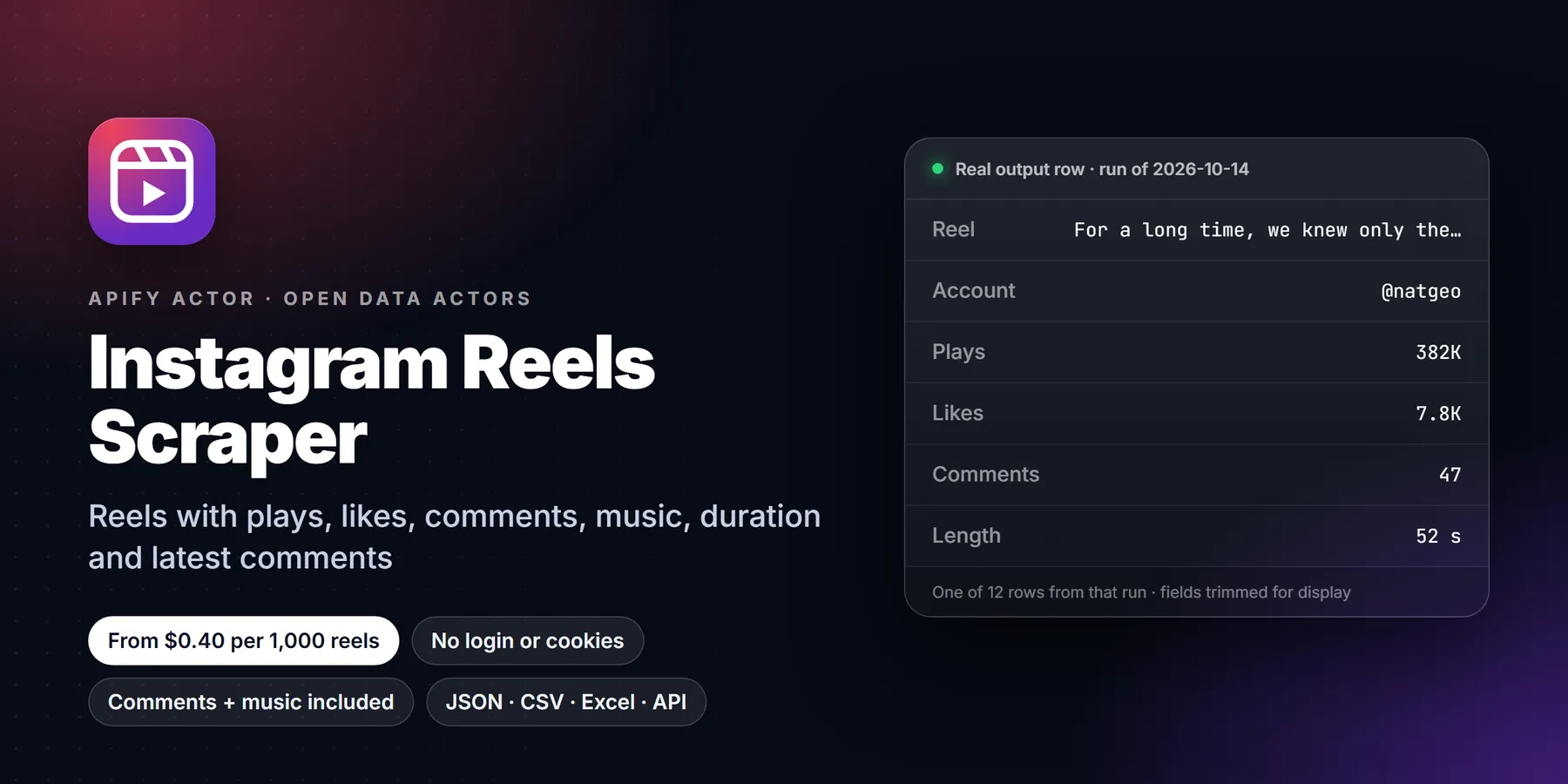
Scrape Instagram reels from any public account without login: play counts, likes, comments, duration, caption, hashtags, music or original audio, video and audio URLs, tagged users, collaborators, pinned flag and the latest comments. Reel URLs work too.
Pricing
from $0.40 / 1,000 reel rows
Rating
0.0
(0)
Developer

Detroit Web Agent - Open Data
Maintained by CommunityActor stats
0
Bookmarked
2
Total users
1
Monthly active users
16 hours ago
Last modified
Categories
Share
Instagram Reels Scraper: plays, likes, comments, music and video URLs, no login

| Price per 1,000 reels | Free plan | Starter | Scale | Business |
|---|---|---|---|---|
| This Actor | $1.50 | $1.40 | $0.98 | $0.40 |
| Most-used alternative | $2.60 | $2.30 | $1.40 | $1.00 |
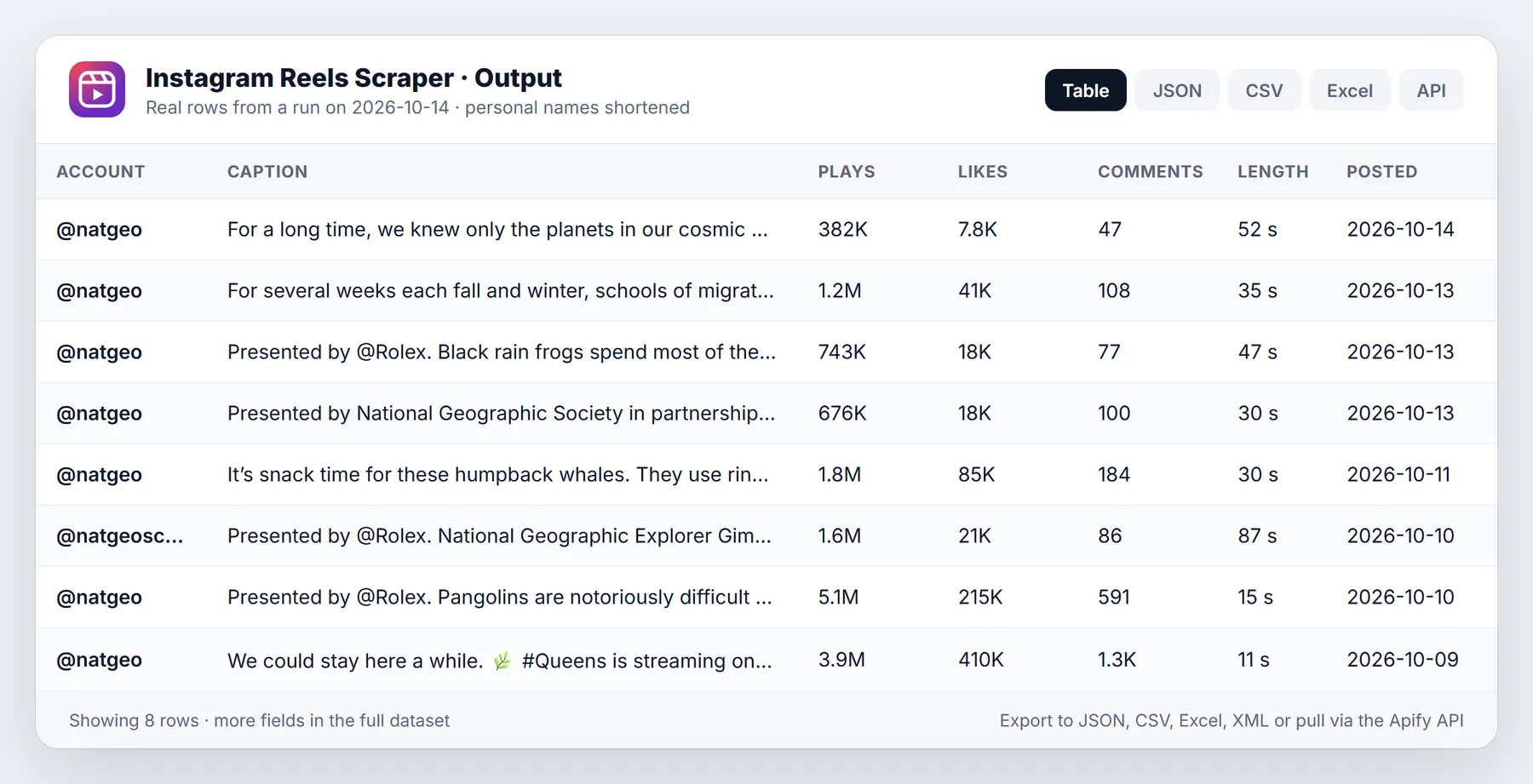
Scrape the reels of any public Instagram account without logging in. Each row is one reel with its play count, likes, comments count, duration, caption, hashtags, mentions, music or original audio, the video file URL, the audio-only track URL, cover image, tagged users, collab co-authors, paid-partnership brands, the pinned flag, alt text and the latest comments with author, likes and date. Paste usernames, profile URLs or single reel URLs.
- No Instagram account, cookies or session. Nothing is logged in, so your own account is never at risk.
- Comments, alt text and audio are included in the price. There is no add-on charge.
- From $1.50 per 1,000 reels on the free plan, down to $0.40 per 1,000 on paid plans.
- Accounts that do not exist, private accounts, failed pages and reels you filter out are never charged.
- 25 reels with full details usually arrive in well under a minute.
Run in 30 seconds
- Open the actor in Apify Console (a free Apify account is enough).
- Press Start with the prefilled input: the 25 newest reels of @natgeo, about $0.04 on the free plan.
- Open the Output tab. The Reels view is a table with the cover, plays, likes, comments, duration, date, audio and link. Download CSV, Excel or JSON.
That is all the input you need. An empty input ({}) also works and runs the same example, so you can see the output before you type anything.
Why this reels scraper
- Real play counts.
videoPlayCountis the number Instagram shows under each reel, read from Instagram's own reels feed. Facebook plays are added infbPlayCountwhen Instagram reports them for cross-posted reels. - Latest comments included. Every reel carries up to about 15 of its latest comments: text, author handle, author picture, verified badge, comment likes, reply count and date. No extra charge per comment and no separate run.
- Audio you can use.
musicInfotells you whether the reel uses a licensed song (artist and title) or original audio, plus the audio ID so you can group reels that use the same sound.audioUrlis a direct link to the audio-only track. - Exact duration in seconds with milliseconds (for example
51.605), not a rounded label. - Collabs and partnerships. Collab co-authors, tagged users and paid-partnership brands each have their own column.
- Pinned reels are flagged, and you can skip them in one click so a pinned reel from last year does not sneak into "last 30 days".
- Date filter that saves money.
onlyPostsNewerThanstops paging as soon as reels get older than your date, so you only pay for what you asked for. - Almost nothing per run. You pay only for the reels delivered, which matters when you schedule many small runs.
What it does and who it is for
The actor reads what Instagram serves to any logged-out visitor: the account's public reels tab, and for each reel its public reel page. It combines both into one clean row per reel.
- Social media managers and agencies: see which reels of a competitor or a client actually get plays, and what audio they use.
- Influencer marketing: check a creator's real reel performance (plays, likes, comments) before you sign a deal, and see who they already work with through the paid-partnership and collab columns.
- Trend and sound research: collect the audio IDs and song names behind the best-performing reels in a niche.
- Brands: benchmark your reels against competitors every week with a schedule and a date filter.
- Researchers and journalists: archive public reels with timestamps, captions and the public comment snapshot.
- Video and AI teams: get the video and audio file URLs to analyse content you have the right to use.
What you get: output fields
Every row is one reel.
| Field | What it is |
|---|---|
shortCode, url, id | Reel shortcode, link and media ID |
type, productType | Video and clips for reels |
caption | Full caption text |
hashtags, mentions | Hashtags and @mentions from the caption, original case |
videoPlayCount | Plays on Instagram |
fbPlayCount | Plays on Facebook, when reported |
likesCount | Likes (null when the owner hides likes) |
commentsCount | Total comments |
latestComments | Latest comments: id, text, ownerUsername, ownerProfilePicUrl, ownerVerified, timestamp, likesCount, repliesCount |
firstComment | Text of the first comment shown |
videoDuration | Length in seconds |
videoUrl | Video file URL (highest resolution offered) |
audioUrl | Audio-only track URL |
displayUrl, images | Cover image, and the cover in several sizes |
musicInfo | artist_name, song_name, uses_original_audio, should_mute_audio, should_mute_audio_reason, audio_id |
hasAudio | The reel has sound |
timestamp | Posted at, ISO 8601 UTC |
dimensionsWidth, dimensionsHeight, originalWidth, originalHeight | Size in pixels |
alt | Instagram's alt text for the cover |
ownerUsername, ownerFullName, ownerId, ownerVerified, ownerProfilePicUrl | Who posted it |
ownerFollowersCount | Followers of the account you asked for |
taggedUsers | Tagged accounts with id, username, full name, verified, picture |
coauthorProducers | Collab co-authors |
paidPartnership, sponsors | Paid-partnership flag and the brands named |
isPinned | Pinned to the top of the account |
isCommentsDisabled, likeAndViewCountsDisabled | Comment and count settings |
captionIsEdited | The caption was edited after posting |
locationName, locationId | Tagged place, when there is one |
inputUrl, scrapedAt | Which input produced the row, and when it was read |
Sample output
One row, shortened (long URLs cut):
Input options
| Input | What it does | Default |
|---|---|---|
username | Usernames, @handles, profile URLs or reel URLs, one per line | ["natgeo"] |
resultsLimit | Newest reels per account, up to 1000 | 25 |
onlyPostsNewerThan | A date (2025-01-31) or a span (7 days, 2 weeks, 3 months) | none |
skipPinnedPosts | Leave out pinned reels | off |
includeComments | Add the latest comments, alt text and edited flag to each reel | on |
maxItems | Hard cap on rows across all accounts | none |
maxConcurrency | Pages read in parallel | 20 |
proxyConfiguration | Apify Proxy (default). No setup needed | Apify Proxy |
Pricing
Pay per event: you pay for each reel delivered. No monthly rental, no add-ons.
| Apify plan | Price per 1,000 reels |
|---|---|
| Free | $1.50 |
| Starter (Bronze) | $1.40 |
| Scale (Silver) | $0.98 |
| Business (Gold) and above | $0.40 |
What is included in that price: the reel row, its latest comments, the alt text, the audio info and the video and audio URLs. What is never charged: accounts that do not exist, private accounts, pages Instagram refuses, and reels removed by your date or pinned filters. The run summary (OUTPUT in the key-value store) shows exactly how many rows were delivered and charged.
To cap your spend, set Max rows in total or a maximum cost per run in Apify Console. The actor stops cleanly when the cap is reached.
How to run it
- Apify Console: paste usernames, press Start, download the table.
- Schedule: run it daily or weekly with
onlyPostsNewerThan: "7 days"to collect only new reels. - API, Python or JavaScript: see "Calling it from code" below.
- Integrations: send results to Google Sheets, Slack, Make, Zapier, n8n or a webhook from the Integrations tab.
Reliability and blocking
Instagram rate-limits logged-out traffic. The actor uses Apify Proxy with a fresh session for every request, starts on fast datacenter IPs and moves to residential IPs on its own when Instagram pushes back. Slow requests are raced against a second attempt so one stuck connection does not hold up the run. If a reel page cannot be read, the reel is still delivered from the reels feed (plays, likes, video URL, audio, date) and the run log says how many reels are missing comments. If the reels feed itself is unavailable, the actor falls back to the account's public post timeline and keeps only reels.
Limits and honest caveats
- Public accounts only. Private accounts return a warning and nothing is charged.
- Latest comments, not all comments. Instagram shows logged-out visitors about 15 recent comments per reel; that is what you get. For every comment on a reel, use a dedicated comments tool.
- Likes can be hidden. When the owner hides like counts,
likesCountis null. - Video and image URLs expire. Instagram's media links are signed and stop working after some days. Download files you need soon after the run.
- Collab reels. The reels tab of an account includes collab reels it co-authored;
ownerUsernameshows the account that posted them andcoauthorProducerslists the collaborators. - Reels only. Photos and carousels are not returned here. Use an Instagram posts scraper for the full grid.
Use cases
- Competitor reels report: every Monday, pull the last 7 days of reels for five competitors and sort by plays.
- Creator vetting: compare a creator's median plays with their follower count before a paid campaign.
- Sound research: group reels by
musicInfo.audio_idto find sounds that keep getting high plays in your niche. - Partnership mapping: filter rows where
paidPartnershipis true to see which brands a creator works with. - Content archive: keep a dated record of a public account's reels with captions and comment snapshots.
- Hook analysis: export captions, durations and plays to study which openings and lengths perform.
Input guide
natgeo,@natgeoandhttps://www.instagram.com/natgeo/all mean the same account.- A reel URL such as
https://www.instagram.com/reel/DeeUUHNAqQj/returns that reel only. Post URLs (/p/...) work too. - Hashtag, explore, story and audio pages need a login, so they are skipped with a warning and never charged.
- Mixed lists are fine: accounts and reel URLs can sit in the same input.
Worked examples
Last 30 days of reels from three brands, without pinned reels
Fastest possible run (no comments)
Specific reels by URL
Tips to reduce cost and runtime
- Use
onlyPostsNewerThanon scheduled runs. Paging stops at your date, so old reels are neither read nor charged. - Set
resultsLimitto what you will actually analyse. Instagram serves 12 reels per page, so 24 or 36 fill pages exactly. - Turn off
includeCommentswhen you only need plays and likes. Runs get faster, the price stays the same. - Put many accounts in one run rather than many runs with one account; accounts are processed in parallel.
Calling it from code
Python:
JavaScript:
HTTP, one call that runs the actor and returns the rows:
Related actors
More tools from the same publisher that fit this workflow:
- TikTok Profile Scraper: profile stats, bio links and recent posts for a creator list
- Company Enrichment by Domain: enrich a domain with socials, emails and tech stack
- Website Email Extractor: pull emails, phones and socials from each business website
- Website Tech Stack Detector: detect the CMS, frameworks and hosting behind any site
- Local Business Leads: find local businesses with no website from OpenStreetMap, a cheap complement to Maps data
- Shopify Leads & Store Scraper: Shopify store leads with apps, products and contacts
Use from AI agents: every actor here is callable through the Apify MCP server (mcp.apify.com).
FAQ
Do I need an Instagram account or cookies? No. The actor only reads what Instagram shows to logged-out visitors. You never share a login, so your account cannot be blocked.
Is videoPlayCount the same number I see in the app?
Yes, it is the play count Instagram shows on the reel. Instagram counts every start of the video, including replays.
Why is videoViewCount empty?
Instagram no longer reports the old "views" number for reels to logged-out visitors. Use videoPlayCount.
How many comments do I get per reel?
The latest comments Instagram shows publicly, usually about 15. commentsCount gives the total.
Can I get reels from a hashtag or an audio page? Not without a login, so this actor does not offer it. Use account names or reel URLs.
How fast is it? 25 reels with comments usually finish in under half a minute of scraping. Instagram serves the reels tab 12 reels at a time, so very long runs take longer per page than per reel.
What happens if Instagram blocks a request? It is retried on a fresh proxy session, then on residential IPs. Rows that still cannot be read are not charged, and the run log lists them.
Can I run it on a schedule?
Yes. Create a task with your accounts and onlyPostsNewerThan, then add a schedule in Apify Console.
Is the data exportable? Yes: JSON, CSV, Excel, XML, RSS or HTML from the Output tab or the API.
Terms and responsible use
The actor collects only publicly available data that Instagram shows to anyone without logging in. You are responsible for how you use it. Respect Instagram's terms, copyright in videos, images and audio, and privacy law such as the GDPR and the CCPA, especially for comment authors. Do not use the data for spam or harassment.
Use it from AI assistants (MCP)
Connect the Apify MCP server (https://mcp.apify.com) to Claude, Cursor or another MCP client and add this actor as a tool. Ask, for example, "Get the last 20 reels of @nasa and tell me which three have the most plays per follower", and the assistant runs it for you.
Changelog
- 0.1 (October 2026): first release. Reels by account or URL, play counts, durations, music and audio URLs, latest comments, collab and partnership fields, date and pinned filters, per-row pricing.
Support
Something missing or wrong? Open an issue on the Issues tab with the run link. Requests for new fields are welcome and usually ship within days.
New to Apify? Create a free account and run this Actor in under a minute. Some links are affiliate links.


