

YouTube Transcript Extractor: Text, SRT, VTT, $3/1K
Pricing
from $2.00 / 1,000 transcripts
YouTube Transcript Extractor: Text, SRT, VTT, $3/1K
Get YouTube transcripts and subtitles from videos, Shorts, channels, playlists or searches as plain text, timed segments, SRT or VTT, with title, channel, views, duration and caption languages. Pick languages, manual or auto. No login, no API key.
Pricing
from $2.00 / 1,000 transcripts
Rating
0.0
(0)
Developer

Detroit Web Agent - Open Data
Maintained by CommunityActor stats
0
Bookmarked
2
Total users
1
Monthly active users
8 hours ago
Last modified
Share
YouTube Transcript Extractor: Transcripts and Subtitles as Text, SRT and VTT

| Price per 1,000 transcripts | Free plan | Starter | Scale | Business |
|---|---|---|---|---|
| This Actor | $3.00 | $2.70 | $2.40 | $2.00 |
| Most-used alternative | $10.00 | $10.00 | $10.00 | $10.00 |
Get the transcript of any YouTube video, or of every video on a channel, playlist or search, as plain text, timed segments, SRT or WebVTT. Each row also has the title, channel, views, duration, description and the full list of caption languages. You choose the language and whether to take human or auto-generated captions. You don't need a login or an API key, and you only pay for videos that actually return a transcript.
- In short: YouTube Transcript Extractor (Apify actor
transparent_meteorite/youtube-transcript-extractor) downloads the public caption tracks of YouTube videos. It returns one row per video with the transcript in the formats you pick. - Who it is for:
- AI and RAG builders feeding video content to LLMs
- content teams turning videos into blog posts, notes or quotes
- researchers analysing what is said on channels or topics
- subtitle and translation work
- AI agents that need "what does this video say" as a tool
- Input:
- URLs: video, Shorts, channel, playlist or search page
- or plain search words, or bare video IDs
- preferred languages, with a fallback to the video's own language
- manual, auto-generated or any captions
- output formats: text, timed segments, SRT, VTT
- optional machine translation (best effort) and extra video details
- Output: up to 37 fields per video, including:
- transcript, segments (start, duration, end, text), srt, vtt
- language, isAutoGenerated, isTranslated, availableLanguages
- wordCount and segmentCount
- title, channel, views, duration, description, tags, thumbnail
- status and a reason for videos without a transcript
- Pricing: pay per event. $0.003 per transcript on the Free plan and $0.002 on Gold and above, plus a $0.00005 start event. Videos without captions, and unavailable or failed videos, are never charged.
- Limits: it reads the captions YouTube publishes. It does not run speech-to-text, so a video with no captions at all returns
no_transcript(free). Machine translation is rate-limited by YouTube and is best effort.
Key facts
- Data source: public YouTube caption tracks (manual and auto-generated)
- Output formats: JSON, CSV, Excel, XML, HTML table (Apify dataset), plus SRT and VTT text inside each row
- Access: Apify Console, REST API, JavaScript/Python clients, schedules, webhooks, Apify MCP server
- Login, cookies or YouTube API key needed: no
- Also known as: YouTube transcript scraper, YouTube subtitles downloader, YouTube captions extractor, YouTube to text, YouTube transcript API alternative
Run in 30 seconds
- Open YouTube Transcript Extractor and press Try for free.
- Keep the prefilled video, or paste any YouTube URL, then press Start. One transcript takes about 2 seconds.
- Open the Output tab. Use the table, or download the results as CSV, Excel or JSON.
What can it extract?
| You paste | What you get |
|---|---|
Video, Shorts or live URL (watch?v=, youtu.be/, /shorts/) | That video's transcript |
Channel (@handle, /channel/UC...) | Transcripts of the latest videos, Shorts or streams (maxVideosPerSource) |
| Playlist URL | Transcripts of every video in the playlist, up to your limit |
| Search URL or search words | Transcripts of the top videos for that search |
Bare video ID (dQw4w9WgXcQ) | Same as a video URL |
Input
| Field | Default | What it does |
|---|---|---|
startUrls | example video | Any mix of video, Shorts, channel, playlist and search URLs |
searchQueries | none | Search words. The top videos for each one are used |
maxVideosPerSource | 10 | Videos taken from each channel, playlist or search |
languages | ["en"] | Preferred caption languages, in order. pt also matches pt-BR |
fallbackToAnyLanguage | on | No preferred language? Return the video's own captions instead |
transcriptType | any | any (human-made preferred), manual or auto |
outputFormats | text, segments | Any of text, segments, srt, vtt |
textWithTimestamps | off | Plain text as [m:ss] line instead of one paragraph |
translateTo | none | YouTube machine translation, e.g. de (best effort) |
includeExtendedMetadata | off | Adds publish date, category, likes and comment count |
includeVideosWithoutTranscript | on | Free rows that explain why a video was skipped |
maxItems | 0 | Stop after this many transcripts (cost cap) |
monitorMode | off | Skip videos already extracted in earlier runs |
Output
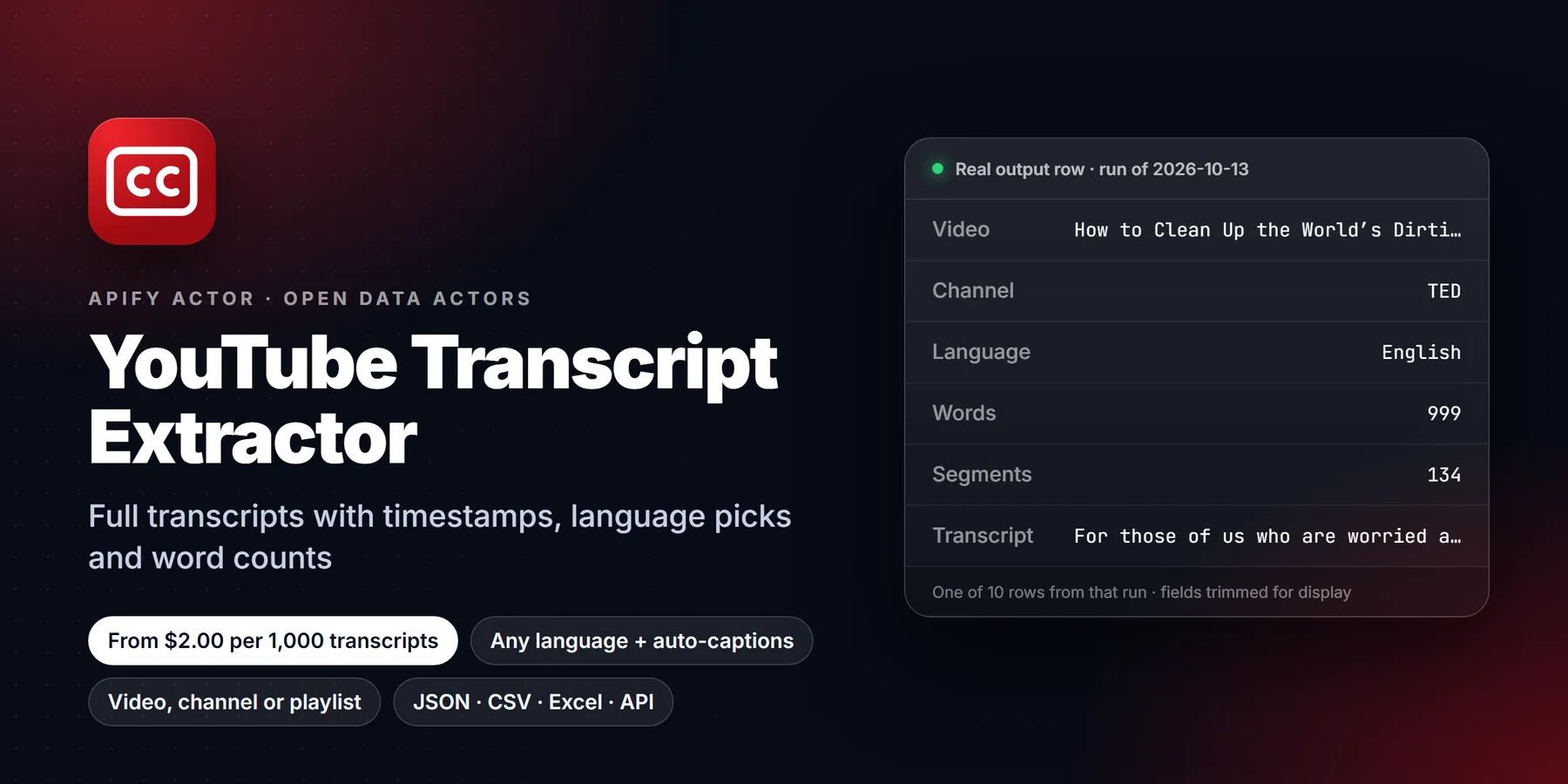
One row per video:
The row above is from a real run (lists shortened). Videos without a transcript come back as "status": "no_transcript", "unavailable" or "failed", with a message that gives the reason. Those rows are free. The run summary is saved as OUTPUT in the key-value store.
Field names compared with other YouTube transcript actors
| Other actors | This actor |
|---|---|
transcript_text / text | transcript |
transcript (array of lines) / captions | segments |
video_title / channel_name | title / channelName |
language | language plus originalLanguage, isAutoGenerated, isTranslated |
| not available | availableLanguages, wordCount, srt, vtt, status + message |
Pricing
You pay per video that returns a transcript. One price covers every format you pick:
| Apify plan | Per transcript | Per 1,000 transcripts |
|---|---|---|
| Free | $0.003 | $3.00 |
| Bronze | $0.0027 | $2.70 |
| Silver | $0.0024 | $2.40 |
| Gold, Platinum, Diamond | $0.002 | $2.00 |
There's also a $0.00005 start event per run. Videos without captions, unavailable or private videos, and failed videos cost nothing.
Use it from code, schedules or AI agents
- API:
POST https://api.apify.com/v2/acts/transparent_meteorite~youtube-transcript-extractor/run-sync-get-dataset-items?token=YOUR_TOKENwith the input JSON as the body returns the rows directly. - Schedules: point it at a channel with
monitorMode: trueand run it daily to transcribe each new upload once. - MCP / AI agents: add
https://mcp.apify.com?actors=transparent_meteorite/youtube-transcript-extractorto Claude, Cursor or any MCP client, then ask something like "summarize this video" or "what did the last 5 videos of this channel say about X".
Who uses it and why
- Researchers and students turn lectures, interviews and conference talks into searchable text, then quote exact passages using the
starttime of each segment. - Content teams and repurposing agencies take a long video's transcript and use it as the base for blog posts, newsletters, show notes and social snippets.
- SEO and content analysts compare what top-ranking videos actually say about a topic by pulling the transcripts of the top search results for a query.
- AI and data teams build corpora for summarization, retrieval (RAG), classification or fine-tuning. Each row has the transcript, language, word count and video identifiers in one flat record.
- Accessibility and localization teams export
srtorvttfiles for videos that already have captions, or request a machine translation as a starting point. - AI agents call the actor through MCP to read a video before answering questions about it, instead of guessing from the title.
How the input fields work together
Choose sources with startUrls, videoIds and searchQueries; all three can be combined in one run. A video, Shorts or live URL is processed directly. A channel, playlist or search is expanded into videos, limited by maxVideosPerSource (1 to 5,000, default 10). For channels, channelTab picks Videos, Shorts or Streams. A video that appears in more than one source is processed once.
languages is an ordered list of caption language codes. The actor walks the list and takes the first language the video has. A short code such as pt also matches regional variants such as pt-BR. If none match, fallbackToAnyLanguage (on by default) returns the video's own captions, and the row's languageMatch field tells you that a fallback happened. Turn it off if you only want your exact languages and prefer a no_transcript row otherwise.
transcriptType controls human-made versus auto-generated captions. any prefers human-made captions when they exist, manual accepts only those, and auto accepts only auto-generated ones. Check isAutoGenerated in the output if accuracy matters, because auto-generated captions can misspell names and technical terms.
outputFormats selects which fields each row carries: text gives the transcript string, segments gives an array with start, duration, end and text, and srt and vtt give complete subtitle files as text. textWithTimestamps changes the plain text from one paragraph into one line per caption with a [m:ss] prefix, which is handy for reading or for pasting into a model with time references.
includeExtendedMetadata reads the watch page once per video to add fields such as publish date, upload date, category, like count and comment count. includeVideosWithoutTranscript keeps the free explanatory rows for videos that returned nothing. maxItems is a hard cap on transcripts for the run. monitorMode remembers extracted video IDs in a named store (monitorStoreName) and skips them next time.
Worked examples
One lecture with timestamps for quoting
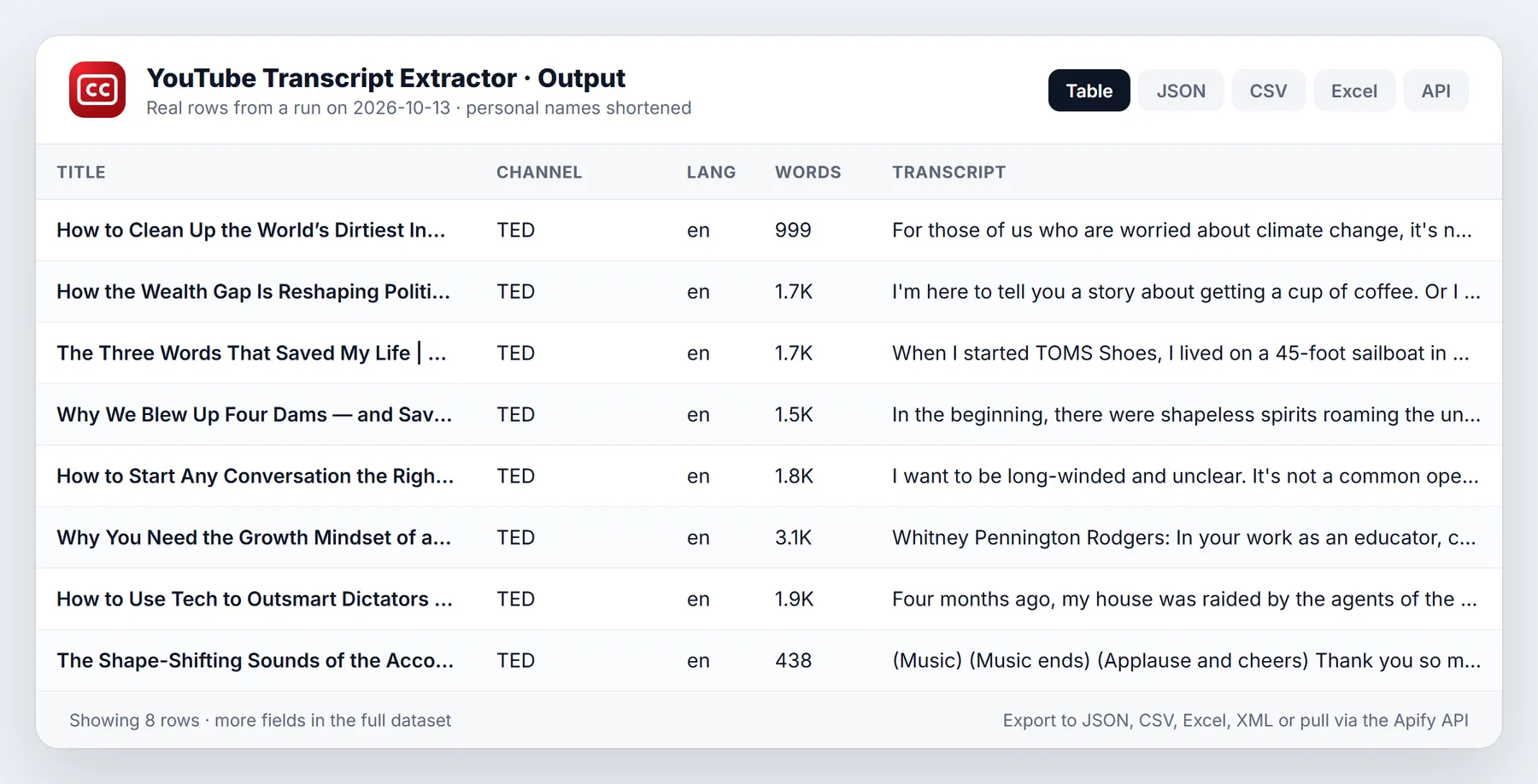
Content research: transcripts of the top videos for a search
Subtitle files from a channel in two languages
Here the actor tries Spanish first and English second for every video, and stops after ten transcripts.
Tips to keep runs fast and cheap
- Start with a small
maxVideosPerSourceand amaxItemscap, check one row, and then scale up. - Request only the formats you need.
segmentsandsrton a long video make rows large. - Use
monitorModeon a channel to transcribe each new upload once instead of re-processing old ones. - Keep
includeVideosWithoutTranscripton while you test. The free rows show exactly why a video was skipped. - Raise
videoConcurrency(1 to 10, default 5) for many short videos.
Limits and honest caveats
- The actor reads the caption tracks that YouTube already publishes. It does not listen to audio and does not run its own speech-to-text, so a video with no captions returns
no_transcript. - Auto-generated captions are only as good as YouTube's recognition. Expect errors with accents, music, jargon and proper nouns.
- Machine translation through
translateTois best effort and YouTube often rate-limits it. When it refuses, the row carries the original language plus atranslationError. - Only public videos are available. Private, deleted and region-blocked videos return
unavailable, and a failed fetch returnsfailed. Both come with amessage. - Transcripts of copyrighted videos remain the creator's content. Use them for analysis and quotation in line with the law that applies to you.
Output status values
status | Meaning | Charged |
|---|---|---|
ok | A transcript was found and returned | Yes |
no_transcript | The video exists but has no caption track, or none matches your settings | No |
unavailable | The video is private, removed or blocked | No |
failed | The page could not be fetched after retries | No |
More questions
How do I get a YouTube transcript as plain text? Keep outputFormats at text, run the actor on the video URL, and read the transcript field. Export the dataset as CSV or JSON if you need a file.
Can I get transcripts for a whole channel? Paste the channel URL, set maxVideosPerSource to the number of recent uploads you want, and choose the tab with channelTab.
Does it support languages other than English? Yes. List the codes you want in languages. The available tracks for each video are listed in availableLanguages.
Can I call it from Python?
FAQ
Does it work on videos without subtitles? Most videos have auto-generated captions, and those work. A video with no captions at all (YouTube made none) returns no_transcript and is free. The actor does not run its own speech-to-text.
Which language do I get? It tries your languages in order, preferring human-made captions. If none of them exist and fallbackToAnyLanguage is on, you get the video's own captions, and languageMatch says fallback.
Is translation reliable? It uses YouTube's own machine translation, and YouTube often rate-limits it. When YouTube refuses, the row contains the original-language transcript plus a translationError, at the same price. For guaranteed translations, translate the transcript text yourself.
Can I get SRT or VTT files? Yes. Add srt or vtt to outputFormats; each row then carries the full subtitle file as text.
Do I need a proxy? No, not for normal runs. If YouTube starts refusing requests, the run switches to Apify residential proxy on its own. Turn autoProxyFallback off to prevent this.
Is this legal? The actor reads public captions only. Transcripts are the creators' content, so you are responsible for using them in line with YouTube's terms and copyright law.
Something missing or broken? Open an issue on the Issues tab with the run URL and we will reply there.
New to Apify? Create a free account and run this Actor in under a minute. Some links are affiliate links.


