
Article Scraper & News Scraper API
Pricing
from $3.50 / 1,000 articles
Article Scraper & News Scraper API
Article scraper API for clean text and metadata from URLs as Markdown, text, or HTML for RAG, AI agents, monitoring, and research. Guide: https://konabayev.com/tools/article-extractor/?utm_source=apify_info&utm_medium=referral&utm_campaign=article-extractor
Pricing
from $3.50 / 1,000 articles
Rating
0.0
(0)
Developer

Tugelbay Konabayev
Maintained by CommunityActor stats
0
Bookmarked
53
Total users
14
Monthly active users
3 days ago
Last modified
Categories
Share
Article scraper API extracts the main article body and metadata from public URLs as clean Markdown, text, or HTML; it also works as a news scraper API and web content extractor for RAG, AI agents, monitoring, and research.
Clean article content from known URLs — extract title, author, date, Markdown/text/HTML, images, links, and metadata from news, blogs, docs, and knowledge-base pages. Built for AI ingestion — compact Markdown output for RAG pipelines, vector databases, LLM prompts, content monitoring, and research datasets. Reliable HTTP extraction — no browser overhead; retries transient 408/429/5xx responses and uses a conservative default concurrency for production runs.
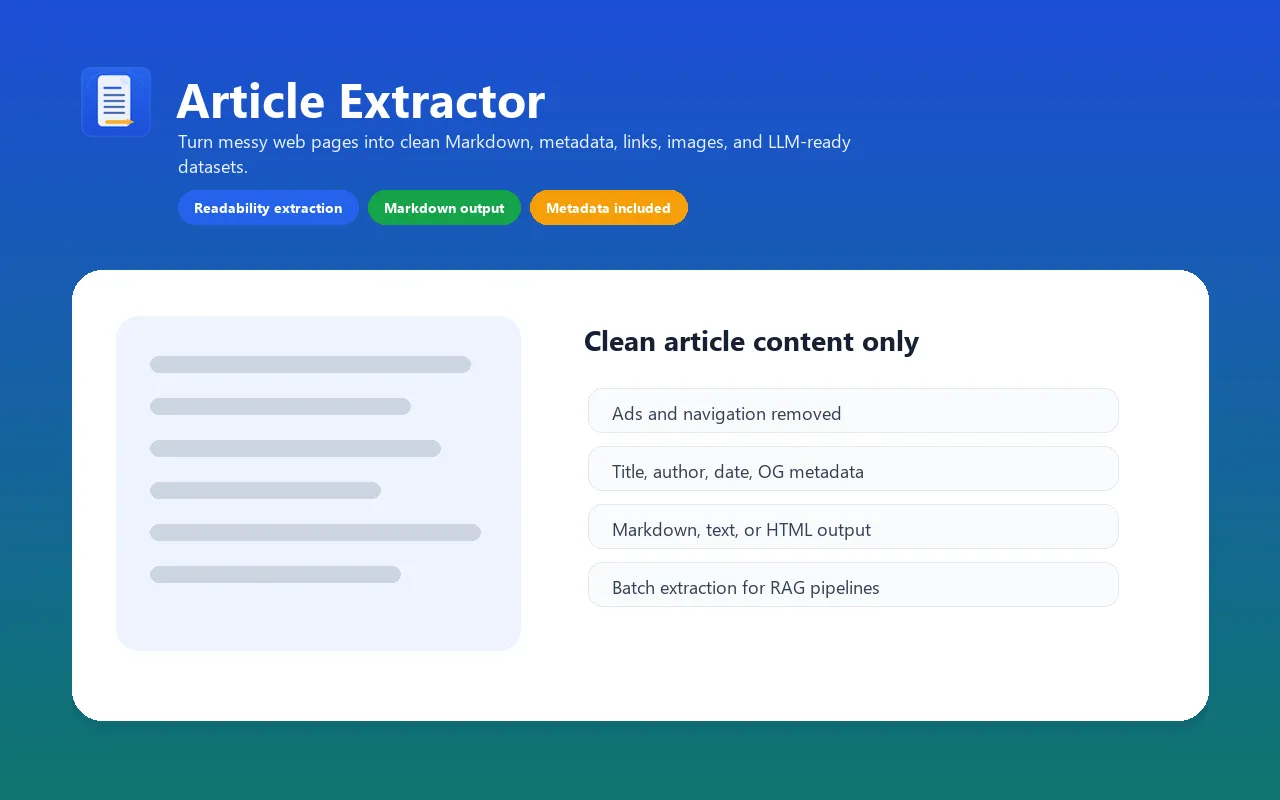
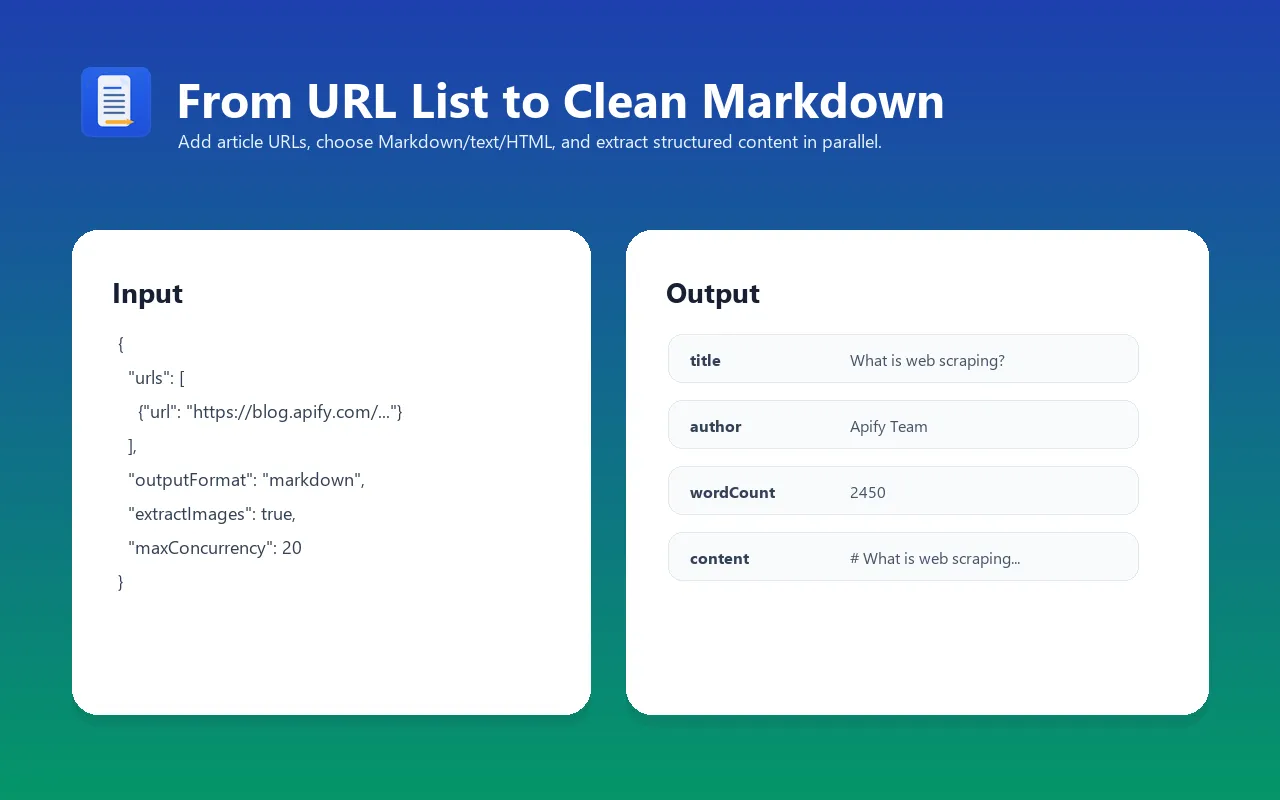
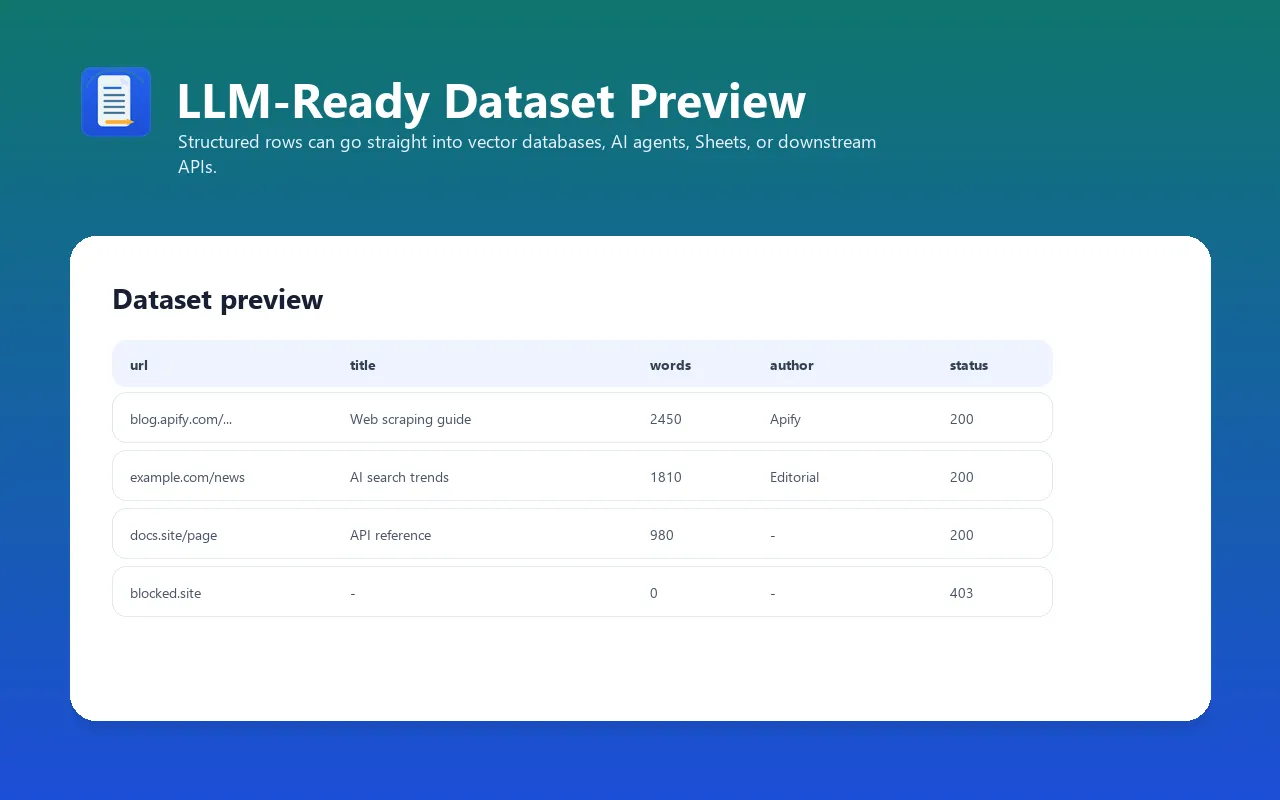
Convert article URLs into clean, readable content. Article Extractor removes ads, navigation, sidebars, and boilerplate, then returns the main article text with source metadata. Output as Markdown, plain text, or clean HTML for AI/LLM workflows, content analysis, and data pipelines.
Perfect for building RAG pipelines, AI training datasets, knowledge bases, and content monitoring systems.
For implementation recipes, production examples, and SEO/GEO notes, see the Article Extractor guide on Konabayev.com.
Article Extraction API for RAG and AI Agents
Call it from the Apify API, MCP tools, LangChain, Make, Zapier, or scheduled Apify runs. Give the actor known article URLs and get structured records that are ready to index, summarize, classify, or store.
URL to Markdown, Text, or Clean HTML
Paste a URL and get clean article text with title, author, publish date, body content, images, links, Open Graph data, canonical URL, and word count. Markdown is the default because it preserves headings and lists while keeping token usage lower than raw HTML.
Web Content Scraper for RAG Pipelines
Feed clean article text directly into your vector database or LLM prompt. Output as Markdown or plain text — ready for embedding.
Bulk Article Extraction (Up to 10K URLs)
Process hundreds or thousands of URLs in a single run. Perfect for news monitoring, content aggregation, and research datasets.
What does Article Extractor do?
This actor takes a list of URLs and extracts the main article content from each page using Mozilla's Readability algorithm (the same technology behind Firefox Reader View). It returns structured data including:
- Article text in Markdown, plain text, or clean HTML
- Metadata: title, author, published date, description, language
- Structured data: JSON-LD and Open Graph metadata parsing
- Media: images, Open Graph image, links found in the article
- Stats: word count, HTTP status code, extraction timestamp
You provide article-style public URLs and the actor extracts clean content without custom selectors or per-site CSS parsing. Some protected, app-rendered, or non-article pages may return partial content.
Why use this instead of a generic web scraper?
| Need | Generic scraper | Website crawler | Article Extractor |
|---|---|---|---|
| Main content extraction | Usually custom CSS selectors | Whole-page or crawl-oriented extraction | Readability-based article detection |
| Output cleanup | You remove nav, ads, cookie banners, and footers | Good for broad site ingestion | Focused on clean article body text |
| Setup time | Write and maintain selectors per site | Configure crawl scope and depth | Add URLs and run |
| LLM-ready output | Requires post-processing | Good for site-wide RAG | Markdown/text/HTML per known URL |
| Metadata | Manual extraction | Varies by crawler | Author, date, description, language, OG, JSON-LD |
| Best fit | Site-specific scraping logic | Crawling whole websites | News, blogs, docs, research, monitoring |
vs. Website Content Crawler
Apify's Website Content Crawler crawls entire websites and extracts content across discovered pages. Article Extractor is different:
- Focused extraction: Only extracts the main article content, not the entire page
- Cleaner output: Strips navigation, ads, sidebars, related articles — just the article
- Richer metadata: Automatically extracts author, publish date, JSON-LD, Open Graph
- Faster: Uses HTTP requests (no browser), processes pages in parallel
- Known-URL workflow: Optimized when your pipeline already has article URLs from RSS, search, sitemaps, feeds, monitoring, or another actor
When to use which:
- Use Article Extractor when you need clean article text from known URLs (news, blogs, docs)
- Use Website Content Crawler when you need to crawl an entire website following links
- Use RAG Web Browser when pages require browser rendering or search-to-content workflows
Best-fit workflows
- URL to Markdown API — convert a queue of article URLs into clean Markdown documents.
- News and blog monitoring — combine with RSS, search, or scheduled runs to archive new articles.
- RAG ingestion — push Markdown content and metadata into vector stores with source traceability.
- Content research — collect article titles, authors, dates, descriptions, word counts, and clean bodies.
- SEO content analysis — compare competitor articles without scraping menus, ads, and unrelated widgets.
Features
- Smart article extraction using Mozilla Readability algorithm
- Markdown output optimized for LLM consumption and RAG pipelines
- Automatic metadata extraction (author, date, description, language)
- JSON-LD and Open Graph metadata parsing
- Image and link extraction from article body
- Concurrent processing with a reliability-first default of 5 pages at a time and an advanced limit up to 50
- Retries transient timeout, rate-limit, and 5xx responses before returning an error item
- Proxy support for geo-restricted content
- Best for public article-style pages such as news sites, blogs, and documentation
- 5MB page size limit to prevent memory issues
- Pay-per-event pricing for extracted articles
How to run the article scraper
- Add one or more public article URLs to
startUrls. - Choose Markdown, plain text, or clean HTML output and set a bounded item limit.
- Run a small sample, inspect the extracted title/body/date fields, then export or schedule the validated workflow.
Input examples
Extract articles as Markdown (default)
Extract as plain text for NLP analysis
Bulk extraction with proxy (100+ articles)
Extract with all metadata (images + links)
Input parameters
| Parameter | Type | Default | Required | Description |
|---|---|---|---|---|
urls | Array | — | Yes | List of article/page URLs to extract content from |
outputFormat | String | "markdown" | No | Output format: "markdown", "text", or "html" |
maxItems | Integer | 10 | No | Maximum number of articles to extract (1–10,000) |
extractImages | Boolean | true | No | Include image URLs found in the article |
extractLinks | Boolean | false | No | Include links found in the article |
timeout | Integer | 30 | No | Maximum seconds to wait for each page to load (5–120) |
maxConcurrency | Integer | 5 | No | Number of pages to process simultaneously (1–50). Keep the default for reliability; raise it for fast, stable sites. |
proxyConfiguration | Object | None | No | Proxy settings for accessing geo-restricted content |
Output format
Each item in the dataset contains:
| Field | Type | Description |
|---|---|---|
url | String | Final page URL (after redirects) |
canonicalUrl | String | Canonical URL if specified by the page |
title | String | Article title |
author | String | Article author (from meta tags, JSON-LD, or byline) |
publishedDate | String | Publication date (ISO 8601) |
description | String | Meta description or article summary |
content | String | Extracted article in requested format (Markdown/text/HTML) |
wordCount | Integer | Number of words in the article |
language | String | Detected content language code |
siteName | String | Website name (from Open Graph) |
images | Array | Image URLs from the article (if extractImages: true) |
links | Array | Links from the article (if extractLinks: true) |
ogImage | String | Open Graph image URL |
statusCode | Integer | HTTP response status code |
error | String | Error message if extraction failed (null on success) |
extractedAt | String | Extraction timestamp (ISO 8601) |
Example output
Integrations
Apify MCP Server (Claude, AI agents)
Use as a tool in Claude Desktop, Claude Code, or any MCP-compatible AI agent framework. The actor is PPE-priced, making it native to AI agent workflows where each task triggers a separate extraction.
Python integration
JavaScript/TypeScript integration
LangChain (RAG pipeline)
n8n
Install the community node @apify/n8n-nodes-apify, then add an Apify node with operation Run Actor, set actor to tugelbay/article-extractor, and pass input:
Pipe output to Google Sheets, Notion, or an LLM node for summarization.
Make (Integromat)
Add the Apify app → module Run an Actor, connect your Apify token, pick actor tugelbay/article-extractor, map an upstream URL into urls, and route structured output to any of Make's 1,500+ apps (Airtable, Google Docs, etc.).
Zapier
Create a Zap with Apify as an action app → Run Actor, connect Apify, choose tugelbay/article-extractor, map the trigger's URL field into urls, and send extracted content/title to Zapier's 6,000+ apps.
Webhooks and integrations
Additional integration options:
- Google Sheets — export extracted articles directly to a spreadsheet
- Slack — get notifications when extraction completes
- Email — receive dataset as email attachment
- API — call programmatically via Apify REST API
Use cases
- LLM training data — extract clean text from web pages for fine-tuning datasets
- RAG pipelines — feed article content into vector databases for retrieval-augmented generation
- Content analysis — analyze articles at scale for sentiment, topics, and trends
- News monitoring — extract and archive news articles automatically on a schedule
- Research — collect and structure academic or industry content for literature reviews
- SEO analysis — extract competitor content for gap analysis and content strategy
- Knowledge base — build searchable archives from documentation sites and blogs
- Content migration — extract content from legacy sites during CMS migrations
- AI agents — give your AI agent structured article content from public article-style URLs
- Newsletter curation — automatically extract and summarize articles for newsletters
- Compliance monitoring — track content changes on regulatory or competitor pages
Cost estimation (PPE pricing)
| Event | Description |
|---|---|
article-extracted | Each article successfully extracted |
Live PPE pricing verified on 2026-07-14 is $0.005 per article on FREE and as low as $0.0035 per article on higher Apify tiers ($5.00-$3.50 per 1,000). The examples below use the lower displayed tier and exclude the small actor-start event.
Example costs at the displayed "from" price:
| Scenario | Articles | From cost |
|---|---|---|
| 10 blog posts | 10 | ~$0.04 |
| 100 news articles | 100 | ~$0.35 |
| 1,000 documentation pages | 1,000 | ~$3.50 |
| Daily news monitoring (50 articles/day) | 1,500/month | ~$5.25/month |
| Large-scale extraction | 10,000 | ~$35 |
Tip: Set extractImages: false and extractLinks: false to speed up extraction and reduce output size when you only need the text content.
FAQ
What types of pages work best?
Article Extractor works best on article-style pages: news articles, blog posts, documentation pages, Wikipedia articles, and similar content. The Readability algorithm is designed to identify the "main content" of a page and strip everything else.
Does it work on JavaScript-rendered pages (SPAs)?
No. Article Extractor uses fast HTTP requests (no browser). Pages that require JavaScript to render content (React SPAs, Angular apps) will return empty or minimal content. For those pages, use RAG Web Browser which has automatic browser fallback.
How fast is it?
Very fast. Since it uses HTTP requests (no browser), it can process 100 articles in 2–3 minutes with default concurrency. Increase maxConcurrency to 50 for even faster processing.
Can I extract content behind login walls or paywalls?
No. Article Extractor only works with publicly accessible pages. It cannot bypass login walls, paywalls, or CAPTCHA-protected content.
What's the maximum page size?
5MB per page. Larger pages are truncated to prevent memory issues. This covers 99%+ of normal web articles.
Can I run this on a schedule?
Yes. Set up a Schedule in Apify Console to run the actor at any interval — hourly, daily, or custom cron expressions. Perfect for news monitoring and content tracking.
Why Markdown output?
Markdown is the most LLM-friendly format:
- Preserves semantic structure (headers, emphasis, lists, code blocks)
- Compact — fits more content in LLM context windows
- Renders cleanly in chat interfaces and documentation tools
- Easy to parse for downstream processing
How does it handle errors?
If a page fails to load (timeout, 404, blocked), the actor returns the URL with an error field explaining what went wrong and a null content field. Other pages in the batch continue processing normally.
Troubleshooting
Empty or very short content extraction
- Cause: The page is a SPA (Single Page Application) that renders content with JavaScript
- Fix: Use RAG Web Browser instead, which has browser fallback
- Alternative: Very short pages (<100 words) may not have enough content for Readability to detect the main article
Missing author or publish date
- Cause: The page doesn't include author/date in meta tags, JSON-LD, or standard HTML patterns
- Fix: This is expected — not all pages provide this metadata. The fields will be null.
Timeout errors on some pages
- Cause: The target page is slow to respond
- Fix: Increase the
timeoutparameter (default: 30 seconds, max: 120 seconds) - Alternative: Reduce
maxConcurrencyif you're scraping many pages from the same domain
Proxy-related errors
- Cause: Some sites block datacenter IPs
- Fix: Enable Apify proxy with residential proxy groups in
proxyConfiguration
Validation evidence and official references (2026-07-14)
Validation on 2026-07-14 uses bounded, inspectable references:
- Schema.org Article defines common article properties such as
articleBody, author, dates, and headline metadata. - MDN DOMParser documents the browser parsing primitive used by the web platform; extraction quality still depends on each page's markup.
- Every result exposes
extractedAtso consumers can distinguish extraction time from the publisher's own date. - The Actor's schemas and strict Store QA validate inputs, outputs, Docker configuration, metadata, and links before release.
Follow each target site's current terms, robots policy, copyright rules, and access restrictions. This evidence verifies the extraction contract, not permission to republish content, universal parser accuracy, rankings, or AI citations.
Limitations
- Only works with publicly accessible pages (no login-protected or paywalled content)
- JavaScript-rendered content (SPAs) will not extract fully — use a browser-based solution for those
- Very short pages (under 100 words) may not have enough content for Readability to detect
- Maximum page size: 5MB (larger pages are truncated)
- Maximum 10,000 articles per run (use multiple runs for larger datasets)
- Metadata extraction depends on the page having proper meta tags, JSON-LD, or Open Graph markup
Changelog
- 1.0.39 (2026-07-02) — Dataset-push failures are now logged with their real cause (disk pressure, storage errors) before the fallback error item is pushed, instead of being silently swallowed.
v1.0 (2026-03-29)
- Initial release
- Markdown, plain text, and clean HTML output formats
- Mozilla Readability-based article extraction
- Metadata extraction (author, date, description, JSON-LD, Open Graph)
- Image and link extraction
- Concurrent processing with configurable concurrency (1–50)
- Proxy support
- Pay-per-event pricing
Support & Feedback
If this actor saves you time, please leave a review on its Store page — it takes under a minute and is the main trust signal that helps other users find a reliable tool.
Hit a bug or missing a feature? Open a ticket on the Actor's Issues tab — issues are typically answered within 24-48 hours and fixes ship fast.
Related Actors
- Website Content Crawler — Crawl websites and extract Markdown for RAG/LLMs
- RAG Web Browser — Search Google + extract as Markdown for AI agents
- YouTube Transcript Extractor — Bulk extract video transcripts as SRT/VTT/Markdown
- Website Tech Stack Detector — Identify 80+ technologies on any website
- Google Maps Lead Extractor — Extract business leads with emails from Google Maps
See all actors: apify.com/tugelbay


