
1688 Scraper: Wholesale Products, SKUs & Suppliers
Pricing
from $1.05 / 1,000 search result products
1688 Scraper: Wholesale Products, SKUs & Suppliers
Scrape 1688 wholesale products by keyword or product link, in the Chinese or English catalog. Get prices, MOQ, sales, supplier, location and images, plus SKU prices, stock and supplier profile on demand. Filter by price, region and factory badges. No login. Export to JSON, CSV or Excel.
Pricing
from $1.05 / 1,000 search result products
Rating
0.0
(0)
Developer

Wiseus Labs
Maintained by CommunityActor stats
0
Bookmarked
3
Total users
2
Monthly active users
a day ago
Last modified
Categories
Features
Share
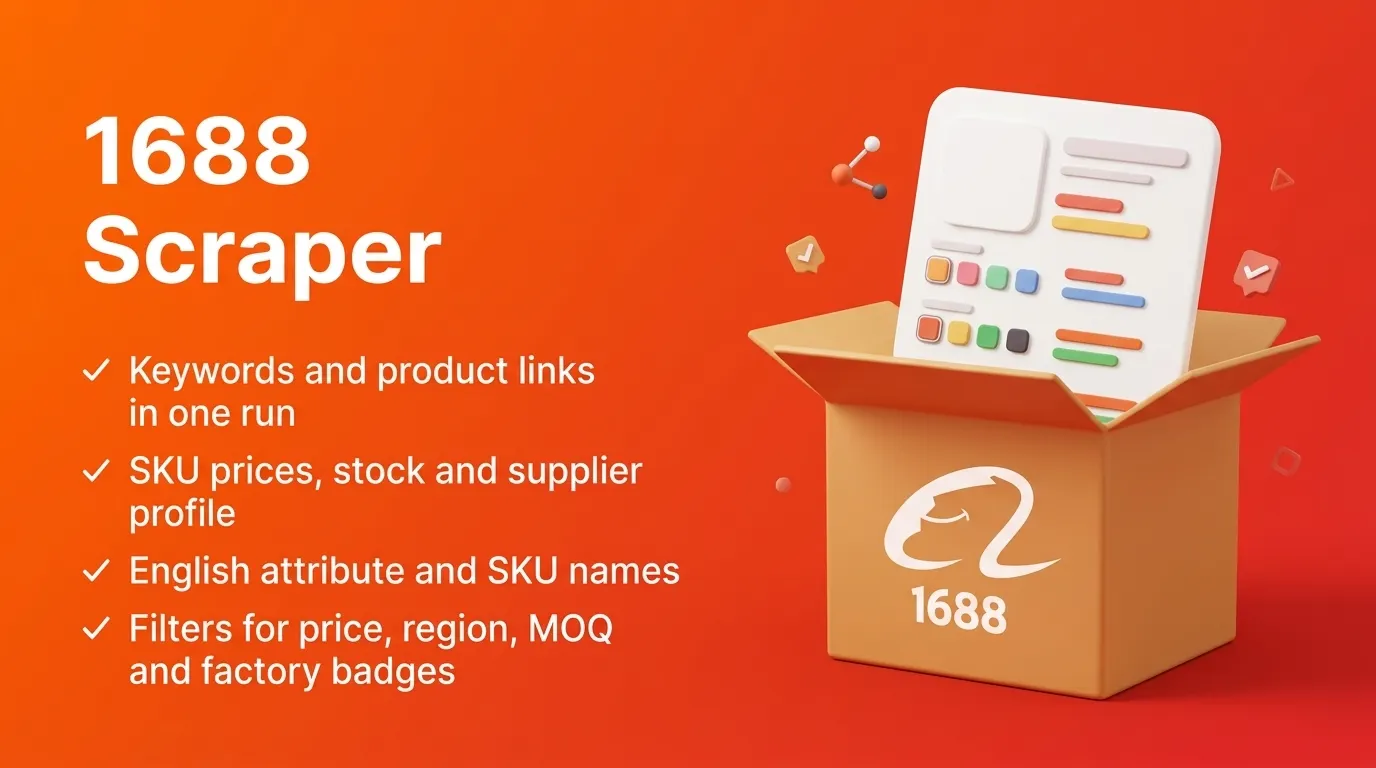
1688 wholesale products by keyword or link: title, price, quantity tier prices, MOQ, sales, supplier, location and images, exported to JSON, CSV or Excel. Also: SKUs with their own price, stock and photo, the supplier profile, the English catalog with English titles, English attribute and SKU option names, one row per SKU for a price and stock list, and filters for price, province, MOQ, super factories and powerful merchants.
Copy to your AI assistant
Key inputs: keywords (Chinese or English), productUrls (links or IDs), searchShelf (chinese or english), maxItemsPerKeyword (default 50), includeDetails (SKUs and supplier profile), outputFormat (product or sku).
🛒 What is 1688 Scraper?
1688 Scraper turns 1688.com searches and product links into clean rows of wholesale data: prices by quantity, minimum order, SKUs with their own price and stock, and the supplier behind each product.
- Keywords in Chinese or English, several in one run, and product links or IDs.
- Chinese or English catalog: the English catalog gives English titles and prices in USD.
- Full product details on demand: SKUs with price, stock and photo, attributes, logistics, description and the supplier profile.
- One row per product or one row per SKU, ready for a spreadsheet.
- Filters for price band, supplier province and city, super factories, powerful merchants and minimum order.
- No 1688 account, no login.
| Group | What you get |
|---|---|
| 📦 Product | 🔖 title (English title in the English catalog) · 🗂️ category · 🔥 units sold and monthly sales · ⭐ reviews and good rate · 🏷️ attributes with English names |
| 💴 Prices & SKUs | 💰 price, price range and promo price · 📉 quantity tier prices · 🧮 minimum order and unit · 🎨 SKUs with price, promo price, stock and photo · 📦 total stock |
| 🏭 Supplier | 🏢 company name and shop link · 📍 province and city · 📅 years on 1688 and founding date · 💬 response rate, repeat rate, service score · 🏗️ factory facts · 🥇 super factory and powerful merchant badges |
| 🖼️ Media | 🖼️ main image and gallery · 🎬 video · 📝 description text and images |
| 🔎 Search context | 🔑 keyword · 📊 rank and page · 📣 sponsored flag · 🚚 ship-from, delivery days, buyer protections |
🚀 Quick start
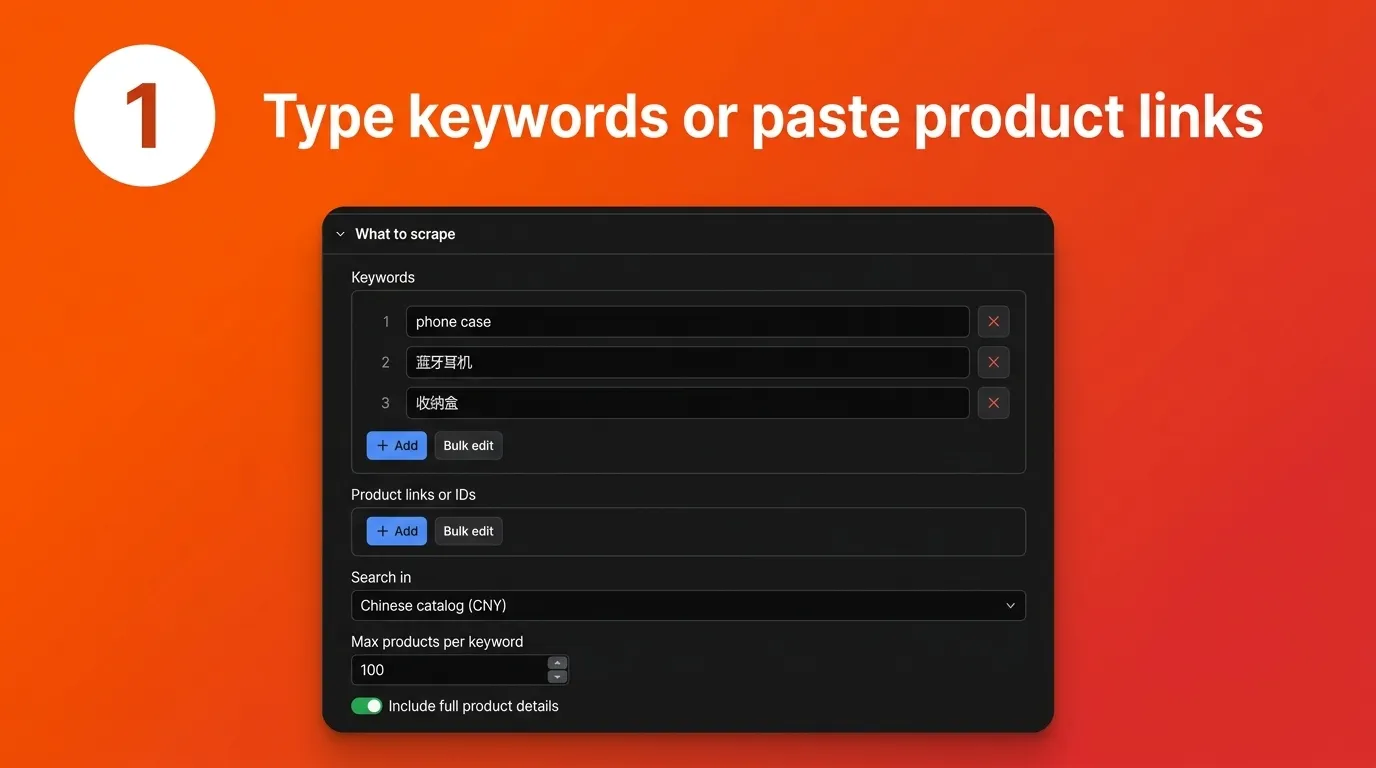
- Type keywords in Chinese or English. For specific products, open Alternatively, add product links.
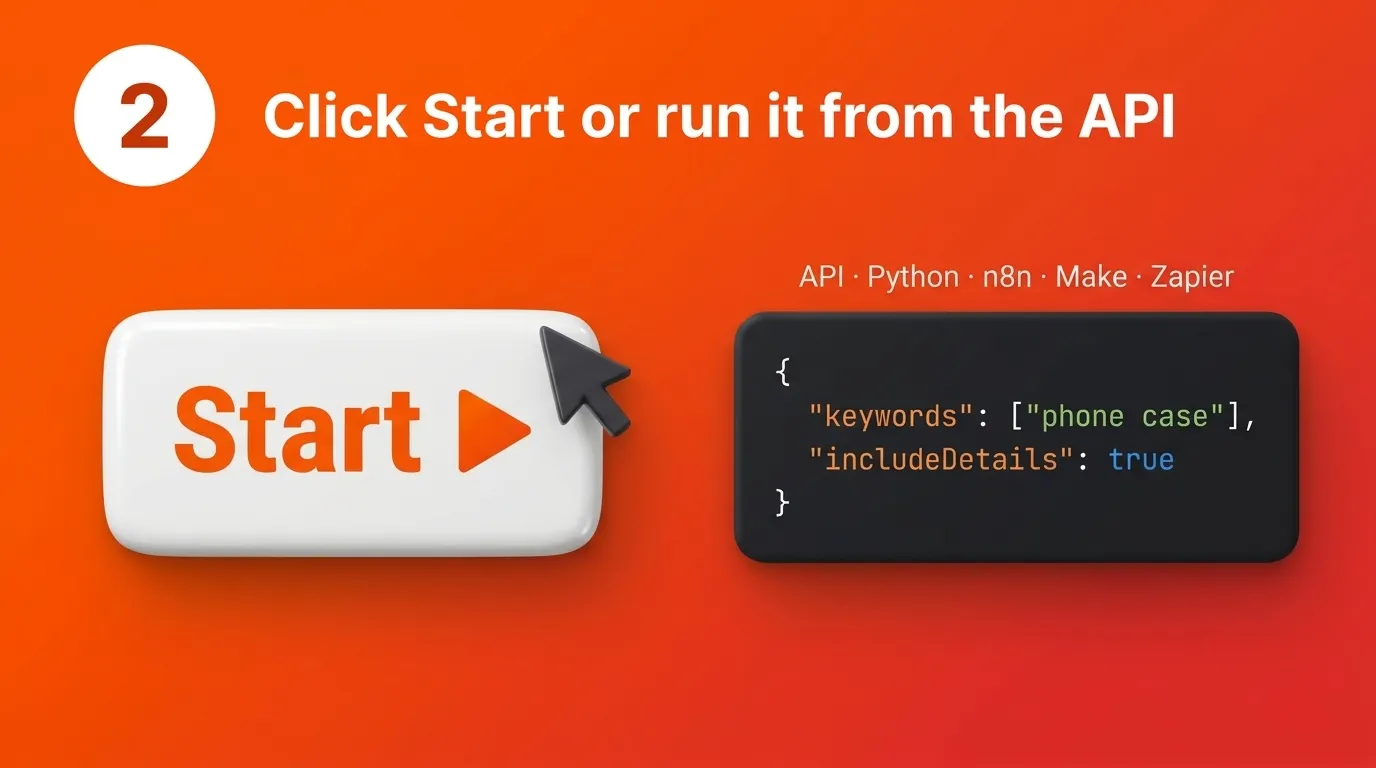
- Click Start, or run it from your code or an AI agent.
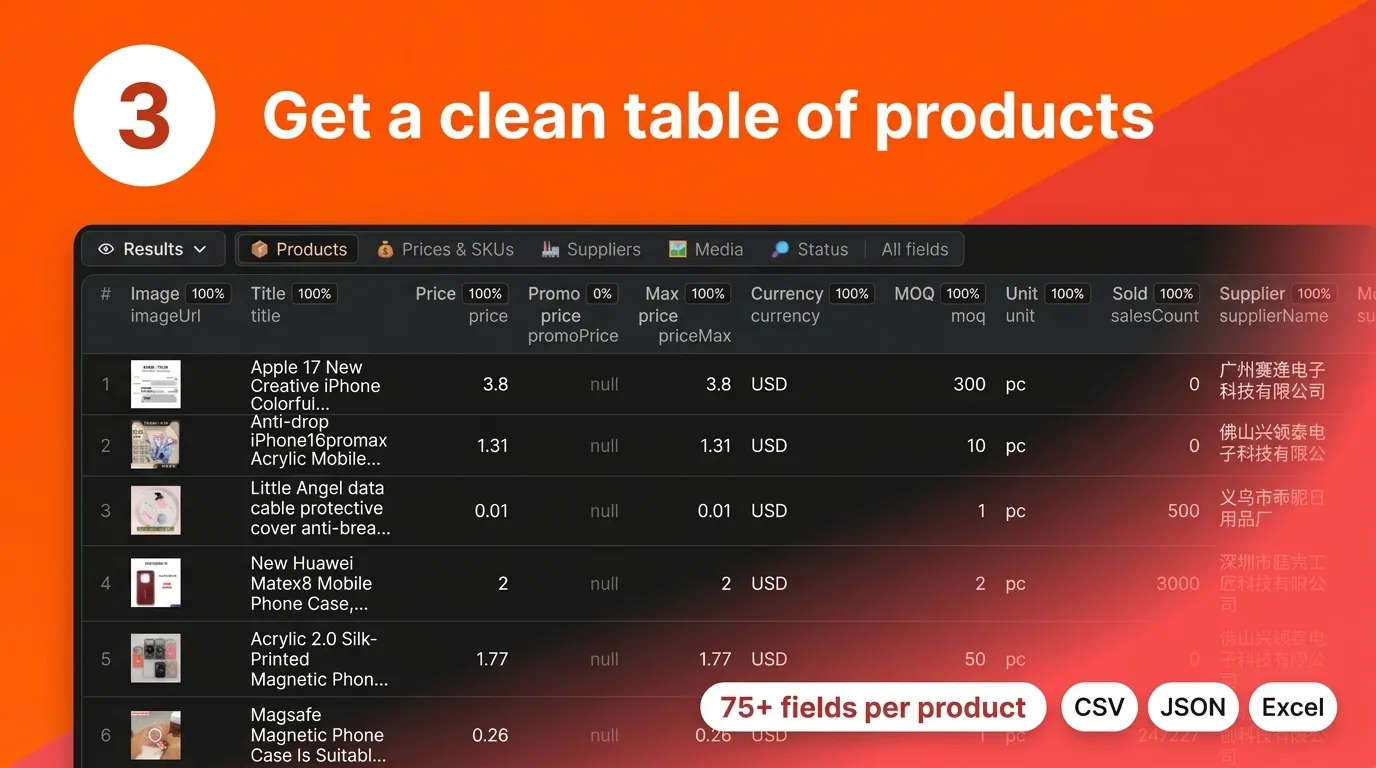
- Open the table and download it as JSON, CSV or Excel.
With an empty input the scraper searches an example keyword (手机壳, phone cases), so you can see the output right away.
🍳 How to scrape 1688 products: input recipes
1. Product research by keyword
A quick look at what 1688 offers for a product, with the data from the search results.
2. Supplier shortlist with full details
Several keywords with SKUs, attributes, the supplier profile and the description; a product found by two keywords is saved once.
3. Best sellers under 30 CNY without sponsored products
Products sorted by sales, with a starting price of 30 CNY or less.
4. Factories with a small minimum order in one province
Super factories in Zhejiang for test orders; products listed with a minimum order above 10 are skipped.
5. English titles and USD prices
Products from 1688's English catalog, starting at 10 USD or less.
6. A price and stock list from product links
One row per SKU with its own price, stock and photo and the product fields repeated.
Tip: Chinese keywords
Sellers in the Chinese catalog write their titles in Chinese, so a Chinese keyword matches them directly. Try both for the same product, for example 收纳盒 and "storage box".
⚙️ Input
The form opens with keywords and the main options. Product links, filters and limits are in the sections below.
| Field | What it does | Default |
|---|---|---|
keywords | Search words in Chinese or English, one per line. | example keyword |
productUrls | 1688 product links or IDs; always saved with full details. | empty |
searchShelf | chinese (Chinese titles, CNY) or english (English titles, USD). | chinese |
maxItemsPerKeyword | Products per keyword, up to 2,000. | 50 |
includeDetails | Full product card: SKUs, attributes, supplier profile, description. | false |
outputFormat | product (one row per product) or sku (one row per SKU). | product |
minPrice, maxPrice | Price band: CNY in the Chinese catalog, USD in the English one. | off |
province, city | Supplier location, in English or Chinese. | any |
superFactoryOnly, powerfulMerchantOnly | Only suppliers with these 1688 badges. | false |
maxMoq | Skip products whose minimum order is above this number. | off |
sortBy | relevance, price_asc or sales. | relevance |
includeAds | Keep or drop sponsored products. | true |
maxItems | Stop the run after this many products in total. | off |
Every field is explained in the Input tab.
📦 Output example
One product with full details from a run on the keyword 宠物玩具 (pet toys). Trimmed for length: 2 of 5 SKUs, 6 of 21 attributes, 2 of 9 gallery images, 2 of 17 description images, fewer tags, and some fields left out (IDs, empty fields, logistics text).
📋 Output fields
- Product:
offerId,url,title,titleEn,categoryName,categoryId,salesCount,salesText,monthlySalesText,reviewCount,goodRate,attributes(name and value with English versions) - Prices:
price,promoPrice,priceMin,priceMax,searchPrice(the price shown in search results when it differs),currency,priceType,priceTiers,moq,unit - SKUs:
skuCount,totalStock,skus(SKU ID, options with English option names, price, promo price, stock, photo). In SKU-row mode:skuIndex,skuId,specId,specs,specsEn,skuPrice,skuPromoPrice,skuStock,skuImageUrl - Supplier:
supplierName,companyName,shopUrl,supplierMemberId,supplierLoginId,province,city,yearsOn1688,isSuperFactory,isPowerfulMerchant,isFactory,sellerType,businessMode,responseRate,repeatRate,serviceScore,foundedDate,employees,factoryAreaM2,equipmentCount,annualNewDesigns,oemOdm,shopTags - Logistics and services:
shipFrom,deliveryDays,logisticsText,unitWeightKg,buyerProtections,serviceTags - Media:
imageUrl,images,videoUrl,descriptionText,descriptionImages - Search context:
keyword,searchShelf,rank,page,isAd,inputUrl,detailsStatus,scrapedAt,status,reason
status | Meaning | Charged |
|---|---|---|
ok | Product saved | Charged |
not_found | The product link points to a removed product or a wrong ID | Free |
no_results | The keyword (with your filters) returned no products | Free |
blocked | 1688 refused to show the page | Free |
error | The input could not be read or loaded | Free |
run_summary | Nothing was saved; the row says why | Free |
detailsStatus on product rows: ok (full details), partial (saved without the supplier profile or the description, reason says which), or the reason the product was saved with search data only.
The Output tab also has a Run summary with products saved per keyword and per link, duplicates skipped, products not found and failures.
What you don't pay for
- Product links that are not found, keywords without results and inputs that fail: they get free status rows with a reason.
- A product found by two keywords: it is saved and charged once.
- Products skipped by
maxMoqor by the filters. - One row per SKU: you pay per product, not per SKU row.
- The run summary.
If the full details of a product found by keyword can't be loaded, the product is saved with its search data and charged as a search result.
🔌 API and integrations
Get products in one call:
Python:
- Price and stock tracking: run the same input on a schedule and compare datasets.
- Schedules and webhooks: run on a timetable and get notified when a run finishes. See schedules and webhooks.
- Make, Zapier, n8n: use the Apify app or node and pick this Actor to send rows to Google Sheets, a database or your store. See integrations.
- API reference: the API tab on this page shows ready code for every language.
Use with AI agents (MCP)
Connect the Apify MCP server to Claude, Cursor or another AI assistant and add this Actor. Then ask in plain words, for example: "Find 1688 suppliers of silicone phone cases with a minimum order of 50 or less and list their tier prices."
❓ FAQ
Do I need a 1688 account or an API key? No. You don't log in to 1688 and you don't need a 1688 API key. You only need an Apify account.
Can I get English titles and English attribute names?
Yes. Choose the English catalog in Search in to get English titles and USD prices (with full details price is in CNY and searchPrice is the USD price from the search). With full details, common attribute names and values and SKU option names come with English versions next to the Chinese original.
How many products can I get per keyword?
Up to 2,000, which is as many as 1688 shows for one search and filter combination. For more, split the search by price band (minPrice, maxPrice) or by province and run several inputs.
Which filters can I use?
Price band, supplier province and city, super factories only, powerful merchants only, maximum minimum order (maxMoq), sort by relevance, price or sales, and sponsored products on or off.
Does it give the price and stock of each SKU?
Yes, with full details. Each SKU has its own price, promo price, stock and photo, and outputFormat: "sku" puts each SKU on its own row for spreadsheets.
Why is the price of some products only a few cents (0.05 CNY)?
price is the starting price 1688 shows for the product, usually its cheapest SKU. One product can start at 0.05 CNY and have options up to 7 CNY. Check priceMin and priceMax for the full range, skus for the price of each option, and moq and priceTiers for the order quantity that price applies to.
What is the difference between salesCount, salesText and monthlySalesText?
salesText is the units-sold figure as 1688 shows it, rounded (3万+ means 30,000+). salesCount is that figure as a number: with full details the exact count (for example 38370 for 3万+), from search data only the number in the text. monthlySalesText is 1688's rounded monthly sales figure (1000+) from the search results, so it is empty for products from links.
What is the difference between the Chinese and the English catalog? The Chinese catalog shows Chinese titles and CNY prices. The English catalog is 1688's own English shelf with English titles and USD prices, and it shows a different set of products. All filters work on both.
How do I export 1688 products to CSV or Excel?
After the run, open the Output tab and click Export. Choose CSV, Excel, JSON or another format. Through the API add format=csv to the dataset items link.
💬 Feedback and support
Found a bug or missing a field? Open an issue on the Issues tab and tell us what you need.
Ready to try it? Open the input form, type a keyword and click Start.


