

Threads Replies Scraper: Comments & Nested Replies
Pricing
from $1.05 / 1,000 replies
Threads Replies Scraper: Comments & Nested Replies
Scrape Threads replies and comments from any post or the latest posts of a profile. Get text, date, likes, author with stable user ID, reply depth and flags for replies by the post author. Nested replies, newest-first monitoring, no login. Export to JSON, CSV or Excel.
Pricing
from $1.05 / 1,000 replies
Rating
0.0
(0)
Developer

Wiseus Labs
Maintained by CommunityActor stats
0
Bookmarked
4
Total users
0
Monthly active users
2 days ago
Last modified
Categories
Features
Share
The replies Threads shows publicly under a post: text, date, likes, author and media, with the original post in the same table. Beyond the basics: nested replies right under the reply they answer, stable numeric user IDs, flags for replies written, liked or pinned by the post author, and Top or Newest order with a date filter, so a schedule picks up fresh replies.
Wiseus Labs · Threads



Copy to your AI assistant
Key inputs: postUrls (post links or codes), profiles (usernames or links) with postsPerProfile, sortOrder (top or newest), includeNestedReplies, dateFrom (a date or 1 day), maxRepliesPerPost (default 100).
💬 What is Threads Replies Scraper?
Threads Replies Scraper saves the replies under public Threads posts as flat rows: the original post first, then each reply with its nested replies right under it, so the table reads like the conversation.
- Posts or profiles. Paste post links in any form, or usernames to take the replies under their latest posts.
- Nested replies under the reply they answer, with depth and parent IDs.
- Top or Newest order, plus a date filter for monitoring new replies.
- Stable user IDs for every author, and flags for replies written, liked or pinned by the post author.
- Filters. Minimum likes and a date from which replies count.
- No login. No Threads account, cookies or session ID.
| Group | What you get |
|---|---|
| 💬 Reply | text · link and post code · date · depth (0 = post) · parent and root post · language · mentions · hashtags · links |
| 📊 Engagement | likes · replies · reposts · quotes · shares · liked by the post author · pinned by the post author |
| 👤 Author | username · name · stable user ID · verified · private flag · profile picture · profile link · reply by the post author |
| 📇 Contacts | emails, phones and outside links found in public reply text |
| 🖼️ Media | media type · image links · video link · GIF link |
| 🔎 Run context | input link or profile · sort order · rank · status · reason |
🚀 Quick start
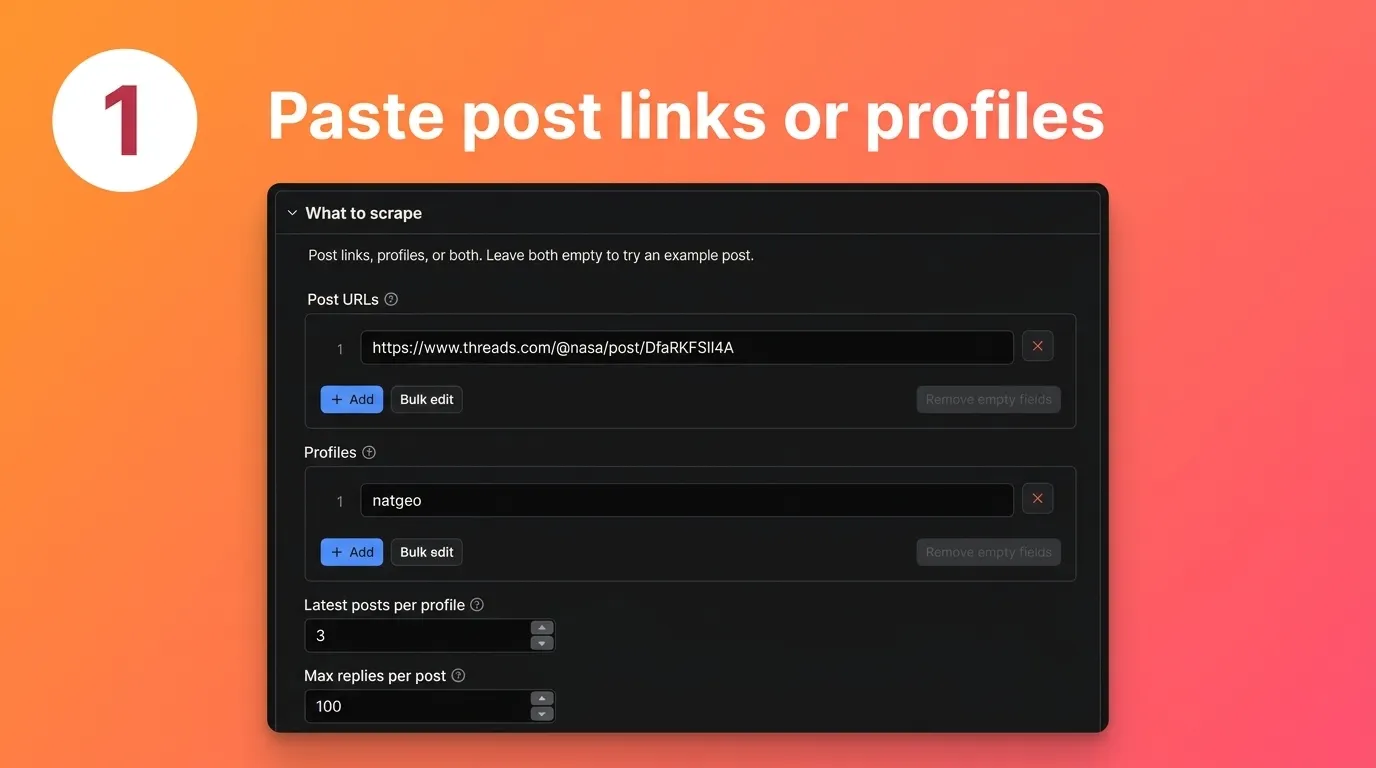
- Paste one or more post links, profiles, or both.
- Click Start, or run it from your code or an AI agent.
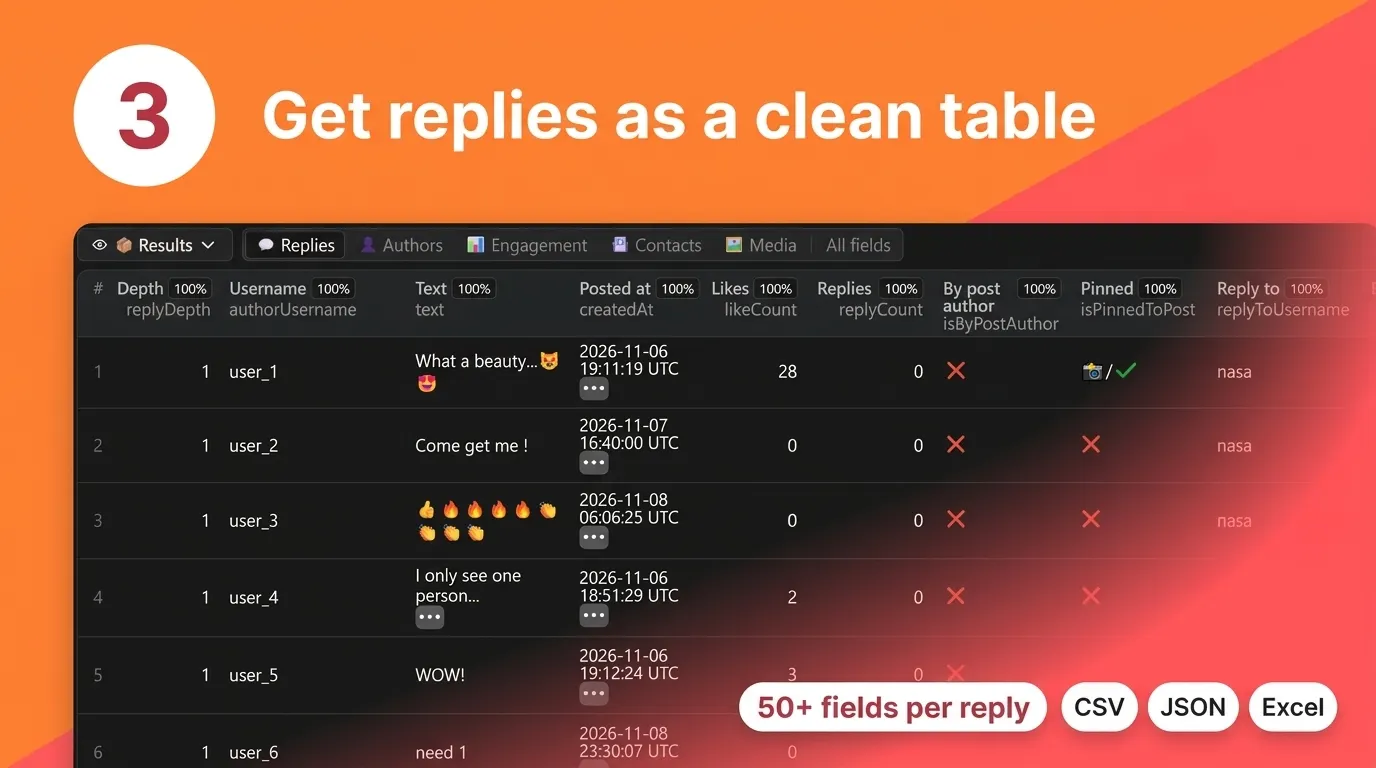
- Open the table and download it as JSON, CSV or Excel.
With an empty input the scraper takes the replies under an example post by @nasa, so you can see the output right away.
🍳 How to scrape Threads replies: input recipes
1. Replies to one post as a spreadsheet
The replies under a post, most relevant first, ready for CSV.
2. Conversations with nested replies
Each reply followed by the replies to it, for conversation and sentiment research.
3. New replies under your latest posts, every day
Brand monitoring on a schedule. The original post rows are off, so each run brings only replies.
4. Only the most liked replies
The replies people agreed with most.
5. Several posts in one run
Mix link forms; a reply link works as the start of its own conversation.
6. Replies under a brand's latest posts
What the audience of an account is saying right now.
⚙️ Input
The form has five steps: what to scrape, reply options, filters, limits and advanced settings.
| Field | What it does | Default |
|---|---|---|
postUrls | Post links in any form (threads.com or threads.net, with or without www, extra parts after the code), /t/CODE links or bare post codes. | empty (an example @nasa post when profiles is empty too) |
profiles | Usernames, @username or profile links. | empty |
postsPerProfile | How many of the latest posts per profile to take replies from. | 5 |
sortOrder | top (most relevant) or newest. | top |
includeNestedReplies | Add the replies to each reply, right under it. | off |
maxNestedRepliesPerReply | Nested replies per first-level reply. 0 means all available. | 20 |
includeOriginalPost | Add the post itself as the first row. | on |
dateFrom | Only replies posted after a date (YYYY-MM-DD, UTC) or a relative time such as 1 day or 24 hours. | empty |
minLikes | Only replies with at least this many likes. | empty |
maxRepliesPerPost | First-level replies per post. 0 means all available. | 100 |
maxItems | Stop the run after this many rows in total. | empty |
maxConcurrency | How many posts are scraped at the same time (1 to 20). | 5 |
Every field is explained in the Input tab.
📦 Output example
Two rows from a run on the example @nasa post with nested replies on and 10 replies per post: the original post first, then the first reply. The replier is a private person, so their username, name, IDs, profile link and picture are replaced with placeholders (example_user, Example User, 0000000000); long values are shortened with "...". Other rows have the same fields.
The original post row has replyDepth 0 and no parentPostId; the reply row points to it with parentPostId. In this reply isLikedByPostAuthor and isPinnedToPost are true: the post author liked it and pinned it. Fields that are empty on a row (such as emails or hashtags) are left out here to keep the example short; in the dataset they are present and empty.
📋 Output fields
One row per reply with flat fields, easy to open in Excel or load into a database. recordType is post for the original post and reply for replies; replyDepth is 0 for the post, 1 for a reply to it, 2 for a reply to that reply, and so on. The table has these tabs:
| Tab | Fields |
|---|---|
| 💬 Replies | replyDepth, authorUsername, text, createdAt, likeCount, replyCount, isByPostAuthor, isPinnedToPost, replyToUsername, url, rootPostUrl, recordType, rank, sortOrder, language, status, reason, inputUrl, inputProfile, scrapedAt |
| 👤 Authors | authorUsername, authorFullName, authorProfilePicUrl, authorIsVerified, authorIsPrivate, authorId, authorProfileUrl, isByPostAuthor, rootPostAuthor, rootPostAuthorId, replyToUsername, replyToUserId, mentionedAccounts, url |
| 📊 Engagement | authorUsername, url, createdAt, likeCount, replyCount, repostCount, quoteCount, shareCount, isLikedByPostAuthor, isPinnedToPost, rank, replyDepth, isEdited, isReply, isQuote, quotedPostUrl, hashtags, topicTag, mentions, postId, postCode, parentPostId, rootPostId, rootPostCode |
| 📇 Contacts | url, authorUsername, authorId, authorFullName, emails, phones, externalUrls, links, linkTitle |
| 🖼️ Media | url, mediaType, imageUrls, videoUrl, gifUrl, text |
| status | Meaning | Charged |
|---|---|---|
ok | A reply or the original post | Charged |
not_found | The post does not exist, was deleted or is not public | Free |
private | The profile is private | Free |
no_replies | No visible replies, or none matched your filters | Free |
error | The link could not be read or the post could not be loaded; reason says why | Free |
run_summary | The run saved no replies | Free |
The Output tab also has a Run summary with posts and profiles processed, reply and nested reply rows, status counts and the settings used.
What you don't pay for
- Status rows: posts not found, private profiles, posts without replies, invalid links and errors.
- Replies removed by your filters.
- Duplicate links and duplicate replies.
- The run summary.
⏰ Scheduling and monitoring
Threads Replies Scraper fits reply monitoring for your brand or your competitors:
- Add the profiles (or post links), set
sortOrdertonewestanddateFromto the time between runs, such as1 day. - Turn off
includeOriginalPost, so repeated runs do not save the same post rows again. - Save the input as a task and add a schedule in Apify (Schedules, then Create new).
- With Newest order the run stops reading a post once it reaches replies older than
dateFrom, so each run brings mostly new replies. - Add a webhook to send each finished run to Slack, email, Google Sheets or your own app.
🔌 API and integrations
Run the scraper and get the replies in one call:
Python:
- Schedules and webhooks: run on a timetable and get notified when a run finishes. See schedules and webhooks.
- Make, Zapier, n8n: use the Apify app or node and pick this Actor. See integrations.
- API reference: the API tab on this page shows ready code for every language.
Use with AI agents (MCP)
Connect the Apify MCP server to Claude, Cursor or another AI assistant and add this Actor. Then ask in plain words, for example: "Get the newest replies under the last 3 posts of @nasa and summarise what people ask about."
❓ FAQ
Do I need a Threads account, cookies or a session ID? No. The scraper reads the replies Threads shows publicly. You only need an Apify account.
How do I get only new replies?
Use sortOrder newest with dateFrom equal to the time between runs, turn off includeOriginalPost and schedule the Actor. See Scheduling and monitoring above.
Can I get replies to replies?
Yes. Turn on includeNestedReplies. Nested replies come right after the reply they answer, with replyDepth, parentPostId and replyToUsername.
Which post links work?
threads.com and threads.net links, with or without www, with extra parts after the post code, /t/CODE links and bare post codes. A link to a reply starts the conversation from that reply.
Did the post author reply or like a reply?
Check isByPostAuthor, isLikedByPostAuthor and isPinnedToPost on each row.
Do user IDs change when someone renames their account?
No. authorId and replyToUserId are numeric IDs that stay the same when a username changes, so you can join runs safely.
Why do I see fewer replies than the counter in the app? The counter can include replies that Threads does not show to visitors who are not logged in. The scraper saves the replies Threads shows publicly.
How do I export Threads replies to CSV or Excel?
After the run, open the Output tab and click Export. Choose CSV, Excel, JSON or another format. Through the API add format=csv to the dataset items link.
Can I find posts by keyword first? Yes, with Threads Search Scraper. Pass the post links it returns to this Actor; both use the same field names for posts and authors.
💬 Feedback and support
Found a bug or missing a field? Open an issue on the Issues tab and tell us what you need.
Ready to try it? Open the input form, paste a post link and click Start.


