
Fry's Food Scraper: Grocery Prices, Deals & Aisles by Store
Pricing
from $4.00 / 1,000 products
Fry's Food Scraper: Grocery Prices, Deals & Aisles by Store
Fry's Food (frysfood.com) products for any search at the stores you choose: regular and card price, unit price, stock level, aisle and shelf, UPC and rating. Every run shows what changed since your last one. No account needed.
Pricing
from $4.00 / 1,000 products
Rating
0.0
(0)
Developer

Zaiq
Maintained by CommunityActor stats
0
Bookmarked
2
Total users
1
Monthly active users
2 days ago
Last modified
Categories
Features
Share
Fry's Food Scraper: grocery prices, card deals, aisles and price tracking by store (frysfood.com)
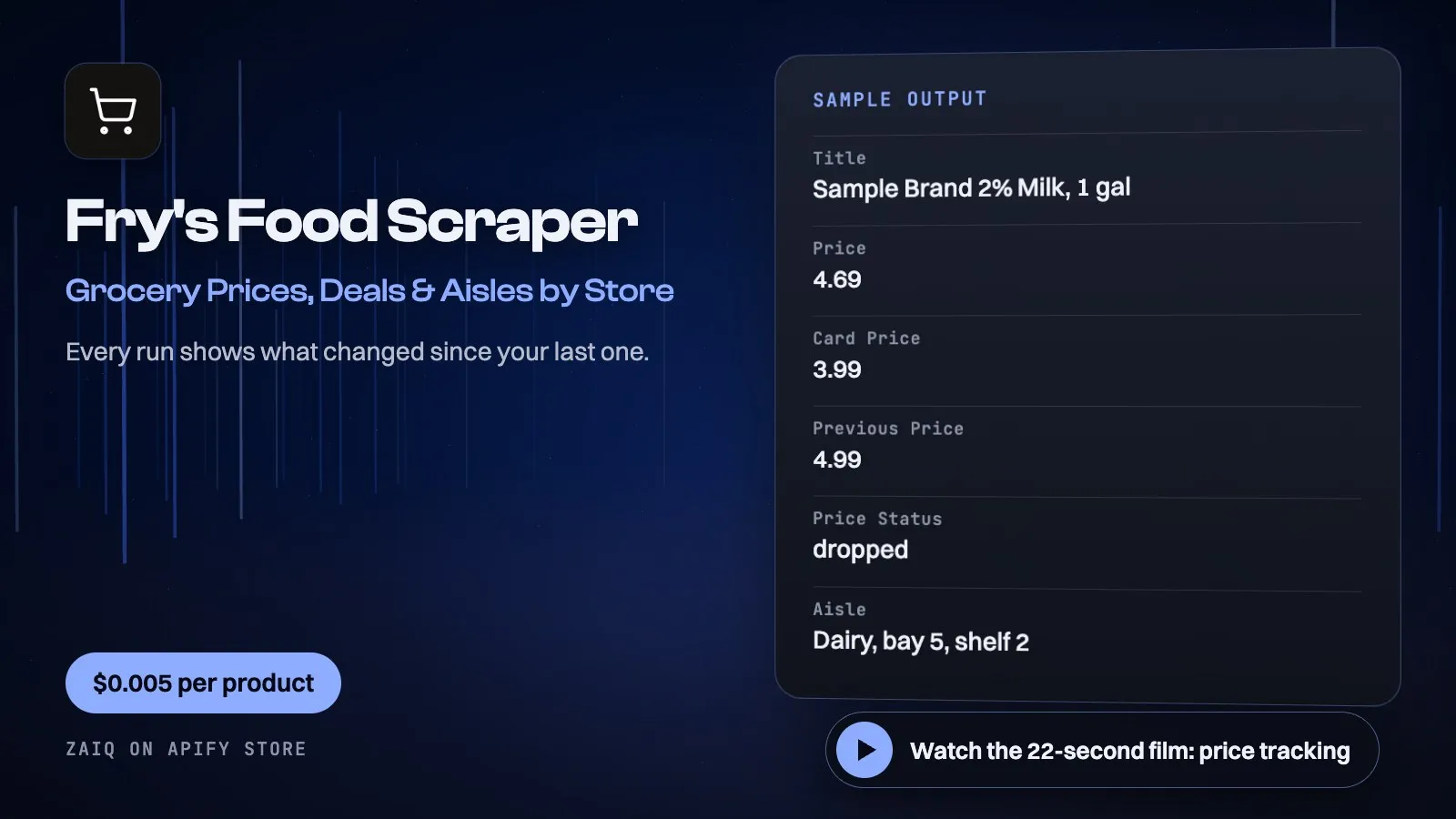
Watch the 22-second film: price tracking
Get Fry's Food products without an account: the store's regular and card price, unit price, stock level, aisle and shelf, UPC, rating, image and link, for any search at the stores you choose, by ZIP code or store ID.
Try it in a minute: the form is filled in. Press Start and you get up to 24 real products for about $0.12.
Run it again and see what changed: every product is compared with your last run, with nothing to set up and at no extra cost. Schedule it daily and filter on priceStatus for a price-drop feed.
Built for grocery price monitoring in Arizona, CPG brand and shelf checks, promotion tracking and price comparison apps.
What you get
| Field | What it holds |
|---|---|
| Products | upc, title, brand, size, price, cardPrice, onSale, offerText, offerEnds, currency, unitPrice, unitOfMeasure, rating, reviews, category, categoryPath, storage, image, url, search, rank |
| At the store | storeId, stockLevel, inStock, aisleNumber, aisle, aisleSide, bay, shelf |
| With Description and ingredients on | description, ingredients, allergens, countryOfOrigin, organic, glutenFree |
| Price tracking, on every row | previousPrice, priceChange, priceChangePercent, priceStatus (first-seen, unchanged, dropped, raised, no-price), firstSeenAt |
What people use it for
- Price monitoring: track the same searches at the same stores every day
- Shelf checks: stock level, aisle, bay and shelf per store for CPG brands
- Promotion tracking: every card price, with the offer and when it ends
- Competitor research: compare stores, ZIP codes and brands
- Price comparison apps: a clean feed with UPCs, images and links
- Regional pricing: see how one product's price moves from store to store
How to use it
- Enter searches, then ZIP codes or Store IDs.
- Add Brands to reach past the first 24, or turn on On sale only.
- Click Start. Schedule it daily and filter on
priceStatus.
Input
| Field | Example | Notes |
|---|---|---|
| Searches | milk | Words to search for, up to 24 products each |
| ZIP codes | 85004 | The nearest stores to each |
| Stores per ZIP code | 1 | Up to 10 |
| Store IDs | empty | Eight-digit IDs from an earlier run |
| Brands | empty | Each search once per brand |
| On sale only | off | Only products with a card price |
| Description and ingredients | off | More detail, at no extra charge |
| Track price changes | on | Compares every product with your last run; free |
| Tracking list name | empty | Optional: separate lists keep separate histories |
Output
Each result is one row in the run's dataset (download it as JSON, CSV, Excel, XML or HTML, or read it through the API). An example row (values shortened):
A record named SUMMARY in the run's key-value store says what each input returned, with any notes (for example an account that does not exist), what was charged and how much traffic the run used.
Pricing
- $0.005 per product
- Price tracking and ingredients cost nothing extra
- Refused pages are free
What typical jobs cost at the list price:
| Job | Cost |
|---|---|
| A search at one store, 24 products | $0.12 |
| 20 searches at 5 stores, about 2,400 products | about $12 |
| Daily check of 200 products for a month | $30 |
On Apify's Scale and Business plans the per-event prices are lower (Store discounts). Set Maximum cost per run and the Actor stops cleanly when it is reached: you never pay more than that.
Tips
- Use specific searches: 2% milk, oat milk and whole milk return three different lists.
- Add Brands to read past the first 24 for a word.
- Schedule a daily run and filter on
priceStatus=droppedfor a price-drop feed.
Use it through the API
Python
JavaScript
HTTP (one call, results back)
Integrations and schedules
- Schedules: run it every hour, day or week from the Apify Console (Schedules) and keep a history of results.
- Make, Zapier, n8n, Google Sheets, Slack, Airtable: connect it through Apify's integrations, or send each finished run to a webhook.
- Datasets: results stay in the run's dataset; export them or read them by API whenever you need them.
Use it with AI agents (MCP)
Add Apify's MCP server (https://mcp.apify.com) to Claude, ChatGPT, Cursor, VS Code or any MCP client. The agent can find this Actor and run it for you: ask it for "Fry's Food's milk prices at the store nearest 85004". AI agents can also pay for runs directly through Apify's agentic payments.
Limits
- Up to 24 products per search per store: that is what Fry's Food's search page shows a signed-out visitor, and its next pages repeat the same list. Whole-store and category reads are not offered.
- A fixed basket by UPC is not offered: product pages refuse plain requests. Search for the product's name instead.
- Prices are the website's for that store's pickup; delivery and in-store prices can differ.
- If an address is refused the Actor tries another and never solves a check. Pages it could not read are listed in SUMMARY and not charged.
FAQ
How does price tracking work?
Each run compares every product with your last run and adds the previous price, the change and a status. It keeps one small key-value store in your Apify account and costs nothing extra. Run one list at a time, and turn it off with trackPrices: false.
Do I need a Fry's Food account?
No. It reads what a signed-out shopper sees on frysfood.com.
How do I choose a store?
Give a ZIP code for the nearest stores, or a store ID from the storeId column of an earlier run.
What does it cost to run?
Only the event above; there is no monthly fee.
Related Actors from Zaiq
- walmart-scraper: prices at Walmart
- target-scraper: prices at Target
Support
Questions, a site that changed, or a field you need? Open an issue on this Actor's Issues tab: we answer there, usually within a day.
Also found as: fry's food scraper, fry's food prices, fry's food api, fry's food grocery prices, us grocery prices, kroger family prices, grocery price monitoring, fry's food product data.


