
10times Events Scraper - Trade Shows & Conferences API
Pricing
from $2.79 / 1,000 event scrapeds
10times Events Scraper - Trade Shows & Conferences API
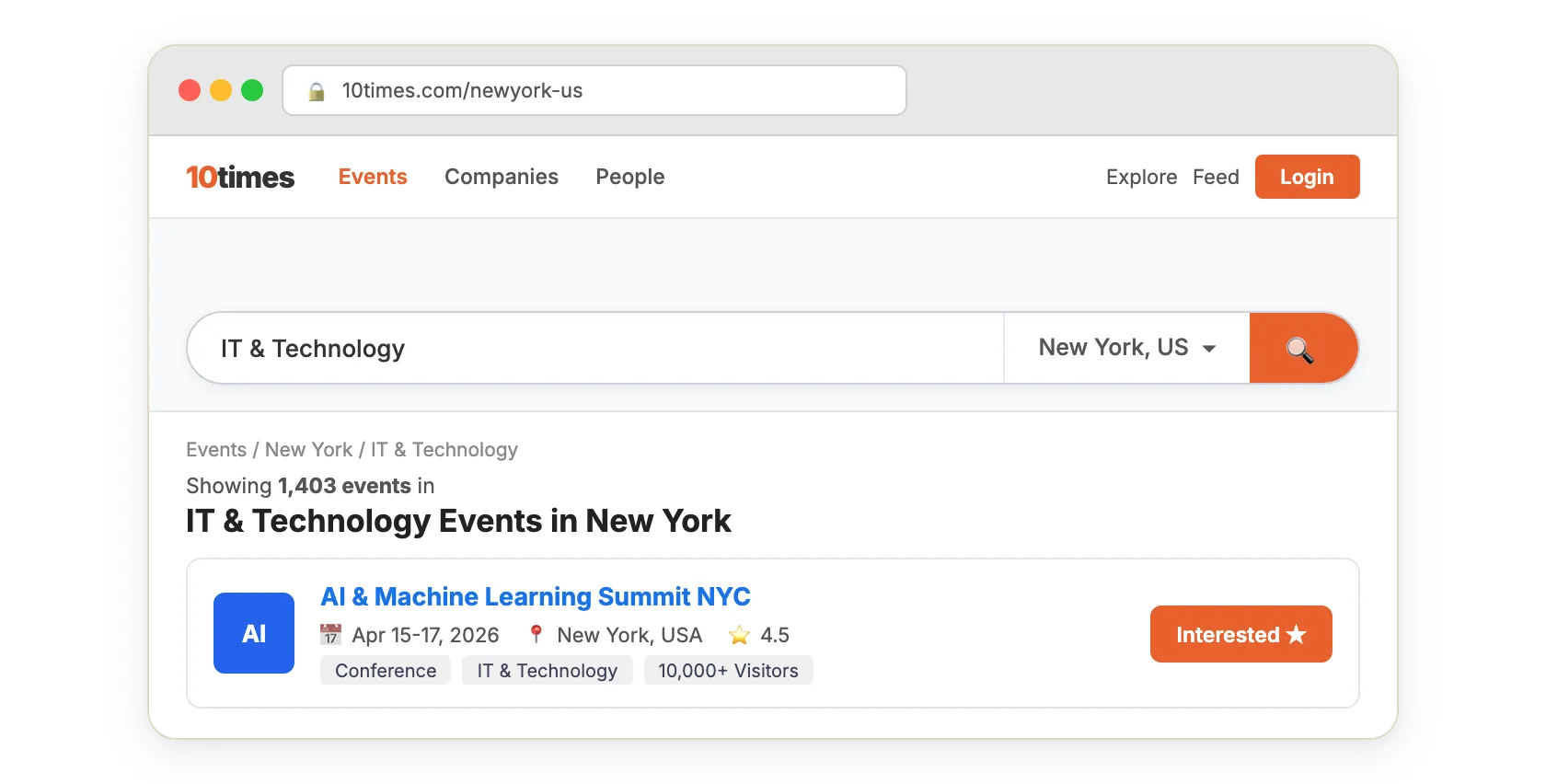
Extract trade shows, conferences, and exhibitions from 10times.com with 59 data points per event. Filter by city name, industry, date, or keyword. Get organizer contacts, venue details, visitor estimates, exhibitor counts, and full schedules. 1,000 events in under 60 seconds. No account needed.
Pricing
from $2.79 / 1,000 event scrapeds
Rating
0.0
(0)
Developer

Zen Studio
Maintained by CommunityActor stats
9
Bookmarked
414
Total users
98
Monthly active users
0.13 hours
Issues response
5 days ago
Last modified
Categories
Share
10times Events Scraper | Real-Time Trade Show & Conference API (2026)
From Zen Studio, creators of the Thomasnet Suppliers Scraper, with 12,000+ lifetime runs, and our Apple Maps and Google Maps scrapers. Supplier, business and event research from the same studio.
Why choose this actor?
Choose events with more than dates and venues.
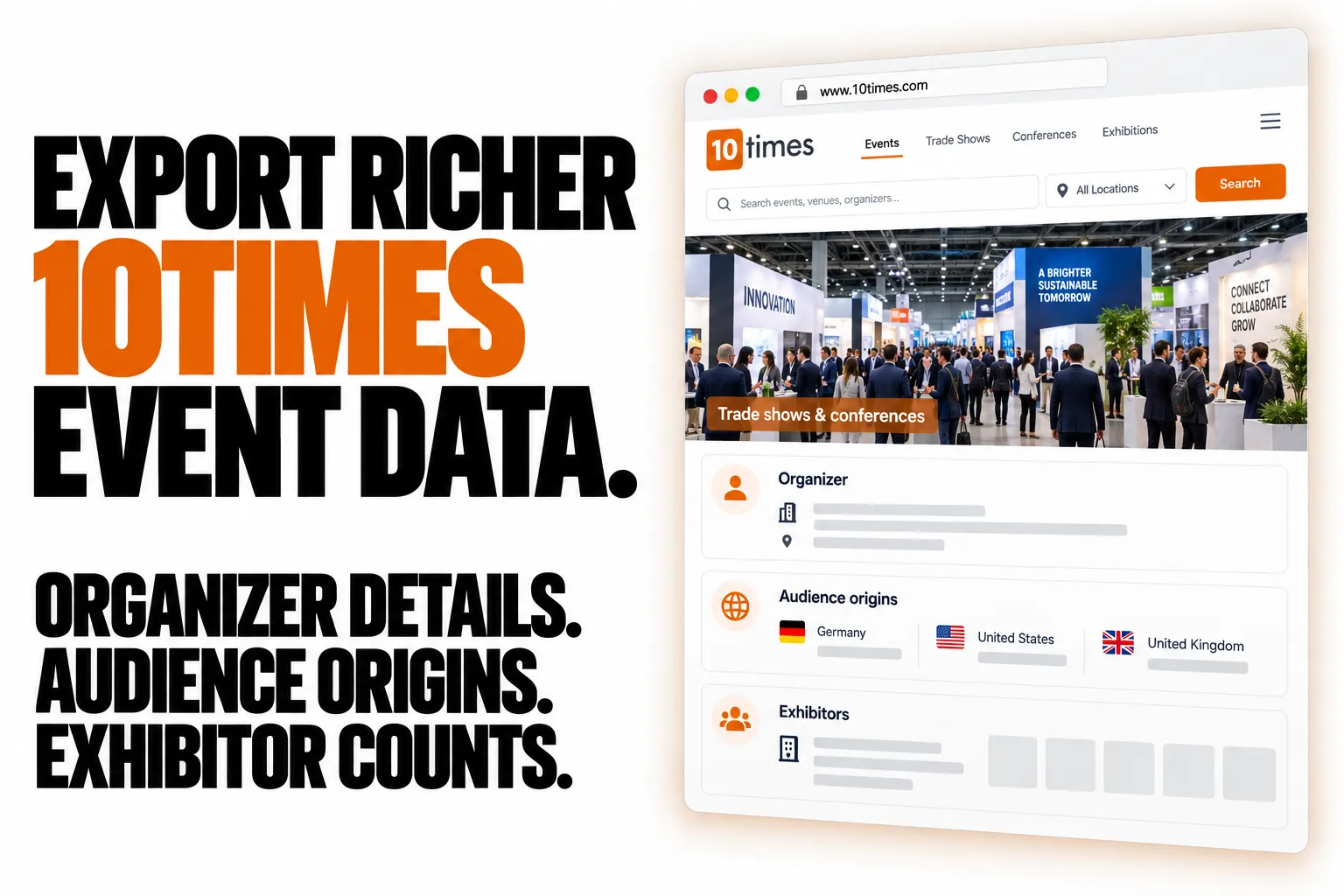
Compare organizer names and websites, visitor estimates, exhibitor counts and event ratings. Build an event shortlist with the business context needed to plan outreach, sponsorship or attendance.
See where an event draws its audience.
Enable full event details to collect visitor counts by country, plus speaker names, ticket information and FAQs where published. Assess audience fit before committing to an event.
Build a targeted event dataset.
Search by city, country, industry, date range or keyword. Export to JSON, CSV or Excel, and exclude previously collected event editions when refreshing your research.

Quick start
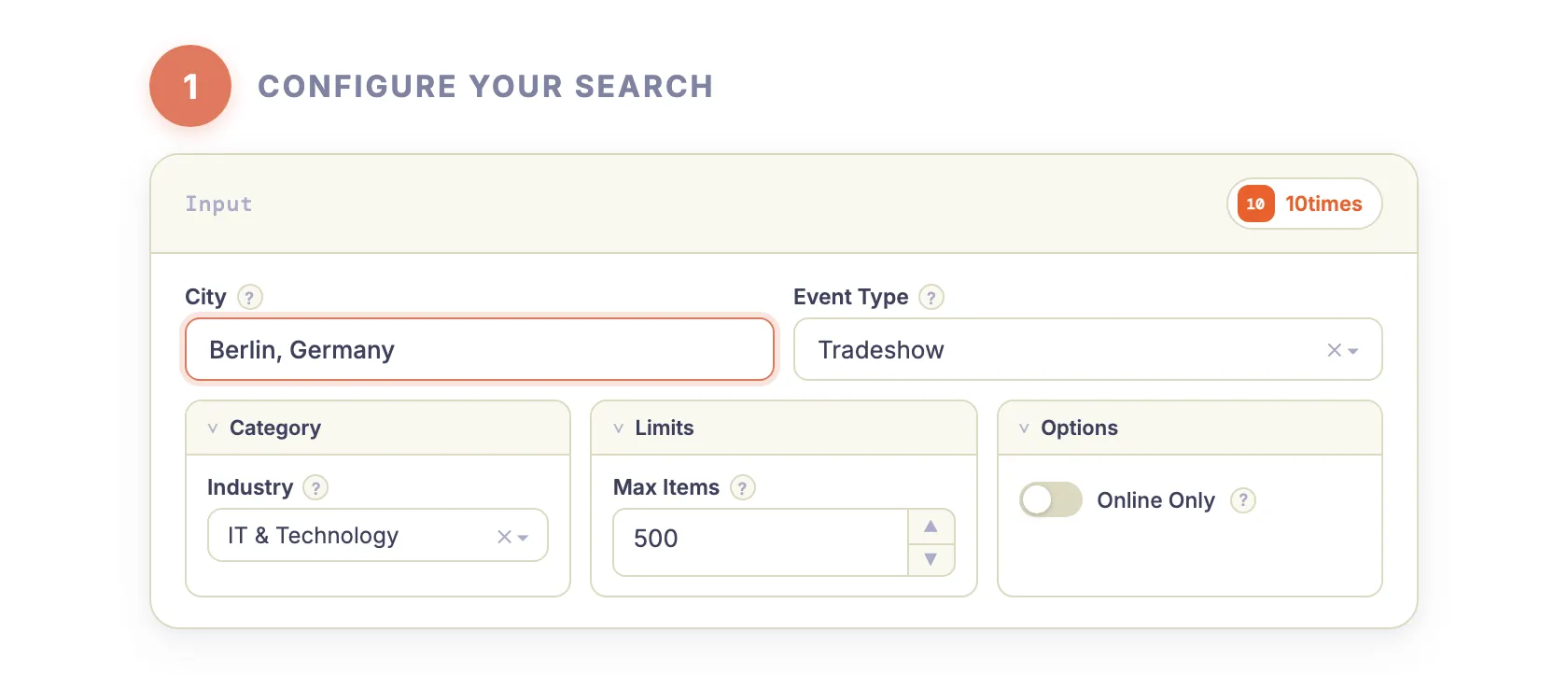
Try 20 events in Berlin with full details enabled. Change the city in the input form to research your own market.
Open actor input to choose a city, category and date range.
scrapeDetails: true adds audience origins, speakers, tickets, FAQs and images where available. It takes longer than the standard run. Leave it off when organizer details and event statistics are enough. Counts describe audiences and exhibitors; they are not attendee or exhibitor contact lists.
| Zen Studio · Business Research | |||
 10times Events 10times EventsYou are here |  Thomasnet ThomasnetSupplier details |  Apple Maps Apple MapsPlaces & phones |  Google Maps Google MapsBusiness data |
Copy to your AI assistant
Copy this block into ChatGPT, Claude, Cursor, or any LLM to start using this actor.
How It Works
|

|
|

|
|
|
|
|
What Data Can You Extract from 10times?
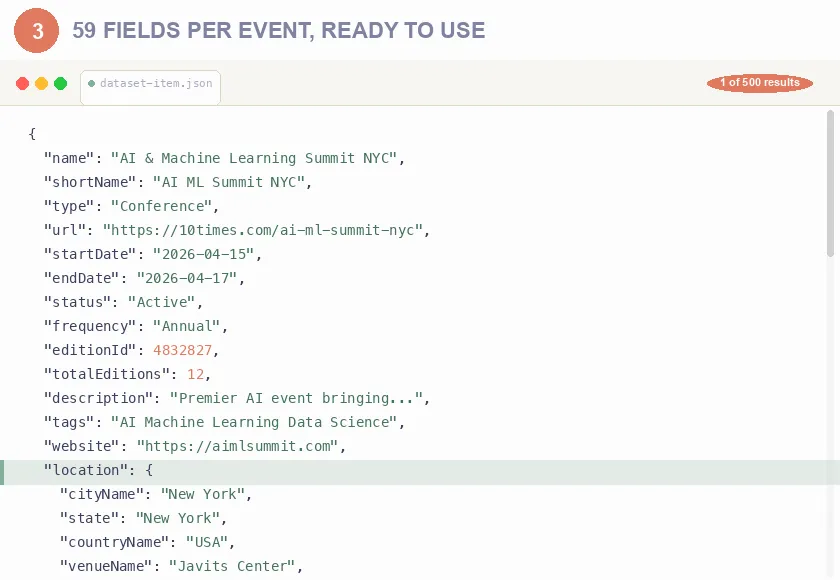
Each event includes 68 data points organized into structured categories:
Event Information
- Name, description, dates, status, frequency
- Event type (tradeshow, conference, workshop)
- Pricing (including a per-ticket-type breakdown), website link
- Tags, edition number, total editions
Location Details
- City, state, country with IDs and URLs
- Venue name, address, coordinates
Dealing with Indian GEO-data? Enrich your data using our /zen-studio/indian-pincode-postalcode-zip-code-to-city-state)
Organizer Information
- Company name, logo, website
- Total events organized, upcoming events
- Lead generation stats
Statistics & Metrics
- Event score, opportunity score, rating and rating count
- Estimated visitors and exhibitors
- Follower, attendee, speaker and media counts
- Year-over-year growth, audience sentiment
- Attendee origin: visitor counts broken down by country
Speakers, Tickets & FAQ
- Speaker names and profile links
- Ticket types with prices, currency and conditions
- Price ranges with validity dates
- The event's own FAQ, as question/answer pairs
- Event images and banner
Every record uses the same 68-key structure, so fields are always present even
when a particular event has no value for them. Coverage is richest for browse-style
runs (by country, city or category). The source no longer takes a keyword, so a
keyword is matched against the names of the events it lists: a topic no event is
named after returns nothing, and the run then says so. Speakers, ticket prices,
attendee origin, FAQs and
images are only included when scrapeDetails is turned on.
Use Cases
For Event Marketers & Exhibitors
- Find relevant trade shows - Search by industry, location, and date to plan your exhibition calendar
- Evaluate event quality - Compare visitor counts, exhibitor numbers, and ratings before committing budget
- Track competitor presence - Monitor which events competitors exhibit at
- Discover emerging events - Find new trade shows in your industry before they become crowded
For B2B Sales Teams
- Generate leads - Extract organizer contact data for outreach
- Plan territory coverage - Map events by geography for sales trip planning. Tip: Combine it with our /zen-studio/indian-pincode-postalcode-zip-code-to-city-state to enrich Indian event locations with postal codes and district data.
- Identify decision makers - Find companies exhibiting at industry events
- Time outreach campaigns - Know when prospects are attending events
For Market Researchers
- Analyze industry trends - Track event growth, new categories, geographic expansion
- Benchmark competitors - Compare event sizes, ratings, and attendance metrics
- Map the exhibition landscape - Build comprehensive databases of trade shows by sector
- Monitor market activity - Track new event launches and cancellations
For Event Organizers
- Competitive intelligence - Analyze competing events in your space
- Benchmark performance - Compare your metrics against industry averages
- Find partnership opportunities - Identify complementary events for cross-promotion
- Track industry calendar - Avoid date conflicts with major events
Quick Start
Basic - Search by Location
Filter by Category
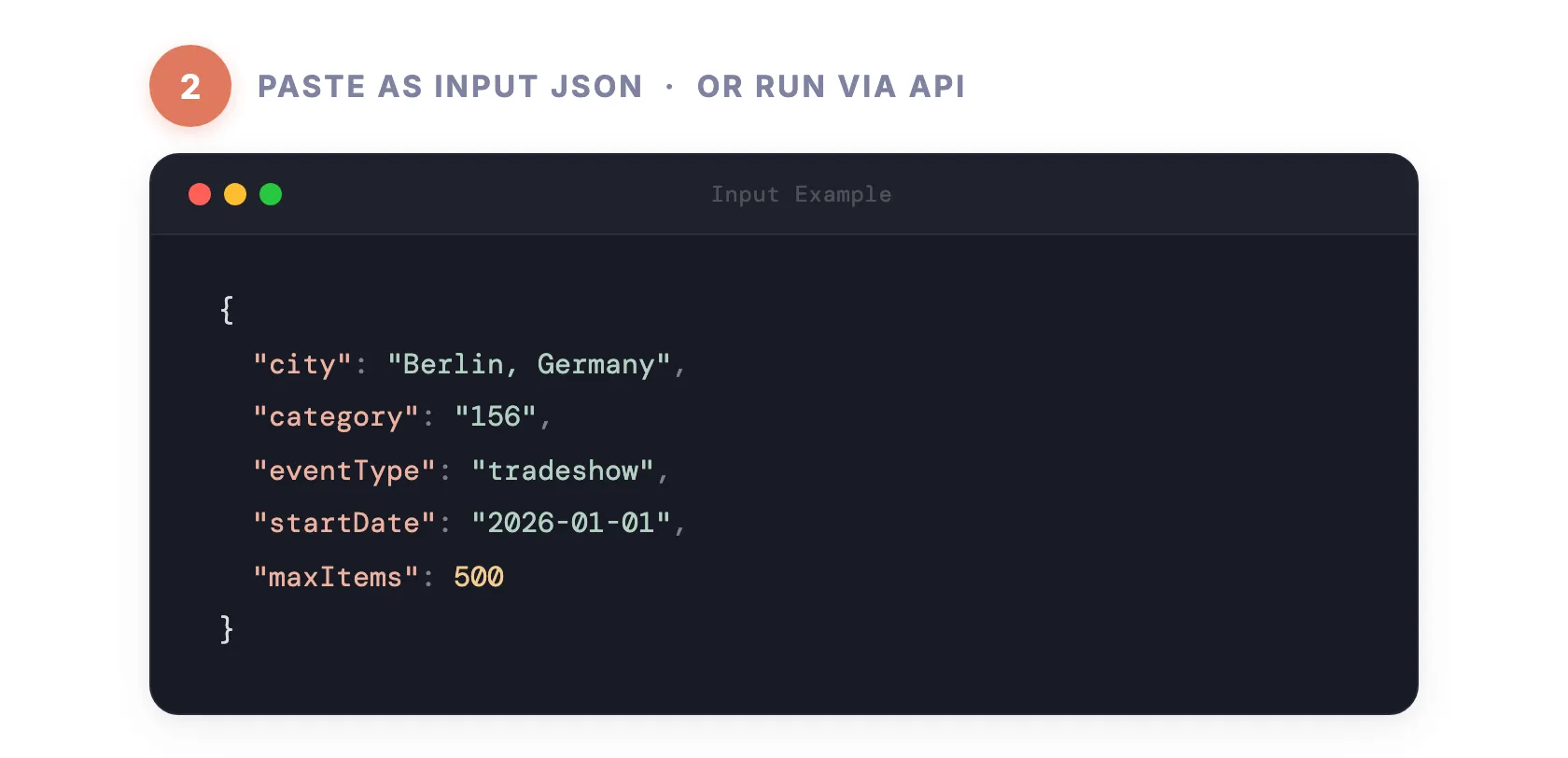
Berlin (city ID 71655), IT & Technology tradeshows:
Category 156 = IT & Technology. See full category list below.
Date Range Search
Category 27 = Medical & Pharma. The source lists about the next 90 days of
events, so a range further ahead returns few or none.
Complete Configuration
Input Parameters
| Parameter | Type | Description | Default |
|---|---|---|---|
city | string | Numeric city ID, selected from the dropdown. See City Parameter below. | - |
location | string | A country name. Coordinate search is no longer offered by the source | - |
country | string | ISO country code (US, DE, GB) or "WW" for worldwide | WW |
query | string | Keyword matched against event names. For a subject area, leave it empty and use category | - |
radius | integer | Not used: the source no longer offers radius search | 50 |
category | string | Industry category ID (see list below) | All |
eventType | string | all, tradeshow, conference, workshop | all |
startDate | string | Include events active from this date (YYYY-MM-DD) | - |
endDate | string | Include events active up to this date (YYYY-MM-DD) | - |
onlineOnly | boolean | Only include virtual/online events | false |
maxItems | integer | Maximum events to scrape (0 = unlimited) | 0 |
scrapeDetails | boolean | Include speakers, ticket prices, attendee origin, images and FAQs. Leaving it off is around 7x faster | false |
excludeEditionIds | array | List of editionId values to skip (for recurring scrapes) | [] |
City Parameter
Pick a city from the dropdown in the UI, or pass its numeric ID via the API:
| City | ID |
|---|---|
| Berlin, Germany | 71655 |
| New York, US | 70834 |
| London, UK | 81795 |
When city is set, the location and country fields are ignored.
Category IDs
| ID | Category | ID | Category |
|---|---|---|---|
| 3 | Apparel & Clothing | 80 | Logistics & Transportation |
| 5 | Auto & Automotive | 106 | Environment & Waste |
| 7 | Building & Construction | 107 | Fashion & Beauty |
| 13 | Electric & Electronics | 108 | Food & Beverages |
| 16 | Agriculture & Forestry | 113 | Baby, Kids & Maternity |
| 19 | Arts & Crafts | 125 | Wellness, Health & Fitness |
| 27 | Medical & Pharma | 128 | Power & Energy |
| 30 | Packing & Packaging | 146 | Banking & Finance |
| 34 | Industrial Engineering | 150 | Security & Defense |
| 37 | Telecommunication | 156 | IT & Technology |
| 50 | Travel & Tourism | 158 | Animals & Pets |
| 53 | Science & Research | 159 | Home & Office |
| 55 | Business Services | 160 | Hospitality |
| 61 | Education & Training | 161 | Entertainment & Media |
| 63 | Miscellaneous |
Output Example
Pricing
This Actor uses Pay Per Event (PPE) pricing based on your Apify subscription tier:
| Tier | Price per 1,000 Events |
|---|---|
| Free | $3.49 |
| Bronze | $3.29 |
| Silver | $2.99 |
| Gold | $2.79 |
API Integration
Python
JavaScript
cURL
Advanced Usage
Keyword + Category Combination
Find specific event topics within an industry:
High-Value Events Only
Every record carries stats.score, stats.rating and stats.estimatedVisitors,
so you can rank after export:
Recurring Scrapes (Skip Already-Captured Events)
Pass editionId values from previous runs to only scrape new events:
Each result includes an editionId field. Collect these from your previous runs and pass them back to avoid duplicate charges.
Large Queries (Country-Wide / Multi-Year)
A single search returns roughly 40 events, however many actually match: the source
shows visitors the first page of a listing only. When you ask for more than that
(maxItems above 40, or 0 for unlimited), or set a date range or keyword, which
filter the listed events, the scraper re-runs the search as a series of narrower
ones, by country, or by industry when you pinned the country, or by event type when
you pinned both, and merges the results. Filters you set yourself are never
overridden.
Only a search that came back at the limit is split, so a query with fewer matches costs exactly what it did before. Events matching several of the narrower searches are returned, and charged, once. The run log notes it with
This search returned everything it will serve at once; splitting it 45 ways to reach the restSet maxItems to 40 or less, with no dates or keyword, to keep a run to a single pass.
If you only want a sample, set maxItems to cap the run:
With maxItems set, the scraper retrieves up to that many events and stops, regardless of how large the underlying result set is.
Estimate Costs Before Scraping
Set a small maxItems for a trial run, check the results, then raise it. The run
log reports how many events were pushed as it goes, so you can stop early.
Online Events Filter
Find virtual conferences and webinars:
Data Export
Export your results in multiple formats:
- JSON - Structured data for programmatic processing
- CSV - Import into spreadsheets, CRMs, or databases
- Excel - Direct analysis with filtering and pivot tables
All exports available directly from the Apify Console or via API.
Video: schedule it and chain it
Apify's own walkthroughs apply to this actor unchanged: scheduling a run (daily or hourly, from Console) and chaining Actors with the Actor-to-Actor integration, so another Actor or a webhook picks up each new dataset.
FAQ
Q: How fresh is the data? A: Data is extracted in real-time directly from 10times.com. No caching.
Q: Do I need a 10times account? A: No. The scraper extracts publicly available data without requiring login credentials.
Q: What's the maximum number of events I can extract?
A: Set maxItems to 0 for unlimited extraction. There's no hard limit, so a broad
search with maxItems: 0 can return several thousand events. Billing is per
event, so set maxItems if you want a predictable run cost. The run log warns
when a run is unlimited.
Q: How do I find the category ID for my industry?
A: See the Category IDs table above. Use empty string "" for all categories.
Q: Can I filter by multiple categories? A: Currently one category per run. Run multiple extractions for different categories.
Q: How accurate are the visitor/exhibitor estimates? A: Statistics come directly from 10times. Estimates are based on historical data and registrations.
Q: What if results come back slowly or incomplete? A: Large scrapes are paced to stay reliable. The run log always says which case applies: whether some results could not be retrieved this time (run it again), or whether that is everything currently listed for those filters.
Q: How do I search by coordinates?
A: You can't any more: since October 2026 the source no longer offers coordinate or radius search, and a run given coordinates stops with a message. Use country or city instead.
Q: Can I scrape historical/past events? A: No. Only upcoming events are listed, covering roughly the next 90 days. Date filters apply within that window.
Q: Can I get a count of matching events before scraping?
A: Not up front, the source does not publish one. Run with a small maxItems to sample the results and judge the shape of the set, then raise it. The run log reports the running total as it pushes, so you can stop early.
Q: Why does a large run take longer than a small one, beyond just having more events?
A: A single search returns about 40 events whatever the true match count. To go past that, a run asking for more re-runs the same search as a series of narrower ones and merges the results, so you get the full set rather than the first slice of it. That is more requests, so expect a large run to take several times longer per event than a small one. Set maxItems to 40 or less, with no dates or keyword, to keep it to a single pass.
Q: Are cancelled events included?
A: Yes, events with "Cancelled" or "Postponed" status are included. Filter by the status field in results.
Q: How often is 10times data updated? A: 10times is continuously updated by organizers. Run the scraper periodically to get the latest information.
Q: Why did my run return no events? A: The run finished successfully and the log says "No events found matching your search criteria": the filters matched nothing among the upcoming listings. Most empty runs we see are recurring scrapes, and three causes cover nearly all of them:
excludeEditionIdsalready lists every event the search returns. Zero is the correct answer: nothing new since your last run. Let the schedule run again later rather than retrying now.- A date range in the past. Only upcoming events are listed, so the log warns "The requested dates have already passed" and the run returns nothing. Move
startDateandendDateinto the future. - A narrow combination: one
category, oneeventTypeand a short date window. Drop one filter at a time;category: ""shows everything listed for the country. Some narrow listings the source shows only to signed-in visitors, and the run says so.
You are charged per event returned, so an empty run costs nothing beyond Apify's platform start fee.
Legal
This Actor extracts publicly available data from 10times.com. Users are responsible for ensuring their use complies with 10times terms of service and applicable data protection regulations (GDPR, CCPA).
Start Extracting Trade Show Data Now
Build your trade show calendar, analyze competitors, and discover opportunities in the B2B events industry.


