

Facebook Groups Search Scraper: Members, Activity, No Login
Pricing
from $2.09 / 1,000 groups
Facebook Groups Search Scraper: Members, Activity, No Login
Find Facebook groups by keyword or link: exact member counts, posts today and per month, privacy, creation date, topics, locations, rules, admin and moderator counts, websites and emails. Public and private groups. Filters, monitor mode for new or changed groups, no account needed.
Pricing
from $2.09 / 1,000 groups
Rating
0.0
(0)
Developer

Zen Studio
Maintained by CommunityActor stats
0
Bookmarked
8
Total users
3
Monthly active users
11 days ago
Last modified
Categories
Features
Share
From Zen Studio, creators of Douyin Search and RedNote Search, with 220,000+ combined lifetime runs.
What you get
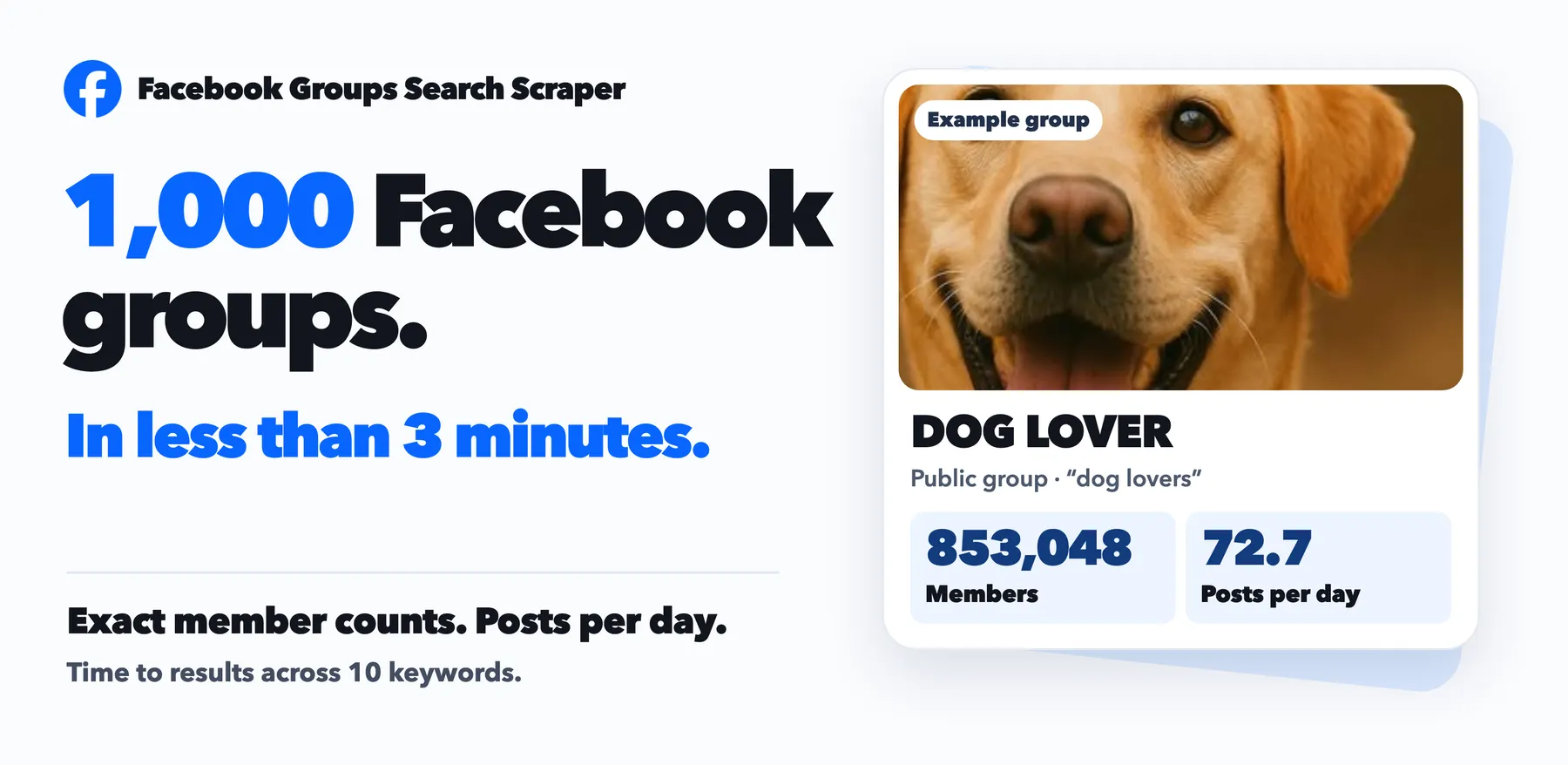
- Search in bulk. A ten-keyword benchmark delivered 1,000 distinct groups in 2 minutes 49 seconds. The run finished in 3 minutes 12 seconds. Results and timing vary by keyword and settings.
- Compare size and activity. Get exact member counts and average posts per day. Filter groups by size, activity or privacy to build a shortlist.
- Get the public details. Export available descriptions, rules, topics and locations for public and private groups. Use monitor mode to pick up new or changed groups on later runs.

Try one keyword
Find up to 20 groups for “dog lovers” that average at least one post per day.
Open the actor input, switch to JSON and paste the example.
 Zen Studio · Social Research
Copy to your AI assistant
What does Facebook Groups Search Scraper do?
Type one or more topics and get a list of Facebook groups about them, one row per group, with the facts Facebook shows on each group's About tab. Paste group links instead (a group page, About tab, post, permalink, numeric ID or facebook.com/share/g/ link) to read groups you already know. No Facebook account, cookies or browser extension needed.
- Find communities to join or partner with: sort by members and posts per day to separate active groups from dead ones.
- Map a niche or a city: “dog lovers london”, “real estate investors”, “yoga” plus a location filter.
- Track groups over time: schedule a monitor and get only what changed.
- Lead research: websites and emails that group admins published in the description or rules.
What data can you get from Facebook groups?
| Group | Fields |
|---|---|
| Identity | groupId, name, url, vanity (handle), profilePictureUrl, coverPhotoUrl and size, themeColor |
| Access | privacy (PUBLIC/PRIVATE) and its description, visibility (VISIBLE/HIDDEN) and its description, hasMembershipQuestions, isSubscriptionGroup |
| Size and activity | members (exact), membersText, membersShortText, newMembersText, postsToday, postsLastMonth, avgPostsPerDay |
| History | createdAt, history, nameLastChangedAt |
| About | description, location, locations, tags (topics), sections (tabs the group uses) |
| Leaders | adminAndModeratorCount, adminCount, moderatorCount, admins, moderators, leadersText, leadersDisclosed, affiliation (“Group by …”) |
| Rules | rulesCount, rules (title and text of each rule) |
| Contacts | emails, websites |
| Run context | query, rank, matchedIn, source, inputUrl, detailsFetched, scrapedAt, error |
A real row from the “tesla” run above. The rules list is shortened to 2 of the group's 10 rules, and admin names, IDs and pictures are masked in this example; the actor returns them as Facebook shows them.
- Private groups show the same About data as public ones (members, activity, history, rules). Facebook hides their admins and moderators from visitors who are not members, so those rows carry
leadersDisclosed: falseandnullcounts. searchSnippetappears only on search-only rows (fetchDetails: false);changeType,changesandpreviousSeenAtappear only in monitor mode.
Input options
| Option | What it does |
|---|---|
searchQueries | Topics, one per line. Each is searched on its own and every row names its term. |
groupUrls | Group links to read directly. A group search link such as facebook.com/search/groups/?q=yoga becomes the term yoga. |
maxItems | Most groups for the whole run. Leave empty for every group the terms reach. |
maxGroupsPerQuery | Most groups per term, so one broad term cannot use the whole run. |
privacy, minMembers, maxMembers, minPostsPerDay, locationContains | Filters. Skipped groups are not charged. |
requireKeywordMatch | Stricter: every word of the term must appear in the group's name or description. |
includeUnrelated | Also return groups that do not mention the term at all (matchedIn: "none"). Off by default. |
includeRules | Rule titles and texts on each row (on by default; the count is always there). |
fetchDetails | Off: fast search-only rows with link, name, handle or ID and snippet. |
monitorMode, monitorStateId, webhookUrl, telegramBotToken, telegramChatId | Monitor mode and its alerts, see below. |
By default every row mentions its search term in the name, description, topics, locations or rules. For a phrase of three or more words, two thirds of the words are enough, so “dog lovers london” also finds “Dog Owners in London”. matchedIn says where the term was found.
Active public groups in California with 1,000 to 200,000 members:
Strict filters can mean reading many groups to find a few that pass; those reads are free for you, only delivered groups are charged.
Monitor mode: new and changed groups on a schedule
Turn on monitorMode, save the input as a task and schedule it (for example weekly). The first run returns every group as new. Each later run returns only groups that are new or whose name, handle, privacy, visibility or member count changed, with the previous and current values in changes. Unchanged groups are not returned and not charged.
- Webhook: set
webhookUrlto anhttps://address (for example a Zapier or Make webhook); after each run with changes it receives a POST with a JSON summary (newGroups,changedGroups,unchangedGroups,runUrl,groups). - Telegram: add
telegramBotToken(from @BotFather) andtelegramChatId; the bot posts a short summary. - A saved task remembers its own state. Running the same monitor from your own code or from several tasks? Set the same
monitorStateId.
How much does it cost?
You pay per group delivered, plus a small start charge per run.
| Event | When it is charged | Price |
|---|---|---|
| Group | Each group row delivered to your dataset | $2.99 per 1,000 groups (lower on paid Apify plans: $2.79 Bronze, $2.49 Silver, $2.09 Gold) |
| Actor start | Once per run, per GB of memory (default 1 GB) | $0.002 |
Rows for links that lead to no readable group, groups skipped by your filters and unchanged groups in monitor mode are free. Example: 100 groups on the free plan cost $0.30 plus $0.002 for the start.
FAQ
Do I need a Facebook account or cookies? No. There is no login, cookie or account field, and nothing can be banned.
Are private groups included? Yes. Their members, activity, history, description, tags, locations and rules come back like public ones. Only their admins and moderators are hidden by Facebook.
How many groups does one search term return? It depends on the topic: a recorded run for “tesla” returned more than 1,000 groups that mention it, a niche phrase returns fewer. Add more specific terms (a city, a model, a hobby) to go wider.
Is this the same as Facebook's own search box? No. Facebook's own group search needs a login. This actor returns groups that are publicly findable, without any account; secret groups cannot be found by anyone outside them.
Why did I get fewer groups than my limit? Either the topic has fewer groups that mention it, or your filters skipped them (skipped groups are free; the run's status message gives the count). Turn on includeUnrelated to also get loosely related groups.
How exact is the member count? It is Facebook's own exact total (“146,943 total members”), not the rounded “146.9K”, which is also included as membersShortText.
Does it return admin names, emails or websites? Admin and moderator names are returned as Facebook lists them on the About tab of public groups. Emails and websites are the ones the group published in its description or rules; most groups publish none.
Can I get the posts or the member list of a group? No. This actor returns group-level facts only.
Can I use it from my code or an AI agent? Yes: start it from Apify's JavaScript or Python client, Make, Zapier or the Apify MCP server. Export as JSON, CSV, Excel or XML.
Support
Something wrong or missing? Open an issue on the actor's Issues tab with your run link and we will look at it.
This actor is not affiliated with or endorsed by Facebook or Meta. It reads information Facebook shows publicly about groups; you are responsible for how you use the data, including applicable privacy law.


