

Weibo Scraper 微博 | Keyword Search, Date Range & Filters
Pricing
from $3.29 / 1,000 posts
Weibo Scraper 微博 | Keyword Search, Date Range & Filters
Scrape Weibo (微博) posts by keyword with date range and filters: likes, comments, reposts, location, hashtags, images, video and author profiles. No login.
Pricing
from $3.29 / 1,000 posts
Rating
0.0
(0)
Developer

Zen Studio
Maintained by CommunityActor stats
0
Bookmarked
31
Total users
14
Monthly active users
4 days ago
Last modified
Categories
Share
Weibo Search Scraper (微博爬虫 / Sina Weibo) | Posts by Keyword, Date Range & Filters (2026)
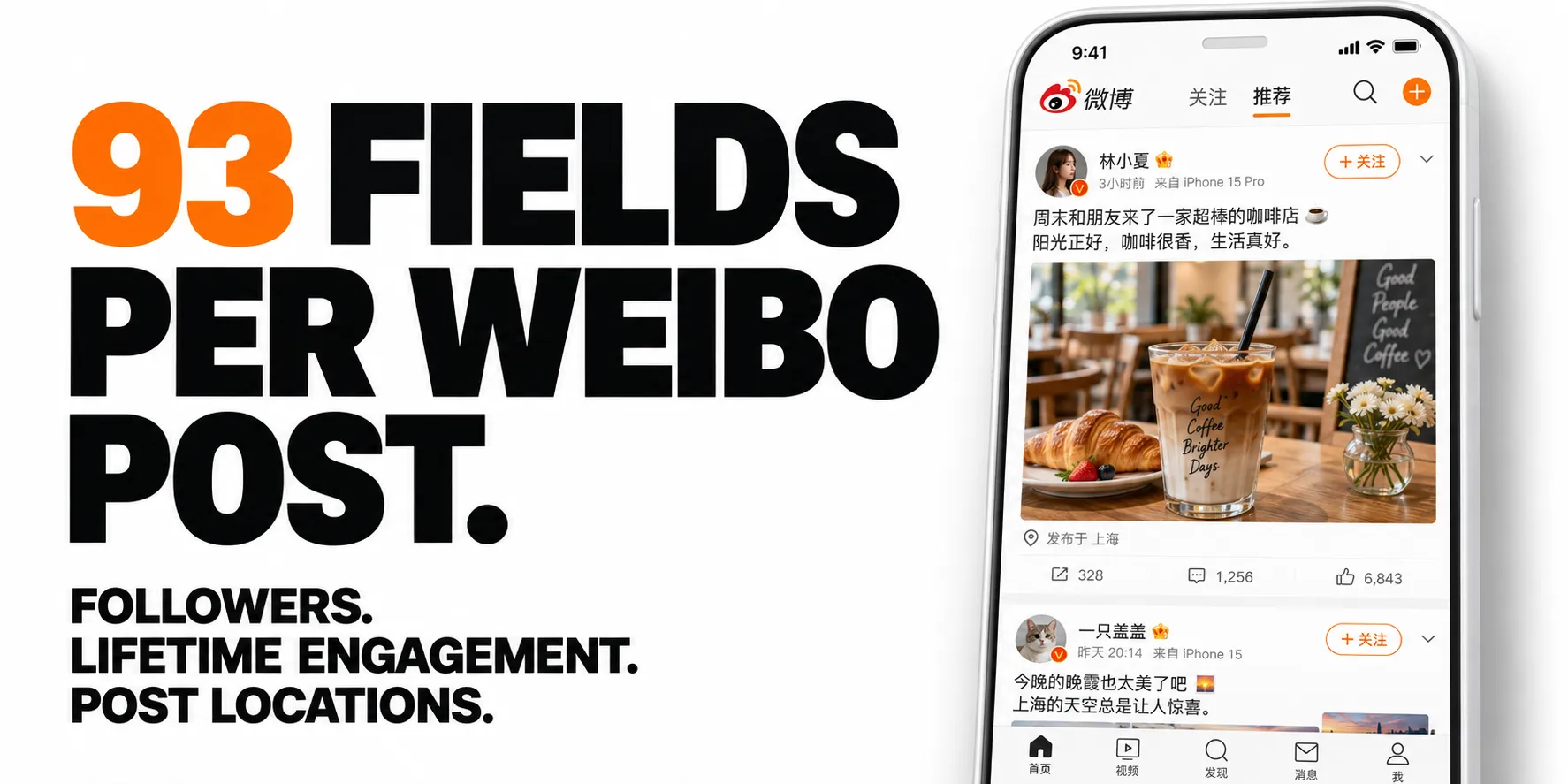
From Zen Studio, creators of RedNote Search and Douyin Search, ranked #1 for “RedNote” and “Douyin” in Apify Store search. The same studio behind established scrapers for Chinese social platforms, with dedicated actors for posts, creators and conversations.
Why choose this actor?
Evaluate the creator behind each post. Get 93 output fields, including 37 creator fields: followers, account creation date, verification details, and lifetime likes, comments, reposts and video views. Build a creator shortlist directly from keyword results, with that profile data already attached.
See where the conversation is happening. Export Weibo’s posting-region label alongside the author’s profile location. Province and city are included when available; precise location coverage varies by post and search mode. Use regional context to compare where a brand or topic gets attention.
Collect thousands of distinct posts. An existing run returned 6,000 posts across multiple keywords. Duplicates are removed across searches. Choose top posts or newest first, narrow by date or author type, and use scheduled runs to collect newly discovered posts. Optional full-text retrieval expands long posts for analysis.

Try a keyword
Search 咖啡 (coffee) and inspect ten posts, with creator fields and full-text retrieval enabled:
Open actor input, replace the keyword and start your run. Export JSON, CSV or Excel; JSON preserves nested media and topic data. Full-text retrieval is billed separately for successfully expanded long posts. Fields depend on what Weibo publishes, and some may be empty. See pricing.
| Zen Studio · Chinese Social Data | ||||
 Weibo Search Weibo SearchYou are here |  Weibo Comments Weibo CommentsThreads & replies |  Weibo User Weibo UserTimelines & profiles |  RedNote RedNotePosts & creators |  Douyin DouyinVideos & creators |
Copy to your AI assistant
Weibo Scraper Features
- 93 fields per post: engagement, province and city, hashtags and topics, images, video, and the author's full profile including account age and lifetime stats.
- Full text for long posts: Weibo truncates roughly a third of posts at about 150 characters. Optional enrichment returns the complete text; every row flags its own state so you always know which is which.
- Two orderings: top posts by engagement for research, newest first for live monitoring.
- Date range and filters: any period, verified accounts or media outlets, posts with pictures or videos, original posts only, no ads. Filtered-out posts are never charged.
- Only new posts: scheduled runs return just what is new since the last run.
- Free tier: 10 lifetime runs, 12 posts per run, no credit card required.
How to Scrape Weibo Posts by Keyword (微博关键词搜索)
- Open Weibo Search Scraper and enter one or more keywords.
- Choose Top posts or Newest first, and optionally a date range and filters.
- Click Start and watch posts arrive in the Output tab.
- Download the results as JSON, CSV or Excel, or schedule the run to repeat.
Basic: one keyword
Brand monitoring: several keywords, newest first
Date range: verified accounts, posts with pictures
Scheduled monitoring: only new posts
Schedule this hourly or daily. Each run returns only posts it has not delivered to you before.
Deep research: top posts with complete text
Set maxResultsPerKeyword to 0 to collect everything available for a keyword. Each keyword is searched independently and duplicates across keywords are removed automatically.
Weibo Advanced Search Options: Date Range and Filters (微博高级搜索)
| Parameter | Type | Default | Description |
|---|---|---|---|
keywords | array | One or more search terms. Chinese, English, hashtags, brand names, and emoji all work. Up to 50. Optional if you set trendingTopics. | |
trendingTopics | integer | 0 | Also scrape what is trending on Weibo right now (微博热搜). Adds that many of the current top topics in board order, skipping advertisements. Leave keywords empty to scrape only what is trending. Keywords and topics together are capped at 50. |
trendingSection | string | hot | Which board trendingTopics reads: hot (实时热点, what is already big) or rising (实时上升热点, climbing fast and not yet at the top). |
maxResultsPerKeyword | integer | 100 | Posts to collect per keyword. 0 uses the 5,000-post maximum. |
sortBy | string | comprehensive | comprehensive ranks by engagement, realtime returns newest first and works back through time. |
fetchFullText | boolean | false | Retrieves the complete text for posts Weibo truncated. Billed separately. |
startDate | string | Only posts published on or after this date (China time). A date like 2026-09-01 or a period like 7 days. | |
endDate | string | Only posts published on or before this date (China time). | |
authorType | string | all | all, verified (verified accounts), or media (news and media outlets). |
contentType | string | all | all, pictures (posts with pictures), or videos (posts with a video). |
originalOnly | boolean | false | Skips reposts. |
excludePromoted | boolean | false | Skips advertisements and promoted posts. |
onlyNewPosts | boolean | false | Returns only posts not delivered to you in earlier runs for the same keyword. |
What Weibo Data Can You Export? (微博数据)
Every post includes:
- Identity: post ID, short code, desktop and mobile permalinks, search keyword
- Content: text, character count, truncation flags, topics with links, hashtags, mentions, outbound links
- Timing: exact publish time, relative label, edit count and edit time
- Engagement: likes, comments, reposts, per-reaction breakdown, display label
- Location: province, city, country, and GPS coordinates where the author attached them
- Classification: promoted flag and label, original vs repost, visibility, store and product tags
- Media: image URLs with dimensions and LivePhoto links, video URL, duration, view count, alternate streams
- Cards: articles, polls, and AI summaries attached to a post
- Author profile: ID, handle, profile URL, avatars, cover, bio, gender, location, website, language
- Author reach: follower, following and mutual counts, post and video counts, account creation date, lifetime likes, comments, reposts and video plays
- Author status: verification type, tier and badges, membership level, VIP rank and credit score
- Repost source: original post ID, permalink, author, text, and its own engagement
- Keyword context (10 fields, describing the search rather than the post): how many people read and mentioned the topic on Weibo, how many are discussing it right now, Weibo's own related searches, Weibo's own written summary of what is being said and how many posts it drew on, and, for a topic taken off the hot search board, its rank, heat, section and badge (新 new, 热 hot, 沸 viral, ↑ climbing)
Output Example
Complete result from a run with fetchFullText: true. All 103 keys and their full values are shown: 93 describe the post and its author, and 10 describe the keyword that found it. null and empty arrays indicate unavailable or inapplicable data. Media URLs are snapshots and may expire.
Weibo Brand Monitoring, KOL Discovery and Topic Tracking
Ready-made configurations for the most common Weibo use cases.
Weibo brand monitoring and competitor analysis (微博舆情监测)
Ready to run: Weibo Brand Monitoring and Weibo Competitor Analysis.
Schedule it daily or hourly: each run adds only posts it has not delivered before, with ads left out. Add competitor names as extra keywords to compare share of voice in one dataset.
Weibo KOL and influencer discovery
Ready to run: Weibo KOL Discovery.
Sort by authorFans in the resulting dataset to surface the highest-reach accounts posting about your topic.
Weibo hashtag and trending topic tracking
Ready to run: Weibo Trending Topic and Hashtag Tracker.
Track hashtags you already follow:
Or let the Actor find them for you. This one takes no keywords at all: it reads Weibo's hot search board at the moment the run starts and collects the top 20 topics, skipping the advertisements on it.
Catch a story before it peaks by reading the rising board instead of the main one:
Run it hourly to build a record of what China was talking about, and add your own brand terms alongside the topics to see whether you were part of the conversation:
Weibo posts by date range for research
Ready to run: Weibo Advanced Search by Date Range and Weibo Dataset for Sentiment Analysis.
Watch a product launch as it happens
Ready to run: Weibo Product Launch Monitoring.
Put this on a schedule (hourly works well for launches, daily for steady brand monitoring). Each run creates its own dataset; use an integration to append results to your dashboard or database.
Weibo Scraper Pricing
Post charges: $4.29 per 1,000 posts with no discount or Bronze, $3.99 with Silver, and $3.29 with Gold or higher.
| Posts | Post charges (no discount / Bronze) |
|---|---|
| 100 | $0.43 |
| 500 | $2.15 |
| 1,000 | $4.29 |
Optional full text: $2.49 per 1,000 successfully expanded posts, at every discount tier. This add-on applies only when fetchFullText is enabled and a truncated post's full text is retrieved, not to every search result.
The table shows post charges only, rounded to cents. Additional run and dataset charges are listed in the Pricing tab.
Free tier: 10 lifetime runs, 12 posts per run. No credit card required.
Scheduled Weibo Monitoring and Integrations
Results land in a standard Apify dataset, so they flow straight into Google Sheets, Make, Zapier, Slack, or your own webhook without extra work.
For monitoring, schedule the Actor: hourly during a campaign or launch, daily for steady brand tracking. Append each run's results to Google Sheets or your database to build a time series you can chart.
How to run the scraper and put it on a schedule (official Apify videos):
Weibo Scraper FAQ
Can I get the comments on these posts?
Yes, with Weibo Comments Scraper: feed the postId values from this Actor straight into its postUrls.
The same pattern exists for other Chinese platforms in RedNote Comments Scraper and Douyin Comments Scraper.
What is Weibo (微博 / Sina Weibo / 新浪微博)? Weibo is China's largest public microblogging platform, often described abroad as the Chinese Twitter or X.
Unlike WeChat, where conversation happens in private groups, Weibo is open by default. That makes it the main place to read Chinese public opinion on a brand, a product, or a news event.
Does Weibo have an official API I could use instead? Weibo's developer platform exists, but registration requires a Chinese business licence and a domestic entity, which puts it out of reach for most non-Chinese teams. This Actor needs neither.
Do I need a Weibo account or cookies? No. Weibo gates keyword search behind a login for ordinary visitors, but you do not supply an account, a cookie export, or a QR login here. Enter keywords and run.
How many posts can I extract per keyword?
Up to 5,000 per keyword; 0 uses that maximum. Realistic depth is a few hundred to a few thousand unique posts per keyword depending on how busy the term is.
How fresh is the data?
Live. With sortBy set to realtime you will see posts published seconds ago.
Why is some post text cut off, and how do I get the rest?
Weibo itself truncates long posts at about 150 characters in search results, roughly a third of them. Set fetchFullText to true to retrieve the complete text. Temporary retrieval failures are retried within a bounded recovery budget. If some text remains unavailable or your spending limit is reached, the post is kept with textTruncated: true and the completion message reports the shortfall. Failed expansions do not incur the full-text add-on charge. Every row carries isLongText and textTruncated, so you can run without it first, see how many rows are affected, and decide.
Can I search in English? Yes. English keywords, brand names in Latin script, hashtags, and emoji all work alongside Chinese.
What is the difference between "top posts" and "newest first"?
Top posts (comprehensive) is Weibo's own engagement ranking: use it for research and for finding the posts that mattered.
Newest first (realtime) returns the latest posts, which carry little engagement yet: use it for live monitoring. On very busy keywords it collects a sample of each hour rather than every post.
Can I scrape Weibo posts from a specific date range?
Yes. Set startDate and endDate (China time), or a period such as 7 days. With top posts, the most popular posts of that period come first; with newest first, the run works back from the end of the range.
How do I collect only new posts on a schedule?
Turn on onlyNewPosts and schedule the run. Each run skips posts it already delivered to you for the same keyword, so your integration receives only what is new. Delivered posts are remembered in the weibo-search-delivered storage in your own account; delete it to start over.
Am I charged for posts removed by filters? No. Filters are applied before a post is delivered, and only delivered posts are charged.
How much does it cost to scrape Weibo? $4.29 per 1,000 posts, $3.99 with Silver and $3.29 with Gold or higher discounts, plus a free tier to test. Full text for truncated posts is an optional add-on.
Can I use it outside China? Yes. It runs from anywhere and needs no Chinese phone number, Weibo account or VPN.
Which setup works best to monitor Weibo for brand mentions?
Add your brand names as keywords, choose newest first, turn on onlyNewPosts and excludePromoted, and schedule the run daily or hourly.
Does it support Weibo advanced search filters? Yes: date range, verified or media accounts, posts with pictures or videos, original posts only, and no promoted posts. Posts removed by a filter are not charged.
Can I use the data for sentiment analysis with ChatGPT or other AI tools?
Yes. Export the post text with fetchFullText on and promoted posts excluded, then pass it to any sentiment model or AI assistant. province and city add a regional view.
How do I build a Weibo dataset for research without a Chinese account? Enter your keywords and a date range, then download CSV or JSON. Each row has the exact publish time and a permalink you can cite.
Can I scrape the Weibo hot search list (微博热搜)? Yes. Set 🔥 Weibo hot search topics to how many of the current top topics you want, and the Actor picks them up at the moment the run starts and searches each one. Leave the keywords empty to follow only what is trending, or fill both to track your own terms alongside it.
Can I download Weibo images and videos? Each post includes direct image links (JPEG) with dimensions and video links with duration and view count. Download them with a script or download tool; some browsers refuse to open them directly from another site.
Can I run it from Python? Yes. Start runs and read results from Python or JavaScript with the Apify client libraries, with no scraper code to maintain.
Which field tells me where a post came from?
province and city come from the post itself, and region is the province label Weibo displays. latitude and longitude appear when the author attached a precise location.
Can I tell promoted posts from organic ones?
Yes. isPromoted is a boolean and promotedLabel carries Weibo's own label. Filter promoted rows out before running sentiment analysis.
How do I export the data?
JSON, CSV, Excel, XML, or HTML from the run's Storage tab, or through the Apify API. JSON preserves the nested fields (topics, picDetails, reactions, videoStreams) exactly; CSV flattens them.
What is the free tier? 10 lifetime runs, 12 posts per run, one keyword per run. No credit card required.
A run returned fewer posts than I asked for. Why? Filters and date ranges can leave fewer matching posts than your maximum, and quiet keywords simply have fewer posts. If something looks wrong, open an issue in the Issues tab with the run link, and we will look at it. Need a custom Weibo dataset? Reach out there too.
Is it legal to scrape Weibo posts? This Actor collects only publicly visible posts, nothing behind a login. You are responsible for complying with Weibo's terms of service and with applicable data protection law, including GDPR, CCPA, and China's PIPL. Author names, avatars, bios and follower counts are personal data; handle them accordingly.
More Zen Studio scrapers for Chinese platforms
🎬 Short-video & social
 Douban 豆瓣
- Weibo 微博
 Zhihu 知乎
 Kuaishou 快手
- Douyin 抖音
 RedNote 小红书
 Xigua 西瓜视频
 Bilibili 哔哩哔哩
🛒 E-commerce
 TikTok Shop
 Shopee
 Taobao 淘宝
 JD.com 京东
 1688 阿里巴巴
 Weidian 微店
 Goofish 闲鱼
 Dewu 得物
 Coupang 쿠팡
🏠 Real estate & autos
 Anjuke 安居客
 58.com 58同城
 Autohome 汽车之家
🧭 Travel & maps
 Mafengwo 马蜂窝
🔍 Search engines
 Baidu 百度
Support
- Bugs: Issues tab
- Features: Issues tab
Legal Compliance
Extracts publicly available data. Users must comply with Weibo's terms and data protection regulations (GDPR, CCPA, PIPL).
Search Weibo by keyword and get every public post with engagement, location, and the full creator profile behind it.


