

Klook Scraper
Pricing
from $2.45 / 1,000 results
Klook Scraper
[💰$3.5 / 1K] Klook scraper that works on DataDome-protected pages. No login, no API key. Get tours, activities and attraction tickets by keyword, search, city or activity URL: price, rating, reviews, bookings, category, tags, GPS, highlights, opening hours and every package price in any currency.
Pricing
from $2.45 / 1,000 results
Rating
0.0
(0)
Developer

Aboo Script
Maintained by CommunityActor stats
0
Bookmarked
2
Total users
1
Monthly active users
3 days ago
Last modified
Categories
Security
Limited permissionsShare
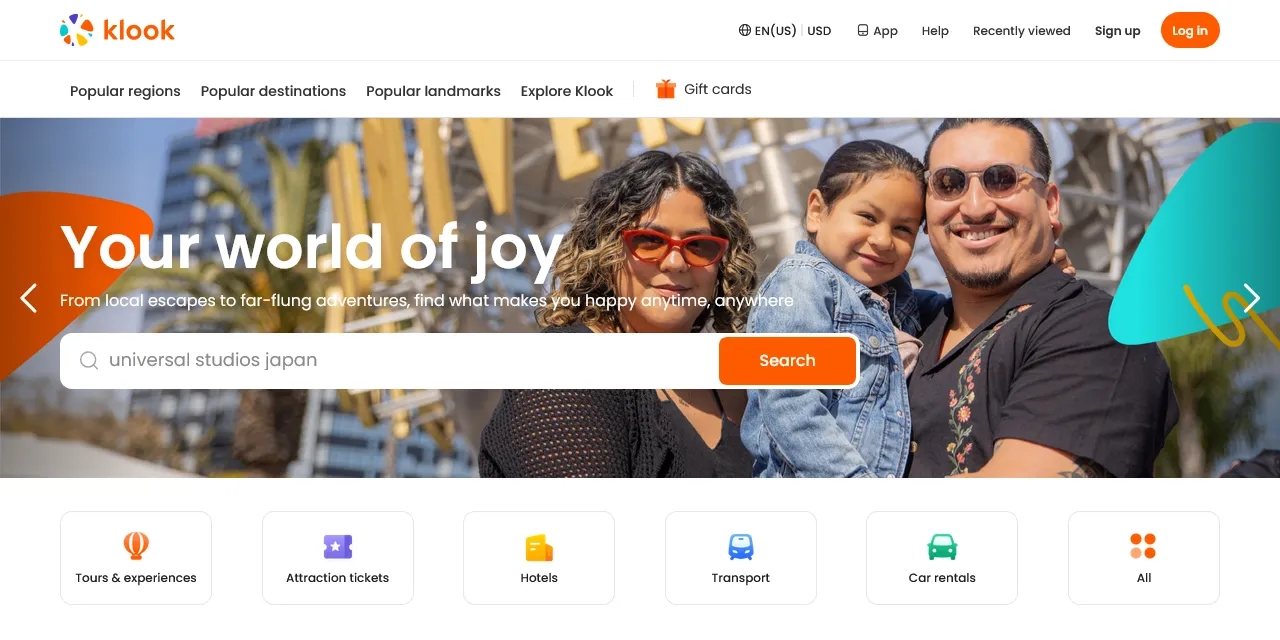
Klook Scraper extracts tours, activities, attraction tickets, and experiences from Klook into clean, structured data you can download as JSON, CSV, Excel, or HTML. Paste a Klook search, city, or activity URL, or type a few keywords, and get the price, original price, rating, number of reviews, number of bookings, category, city, tags, promotions, location, and image for every activity, plus the description, highlights, duration, opening hours, and every package with its price for activity pages. Works on DataDome-protected pages, no account or login required.
Introduction
Klook is one of the largest travel booking platforms in Asia and beyond, selling tours, attraction tickets, day trips, transport, and local experiences in thousands of destinations. Travel agencies, tour operators, and analysts follow Klook to understand prices, demand, and competition in a destination.
This actor collects the same public information you see on Klook search, city, and activity pages and turns it into a ready-to-use dataset. You can run it once, schedule it to run daily, or connect it to your own tools.
What data can you extract from Klook?
- 🏷️ Activity title, activity ID, and category
- 💲 Price as shown, price as a number, original price before discount, and currency
- ⭐ Rating and number of reviews
- 👥 Number of bookings, as a number and as shown on the site
- 🎁 Tags (free cancellation, instant confirmation, guided language, and more) and promotions
- 📍 City, city ID, country ID, departure city, latitude, and longitude
- 🖼️ Cover image, image gallery, and sold out flag
- 📝 Description, highlights, suggested duration, address, opening hours, and next availability (activity pages)
- 🎟️ Every package with its name, description, price, features, promotions, and availability (activity pages)
- 🔗 Direct URL to each activity
Use Cases
- 📈 Market research: compare activity prices, ratings, and booking volumes across destinations and categories.
- 🕵️ Competitor monitoring: track what tour operators sell on Klook, at what price, and with which discounts.
- 💰 Price tracking: schedule runs and follow price changes in your currency.
- 🗂️ Database building: build your own catalog of things to do per city.
- 🤖 AI and automation: feed clean, structured data into spreadsheets, dashboards, or AI workflows.
How to scrape Klook step by step
- Paste one or more Klook URLs into Start URLs, or type keywords into Search queries.
- Set Maximum number of results to how many activities you want per URL or per query.
- Pick the Currency for the prices.
- Click Start and wait for the run to finish.
- Download your data in JSON, CSV, Excel, or HTML from the Output tab.
Input
- Start URLs: Klook URLs to scrape. Supported pages: search result pages (https://www.klook.com/en-US/search/result/?query=dubai) city pages (https://www.klook.com/en-US/city/78-dubai-things-to-do/ or https://www.klook.com/en-US/destination/c78-dubai/1-things-to-do/), and activity pages (https://www.klook.com/en-US/activity/2228-burj-khalifa-observation-deck-dubai/). Filters chosen on the search page, such as the category tab, are kept in the results. A search URL with a page number starts from that page.
- Search queries: keywords to search on Klook, for example a city, attraction, or activity. Each query is scraped separately.
- Maximum number of results: how many activities to collect for each start URL or search query. Set 0 for no limit. Activity URLs always return one activity.
- Currency: the currency of every price in the results.
- Proxy configuration: residential proxies are required, Klook blocks datacenter and server IPs.
You can use start URLs, search queries, or both in the same run.
Input Examples
Scrape a Klook city page:
Search by keywords:
Output
Each activity is saved as one item in the dataset. Here is an example of an activity page result (search and city results have the same fields, with the activity page details left empty):
You can download the dataset in JSON, CSV, Excel, XML, or HTML, or access it through the Apify API.
Notes
- Residential proxies are required. Klook blocks datacenter and server IPs, so runs without residential proxies fail.
- Search result pages, city pages, and activity pages are supported. Other URLs are skipped with a warning.
- Description, highlights, duration, address, opening hours, images, and packages are only filled for activity URLs. Results from search and city pages leave them empty, so paste activity URLs when you need those details.
- Some tour pages do not show highlights, duration, or an address, so those fields are empty there.
- The price of an activity page is the lowest "from" price shown on Klook, which can be lower than the first package.
- Klook shows at most 1,000 results per search. Split broad searches into smaller ones, for example by city or category tab.
- Activities from city pages do not include the category, country ID, or coordinates, so those fields are
nullthere. Search results include them. - The original price is only filled when Klook shows a price before discount.
- Klook may return close matches for a search with no exact results.
- Results are in English.
Why use the Klook Scraper?
- ✅ No login needed: works with public data only, so there is no account to manage.
- 🛡️ Works on DataDome-protected pages: get Klook data without being blocked.
- 🎯 Keeps your filters: paste a search URL from your browser and get what you see there.
- 💱 Any currency: get every price in the currency you need.
- 🧹 Clean data: prices, ratings, reviews, and bookings are real numbers, and text is free of HTML.
- 💸 Pay for what you need: set a result limit per URL or query and keep every run small and cheap.
FAQ
How many results can I scrape?
You can set any number in Maximum number of results. The actor keeps going until it reaches your limit or runs out of results. See Notes for the search limit set by Klook.
Do I need a Klook account?
No. The actor only collects publicly available data. You do not need to log in or provide any account details.
Can I scrape data on a schedule?
Yes. Use Apify Schedules to run the actor every hour, day, or week, and get fresh data automatically.
Why are some fields empty?
Some activities simply do not show every piece of information. When a field is not available on Klook, it is returned as null.
Can I request a new feature or filter?
Yes. Right now the actor supports start URLs, search queries, and currency. If you need other inputs, such as reviews or package availability per date, get in touch and they can be added.
Can I get a custom or private version?
Yes. The actor can be customized for your workflow, delivered as a private version, or a new scraper can be built for a different website. Use the contact details below.
Need to scrape other travel and activity platforms?
- Viator Scraper: tours and activities with tour options, prices, itineraries, and ratings.
- GetYourGuide Scraper - Activities & Attractions: activities and attraction tickets with prices and ratings.
- Tiqets Scraper - Attractions & Tours: attraction tickets and tours with prices and ratings.
- Agoda Activities Scraper: things to do on Agoda with prices and reviews.
- Rayna Tours Scraper: tours, activities, and attraction tickets from Rayna Tours.
Need help or want a custom solution?
- 📧 Email: aboo.script@gmail.com
- 🧩 More scrapers: Apify profile
Image Credit
Image credit: Klook


