
Website Contact Scraper: Emails, Phones & Social Links
Pricing
from $1.80 / 1,000 website contacts
Website Contact Scraper: Emails, Phones & Social Links
Extract public business emails, phone numbers and social media links from any website. Contact pages found automatically, robots.txt respected, pay per result.
Pricing
from $1.80 / 1,000 website contacts
Rating
0.0
(0)
Developer

Badr Bouargan
Maintained by CommunityActor stats
0
Bookmarked
2
Total users
1
Monthly active users
2 days ago
Last modified
Categories
Features
Share
Turn a list of company websites into a clean contact list. Give websites or domains; get one row per website with the public e-mails, phone numbers, social media links and contact form the company publishes. You pay only for websites where a public e-mail or phone was found. Empty, refused or unreachable websites are free.
✅ What it does
- Reads the home page and the most useful pages of each website: contact, imprint / legal notice, about, team, support (found automatically, in 10+ languages), up to 5 pages per site by default.
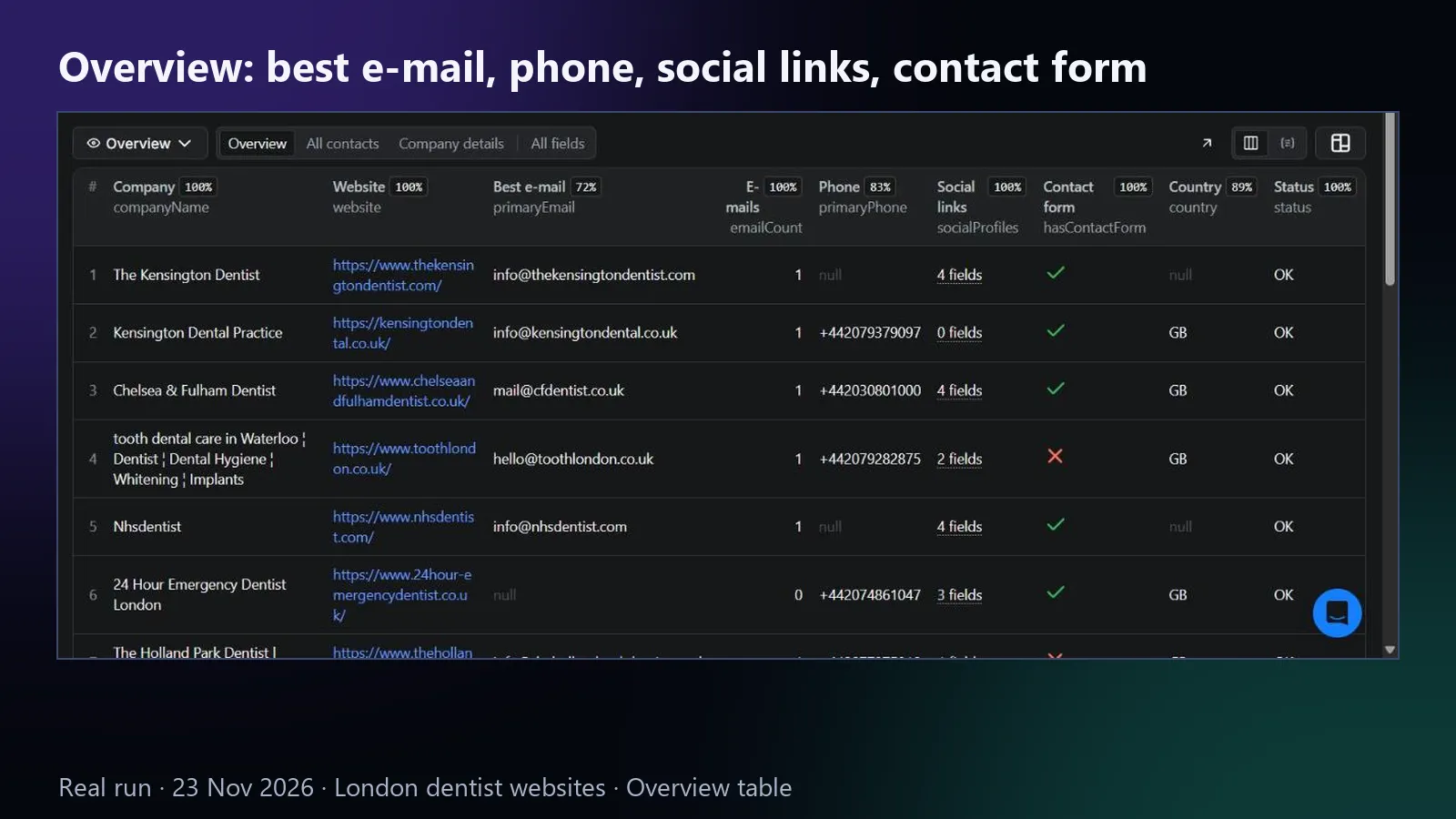
- Returns one row per website:
- E-mails, best first (own domain, role addresses like
info@/contact@, contact page first), each with its source page and type (role, business, personal-looking, other). - Phone numbers in international E.164 form (from
tel:links and structured data). - Social links: LinkedIn (company pages), Facebook, Instagram, X, YouTube, TikTok, Pinterest, GitHub, Threads, Vimeo, Telegram, Snapchat. Share buttons and personal LinkedIn profiles are ignored. Links are never opened.
- Contact form detected (URL and fields). Forms are never submitted.
- Company name, country, business type, language when the website publishes them.
- E-mails, best first (own domain, role addresses like
- Hidden e-mails are revealed (Cloudflare protection,
mailto:links,name [at] site [dot] com, HTML entities, JSON-escaped text). Fake addresses are left out: form placeholders (e.g. name@gmail.com), template addresses (you@yourdomain.com), example domains, image file names, tracking IDs. - robots.txt is respected on every website, pages are read politely (at least 1 second apart per site).
💡 Use cases
- Lead lists: add e-mails and phones to companies you found on Google Maps, in a directory or a CRM export.
- Sales and partnerships: reach the right shared inbox (
sales@,partners@,press@). - Data enrichment: complete missing contact fields and social profiles in your database.
- Market research: see which companies publish a phone, a contact form or social accounts.
▶️ How to use it
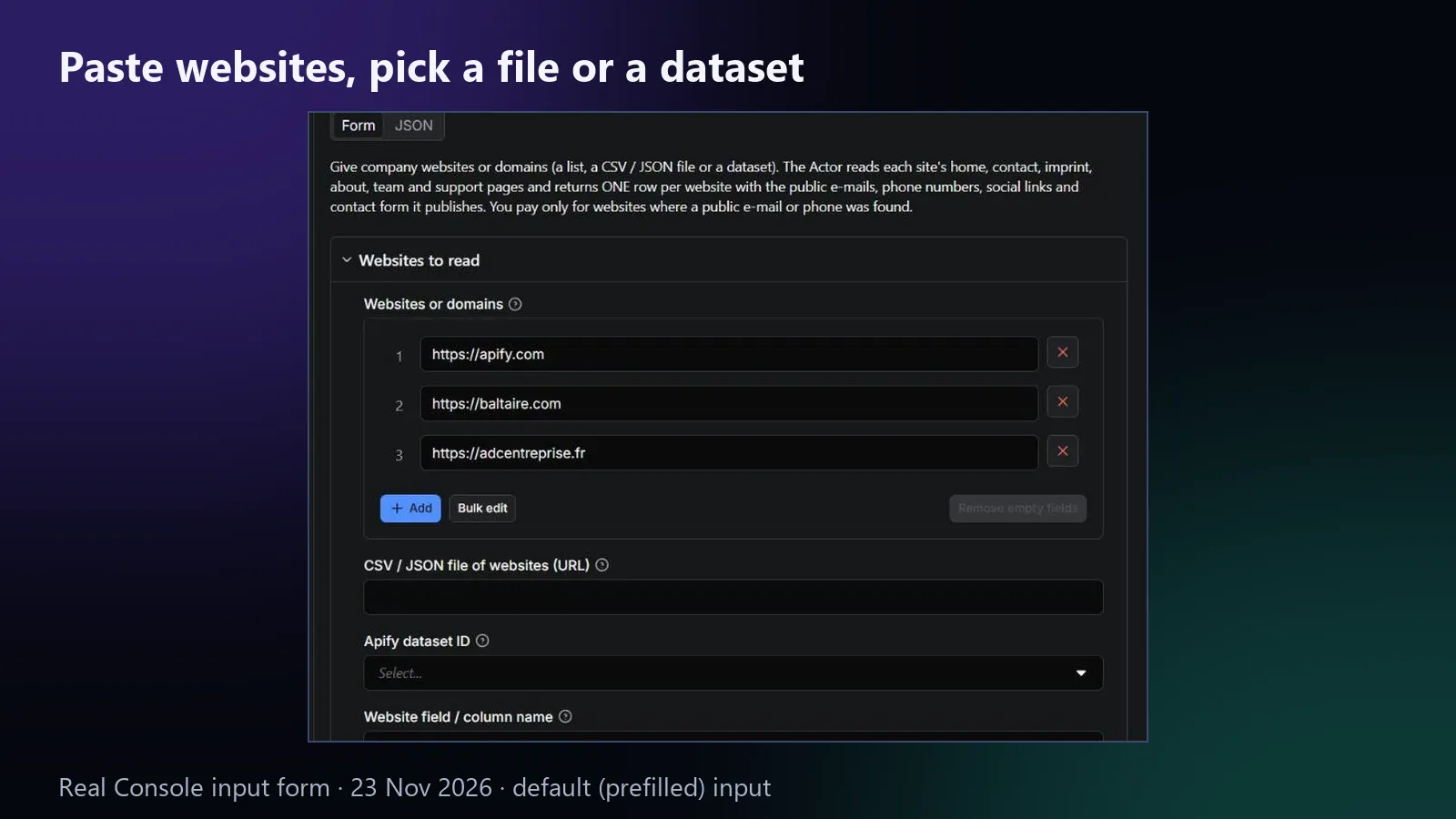
- Paste websites or domains in Websites (one per line), or give a CSV / JSON file URL, or pick a dataset
(for example the results of a Google Maps Actor: the
websitefield is found automatically). - Keep the defaults or set the number of pages per website and the e-mail filters.
- Click Start. Download the results as Excel, CSV, JSON or use the API.
Empty input runs a short demo on 3 example websites.
Input example
Output example (real row, demo run of 22 Nov 2026, shortened)
📊 Real results
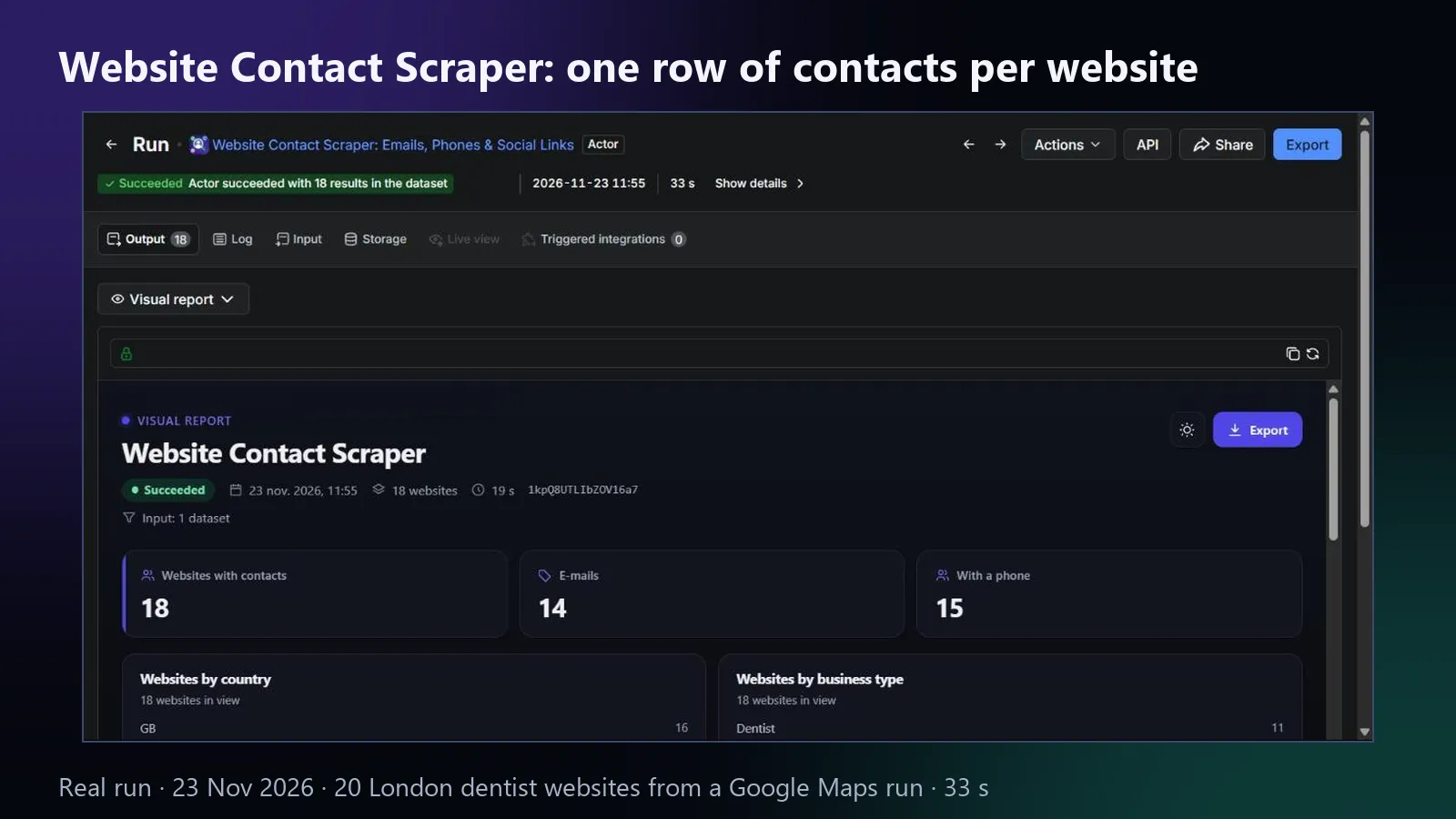
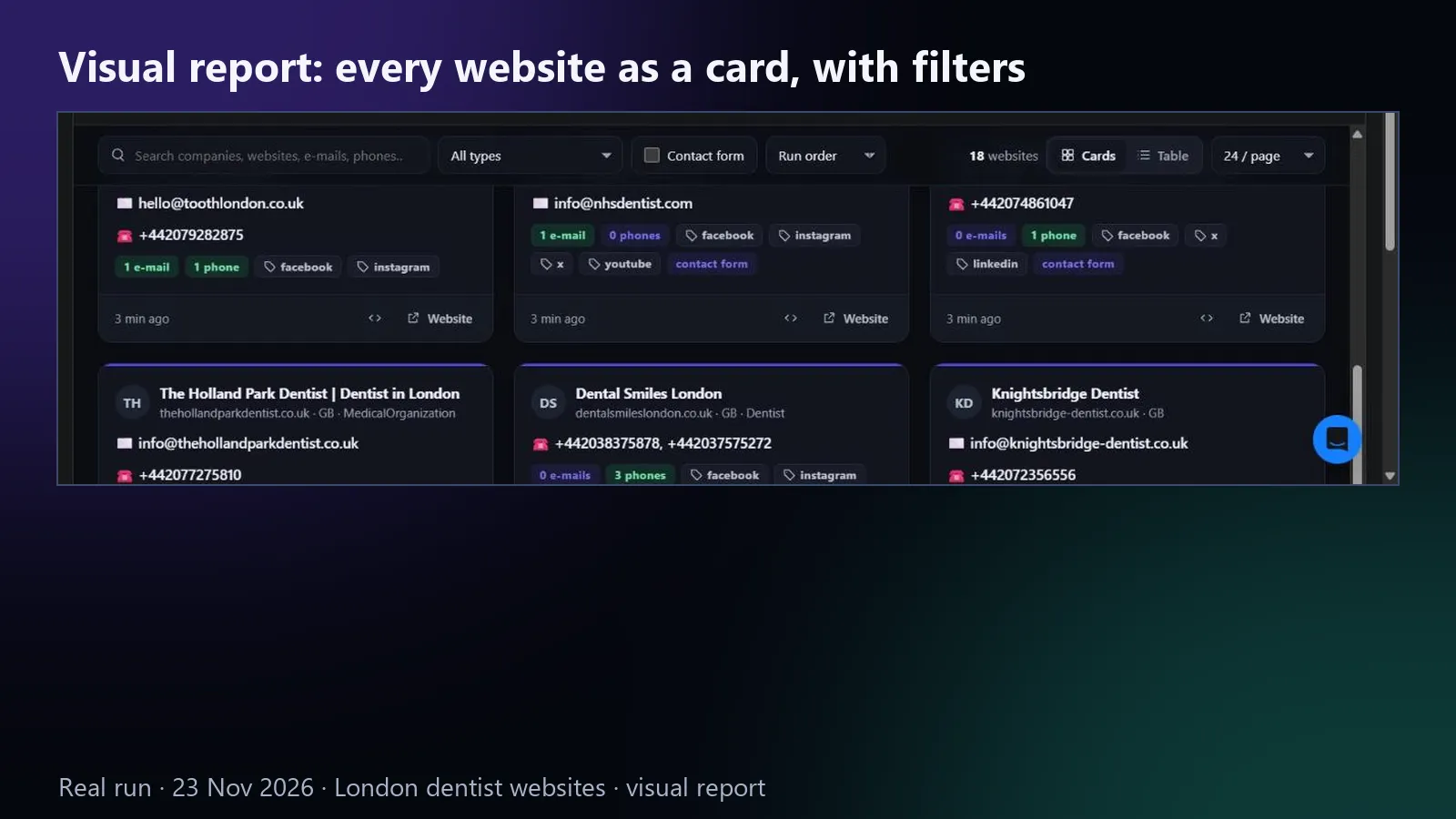
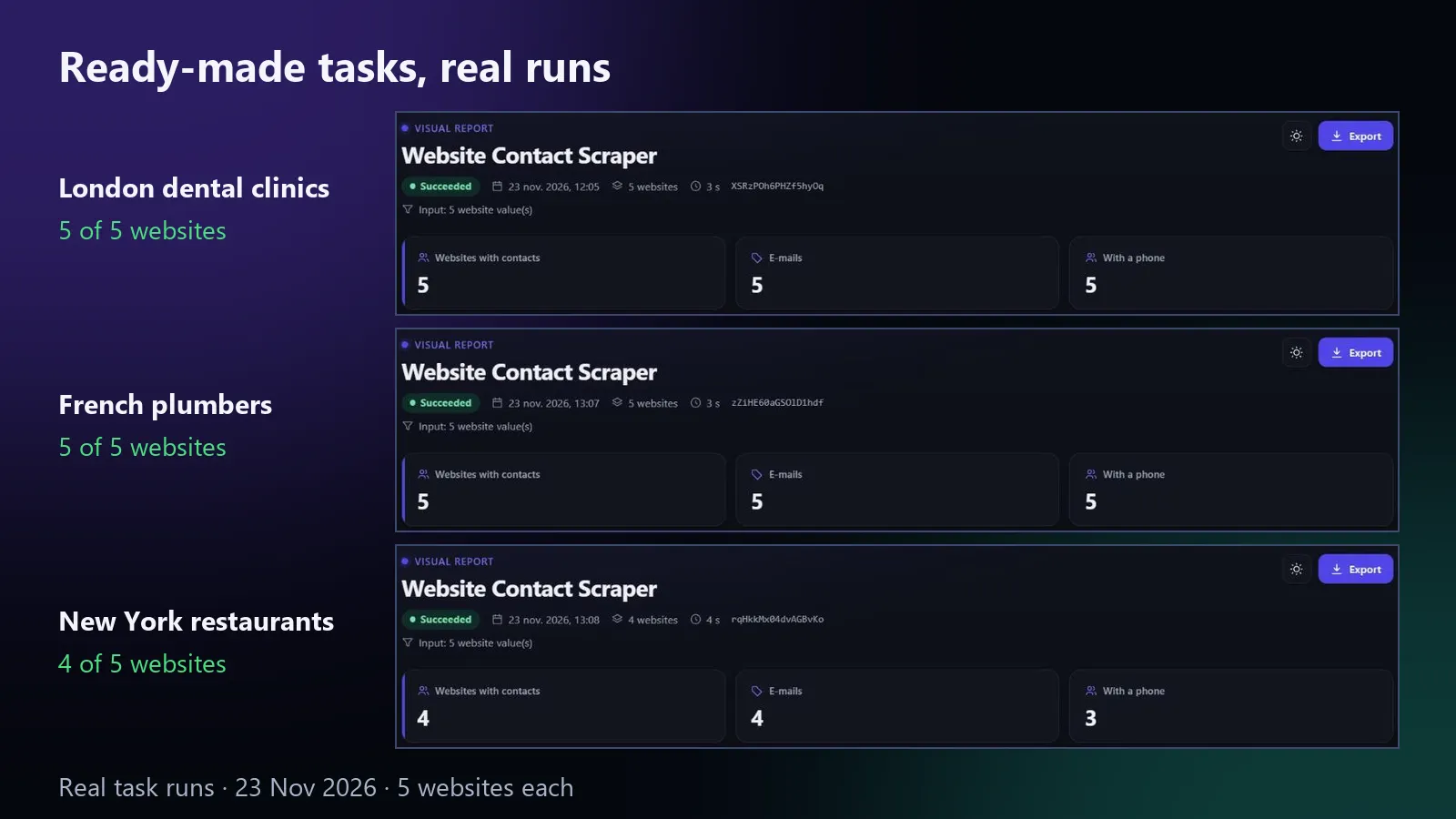
On 20 London dentist websites taken from a Google Maps run (22 Nov 2026, 23 seconds): 18 websites with a contact, 13 with an e-mail, 15 with a phone, 16 with social links, 14 with a contact form.
🏷️ Statuses
| Status | Meaning | Price |
|---|---|---|
OK | at least one public e-mail or phone number | charged once per website and run |
NO_CONTACT | read, but no public e-mail or phone (social links may still be listed) | free |
ROBOTS_DISALLOWED | the website's robots.txt does not allow reading | free, never read |
BLOCKED | the website refused the reading (HTTP 401 / 403 / 429) | free, never bypassed |
UNREACHABLE | domain not found, timeout, server error, parked domain | free |
Only OK rows are written by default. Turn on Add a free row for websites without contact to see the others.
Every failed input is also listed in the Inputs that failed file with a clear code.
💰 Pricing
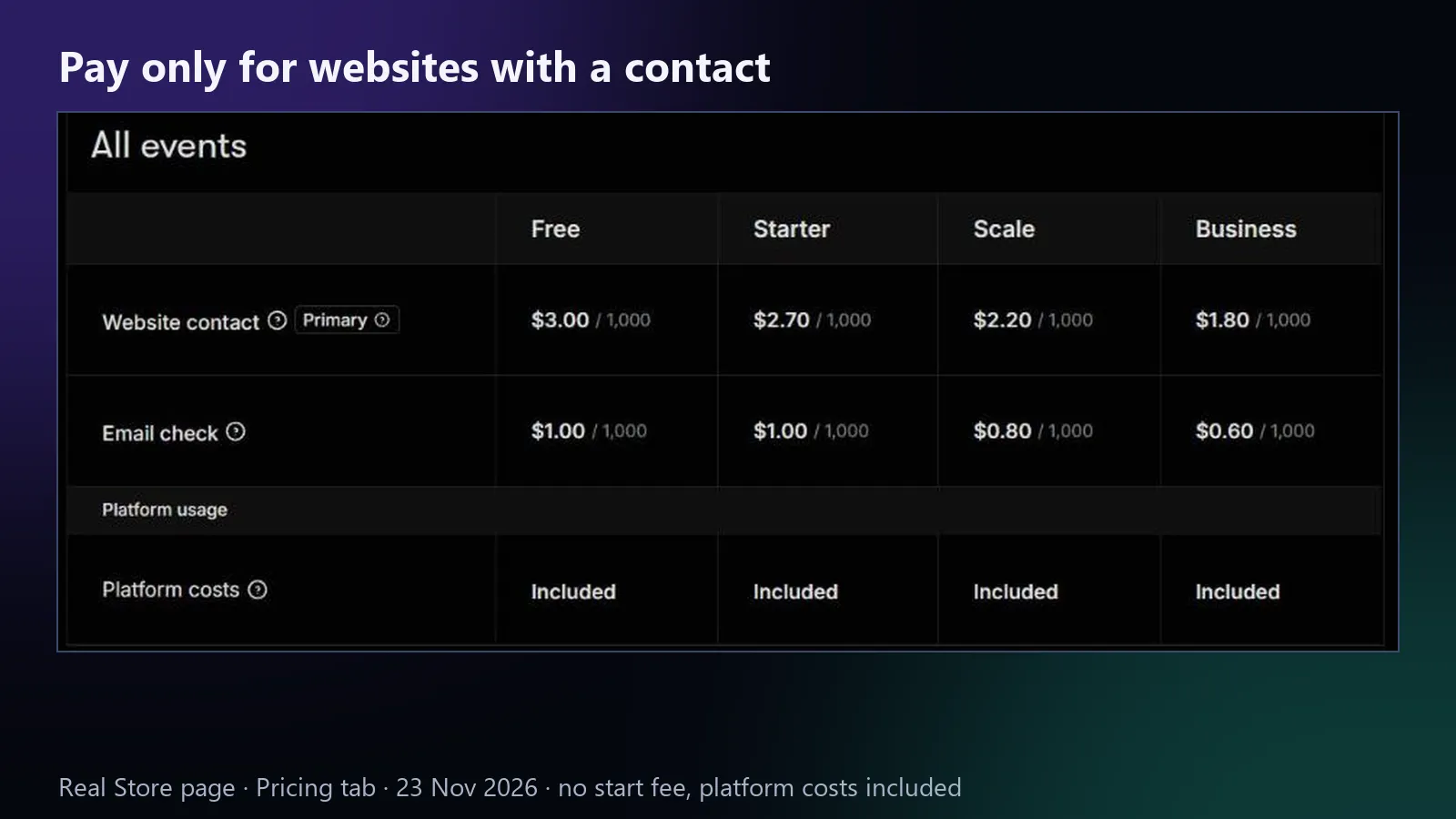
Pay per event, no start fee. See the Pricing tab for the current prices.
- Website contact: charged once per website where at least one public e-mail or phone was found, whatever the number of e-mails, phones and links in the row.
- E-mail check (optional add-on,
verifyEmails): domain and MX record lookup for each delivered e-mail; charged only when the DNS gives an answer. An MX record shows that the domain can receive mail; it does not prove that one mailbox exists (no SMTP connection is made). - Free: websites without contact, refused or unreachable websites, duplicates in your list, excluded e-mails.
- Maximum cost per run is respected: the run stops cleanly and keeps every row already delivered.
🔌 API and integrations
Run it from your code, a schedule, Make, Zapier, n8n or the Apify MCP server.
Python
Node.js
From Google Maps: run Google Maps Scraper, Google Maps France or Google Maps Business Leads, then pick its dataset in Apify dataset ID.
📁 Run files
- Overview, All contacts and Company details table views, and every field in Excel / CSV / JSON.
- Visual report: one card per website with contacts, filters by country and business type.
- Run summary: websites read, success rate, contacts found, excluded e-mails by reason, billing, stop reason.
- Websites (free): one line per website with its status and number of pages read.
- Inputs that failed (not charged): each with a stable code (INVALID_INPUT, DNS_NOT_FOUND, ROBOTS_DISALLOWED, BLOCKED, TIMEOUT...).
❓ FAQ
How long does it take? About 1 to 3 seconds per website with 10 websites in parallel: 20 websites took 23 seconds in our tests, 1,000 websites take roughly 3 to 15 minutes depending on the sites.
Does it guess e-mails? No. Only addresses published on the company's own pages are returned. Nothing is guessed or generated.
Why are some websites without contact? Many small websites only show a contact form or a social page, or load their content with JavaScript (see Limits). These websites are free.
Are personal e-mails returned? Addresses that look personal (firstname.lastname@, private webmail) are left out
by default. You can keep them (marked personal-looking) if you have a legal basis to process them.
Is it legal? The Actor reads only public pages that robots.txt allows, without login, and never submits forms. You are responsible for using the data in line with the law that applies to you (GDPR, CAN-SPAM, ePrivacy...): for example, do not send unsolicited marketing where it requires consent.
Can I use a proxy? Websites are read directly by default. A website that refuses the server is read once more through the Apify datacenter proxy, with the same robots.txt rules. You can also choose a proxy in the input.
⚠️ Limits
- No browser in this version: contacts written only by JavaScript after the page loads are not seen.
- Phone numbers are taken from
tel:links and structured data, not from free text. - Social links are listed as published; they are not opened or checked.
- The e-mail check add-on is a DNS check, not a mailbox (SMTP) verification.
- Websites protected by a CAPTCHA or an anti-bot wall are reported as
BLOCKEDand never bypassed.
🔗 Related Actors
- Business Email Finder: one row per e-mail.
- Google Maps Business Leads: places with contacts and leads.
- Google Maps Scraper: places, reviews and website contacts.
Questions or ideas? Open an issue on the Issues tab. Not affiliated with any of the websites read or the platforms linked.


