

YouTube Transcript Scraper: video captions as text
Pricing
$4.00 / 1,000 transcripts
YouTube Transcript Scraper: video captions as text
Paste any URL; each row holds channel, language, the full transcript and timestamped segments.
Pricing
$4.00 / 1,000 transcripts
Rating
0.0
(0)
Developer

BEPO Labs
Maintained by CommunityActor stats
0
Bookmarked
2
Total users
1
Monthly active users
10 days ago
Last modified
Categories
Security
Limited permissionsShare
📝 What is YouTube Transcripts?
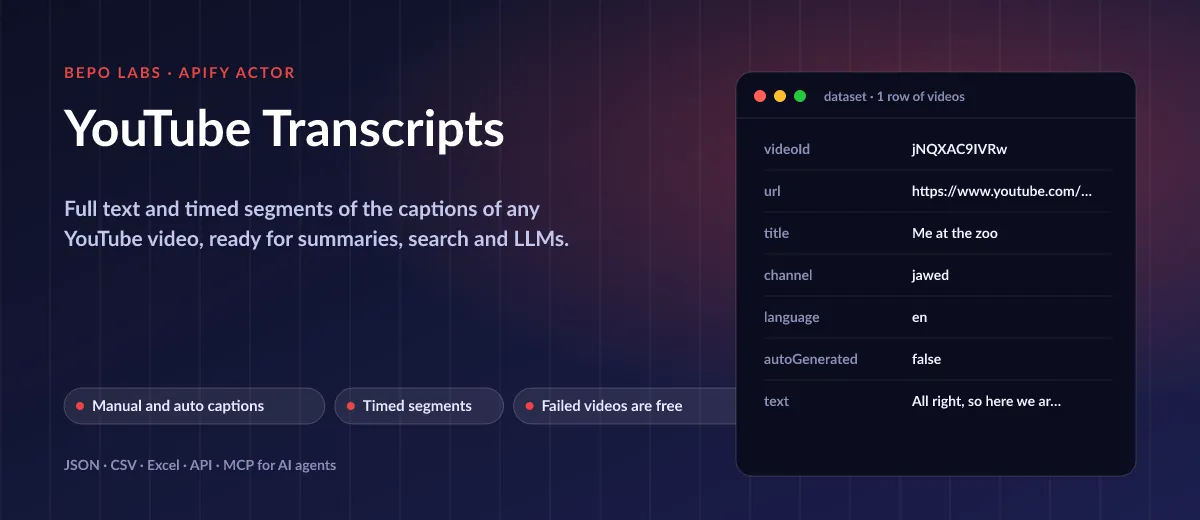
Built on the captions YouTube already shows, each transcript arrives with its title, whether it came from a human or the speech recogniser, one combined string and start-plus-duration chunks. Manual tracks win over generated ones, regional codes such as pt-BR match pt, and a closing self-check names anything that failed.
- AI and LLMs: feed transcripts to summaries, RAG and question answering
- Research: search what was said in interviews, talks and lectures
- Content repurposing: turn videos into articles, newsletters and show notes
- Accessibility and subtitles: reuse timed segments as the basis of subtitle files
✨ Why use this Actor?
- ✅ Text and timing: one
textfield for reading plussegmentswith start and duration for quoting or subtitles - ✅ Right captions: manual captions first, automatic as fallback,
autoGeneratedtells which - ✅ Any link shape: watch, youtu.be, shorts and embed URLs or bare 11-character ids, up to 50 per run
- ✅ Keeps going: retries with backoff; a video without captions gets a clear
errorrow instead of stopping the run - ✅ Pay for results: failed videos are not charged
📦 What data can you get with YouTube Transcripts?
| 🎬 Video id and URL | 🏷️ Title and channel | 🌍 Caption language |
| 🤖 Automatic or manual captions | 📄 Full text | ⏱️ Timed segments |
Private, unavailable or uncaptioned videos return a row with an
errorfield and no text.
🚀 How to use YouTube Transcripts
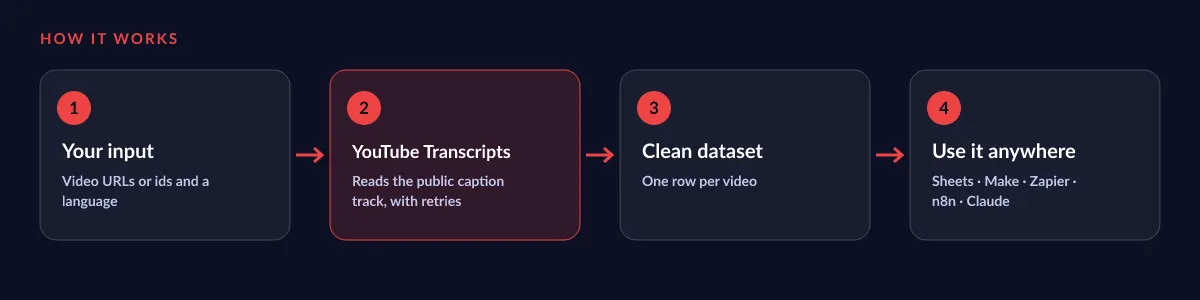
YouTube Transcripts works in a few clicks, no coding needed:
- Create a free Apify account (the free plan includes 5 USD of monthly credit).
- Open YouTube Transcripts and click Try for free.
- Paste the video URLs or ids and choose the caption language (default English).
- Click Start and wait for the run to finish (most runs take seconds).
- Download your data as JSON, CSV, Excel, XML or HTML, or send it straight to Google Sheets, Make, Zapier or your AI agent.
⬇️ Input
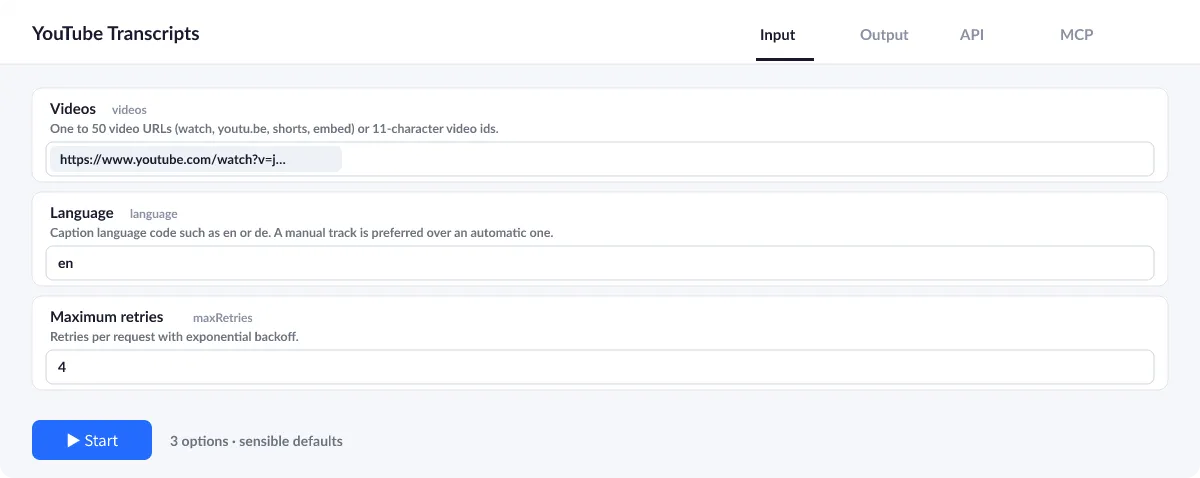
Enter the videos; language and retry count have defaults (English, 4).
Videos
Up to 50 per run, as URLs or 11-character ids.
Language
A language code such as en, de or pt. If the video has no track in it, the error row lists the languages that are available.
| Field | Type | What it does | Default |
|---|---|---|---|
Videos (videos) | array | One to 50 video URLs (watch, youtu.be, shorts, embed) or 11-character video ids. | ["https://www.youtube.com/watch?v=jNQXAC |
Language (language) | string | Caption language code such as en or de. | "en" |
Maximum retries (maxRetries) | integer | Retries per request with exponential backoff. | 4 |
Input example
⬆️ Output
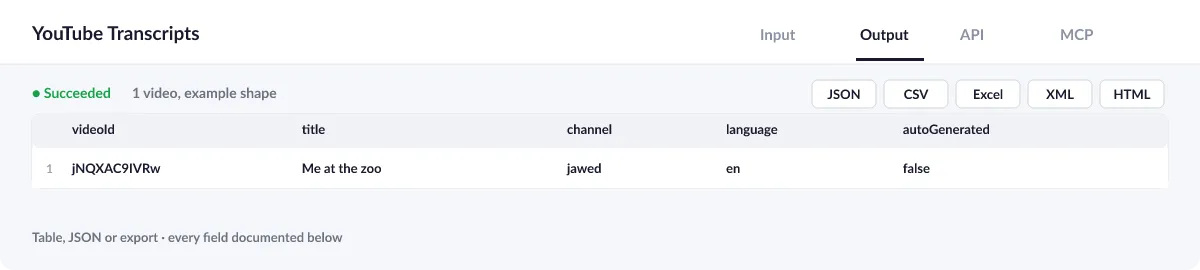
Every video becomes one row with metadata, the full text and the timed segments.
Output example
One row of the dataset (example shape; the text is the video's own caption):
View the results as a table or JSON in the Output tab and download them as JSON, CSV, Excel, XML, HTML or RSS, all fields or only those you pick.
💰 How much does YouTube Transcripts cost?
YouTube Transcripts is priced per event: 3 USD per 1,000 transcripts (0.003 USD each), with no monthly rental. Videos that fail are not charged.
| You get | You pay |
|---|---|
| 100 transcripts | 0.3 USD |
| 1,000 transcripts | 3 USD |
| 10,000 transcripts | 30 USD |
| 100,000 transcripts | 300 USD |
💡 Apify's free plan gives you 5 USD of credit every month, enough for about 1,666 transcripts at no cost. Set a spending limit per run and the Actor stops there.
⚖️ YouTube Transcripts vs. the alternatives
| YouTube Transcripts | Copy from the YouTube page | Subtitle downloaders | |
|---|---|---|---|
| Many videos in one run | ✅ | ❌ | varies |
| Timed segments as JSON | ✅ | ❌ | varies |
| Export, schedule, API and MCP | ✅ | ❌ | varies |
| Failed videos free | ✅ | n/a | varies |
🔌 Integrations, API and MCP
Connect YouTube Transcripts to your AI agent (MCP)
Give Claude, ChatGPT, Cursor or any MCP client direct access to YouTube Transcripts through the Apify MCP server. Add this URL to its settings:
For Claude Desktop, add it under mcpServers in claude_desktop_config.json:
Then just ask: "Get the transcripts of these 5 YouTube videos and summarise each in three bullet points."
Run it from your code
Python (pip install apify-client):
JavaScript (npm install apify-client):
No-code integrations
Send results to Google Sheets, Slack, Airtable, HubSpot, Make, Zapier, n8n and more from the Integrations tab, start runs on a schedule, or trigger your own endpoint with a webhook when a run finishes. The Apify API gives you full control over runs and datasets.
❓ FAQ
Which videos work?
Public videos with manual or automatic captions. Uncaptioned ones return an error row.
Can I get another language?
Set language. Only tracks the video already has are returned; the error row lists them.
Do you transcribe audio?
No, this reads the existing captions. For your own recordings use our Audio and Video Transcriber.
Is it legal to use YouTube Transcripts?
The Actor reads the publicly available caption track of videos you name, as a viewer's browser does. Transcripts remain the work of their creators: check the licence and your local law before republishing them.
What if something is missing or does not work?
Open an issue on the Issues tab; we read each one and reply. Feature requests are welcome too.
💬 Your feedback
Tell us what YouTube Transcripts should add on the Issues tab or leave a review; your notes decide what we work on next.
🔗 Related Actors
| Actor | What it does |
|---|---|
| 🎙️ Audio and Video Transcriber | Whisper transcripts of audio and video files: full text, timed segments, SRT and WebVTT. No API key. |
| 🔤 Image OCR | Extract text from images in 29 languages: plain text, clean Markdown and every word with its pixel box and confidence. |
| 🦋 Bluesky Posts | Bluesky posts for any search or handle with text, date, author, likes, reposts, replies, links and hashtags. No login. |
| 🟧 Hacker News Search | Hacker News stories, comments, Ask HN, Show HN and jobs for any search, with points, comment count, date and text. |
| 📄 PDF to Text and Markdown | PDFs to clean text and Markdown, per page, per document or as RAG chunks, with columns in reading order and headers and footers removed. |
| 🎙️ Podcast Episodes | Search terms, Apple Podcasts ids or RSS feeds to every show and its episodes, with audio links, dates and durations. |
| 📰 RSS Feed Reader | Any RSS, Atom or JSON feed, or just a website URL, to one clean list of articles, with full text on request. |
| 🕰️ Wayback Machine Scraper | The archive history of any URL or domain: first and last seen, every capture, and the page text of old versions. |


