

Wayback Machine Scraper: snapshot history and page text
Pricing
Pay per event
Wayback Machine Scraper: snapshot history and page text
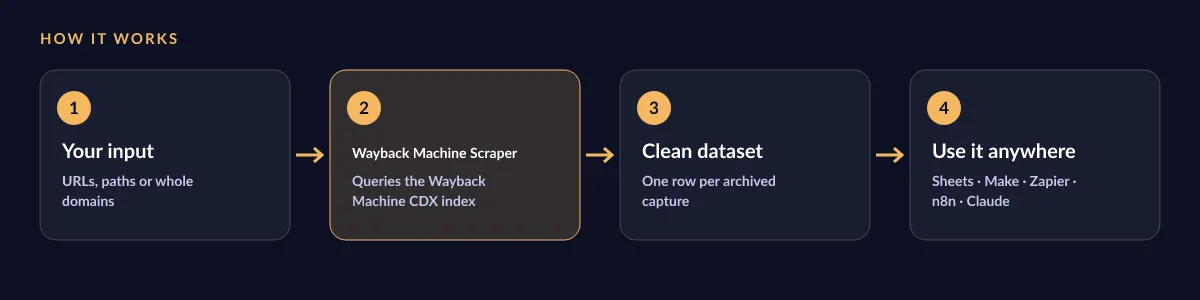
Audit sites, recover lost material and build evidence trails for lawyers, SEOs and journalists, or feed AI agents with archive copies that no longer exist online.
Pricing
Pay per event
Rating
0.0
(0)
Developer

BEPO Labs
Maintained by CommunityActor stats
0
Bookmarked
2
Total users
1
Monthly active users
2 days ago
Last modified
Categories
Security
Limited permissionsShare
🕰️ What is Wayback Machine Scraper?
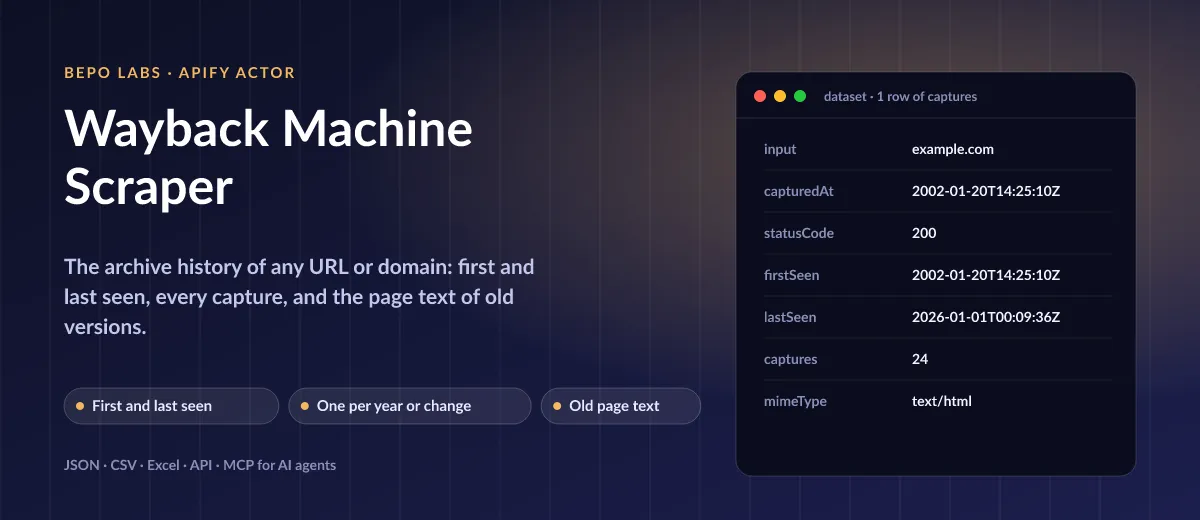
Rewind the web: this Actor turns the Internet Archive's Wayback Machine into a tidy table. Name a single address, a folder or a whole host and receive each stored snapshot with timestamp, status, mime type, size and direct link, plus the earliest and latest sighting. Thin the results to one per hour or week, or to real edits only, and fetch readable body copy for analysis.
- SEO and due diligence: see how long a domain has existed and what it showed before you buy it or link to it
- Competitor history: track how a pricing screen, homepage or terms document changed over the years
- Legal and compliance evidence: find dated archive links of what a page said at a given time
- Research and journalism: collect old versions of news sites and pages as text
- Content recovery and AI: pull the text of pages that no longer exist for RAG, summaries or migration
✨ Why use this Actor?
- ✅ Earliest and latest sighting, always true: even when the list is cut, the newest comes from an extra query
- ✅ Collapse the noise: one capture per hour, day, month or year, or only the captures whose content changed
- ✅ Pages, paths or whole domains: an exact address, everything under a folder, a host, or a domain with its subdomains
- ✅ Old page text on request: readable body copy of the first, last or every capture, without the Wayback banner
- ✅ Gentle on the Archive: one request a second for the whole run, retries with backoff
- ✅ Fair pricing: URLs without captures and failed inputs cost nothing
📦 What data can you get with Wayback Machine Scraper?
| 🔗 Archived URL | 📅 Capture date and time | 🚦 HTTP status code |
| 📄 MIME type | 📏 Size in bytes | 🧬 Content digest |
| 🗄️ Direct archive link | 🐣 First seen | 🕓 Last seen |
| 🔢 Number of captures | 📝 Page text (optional) | 🎯 Your input |
🚀 How to use Wayback Machine Scraper
Wayback Machine Scraper works in a few clicks, no coding needed:
- Create a free Apify account (the free plan includes 5 USD of monthly credit).
- Open Wayback Machine Scraper and click Try for free.
- Paste URLs or domains, pick how to match and collapse captures, and set a date range if you like. Switch on page text if you need the old content.
- Click Start and wait for the run to finish (most runs take seconds).
- Download your data as JSON, CSV, Excel, XML or HTML, or send it straight to Google Sheets, Make, Zapier or your AI agent.
⬇️ Input
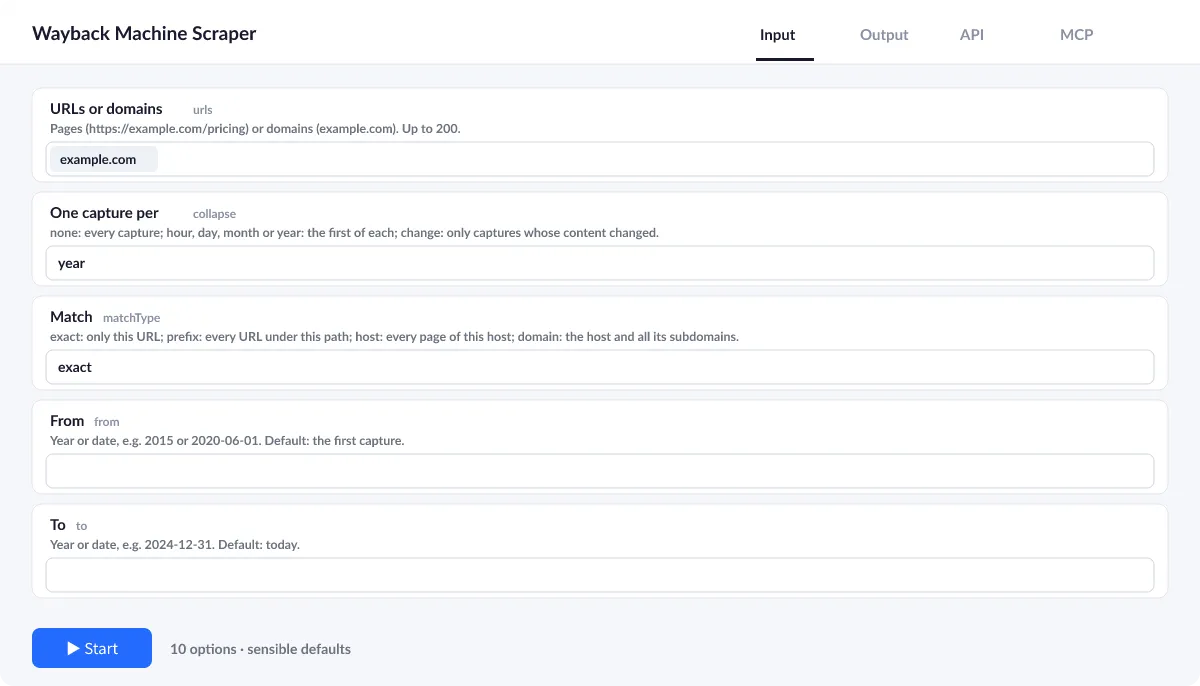
Add pages or domains, up to 200 per run. Everything else is optional; by default you get every successful capture of the exact URL.
Exact URL, path, host or domain?
matchType exact reads only this address, prefix everything under the path, host every page of one machine, and domain that machine with all its subdomains.
One capture per year, or per change
collapse keeps the first capture of each hour, day, month or year, or with change only captures whose content differs from the one before.
Page text
Set pageText to first, last or all to add the readable text of those captures (charged per page). maxTextChars caps the length.
| Field | Type | What it does | Default |
|---|---|---|---|
URLs or domains (urls) | array | Pages (https://example.com/pricing) or domains (example.com). | ["example.com"] |
Match (matchType) | string | exact: only this URL; prefix: every URL under this path; host: every page of this host; domain: the host and all its subdomains. | "exact" |
One capture per (collapse) | string | none: every capture; hour, day, month or year: the first of each; change: only captures whose content changed. | "none" |
From (from) | string | Year or date, e.g. | |
To (to) | string | Year or date, e.g. | |
Only successful captures (onlyOk) | boolean | Keep only captures the site answered with HTTP 200 (no redirects, errors). | true |
Maximum captures per URL (maxCaptures) | integer | Oldest first. | 100 |
Page text (pageText) | string | Extract the readable text of the archived page: none, the first capture, the last capture, or all captures (charged per page). | "none" |
Maximum text characters (maxTextChars) | integer | Longer page texts are cut and end with an ellipsis. | 20000 |
Maximum retries (maxRetries) | integer | Retries per request with exponential backoff on network errors, 429 and 5xx. | 3 |
Input example
⬆️ Output
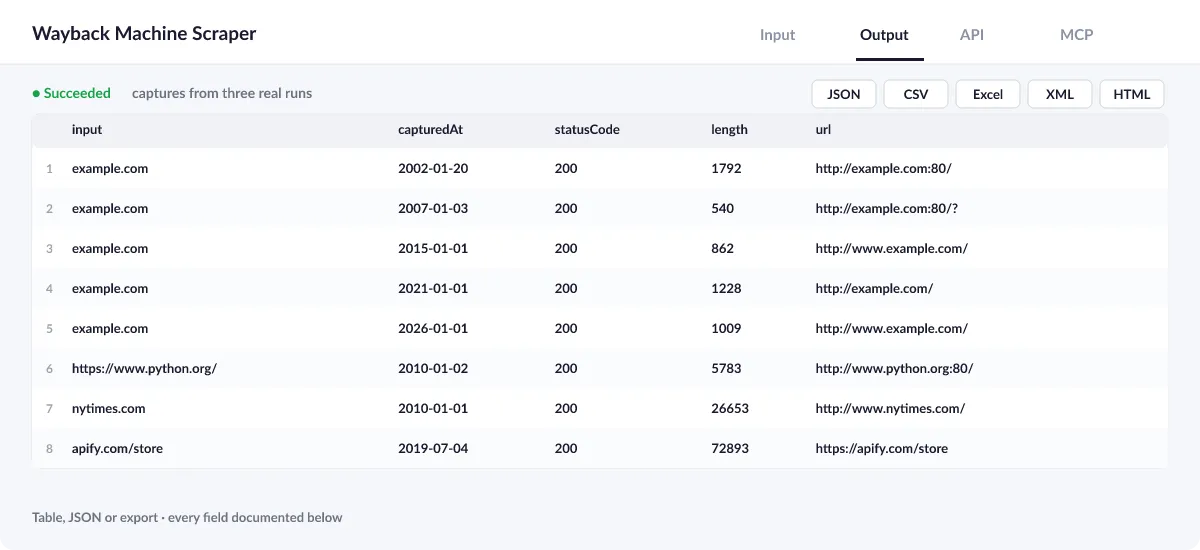
Every capture becomes one row, oldest first, carrying the earliest and latest sighting plus total count of its address. The run summary in the key-value store (OUTPUT) lists every input with its tally, both extremes, and any note or error.
Output example
One row of the dataset (example.com, one capture per year):
Row with page text
With pageText: "first" the first capture also carries the page's readable text (python.org in January 2010, shortened):
⚠️ URLs without captures and failed inputs
A URL the Wayback Machine never archived gives no row and costs nothing; OUTPUT notes it (no captures in the Wayback Machine for this filter). An input that breaks after all retries, for example while the Wayback Machine is offline, is named in the log and OUTPUT with the reason and is not charged. The run fails only when no input answered.
| Case | What you see |
|---|---|
| No captures | A note in OUTPUT, no row, no charge |
HTTP 503 | The Wayback Machine is temporarily offline; try again later |
not a text page | Page text was asked for a capture that is not HTML or text (textError) |
View the results as a table or JSON in the Output tab and download them as JSON, CSV, Excel, XML, HTML or RSS, all fields or only those you pick.
💰 How much does Wayback Machine Scraper cost?
Wayback Machine Scraper is priced per event: 1 USD per 1,000 captures (0.001 USD each), with no monthly rental. Addresses without hits and failed inputs cost nothing; body copy is billed only for pages where extraction worked.
| You get | You pay |
|---|---|
| 100 captures | 0.1 USD |
| 1,000 captures | 1 USD |
| 10,000 captures | 10 USD |
| 100,000 captures | 100 USD |
Optional extras are charged only when you switch them on:
- Page text: 3 USD per 1,000
💡 Apify's free plan gives you 5 USD of credit every month, enough for about 5,000 captures at no cost. Set a spending limit per run and the Actor stops there.
⚖️ Wayback Machine Scraper vs. the alternatives
| Wayback Machine Scraper | Browsing the Wayback Machine | Typical archive scrapers | |
|---|---|---|---|
| Every capture as a table with archive links | ✅ | calendar view only | ✅ |
| First and last seen per URL | ✅ | by hand | often missing |
| One per year, month, day or per change | ✅ | ❌ | varies |
| Readable text of old versions | ✅ optional | read page by page | often raw HTML |
| Export, schedule, API and MCP | ✅ | ❌ | ✅ |
🔌 Integrations, API and MCP
Connect Wayback Machine Scraper to your AI agent (MCP)
Give Claude, ChatGPT, Cursor or any MCP client direct access to Wayback Machine Scraper through the Apify MCP server. Add this URL to its settings:
For Claude Desktop, add it under mcpServers in claude_desktop_config.json:
Then ask: "When did apify.com/store first appear, and how has the wording changed between its earliest and newest capture?"
Run it from your code
Python (pip install apify-client):
JavaScript (npm install apify-client):
No-code integrations
Send results to Google Sheets, Slack, Airtable, HubSpot, Make, Zapier, n8n and more from the Integrations tab, start runs on a schedule, or trigger your own endpoint with a webhook when a run finishes. The Apify API gives you full control over runs and datasets.
❓ FAQ
Why does the newest sighting come after my final row?
Rows are the oldest captures up to maxCaptures. The newest sighting comes from an extra query, so it is always true for your filter.
Why does a capture show another URL than mine?
The Archive stores the URL as it was crawled: with or without www, http or https, a port or a trailing ?. All of them are your page.
How do I see only real changes?
Use collapse: "change": only captures whose content digest differs from the previous one are kept.
Can I get screenshots of old versions?
Not in this Actor; it returns archive links and text. Open the archiveUrl or pass it to a screenshot Actor.
How many captures can I get?
Up to 10,000 per URL (maxCaptures, default 100), up to 200 URLs per run.
Is it legal to use Wayback Machine Scraper?
The Actor uses the documented CDX API of the Archive, at no more than one request a second, and reads stored copies it serves openly. The Archive grants access for scholarship and research; please use the data accordingly. Archived pages belong to their sites' owners: you are responsible for any reuse of their text. Not affiliated with or endorsed by the Internet Archive.
What if something is missing or does not work?
Open an issue on the Issues tab; we read each one and reply. Feature requests are welcome too.
💬 Your feedback
Tell us what Wayback Machine Scraper should add on the Issues tab or leave a review; your notes decide what we work on next.
🔗 Related Actors
| Actor | What it does |
|---|---|
| 🔗 Broken Link Checker | Every link and image on your pages checked: HTTP status, each redirect hop, final URL and response time. |
| 🩺 SEO Audit | Any page to a 0 to 100 SEO score and grade, with the fixes that matter most first: on-page, links and Core Web Vitals. |
| 🗺️ Sitemap URL Extractor | Every URL of a website from its sitemaps, in one deduplicated list with lastmod, changefreq and priority. |
| 📝 Website to Markdown | Any web page or docs site to clean Markdown for LLMs, RAG and AI agents, with headings, links and ready-made chunks. |
| ⚡ Bulk PageSpeed Insights | Lighthouse scores, lab metrics and real-user Core Web Vitals for any list of URLs, on mobile, desktop or both. |
| 📸 Website Screenshot | Full-page PNG, JPEG or PDF of any URL, on desktop, tablet and phone, with cookie banners closed. |
| 🌐 Domain RDAP and DNS | Domains to registrar, creation and expiry dates, age, status, nameservers, DNSSEC and DNS records from official RDAP, in bulk. |
| 📈 Google Trends Scraper | Interest over time for up to five keywords on one 0 to 100 scale, any country or worldwide, plus top and rising related queries. |


