

Google News Scraper - Real Article URLs, No Login
Pricing
from $0.90 / 1,000 news articles
Google News Scraper - Real Article URLs, No Login
Scrape Google News by keyword, topic or Top stories for any country and language. Get title, publisher, publish date and the real article URL, not the Google redirect. Up to 1,000 articles per query. No login or API key.
Pricing
from $0.90 / 1,000 news articles
Rating
0.0
(0)
Developer

Cliqto Media
Maintained by CommunityActor stats
0
Bookmarked
2
Total users
1
Monthly active users
2 days ago
Last modified
Share
Google News Scraper searches Google News by keyword, topic or Top stories and returns one row per article: title, publisher, publish date and the real article URL on the publisher's site, not the Google News redirect. It reads the public Google News RSS feeds, so you need no Google login and no API key. A run with the default input (apify, 20 articles) usually takes 5–20 seconds and costs about $0.075.
Use it for PR and media monitoring, brand mentions, competitor news and news context for AI agents. The smallest run is one keyword in the Search queries field.
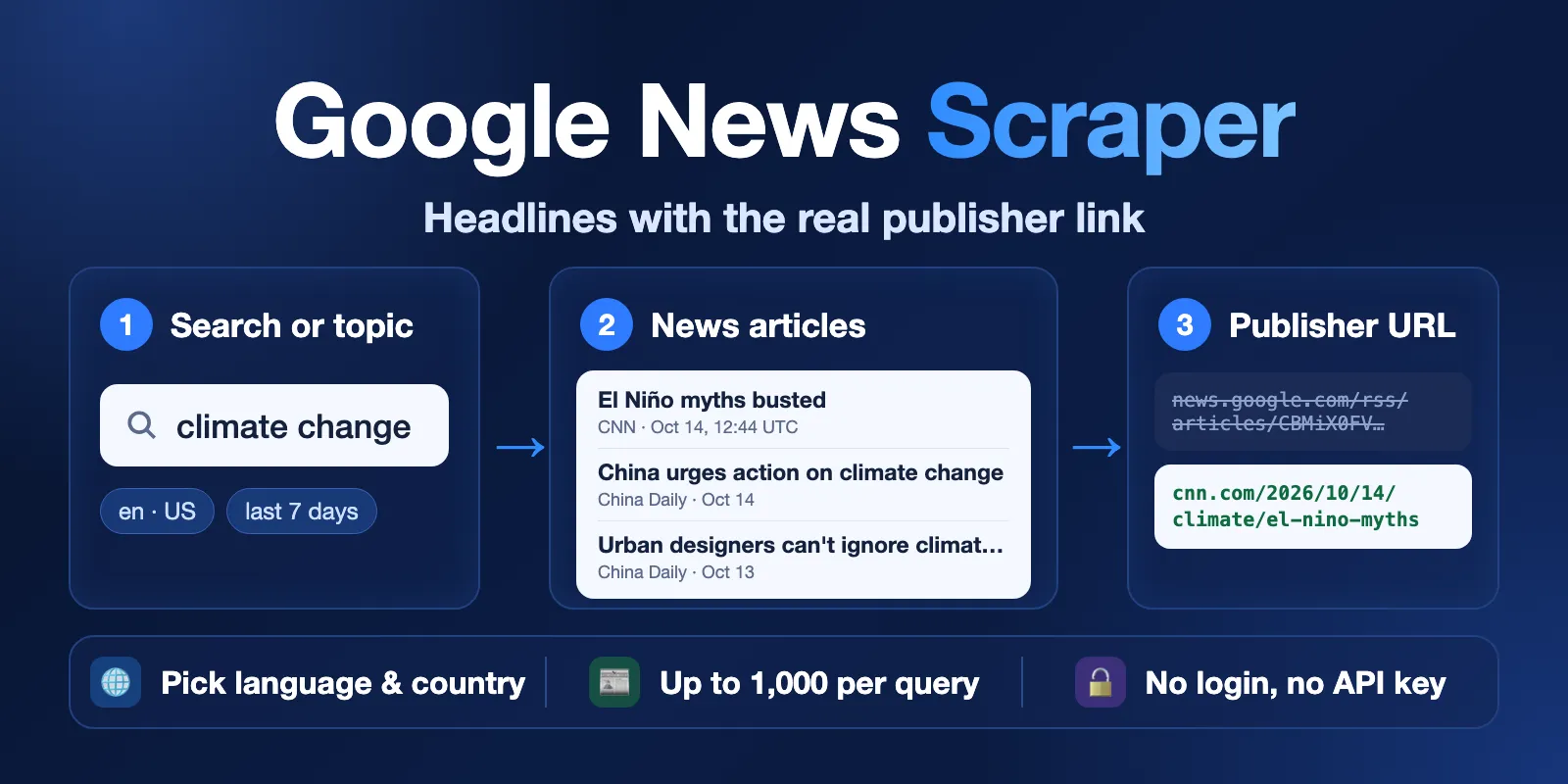
Table of contents
- What it does
- Quick start
- Use cases
- Input
- Output
- Pricing and limits
- API, export and integrations
- Troubleshooting
- FAQ
- Related Actors
- Support
What it does
- You add keywords, topics or both, and choose a language and a country (a Google News "edition").
- The Actor reads the matching Google News RSS feeds: search, topic sections or the Top stories front page.
- For each article it decodes the Google News link (
news.google.com/rss/articles/…) into the original publisher URL. - It saves one Dataset row per article. Topic and Top stories rows also list other outlets that cover the same story (
relatedArticles). - Google returns at most 100 articles per feed. When you ask for more, the Actor searches one day at a time (Google's
after:andbefore:operators) and removes duplicates.
Good fit
- Daily or hourly news monitoring for brands, people, companies or topics.
- Media lists for PR: who wrote about a subject, when, and the link to the story.
- News in many languages:
defor Germany,pt-BRfor Brazil,jafor Japan,zh-TWfor Taiwan. - A clean news list for an AI agent, a spreadsheet or a BI tool.
Not a fit / limits
- No full article text, images or summaries. Google News RSS gives only the title and publisher. For article text, send
articleUrlto an article extractor. - Up to 1,000 articles per query, and up to 20 queries and topics per run. Our largest test run saved 5,000 articles (5 queries × 1,000) in about 34 minutes. A run stops after about 50 minutes and keeps what it saved (
RUN_SUMMARY.status: "CAPPED"), so split bigger jobs into several runs. Topics and Top stories read one feed each, so they return only what Google shows in that section (at most about 100 articles). - Google decides which articles it shows. Two runs a few minutes apart can return a slightly different set or order.
- Google News RSS is for personal, non-commercial use under Google's terms. You are responsible for how you use the data.
Quick start
- Open the Input tab.
- In Search queries (
queries), keepapifyor add your own keyword, for exampleelectric cars. - Keep Language
en, CountryUSand Max articles per query or topic20, or change them. - Click Start.
- Open the Output tab. The Articles table shows
title,sourceName,publishedAtandarticleUrl.
Expected result: 20 news articles about your keyword in Google's order, each with the publisher link in articleUrl.
Use cases
| Buyer job | Input path | Output entity | Key fields | Next integration |
|---|---|---|---|---|
| Brand and competitor monitoring | queries + since: "24h" on a schedule | Article | query, title, sourceName, articleUrl, publishedAt | Slack, email or Google Sheets through Apify integrations |
| PR media list | queries like "your company" + since: "30d" | Article | sourceName, sourceUrl, articleUrl | CSV or Excel export |
| Country news overview | topics: ["BUSINESS"], country: "DE", language: "de" | Article with related coverage | title, sourceName, relatedArticles | Dashboard or newsletter |
| News context for an AI agent | queries + small maxArticles | Article | title, articleUrl, publishedAt | Apify MCP server |
Input
Input fields
| Field | Plain name | Type | Required | Default / prefill | Allowed values | Effect | Example | Recommendation |
|---|---|---|---|---|---|---|---|---|
queries | Search queries | array of strings | One of queries or topics | prefill ["apify"] | Up to 500 characters each. Google News operators work: "exact phrase", OR, -exclude, site:, intitle: | One search feed per query | ["OpenAI", "\"electric cars\""] | Use exact phrases in quotes for brand names |
topics | Topics | array of enum | One of queries or topics | none | TOP_STORIES, WORLD, NATION, BUSINESS, TECHNOLOGY, ENTERTAINMENT, SPORTS, SCIENCE, HEALTH | One section feed per topic for the chosen edition | ["TOP_STORIES", "BUSINESS"] | Use for "what is in the news" in a country |
language | Language | string | no | en | Two- or three-letter code (en, de, fr, ja, zh) or a locale (zh-TW, pt-BR, en-GB) | Edition language. A locale also sets the country | de | Use the language people read in that country |
country | Country | string | no | US | Two-letter code | Edition country: which outlets and stories Google shows | DE | Ignored when language is a locale such as pt-BR |
maxArticles | Max articles per query or topic | integer | no | 20 | 1–1,000 | Stops each query or topic at this number | 200 | Above 100, the Actor searches day by day |
since | Published since | string | no | empty (no date filter) | A date 2026-10-01, an ISO time, or a period 1h, 24h, 7d, 2w, 3m, 1y | Keeps only articles published after this point. Not in the future, not before 2000 | "7d" | Use 24h or 7d for monitoring |
resolveSourceUrl | Decode real article URLs | boolean | no | true | true / false | false skips decoding: articleUrl is null, the run is faster | true | Keep on; it is included in the price |
proxyConfiguration | Proxy | object | no | {"useApifyProxy": true} | Apify Proxy settings or your own proxy URLs | Apify datacenter proxy by default; after repeated blocks the Actor moves to Apify residential proxy by itself | default | Change only if you know you need another proxy |
Empty input: if both queries and topics are empty, the run fails at once with INVALID_INPUT and makes no requests. Duplicate queries (case-insensitive, for example Apify and apify) run only once.
Interacting settings
| When | Input A | Input B | Effective behavior | Example | Cost/result effect |
|---|---|---|---|---|---|
| More than 100 articles | maxArticles | since | Day-by-day search goes back to since, or 30 days when since is empty | maxArticles: 400, since: "30d" | More requests and time; you pay only for saved articles |
| Locale in language | language | country | zh-TW or pt-BR sets both; country is ignored | language: "pt-BR" | none |
| Date filter on a search | since | queries | Google's after: operator is added to the query, and older articles are dropped | since: "24h" | Fewer articles, same start cost |
| Date filter on a topic | since | topics | Older topic articles are dropped after reading the feed | topics: ["WORLD"], since: "1h" | Can return not_found |
| Decoding off | resolveSourceUrl: false | — | articleUrl is null, rows stay complete | — | Faster run, same price per article |
Input examples
Monitor a brand every day
Expected behavior: the Actor reads the search feed, then searches day by day to reach 150 articles from the last 7 days.
Expected output: 150 article rows with title, sourceName, articleUrl and publishedAt.
Limit or cost note: in our test this took about 1 minute.
Business news in Germany
Expected behavior: the Actor reads the German Business section.
Expected output: 20 article rows; most rows have relatedArticles from other German outlets.
Output
The Actor saves one row per article in the default Dataset. A query or topic without articles gets one free not_found row, and a query that failed gets one free error row, so you always see what happened to each input.
Output fields
| Field | Meaning | Type | Can be empty? | Example / enum | Source / notes |
|---|---|---|---|---|---|
status | Row result | string | no | complete, partial, not_found, error | partial = article without a decoded URL |
statusReason | Why the row is not complete | string | yes, null on complete rows | Google News has no articles for query "Apify"… | Plain-English explanation |
errorCode | Machine code for error rows | string | yes | SOURCE_BLOCKED, SOURCE_UNAVAILABLE | null on other rows |
feedType | Feed kind | string | no | search, topic, top_stories | |
query | Your search query | string | yes, null on topic rows | apify | As you typed it |
topic | Your topic | string | yes, null on search rows | BUSINESS | |
position | Order inside this query or topic | integer | yes, null on not_found/error rows | 1 | Google's order |
title | Article title | string | yes, null on not_found/error rows | AI Agents Gain Financial Independence… | Without the " - Publisher" suffix that Google adds |
sourceName | Publisher name | string | yes | FF News | From the feed |
sourceUrl | Publisher home page | string | yes | https://ffnews.com/ | From the feed |
articleUrl | Real article URL on the publisher's site | string | yes | https://ffnews.com/news/… | null when resolveSourceUrl is off (row stays complete) or decoding failed (row is partial) |
googleNewsUrl | Google News link to the article | string | yes | https://news.google.com/rss/articles/CBMi…?oc=5 | Always set on article rows |
articleId | Google News article ID | string | yes | CBMisAFBVV95… | Stable key for de-duplication across runs |
publishedAt | Publish time, UTC | string (ISO 8601) | yes | 2026-07-02T07:00:00.000Z | From the feed |
relatedArticles | Other outlets on the same story | array | yes | [{"title": "…", "sourceName": "WDR", "googleNewsUrl": "…"}] | Usually filled on topic and Top stories rows, empty [] on search rows |
language, country | Edition used | string | no | en, US | |
feedUrl | RSS feed that gave this row | string | yes | https://news.google.com/rss/search?q=apify&hl=en-US&gl=US&ceid=US%3Aen | Shows exactly where the row came from |
fetchedAt | When the row was saved, UTC | string (ISO 8601) | no | 2026-10-15T04:28:40.206Z |
null means "no value"; it never means zero. A missing article is a not_found row, not an empty Dataset.
Output entities and surfaces
| Situation | Dataset/API/KVS/live view | Result shape | User action |
|---|---|---|---|
| Normal item | Dataset, view Articles | status: "complete" article row | Use articleUrl and publishedAt |
| No articles for a query or topic | Dataset | one free not_found row with statusReason | Check the query, edition and since |
| Partial result | Dataset | status: "partial", articleUrl: null, googleNewsUrl set | Open googleNewsUrl, or run again later |
| Technical failure | Dataset + RUN_SUMMARY in the Key-value store | free error row with errorCode; run status PARTIAL or ERROR | Run again later; see Troubleshooting |
| Run overview | Key-value store record RUN_SUMMARY | status, per-query counts, decoded URLs, charged articles, requests | Check status and counts |
Output example
This is one row from the "Business news in Germany" example. Long Google IDs and the list of related articles are shortened here.
Pricing and limits
Pricing unit
This Actor uses pay-per-event pricing. You pay for:
| Event | When it is charged | Price |
|---|---|---|
Actor start (apify-actor-start) | Once per run (runs up to 1 GB memory) | $0.0025 |
Article (article) | Once per saved complete or partial article row | $0.0036 (Free plan), $0.0034 (Bronze), $0.0032 (Silver), $0.0009 (Gold and higher) |
URL decoding is included in the article price. not_found and error rows are free. A valid run with no articles, or a since filter that removes all articles, costs only the start event. A run with invalid input fails at once and also costs only the start event. Apify platform usage (compute, proxy, storage) is included; you do not pay it separately.
If you set a maximum charge for the run, the Actor stops saving articles before it goes over it. The run then ends with RUN_SUMMARY.status: "CAPPED" and stopReason: "CHARGE_LIMIT".
Cost examples
| Scenario | Input scope | Articles | Start | Articles (Free plan) | Total (Free plan) |
|---|---|---|---|---|---|
| Prefill | apify, 20 articles | 20 | $0.0025 | $0.072 | $0.0745 |
| Brand watch | 1 query, 150 articles | 150 | $0.0025 | $0.54 | $0.5425 |
| Large pull | 5 queries × 400 articles | 2,000 | $0.0025 | $7.20 | $7.2025 |
| Nothing found | any input, 0 articles | 0 | $0.0025 | $0 | $0.0025 |
Measured run times at 512 MB memory: 20 articles usually in 5–20 seconds (about 1 minute when Google answers slowly), 150 articles in about 1 minute, 500 articles in about 2 minutes, 2,000 articles in about 7 minutes, 5,000 articles in about 34 minutes.
API, export and integrations
- API: start the Actor with the Apify API and read rows from the default Dataset (view
articles). - Export: download the Dataset as JSON, CSV, Excel, XML or HTML from the Output tab.
- Scheduling: create a schedule with
since: "24h"for a daily news digest. UsearticleIdto skip articles you already have. - Webhooks / no-code: send new rows to Slack, Google Sheets, Make, Zapier or n8n through Apify integrations.
Use with AI agents (MCP)
- MCP server with only this Actor:
https://mcp.apify.com?tools=cliqtomedia/google-news-scraper. - Smallest useful input:
- Key output fields:
title(headline),sourceName(publisher),publishedAt(UTC time),articleUrl(real publisher link),status(complete,partial,not_foundorerror). - A 20-article run usually takes 5–20 seconds and costs about $0.075 on the Free plan. Keep
maxArticlessmall (10–50) for agent calls; 1,000 articles can take about 7 minutes.
Troubleshooting
The run failed at once
Symptom: run status FAILED in about 1 second, no rows.
Likely reason: invalid input (INVALID_INPUT), for example no queries and no topics, a since date in the future, or a language code in the wrong format.
Check: the run log and RUN_SUMMARY.message.
Action: fix the input field named in the message and start again.
A query returned one not_found row
Symptom: one row with status: "not_found".
Likely reason: Google News has no articles for this query in this edition and period.
Check: statusReason and feedUrl; open feedUrl in a browser.
Action: try another language or country, a wider since, or a simpler query.
Rows have status partial
Symptom: articleUrl is null and status is partial.
Likely reason: Google did not decode this link at that moment. Or Google blocked the default proxy: then the Actor moves to residential proxy and stops decoding after about 3 MB of residential traffic, to keep proxy costs low (errorCode: "SOURCE_BLOCKED", a warning in RUN_SUMMARY.warnings).
Check: statusReason; googleNewsUrl still opens the article.
Action: run again later. Partial rows are charged because they still contain the article.
Error rows with SOURCE_BLOCKED
Symptom: free error rows with errorCode: "SOURCE_BLOCKED".
Likely reason: Google blocked the requests even after the switch to residential proxy.
Check: RUN_SUMMARY.http.blocked and proxyFallback.
Action: run again later, with fewer queries. The Actor does not solve CAPTCHAs.
Fewer articles than maxArticles
Symptom: a query has fewer rows than you asked for.
Likely reason: Google has no more articles in the period. Without since, day-by-day search goes back 30 days.
Check: RUN_SUMMARY.warnings.
Action: set an earlier since, for example 3m or 1y.
FAQ
Do I need a Google account or API key?
No. The Actor reads public Google News RSS feeds without login, cookies or keys.
Is this the official Google News API?
No. Google has no public Google News API. This Actor uses the public RSS feeds and is not made by or linked to Google.
Why are the titles shorter than in Google News?
Google adds " - Publisher" to each title in the feed. The Actor removes it and puts the publisher into sourceName.
Why is the order or set of articles different between runs?
Google decides which articles each feed shows, and this changes during the day. Rows keep Google's order in position. Use articleId to compare runs.
Can I get the article text or snippet?
No. Google News RSS has no snippet; its description only repeats the title and publisher. Send articleUrl to an article text extractor if you need the text.
Related Actors
- RSS & Atom Feed Reader / Monitor — follow the RSS feeds of the publishers you found.
- Substack Newsletter Scraper — add newsletter posts to your media monitoring.
Support
For bugs, questions or feature requests, open an issue on the Issues tab of this Actor. Include the run ID, your input and the error text. Never send tokens, cookies or private data.


