

Homerun Jobs Monitor & Scraper
Pricing
from $1.80 / 1,000 job saveds
Homerun Jobs Monitor & Scraper
Follow known Homerun career pages. Get job descriptions, pay and apply links, then compare complete job snapshots for new, updated and removed roles. Export JSON or CSV.
Pricing
from $1.80 / 1,000 job saveds
Rating
0.0
(0)
Developer

Cliqto Media
Maintained by CommunityActor stats
0
Bookmarked
2
Total users
1
Monthly active users
8 days ago
Last modified
Categories
Share
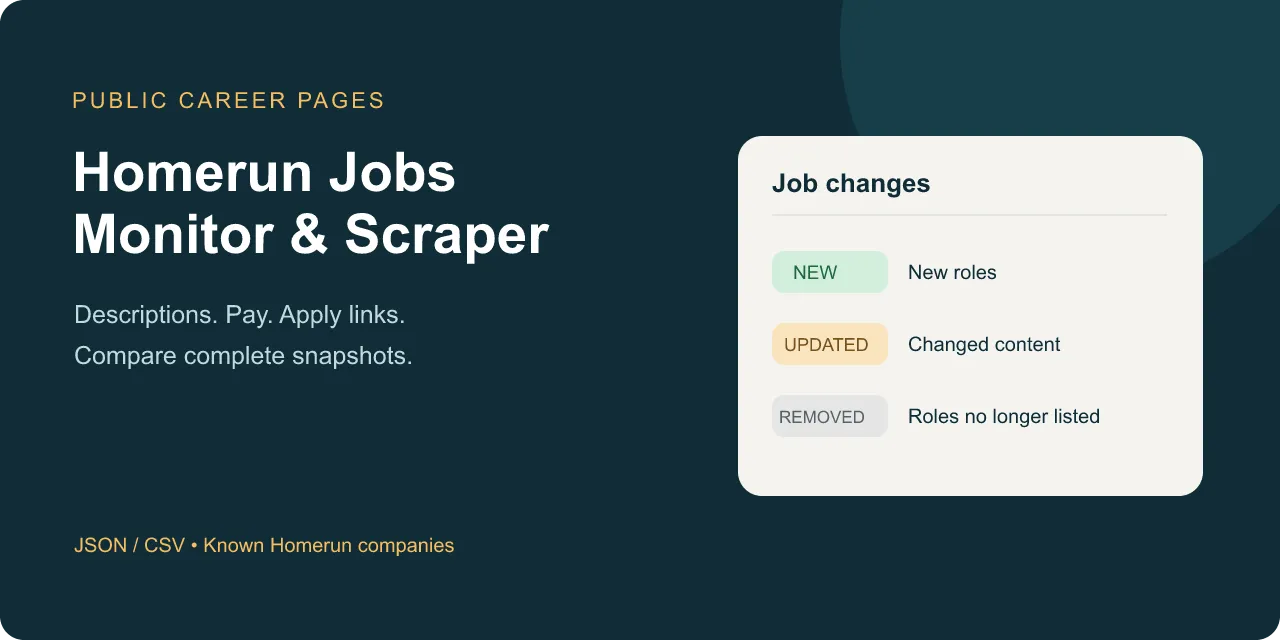
Read open jobs from known public Homerun career pages. Get each job description, pay details and apply link. Compare complete snapshots to see new, updated and removed roles.
Start with one company URL, such as https://jobs.homerun.co/. This tool is for recruiters, job boards and teams that follow hiring changes. A run costs $0.06 plus $0.0018 for each job saved. Empty or unchanged runs still cost $0.06. A failed page is shown as an error, not as an empty job board.
Table of contents
- What it does
- Data you get
- Quick start
- Input fields
- Input examples
- Output example
- Output fields
- Price and examples
- Use cases
- Schedule and monitoring
- API, MCP and exports
- Limits and partial results
- Troubleshooting
- FAQ
- Support
What it does
Add career page URLs for companies you already know. The Actor reads their public pages and job details. It returns one Dataset row for each matching job. Talent pools and open applications are included when the company lists them as openings.
It supports HTTPS root URLs on a company subdomain of homerun.co. It does not search for companies. It does not use the administrative API. No Homerun login, source API key or new XML feed is needed. Custom domains and redirects are outside this version.
Data you get
You get stable job IDs, titles, department, location, employment type, dates, salary where listed, descriptions and apply links. A field is null when the public page does not give it. The Actor does not guess salary or remote status from job text.
With monitor=true, the Actor keeps a full snapshot for your watchlist. CHANGES lists new, updated and removed jobs. Filters change the Dataset rows, but they do not remove jobs from the full snapshot.
Quick start
- Open Input.
- In
careerUrls, addhttps://jobs.homerun.co/. - Keep
maxResults=40andmonitor=false. Use 256 MB and a 180-second timeout. - Click Start.
- Open Dataset. Check
title,description,urlandrowStatus. - Open Key-value store → OUTPUT. Check that
statusiscomplete.
The checked example had four jobs. Head of Sales listed EUR 75,000 per year in Amsterdam. The live company can change its openings.
Input fields
| Key | Type | Default / prefill | Range | Effect | Recommendation |
|---|---|---|---|---|---|
careerUrls | string array, required | no runtime default; UI prefill: Homerun URL above | 1–4 HTTPS company root URLs | Choose boards; duplicates are read once | Copy the root career page, without a job path or language query |
query | string | "" | 0–200 characters | All words must occur in title, company, department or description; ignores case | Start empty, then add words |
location | string | "" | 0–200 characters | Match text in location, city, region or country code | Use a city or a code such as NL |
maxResults | integer | 40 | 1–40 | Stop saving matching jobs after this many; a truncated result is partial | Keep 40 for monitoring |
monitor | boolean | false | true / false | Compare and save complete full snapshots | Turn on for repeat checks |
monitorKey | string | "default" | 1–64 letters, digits, _, - | Separate watchlists by name and board set | Use one name per purpose |
onlyChanges | boolean | false | true / false | With monitor on, save only new and updated matching jobs | Use true after your first complete baseline |
An empty input fails validation before source requests. Unknown keys are rejected. Descriptions are always read for snapshot comparison. Filters and onlyChanges reduce output, but they still require a full scan. onlyChanges=true requires monitor=true.
Input examples
One company
Expected output: current jobs, including the example below. Four jobs cost $0.0672.
Follow hiring changes
The first complete check marks all jobs as new. Later checks save new or updated jobs only. Jobs removed from the board appear in CHANGES.removed. A check with no changes can return zero Dataset rows and still save a complete snapshot.
Filter by job content
The filter reads all listed job details. No matches means an empty Dataset and a complete scan, if every source page was read.
Output example
This is a trimmed row from the one-company input. Other fields, including the full description, are in the Dataset.
Output fields
Every Dataset row has all the fields below. null means the source does not give the value. [] is used for empty lists in scan records.
| Field | Type | Null? | Example | Meaning |
|---|---|---|---|---|
jobId | string | no | job_mlVLWyEWw1l6EyqLE3LX | Public Homerun job ID; board ID string if no public ID is available |
boardJobId | string | no | 382587 | Stable numeric ID from the board, stored as a string |
jobKey | string | no | homerun:jobs:job_mlVLWyEWw1l6EyqLE3LX | Source, company slug and public job ID |
title | string | no | Head of Sales | Title from the company board |
url | string | no | https://jobs.homerun.co/head-of-sales | Public job page, with its language path when present |
applyUrl | string | no | https://jobs.homerun.co/head-of-sales/apply | Public application link |
detailSource | string | no | jsonld | jsonld, public_html, or unavailable |
rowStatus | string | no | complete | complete or partial for this job |
careerSiteUrl | string | no | https://jobs.homerun.co/ | Normalized company root URL |
source | string | no | homerun | homerun |
fetchedAt | string | no | 2026-10-04T16:31:40.676Z | UTC scan timestamp |
change | string | no | untracked | untracked, new, updated or unchanged; removals are in CHANGES |
companyName | string | yes | Homerun | Public company name |
department | string | yes | Sales | Public department; no invented Other value |
location | string | yes | Amsterdam | Public board location label |
city | string | yes | Amsterdam | City from detail or board address |
region | string | yes | Noord-Holland | Region from detail or board address |
countryCode | string | yes | NL | Public country code; no geography inference |
employmentType | string | yes | FULL_TIME | Source employment label or JSON-LD value |
datePosted | string | yes | 2026-09-29 | Public posting date; date-only values are kept |
validThrough | string | yes | null | Public expiry date |
salaryCurrency | string | yes | EUR | Listed currency |
salaryPeriod | string | yes | year | Listed pay period, lower case |
description | string | yes | Homerun is een hiring- en people platform, gemaakt voor moderne t… | Plain text job description, up to 60,000 characters |
firstSeenAt | string | yes | null | Prior baseline first-seen time, or this run for a new job |
salaryMin | number | yes | 75000 | Listed minimum or single salary value; not an estimate |
salaryMax | number | yes | 75000 | Listed maximum or single salary value |
remote | boolean | yes | null | true only for explicit TELECOMMUTE metadata; null means unknown |
descriptionTruncated | boolean | no | false | true if source description exceeds that character limit |
Scan records
| Record | Fields and types | Meaning |
|---|---|---|
OUTPUT | schemaVersion integer; status string; error string/null; sourceCommit string; rows integer; boards array; changes object | Run outcome and saved job count |
RUN_SUMMARY | All OUTPUT fields plus requests integer, retries integer, durationMs integer, startedAt string | Scan work and timing |
SNAPSHOT | schemaVersion integer; complete boolean; scope string; careerUrls string array; createdAt string; jobs object array | Full unfiltered scan, not just Dataset matches; only complete snapshots can become the baseline |
CHANGES | compared boolean; snapshotUpdated boolean; new/changed/removed arrays | Whole-board changes, regardless of Dataset filters; each reference has jobId and url strings |
Each boards entry has url string, status string, available integer, scanned integer, emitted integer, and reason string/null. Each snapshot job has identity, fingerprint, firstSeenAt, jobId, and url, all strings. Fingerprints compare the normalized fields and up to 60,000 description characters; they do not include fetch time. Changes beyond that description limit are not tracked. Snapshots keep compact fingerprints, not a second copy of descriptions.
If validation fails, SNAPSHOT has complete=false and no jobs. A storage or resource failure can produce a short error report with status, error and sourceCommit. A hard platform stop can leave no final report; check the run status too.
Price and examples
Pay per event: $0.06 per start + $0.0018 per saved Dataset job. At the supported 256 or 512 MB, the start event is charged once. Platform usage is included in the price. No proxy or description add-on is used.
A valid empty board, a filter with no matches, and an unchanged monitoring check all cost $0.06. Partial and failed runs keep their start charge. Saved partial job rows count too; unsaved jobs do not count. New and removed references in CHANGES have no extra fee.
| Scenario | Runs / saved jobs | Event price |
|---|---|---|
| Empty, filtered or unchanged scan | 1 / 0 | $0.0600 |
| One saved job | 1 / 1 | $0.0618 |
| 10 saved jobs | 1 / 10 | $0.0780 |
| 14 saved jobs on four checked boards | 1 / 14 | $0.0852 |
| 100 jobs across 10 runs with 10 each | 10 / 100 | $0.7800 |
| 1,000 jobs across 100 runs with 10 each | 100 / 1,000 | $7.8000 |
The last two examples are price arithmetic for repeated bounded runs, not a claim that one run returns 100 or 1,000 jobs. Actual totals depend on saved rows and starts. Repeated jobs saved in a later run count again. Use a run cost limit such as $0.20. Too little budget can stop output and leave the scan partial. Use 256 or 512 MB and a finite positive timeout. The recommended timeout is 180 seconds; a 300-second Store test or larger outer timeout is supported without extending the 150-second source deadline.
Use cases
| Task | Input | Result to use |
|---|---|---|
| Fill a job board | Known company URLs | title, description, location, url and applyUrl |
| Follow hiring activity | monitor=true | CHANGES.new, CHANGES.changed and CHANGES.removed |
| Find matching roles | query and location | Matching Dataset rows; full scan status in OUTPUT |
Schedule and monitoring
You can create your own Apify task and schedule. Use the same sorted set of companies and monitorKey each time. The baseline lives in your account's homerun-jobs-monitor-state key-value store. A new board set or name starts a new baseline. Changing filters keeps the same full-board baseline.
Do not overlap runs of the same watchlist. If a run is partial, wait and run again with enough output and cost budget. The last complete baseline stays in place. Removed jobs appear only after every board and job detail was read successfully.
API, MCP and exports
Use the Apify run API with the same JSON input. Your Apify API token belongs in the authorization header; it is not a Homerun key. Read Dataset items and the key-value records from that run. Export the Dataset as JSON or CSV in Console.
The Apify MCP server can run accessible Actors with the same input. An integration can consume jobId and url for jobs, or the CHANGES arrays for monitoring. This Actor creates no schedule, webhook or external notification by itself.
Limits and partial results
- One run accepts 1–4 known Homerun company root URLs. Custom domains, language queries, login pages and redirects are not supported.
- Live Cloud acceptance covered 14 complete jobs across four companies. The runtime cap is 40 scanned jobs and 40 saved rows. The 40-job limit was checked on offline fixtures, not a 40-job live board.
- The source work has a 150-second deadline, 100 request attempts, 2 MiB per page and 12 MiB of streamed source bodies. Cloud defaults are 256 MB and 180 seconds; 512 MB is also supported.
completemeans all pages were read and the requested output was saved.partialmeans some work was missing or capped. It does not save a new monitoring baseline.not_foundmeans all source boards returned HTTP 404/410. Other failures areerrororpartialin a mixed run. A wildcard redirect is an error, not an empty board.- Dates, salary, department and remote metadata can be missing. Open applications and talent pools can use plain HTML and have fewer fields.
- Descriptions are plain text and can include list markers. Source HTML and company openings can change between runs. The tool is not an official Homerun product.
- Resume/restart is not supported. Start a new run after a failed run. Partial Dataset results remain visible.
Troubleshooting
Zero Dataset rows: open OUTPUT. A complete scan can be empty or filtered. With onlyChanges=true, it can mean no new or updated jobs. Other statuses mean source work was not complete.
REDIRECT_REJECTED: check the company root URL. The board may have moved to a custom domain or may not exist. Use a working Homerun subdomain. The Actor does not follow the redirect.
DETAIL_SCHEMA_ERROR or BOARD_SCHEMA_ERROR: the page layout may have changed. The run does not replace the baseline. Share the run ID in the Issues tab.
RESULT_LIMIT, SCAN_LIMIT or CHARGE_LIMIT: increase output or cost budget within the supported limits. Split a large company set into separate watchlists. A board with more than 40 jobs cannot produce a complete baseline in this version.
ONLY_CHANGES_REQUIRES_MONITOR: set monitor=true or turn onlyChanges off.
FAQ
Do I need a Homerun API key?
No. The Actor reads public career and job pages. It cannot access private candidate or company administration data.
Does no output mean no charge?
No. Each start costs $0.06. Filtering and unchanged checks still read the full job set.
Does a failed board mean all its jobs were removed?
No. Removed events require a complete full scan. Partial, missing and failed pages keep the last complete baseline.
Can I use a custom career domain?
This version accepts company subdomains on homerun.co only. Custom domains and redirects fail explicitly.
Support
Use this Actor's Issues tab on Apify for bugs and questions. Include the run ID, company root URL, status and error code. Do not include tokens, cookies or candidate records.


