

Recruitee Job Snapshots & Changes
Pricing
from $0.45 / 1,000 job rows
Recruitee Job Snapshots & Changes
Turn known Recruitee company boards into job data. Save a snapshot or compare it with one you supply, with clear partial results and export-ready fields.
Pricing
from $0.45 / 1,000 job rows
Rating
0.0
(0)
Developer

Cliqto Media
Maintained by CommunityActor stats
0
Bookmarked
2
Total users
1
Monthly active users
14 days ago
Last modified
Categories
Share
Use this Recruitee jobs scraper to turn known company boards into job data. Enter a company slug or its Recruitee URL. Get job rows, a saved snapshot and a run summary. To see changes, supply a previous snapshot yourself.
Check the charge units and current price on the Actor page before you start. A company can have no published jobs. A small job cap or a source error can make results partial; check the summary before using removals.
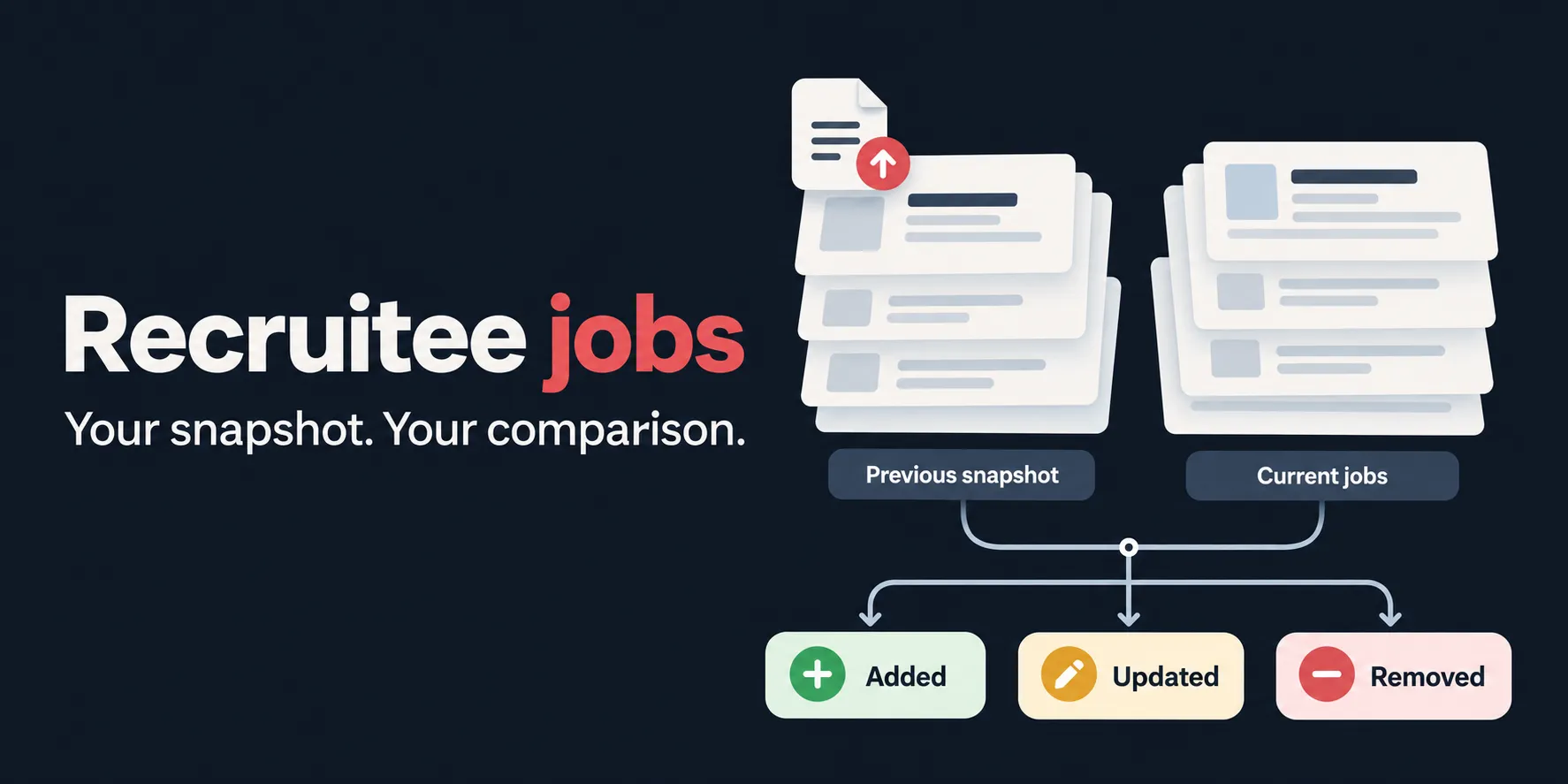
The picture shows the workflow. It is an illustration, not a run result or an alert service.
Table of contents
- What it does
- Data you get
- Quick start
- Input
- Input examples
- Output example
- Output
- Pricing and limits
- Use cases
- Scheduling and monitoring
- API, MCP and integrations
- Source and partial results
- Troubleshooting
- FAQ
- Related Actors
- Support
What it does
The Actor reads published jobs from the public JSON feed of each company you name. It normalizes each valid job into the same 20 fields. It writes job rows to a Dataset and saves SNAPSHOT, RUN_SUMMARY and OUTPUT in the run's Key-value store.
In changes mode, it also writes CHANGES. This compares current rows with the previousSnapshot you send. The Actor does not find earlier runs, keep an automatic history, or send notifications. It does not discover companies or read private applicant records. It does not apply for jobs.
This is an independent data tool. It is not affiliated with Recruitee or the companies whose public boards it reads. The source feed is described in the Recruitee offers reference.
Data you get
Each row has a job ID, company, title, department, team, locations, workplace type, employment type, country, job and application links, source dates, salary and collection time. You can choose to include plain text descriptions and requirements. Missing optional values are null; their keys stay in the row.
The default Jobs table shows 11 common columns. JSON has all 20 fields, including allLocations and the salary object. Job rows are the only Dataset items. Summaries and changes are separate Key-value store records, so a summary cannot be mistaken for a job.
Quick start
- Open the Actor's Input tab. Enter a known slug such as
channable. The filled-in example is a suggestion;companieshas no runtime default. - For a small first run, set Maximum jobs per company to
10and leave descriptions off. Choose Save current jobs. - Check the displayed price, run limits and selected build version. Start the run.
- Open the Dataset when the run finishes. Check
RUN_SUMMARYin the Key-value store for each company's outcome. A successful platform run alone does not prove complete source coverage. - In the Dataset, choose Export, select JSON, CSV or XLSX, then download. Select all fields if you need more than the Jobs table columns. Keep JSON for snapshots: CSV and XLSX turn nested fields into table cells.
- Save the whole
SNAPSHOTrecord if you want to compare jobs later.
Small-run input:
Job counts and source values can change between runs. See the Dataset export guide for the export controls and API formats.
Input
| Key | Type | Runtime default | UI prefill | Meaning and limits |
|---|---|---|---|---|
companies | array of strings, required | None | ["channable"] | 1–4 known slugs or HTTPS URLs on company.recruitee.com. Duplicates share one fetch but still count as input entries. |
includeDescription | boolean | false | None | Include plain text from source description and requirements. False writes descriptionText: null. |
maxJobsPerCompany | integer | 25 | None | 1–25 returned rows per unique company. A cap may cause partial results and suppress removals. It does not reduce the bytes fetched from the feed. |
mode | string | "snapshot" | None | snapshot saves current jobs. changes also compares with your supplied snapshot. |
previousSnapshot | object | None; required for changes | None | The complete SNAPSHOT record, shaped as {"rows":[]}. Every nonempty row must have all 20 job fields. Total input limit: 256 KiB. |
Slugs are normalized to lowercase. The Actor uses the company host from a canonical URL; it does not use URL paths as filters. Custom domains, private hosts, HTTP URLs, credentials in URLs, ports, query strings and fragments are not accepted. Even if a returned job page uses a company's custom domain, use its Recruitee slug as input.
There are no title, department, country, date, salary or remote-only input filters. Filter the exported rows in your own tool. There is no state ID or reset option. Start a new baseline with previousSnapshot: {"rows":[]}; do not send a Dataset export wrapped in a different shape.
Input examples
Minimal input uses the runtime defaults: descriptions off, cap 25 and snapshot mode.
A company URL is also accepted. Use its Recruitee host, not a custom careers domain:
Advanced baseline with descriptions and an explicit empty previous snapshot:
This empty baseline puts all current valid jobs in added. For a later comparison, replace that object with the entire saved SNAPSHOT record from your own run. Keep the same companies, description choice and cap: a change in these choices can change the comparison.
Output example
This is one real Dataset row collected on 1 October 2026 with descriptions off. It has all 20 keys. The listing can change after collection.
Output
Job fields
| Key | Type | Value and empty behavior |
|---|---|---|
_type | string | job. |
_schemaVersion | string | 1.0, the job-row format version. |
_source | string | recruitee. |
company | string | Normalized company slug. |
jobId | string | Source ID, or the canonical public job URL when the ID is absent. URL normalization removes duplicate slashes and a trailing slash; query strings and fragments are rejected. Used with company as the job key. Existing URL-based snapshot keys remain unchanged. |
title | string | Required source job title. |
department | string or null | Source department; null when absent. |
team | string or null | Source team; null when absent. It is not copied from department. |
location | string | Required primary location from the source. |
allLocations | array of strings | Distinct normalized locations in source order; may be empty. City, state and country are joined when available; name is used when city is absent. |
workplaceType | string | remote, hybrid or on-site. The source flags decide this; remote takes precedence over hybrid. Missing or unusable flags cause schema drift. |
commitment | string | Full-time, Part-time, Contract, Freelance, Internship or Temporary. An unknown source employment code causes schema drift. |
country | string | A valid source country_code becomes an uppercase two-letter code. If it is absent, the source country text is used. A malformed supplied code causes schema drift. This field is not always a country code. |
url | string | Public job page URL. |
applyUrl | string | Public application page URL. The Actor does not submit applications. |
postedAt | string | Source publication date as a UTC ISO timestamp. Invalid or missing dates cause schema drift. |
updatedAt | string | Source update date as a UTC ISO timestamp. |
salary | object or null | Source salary only. Null if absent or all four values are empty. No estimates, currency conversion or annualization. |
descriptionText | string or null | Plain text description and requirements when requested. Null when disabled or absent. |
_scrapedAt | string | UTC ISO collection time. Excluded from change detection. |
When salary is an object, all four keys are present:
| Key | Type | Meaning |
|---|---|---|
salary.min | number or null | Lower source amount. Decimal values are preserved. |
salary.max | number or null | Upper source amount. |
salary.period | string or null | Source pay period, such as hour, month or year. |
salary.currency | string or null | Source currency text, such as EUR. |
Required fields are not silently filled with invented values. A bad source row can leave valid rows in the output while making its board incomplete.
Storage records and comparison
| Record or field | Meaning |
|---|---|
| Dataset | Current job rows only; not an added-only feed. |
SNAPSHOT.rows | Current job rows, in an object you can reuse as previousSnapshot. A partial snapshot is still partial; keep its summary with it. |
CHANGES | Present in changes mode. Same object as OUTPUT.diff. |
diff.added | Current job rows whose company/job ID was absent before. |
diff.updated | Objects with before and after job rows for a changed company/job ID. |
diff.removed | Previous rows absent now, only when the comparison is complete enough. |
diff.removedSuppressed | True when incomplete coverage prevents safe removal reporting. |
diff.suppressionReasons[] | Each object has company, outcome and reason. Explains why removals were suppressed. |
OUTPUT.items | Current rows, matching the Dataset after storage finishes. |
OUTPUT.boardSummaries | Per-company outcomes, defined below. |
OUTPUT.diff | The comparison object or null in snapshot mode. |
OUTPUT.RUN_SUMMARY | Full run summary, including Cloud references. |
OUTPUT.transportAttempts | Sanitized request attempt details. |
OUTPUT.terminalOutcome | running during saving; final complete, partial, not_found, domain_empty, invalid_input, resource_limit, cancelled or technical_failure. |
OUTPUT.exitCode | Null while saving; final 0, 1 or 2. |
OUTPUT.error | Optional top-level failure object with code and message. |
OUTPUT.references.dataset | id, itemCount and itemsUrl for the written Dataset rows. |
OUTPUT.references.keyValueStore | id, outputKey, summaryKey, snapshotKey, changesKey. Keys point to OUTPUT, RUN_SUMMARY, SNAPSHOT; changesKey is null without a diff. |
The Actor writes OUTPUT last. Its final presence marks completed storage, but a forced stop can interrupt writes. Check the platform run status and summary together. The separate Key-value store records follow Apify Key-value store storage.
Summary fields
RUN_SUMMARY is a Key-value store record, and is also embedded in OUTPUT.
| Field | Type / example | Meaning |
|---|---|---|
summaryType | string / "RUN_SUMMARY" | Summary discriminator. |
received, valid, duplicates | integer / 1, 1, 0 | Counts of submitted input entries, valid entries and duplicate entries. |
processed, results | integer / 1, 10 | Processed unique boards and returned valid job rows. |
domain_empty, not_found | integer / 0, 0 | Board counts with no published jobs, or with a missing board. |
technical_failures, parser_schema_drift, unprocessed | integer / 0, 0, 0 | Board counts with technical failures, source format failures, or no completed processing. |
retries, rate_limits, transport_attempts | integer / 0, 0, 1 | Retry, rate-limit and request-attempt counts from the transport layer. |
timings.startedAt, timings.finishedAt, timings.durationMs | ISO strings and number / "2026-10-01T18:38:15.321Z", "2026-10-01T18:38:16.245Z", 924 | Run work start/end times and elapsed milliseconds. |
transportMode | string / "direct_public_https" | direct_public_https. No login or proxy is used. |
sourceExhausted | boolean / true | Whether all relevant sources were read to completion. A cap or failure can make this false. |
removedSuppressed | boolean / false | Whether the run must suppress removals. |
failedInputReferences[] | array of objects / [] | inputIndex, inputRef, company, outcome, errorCode for failed inputs. Company and error code may be null. |
inputOutcomes[] | array of objects / index 0, inputRef "companies[0]", company "channable", outcome "complete", errorCode null | The same five keys for each input, including the duplicate outcome. |
counter_source, attemptLogRef | strings / "transport_layer", "inline_sanitized_transport_attempts" | transport_layer and inline_sanitized_transport_attempts, respectively. |
runId, datasetId, keyValueStoreId | strings (runId may be null) / IDs returned for your run | Cloud storage/run identities. runId may be null in local execution. |
itemsWritten | integer / 10 | Number of rows written to the Dataset. |
boardSummaries, transportAttempts | arrays of objects / see fields below | The nested structures below. |
terminalOutcome, exitCode | string and integer (or null during saving) / "complete", 0 | Same meaning as the final OUTPUT fields. |
Each boardSummaries[] object contains:
| Field | Type / example | Meaning |
|---|---|---|
company, inputIndexes | string and integer array / "channable", [0] | Normalized company and zero-based input indexes that refer to it. |
outcome | string / "complete" | complete, partial, not_found, domain_empty, technical_failure, parser_schema_drift, duplicate_or_conflict, invalid_input or skipped. |
completeness | string / "complete" | complete, partial or unknown. |
jobCount | integer / 10 | Returned valid jobs for this board. |
errorCode, errorMessage | string or null / null, null | Failure code and safe explanation, or null. |
retryCount, rateLimitCount | integer / 0, 0 | Retry and rate-limit counts. |
sourceExhausted, removedSuppressed | boolean / true, false | Source completeness and removal safety flags. |
Each transportAttempts[] object contains attempt (integer, e.g. 1), status (HTTP integer or null, e.g. 200), classification (string, e.g. "SUCCESS"), retryScheduled (boolean, e.g. false), retryAfterMs (number or null, e.g. null) and durationMs (number, milliseconds, e.g. 196). Classifications are SUCCESS, TRANSIENT, RATE_LIMITED, TIMEOUT, CONNECTION_RESET, SOURCE_ACCESS, REDIRECT, BODY_LIMIT and CANCELLED.
Nested input reference types are: inputIndex integer (e.g. 0), inputRef string (e.g. "companies[0]"), company string or null, outcome string, and errorCode string or null. Diff lists are arrays of job rows; updated is an array of before/after objects. Empty lists are []. Each suppression reason has string company, outcome and reason. Storage reference IDs and record keys are strings, except null changesKey without a comparison; itemCount is an integer. Optional error.code and error.message are strings.
Errors use these codes: INVALID_INPUT, SOURCE_ACCESS, RATE_LIMITED, TIMEOUT, MALFORMED_RESPONSE, PARSE_OR_NORMALIZATION, RESOURCE_LIMIT, INTERNAL, AUTH_REQUIRED, UNEXPECTED_REDIRECT, RESPONSE_TOO_LARGE, CANCELLED, MAX_JOBS_LIMIT, SCHEMA_DRIFT, DUPLICATE_ID.
A rejected or cancelled input can exit with code 2. Storage/init failures exit with code 1. Mixed board failures can still exit with code 0; read outcomes. Only job rows enter the Dataset. No hidden history or reset state is used.
Pricing and limits
Set a run cost limit at or above the minimum shown on the Actor page. The minimum limit is not a fixed charge: you pay for the events used. The API example uses a limit of USD 0.10.
The start event counts once per GB of run memory, with at least one event. A 256 MiB run uses one start event. More memory can leave less of your cost limit for job rows. Before fetching jobs, this Actor checks that the remaining limit can cover the full requested cap for each unique company. If it cannot, the run ends with RESOURCE_LIMIT and empty job records. Increase the cost limit or lower the cap. This check uses the requested maximum, even if a board later has fewer jobs.
Check the price and charge units shown on this Actor's page before starting a run. Do not estimate a charge from a screenshot or a job's salary. A run can return zero jobs, and a started run can still use platform resources or have a displayed start charge.
| Workload | What to plan for |
|---|---|
| One known company | Start with a cap of 10. Review the summary and returned row count. |
| Up to four input entries | Each unique company has its own cap, at most 25 rows. Duplicates do not add job rows. |
| Repeated snapshots | Each run reads current sources again. Fewer returned rows do not necessarily mean fewer fetched bytes. |
| A longer company list | Split it into batches of at most four entries. This Actor has no single-run bulk mode for thousands of companies. |
| Empty, missing or blocked board | Check the displayed start charge and resource rules; an empty Dataset does not promise a free run. |
The numeric ceiling is 100 returned rows per run (4 × 25), not a promise that four boards have 100 jobs. A live bounded check returned 63 rows from four boards; it did not prove a 100-row source workload. Feed size, text size, retries and platform limits can end processing earlier. Descriptions can make exports and snapshots larger.
Use cases
| Your task | Fields or records to use |
|---|---|
| Keep a job list for known employers | company, jobId, title, url, applyUrl. |
| See new or changed postings | CHANGES.added, updated.before, updated.after, and the removal safety flags. Supply your own previous snapshot. |
| Compare published pay ranges | salary and its period/currency. A null salary is not zero pay. |
| Group jobs by place or work style | allLocations, country, workplaceType. Country can be source text. |
| Read job details in another tool | Enable includeDescription; use descriptionText for description and requirements. |
| Audit missing results | RUN_SUMMARY, boardSummaries, inputOutcomes and request attempts. |
Scheduling and monitoring
Use an Apify schedule if you want repeated snapshot runs. Choose the Actor and input, choose a supported build version, set the interval and review run limits before saving the schedule. This Actor does not create a schedule for you. See the Apify schedules guide.
A schedule with fixed input does not update previousSnapshot for you. To compare each run with the last one, your own workflow must read the last complete SNAPSHOT, supply it to the next run and check the new summary. Keep the run ID and summary beside each saved snapshot. If coverage is partial, inspect it before replacing your baseline. Build a notification step in your own tool if needed; notifications are not Actor output.
API, MCP and integrations
The same input can be sent through the Apify API. Access to a private Actor requires the right account. The API example below targets Actor dWqxE4a9Si7dcyfav. Set APIFY_TOKEN in your environment and APIFY_BUILD to a build version available in its Versions tab. Do not put a token in the URL or share it in a support message.
Starting a run may incur charges. The command below is an example to run after checking the selected version and price. It does not change any schedule.
The response gives a run id. Read /v2/actor-runs/{id} until its status is terminal, then use its defaultDatasetId to read /v2/datasets/{defaultDatasetId}/items?format=json. Here, {id} and {defaultDatasetId} mean the values returned for your run. Read the run's Key-value store summary too. Never treat the initial start response as finished output. See the API run reference.
Apify's MCP tools can run Actors and read results when the connected account can access them. This Actor has no custom MCP server and requires no new service. Pass the same input keys, inspect the run result, and handle snapshots in your workflow. See Apify MCP integrations. You can also use JSON/CSV/XLSX exports with a spreadsheet, data pipeline or automation tool; these connections are not configured by the Actor.
Source and partial results
Only known public Recruitee feeds are read. A board can change, block requests, return no published jobs, or serve malformed data. Redirects to another host, private addresses, login challenges and unsafe URLs are rejected. The Actor does not bypass access controls.
The input limit is 256 KiB, the feed response limit is 2 MiB per company, and combined description/requirements source text is limited to 100,000 bytes per job when enabled. Descriptions are not fetched as a separate job-page crawl. Validated source fields are normalized; there is no extra detail request to fill missing optional fields.
The Actor retries bounded transient failures and reports each attempt. A capped or failed board makes removal reporting unsafe. In changes mode, any incomplete board or invalid company input suppresses the run's removed list. Added and updated rows may still be useful, but they do not prove full coverage. A complete empty feed differs from a missing board or a technical failure.
Graceful cancellation saves completed work when storage remains available. A force kill, storage failure or automatic restart can interrupt this process; do not assume an exactly-once result or a resumable queue. Check the final run and records before using the output.
Troubleshooting
| What you see | Likely reason | Safe next step |
|---|---|---|
| Input rejected before a run starts | Missing companies, more than four entries, wrong type, or cap outside 1–25 | Correct the input and try a small snapshot. |
INVALID_INPUT | An unsafe/noncanonical URL, or an invalid previous snapshot | Use a Recruitee slug and the whole saved SNAPSHOT record. |
domain_empty, zero jobs | The public feed has no published offers | Verify the board and check again later. Do not replace this with a source error. |
not_found | Board or feed returns not found | Check the slug; a custom domain is not a supported input. |
MAX_JOBS_LIMIT, partial | More valid jobs exist than the selected cap allows | Raise the cap up to 25. If it is still partial, keep removal suppression. |
SCHEMA_DRIFT or parser_schema_drift | A required source value has changed or is invalid | Check the summary and report the safe error code and run ID. |
RATE_LIMITED, TIMEOUT, SOURCE_ACCESS | Source rate limit, slow response or access failure | Inspect attempts and try later with fewer boards. Do not bypass source access. |
RESPONSE_TOO_LARGE or RESOURCE_LIMIT | Feed or text exceeds a bound | Check the summary. A smaller row cap does not reduce the full feed body. |
| No removals despite differences | Incomplete coverage caused removedSuppressed | Inspect suppressionReasons; do not infer that old jobs were removed. |
| New changes after switching description mode | Your old and new row content differs | Compare with the same input options and a matching baseline. |
| Platform run succeeds but data is partial | Board outcomes are separate from platform status | Read RUN_SUMMARY, not just the run status. |
FAQ
Do I need to know the company? Yes. Supply its Recruitee slug or canonical board URL. There is no company discovery mode.
Can I use a custom careers domain? No. Use the company's Recruitee slug even if its job pages use a custom domain.
Does the Actor remember the last run? No. Every run saves a current snapshot. You supply the previous one when comparing.
Will it email new jobs? No. Use your own workflow for notifications.
What does null mean? A missing optional source value, or descriptions turned off. All 20 keys remain present. It does not mean an error by itself.
Can I compare snapshots with different settings? You can, but changing companies, caps or descriptions can create differences unrelated to edits in the source. Keep the same options for useful comparisons.
Why can removed be empty? Incomplete coverage suppresses removals for safety. Read removedSuppressed and its reasons before making decisions.
Can I export to Excel? Yes. Choose XLSX in Dataset Export. Keep JSON when you need the exact nested snapshot shape.
Does a zero-row run cost nothing? Check the displayed price and platform rules. A started run can still use resources or carry a start charge.
Related Actors
If another employer uses a different ATS, use a tool for that source:
- Greenhouse Jobs Scraper & Monitor — collect Greenhouse job boards in the same employer research workflow.
- Lever Job Scraper — collect public Lever postings for employers outside Recruitee.
These are separate Actors from the same publisher. Review each one's input, output and price; this Actor does not run them for you.
Support
Open the Issues tab on this Actor's Apify page. Include the run ID, the safe company slug, the relevant error code, and what you expected. If needed, share a small input with secrets removed. Do not send your API token, cookies, private applicant data or a full private account payload.
Source job data belongs to its publishers. Check your use of public data and keep private information out of shared exports. This tool reads public jobs and does not provide applicant records. Support does not include a promised response time, source uptime or a notification service.


