

GoHire Jobs Monitor & Scraper
Pricing
from $0.40 / 1,000 current job saveds
GoHire Jobs Monitor & Scraper
Get live public jobs from known GoHire companies, with full descriptions and job links. Compare complete snapshots to find new, changed and removed roles.
Pricing
from $0.40 / 1,000 current job saveds
Rating
0.0
(0)
Developer

Cliqto Media
Maintained by CommunityActor stats
0
Bookmarked
2
Total users
1
Monthly active users
8 days ago
Last modified
Categories
Share
Read public GoHire jobs from companies you already know. Get job descriptions, locations, salaries as shown by the source, and job links. Compare full board snapshots to find new, updated and removed jobs.
Use this Actor for a job board, a hiring watchlist or a small company list. Start with one GoHire board. The price is $0.042 per run plus $0.0004 per current job saved. Empty and filtered runs still have the start charge.
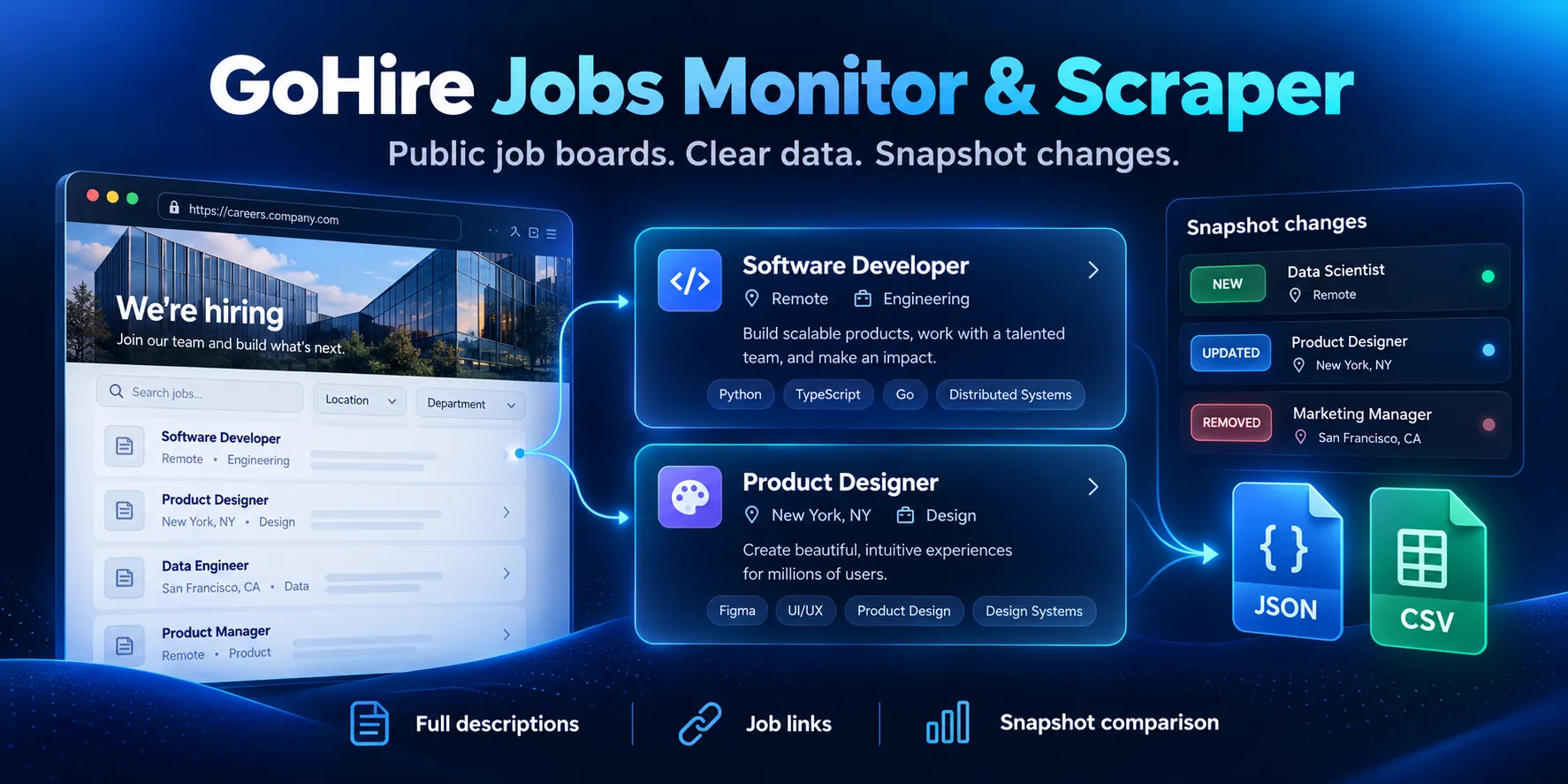
Table of contents
- What it does
- Data you get
- Quick start
- Input
- Input examples
- Output example
- Output fields
- Pricing and limits
- Use cases
- Schedule and monitor
- API and integrations
- Limits and partial results
- Troubleshooting
- FAQ
- Related Actors
- Support
What it does
Add 1–4 known GoHire companies. The Actor reads the public job list and then each job description. It saves current jobs in the Dataset. It also saves the full, unfiltered source list in SNAPSHOT.
To compare two runs, add previousSnapshotRunId. The Actor matches jobs by the public client hash and job ID. It compares a board only when both snapshots are complete. A missing or failed board does not create false removed-job events. The first run creates a baseline.
This Actor reads hosted GoHire boards. It does not find companies by name, search the whole web or read candidate records. You do not need a GoHire login, API key or proxy.
Data you get
- Job ID, title, source location and employment type.
- Company name and country from the public job details.
- Salary and posted date as shown by GoHire, without inferred salary values.
- Full plain text and safe HTML descriptions, within the limits below.
- Job and apply links.
applyUrlpoints to the job page, where the application form can be opened. - Current-job change labels and a separate list of new, updated and removed jobs.
Quick start
- Open Input.
- Put
dexerto-de5jlhjoin Known GoHire companies (companies). - Keep
maxResultsat 37. Leave the title filter and previous run ID empty. - Click Start with 256 MB and a 210-second timeout.
- Open Dataset. Check
jobId,title,companyName,descriptionandurl. - Open Key-value store →
RUN_SUMMARY. Checkstatusand the per-companycompleteflag.
The checked Dexerto example returned 20 jobs on 4 October 2026. Counts can change when the employer adds or removes jobs.
Input
| Field | Type | Required | Runtime default / UI prefill | Allowed values | What it changes | Example and advice |
|---|---|---|---|---|---|---|
companies | string array | Yes | No runtime default; UI prefill dexerto-de5jlhjo | 1–4 entries, each 1–250 characters; hosted HTTPS board URL, board slug or 8-character client hash | Chooses boards to read; duplicate client hashes are read once | https://jobs.gohire.io/dexerto-de5jlhjo/. Copy the whole board link; job-detail links and custom domains are not accepted |
maxResults | integer | No | 37 | 1–37 | Limits current jobs saved after the full scan and filter | Use 37 for a full small watchlist. A lower value does not reduce source requests; too many matches give partial output |
titleIncludes | string array | No | []; blank UI | Up to 10 non-empty phrases, each 1–80 characters | Keeps a job when its title contains any phrase, ignoring case | ["engineer", "writer"]. This is a substring filter, not a whole-word filter |
previousSnapshotRunId | string | No | Absent; blank UI | 17 letters or digits; a past run of this Actor in your account | Reads that run's SNAPSHOT for comparison | Copy a completed run ID. Do not use a run from a different Actor |
Empty input, an empty company list and unknown input fields fail. Do not set optional fields to null. Remove a field to use its default. Remove empty filter lines.
Filters and maxResults affect the Dataset, not the source scan or snapshot. Removed jobs are in CHANGES, not in the current-jobs Dataset. A complete source snapshot can still be used when the Dataset has an output limit; check SNAPSHOT.boards[].complete, not only the overall run status.
Input examples
One company
Returns current Dexerto jobs with descriptions and a baseline snapshot.
Title filter
Saves matching current jobs. The full unfiltered snapshot remains available. The start charge applies if no titles match.
Compare a later run
Replace the example ID with a run in your own account. The Dataset still contains current jobs. Open CHANGES for differences. Keep the previous run's storage; deleted or expired records cannot be compared.
Output example
This is a real job from the first Dexerto example. The description and hash are shortened here. The Actor returns the full saved values.
The unusual salary range above is the employer's source value. The Actor does not correct or guess salaries.
Output fields
All fields below are present in each job row. null means the source does not publish the value, or job details could not be read. Check status for the second case.
| Field | Type / null | Example | Meaning |
|---|---|---|---|
rowType | string, never null | job | Current job row |
ats | string, never null | gohire | Source platform |
jobId | string, never null | 303056 | Public GoHire job ID |
jobKey | string, never null | gohire:de5jlhjo:303056 | Stable board-hash and job-ID key |
clientHash | string, never null | de5jlhjo | Public board identity |
companySlug | string, never null | dexerto-de5jlhjo | Lowercase input board slug; a bare hash stays a bare hash |
companyName | string or null | Dexerto | Company name from details |
title | string, never null | Publisher Success Manager (US) | Source title, outer spaces removed |
location | string or null | United States | Job-list location, outer spaces removed; no remote guess |
city | string or null | York | Detail city |
region | string or null | North Yorkshire | Detail county/region |
country | string or null | United States | Detail country name |
countryCode | string or null | US | Detail country code |
employmentType | string or null | Full-time | Source employment type |
salary | string or null | Competitive | Source salary text, not a numeric estimate |
datePosted | string or null | 02 October, 2026 | Source display date; not an ISO timestamp |
description | string or null | Born from deep roots... | Plain text with line breaks; no scripts |
descriptionHtml | string or null | <p>Born...</p> | Safe HTML; scripts, styles and active attributes removed |
url | string, never null | GoHire job URL above | Validated hosted job page |
applyUrl | string, never null | Same job URL | Open this page to use its apply form |
boardUrl | string, never null | https://jobs.gohire.io/dexerto-de5jlhjo/ | Hosted board from the input slug |
fetchedAt | ISO date string, never null | 2026-10-04T14:44:33.828Z | Time this scan started |
status | string, never null | complete, partial | Whether job details were complete and within limits |
contentHash | string, never null | 64 hexadecimal characters | Hash of source content used for comparison; excludes fetch time |
change | string, never null | baseline, new, updated, unchanged, not_compared | Current job's comparison result |
changedFields | string array, never null | ["title"] | Source fields changed from the previous snapshot |
Key-value store records
| Record | Fields and meaning |
|---|---|
OUTPUT | status string; datasetId string or local null; itemCount integer or null after an uncertain Dataset write; snapshotKey, changesKey, summaryKey strings point to the records below |
RUN_SUMMARY | status, reason string or null, sourceCommit, fetchedAt; companies array of per-board outcomes; scanned, matched, saved, requests, retries, responseBytes integers; writeUncertain boolean |
RUN_SUMMARY.companies[] | clientHash, companySlug, status, complete boolean, reason string or null, scanned integer |
SNAPSHOT | version = 1, source = gohire, sourceCommit, fetchedAt, boards array. Each board has clientHash, companySlug, status, complete, reason, jobs (unfiltered job rows with the fields above) |
CHANGES | version = 1, boards array. Each board has clientHash, status = baseline / compared / skipped, reason string or null, and changes array |
CHANGES.boards[].changes[] | jobKey, change = new / updated / removed, changedFields array, previous and current job references or null. Each reference has jobKey, title, location, url and contentHash; descriptions stay in the snapshots. New has no previous; removed has no current |
A valid empty board gives an empty Dataset and a complete empty snapshot. An unknown client gives not_found. A technical failure gives error or partial; it is not a valid empty board. Always read the summary.
Pricing and limits
The applied price is $0.042 per start + $0.0004 per current job saved. Apify charges these events once. The start price includes the full bounded scan, descriptions, snapshots and comparison records. Platform usage is included in this PPE price; there is no separate usage charge to the customer in the selected pricing model.
An empty board, no matching titles, an unknown board, invalid input or an unchanged monitor run still has the start charge. Partial runs charge for current job rows that were actually saved. Removed-job records in CHANGES have no extra row charge. If a run is interrupted, already charged events remain.
| Scenario | Charge |
|---|---|
| 0 saved jobs, including a filter with no matches | $0.0420 |
| 1 saved job | $0.0424 |
| 10 saved jobs | $0.0460 |
| 20 saved jobs | $0.0500 |
| 37 saved jobs | $0.0568 |
| 100 saved jobs over at least 3 runs | From $0.1660 |
| 1,000 saved jobs over at least 28 runs | From $1.5760 |
The last two rows are price formulas for repeated bounded runs, not proof of a 100- or 1,000-job single run. More runs increase the start charges. Repeated current jobs are charged again when saved again.
The checked live maximum is 4 boards and 37 returned jobs in one run. The Actor scans at most 37 source jobs across the boards. Source work is limited to 150 seconds, 160 HTTP attempts, 2 MB per response and 8 MB across streamed responses. Job content is limited to 120 KB of UTF-8 JSON before comparison labels are added. An oversized description gives a partial row. Use 256 MB, a 210-second timeout and a cost limit of $0.10 for a normal run. A cost limit of $0.05 can save 20 rows; if more matching jobs remain, check the partial result.
Use cases
| Task | Input | Result to use |
|---|---|---|
| Add known employers to a job board | companies | jobKey, title, description, url |
| Watch technical roles | titleIncludes: ["engineer"] | Matching current rows; keep the unfiltered snapshot |
| Track new or changed roles | previousSnapshotRunId | CHANGES with stable job keys and changed fields |
| Remove closed roles from your own list | Compare complete snapshots | removed records in CHANGES; do not treat skipped boards as removed |
Schedule and monitor
Run once to create a baseline. Save the run ID. On the next run, pass that ID as previousSnapshotRunId. After each successful complete board scan, use its run as the next baseline. Keep the previous snapshot storage available.
You can create an Apify schedule. A fixed schedule input does not update its own previous run ID. Use your own API workflow to choose the latest complete baseline. No schedule or webhook is created by this Actor. It always returns current matching jobs, even when no jobs changed.
API and integrations
Start the Actor with the Apify API. Use the same input JSON as in Console. Use an existing Apify token; do not add it to Actor input.
Read defaultDatasetId from the run and get its items. Export the Dataset as JSON or CSV. For monitoring, read CHANGES from the run's defaultKeyValueStoreId and send jobKey, change, title and url to your own next step.
You can use the Actor through an Apify MCP client that supports your private Actor. It needs the same input and output checks; the Actor does not create an MCP server. Make, Zapier or n8n can call the API and read the Dataset or KVS records.
Limits and partial results
- Only public hosted GoHire boards are supported. Custom domains, candidate data and registration are outside this Actor's scope.
- Provide known board URLs, slugs or client hashes. There is no company discovery or global keyword search.
- Details may be missing or change during a scan. The source is not frozen at one instant. Fetch time is not the employer's update time.
- Descriptions are limited to 60,000 HTML characters. A cut description is partial. Scripts, styles and unsafe HTML are removed.
- A title filter does not save requests.
maxResultslimits saved jobs, not the full scan. - Only complete boards on both sides produce differences. A new board not present in the prior snapshot is
not_compared; rerun it without a prior ID to make a baseline. - A hard abort can stop before the terminal KVS records are written. Check run status and saved rows before you use a snapshot.
- No inferred remote status, coordinates, skills, contact details, normalized salary or applicant information is added.
Troubleshooting
Empty Dataset
Open RUN_SUMMARY. complete with zero matches can be a valid empty board or a title filter with no match. not_found means the public client hash was not found. Copy the board URL again. error means a source or input failure; do not expire all jobs.
Partial result
Check the per-board reason. DETAIL_INCOMPLETE means some details failed or were too long. SCAN_JOB_LIMIT means the full list exceeded the scan cap. OUTPUT_LIMIT means more jobs matched than maxResults. CHARGE_LIMIT means the cost cap stopped saving jobs. Retry a smaller company list or raise maxResults within 37; do not use incomplete source boards as a removal baseline.
Dataset write could not be confirmed
DATASET_WRITE_UNCERTAIN means one write lost its confirmation. The Actor does not retry that write. saved counts confirmed rows, while OUTPUT.itemCount is null. Check the Dataset and run events; the last row may have been saved and charged. Do not treat the confirmed count as the exact Dataset size in this case.
Previous snapshot cannot be read
Use a past run of this Actor in your own account. The SNAPSHOT record must still exist. Clear previousSnapshotRunId to start a new baseline.
Source failure
The Actor retries temporary 429 and server errors up to two times. If a source remains unavailable, retry later. Source failures stay visible in the summary.
FAQ
Do I need a GoHire account?
No. The Actor reads only the public job widgets. Your Apify account is used to run the Actor and read your own previous snapshots.
Does no output mean no charge?
No. The $0.042 start charge applies. Job row events apply only to saved current jobs.
Does an unchanged monitor return no rows?
No. It returns current matching jobs with change: "unchanged". The comparison record contains no changes. Saved current rows still have their row charge.
Is this a drop-in copy of a multi-ATS jobs API?
No. It provides a small set of source-backed GoHire fields. It does not provide inferred or enriched multi-ATS fields. Map your consumer to the fields listed above.
Related Actors
For another known employer source, see Greenhouse Jobs Monitor & Scraper.
Support
Open an issue in this Actor's Apify Issues tab. Include the run ID, public board slug and summary status. Keep tokens, applicant records and private account data out of the report.


