

JD.com Scraper: Prices, Review Counts & Ratings, No Login
Pricing
from $2.70 / 1,000 products
JD.com Scraper: Prices, Review Counts & Ratings, No Login
Scrape JD.com (京东) search results by keyword or look up product links and SKUs: price in CNY, shop, self-operated flag, review count, good rate %, images and categories. No login or cookies, pay per product row.
Pricing
from $2.70 / 1,000 products
Rating
0.0
(0)
Developer

Cliqto Media
Maintained by CommunityActor stats
0
Bookmarked
3
Total users
2
Monthly active users
4 days ago
Last modified
Categories
Share
Type keywords or paste JD.com (京东) product links, and get JD products as one row each: price in CNY, shop, 自营 (JD self-operated) flag, number of reviews, good rate in percent, images, categories and links. No JD login, no cookies, no API key. The prefilled search (手机, 10 products) finishes in about 4 seconds and costs $0.035 on the Free plan.
Use it for price research on the Chinese market, competitor and brand tracking on JD, and product research for cross-border trade. Every search row has the review count and good rate filled when JD shows them.
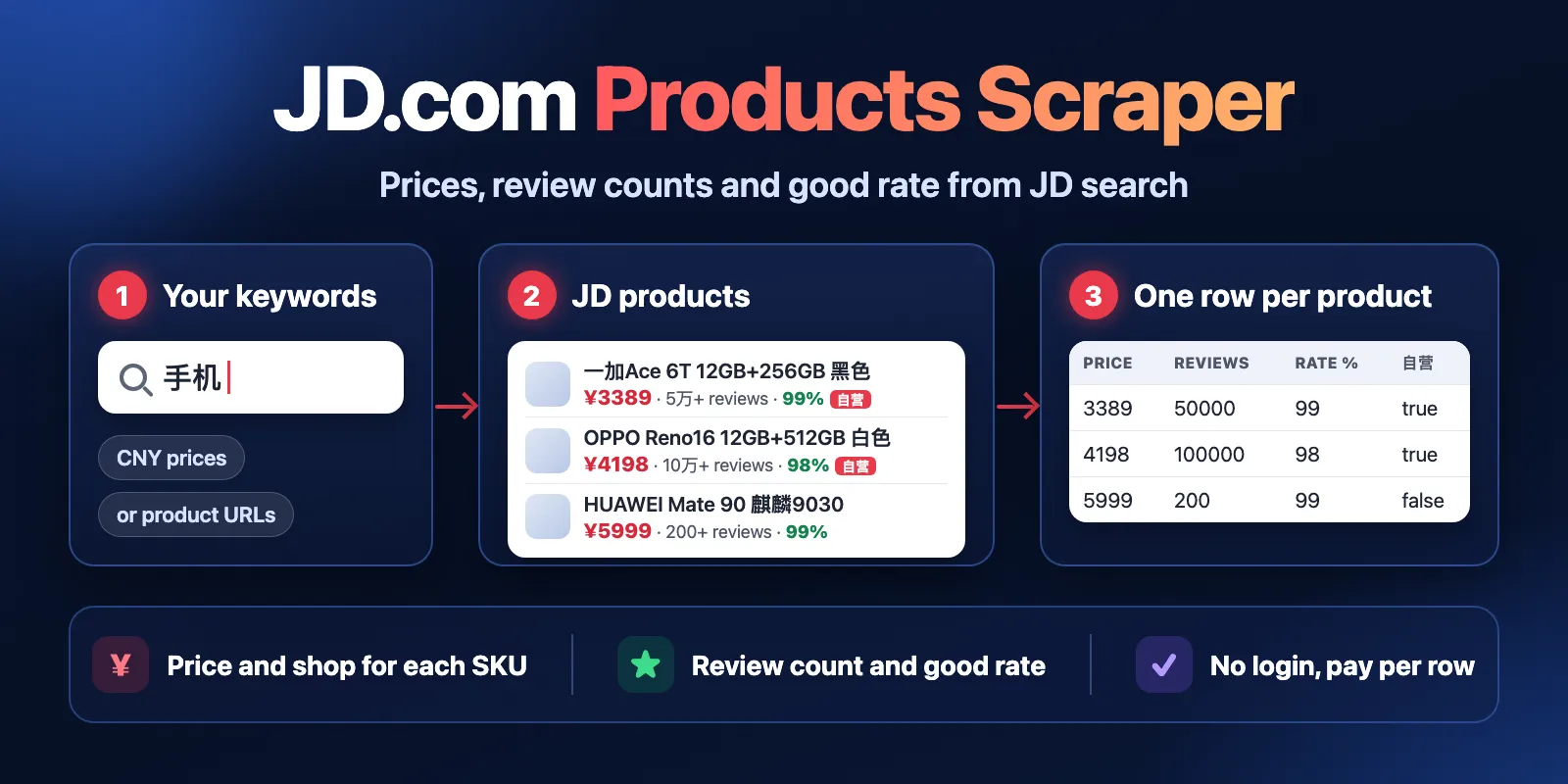
Table of contents
- What it does
- Quick start
- Use cases
- Input
- Output
- Pricing and limits
- API, export and integrations
- Troubleshooting
- FAQ
- Related Actors
- Support
What it does
The Actor reads public JD.com pages in one of two modes:
- Search — for each keyword, it reads JD's public search results (京东热卖, re.jd.com) page by page. One row per product: price, shop, self-operated flag, review count (
5万+) and the same as a number (50000), good rate (99= 99% positive), main image, category IDs and the position in the results. - Product — for each JD product link or SKU number, it reads the public mobile product page: title, brand, shop, all images, categories and stock. Then it looks for the same SKU in JD search to add the price, review count and good rate. In our tests on real products the price was found for about 80–90% of them. JD Worldwide (京东国际, jd.hk) products work too.
Every row has status, error, a link and fetchedAt, so you can filter, sort and join rows in the Dataset, a spreadsheet or by API.
Good fit
- Find products by Chinese keyword and compare price, shop and review numbers.
- Track prices of the same keywords over time (run on a schedule and compare by
skuId). - Check how popular a product is:
commentsCountMinandgoodRatefor each SKU.
Not a fit / limits
- About 150–200 products per keyword. JD's public search stops there; later pages repeat. For more products, add more specific keywords (
华为手机,小米手机). - No review texts, no variant or specification lists, no seller ratings. These JD pages need a login.
- In Product mode the price is best-effort: JD hides prices on product pages without a login, so the Actor finds the price only when the same SKU appears in JD search for its title. When it does not, the row is
partialwith title, shop and images, andprice: null. - The order of results can differ from the JD app or search.jd.com. Prices are the ones JD shows to a visitor without an account (no member or coupon prices).
Quick start
- Open the Input tab.
- Keep Mode =
Search by keywordand the prefilled keyword手机in Keywords, or type your own (Chinese works best). - Keep Max products per keyword = 10 (prefill) or raise it.
- Click Start.
- Open the Output tab, view Products, and check
price,commentsCountandgoodRate.
Expected result: 10 rows with status complete, one per product, in JD search order.
For product links, set Mode = Look up product URLs / SKUs and add links or SKU numbers to Product URLs or SKUs.
Use cases
| Buyer job | Input path | Output entity | Key fields | Next integration |
|---|---|---|---|---|
| Price research on JD | keywords | product | price, shop, selfOperated | Google Sheets, CSV |
| Popularity and rating check | keywords or productUrls | product | commentsCountMin, goodRate | spreadsheet, BI |
| Price tracking | keywords + schedule | product | skuId, price, fetchedAt | Dataset API, webhooks |
| Enrich a list of SKUs | productUrls (mode product) | product | title, brand, shop, images, inStock | your catalog |
Input
Input fields
| Field | Plain name | Type | Required | Default / prefill | Allowed values | Effect | Example | Recommendation |
|---|---|---|---|---|---|---|---|---|
mode | Mode | string | no | default search | search, product | What to collect | "product" | Use product for a list of known SKUs |
keywords | Keywords | array of strings | yes in search | prefill ["手机"] | 1–20 keywords, up to 100 characters each | One search per keyword | ["笔记本电脑", "耳机"] | Chinese words give the best results; repeated keywords are read once |
productUrls | Product URLs or SKUs | array of strings | yes in product | — | up to 50 item.jd.com / item.m.jd.com links or SKU numbers | Products to look up | ["100309589315"] | Wrong entries become free error rows |
maxItems | Max products per keyword | integer | no | default and prefill 10 | 1–1000 | Most products per keyword | 200 | JD gives about 150–200 per keyword |
proxyConfiguration | Proxy | object | no | {"useApifyProxy": true} | Apify Proxy settings | Proxy for JD requests | {"useApifyProxy": true} | Keep the default |
Empty input in the selected mode stops the run with a message that names the field (INVALID_INPUT). Extra spaces are removed and duplicates are read once.
Interacting settings
| When | Input A | Input B | Effective behavior | Example | Cost/result effect |
|---|---|---|---|---|---|
| Search mode | mode = search | productUrls | Links are ignored | — | None |
| Product mode | mode = product | keywords, maxItems | Keywords and maxItems are ignored | — | One row per link |
| Same SKU twice | productUrls | — | Read once | ["100309589315", "https://item.jd.com/100309589315.html"] | Charged once |
Input examples
Search products by keyword
Expected behavior: reads the first JD search results page for 手机.
Expected output: 10 product rows with price, shop, commentsCount, goodRate.
Limit or cost note: about 4 seconds, $0.035 on the Free plan.
Look up products by link or SKU
Expected behavior: reads each product page, then looks for the SKU in JD search to add the price.
Expected output: one row per product with title, brand, shop, images, inStock, and price when found.
Limit or cost note: about 10–25 seconds for a few products, about 80 seconds for 50; each product row is charged once, not_found and error rows are free.
Output
The Dataset has one view, Products. The run summary is in the Key-value store record RUN_SUMMARY.
Output fields
| Field | Meaning | Type | Can be empty? | Example / enum | Source / notes |
|---|---|---|---|---|---|
skuId | JD SKU number | string | on error rows | "100298246508" | |
title | Product title | string | on not_found / error | "一加Ace 6T 12GB+256GB 黑色…" | As on JD, in Chinese |
price | Price | number | yes | 3389 | In CNY; null = JD did not show a public price |
currency | Currency | string | no | "CNY" | Always CNY |
shop | Shop name | string | yes | "一加手机京东自营旗舰店" | |
shopId | Shop ID | string | yes | "1000001947" | |
selfOperated | Sold by JD itself (京东自营) | boolean | yes | true | |
brand | Brand | string | yes | "华为(HUAWEI)" | Product mode only; null in search |
commentsCount | Review count as JD shows it | string | yes | "5万+" | 万 = 10,000 |
commentsCountMin | Review count as a number | integer | yes | 50000 | Lower bound: "5万+" → 50000 |
goodRate | Positive reviews, percent | integer | yes | 99 | null = no reviews yet (often new products) |
url, mobileUrl | Product page, desktop and mobile | string | no | "https://item.jd.com/100298246508.html" | |
image, images | Main image, all images | string, array | yes / empty | image URLs | Search: 1 image; product: all images |
categoryIds | JD category IDs, level 1–3 | array | empty | ["9987", "653", "655"] | |
inStock | In stock | boolean | yes | true | Product mode only |
keyword, position, totalResults | Keyword, position in results, results JD reports | string, integer, integer | product mode | "手机", 1, 7680 | Search mode only |
input | Your input entry | string | search mode | "100298246508" | Product mode only |
mode | Mode of the run | string | no | "search" | |
status | Row status | string | no | complete, partial, not_found, error | See below |
error | What is missing and why | string | yes | null | Empty on complete rows |
fetchedAt | When the row was read | string | no | "2026-10-15T09:51:01.331Z" | ISO 8601, UTC |
Output entities and surfaces
| Situation | Dataset/API/KVS/live view | Result shape | User action |
|---|---|---|---|
| Normal item | Dataset, view Products | one row per product, status: complete | Open, export or use the fields |
| Price not found (product mode) | Dataset | status: partial, price: null, error explains | Use title, shop and images, or search by keyword |
| SKU does not exist | Dataset | status: not_found, free | Check the number |
| Wrong link | Dataset | status: error, skuId: null, free | Fix the link |
| Keyword without products | RUN_SUMMARY.targets | no rows, keyword not_found; RUN_SUMMARY.status is partial (or not_found when no keyword found anything) | Try other words |
| JD blocks or fails | RUN_SUMMARY.reason: SOURCE_ERROR | rows saved before the failure stay | Run again later |
Output example
Search mode, from the prefilled input (one row):
Product mode (one row, images trimmed):
null means JD did not show this value; it is not 0. goodRate: null means "no reviews yet", not "0% positive". In a large test (20 keywords, 3,686 rows) 87% of rows had a review count and 86% a good rate; the rest were mostly new products.
Pricing and limits
Pricing unit
Pay per event. You pay for:
- Actor start — $0.005 per run (Apify counts one start per GB of memory, at least one; the default 256 MB is one);
- product — each saved
completeorpartialproduct row.
| Event | Free | Bronze | Silver | Gold |
|---|---|---|---|---|
| Actor start | $0.005 | $0.005 | $0.005 | $0.005 |
| product | $0.003 | $0.0029 | $0.0028 | $0.0027 |
Platform usage (compute, proxy) is included. Keywords with no products, not_found and error rows are free; you pay only the start fee for a run that saves no products. If a run fails, you pay only for the rows it saved. The run stops when it reaches your maximum charge and says so in RUN_SUMMARY (reason: CHARGE_LIMIT).
Cost examples (Free plan)
| Scenario | Input scope | Rows | Charge | Stop/cap behavior |
|---|---|---|---|---|
| Prefill | 1 keyword, 10 products | 10 | $0.035 | about 4 s |
| Normal search | 3 keywords × 50 products | 150 | $0.455 | |
| All products for a keyword | 1 keyword × 1000 | about 180 | about $0.545 | JD gives about 150–200 |
| Product lookup | 50 SKUs | 50 | $0.155 | about 80 s; not_found and wrong links free |
| Nothing found | 1 keyword with no products | 0 | $0.005 | start fee only |
Limits
- Up to 20 keywords per run, up to 1,000 products per keyword (JD gives about 150–200); up to 50 product links per run.
- Measured: 20 keywords × 1,000 → 3,686 rows in 200 seconds; 3 keywords → 461 rows in 27 seconds; 50 real product links → 74–89 seconds; 100 product links that do not exist → 31 seconds. For more products, split the list into runs of 50.
- The default run timeout is 300 seconds. The Actor stops on its own at about 240 seconds and keeps saved rows (
reason: DEADLINE).
API, export and integrations
- API: start the Actor with the Apify API and read the Dataset items as JSON, CSV or Excel.
- Export: the Output tab exports JSON, CSV, Excel, XML and RSS.
- Scheduling: run the same keywords daily with Apify Schedules and compare
pricebyskuIdandfetchedAt. - Webhooks / no-code: send results to Google Sheets, Make or Zapier through Apify integrations.
Use with AI agents (MCP)
- MCP server with only this Actor:
https://mcp.apify.com?tools=cliqtomedia/jd-com-scraper - Smallest input:
- Key output fields:
title,price(CNY),shop,commentsCountMin,goodRate,url. - 10 products take about 4 seconds and cost $0.035. Keep
maxItemssmall for quick answers; JD gives at most about 200 products per keyword.
Troubleshooting
Fewer products than maxItems
Symptom: a keyword returns 150–200 rows when you asked for 1,000.
Likely reason: JD's public search lists only about 150–200 products per keyword. The run message says how many keywords ran out.
Check: RUN_SUMMARY.targets and the run message.
Action: add more specific keywords (brand + product, for example 华为手机).
price is null in Product mode
Symptom: a row with status: partial and an error that starts with "Price not found".
Likely reason: JD hides prices on product pages without a login, and this SKU did not appear in JD search for its title.
Check: the error text.
Action: use the title, shop and images, or search by a keyword that finds the product.
A keyword returns nothing
Symptom: no rows for a keyword; RUN_SUMMARY.status is partial or not_found.
Likely reason: JD has no products for this word.
Check: RUN_SUMMARY.targets — the keyword is not_found.
Action: try the Chinese name of the product.
The run failed with SOURCE_ERROR
Symptom: RUN_SUMMARY.reason: SOURCE_ERROR; the run ends FAILED, even if most rows were saved.
Likely reason: JD sent a verification page for some requests, or did not answer after several tries with new proxy IPs.
Check: saved rows are in the Dataset and charged; the products or keywords JD did not answer have status: error in the Dataset and in RUN_SUMMARY.targets, and they are free.
Action: run only those products or keywords again a bit later. This is a failure, not an empty result.
FAQ
Do I need a JD account, cookies or API key?
No. The Actor reads public JD pages without a login. It does not solve captchas or log in.
Can I get review texts, specifications or variants?
Not in this Actor. JD shows these only after a login. You get the review count and good rate.
Why are the prices different from the JD app?
The Actor sees the price JD shows to a visitor without an account. Member prices, coupons and app-only offers are not included.
Are the results complete and fresh?
The rows show what JD's public search shows at fetchedAt. JD changes order and prices often. The Actor does not promise every product for a keyword.
Related Actors
- Historical FX Rates Converter — convert CNY prices to your currency for a given date.
- Google Autocomplete Scraper — find product keywords to use in
keywords. - Website JSON-LD Structured Data Scraper — read product prices from other online stores.
Support
For bugs, questions or feature requests, open the Issues tab of this Actor. Add the run ID, your input and the error or RUN_SUMMARY message. Never send tokens, cookies or passwords.


