

Website JSON-LD Structured Data Scraper
Pricing
from $1.80 / 1,000 page result saveds
Website JSON-LD Structured Data Scraper
Extract JSON-LD objects from public HTML URLs. Keep schema types, original values, script indexes and graph paths. Get clear invalid JSON and page error results.
Pricing
from $1.80 / 1,000 page result saveds
Rating
0.0
(0)
Developer

Cliqto Media
Maintained by CommunityActor stats
0
Bookmarked
4
Total users
3
Monthly active users
4 days ago
Last modified
Categories
Share
Read JSON-LD structured data from public HTML pages. Get the original objects, their schema types, and the script and graph path for each object. Use this Actor for SEO checks and for moving structured web data into your own tools.
Start with one public URL in startUrls. The price is $0.0018 per saved page result + $0.001 per run, plus Apify platform usage. Empty pages and page errors also return a saved result. Check status before using the objects.
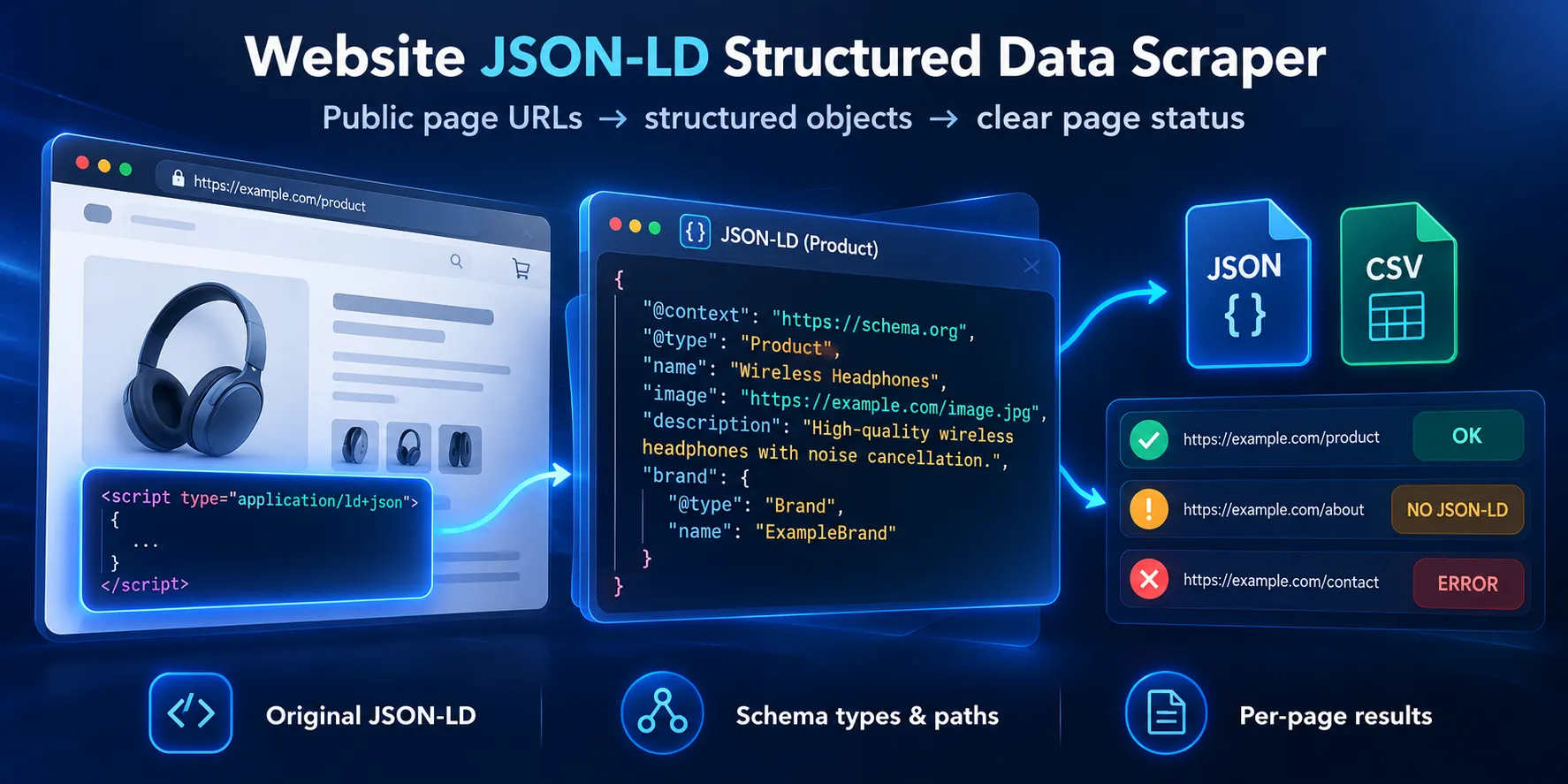
Table of contents
- What it does
- Data
- Quick start
- Input
- Input examples
- Output example
- Output fields
- Pricing
- Use cases
- Scheduling and monitoring
- API and integrations
- Limits and partial results
- Troubleshooting
- FAQ
- Related Actors
- Support
What it does
The Actor reads only the URLs you add. It finds all HTML scripts with the application/ld+json type. It reads single objects, arrays, and @graph nodes. Each saved page has its own result, even when there are no objects or the page has an error.
A graph wrapper with only @context and @graph becomes its graph nodes. A wrapper with its own other fields is kept as an object too. Normal nested fields stay inside the original object. Repeated objects in different scripts stay separate, so you can check each source path.
It uses HTTP and does not run page JavaScript. It does not follow page links, load remote JSON-LD contexts, expand JSON-LD, or test Google rich result rules. See the JSON-LD standard for these terms.
Data
Get one Dataset row per processed URL. objects keeps each original object in data, with scriptIndex, jsonPath, types, and the local or inherited context. jsonLd gives the same original objects without the path fields. schemaTypes lists the types found before filtering.
issues shows invalid JSON and extraction limits. An invalid block does not hide valid blocks from the same page. Error messages do not contain the invalid block text.
Quick start
- Open Input.
- Add
https://apify.comto Page URLs (startUrls). - Keep the default settings. To keep only a website object, set
typeFiltersto["WebSite"]. - Click Start.
- Open Pages and JSON-LD. Check
status,schemaTypes, andobjects. - In the key-value store, open
RUN_SUMMARYto check unprocessed pages.
The checked page returned a WebSite object named Apify. A site can change its HTML later. The input editor prefill has apify.com and example.com; replace it with your own list.
Input
| Field | Type | Required | Default / prefill | Range | Effect | Recommendation |
|---|---|---|---|---|---|---|
startUrls | array of { "url": string } | Yes | No runtime default; editor prefill: Apify and Example Domain | 1–100 URLs; each URL up to 2048 characters | Pages to read; only public HTTP(S), standard ports, no URL login | Start with 1–3 pages. Use public URLs without secrets. |
typeFilters | string array | No | [] | Up to 20 values, each 1–200 characters | Keeps objects whose direct @type matches any value exactly | Use Product, Recipe, or another exact source value. Empty keeps all. |
maxObjectsPerPage | integer | No | 1000 | 1–1000 | Limits objects before the type filter | Keep the default for a full check. A hit marks the page partial. |
requestTimeoutSecs | integer | No | 20 | 1–20 seconds | Total time for one page, including retries and redirects | Lower it for slow sources. |
maxRunSecs | integer | No | 180 | 1–180 seconds | Total work time; stops new pages and cancels active work | Keep 180. Check the summary if pages are left. |
An empty input or unknown key fails validation. URLs are normalized and exact duplicates are fetched once. Fragments do not make separate URLs. Query values still affect the request, but are removed from saved url and finalUrl fields. Use inputIndex to map a result back to your input. Do not put credentials in URLs.
Settings together
The object limit comes before typeFilters. A smaller object limit may hide objects that would match your filter. A filter changes output only; it does not reduce requests or page charges. schemaTypes and objectCount describe the extracted objects before the filter. An empty match set on a page with objects is still complete if there are no issues.
Input examples
Keep all objects on two pages
At the check date, the first page returned Organization, WebSite, and SoftwareApplication objects. The second returned not_found. Both have saved page results and page charges.
Keep one type
Returns only the WebSite object. The page charge is the same with or without the filter.
Small extraction limit
The checked page returned one Organization object with status: "partial" and an OBJECT_LIMIT issue. Increase the limit to read more objects.
Output example
This is a shortened result for the WebSite input above. All fields are listed below. Values come from a checked public page; the scrape time is left out here.
jsonPath: "" means the script root. A path such as /0/@graph/1 means the second graph node in the first array item. jsonLd contains the same values as objects[].data. JSON values stay as published; the Actor does not add missing source fields or change HTML entities inside scripts.
Output fields
Page row
| Field | Type | Can be null? | Example | Meaning |
|---|---|---|---|---|
inputIndex | integer | No | 0 | Zero-based position in the original URL input |
url | string | No | https://apify.com/ | Input URL without credentials, query, or fragment; invalid URLs use [invalid URL] |
finalUrl | string | Yes | https://apify.com/ | Final URL after a successful HTML fetch; null on fetch errors |
httpStatus | integer | Yes | 200 | HTTP response code; null when no response code is available |
status | string | No | complete | complete, partial, not_found, or error |
schemaTypes | string array | No | ["WebSite"] | Sorted unique direct types before the type filter; empty if none |
jsonLd | object array | No | [{"@type":"WebSite"}] | Original retained objects; empty if no retained objects |
objects | object array | No | See example | Original retained objects and their source paths |
issues | object array | No | [{"scriptIndex":2,"jsonPath":"","code":"INVALID_JSON"}] | Parsing and extraction issues; empty means none |
scriptCount | integer | No | 3 | Number of JSON-LD scripts found in fetched HTML |
objectCount | integer | No | 3 | Objects extracted before filtering and output size limits; may be limited by extraction caps |
matchedObjectCount | integer | No | 1 | Objects kept in this saved row after filters and size limits |
errorCode | string | Yes | TIMEOUT | Safe fetch error code; null when the HTML was read successfully |
requests | integer | No | 1 | Transport attempts, including retries and redirects; a blocked DNS check can count as an attempt without a connection |
retries | integer | No | 0 | Temporary error retries used |
responseBytes | integer | No | 492185 | Bytes of a successful HTML body; zero when the fetch failed |
scrapeDate | ISO date-time string | No | 2026-10-05T06:25:16.009Z | Time processing this page started, in UTC |
Each object in objects
| Field | Type | Can be null? | Example | Meaning |
|---|---|---|---|---|
scriptIndex | integer | No | 1 | Zero-based index among JSON-LD scripts, not all HTML scripts |
jsonPath | string | No | /0/@graph/1 | JSON Pointer path inside that script; empty string is root |
types | string array | No | ["Organization","LocalBusiness"] | This object's direct string @type values; empty if not provided |
context | any JSON value | Yes | https://schema.org | Own or inherited context, copied as data; never fetched |
data | object | No | {"@type":"WebSite"} | Original parsed object, including its nested fields |
Each issue in issues
| Field | Type | Can be null? | Example | Meaning |
|---|---|---|---|---|
scriptIndex | integer | No | 2 | Script index; -1 for a page output-size limit |
jsonPath | string | No | /@graph/1 | Location when known; empty for a script-wide issue |
code | string | No | INVALID_JSON | INVALID_JSON, INVALID_JSONLD_SHAPE, OBJECT_LIMIT, or DEPTH_LIMIT |
Key-value store records
OUTPUT is { "pages": [page rows], "summary": {run summary} }. The Dataset has the same page rows. RUN_SUMMARY is the same run summary without the pages. On rejected runtime input, the summary has status: "error", errorCode: "INVALID_INPUT", and processedUrlCount: 0.
| Summary field | Type / null | Example | Meaning |
|---|---|---|---|
status | string; not null | partial | Overall result: complete, partial, not_found, or error |
inputCount | integer; not null | 4 | Submitted URL entries |
uniqueUrlCount | integer; not null | 3 | Entries after exact URL deduplication |
duplicateUrlCount | integer; not null | 1 | Duplicate entries not fetched |
processedUrlCount | integer; not null | 3 | Saved page rows |
unprocessedUrlCount | integer; not null | 0 | Unique entries without a saved page row |
objectCount | integer; not null | 3 | Sum of saved pages' extracted object counts |
matchedObjectCount | integer; not null | 1 | Sum of saved pages' kept object counts |
requests | integer; not null | 3 | All source transport attempts, including a fetched page stopped by the total output limit |
retries | integer; not null | 0 | All source retries |
pageStatuses | object of integer counts; not null | {"complete":1,"partial":0,"not_found":2,"error":0} | Saved page counts by status |
stopReason | string or null | output_limit | null on normal finish; otherwise run_time_limit, cancelled, charge_limit, output_limit, or storage_error |
Pricing
- $0.0018 per saved page result (
page-result). The price covers all retained JSON-LD objects and diagnostics on that page. - $0.001 per run (
apify-actor-start) at the supported 256–512 MB memory settings. - Apify platform usage is extra and paid by you. Compute, storage, and traffic depend on your plan and run. Check the run's usage in Console.
A not_found page, a page with no filter matches, a partial page, and an error page each cost one page event when their result is saved. A duplicate input costs no extra page event. Results that are not saved are not charged as page events. A run that is cancelled can still have the start charge and charges for saved pages. A hard stop can leave Dataset rows that did not reach OUTPUT; use the Dataset and run log in that case.
| Saved page rows | Run count | Event price, before extra usage |
|---|---|---|
| 1 | 1 | $0.0028 |
| 10 | 1 | $0.019 |
| 100 | 1 | $0.181 |
| 1000 across ten runs of 100 | 10 | $1.81 |
These are price calculations, not speed promises. One run accepts up to 100 URLs. The 100-URL input limit was checked with local test pages, not a load test on real sites. Total output limits and slow pages can stop a run earlier.
The minimum run cost limit is $0.0028. Use Maximum cost per run to limit event charges. Extra platform usage is separate. The Actor stops when the page-event limit is reached; saved rows remain available. Read the Apify pricing guide for platform billing details.
Use cases
| Task | Input | Fields to use |
|---|---|---|
| Check JSON-LD coverage | Public page URLs; no filter | status, schemaTypes, issues |
| Collect product or recipe objects | Exact source type in typeFilters | objects[].data, jsonLd |
| Find a broken script | Public page URLs | issues[].scriptIndex, issues[].code |
| Track where a graph node came from | Pages with @graph | url, inputIndex, scriptIndex, jsonPath |
Scheduling and monitoring
You can save the input as an Apify task and run it on a platform schedule. Each run reads the current page HTML and uses the normal price. There is no built-in change tracking or discount for unchanged pages. Compare stored objects in your own tool, for example by @id and source URL. Do not compare scrapeDate as a content change.
API and integrations
Send the same JSON input to POST /v2/acts/cliqtomedia~website-jsonld-structured-data-scraper/runs. Authenticate with an Apify token in the request header. Use the run's defaultDatasetId to read GET /v2/datasets/{datasetId}/items. Read status before passing jsonLd or objects[].data to the next step.
Export page rows as JSON or CSV from the Dataset. JSON is the useful choice for nested JSON-LD objects. For another tool, pass url, schemaTypes, and objects[].data to your mapping. Apify MCP can run the Actor with the same input. There is no browser setup or website API key.
Limits and partial results
- Only public HTTP(S) pages on standard ports. Private network IPs, URL login, and unsafe redirects are blocked.
- HTML only. UTF-8 and ASCII are supported; missing charset is read as UTF-8. A source that ignores
Accept-Encoding: identityis rejected rather than read as broken text. - 1 MB HTML body, measured while reading. Larger pages give
BODY_LIMIT; they are not reported as empty pages. - Up to 3 redirects, 2 retries, and 6 transport attempts per URL. 429 and 5xx responses can be retried within the same page deadline.
- Up to 1000 extracted objects per page. Any JSON nesting deeper than 64 levels or more than 10,000 JSON values per script gives
DEPTH_LIMIT. That script is skipped; other scripts can still return objects. The graph walk also stops after 10,000 visited entries per page. - 2 MB per saved page row and 8 MB total page output. Whole objects can be omitted to meet a row limit; the row becomes
partial. Up to 200 issues are saved per page. If there are more, the issue list is shortened and a page-levelOBJECT_LIMITis added. A total output limit stops new saved pages. CheckunprocessedUrlCount. - Limits are separate: 100 large pages with 1000 objects each may hit the output or time limit first.
- JavaScript-only JSON-LD is not visible to this HTTP version. Linked contexts are kept as values; they are never loaded.
- No recursive crawl, login, cookies, browser, Microdata, RDFa, Open Graph, or Google eligibility check.
completemeans the extracted objects passed this parser, not that the page has valid SEO markup. With no valid objects and malformed JSON, the page ispartial.- Mixed page errors give an overall
partial. All page errors giveerror. All valid pages without objects givenot_found. - A platform run can finish with
SUCCEEDEDand still have page errors. CheckRUN_SUMMARYand pagestatus. - Storage and billing are separate actions. A storage error stops the run. Restarting or resurrecting a run that already has Dataset rows is rejected with
RESUME_NOT_SUPPORTED; start a new run.
Troubleshooting
No objects: Check status. not_found means the fetched HTML has no valid objects. The source may add them with JavaScript. If objectCount is positive but matchedObjectCount is zero, remove the type filter.
INVALID_JSON: A JSON-LD script contains invalid JSON. Check its scriptIndex in the public page source. Other valid scripts can still have objects.
partial: Read issues and stopReason. Raise maxObjectsPerPage if its limit is too low. Split the URL list if the output or run time limit was reached.
HTTP_ERROR, NETWORK_ERROR, or TIMEOUT: Check that the public page opens and try a smaller URL list. A 403 or 429 can mean the site blocks this HTTP request. This version has no browser or proxy fallback.
UNSAFE_ADDRESS, UNSAFE_HOST, or UNSAFE_URL: Use a public website URL without login or a custom port. Private and local services are not supported.
BODY_LIMIT, NON_HTML, UNSUPPORTED_ENCODING, or UNSUPPORTED_CHARSET: Use a smaller UTF-8 HTML page. These failures do not mean no JSON-LD exists.
RESUME_NOT_SUPPORTED: Start a new run. Export saved Dataset rows from the earlier run before repeating the input.
FAQ
Do I need a website account?
No. Add public pages that can be read without login.
Does this change the JSON-LD objects?
No. It parses JSON and keeps original object values. It adds source fields outside data. It does not expand contexts or repair invalid JSON.
Do I pay if there are no matching objects?
Yes. A saved empty-page result or a filter with no matches costs one page event. The start charge and platform usage also apply.
Can this replace a scraper that also returns meta tags?
Only the core url, jsonLd, schemaTypes, and scrapeDate fields overlap. This Actor adds source paths and statuses. Meta and social tag fields need a separate tool.
Related Actors
- Website Contacts Scraper — collect public website contact details.
- Bulk URL Status & Redirect Checker — check public URL response codes and redirects.
Support
Open an issue on this Actor's Apify page. Include the run ID, input field names, and the safe error code. Keep tokens, cookies, and private page data out of the message.


