

SEEK Jobs Scraper AU & NZ — Filters, No Login
Pricing
from $1.50 / 1,000 saved jobs
SEEK Jobs Scraper AU & NZ — Filters, No Login
Find public SEEK jobs in Australia and New Zealand. Filter location, work type, category, salary and date. Export listing cards or return new job IDs. No login.
Pricing
from $1.50 / 1,000 saved jobs
Rating
0.0
(0)
Developer

Cliqto Media
Maintained by CommunityActor stats
0
Bookmarked
2
Total users
1
Monthly active users
20 hours ago
Last modified
Categories
Share
Search public SEEK job listings in Australia and New Zealand. Get job titles, employers, locations, salary text and dates without a SEEK login. A 20-job search costs $0.051 on the Free plan: $0.015 per start plus $0.0018 per saved job.
Use this Actor for hiring research and job market reports. It returns listing cards, with up to 400 jobs per run. Check the run summary when results are empty or partial.
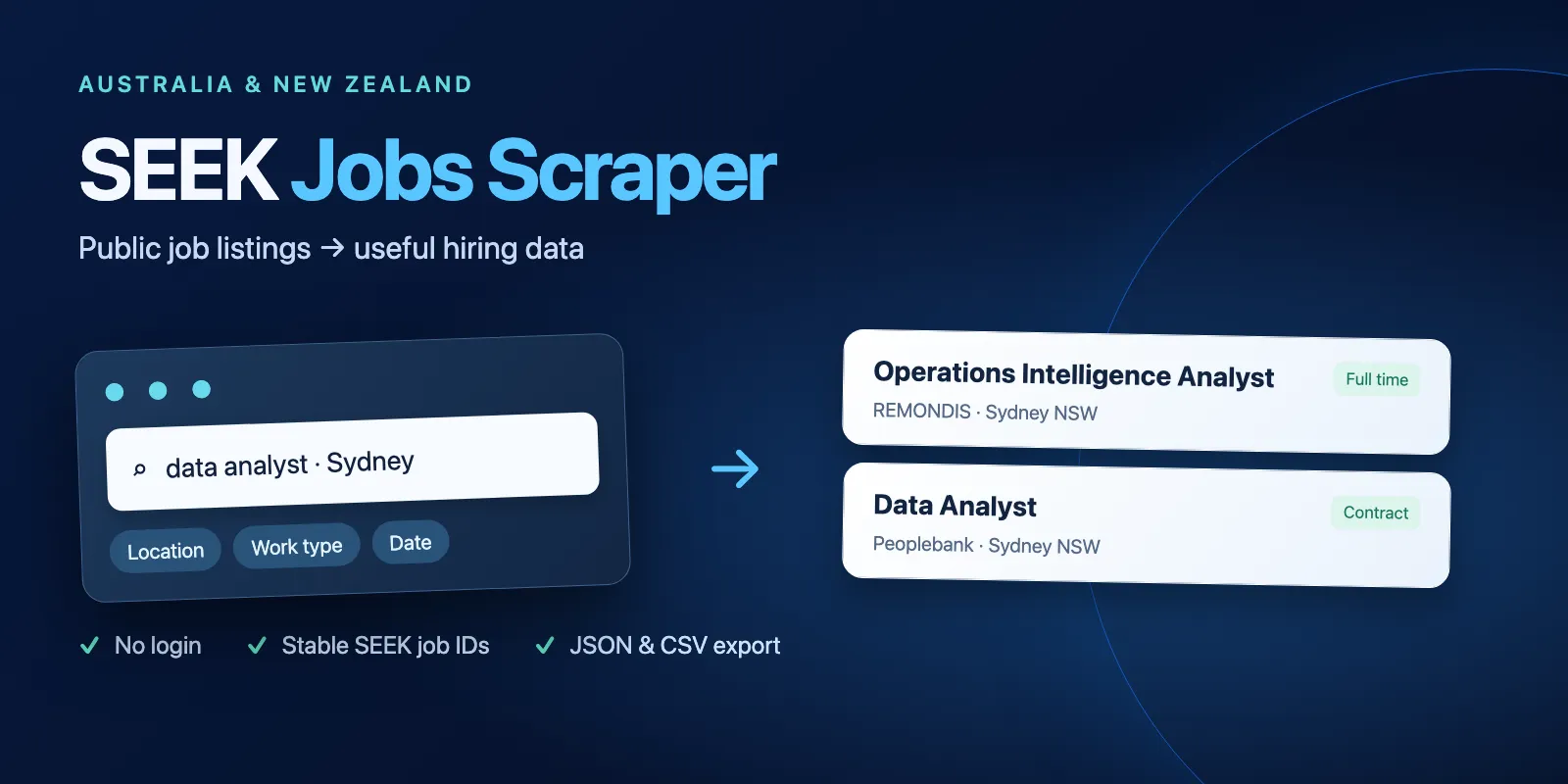
Table of contents
- What it does
- Job data
- Quick start
- Input
- Input examples
- Output
- Pricing and limits
- Use cases
- New job tracking
- API, export and integrations
- Limits and partial results
- Troubleshooting
- FAQ
- Support
What it does
Add one search query and a location. Select Australia (AU) or New Zealand (NZ). The Actor reads public SEEK listing cards and saves one row per unique SEEK job ID.
You can filter by classification ID, work type, annual salary range and listing age. SEEK controls keyword relevance and location matching. Results can include related roles. Classification, work type and date are checked again on returned cards, to remove nonmatching promoted jobs. Salary filtering uses SEEK's search rules.
Job data
Each row has a stable job ID, title, advertiser, location, classification, work type, salary label, listing date, link, teaser and bullet points. Missing values are null. Salary stays as written by the advertiser. No numeric salary is inferred.
This Actor reads search cards. It does not fetch full job descriptions, applicant counts, employer reviews or private profiles. Contact details in text are redacted.
Quick start
- Open Input.
- Keep Search keywords as
data analyst, Location asSydneyand Country asAU. - Keep Maximum jobs at
20and Only new jobs off. - Click Start.
- Open the dataset Jobs view. Check
jobId,title,advertiserandurl.
Small searches took about 3–7 seconds in tests. Results and speed can change with SEEK.
Input
All fields are optional. An empty object uses the defaults below. null is not a valid field value. Unknown fields are rejected.
| Field | Type | Default / prefill | Allowed values | Effect and recommendation |
|---|---|---|---|---|
keywords | string | data analyst / same prefill | 1–100 characters | One search query. Keep it short; SEEK may return related roles. |
where | string | Sydney / same prefill | 0–100 characters | City or region. Use Auckland for NZ. Empty string searches the country. |
country | string | AU | AU, NZ | Choose the market that matches your location. |
classification | string | empty | Numeric SEEK ID, up to 8 digits | Optional role family, such as 6281 for IT or 1211 for healthcare. Find IDs in your SEEK search URL. |
workType | string | any | any, Full time, Part time, Contract/Temp, Casual/Vacation | Keep any for all employment types. |
salaryRange | string | empty | Annual min-max, each 0–1000000, min ≤ max | Example 60000-150000. AUD in AU, NZD in NZ. Hidden or flexible salaries follow SEEK's own rules. |
dateRange | integer | 0 | Only 0, 1, 3, 7, 14, 31 | Maximum listing age in days. Zero means any date. |
maxItems | integer | 20 / same prefill | 1–400 | Maximum saved jobs. A search may return fewer. It does not change the 25-page scan cap. |
onlyNew | boolean | false | true / false | Save unseen job IDs for this exact search. Use sequential runs. |
Settings that work together
- Filters are combined. Each one can reduce the result count.
- With
onlyNew: true,maxItemscounts new saved jobs. The Actor may scan 25 pages to find them. - Changing
maxItemskeeps the same history. Changing keywords, location, country or a filter creates a separate history. dateRangemeans the original listing date, not the time this Actor first saw a job.
Input examples
Data analysts in Sydney
Returns up to 20 public listing cards. Repeating this search with onlyNew: false returns current jobs again.
Software engineers in Auckland
Returns up to 100 cards from the NZ market. Use the same search with onlyNew: true to start new-job tracking.
Recent full-time healthcare jobs
Returns matching recent cards. Salary remains text; it may be missing.
Output
One dataset row is one job. The Jobs view shows the fields below. Download JSON or CSV from the dataset. The Actor output has two links: Job listing cards and Run status and counters.
Output example
This is one full row from the Sydney example. A null value means the field was not available in the listing card. licence: null means no reuse licence is supplied by this source.
Output fields
| Field | Type | Can be null? | Meaning and example |
|---|---|---|---|
jobId | string | no | Original SEEK ID, such as 94975181. |
title | string | no | Listing title, such as Category Analytics Assistant. |
advertiser | string | yes | Advertiser's public name, such as Care Pharmaceuticals. It may differ from the employer's short name. |
location | string | yes | SEEK location label, such as Bondi Junction, Sydney NSW. |
area | string | yes | Broader area from SEEK location hierarchy, such as All Sydney NSW. |
classification | string | yes | First classification label, such as Sales. |
workType | string | yes | Source work type labels, joined when more than one is supplied. |
salary | string | yes | Raw salary label, such as $150,000 per year; not a numeric estimate. |
listedAt | string | yes | Original listing time in ISO UTC format. |
url | string | no | Public SEEK link to the job. Jobs can later expire. |
teaser | string | yes | Short card text. Contact details are redacted. |
bulletPoints | array of strings | no | Card bullet points; empty array if none. |
fetchedAt | string | no | Time the Actor read this card, in ISO UTC format. |
country | string | no | AU or NZ. |
source | string | no | SEEK. |
licence | null | always | SEEK does not provide a reuse licence with these cards. |
Run summary
Open the default key-value store record RUN_SUMMARY. It includes status, reason, saved, scanned, filtered, duplicates, pages, requests, retries, bytes, sourceTotal, hasMore, source, licence, country and fetchedAt.
| Situation | Dataset | Summary / run status | Next step |
|---|---|---|---|
| Jobs saved | One row per unique ID | complete, succeeded | Export rows. hasMore: true means the limit stopped the search. |
| No match or no new IDs | Empty | not_found, succeeded | Check the query or the tracking history. |
| Scan limit reached | Zero or more rows | partial, SCAN_LIMIT, succeeded | Narrow the query or filters; the scan covers at most 25 pages. |
| Spending limit reached | Saved rows remain | partial, CHARGE_LIMIT, succeeded | Read saved rows or increase the spending limit for a later run. |
| Source or storage failure | Saved rows remain if any | error or partial, failed | Check reason; this is not a valid empty search. |
Pricing and limits
Pay per event. A start costs $0.015. A result event is charged once per saved job. No extra result fee is charged for rows removed by filters or previously seen IDs. The start fee applies to empty, unchanged and failed searches. This price includes normal platform usage. No proxy is required.
| Apify plan | Per saved job | 100 saved jobs including start | 400 saved jobs including start |
|---|---|---|---|
| Free | $0.0018 | $0.195 | $0.735 |
| Bronze | $0.0017 | $0.185 | $0.695 |
| Silver | $0.0016 | $0.175 | $0.655 |
| Gold and higher | $0.0015 | $0.165 | $0.615 |
At the base price, 1 saved job costs $0.0168, 10 cost $0.033, and 20 cost $0.051. Empty searches, filters with no matches and unchanged tracking runs cost the $0.015 start fee. Partial runs charge the start plus the jobs already saved. Prices are formulas from the listed events, not a guarantee of a particular result count.
Use a maximum cost per run. It must cover the start fee and the jobs you want. A small budget can stop the search before any row is saved. The maximum output is 400 jobs, so 1000 jobs require separate searches/runs; this Actor does not promise one-run delivery of 1000 jobs.
Use cases
| Task | Suggested input | Useful fields |
|---|---|---|
| Build a hiring research list | Keywords + location | title, advertiser, url |
| Compare advertised pay | salaryRange + work type | salary, location, classification |
| Track newly seen roles | onlyNew: true | jobId, listedAt, fetchedAt |
New job tracking
The first onlyNew: true run saves jobs and records their IDs in a named key-value store. Later runs of the same search save only unseen IDs. History remains when older jobs leave the current search window. Updated text on an existing ID is not a new job. No expired-job detection is provided.
Run a given search sequentially. Concurrent runs of the same search can race and repeat jobs. Do not treat a failed run as a completed history update. Up to 20000 IDs can be tracked per search; a full history causes STATE_LIMIT and a failed run instead of a silent reset. To start a separate search history, change a search field. Demo searches with onlyNew: false do not change history.
You can create an Apify schedule yourself for a repeated search. This Actor does not create schedules, send notifications or configure webhooks.
API, export and integrations
Start the Actor through the Apify API. Send the same JSON input as in the examples. Read the default dataset after the run finishes. Export JSON or CSV, or pass jobId, title and url to your own hiring workflow.
API endpoint: POST https://api.apify.com/v2/acts/cliqtomedia~seek-jobs-scraper/runs. Keep your Apify token private. Use the latest build, a 300-second timeout and 256 MB memory.
Use with AI agents (MCP)
Apify MCP exposes this Actor to connected agents after publication. The smallest useful example is:
jobId is the source ID, title names the role, advertiser names the advertiser, location gives the source location and url opens the job. Small searches took about 3–7 seconds in tests. A 20-job run costs $0.051 at the Free-plan rate. Respect the 400-job and 25-page limits and check RUN_SUMMARY for partial results.
Limits and partial results
- Listing cards only. No login, CAPTCHA solving, profile export or full descriptions.
- At most 25 pages, 100 requests, 10 MB of response data and 180 seconds of source work. A larger platform timeout does not expand these limits.
- No claim that every matching SEEK job is returned. Search ordering, promoted cards and source page limits can reduce results.
- Salary labels can be hidden, nonnumeric or hourly even when the search uses an annual range.
- Keyword relevance and location radius come from SEEK. Exact text matching is not promised.
- Source changes, blocked requests and invalid responses cause failure. A scan cap is best effort and returns a successful partial result.
Data comes from SEEK Australia and SEEK New Zealand. Read the SEEK website terms before reusing the data. Public access does not grant a reuse licence. This Actor is an independent tool and is not endorsed by SEEK.
Troubleshooting
The dataset is empty
Read RUN_SUMMARY. not_found with sourceTotal: 0 means SEEK returned no matches. With onlyNew: true, an empty result can mean all returned IDs are already tracked. SCAN_LIMIT means the scan stopped before exhausting the source. Failed runs are not valid empty searches.
Jobs seem outside the keywords or location
SEEK uses relevance matching and a location radius. Use a classification ID or work type to narrow results. Review each listing link before using it.
The run failed with a source error
SOURCE_HTTP_*, SOURCE_TIMEOUT, SOURCE_SCHEMA or SOURCE_TRUNCATED indicate an unavailable or changed source response. Saved rows remain available. Retry later. Do not add login cookies or credentials.
The run stopped at a spending limit
CHARGE_LIMIT keeps the run successful and preserves saved jobs. Set a budget that includes the $0.015 start fee plus result fees. Repeating a normal search can charge for the same jobs again; use sequential onlyNew runs when that fits your task.
Invalid input or full tracking history
Check the exact allowed values, especially dateRange. Unknown fields are rejected. STATE_LIMIT means the tracked search already has 20000 IDs. Choose a different search scope rather than deleting state without review.
FAQ
Do I need a SEEK account?
No. The Actor reads public listing cards. You need an Apify account to run it.
Can I get every job or 1000 jobs at once?
No. A run saves at most 400 jobs and scans at most 25 pages. Check hasMore. Split research into distinct locations or queries if needed; overlapping searches can return the same ID.
Are salaries complete and numeric?
No. salary is the public card label or null. Hidden values are not estimated.
Does onlyNew detect edits or expired jobs?
No. It detects previously unseen IDs. Existing IDs stay in history; edited or missing cards are not emitted as changes.
Does an empty run cost money?
Yes. It charges the $0.015 start fee, with no saved-job events.
Support
Open an issue on this Actor's Apify Issues tab. Include the run ID, country and non-sensitive error code. Do not share tokens, cookies or private contact data.


