

TikTok Explore Scraper
Pricing
from $0.50 / 1,000 videos
TikTok Explore Scraper
Extract data from TikTok explore categories including post, author, video, and music data. Export scraped data, run the scraper via API, schedule and monitor runs or integrate with other tools.
Pricing
from $0.50 / 1,000 videos
Rating
4.8
(13)
Developer

Clockworks
Maintained by ApifyActor stats
11
Bookmarked
498
Total users
87
Monthly active users
5 hours ago
Last modified
Categories
Share
What is TikTok Explore Scraper?
TikTok Explore Scraper extracts videos from TikTok's Explore tab, the topic feed TikTok curates around broadly trending and viral content. You pick from the 20 categories TikTok offers, such as Comedy, Food, Education, or Technology, or take all of them in one run, and get up to around 300 posts per category with full engagement, creator, and sound data.
Scraping by category is what sets it apart from the other TikTok Actors, and it makes TikTok Explore Scraper a good fit for trend watching. The posts in each category have already been picked by TikTok's own algorithm, so you start from a shortlist of what is gaining traction in that topic instead of assembling one yourself.
What data can I get from TikTok Explore?
Every post comes back with the same set of fields, and you can find the full list in the Output schema:
- 🎬 The video:
webVideoUrl,textfor the caption,createTimeISO, andvideoMetaforduration,definition, andcoverUrl. - 📊 Engagement:
playCount,diggCount,commentCount,shareCount,collectCount, andrepostCount. - 🗣 Creator:
authorMetacarriesname,nickName,fans,heart,verified,signature, andbioLink. - 🎸 Sound:
musicMetawithmusicName,musicAuthor,musicAlbum, andmusicOriginalfor whether it is original audio. - #️⃣ Topic signals:
hashtagson every post,effectStickersfor the effects used, andinputfor the Explore category it came from. - 🛍 Commercial flags:
isAd,isSponsored, andhasTikTokShopProduct.
How can I use the data extracted from TikTok Explore?
- 📈 Category trend tracking: run the same categories on a schedule and watch which topics, sounds, and formats climb week over week, building a record of TikTok trends in the verticals you care about.
- 🎯 Creative intelligence:
playCount,diggCount, andvideoMeta.durationcome with every post, so you can see which hooks, lengths, and formats perform inside a category and turn that into creative briefs. - 🎵 Sound spotting:
musicMetanames the track behind each post and flags original audio, so you can catch a sound while it is still climbing and brief creators on it early. - 🕵️ Creator discovery:
authorMetacarriesfans,verified, andheartcounts for everyone surfacing in a category, which makes it a ready shortlist for finding micro-influencers on TikTok in your niche. - 💰 Commercial monitoring:
isAd,isSponsored, andhasTikTokShopProductshow how much of a category is paid or shoppable, and which brands are already buying attention there.
How to scrape TikTok Explore
You don't need any coding experience to use TikTok Explore Scraper. Here's how to get started.
- Create a free Apify account using your email
- Open TikTok Explore Scraper
- Choose one or more TikTok Explore categories
- Set how many posts you want per category, up to around 300
- Click Save & Start and wait for the data to be extracted
- Download your data in JSON, CSV, Excel, XML, or HTML
You can also run TikTok Explore Scraper from Claude, ChatGPT, or any other MCP client through the Apify MCP server, using a plain-language prompt instead of the input form.
⬆️ Input
Select one or more TikTok Explore categories and set how many posts to collect from each, up to 300. The categories are the only required field.
The 20 topic categories are: Singing & Dancing, Comedy, Sports, Anime & Comics, Relationship, Shows, Lipsync, Daily Life, Beauty Care, Games, Society, Outfit, Cars, Food, Animals, Family, Drama, Fitness & Health, Education, and Technology. There is also an All option, which reads the Explore feed without a topic filter.
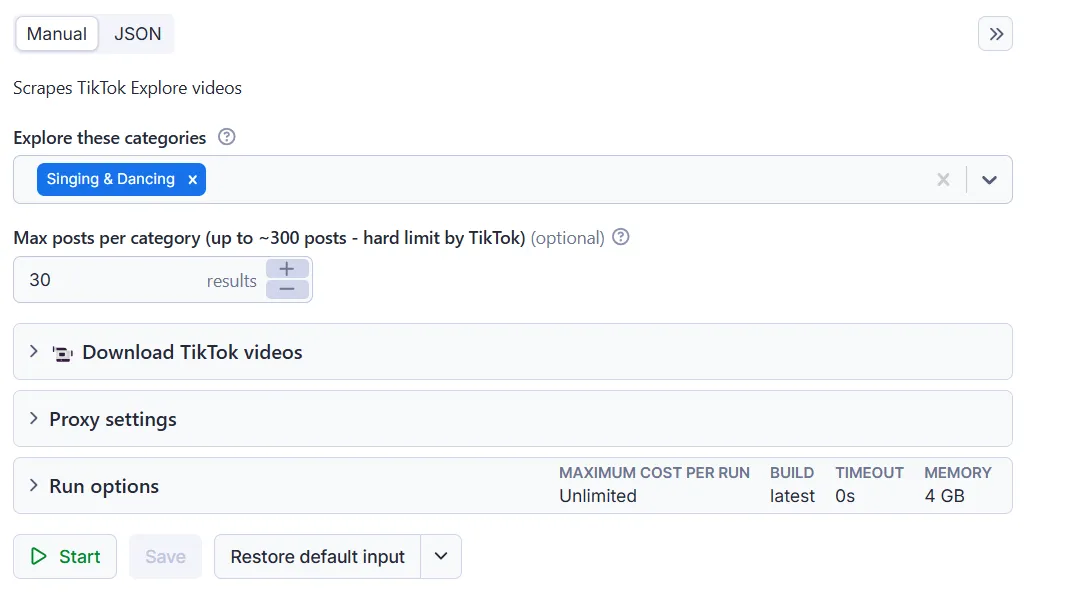
Below is the same input in JSON. In Apify Console you pick the categories from a dropdown, while through the API each one is a key such as pc_web_explorePage_topics_food. See the Input schema for every field and its description.
⬇️ Output
Results are saved to a dataset, which you can preview and download from the Output tab in JSON, CSV, Excel, XML, or HTML.
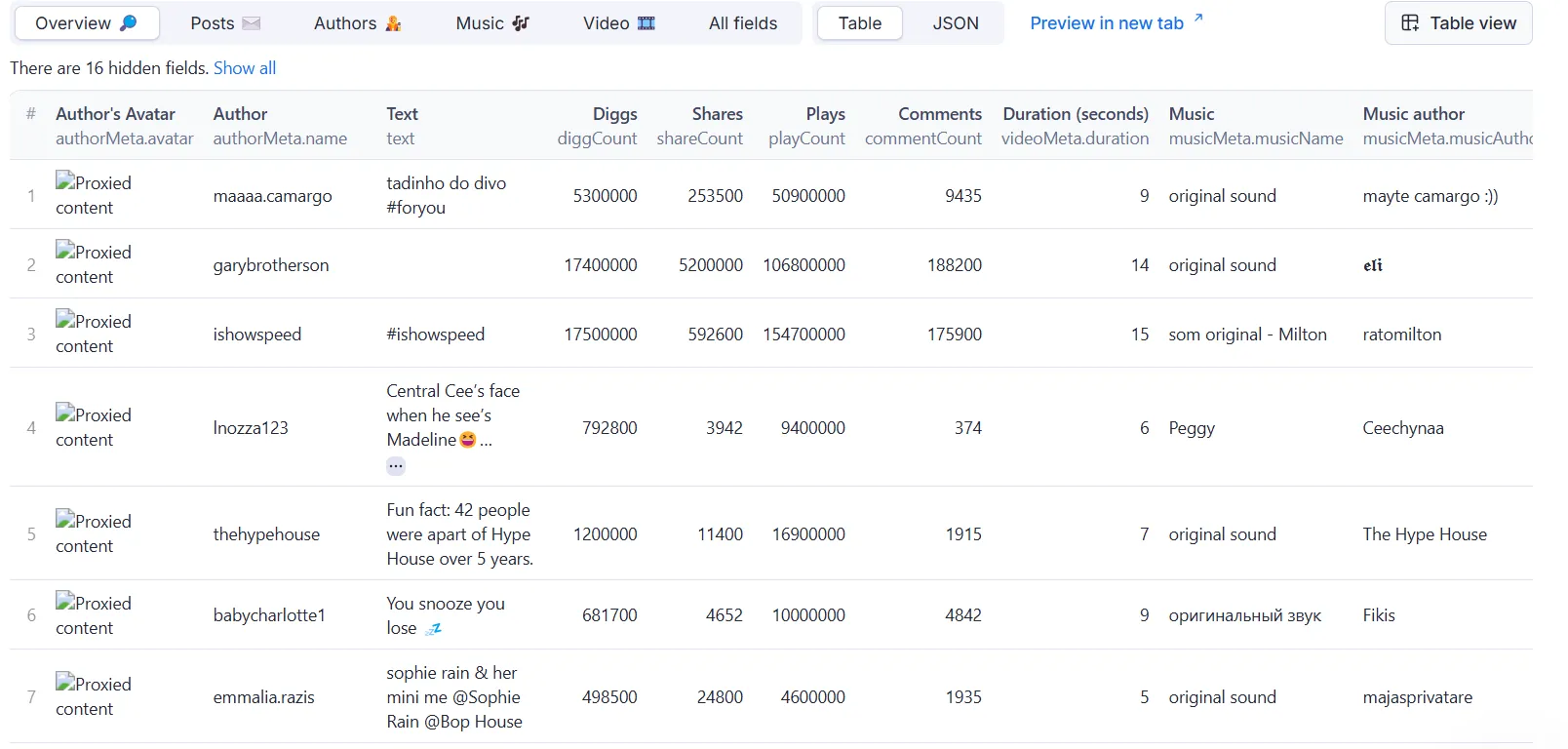
Each item is one post, and input tells you which Explore category it came from, so you can keep several categories apart in a single run. Items without an errorCode field are posts; if a category returns nothing, the Actor pushes an error item carrying errorCode instead. Below is one post from the Food category, trimmed to the most useful fields. See the Output schema for every field and its description.
Integrate TikTok Explore Scraper and automate your workflow
You can integrate TikTok Explore Scraper with almost any cloud service or web app, including n8n, Make, Zapier, Slack, Airbyte, GitHub, Google Drive, and plenty more via Apify integrations. You can also set up webhooks to trigger an action whenever a run finishes.
To run TikTok Explore Scraper from an AI assistant, add https://mcp.apify.com as a custom connector in Claude or ChatGPT. The Apify MCP server gives the assistant access to every Actor in Apify Store, so you can ask for Explore data in plain language:
Scrape any TikTok data you need with dedicated Actors
Your feedback
We're always working on improving the performance of our Actors. So if you've got any technical feedback for TikTok Explore Scraper or simply found a bug, please create an issue on the Actor's Issues tab.
❓FAQ
How much does it cost to scrape TikTok Explore?
TikTok Explore Scraper uses the pay-per-event pricing model, so the price is predictable. You'll pay a $0.001 flat fee each time you start a run, plus a per-video fee that drops on higher plans: $1.30 per 1,000 videos on the Free plan, down to $0.50 per 1,000 on Business.
The Apify Free plan comes with $5 of free credits each month, so you can scrape around 3,800 videos for free. Check the full pricing for every plan.
How is TikTok Explore Scraper different from scraping TikTok with TikTok Scraper?
TikTok Scraper collects content you specify by keyword, hashtag, or URL. TikTok Explore Scraper scrapes by category instead, reading TikTok's Explore tab directly, so it needs no query at all.
The source differs as well. The For You Page is a hyper-personalized engagement engine built around an individual viewer's behavior, while Explore focuses more on broadly trending topics, categories, and viral content. Both Actors return the same output fields, so you can move between them without changing anything in your analysis workflow.
Can I use TikTok Explore Scraper with the Apify API?
Yes. The Apify API gives you programmatic access to trigger runs, pass input, and retrieve results. The API tab has ready-made examples for the JavaScript and Python clients and the Apify CLI, along with the OpenAPI specification. You can also put runs on a schedule to capture how an Explore category changes over time.
Is it legal to scrape TikTok Explore?
TikTok Explore Scraper accesses only publicly available content. It does not extract private user data. Your results may contain personal data subject to GDPR in the EU and similar regulations elsewhere, so only scrape it for legitimate purposes. Read more about the legality of web scraping and ethical web scraping practices.


