

Shopify App Reviews Scraper - Merchant Reviews by App
Pricing
from $0.50 / 1,000 results
Shopify App Reviews Scraper - Merchant Reviews by App
Scrapes merchant reviews of any Shopify App Store app (apps.shopify.com), one row per review: rating, date, text, store name, country, usage time and developer reply. Use app URLs or handles, filter by stars or date, and enrich Shopify App Store scraper results.
Pricing
from $0.50 / 1,000 results
Rating
0.0
(0)
Developer

ActorFlow
Maintained by CommunityActor stats
0
Bookmarked
2
Total users
1
Monthly active users
a day ago
Last modified
Categories
Share
Shopify App Reviews Scraper (apps.shopify.com) - Merchant Reviews by App
Scrape merchant reviews of any Shopify App Store app (apps.shopify.com): one row per review with the star rating, review date, review text, store name, store country, how long the store used the app and the developer reply. Paste an app URL or handle, press Start, and export the Shopify app reviews as JSON, CSV or Excel, or call the actor as a Shopify App Store reviews API. Filter by star rating or date and get only new reviews on every scheduled run. It also enriches the apps you scraped with the Shopify App Store scraper by adding their reviews.
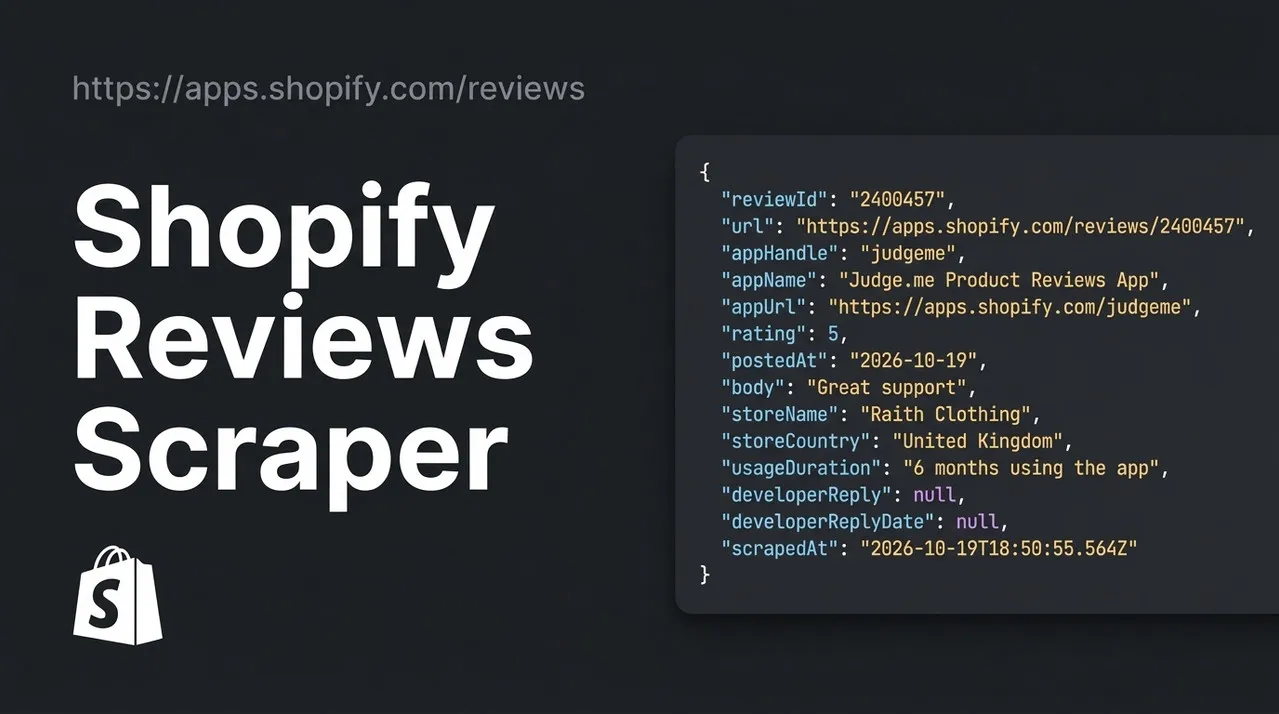
Target website: apps.shopify.com
✨ Features of this Shopify app reviews scraper
- One row per review — rating, date, full review text, store name, store country, usage time ("3 months using the app"), developer reply and reply date, plus the app handle, name and URL so rows join back to your app list
- Any app, many apps per run — app URLs, app review URLs or plain app handles such as
judgeme - Pagination support — pages through the newest-first review list until Max reviews per app is reached or the reviews run out
- Star rating filter — keep only 1 and 2 star reviews to find complaints, or only 5 star reviews for testimonials
- Date filter — only reviews posted on or after a date
- Only new reviews — a cache project name skips reviews you already scraped, so scheduled runs return just the new ones
- Works with the Shopify App Store scraper — feed it the app URLs from that actor's dataset to enrich every app with its reviews
- Proxy support — optional Apify Proxy, off by default
- No browser required — plain HTTP requests keep runs fast and cheap
🚀 How to scrape Shopify app reviews in 5 steps
- Sign up for a free Apify account — includes $5 monthly credit.
- Open the actor page and click Try for free.
- Fill in the Input fields (an app URL or app handle is required).
- Click Start and wait for the run to complete.
- Download results from the Output tab in JSON, CSV, or Excel format.
You can also run this actor via the Apify API or integrate it directly into your workflows using Zapier, Make, or n8n.
💰 Shopify app reviews scraper pricing
This actor uses pay-per-result billing: you pay for each review saved to the dataset.
- New Apify accounts include $5 of free monthly credit.
- It uses plain HTTP requests instead of a headless browser, so it costs significantly less to run than browser-based scrapers.
- Proxies are off by default, which keeps runs cheapest.
- Reviews skipped by the cache are not charged, so scheduled runs cost only for genuinely new reviews.
🔧 Shopify app reviews scraper input configuration
| Field | Type | Required | Default | Description |
|---|---|---|---|---|
startUrls | array | — | https://apps.shopify.com/judgeme (prefill) | Shopify app URLs or app review URLs. A ratings[] filter in a reviews URL is kept. |
maxItems | integer | — | 5 | Maximum reviews saved for each app, newest first. |
cacheProjectName | string | — | — | Use the same name on each run to get only new reviews. Cached reviews are skipped, not charged and not counted towards Max reviews per app. Records get changeType: new. |
appHandles | array | — | [] | App handles from the app URL, for example judgeme for https://apps.shopify.com/judgeme. |
ratings | array | — | [] | Keep only these star ratings (1 to 5). Empty means all ratings. |
reviewsSince | string | — | — | Only save reviews posted on or after this date. |
proxyConfiguration | object | — | { "useApifyProxy": false } | Optional Apify Proxy. The site works without one. |
Supported URL types:
- App page:
https://apps.shopify.com/judgeme - App reviews page:
https://apps.shopify.com/judgeme/reviews(optionally with?ratings[]=1to keep only 1 star reviews)
Search, category and developer pages are not reviews pages. Use the Shopify App Store scraper to turn those into a list of apps first, then follow the enrichment steps below.
📦 Shopify app reviews scraper output data
Each review is one flat JSON record with the fields reviewId, url, appHandle, appName, appUrl, rating, postedAt, body, storeName, storeCountry, usageDuration, developerReply, developerReplyDate and scrapedAt (plus changeType when a cache project is used). The dataset has 1 view: Overview, a compact table with the app, rating, date, review text, store, country, usage time, developer reply and review link.
Output at a glance:
| App | Rating | Posted | Store | Country | Review |
|---|---|---|---|---|---|
| Judge.me Product Reviews App | 5 | 2026-10-19 | Raith Clothing | United Kingdom | Great support |
| Judge.me Product Reviews App | 5 | 2026-10-19 | True Nutra | United States | Alles super |
| Judge.me Product Reviews App | 5 | 2026-10-19 | Conjuro Arcano | Spain | Me ayudarón en seguido con mis ajustes. Un gran equipo! |
| Judge.me Product Reviews App | 5 | 2026-10-19 | Micro Nutrition | Ukraine | — |
| Judge.me Product Reviews App | 5 | 2026-10-19 | GreenTahr | Spain | — |
Sample output (raw JSON):
🧩 How to enrich Shopify App Store scraper results with app reviews
The Shopify App Store scraper returns one row per app. This actor adds the reviews for those apps. Run the app scraper first, then pass its app URLs to this actor.
No code (Apify Console):
- Run the Shopify App Store scraper for your keyword, category or developer. Open the run's Output tab.
- Export the dataset as CSV or Excel with only the
urlcolumn (one app URL per row), or copy theurlvalues. - Open this actor, click Bulk edit (or Text file) under Shopify app or reviews URLs and paste the URLs.
- Set Max reviews per app, add star or date filters if you need them, and click Start.
- Join the two datasets on
appHandle(this actor) =handle(app scraper). Every review row also carriesappNameandappUrl.
With code (Python):
Tips for enrichment: use the same Cache project name on every run to add only reviews you have not stored yet, set Only these star ratings to 1 and 2 to collect complaints about competitor apps, and keep Max reviews per app modest when you enrich hundreds of apps.
🔁 Scrape only new Shopify app reviews with the cache
Set the same Cache project name on every scheduled run and the actor remembers each review it has saved under that name.
- Skipped and not charged: reviews already saved are not saved again, not charged, and do not count towards Max reviews per app.
- Newest first: the actor reads the newest reviews first and stops as soon as it reaches one it already has, so a run on an app with thousands of old reviews stays short.
- Tagged as new: every saved record gets
changeType: "new". - Separate caches per name: use one name per product or competitor group and each keeps its own history.
Use it with an Apify Schedule for a daily or weekly feed of new reviews.
🐍 How to scrape Shopify app reviews with Python, JavaScript or the API
Run the actor programmatically with the official Apify clients. Replace <YOUR_API_TOKEN> with the token from your Apify Console.
Python (pip install apify-client):
JavaScript (npm install apify-client):
cURL — start a run and wait for the dataset:
💡 What you can use Shopify app review data for
- Competitor research — read what merchants complain about in competing apps and find gaps to build into your own
- Feature requests and churn reasons — filter 1 and 2 star reviews to see why stores leave an app
- Developer support monitoring — track new reviews of your own app and check whether each one got a developer reply
- App selection for agencies — compare ratings, review dates and merchant feedback before recommending an app to clients
- Sentiment analysis — feed review text and ratings into your own models or the Sentiment Analysis actor
Shopify app developers, ecommerce agencies, investors and market researchers use this data to understand the Shopify app ecosystem.
⚠️ Shopify app reviews scraper limitations
- Newest first only — reviews are read newest first. The other sort orders on the site were not reproducible, so oldest-first or most-helpful-first are not offered.
- Public data only — merchant contact details are not shown on review pages. You get the store name and country, not owner emails.
- Some reviews have no text — a few merchants leave only a star rating, so
bodyisnullandusageDurationmay benullfor those rows. - Large apps have thousands of pages — popular apps hold tens of thousands of reviews. Raise Max reviews per app deliberately, or use a date filter or the cache.
❓ Shopify app reviews scraper FAQ
Can I scrape Shopify App Store reviews legally?
The actor only collects reviews that are publicly visible on apps.shopify.com without logging in. Scraping publicly available data is generally considered lawful (see hiQ Labs v. LinkedIn), but you are responsible for following Shopify's Terms of Service and for laws such as GDPR or CCPA when you handle store names and review text.
What data does the Shopify app reviews scraper return?
One row per review with the star rating, review date, review text, store name, store country, how long the store has used the app, the developer's reply and reply date, a link to the review and the app's handle, name and URL.
How many reviews can I scrape from one Shopify app?
Max reviews per app limits the reviews saved for each app. The actor reads 10 reviews per page, newest first, until that limit, the date filter or the end of the reviews. Popular apps can have tens of thousands of reviews.
Do I need a proxy to scrape apps.shopify.com?
No. The proxy is off by default and the site answers plain requests. If a very large run hits temporary rate limits, the actor waits and retries on its own, and you can switch on Apify Proxy for extra headroom.
How do I scrape Shopify app reviews with Python?
Use the Python example above: start the actor with your app URLs, then iterate over the dataset items of the finished run.
Can I add reviews to the apps I scraped with the Shopify App Store scraper?
Yes. Run the Shopify App Store scraper, take the url of each app from its dataset, and pass those URLs to this actor. Join the results on appHandle = handle. The enrichment section above has both the no-code steps and a Python example.
Can I run this Shopify reviews scraper on a schedule?
Yes. Create an Apify Schedule and set a Cache project name. Reviews already scraped under that name are skipped, are not charged and do not count towards Max reviews per app, so each scheduled run returns only new reviews marked changeType: new.
What output formats are supported?
JSON, CSV, Excel, XML and RSS, either from the Output tab or through the Apify API.
🔗 Relevant actors for Shopify and review data
| Scraper | Description |
|---|---|
| 🛒 Shopify App Store Scraper | Shopify apps with pricing plans, developer contact, categories and launch date. |
| 📱 Google Play Store Reviews Scraper | Google Play app reviews with text, star rating and developer reply. |
| 🍷 Vivino Wine Reviews Scraper | Vivino user reviews and tasting notes with star ratings. |
| 🧠 Sentiment Analysis Using Jev | Classifies the sentiment of any text list as positive, negative, neutral or mixed. |
| ✉️ Signal NFX Investors Scraper | VC and angel investor profiles with check sizes and optional emails. |
🔗 Other actors you may find useful
| Scraper | Description |
|---|---|
| 📅 Facebook Events Scraper | Public Facebook events by keyword, location and date, without logging in. |
| 📈 Kalshi Markets Scraper | Kalshi prediction markets: yes/no prices, implied probability and volume. |
| 💼 Dice Jobs Scraper | Tech job listings from Dice by keyword or URL: company, salary and location. |
| 🚗 Copart Search Scraper | Copart auction lots: damage, odometer, current bid and location. |
| 🥾 AllTrails Scraper | Hiking, biking and running trails by park, city, state or coordinates. |
💬 Support & contact
If you encounter any issues or have questions, please open an issue or reach out via the Apify Community Forum.
You can also find more of our actors on the Actor Flow page.


