

Company Hiring Trend Monitor
Pricing
from $2.40 / 1,000 company-trend-results
Company Hiring Trend Monitor
Monitor public company career pages and ATS boards over repeated runs and detect company-level hiring changes - new roles, removed roles, department growth, location expansion, and remote/hybrid movement. No login or cookies.
Pricing
from $2.40 / 1,000 company-trend-results
Rating
0.0
(0)
Developer

Delowar Munna
Maintained by CommunityActor stats
0
Bookmarked
2
Total users
1
Monthly active users
5 months ago
Last modified
Categories
Share
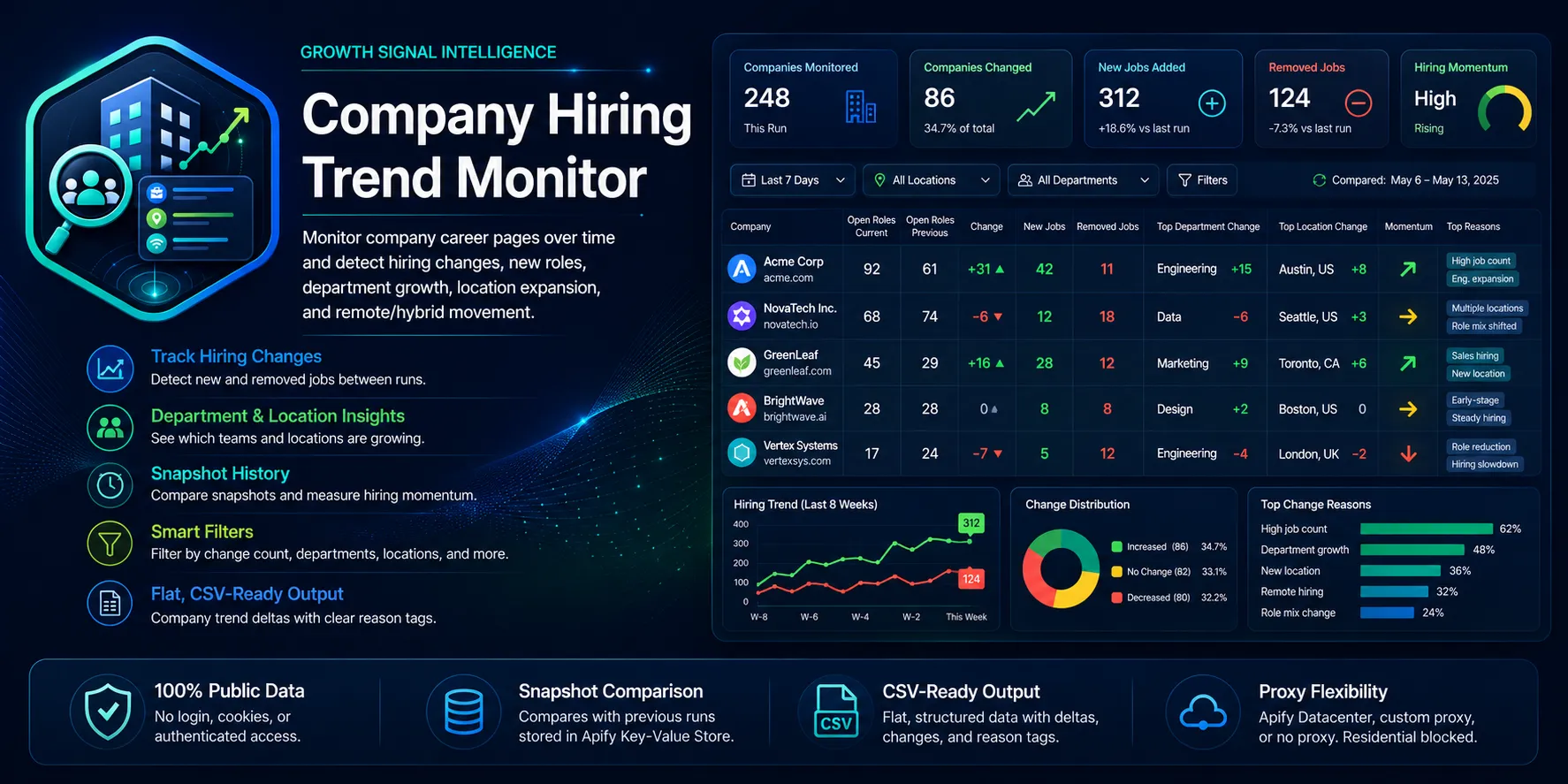
Monitor public company career pages and ATS boards over repeated runs and detect company-level hiring changes — new roles, removed roles, department growth, location expansion, and remote/hybrid movement. The actor turns repeated job-listing snapshots into a clean, flat, CSV-friendly hiring trend dataset built for sales triggers, recruiting intelligence, market research, and competitor hiring analysis.
Unlike generic job scrapers that only return the current listings, this actor shows what changed across runs, which is what matters for sales timing and competitor growth monitoring.
- No login, no cookies, no sessions. Public sources only.
- One flat trend row per company per run.
- Pay only for valid unique company trend rows (
company-trend-result).
How it works
Each run, for every company you supply:
- Detect the source from the URL — Greenhouse, Lever, Ashby, Workable, or a generic careers page.
- Extract current open roles over HTTP (public JSON endpoints where available, otherwise HTML).
- Load the previous snapshot for that company from the Apify Key-Value Store.
- Diff current vs previous: new jobs, removed jobs, open-roles delta, department & location growth, remote/hybrid/on-site movement.
- Score the change with a transparent 0–100
hiring_trend_score(no AI). - Save the new snapshot for next time (unless
saveSnapshotis off).
First run is a baseline
The first time a company is seen there is nothing to compare against, so the row is marked snapshot_status = baseline_created, hiring_trend_label = no_baseline, previous_open_roles = null, and a baseline snapshot is stored. Run the actor again later (e.g. on a schedule) to get real change detection.
Supported sources
| Source | Example URL | Extraction |
|---|---|---|
| Greenhouse | https://boards.greenhouse.io/acme | Public board JSON API |
| Lever | https://jobs.lever.co/acme | Public postings JSON API |
| Ashby | https://jobs.ashbyhq.com/acme | Public job-board JSON API |
| Workable | https://apply.workable.com/acme | Public widget JSON (best-effort) |
| Generic careers page | https://acme.com/careers | JSON-LD JobPosting + link heuristics (best-effort) |
Input
Provide at least one of companyUrls or companies.
| Field | Type | Default | Purpose |
|---|---|---|---|
companyUrls | string[] | [] | Raw career/ATS URLs to monitor |
companies | object[] | [] | Structured { companyName, careersUrl, companyWebsite } |
maxCompanies | integer | 100 | Cap on companies processed (1–1000) |
maxJobsPerCompany | integer | 250 | Cap on jobs per company (1–1000) |
outputMode | string | company_trends_only | company_trends_only or company_and_jobs |
onlyChangedCompanies | boolean | false | Keep only companies with detected changes |
minChangeCount | integer | 0 | Min new + removed jobs to keep a company |
departmentKeywords | string[] | [] | Keep only companies hiring in these departments |
locationKeywords | string[] | [] | Keep only companies hiring in these locations |
remoteFilter | string | any | any, remote_only, hybrid_or_remote, onsite_only |
snapshotKeyPrefix | string | hiring-trend | Namespace for stored snapshots |
saveSnapshot | boolean | true | Set false for dry-run (compare, don't overwrite) |
deduplicateJobs | boolean | true | Remove duplicate jobs before comparison |
proxyConfiguration | object | { "useApifyProxy": true } | See proxy policy below |
debugMode | boolean | false | Extra logs |
No field accepts login credentials, cookies, session tokens, authorization headers, or private API keys.
Sample input — structured companies
Sample input — raw URLs + filters
Output
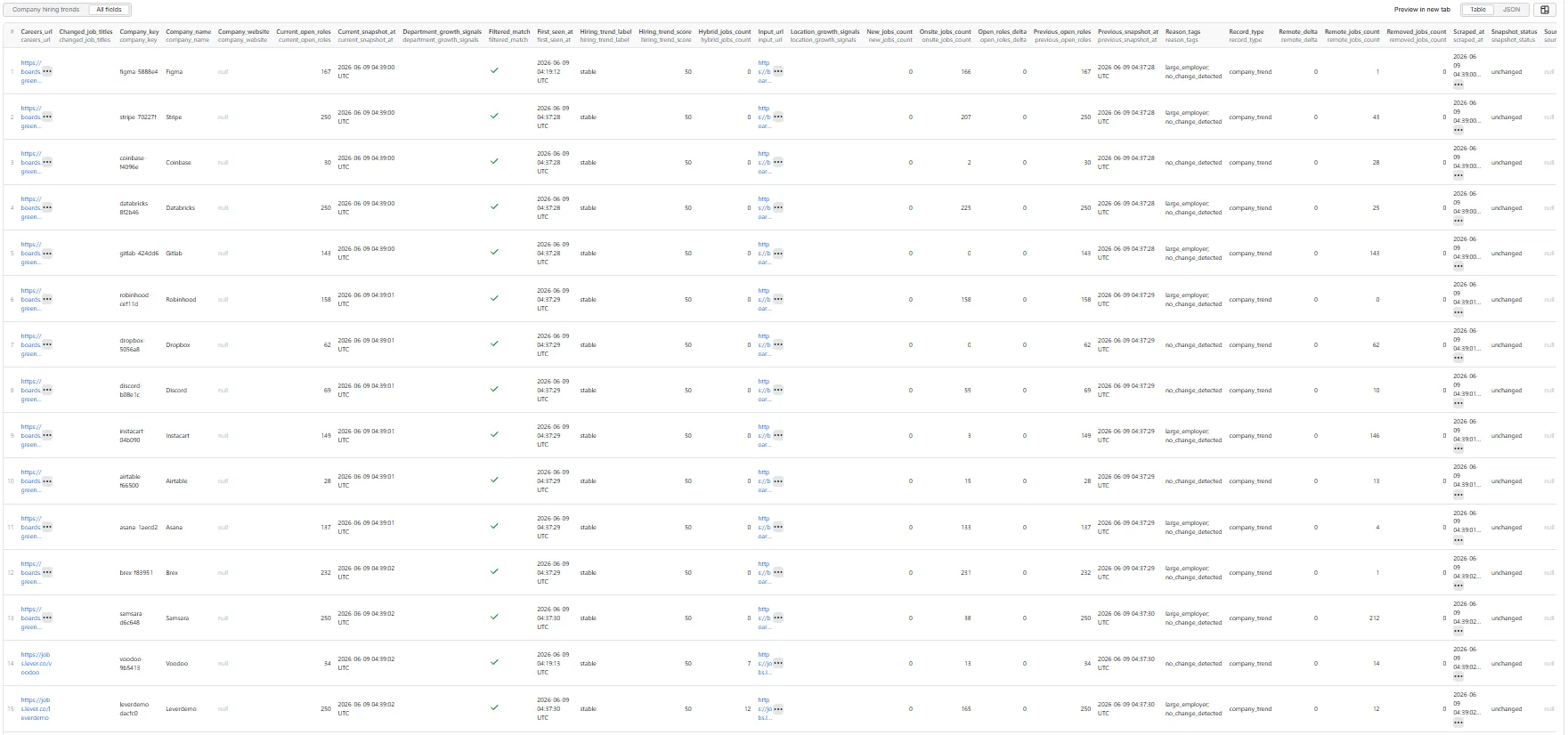
One flat company_trend row per company. Key fields:
| Field | Description |
|---|---|
company_name, company_website, careers_url, source_type, company_key | Identity & source |
snapshot_status | baseline_created, changed, unchanged, or failed |
current_open_roles, previous_open_roles, open_roles_delta | Role counts |
new_jobs_count, removed_jobs_count, unchanged_jobs_count, changed_job_titles | Job-level diff |
top_departments, department_growth_signals | Department mix & growth |
top_locations, location_growth_signals | Location mix & growth |
remote_jobs_count, hybrid_jobs_count, onsite_jobs_count, remote_delta | Workplace mix |
hiring_trend_score, hiring_trend_label, reason_tags | Transparent 0–100 score |
first_seen_at, previous_snapshot_at, current_snapshot_at | Timestamps |
filtered_match, source_error, scraped_at | Status |
When outputMode = company_and_jobs, additional flat job_snapshot rows are pushed for each current job (these are not charged).
Sample company_trend row (from a live run)
The first run for any company is a baseline (
snapshot_status: baseline_created, deltasnull). The delta fields above populate from the second run onward — for example a growing company returnssnapshot_status: changed,new_jobs_count: 11,open_roles_delta: 8,changed_job_titles: "NEW: Senior Data Engineer; …",department_growth_signals: "Engineering +5; Sales +3", and a higherhiring_trend_score/fast_growinglabel.
Sample job_snapshot row (outputMode = company_and_jobs)
A RUN_SUMMARY object (companies processed, baselines created, changed/unchanged counts, duplicates removed, charged events, per-source counts, runtime) is written to the default Key-Value Store.
Pricing
This actor uses Pay Per Event. You are charged the company-trend-result event once per valid unique company trend row that passes your filters and is saved. Failed inputs, duplicates, filtered-out companies, and optional job_snapshot rows are never charged. The per-run spending limit you set on Apify is respected — the actor stops pushing once the cap is reached.
🚦 Proxy policy
Use Apify Datacenter proxy or no proxy for normal runs — both work reliably for public career pages and ATS APIs at this actor's conservative concurrency.
Apify Residential proxy is not supported. The actor will fail at startup if apifyProxyGroups includes RESIDENTIAL. Reason: in pay-per-event actors, residential bandwidth (charged per GB) is billed to the developer, not the run user, so a single bandwidth-heavy run could exceed the per-result event revenue.
If you genuinely need residential routing, supply your own residential provider via the proxy editor's Custom proxy URLs field — that traffic goes through your provider, not Apify, and is unaffected:
Tips
- Schedule it. Trend detection needs at least two runs. Use Apify Schedules (e.g. weekly) with the same
snapshotKeyPrefixto build a hiring-movement history. - Separate streams with different
snapshotKeyPrefixvalues (e.g.competitors,prospects). - Dry-run with
saveSnapshot: falseto compare without overwriting your stored baseline.


