

Hiring Change Monitor — Track New & Removed Jobs
Pricing
from $1.80 / 1,000 hiring-change-results
Hiring Change Monitor — Track New & Removed Jobs
Monitor public company career pages and ATS boards (Greenhouse, Lever, Ashby, Workday-style sites) for hiring changes. Detect new, removed, reopened, and changed job posts as clean, CSV-friendly hiring-signal events.
Pricing
from $1.80 / 1,000 hiring-change-results
Rating
0.0
(0)
Developer

Delowar Munna
Maintained by CommunityActor stats
0
Bookmarked
2
Total users
1
Monthly active users
5 months ago
Last modified
Categories
Share
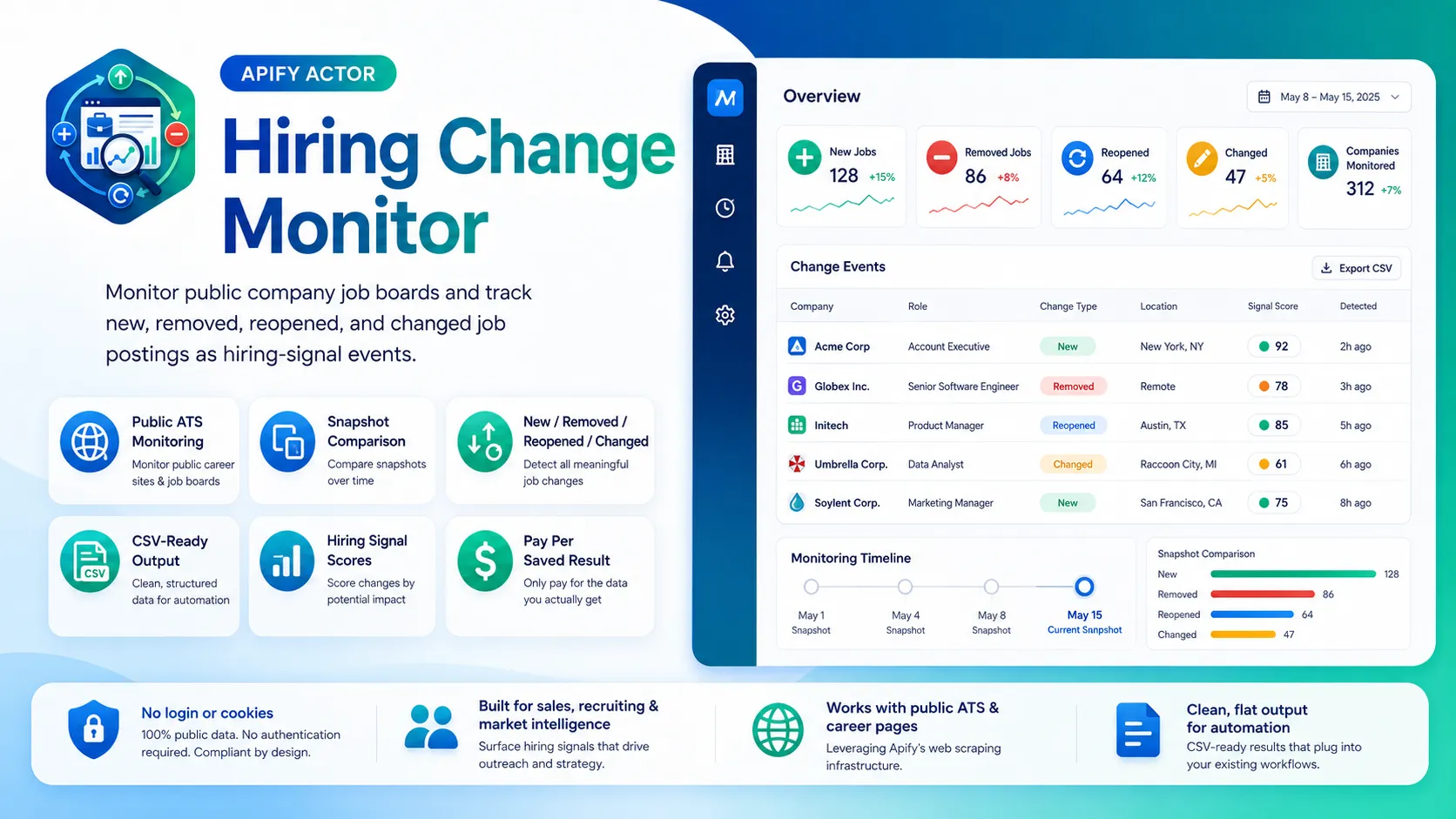
Track public company career pages and ATS boards and see what changed between runs — every job tagged new, removed, reopened, changed, or unchanged — from Greenhouse, Lever, Ashby, Workday-style sites, and generic career pages. Clean, flat, CSV-ready rows with a transparent hiring-signal score. Built for sales, recruiting, staffing, investors, and market-intelligence teams.
No login, no cookies, no paid data APIs. The actor uses each platform's free public endpoints over HTTP and compares each run against a stored snapshot.
By default (Output mode = All current jobs) every run returns the full current list of jobs, each tagged with its change_type, plus any jobs that were removed — so output is never empty. Switch to Changes only to return just the deltas (new/removed/reopened/changed) for lean scheduled monitoring.
✨ Why this monitor
- Knows what changed — every row carries a
change_type(new/removed/reopened/changed/unchanged) and reason tags, so you see hiring momentum at a glance. - Two output modes — All current jobs (full list each run, tagged) or Changes only (deltas vs the previous run). Pick per use case.
- Multi-source — Greenhouse, Lever, and Ashby public JSON APIs are first-class; Workday-style sites and generic career pages are supported best-effort, including lightweight
companyDomainsdiscovery. - Scheduled-run friendly — set a
monitorId, schedule the actor, and each run compares against the previous snapshot stored in the Apify key-value store. - 38 flat fields — change metadata, company/source, job details, compensation (when public), snapshot timing, and previous values for changed jobs. Drops straight into Sheets/Excel/CRMs.
- Transparent hiring-signal score — rule-based (no AI), explained below.
🧭 Output modes & first-run behavior
Output mode controls what each run returns:
- All current jobs (default) — returns every job currently on the board, each tagged with its
change_type(new/changed/reopened/unchanged), plus jobs that wereremovedsince the last run. Output is never empty, and you can always see the full picture with the changes highlighted. - Changes only — returns just the differences versus the previous run (
new/removed/reopened/changed) and suppressesunchangedjobs. Leaner output, ideal for scheduled alerting.
First run: for a given monitorId there is no prior snapshot, so every current job is reported as new and is_first_snapshot is true. The actor stores a snapshot at the end of the run. Reuse the same monitorId across scheduled runs so each run compares against the last.
🚀 Quick start — sample inputs
Example 1 — watch a set of ATS boards (full list each run)
Example 2 — changes-only alerting + domain discovery + your own proxy
Provide at least one of
startUrlsorcompanyDomains. LeavemonitorIdempty to derive a stable one from your inputs, or set your own so scheduled runs share a snapshot.
The actor blocks Apify Residential proxy; if you need residential routing, supply your own provider via
proxyConfiguration.proxyUrlsas shown. See 🚦 Proxy policy below.
📦 Output
The dataset has one view: Hiring change events — a 38-column flat table.
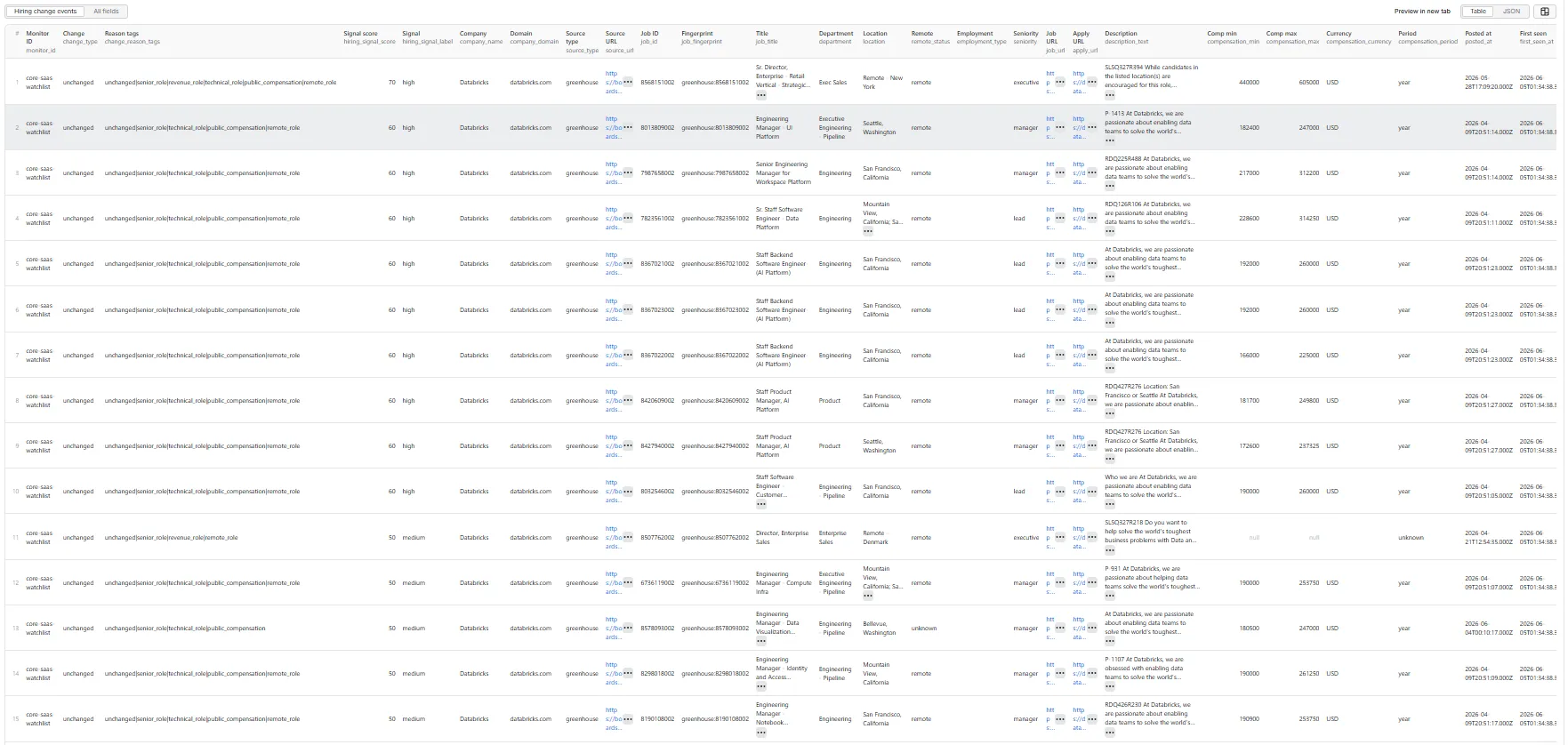
Output fields (38)
monitor_id, change_type, change_reason_tags, hiring_signal_score, hiring_signal_label, company_name, company_domain, source_type, source_url, job_id, job_fingerprint, job_title, department, location, remote_status, employment_type, seniority, job_url, apply_url, description_text, compensation_min, compensation_max, compensation_currency, compensation_period, posted_at, first_seen_at, last_seen_at, previous_job_title, previous_location, previous_department, previous_remote_status, previous_compensation_min, previous_compensation_max, snapshot_previous_at, snapshot_current_at, is_first_snapshot, input_value, scraped_at.
Sample record — Hiring change event
Real run output (default All current jobs mode, on a scheduled re-run). This row is tagged unchanged with snapshot_previous_at filled in — on the first run the same job would be new with is_first_snapshot: true. The description_text is truncated here for readability.
For a new job, change_type is new and change_reason_tags starts with new_job. For a changed job, the relevant previous_* fields are populated (e.g. previous_job_title) and change_reason_tags includes tags like title_changed, location_changed, department_changed, remote_status_changed, description_changed, or compensation_changed.
🎯 Hiring-signal score
Transparent rule-based score (0–100) computed from visible fields — no AI, no external enrichment.
Base score by change type: reopened 65 · new 55 · removed 40 · changed 35 · unchanged 5.
| Modifier | Points |
|---|---|
| Senior / lead / manager / director / executive role | +15 |
| Revenue/growth department (sales, marketing, partnerships, CS) | +10 |
| Technical department (engineering, data, product, security, AI) | +10 |
| Public compensation present | +10 |
| Remote / hybrid | +10 |
| Multiple jobs newly opened at the same company this run | +10 |
| Expansion-oriented title (founding, launch, growth, enterprise, …) | +10 |
| Internship / temporary role | −10 |
Score is floored at 0 and capped at 100.
Labels: very_high (80–100) · high (60–79) · medium (30–59) · low (0–29).
change_reason_tags is a pipe-separated list combining the change reasons and the signal reasons — e.g. new_job|senior_role|technical_role|remote_role|public_compensation.
💰 Pricing
Pay-Per-Event. One flat event per saved record (final per-event price is configured on the Apify console):
| Event | Charged when |
|---|---|
hiring-change-result | Once per row that passed all filters and was successfully written to the dataset. |
So your bill is simply results_saved × price_per_event. Choose your mode to control cost:
- All current jobs (default) — you're charged for every job each run (including
unchangedones), because the full current list is saved. Best when you always want the complete, change-tagged picture. - Changes only — you're charged only for the deltas (new/removed/reopened/changed). A run with no changes saves and charges nothing. Best for lean scheduled monitoring.
The actor honors the user-configured per-run spending cap (Apify eventChargeLimitReached): it caps how many rows it will save up-front to what the limit can pay for, and stops cleanly the moment the cap is reached.
Not charged in either mode:
- Duplicates (deduplicated by source+
job_id, canonical URL, then title/company/location keys). - Rows filtered out by keyword / department / location / remote / change-type filters.
unchangedjobs when Changes only mode is selected.- Failed source fetches, invalid inputs, and snapshot storage.
🚦 Proxy policy
Use Apify Datacenter proxy or no proxy for normal runs — both work reliably for public ATS APIs and career pages at this actor's conservative concurrency.
Apify Residential proxy is not supported. The actor will fail at startup if proxyConfiguration.apifyProxyGroups includes RESIDENTIAL. Reason: in pay-per-event actors, residential bandwidth (~/GB) is billed to the developer, not the run user, so a single bandwidth-heavy run could exceed the per-result event revenue.
If you genuinely need residential routing, supply your own residential provider via the proxy editor's Custom proxy URLs field — that traffic goes through your provider, not Apify, and is unaffected:
📊 Run summary
After each run, a RUN_SUMMARY entry is written to the default key-value store:
charged_events equals the number of successfully saved records. Snapshots and the cross-run history index are stored in a named key-value store (hiring-change-monitor-state) so they survive between scheduled runs.
⚙️ Filters
| Filter | Effect |
|---|---|
outputMode | all (every current job, tagged — default) or changes (deltas only, unchanged suppressed). |
changeTypes | Optional. Restrict output to specific change types. Empty = use the Output mode default. |
keywordFilter / excludeKeywordFilter | Case-insensitive match across title, department, location, description, company, tags. Exclusion wins. |
departmentFilter | Keep only matching departments/teams. Missing department fails when set. |
locationFilter | Keep only matching locations. Missing location fails when set. |
remoteOnly | Keep only remote/hybrid postings. |
deduplicate | Drop duplicate jobs across inputs (recommended ON). |
Filters are applied after change detection but before any dataset push or event charge.
🚧 Limitations (V1)
- Public data only: no login, cookies, or member-only content; no candidate/applicant data.
- Core ATS are first-class: Greenhouse, Lever, and Ashby use stable public JSON APIs. Workday-style sites and generic career pages are best-effort — when a public listing cannot be reached, the input is marked failed/unsupported and the run continues with the others.
companyDomainsdoes lightweight discovery only (homepage + common careers paths, following links to supported ATS boards). It does not crawl the whole site.- Compensation is included only when the public source exposes it (e.g. Lever salary ranges, Ashby compensation, or amounts visible in the description). No paid enrichment.
- Reopened detection relies on a compact history index kept per
monitorId; a job that returns after being absent isreopened, otherwisenew. maxResultscaps raw current jobs processed;maxChangescaps saved records per run (changes in Changes only mode, all rows in All current jobs mode).- No webhooks/alerts in V1 — schedule the actor and consume the dataset/API.
❓ FAQ
Do I need an account, cookies, or API keys? No. The actor only uses each platform's free public endpoints.
Why is everything new on my first run?
There is no prior snapshot yet, so every current job is reported as new and is_first_snapshot is true. Run again later with the same monitorId to see real changes.
My second run returned nothing / only a few rows — is it broken?
No. In Changes only mode a run with no changes correctly returns nothing (there were no new/removed/reopened/changed jobs since the last run). If you'd rather always get the full current list with each job's status, use the default All current jobs mode — every run returns every job tagged new / changed / unchanged / etc.
Will I be charged for unchanged jobs?
Only in All current jobs mode, where the full list (including unchanged) is saved and charged each run. In Changes only mode, unchanged jobs are suppressed and never charged.
How do I track the same companies over time?
Set a stable monitorId and schedule the actor. Each run compares against the snapshot from the previous run under that ID.
What counts as a changed job?
A material change in a tracked visible field — title, location, department, remote status, compensation, or description — for a job that exists in both snapshots. The previous_* fields show the old values.
Can I export to CSV?
Yes — every field is flat (no nested objects). Use Apify's CSV / Excel export, or call the dataset API with format=csv.
🛠️ Technical notes
- Stack: Node.js 22 · Apify SDK 3 · Crawlee
HttpCrawler· Cheerio (career-page HTML only). No browser. - Endpoints: Greenhouse Job Board API, Lever Postings API, Ashby Job Posting API (all free/public); Workday CxS and career-page HTML best-effort.
- State: snapshot + history diff in a named Apify key-value store, namespaced by
monitorId. - Concurrency:
min=1,max=5(conservative; tune after real runs). - Memory: 1 GB min · 2 GB default · 4 GB max.
- Proxy: Apify Proxy enabled by default; custom configs accepted; Apify Residential rejected at startup.


