

App Store Reviews Scraper & Google Play Reviews API — Gripeline
Pricing
Pay per event
App Store Reviews Scraper & Google Play Reviews API — Gripeline
See what users complain about in any app. App Store and Google Play reviews scraper: both stores in one schema, ratings, review text, app version, plus a per-app complaint summary and monitor mode for new reviews only. $0.10 per 1,000 reviews ($0.0001 per review), $0.003 per app summary.
Pricing
Pay per event
Rating
0.0
(0)
Developer

CyberMax
Maintained by CommunityActor stats
0
Bookmarked
2
Total users
1
Monthly active users
4 days ago
Last modified
Categories
Share
Gripeline — App Store & Google Play reviews scraper
Website: cybermaxtools.com/store/gripeline-app-reviews · plans, related tools and bundles
See what users hate about any app
Give it app names or store links; get App Store and Google Play reviews in one schema plus a per-app complaint summary, for $0.0001 per review and $0.003 per app summary.
▶ Try it now with a prefilled input · $0.0001 per review + $0.003 per app summary (1,000 reviews = $0.10); apps not found are free · Apify's free plan includes $5 of credit a month, enough for up to about 50,000 reviews
Built for: App product managers · ASO and growth teams · Competitor and market analysts · AI agents answering "what do users complain about?"
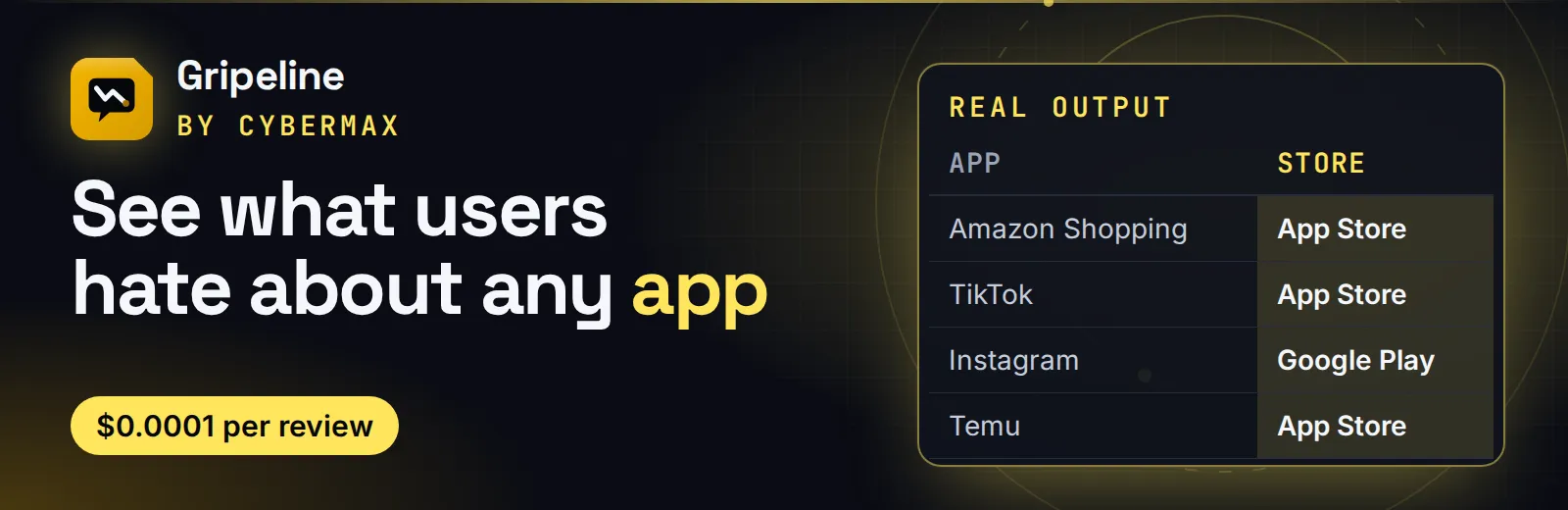
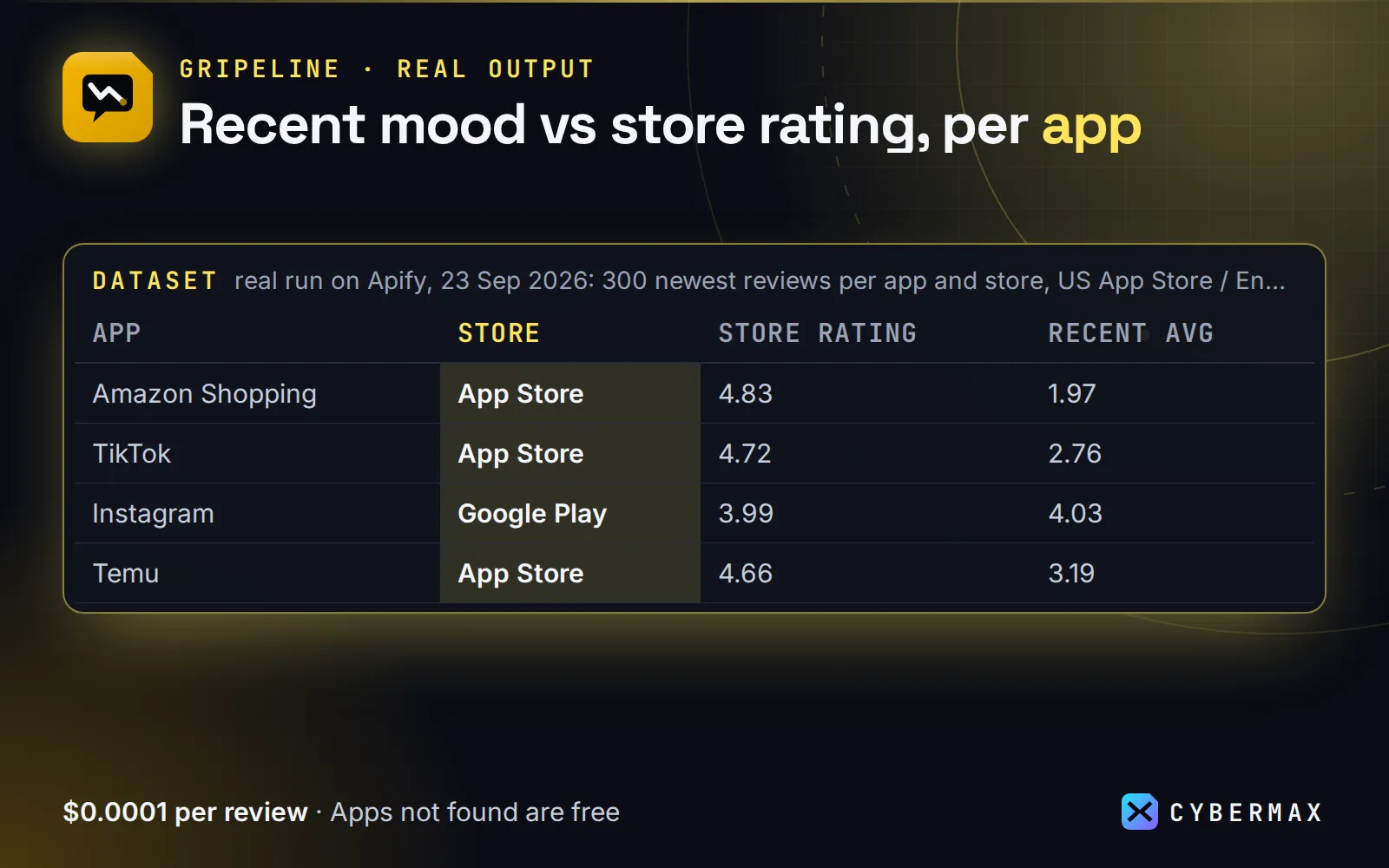
Real output (real run on Apify, 23 Sep 2026: 300 newest reviews per app and store, US App Store / English Google Play):
| App | Store | Store rating | Recent avg | % 1–2★ | Top complaints |
|---|---|---|---|---|---|
| Amazon Shopping | App Store | 4.83 | 1.97 | 72% | customer service, search results |
| TikTok | App Store | 4.72 | 2.76 | 48.3% | update, profile layout |
| Google Play | 3.99 | 4.03 | 21.7% | accounts, account suspended | |
| Temu | App Store | 4.66 | 3.19 | 41% | free gifts, pop ups |
| Spotify | Google Play | 4.35 | 3.99 | 21.3% | premium, ads |
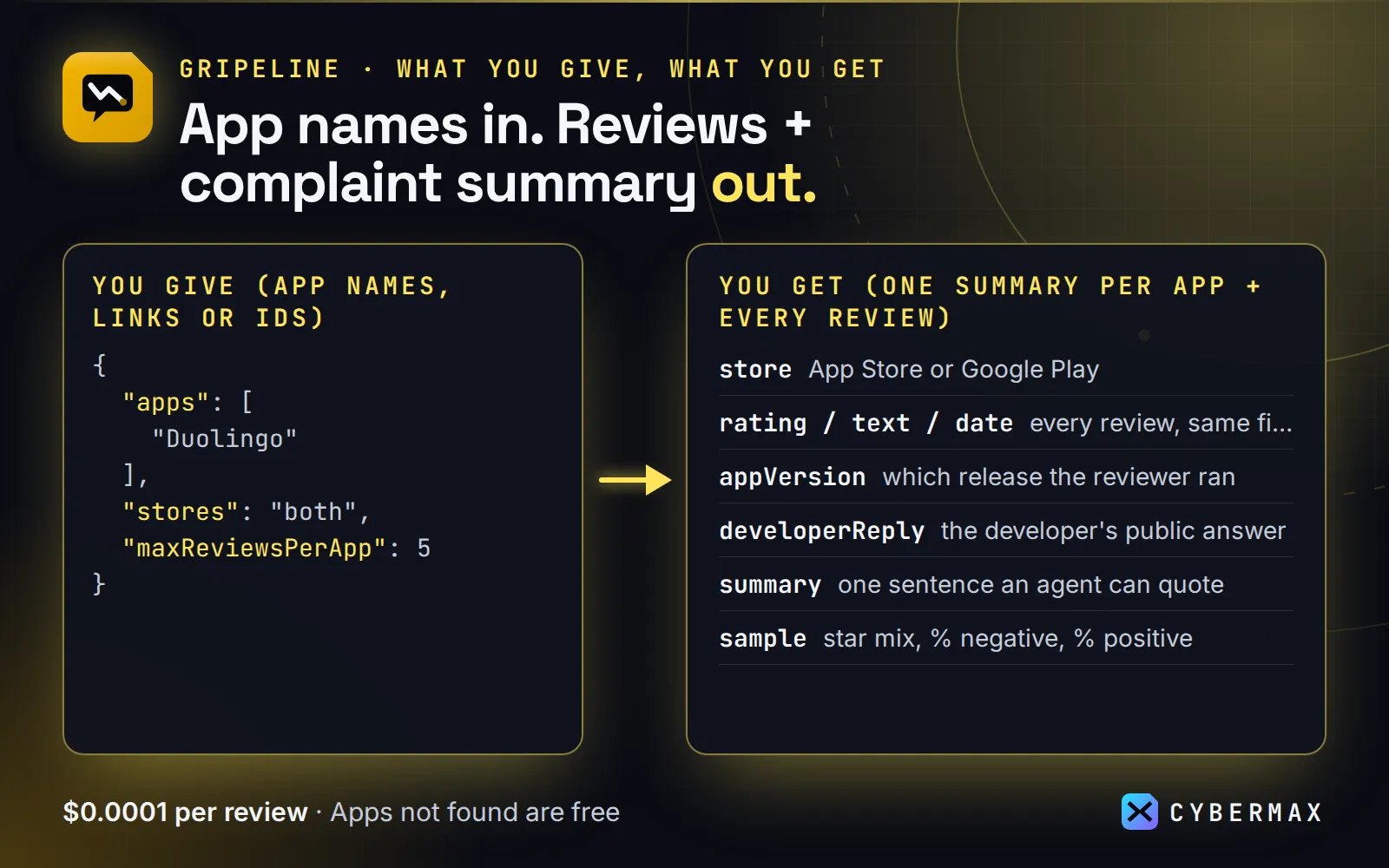
An app name, link or id is enough. Each app's summary record is one sentence an AI agent or analyst can use straight away:
Threads (App Store): 500 newest reviews (2026-08-30 to 2026-09-22), average 3.43★, 38.2% negative (1–2★). Top complaints: "people" (28), "account" (24), …
Why this one
- Both stores, one schema.
"Duolingo"is looked up in the App Store and Google Play, and every review has the same fields: stars, title, text, date, app version, country, helpful votes and developer reply. You don't need two scrapers and a merge step. - A summary that saves reading 500 reviews. Each app gets star mix, % negative and % positive, top complaint phrases (from 1–2★ reviews), top praise phrases, worst app versions (≥5 reviews, lowest average first) and the Google Play developer reply rate.
- Agent-friendly. Names, links or ids all work. Compact JSON, a one-sentence
summary, andincludeReviews: falsereturns only the summaries (about 2 KB per app). - Reliable on the App Store. Apple's review feed often answers a valid page with nothing. Gripeline retries each page with a fresh cache key and skips gaps, so you get the full 500 newest reviews per country instead of 50. Tested 2026-09-23: 500 of 500 for Threads and Duolingo in about 7 seconds.
- Filters are free. Stars (
maxRating: 2= complaints only), date (since) andkeyword("crash", "subscription"). You pay only for reviews that pass. - Daily new-review alerts.
monitor: truereturns only reviews you haven't received yet, so a daily schedule to Slack or Google Sheets costs cents.
First try: the prefilled input (Duolingo, 5 reviews per store) finishes in about 10 seconds and costs about $0.007 (2 summaries + 10 reviews).
Input
| Field | Default | What it does |
|---|---|---|
apps | – | App names, App Store links/ids (id570060128), Google Play links/package names (com.duolingo). |
stores | both | both, apple or google. Names are searched in the stores selected; links and ids go to their own store. |
maxReviewsPerApp | 200 | Newest first, per store and country. The App Store feed stops at 500 per country; Google Play goes up to 5,000. 0 = store metadata only. |
includeReviews | true | false = summary records only. The summary always covers the reviews that pass your filters. |
countries | ["us"] | Up to 10 two-letter App Store countries; each is read separately. Google Play shows the same reviews in every country (they vary by language), so Play is read once per app and its records carry language instead of country. |
language | en | Google Play review language. |
minRating / maxRating | 1 / 5 | Keep only reviews in this star range. |
since | – | Keep only reviews on or after this date. |
keyword | – | Keep only reviews that mention this word. |
monitor | false | Only reviews not returned by an earlier monitor run (see below). |
monitorKey | – | Optional name for the monitor's saved state, to keep several watchlists apart. |
Monitor mode: only new reviews since the last run
Turn on monitor for scheduled runs. Gripeline remembers, per app, store and country, which reviews it already returned (by review id) and outputs only the new ones, each marked "change": "new". An app's summary is returned only when it has new reviews, and then it summarizes just those.
Shape of a monitor run's records (values shortened):
- The first monitor run returns everything (
"change": "new"), like a normal run. A run with no new reviews returns an empty dataset and costs nothing. - Edited reviews keep their id and aren't sent again. Filters (
maxRating,keyword,since) apply to the new reviews, somaxRating: 2+monitor: true= "new complaints only". - Set
maxReviewsPerAppabove the number of reviews an app gets between two runs (e.g. 100 for a daily run on a popular app); only new ones are charged. - State lives in your named key-value store
app-reviews-monitor, one record per watchlist (monitorKey, or derived from the apps, stores, countries and language). Delete the record to start over.
Ready-made inputs (first try in one click)
No account yet? See real results first on the free demo page: 24 popular apps ranked by share of angry reviews.
Paste one into the JSON tab of the input form (or send it to the API) and press Start. Each is sized so the first run is quick and cheap; you pay only for results (Apify's compute is included in the price).
| Preset | What you get | Cost |
|---|---|---|
| Summary + 5 newest reviews (both stores) | 1 summary per store (star mix, top complaints, worst version) + 5 reviews each | $0.007 |
| Only angry reviews (1–2★, App Store) | up to 10 of the newest 1–2★ reviews + a summary | $0.004 or less |
| Complaint summary only (no review rows) | 1 summary per app from its 100 newest reviews | $0.006 |
Summary + 5 newest reviews (both stores)
Only angry reviews (1–2★, App Store)
Complaint summary only (no review rows)
Same thing from a script (returns the results directly):
Output
One app-summary record per app and store (and per country on the App Store):
…followed by its review records:
Apps that aren't found come back as type: "not-found" and are free. The Store output tab has two views: App summaries and Reviews.
Why it pays for itself
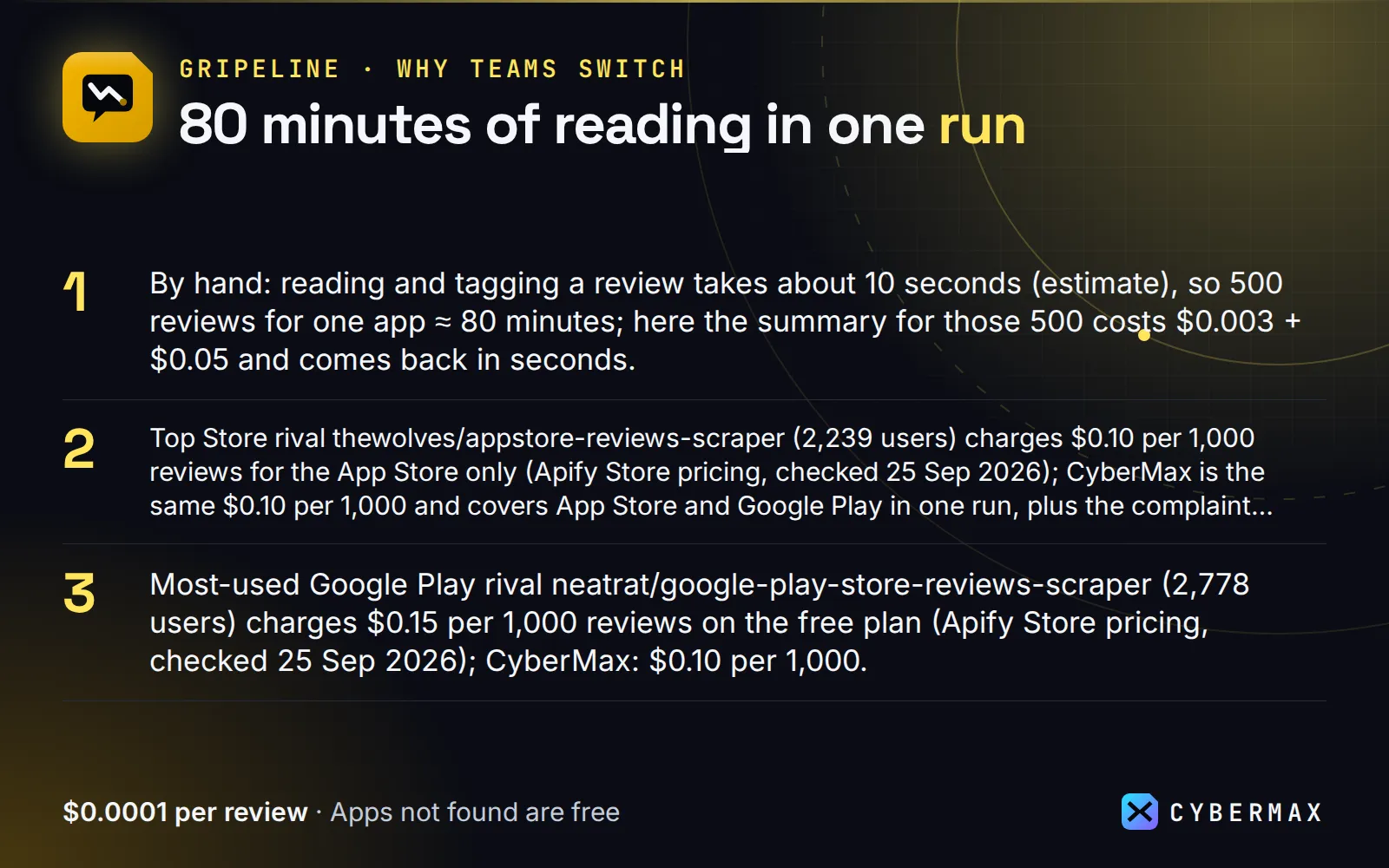
- By hand: reading and tagging a review takes about 10 seconds (estimate), so 500 reviews for one app ≈ 80 minutes; here the summary for those 500 costs $0.003 + $0.05 and comes back in seconds.
- Top Store rival thewolves/appstore-reviews-scraper (2,239 users) charges $0.10 per 1,000 reviews for the App Store only (Apify Store pricing, checked 25 Sep 2026); CyberMax is the same $0.10 per 1,000 and covers App Store and Google Play in one run, plus the complaint summary.
- Most-used Google Play rival neatrat/google-play-store-reviews-scraper (2,778 users) charges $0.15 per 1,000 reviews on the free plan (Apify Store pricing, checked 25 Sep 2026); CyberMax: $0.10 per 1,000.
- Monitor mode returns and charges only reviews you haven't received yet, so a daily new-complaints alert costs cents.
▶ Run it on your own list: the example input is already filled in, so the first run takes one click.
Pricing: how much does it cost to scrape App Store and Google Play reviews?
- $0.003 per app summary (one app in one store; App Store: per country)
- $0.0001 per review ($0.10 per 1,000, the same per-review price as the most-used single-store review scrapers, and you get both stores plus the summary)
- Apps that aren't found and reviews dropped by your filters: free. No start fee.
Example: 3 apps in both stores, 200 reviews each = 6 × $0.003 + 1,200 × $0.0001 = $0.138. Summaries only (includeReviews: false) for the same apps = $0.018.
Good to know
- Data comes from Apple's public iTunes lookup/search APIs and review feed, and Google Play's public web pages. No login needed, and no personal data beyond the public reviewer display name.
- App Store reviews don't include developer replies in Apple's feed, so
developerReplyis alwaysnullthere. - Complaint phrases are word and two-word counts from 1–2★ reviews, with the app's own name and filler words removed. They show themes; they aren't sentiment analysis.
When NOT to use it
- You need every review an app ever got. Apple's public feed stops at the 500 newest reviews per country; Gripeline reads all of them, but older App Store reviews aren't reachable without the developer's own App Store Connect access. Google Play goes deeper.
- You want reviews for your own app with replies you can post. Use App Store Connect or the Google Play Developer API (free for your own apps, and they let you reply).
- You need sentiment scores or topic labels from a model. Complaint phrases are counts, not a language model. Send the
reviewrows to your own LLM step (the schema is compact on purpose). - You need ratings history over months. Each run is a snapshot. Schedule a daily run with
monitor: trueand keep the dataset, or use a paid app-intelligence suite.
FAQ
Why not thewolves' or neatrat's review scraper? They are good single-store scrapers at a similar price. Gripeline reads both stores in one run with one schema, and adds the per-app summary (star mix, top complaint phrases, worst app versions) that you would otherwise build yourself.
Why not Apple's or Google's own tools? App Store Connect and the Google Play Developer API are free but only for apps you own. For competitors' apps there is no official review API; Gripeline reads the public feed and pages.
Why not read the reviews in the store app? Fine for 20 reviews. For 500 per app, several apps or a daily check, the summary and monitor mode save hours, and the output drops straight into Sheets, Slack or an LLM step.
Can I call it from Python, JavaScript or plain HTTP? Yes. POST your input JSON to https://api.apify.com/v2/acts/cybermax~app-reviews/run-sync-get-dataset-items?token=YOUR_APIFY_TOKEN and the results come back in the response, or use the apify-client package for Python or JavaScript. Recipes for Make, Zapier, n8n and Google Sheets are in Integrations.
Is there an App Store reviews API? Apple has no public review API for other people's apps, only an RSS feed of the newest reviews. Gripeline wraps that feed (and Google Play's public pages) behind one API call: POST https://api.apify.com/v2/acts/cybermax~app-reviews/run-sync-get-dataset-items.
Can I scrape Google Play reviews without an app id? Yes. Give the app name ("Duolingo"), a store link or the package name (com.spotify.music).
How many reviews can I get? Up to 500 newest per App Store country, and up to 5,000 per app on Google Play (maxReviewsPerApp).
Which countries and languages? Up to 10 store countries per run in countries (us, gb, de, in…), and language picks the language of Google Play reviews (en, de, pt-BR…).
Can an AI agent use it? Yes: it's on Apify's MCP server (https://mcp.apify.com/?tools=cybermax/app-reviews) and in the official MCP Registry. includeReviews: false keeps the answer to about 2 KB per app.
Is it legal? Gripeline reads public store pages and feeds, with no login. Reviews contain the reviewer's public display name; handle it under your own privacy rules (GDPR/CCPA) if you store it.
Run it on a schedule
Daily "new reviews" digest in two minutes: Apify Console → Schedules → Create new → cron 0 8 * * * (8:00 every day) → Add Actor → cybermax/app-reviews with your input (or a saved task) including "monitor": true. Or with the API:
With monitor mode a daily run only pays for that day's new reviews. To get notified, add a webhook, Slack or email notification on Run succeeded in the Actor's Integrations tab.
Integrations
Make: Apify app → "Run an Actor" (cybermax/app-reviews, input JSON as above, "Run synchronously" on) → "Get dataset items" → Slack / Google Sheets module.
Zapier: Apify app → "Finished Actor Run" trigger (for your schedule) or "Run Actor" action → "Find dataset items" → Slack "Send channel message" with {{title}}: {{rating}}★ {{text}}.
n8n: Apify node ("Run actor and get dataset"), or an HTTP Request node:
Google Sheets: Apify's Google Sheets integration (Actor → Integrations), or paste into a cell to pull the last run as CSV:
Python (pip install apify-client):
JavaScript (npm i apify-client):
AI agents (MCP): Gripeline is a tool in any MCP client via Apify's hosted MCP server, https://mcp.apify.com/?tools=cybermax/app-reviews (header Authorization: Bearer <your Apify token>). Claude Desktop / Cursor config:
A good agent prompt: "Use app-reviews with includeReviews=false and maxRating=2 to tell me the top 3 complaints about
Free datasets from the same pipeline
Open data on Hugging Face, built by the same code as this Actor. Download it free; run the Actor when you need your own list, fresh data or alerts.
- Gripeline: App Store & Google Play complaint stats: this Actor's per-app complaint summaries for popular apps.
Start now
▶ Try Gripeline with a prefilled input · $0.0001 per review + $0.003 per app summary (1,000 reviews = $0.10); apps not found are free. Questions or a missing field? Open an issue on the Store page and it gets answered the same day.
Also from CyberMax
- Keyfern — Keyword ideas: real search phrasing from Google, YouTube and Amazon autocomplete for content and ASO around the complaints you find.
- Swellmeter — Google Trends: is interest in your app or a competitor rising or falling?
- DomainDNA — Tech stack & domain intel: what the developer's website is built with.
- Capturewren — Website screenshots: snapshot competitors' landing and pricing pages.
- Logolark — Logos by domain: app developer logos for your reports and dashboards.
All tools: Insidewell · HireHeat · HireHeat Jobs · Hollerdex · Linkheft · Printwren
Changelog
- 2026-09-23: Monitor mode (
monitor,monitorKey: only new reviews since the last run, deduped by review id), schedule & integration recipes.
Found Gripeline useful? A quick rating on its Store page helps others find it.
Made by CyberMax.


