

Website Screenshot API: Full Page & Mobile — Capturewren
Pricing
$3.00 / 1,000 screenshot captureds
Website Screenshot API: Full Page & Mobile — Capturewren
See and read any web page in one call. Website screenshot API and generator: full-page, element or mobile PNG/JPEG screenshot plus HTTP status, title, meta and clean page text. Cookie banners removed; monitor mode for page change alerts. $0.003 per screenshot, failures free.
Pricing
$3.00 / 1,000 screenshot captureds
Rating
0.0
(0)
Developer

CyberMax
Maintained by CommunityActor stats
0
Bookmarked
1
Total users
1
Monthly active users
3 days ago
Last modified
Categories
Share
Capturewren — website screenshot API for AI agents (image + text)
Website: cybermaxtools.com/store/capturewren-website-screenshot · plans, related tools and bundles
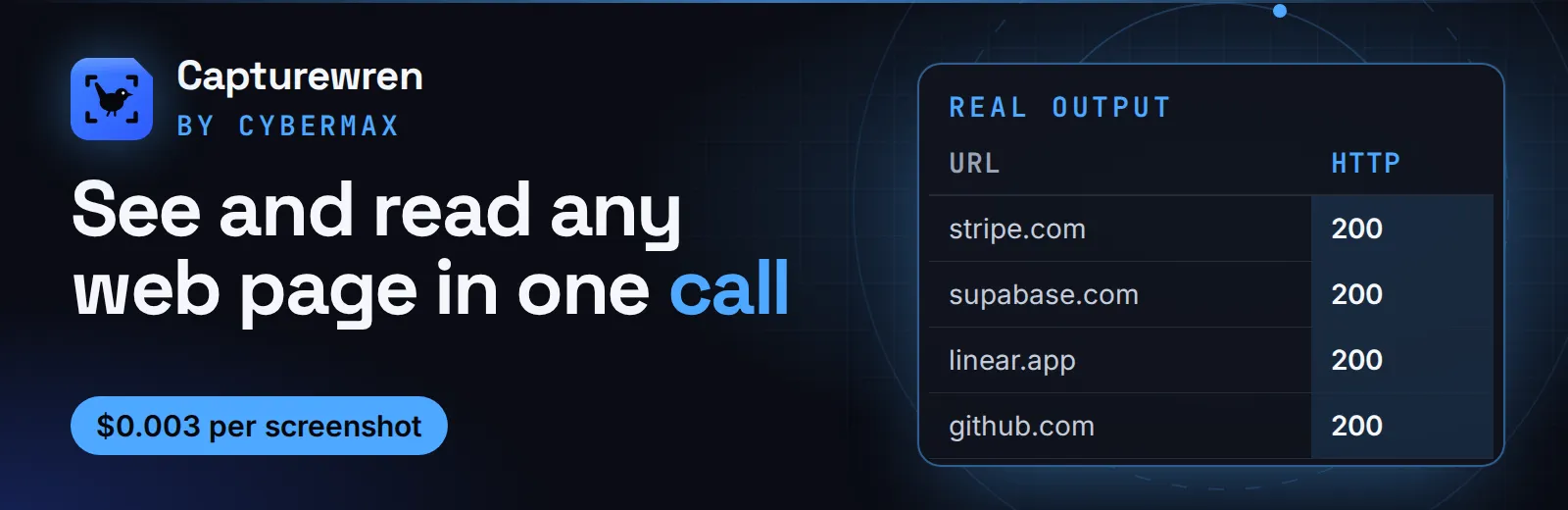
See and read any web page in one call
Give it URLs; get a public screenshot link plus HTTP status, title, meta tags and clean page text for each, with cookie banners clicked away, for $0.003 per screenshot.
▶ Try it now with a prefilled input · $0.003 per screenshot, failed pages free (1,000 screenshots = $3) · Apify's free plan includes $5 of credit a month, enough for up to about 1,666 screenshots
Built for: AI agents that need to see a page · QA teams checking pages after a deploy · Marketers watching competitor pages · Sales and research teams profiling websites
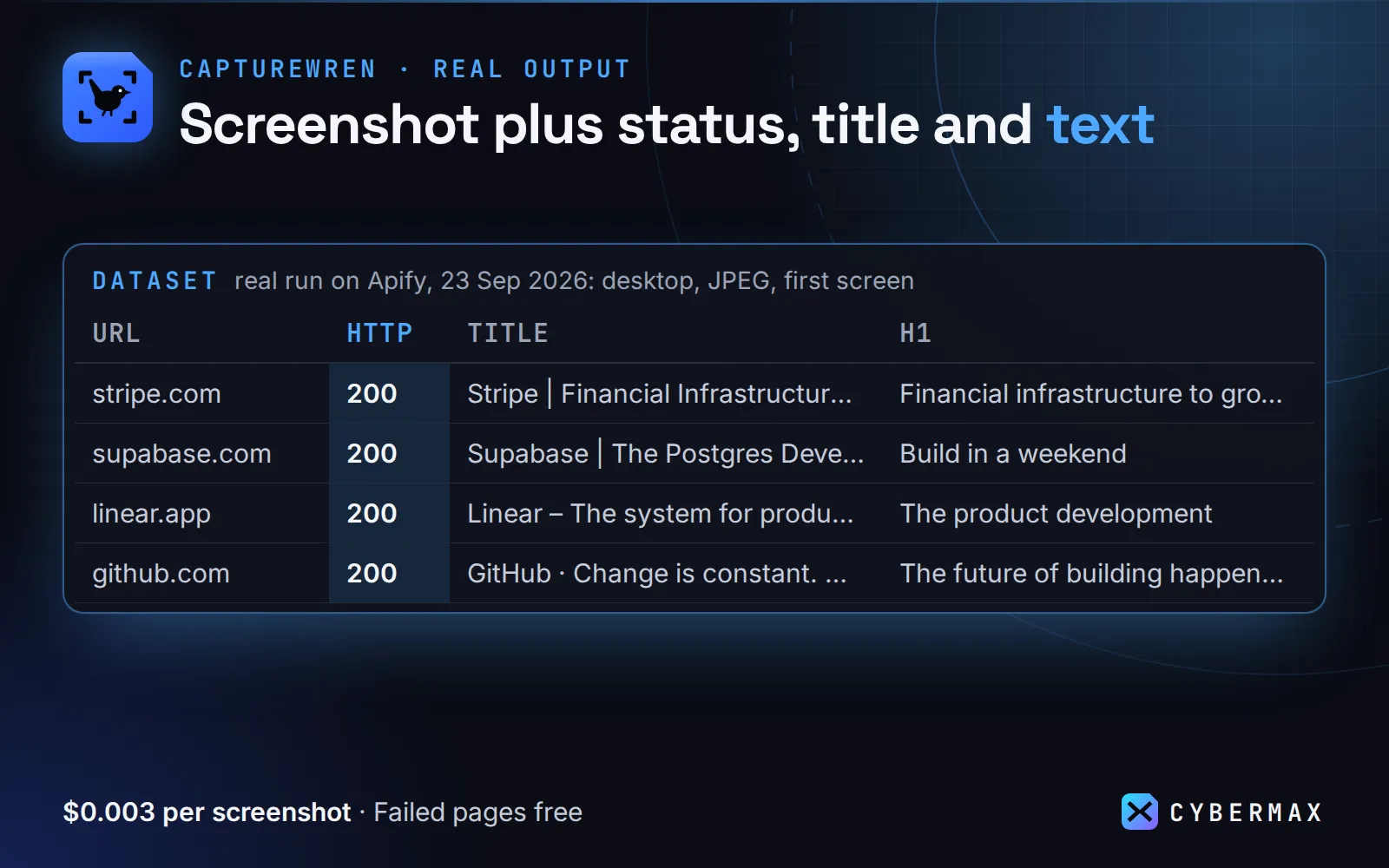
Real output (real run on Apify, 23 Sep 2026: desktop, JPEG, first screen):
| URL | HTTP | Title | H1 | Screenshot |
|---|---|---|---|---|
| stripe.com | 200 | Stripe | Financial Infrastructure to Grow Your Revenue | Financial infrastructure to grow your revenue… | stripe.com.jpg |
| supabase.com | 200 | Supabase | The Postgres Development Platform | Build in a weekend | supabase.com.jpg |
| linear.app | 200 | Linear – The system for product development | The product development | linear.app.jpg |
| github.com | 200 | GitHub · Change is constant. GitHub keeps you ahead. · GitHub | The future of building happens together | github.com.jpg |
| apify.com | 200 | Apify: Marketplace of ready-to-run tools for AI | 73,229 tools for your AI | apify.com.jpg |
Why Capturewren
- Clean shots. Consent banners (OneTrust, Cookiebot, Didomi, Quantcast, TrustArc, Usercentrics, CookieYes and plain "Accept all" buttons in 10+ languages) are dismissed before capture, so you see the page, not the overlay.
- Image and text in one record. Agents can read the page without a vision model, and QA scripts can diff status, title and text without comparing images.
- $0.003 per screenshot, failures free. Unreachable pages, timeouts and missing selectors aren't charged.
- Change alerts built in. Turn on
monitorand schedule it daily: you only get (and pay for) the pages whose text, title, description or status changed since the last run.
Example record (trimmed):
What you get
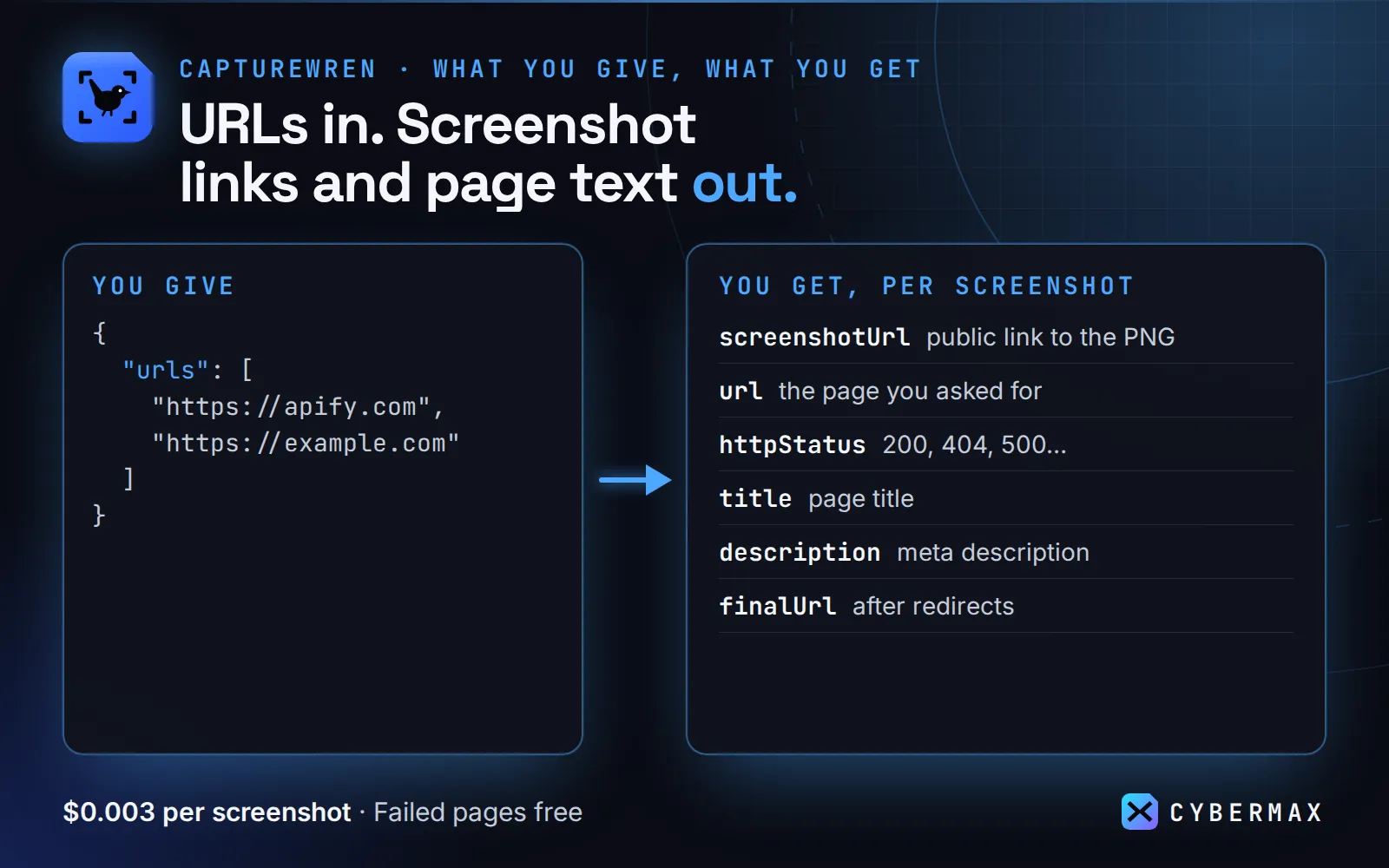
Give it URLs. For each one you get one record:
- a public screenshot URL (PNG or JPEG; first screen, full page or one element)
- the HTTP status and final URL after redirects
- title, meta description, first H1, language, canonical URL and og:image
- the page's visible text, cleaned and cut to the length you choose, so an agent can read the page without a vision model
- whether a cookie banner was clicked away, plus a
warningif the page never finished loading
Who it's for
- AI agents and MCP clients that need to see a page ("what does competitor.com's pricing page look like?", "did the deploy break the homepage?") or quote it with evidence.
- QA and monitoring: screenshot a list of pages on every deploy, or watch competitor pricing, landing and terms pages daily with monitor mode.
- Sales and research: one image plus summary facts per prospect website.
- Content and SEO: capture title, description, H1 and og:image next to how the page actually renders.
How to use
- Paste URLs (full URLs or bare domains) and run. The prefilled input (2 pages) runs in about 20 s and costs $0.006.
- Open each record's
screenshotUrl, or readtext,titleandhttpStatusstraight from the dataset. The images are also in the run's key-value store.
Input (copy-paste):
| Field | Default | What it does |
|---|---|---|
urls | required | Full URLs or bare domains. One record each; duplicates skipped. |
device | desktop | desktop 1366x768, laptop 1920x1080, tablet 820x1180 @2x, mobile 390x844 @2x. |
fullPage | false | Whole scrollable page (scrolls first so lazy images load), capped at maxFullPageHeight (15,000 px). |
selector | none | Capture one element, e.g. #pricing. |
format / jpegQuality | png / 80 | JPEG is 3-10x smaller, good for vision models. |
includeText / maxTextChars | true / 4000 | Visible text of main/article (else body). |
dismissCookieBanners | true | Click "accept", then hide leftover overlays. |
waitUntil | load | domcontentloaded, load or networkidle, best effort up to 15 s. Pages that never settle are still captured, with a warning. |
delaySecs | 1 | Extra wait after loading. |
includeImageBase64 | false | Also embed the image bytes in the record. |
viewportWidth / viewportHeight | device | Custom viewport. |
maxConcurrency | 2 | Pages captured in parallel (1-8). |
monitor | false | Only return pages that are new or changed since the last monitor run (see below). |
monitorKey | auto | Name of the watchlist state, so several watchlists can coexist. |
Ready-made inputs (first try in one click)
Paste one into the JSON tab of the input form (or send it to the API) and press Start. Each is sized so the first run is quick and cheap; you pay only for results (Apify's compute is included in the price).
| Preset | What you get | Cost |
|---|---|---|
| Homepage screenshot + text (2 sites) | PNG link, title, description, H1 and clean page text | $0.006 |
| Mobile view | a phone-sized screenshot | $0.003 |
| Full-page JPEG | the whole page as one JPEG | $0.003 |
Homepage screenshot + text (2 sites)
Mobile view
Full-page JPEG
Same thing from a script (returns the results directly):
Output
One dataset item per URL. A real record from a run on 2026-09-23 (signed URL shortened):
Failed pages come back with "ok": false and an error (for example net::ERR_NAME_NOT_RESOLVED or selector not found: #pricing) and are not charged. Pages that return 404 or 500 are still captured, with their status, because that's often what you want to see.
The images are also in the run's key-value store (001-example-com.png, 002-…), in input order.
Monitor mode: only pages that changed
Set "monitor": true to turn Capturewren into a website change detector. Each page's visible text
(whitespace-normalised), title, meta description and HTTP status are fingerprinted and saved in a
named key-value store (website-screenshot-monitor, it persists between runs). On the next run:
- new pages (first time seen) and changed pages are captured, returned and charged as usual;
- unchanged pages are skipped: no record, no stored image, no charge;
- failed pages still come back free with
ok: falseand don't touch the saved state.
The first monitor run returns every page as "new". Changed records carry what changed
(structure shown; values depend on the page):
Capture time, load time, image size and screenshot URL are ignored, so a page only counts as
changed when its content does. Pages with rotating content (live counters, "posted 3 minutes ago")
will show up as changed each time; point selector at the stable part (e.g. #pricing) to watch only that. Use
monitorKey (e.g. "competitor-pricing") to keep separate watchlists; each URL is tracked on its
own, so adding URLs never resets the others.
Run it on a schedule
Daily change alerts in 2 minutes: Apify Console → Schedules → Create new → cron
0 8 * * * (8:00 every day) → Add Actor → cybermax/website-screenshot with your input and
"monitor": true. Then Actor → Integrations → add an email or webhook notification on
"Run succeeded" (or Slack), so changes come to you. With monitor mode on, quiet days cost almost nothing:
you only pay $0.003 for each page that changed.
Or create the schedule by API (POST https://api.apify.com/v2/schedules?token=YOUR_TOKEN):
Why it pays for itself
- By hand: about 1 minute per page to open it, close the cookie banner, take and save the screenshot and copy the title (estimate), so 500 pages ≈ 8 hours; here 500 screenshots cost $1.50.
- Most-used Store rival apify/screenshot-url (7,711 users) is free to run, but you pay Apify platform usage for its browser time, and it returns the image only (Apify Store, checked 25 Sep 2026); CyberMax is a flat $0.003 per page with compute included, and adds status, title, meta and page text.
- i-scraper/website-screenshot (243 users) charges $0.006 per result (Apify Store pricing, checked 25 Sep 2026), so 1,000 screenshots cost $6 there and $3 here.
- Monitor mode skips pages whose text, title, description and status didn't change, and doesn't charge for them, so a daily competitor-page watch costs only for pages that changed.
▶ Run it on your own list: the example input is already filled in, so the first run takes one click.
Pricing
$0.003 per screenshot captured, with no start fee and no subscription. Failed pages are free. 1,000 screenshots cost $3. In monitor mode, unchanged pages are free too: you pay only for new or changed pages.
Integrations
Make: Apify app → "Run an Actor" (Actor cybermax/website-screenshot, input {"urls": ["example.com"]}, run synchronously) → "Get dataset items" → your Google Sheet, Slack or email step.
Zapier: Apify app → "Run Actor" action with the input JSON, or the "Finished Actor Run" trigger on a scheduled run → "Fetch Dataset Items" → next step.
n8n: Apify node ("Run Actor and get dataset"), or an HTTP Request node:
Google Sheets: Apify's Google Sheets integration (Actor → Integrations), or pull the latest run straight into a sheet:
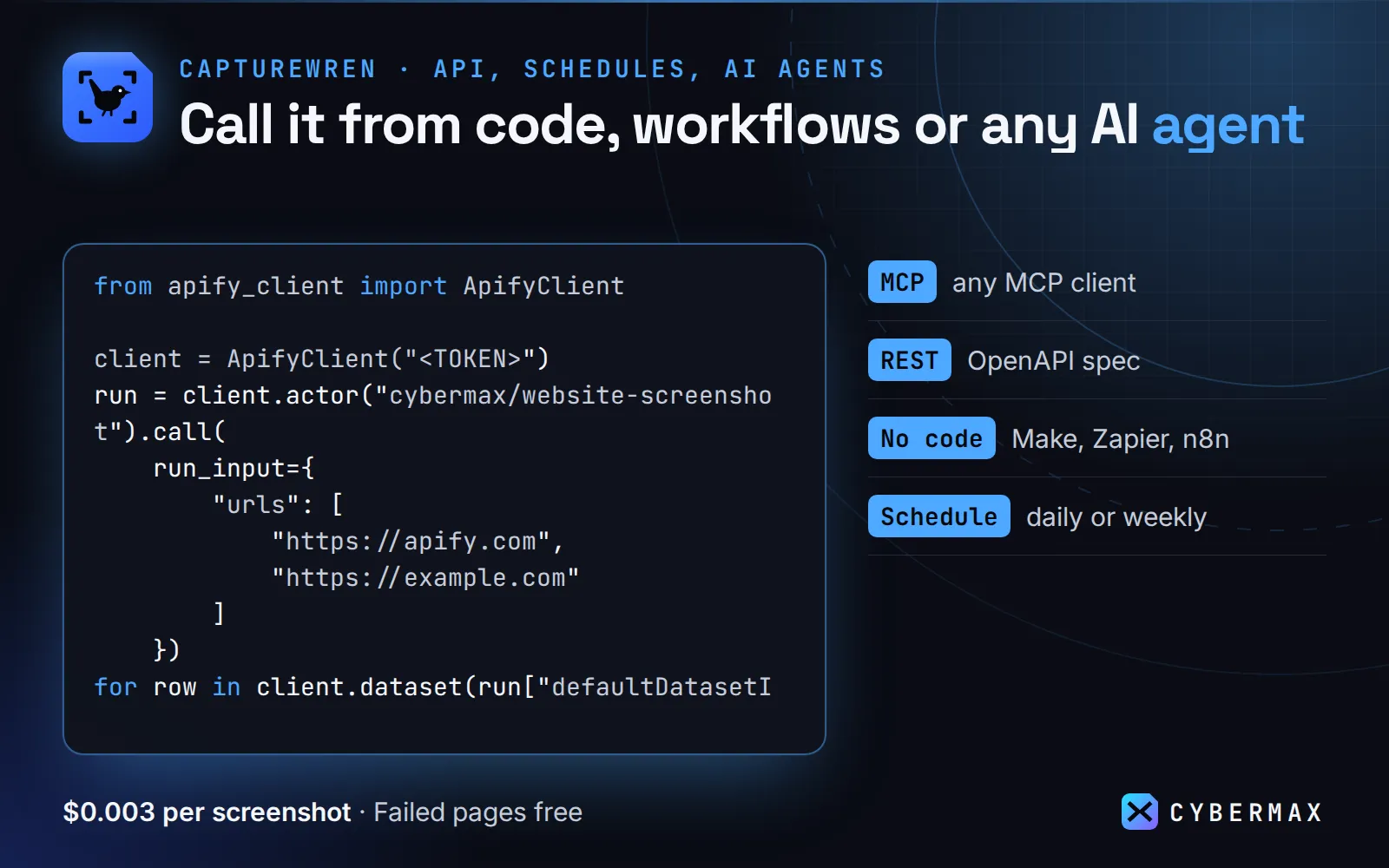
Python (pip install apify-client):
JavaScript (npm i apify-client):
AI agents (MCP): https://mcp.apify.com/?tools=cybermax/website-screenshot with header Authorization: Bearer YOUR_TOKEN. Claude Desktop / Cursor config:
The agent calls it with {"urls": [...]} and gets the screenshot URL plus page text. Agents without an Apify account can pay per call through Apify's agentic payments.
When NOT to use it
- You only need the text or HTML. A plain fetcher is cheaper and faster.
- Pages behind a login, CAPTCHA or strong bot protection. This Actor uses a normal headless Chrome with no proxy, so some sites (large retailers, social networks) may show a block page. The record still tells you what was shown.
- Pixel-perfect visual regression. Fonts, ads and A/B tests change between captures.
Limits and notes
- Chrome runs headless on Apify, with no proxy by default. Geo-specific content reflects Apify's data-centre location (US/EU).
- Full-page captures are capped at 15,000 px tall by default (configurable up to 30,000); longer pages are cut, with a
warning. - Records are returned in completion order;
screenshotKeynumbers follow input order.
FAQ
Why not Apify's free Website Screenshot Generator? If you only need images and are happy to pay the compute it uses, it works. Capturewren gives a fixed price per page, removes cookie banners, returns the page text and status next to the image so an agent can read the page without a vision model, and failed pages cost nothing.
Why not the cheapest per-shot Actor? Some Store Actors charge less per image (cheapapi/website-screenshot-api lists $0.00089 per screenshot on the free plan, checked 25 Sep 2026). If a bare image is all you need, that may suit you better; Capturewren is priced for the full image + text record and change monitoring.
Why not take screenshots by hand? Fine for a few pages. For a list, a check after every deploy or a daily watch of competitor pages, one run replaces hours of clicking and the records drop straight into Sheets, Slack or an agent.
Can an AI agent use it (MCP)? Yes. Add https://mcp.apify.com/?tools=cybermax/website-screenshot as an MCP server in Claude, Cursor, VS Code or any MCP client; the agent sees the input schema and calls Capturewren directly.
Can I call it from Python, JavaScript or plain HTTP? Yes. POST your input JSON to https://api.apify.com/v2/acts/cybermax~website-screenshot/run-sync-get-dataset-items?token=YOUR_APIFY_TOKEN and the results come back in the response, or use the apify-client package for Python or JavaScript. Recipes for Make, Zapier, n8n and Google Sheets are in Integrations.
Is it legal to use? Capturewren opens public pages the way a normal browser does, with no login. The page content still belongs to its owner, so check the site's terms and copyright before you republish a screenshot. This is general information, not legal advice.
Can it take full-page screenshots? Yes. Set fullPage: true; it scrolls first so lazy images load, capped at maxFullPageHeight (15,000 px by default, up to 30,000).
Can I screenshot just one element or a mobile view? Yes. Use selector (e.g. #pricing) for one element and device: "mobile" (390x844 @2x) or tablet for other viewports.
Does it remove cookie banners? By default it clicks "accept" on common consent tools (OneTrust, Cookiebot, Didomi and others) and hides leftover overlays. cookieBannerDismissed tells you if it did.
Do failed pages cost anything? No. Unreachable pages, timeouts and missing selectors come back with ok: false and are free.
Can it alert me when a web page changes? Yes. Turn on monitor, schedule the run daily and add an email or webhook notification; each run returns only the pages whose text, title, description or status changed, with added/removed line counts.
How long do screenshot URLs work? They point to the run's key-value store, which follows your Apify storage retention. Set includeImageBase64: true to embed the image bytes in the record instead.
Start now
▶ Try Capturewren with a prefilled input · $0.003 per screenshot, failed pages free (1,000 screenshots = $3). Questions or a missing field? Open an issue on the Store page and it gets answered the same day.
Also from CyberMax
- DomainDNA — tech stack, email security & domain age: what a site runs on, next to how it looks.
- Logolark — company logo & favicon by domain: brand assets for the same list of sites.
- Printwren — HTML/URL to PDF: the same pages as printable, searchable PDFs.
- Hollerdex — website emails, phones & socials: contact details from the sites you screenshot.
- Linkheft — domain authority score & rank: how big and linked each site is.
All tools: Insidewell · HireHeat · HireHeat Jobs · Swellmeter · Gripeline · Keyfern
Changelog
- 2026-09-23: Monitor mode (only new or changed pages are returned and charged: text, title, description, status), schedule & integration recipes.
Found Capturewren useful? A quick rating on its Store page helps others find it.


