

Tech Stack Detector & Technology Lookup + WHOIS — DomainDNA
Pricing
$4.00 / 1,000 domain analyzeds
Tech Stack Detector & Technology Lookup + WHOIS — DomainDNA
Know what any website runs on in seconds. Tech stack detector (a Wappalyzer and BuiltWith alternative) plus WHOIS/RDAP domain age, DNS, MX provider, SPF/DMARC, TLS expiry and security headers in one JSON record. Monitor mode flags changes. $0.004 per domain.
Pricing
$4.00 / 1,000 domain analyzeds
Rating
0.0
(0)
Developer

CyberMax
Maintained by CommunityActor stats
0
Bookmarked
3
Total users
2
Monthly active users
3 days ago
Last modified
Categories
Share
DomainDNA — website tech stack detector, WHOIS & domain age API
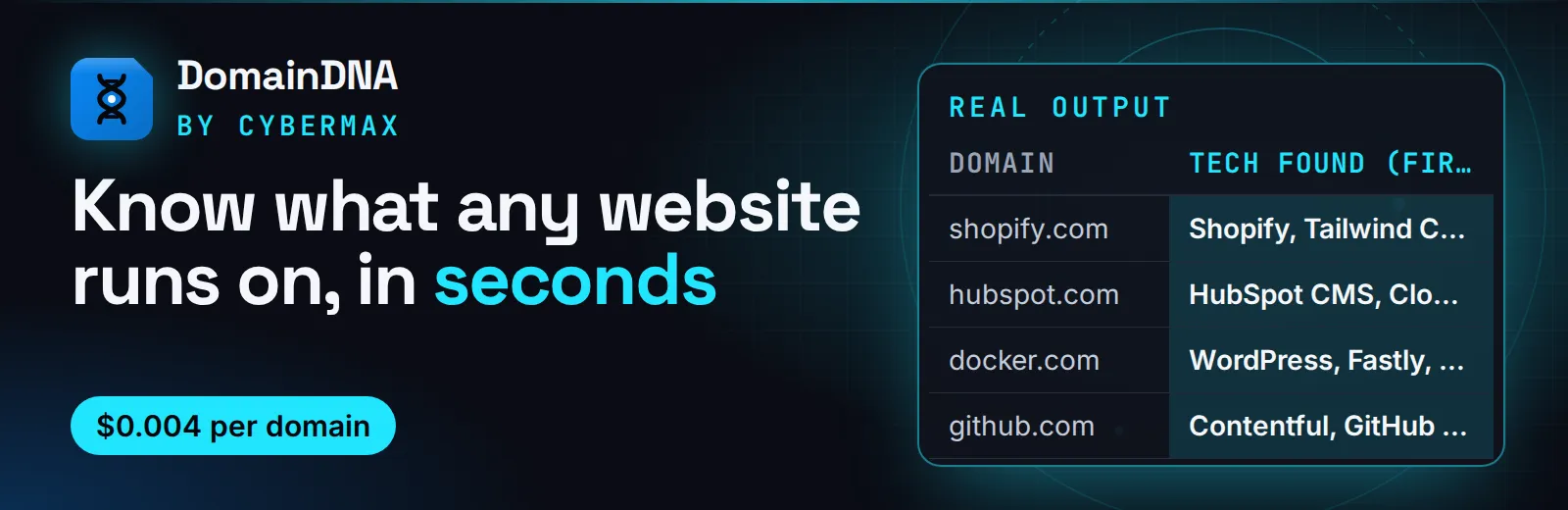
Website: cybermaxtools.com/store/domaindna-domain-intel · plans, related tools and bundles
Know what any website runs on, in seconds
Give it domains; get the tech stack with evidence, email provider, SPF/DMARC, domain age, TLS expiry and security headers in one record each, for $0.004 per domain.
▶ Try it now with a prefilled input · $0.004 per domain, domains that don't resolve are free (1,000 domains = $4) · Apify's free plan includes $5 of credit a month, enough for up to about 1,250 domains
Built for: Sales teams qualifying leads by stack · Agencies pitching migrations · Security and email-deliverability checks · AI agents asking "what does acme.com use?"
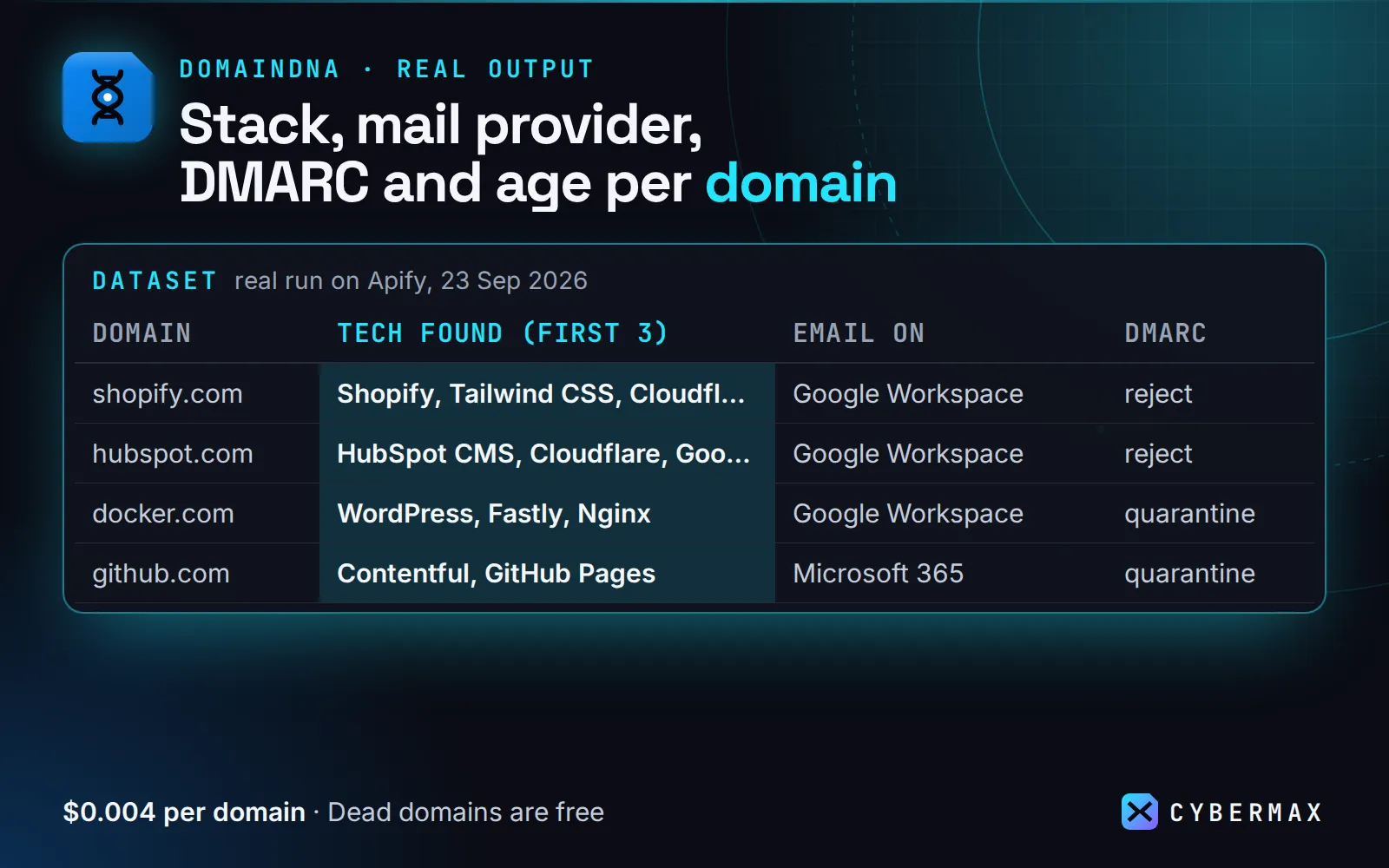
Real output (real run on Apify, 23 Sep 2026):
| Domain | Tech found (first 3) | Email on | DMARC | Domain age |
|---|---|---|---|---|
| shopify.com | Shopify, Tailwind CSS, Cloudflare | Google Workspace | reject | 21 years |
| hubspot.com | HubSpot CMS, Cloudflare, Google Tag Manager | Google Workspace | reject | 21 years |
| docker.com | WordPress, Fastly, Nginx | Google Workspace | quarantine | 31 years |
| github.com | Contentful, GitHub Pages | Microsoft 365 | quarantine | 18 years |
| mailchimp.com | Akamai, FullStory, OneTrust | Cisco Secure Email | reject | 25 years |
Why DomainDNA
- One call instead of five lookups. Tech stack, MX/SPF/DMARC, RDAP registration (the successor to WHOIS) and domain age, TLS certificate and security headers come back together, plus a one-line summary an LLM can quote.
- Evidence you can check. Every detected technology shows the header, cookie or script that triggered it, so you're not relying on a guess.
- Fast and cheap at scale. There's no browser and no proxy, so most domains finish in about 1 second. Domains that don't resolve are not charged.
Example summary (real, 2026-09-23):
stripe.com: email on Google Workspace, DMARC p=reject, domain 31y old, TLS expires in 50d.
What you get
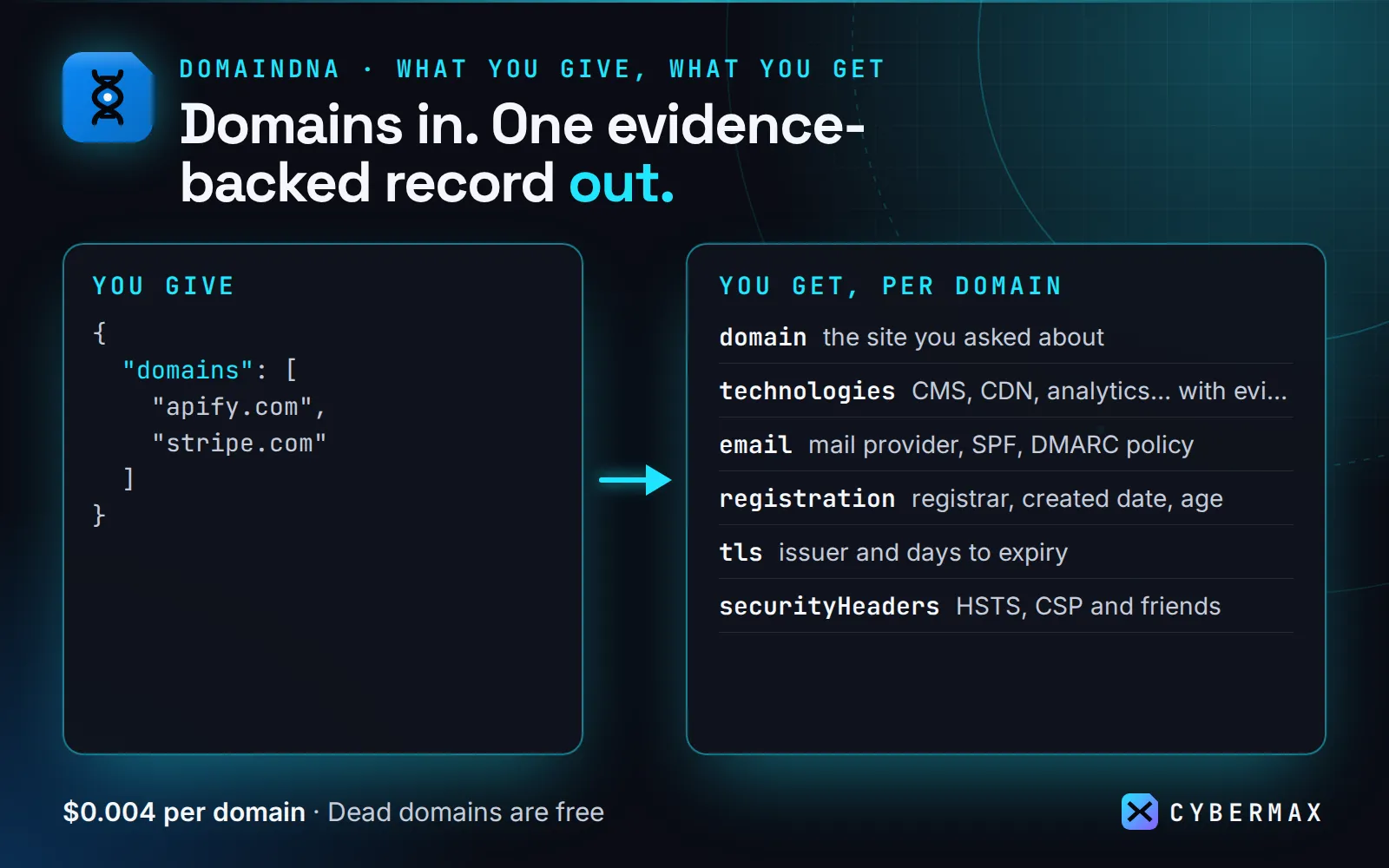
Give it a list of domains. For each one you get one compact JSON record with:
- Tech stack (100+ fingerprints): CMS and site builders (WordPress, Webflow, Wix, Framer…), e-commerce (Shopify, WooCommerce, Magento…), JS frameworks (Next.js, Nuxt, Astro…), CDN and hosting (Cloudflare, Vercel, CloudFront…), analytics, ad pixels, marketing automation, live chat, payments (Stripe, PayPal, Paddle…), consent tools and monitoring. Every detection includes the evidence that triggered it.
- Email setup and security: MX provider (Google Workspace, Microsoft 365, Proofpoint…), SPF record and
allqualifier, DMARC policy (none/quarantine/reject),pctand reporting. - Domain registration (RDAP / WHOIS): registrar, creation and expiry dates, domain age in days.
- TLS certificate: issuer, expiry and days left.
- Security headers (HSTS, CSP, X-Frame-Options…) with a simple score.
- Well-known files: robots.txt, sitemap.xml, llms.txt, security.txt.
- DNS basics (A, AAAA, NS), third-party verification tokens (which SaaS tools the domain has verified with), page title, description and language.
- A one-line summary an LLM can quote directly.
Who it's for
- AI agents and MCP clients answering "what does acme.com run on?", "is this domain legit / how old is it?" or "can we email them safely?"
- Sales and lead-gen: qualify leads by stack ("Shopify stores using Klaviyo", "sites on WordPress without Cloudflare").
- Security and deliverability checks: find domains with no DMARC or an expiring certificate.
- Market research: stack share across a list of competitors.
How to use
- Paste domains (bare domains or full URLs; paths are ignored) and run.
- Read one record per domain in the dataset, or download it as JSON, CSV or Excel.
Input (copy-paste):
First try: the prefilled input (apify.com, stripe.com) runs in about 10 s including start-up and costs about $0.008.
Optional switches (all on by default): includeTech, includeDns, includeTls, includeRdap, includeFiles. timeoutSecs (default 15) and maxConcurrency (default 10) control speed. Turn off what you don't need for even faster runs.
Ready-made inputs (first try in one click)
Paste one into the JSON tab of the input form (or send it to the API) and press Start. Each is sized so the first run is quick and cheap; you pay only for results (Apify's compute is included in the price).
| Preset | What you get | Cost |
|---|---|---|
| Tech stack of 2 sites | CMS, analytics, CDN, payments, each with evidence | $0.008 |
| Email security check (SPF/DMARC + mail provider) | MX provider, SPF/DMARC policy, TLS expiry, domain age | $0.008 |
| Domain age / WHOIS only | registration date, age in days, registrar (RDAP) | $0.008 |
Tech stack of 2 sites
Email security check (SPF/DMARC + mail provider)
Domain age / WHOIS only
Same thing from a script (returns the results directly):
Output (one item per domain)
A real record from a run on 2026-09-23, with long lists trimmed:
blocked: true means the homepage answered with a bot wall (403/429 or a challenge page), so the tech list may be partial. The DNS, email, TLS and registration data are still complete.
Monitor mode: only what changed
Set "monitor": true to watch a list over time. Each run compares every domain with the previous run of the same
watchlist and returns only domains that are new or changed; unchanged domains are skipped and not charged.
A change is any of:
- a technology added or removed (e.g. moved from WooCommerce to Shopify, added Intercom, dropped Cloudflare);
- a new MX provider (e.g. Google Workspace → Microsoft 365);
- a different SPF
allqualifier or DMARC policy (none→reject); - the TLS certificate entering the expiry window (
tlsExpiryWarnDays, default 14) or being renewed out of it; - security headers added or removed;
- the domain no longer resolving.
Check timestamps, TLS days-left counting down, URLs and page text are ignored. If a homepage is behind a bot wall
or times out on one run, its tech list is not compared (no false "everything removed" alerts). Use monitorKey
to keep several watchlists apart (e.g. "leads-eu"); state is kept in your account's named key-value store
domain-intel-monitor. The first run returns everything as new. Counts go to the log and the MONITOR_SUMMARY
record.
A changed row is the normal record plus (shape only; values illustrative):
Why it pays for itself
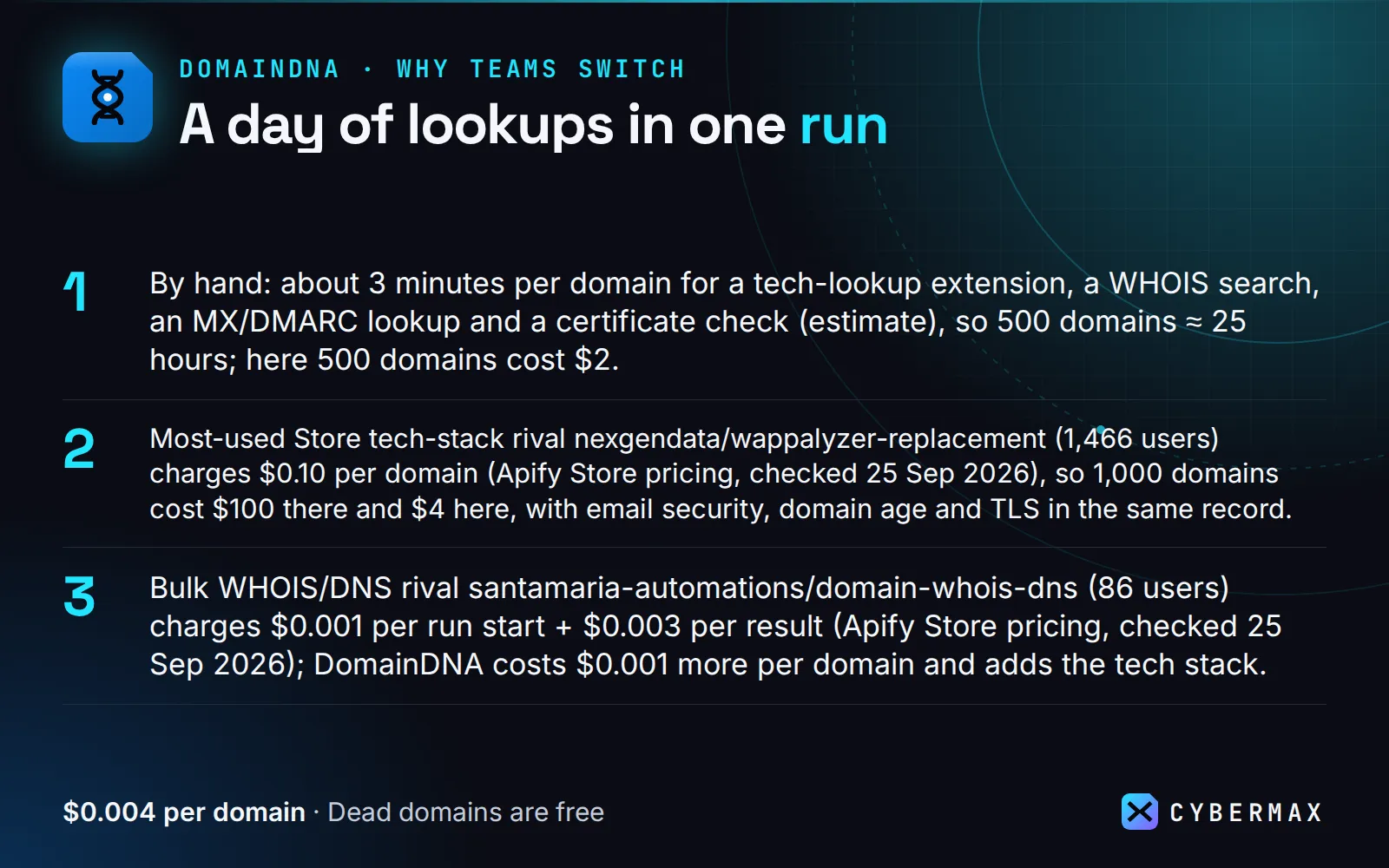
- By hand: about 3 minutes per domain for a tech-lookup extension, a WHOIS search, an MX/DMARC lookup and a certificate check (estimate), so 500 domains ≈ 25 hours; here 500 domains cost $2.
- Most-used Store tech-stack rival nexgendata/wappalyzer-replacement (1,466 users) charges $0.10 per domain (Apify Store pricing, checked 25 Sep 2026), so 1,000 domains cost $100 there and $4 here, with email security, domain age and TLS in the same record.
- Bulk WHOIS/DNS rival santamaria-automations/domain-whois-dns (86 users) charges $0.001 per run start + $0.003 per result (Apify Store pricing, checked 25 Sep 2026); DomainDNA costs $0.001 more per domain and adds the tech stack.
- Monitor mode returns and charges only domains whose stack, mail provider, DMARC, certificate or headers changed, so a daily watch on a lead list is cheap.
▶ Run it on your own list: the example input is already filled in, so the first run takes one click.
Pricing
Pay per result: $0.004 per domain (domain-analyzed event). No subscription, no start fee. Invalid inputs and domains that don't resolve (exists: false) are never charged. 1,000 domains cost at most $4. Set a maximum charge per run and the Actor stops cleanly when it's reached.
Run it on a schedule
Console → Schedules → Create new → cron 0 8 * * * (daily 8:00) → Add Actor → pick DomainDNA
(or a saved task) with your input and "monitor": true. Or via the API:
With monitor mode a daily run is cheap: you only pay for domains that changed. To get alerted, open the Actor's Integrations tab and add an email, Slack or webhook notification on "Run succeeded".
Integrations
Make: Apify app → "Run an Actor" (Actor cybermax/domain-intel, input {"domains":["stripe.com"]}, run synchronously) → "Get dataset items".
Zapier: Apify app → "Run Actor" action with the input JSON, or the "Finished Actor Run" trigger to push new rows into your CRM.
n8n: Apify node ("Run Actor and get dataset"), or an HTTP Request node:
Google Sheets: Apify's Google Sheets integration, or pull the latest run into a cell:
Python:
JavaScript:
AI agents (MCP): DomainDNA is a tool on Apify's hosted MCP server,
https://mcp.apify.com/?tools=cybermax/domain-intel (header Authorization: Bearer <your Apify token>).
Claude Desktop / Cursor config:
Typical prompts: "What tech stack does acme.com use?", "How old is this domain and does it have DMARC?",
"Which of these 50 leads run Shopify?". Agents can quote the summary field directly.
When NOT to use it
- Finding every site that uses a technology (reverse lookups like "all Shopify stores"). DomainDNA analyses domains you already have.
- Technologies that only load after login or user interaction. It reads the homepage HTML, headers, cookies and script URLs, with no browser.
- Historical tech stacks or WHOIS history. It's a snapshot of today (monitor mode tracks changes from the day you start watching).
- Registrant contact details. RDAP data for most domains is redacted, and personal data is not collected.
FAQ
Why not a cheaper tech-stack Actor? automation-lab/tech-stack-detector charges $0.035 per run + $0.0023 per URL on the free plan (checked 25 Sep 2026), which is cheaper for large tech-only lists. DomainDNA costs a bit more because it also returns email provider, SPF/DMARC, domain age, TLS expiry and security headers, with evidence for every technology.
Why not BuiltWith or Wappalyzer? They are subscription products with reverse lookups (all sites using X), which DomainDNA doesn't do. If you already have your domain list, you pay here per domain with no plan.
Why not check each site by hand? A browser extension shows one site at a time and not its email security or age. For a lead list or a daily watch, one run replaces a day of lookups.
Can an AI agent use it (MCP)? Yes. Add https://mcp.apify.com/?tools=cybermax/domain-intel as an MCP server in Claude, Cursor, VS Code or any MCP client; the agent sees the input schema and calls DomainDNA directly.
Can I call it from Python, JavaScript or plain HTTP? Yes. POST your input JSON to https://api.apify.com/v2/acts/cybermax~domain-intel/run-sync-get-dataset-items?token=YOUR_APIFY_TOKEN and the results come back in the response, or use the apify-client package for Python or JavaScript. Recipes for Make, Zapier, n8n and Google Sheets are in Integrations.
Is it legal to use? DomainDNA reads public DNS, RDAP/WHOIS registration records and each site's public homepage. It returns company-level technical facts; registrant personal details are normally redacted by the registries. This is general information, not legal advice.
Is this a BuiltWith or Wappalyzer alternative? For per-domain lookups, yes: you get the detected stack with evidence, plus email security, domain age and TLS in the same record, paid per domain instead of per month.
Is RDAP the same as WHOIS? RDAP is the registries' official JSON replacement for WHOIS. You get registrar, creation, update and expiry dates and domain age.
How fast is it? Most domains finish in about 1 second; maxConcurrency (default 10) runs domains in parallel.
What if a site blocks bots? You still get DNS, email, TLS and registration data, and blocked: true warns that the tech list may be partial.
Do I pay for domains that don't exist? No. Domains that don't resolve are returned with exists: false and aren't charged.
Notes
- Detection uses our own fingerprint set, matched against the homepage's HTML, headers, cookies and script URLs. It won't see technologies that only load after user interaction.
- DNS is resolved over HTTPS (Cloudflare, falling back to Google). Registration data comes from the official RDAP registries (looked up via the IANA bootstrap file, with retries on rate limits).
- Only public information is collected; no login, no personal data.
Free datasets from the same pipeline
Open data on Hugging Face, built by the same code as this Actor. Download it free; run the Actor when you need your own list, fresh data or alerts.
- DomainDNA: SaaS email security & tech stack snapshot: this Actor's output for hundreds of SaaS domains, free to download.
- Kevscope: CVE + CISA KEV + EPSS, joined daily: match the tech this Actor detects against known-exploited vulnerabilities.
Start now
▶ Try DomainDNA with a prefilled input · $0.004 per domain, domains that don't resolve are free (1,000 domains = $4). Questions or a missing field? Open an issue on the Store page and it gets answered the same day.
Also from CyberMax
- Linkheft — domain authority score & rank: how big and well-linked each domain is, from open data.
- Hollerdex — website emails, phones & socials: contacts for the domains that fit your stack filter.
- HireHeat — company hiring signals by domain: which of those companies are growing.
- Logolark — company logo & favicon by domain: logos and brand colours for your lead list or app.
- Capturewren — website screenshot + page text: see each homepage.
- Eldwren — Wayback Machine scraper: how long each site has been online, its old snapshots and archived URLs.
- Bouncefern — bulk URL status & redirect checker: status codes, redirect chains and broken links for any URL list.
All tools: Insidewell · Swellmeter · Gripeline · Keyfern · HireHeat Jobs · Printwren
Changelog
- 2026-09-23: Monitor mode (
monitor,monitorKey,tlsExpiryWarnDays: only tech, email-security, TLS and header changes are returned and charged), schedule & integration recipes.
Found DomainDNA useful? A quick rating on its Store page helps others find it.


