

Google Trends API & Scraper: Rising Queries — Swellmeter
Pricing
Pay per event
Google Trends API & Scraper: Rising Queries — Swellmeter
Know if any search is rising, falling or spiking. Google Trends scraper and API: interest over time, % change, peak, related and rising queries, top regions and trending searches, one record per keyword. Compare up to 5 terms; monitor mode sends trend alerts. $0.003 per keyword.

Swellmeter — Google Trends API & Scraper: Rising Queries, Interest Over Time
Website: cybermaxtools.com/store/swellmeter-google-trends · plans, related tools and bundles
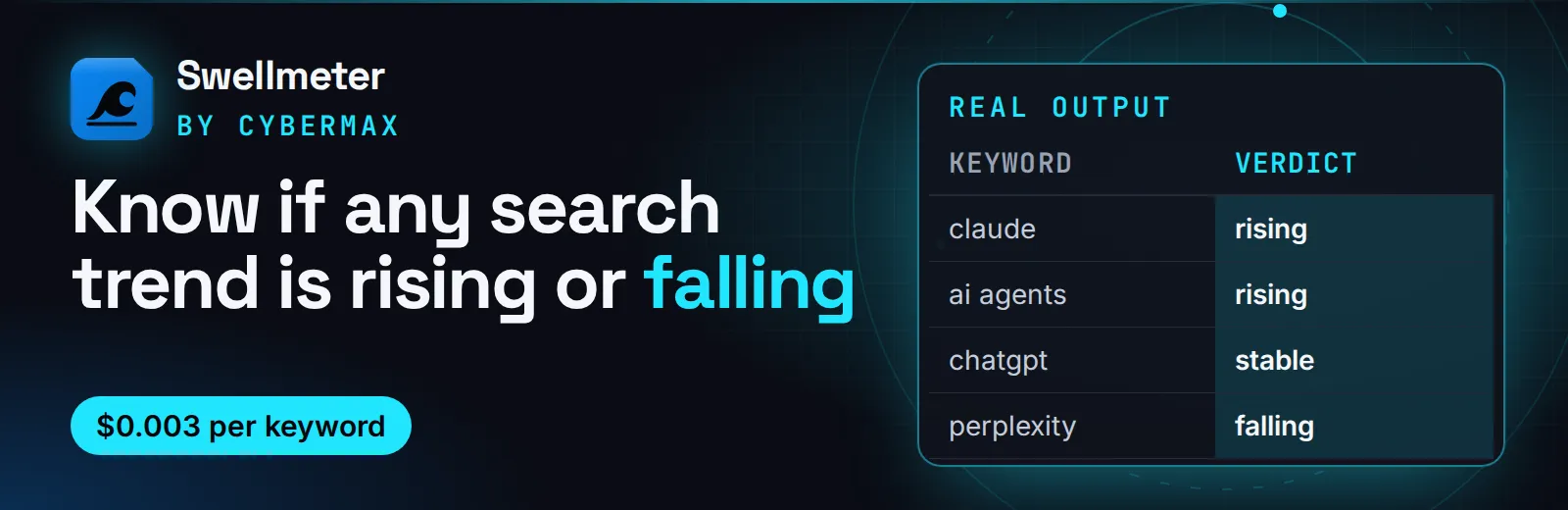
Know if any search trend is rising or falling
Give it keywords; get one record each with a rising/falling/spiking verdict, % change, peak, breakout searches and top regions from Google Trends, for $0.003 per keyword.
▶ Try it now with a prefilled input · $0.003 per keyword, failed lookups free (1,000 keywords = $3) · Apify's free plan includes $5 of credit a month, enough for up to about 1,666 keywords
Built for: Content and SEO teams picking topics · Product and market researchers · Newsletter and trend writers · AI agents answering "is X still growing?"
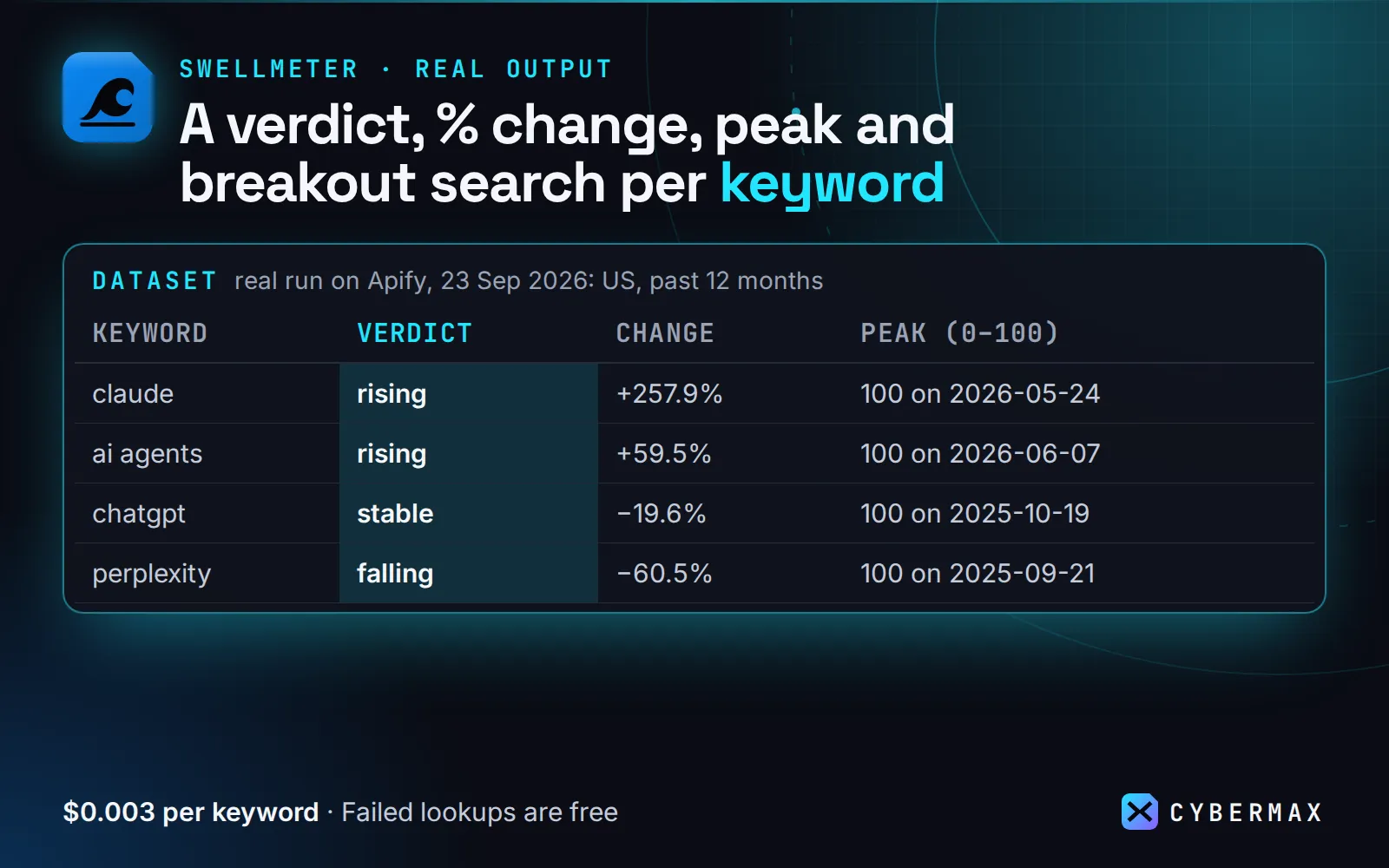
Real output (real run on Apify, 23 Sep 2026: US, past 12 months):
| Keyword | Verdict | Change | Peak (0–100) | Top rising search |
|---|---|---|---|---|
| claude | rising | +257.9% | 100 on 2026-05-24 | claude cowork |
| ai agents | rising | +59.5% | 100 on 2026-06-07 | ai agents moltbook |
| chatgpt | stable | −19.6% | 100 on 2025-10-19 | how to use chatgpt effectively |
| perplexity | falling | −60.5% | 100 on 2025-09-21 | summarize the perplexity comet… |
| sora | falling | −78.3% | 100 on 2025-10-05 | sora invite code |
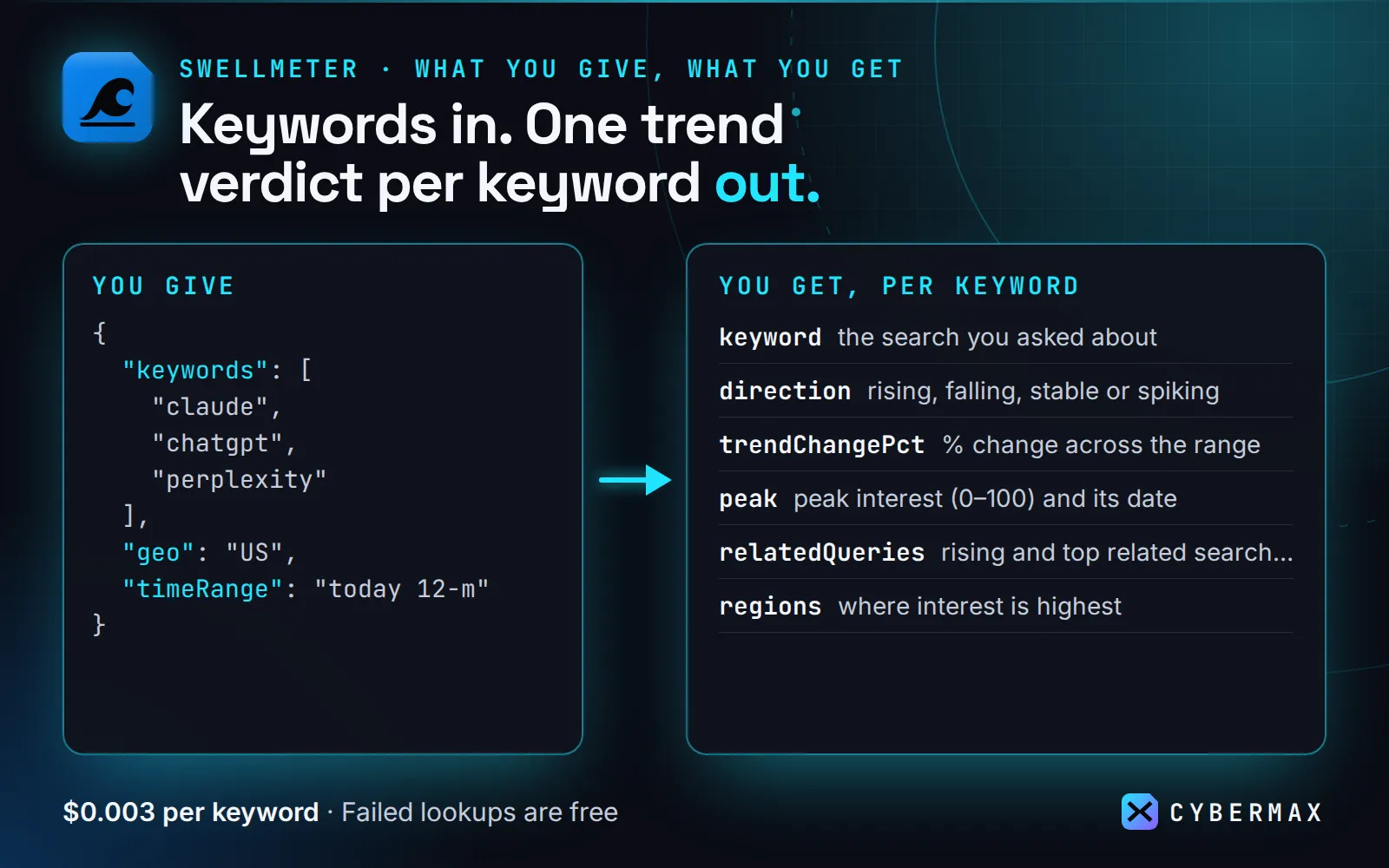
Each keyword comes back as one JSON record that an AI agent or a spreadsheet can use straight away:
- a plain-English verdict:
"Search interest in "claude" is rising over the past 12 months (+257% …)" - a direction label:
rising,falling,spiking,stableorno data - stats: latest, average, recent vs prior average, % change over the range, slope, peak and low (with dates), volatility
- related queries: top and rising / breakout searches
- top regions: countries, or states/regions when you pick a country
- the full timeline (date + 0–100 value), with Google's partial last point marked
- a link that opens the same view on trends.google.com
It also compares up to 5 terms on one scale (leader, ranking, per-keyword stats) and returns today's trending searches for any country, with traffic estimates and news links.
Monitor mode (monitor: true) turns it into a trend alert: only keywords whose verdict changed or that picked up new rising/breakout queries come back, and unchanged keywords aren't charged.
At a glance
| Question | Answer |
|---|---|
| What goes in? | Keywords (plus optional country, time range, category, YouTube/News/Shopping/Images property) |
| What comes out? | One record per keyword: verdict, direction, % change, peak, rising and breakout searches, top regions, timeline |
| Cost of a first try | $0.006 (2 keywords, about 9 s) |
| Failed lookups | Free, and retried automatically before they fail |
| Alerts? | Yes: monitor: true + a daily schedule returns (and charges) only keywords whose trend changed |
| AI agents? | Callable through Apify's MCP server; listed in the official MCP Registry |
Swellmeter vs the most-used Google Trends Actor (our own test)
Same input on Apify, 24 Sep 2026: 2 keywords (chatgpt, claude), worldwide, past 12 months, each Actor with its default settings and a 3-minute run limit.
| Swellmeter | apify/google-trends-scraper (1,518 users/30 days) | |
|---|---|---|
| Result | 2 of 2 keywords answered | timed out after 180 s with 0 results |
| Run time | 8.7 s | 180 s (limit reached) |
| Cost of this run | $0.006 | $0 (nothing returned) |
| Public runs in the last 30 days that did not succeed | 0 (new Actor, few public runs so far) | 8,267 of 22,422 (37%: 5,188 timed out, 2,414 aborted, 665 failed), per Apify's public run stats on 24 Sep 2026 |
| Plain-English verdict + direction label | yes | no (raw timeline rows) |
| Price per keyword | $0.003, failures free | $0.003 per result |
One run is a small sample: the official Actor does succeed most of the time (63% of its public runs in the last 30 days). The point of Swellmeter is that a lookup either comes back or costs nothing.
Why this one
- Reliable. Each attempt alternates between Apify's own server IP and a fresh proxy session, each with its own Google cookie and exponential back-off, and anything still rate-limited gets a second pass after a cool-down, so rate limits (HTTP 429) don't fail the run. Test runs on 2026-09-23: 60 of 60 keywords and 2 of 2 trending lists succeeded, with no failed requests (a 40-keyword batch finished in 53 s); after Google throttled our proxy pool, the direct-first retry (build 0.1.10) answered 10 of 10 keywords in 49 s.
- One record per keyword, not one row per data point. It's easy to hand to an LLM and cheap in tokens (about 3 KB without the timeline).
- Pay per answer. $0.003 per keyword. Failed lookups and keywords with no search volume are free. No start fee.
How to use
- Enter keywords (and optionally a country, time range or
trendingGeos) and run. The prefilled input (chatgpt,claude) finished in 8.7 s on 24 Sep 2026 and costs $0.006 (2 keywords × $0.003). - Read one record per keyword, per comparison set or per trending country. Quote
summaryTextor filter ondirection, or download the dataset as JSON, CSV or Excel.
Input (copy-paste):
| Field | Default | What it does |
|---|---|---|
keywords | – | Search terms. One record each (or one per comparison set). |
compare | false | Put keywords on one 0–100 scale, in sets of up to 5 (Google's limit). Adds leader, ranking and perKeyword stats. |
geo | worldwide | US, GB, DE, IN … or a region like US-CA. |
timeRange | today 12-m | now 1-H, now 4-H, now 1-d, now 7-d, today 1-m, today 3-m, today 12-m, today 5-y, all (2004–now). |
property | web | web, images, news, shopping, youtube. |
category | 0 | Google Trends category ID (e.g. 7 Finance, 45 Health). |
trendingGeos | [] | Countries for today's trending searches (one record each). |
includeTimeline | true | Every data point. Turn off for the smallest output. |
includeRelatedQueries / maxRelated | true / 10 | Top and rising related searches. |
includeRegions / maxRegions | true / 10 | Where interest is highest. |
maxConcurrency | 2 | Keywords in parallel. |
retryCooldownSecs | 45 | Rate-limited keywords are retried once at the end, one at a time, after this pause. |
monitor | false | Return only keywords whose verdict changed or that gained new rising queries since the last monitor run. |
monitorKey | auto | Name of the saved state, to monitor several keyword lists separately. |
directFirst | on | Attempts alternate between a direct connection and the proxy, starting direct. Turn off to send everything through the proxy. |
proxyConfiguration | Apify Proxy | Used for every other attempt. Datacenter proxy works for normal use. For hundreds of keywords per hour, use a larger datacenter pool or RESIDENTIAL: Google throttles individual IPs after heavy use, and a small pool can be blocked for a while. |
Ready-made inputs (first try in one click)
Paste one into the JSON tab of the input form (or send it to the API) and press Start. Each is sized so the first run is quick and cheap; you pay only for results (Apify's compute is included in the price).
| Preset | What you get | Cost |
|---|---|---|
| Is it rising? (2 keywords, US, 12 months) | 2 verdicts with % change, rising searches and top states | $0.006 |
| Head-to-head (3 brands on one scale) | 1 comparison record: leader, ranking, each term's share (billed per keyword) | $0.009 |
| What's trending today (US + UK) | 2 trending-now lists, one per country | $0.006 |
Is it rising? (2 keywords, US, 12 months)
Head-to-head (3 brands on one scale)
What's trending today (US + UK)
Same thing from a script (returns the results directly):
Output at a glance (real run, 24 Sep 2026)
The prefilled input, worldwide, past 12 months, as table columns (each record also has the full timeline, related queries and regions):
| keyword | direction | trendChangePct | peak | latest | top rising search | top region |
|---|---|---|---|---|---|---|
| chatgpt | stable | −18.6% | 100 on 2025-11-16 | 70 (partial week) | how to use chatgpt effectively | Rwanda |
| claude | rising | +320.1% | 100 on 2026-06-07 | 69 (partial week) | claude cowork | China |
summaryText for claude: Search interest in "claude" is rising over the past 12 months (+320.1% last quarter of the range vs first); peak 100 on 2026-06-07, latest 69 (partial), average 53.8.
Output (real record, trimmed timeline)
Each related query also has containsKeyword (true when it mentions the keyword). Google's rising lists sometimes include unrelated site-wide breakouts, so filter on it when you only want on-topic queries.
Monitor mode adds change fields to each returned record (structure only; values depend on Google's data):
What counts as a change: the verdict (direction), a comparison's leader or a per-keyword verdict (perKeyword.<kw>.direction), status (ok ↔ no-data), or a new on-topic rising query (containsKeyword: true; off-topic site-wide breakouts are ignored so they don't trigger alerts every day). Google returns a different sample of rising queries on each request, so a new rising query is reported once it has shown up on two monitor runs; one-off sightings are not alerts. Numbers that move a little every run (latest, averages, timeline) are not changes. The first monitor run returns every record as "new".
A comparison record adds leader, ranking ([{keyword, average, direction}]), perKeyword (the same stats for each term), a timeline with one column per keyword, and regions with one value per keyword. A trending record has trending: [{rank, query, approxTraffic, approxTrafficMin, startedAt, news: [{title, url, source}]}].
How the direction is decided
trendChangePct compares the last quarter of the range with the first quarter. It's rising at +20% or more with a positive slope and falling at −20% or less with a negative slope. It's spiking when the peak falls in the most recent window, is at least twice the average, and the recent window jumped at least 50% over the one before. Everything else is stable. Google's partial current week/day is left out of the maths but still shown as latest.
Why it pays for itself
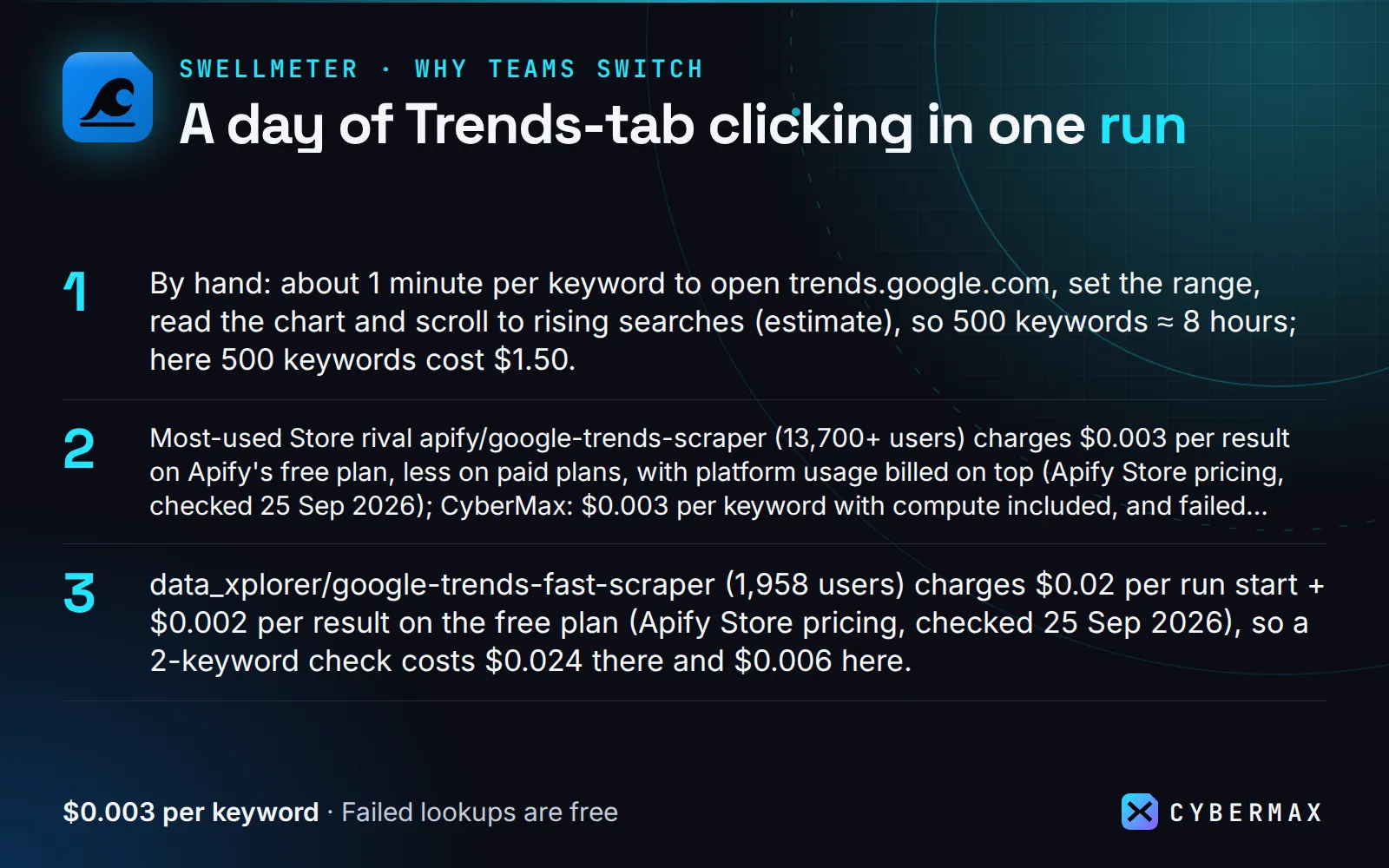
- By hand: about 1 minute per keyword to open trends.google.com, set the range, read the chart and scroll to rising searches (estimate), so 500 keywords ≈ 8 hours; here 500 keywords cost $1.50.
- Most-used Store rival apify/google-trends-scraper (13,700+ users) charges $0.003 per result on Apify's free plan, less on paid plans, with platform usage billed on top (Apify Store pricing, checked 25 Sep 2026); CyberMax: $0.003 per keyword with compute included, and failed lookups are free.
- data_xplorer/google-trends-fast-scraper (1,958 users) charges $0.02 per run start + $0.002 per result on the free plan (Apify Store pricing, checked 25 Sep 2026), so a 2-keyword check costs $0.024 there and $0.006 here.
- Monitor mode returns and charges only keywords whose verdict flipped or that picked up new rising searches, so a daily trend alert on a stable list costs close to nothing.
▶ Run it on your own list: the example input is already filled in, so the first run takes one click.
Pricing
| Event | Price |
|---|---|
| Keyword analyzed (each keyword in a comparison counts once) | $0.003 |
| Trending list (one country) | $0.003 |
| Failed lookups, keywords with no search volume | free |
| Monitor mode: unchanged keywords and trending lists | free |
Run it on a schedule
A daily trend alert for your keyword list:
- Apify Console → this Actor → enter keywords, turn on Monitor mode (and
includeTimeline: falsefor small records) → Save as a new task. - Console → Schedules → Create new → cron
0 8 * * *→ Add the task. - Task → Integrations → email, Slack or a webhook on Run succeeded: you hear about a keyword only when its verdict flips or a new rising query shows up.
Or create the schedule by API (POST https://api.apify.com/v2/schedules?token=<TOKEN>):
With monitor mode on, a daily run only pays for keywords that changed, so a stable list costs close to nothing in events.
Integrations
Make: Apify app → Run an Actor (Actor cybermax/google-trends, input {"keywords": ["pickleball"], "geo": "US"}, Run synchronously on) → Apify Get dataset items → Sheets, Slack or email.
Zapier: trigger Apify → Finished Actor Run (your scheduled task) → Apify → Fetch Dataset Items → Slack, Gmail or Sheets. Or start runs with the Run Actor action.
n8n: Apify node (Run Actor and get dataset), or an HTTP Request node:
Google Sheets: Apify's Google Sheets integration on the task, or paste into a cell:
Python (pip install apify-client):
JavaScript (npm i apify-client):
AI agents (MCP): Swellmeter is a tool on Apify's hosted MCP server, https://mcp.apify.com/?tools=cybermax/google-trends, and is listed in the official MCP Registry. Claude Desktop / Cursor config:
Typical prompts: "Is interest in pickleball still growing in the US?", "Compare Notion, Obsidian and Coda over 5 years", "What's trending in the UK right now?".
When NOT to use it
- Absolute search volumes. Google Trends is relative (0–100 in the chosen range and place). Use a keyword-volume tool if you need monthly searches.
- More than 5 terms on one scale. Google's limit. Compare in sets that share one anchor term.
- Real-time minute-by-minute monitoring.
now 1-His the finest range. Schedule runs for alerts.
Notes
Data comes from Google Trends' public web endpoints, the same ones trends.google.com uses, called politely with retries. Values can shift slightly between runs because Google samples. Not affiliated with Google.
FAQ
Why not Apify's own Google Trends Scraper? It is the most used and succeeds most of the time (63% of its public runs in the 30 days to 24 Sep 2026, per Apify's public run stats). It returns raw timeline rows; Swellmeter adds the verdict, % change and breakout searches in one record, and a keyword that fails costs nothing. In our own test on 24 Sep 2026 with the same 2 keywords, it timed out after 180 s while Swellmeter answered in 8.7 s; one run is a small sample.
Why not just use trends.google.com? It is free and fine for a few terms. For a list of keywords, a spreadsheet of verdicts, or a daily alert when something starts rising, doing it by hand takes hours; here it is one run.
Does it give search volumes? No. Google Trends is relative interest (0–100) for the range and place you pick. Use a keyword-volume tool if you need monthly searches.
Can an AI agent use it (MCP)? Yes. Add https://mcp.apify.com/?tools=cybermax/google-trends as an MCP server in Claude, Cursor, VS Code or any MCP client; the agent sees the input schema and calls Swellmeter directly.
Can I call it from Python, JavaScript or plain HTTP? Yes. POST your input JSON to https://api.apify.com/v2/acts/cybermax~google-trends/run-sync-get-dataset-items?token=YOUR_APIFY_TOKEN and the results come back in the response, or use the apify-client package for Python or JavaScript. Recipes for Make, Zapier, n8n and Google Sheets are in Integrations.
Is it legal to use? Swellmeter reads Google Trends' public, aggregated and anonymised interest data. No login and no personal data. This is general information, not legal advice.
How much does a first run cost? $0.006 with the prefilled input (2 keywords). No start fee, no compute charge on top, and keywords that fail or have no search volume are free.
Is there a free way to try it? Apify's free plan includes monthly credit that covers over a thousand keywords. The free demo page Rising searches and the free daily dataset swellmeter-google-trending-searches show real output with no account.
Does Google Trends give search volumes? No. It gives relative interest (0–100) for the chosen time range and place. Swellmeter adds the verdict, % change and peak on top of that.
Why do values change slightly between runs? Google samples its data, so small differences between runs are normal.
How many keywords can I compare? Up to 5 on one scale per set (Google's limit). With compare: true, longer lists are split into sets of 5.
How do I get today's trending searches? Add countries to trendingGeos (e.g. ["US", "GB"]). Each country returns one record with rank, query, approximate traffic and news links.
What happens if Google rate-limits a keyword? It's retried with a fresh session and again after a cool-down. Keywords that still fail come back with status: "error" and aren't charged.
Free datasets from the same pipeline
Open data on Hugging Face, built by the same code as this Actor. Download it free; run the Actor when you need your own list, fresh data or alerts.
- Swellmeter: Google trending searches: today's trending searches in 30 countries, refreshed daily.
- Curvewire: US yield curve + BLS macro panel: official macro series to put next to search-interest trends.
Start now
▶ Try Swellmeter with a prefilled input · $0.003 per keyword, failed lookups free (1,000 keywords = $3). Questions or a missing field? Open an issue on the Store page and it gets answered the same day.
Also from CyberMax
- Keyfern — keyword ideas from autocomplete, 5 engines: find the queries, then check which are rising here.
- Linkheft — domain authority score & rank: size up the sites competing for a trending topic.
- Gripeline — App Store + Google Play reviews: what users complain about when an app's interest rises or falls.
- Insidewell — SEC Form 4 insider trades: pair a brand's search trend with what its insiders are buying.
- Frontpeek — Hacker News scraper: the HN front page, keyword search and alerts when a domain is posted.
All tools: DomainDNA · HireHeat · HireHeat Jobs · Capturewren · Hollerdex · Printwren · Logolark
Changelog
-
2026-09-24: head-to-head test vs the most-used Google Trends Actor; output table; saved tasks for common lookups.
-
2026-09-23: Monitor mode (
monitor,monitorKey: only keywords whose verdict changed or that gained new rising/breakout queries, and trending lists with new queries), schedule & integration recipes.
Found Swellmeter useful? A quick rating on its Store page helps others find it.


