

Hunyuan Image 3 — AI Image to Image Editor
Pricing
from $40.00 / 1,000 edited images
Hunyuan Image 3 — AI Image to Image Editor
Edit, restyle, or transform any photo with a text prompt using Hunyuan Image 3, Tencent's flagship 80B image model. Watercolor, night scenes, style transfer & more at $0.05/image. No GPU or subscription — pay as you go.
Pricing
from $40.00 / 1,000 edited images
Rating
0.0
(0)
Developer

daniel tr
Maintained by CommunityActor stats
0
Bookmarked
32
Total users
7
Monthly active users
a month ago
Last modified
Categories
Share
Hunyuan Image 3 — AI Image to Image Editor ✏️
AI image editor powered by Hunyuan Image 3, Tencent's flagship open-source image model (80B parameters) — restyle, transform, or reimagine any photo with a simple text prompt. No GPU, no subscription, no monthly fees: you pay a small fixed price per image. A pay-as-you-go alternative to Midjourney remix, DALL·E editing, and Photoshop generative fill.
Perfect for restyling product shots, turning photos into art, day-to-night scene changes, social media content pipelines, and n8n / Make / Zapier workflows and AI agents.
Want to generate images from scratch instead? Use the companion Actor: Hunyuan Image 3 — Text to Image Generator.
Showcase — what this model can do
Every edit below was produced by this Actor from the source on the left. Hunyuan Image 3 preserves composition, pose, and identity while transforming exactly what you ask for.
🗿 Material transformation — same face, same pose, new medium
| Source | Prompt | Result |
|---|---|---|
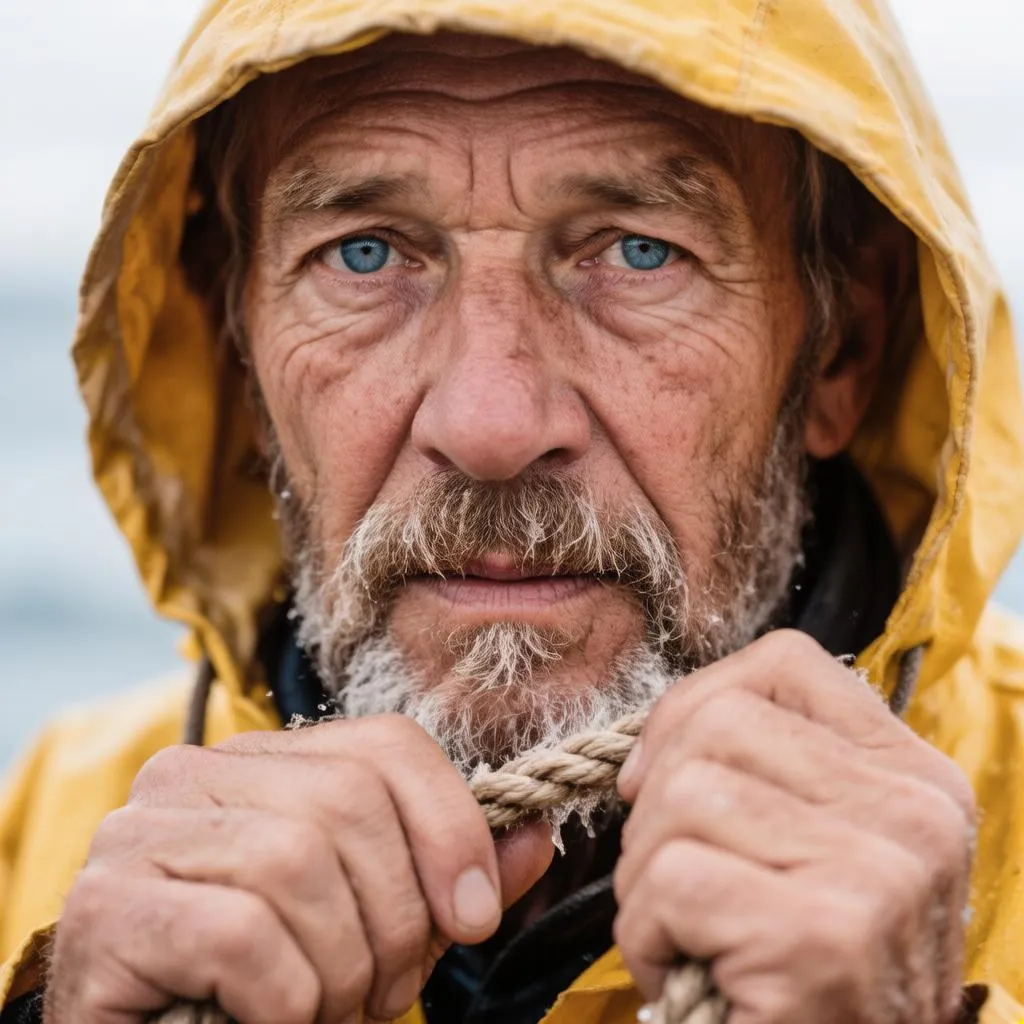 | "Turn him into a weathered white marble statue, carved stone with subtle chisel marks, museum lighting, keep the exact same pose, expression and composition" | 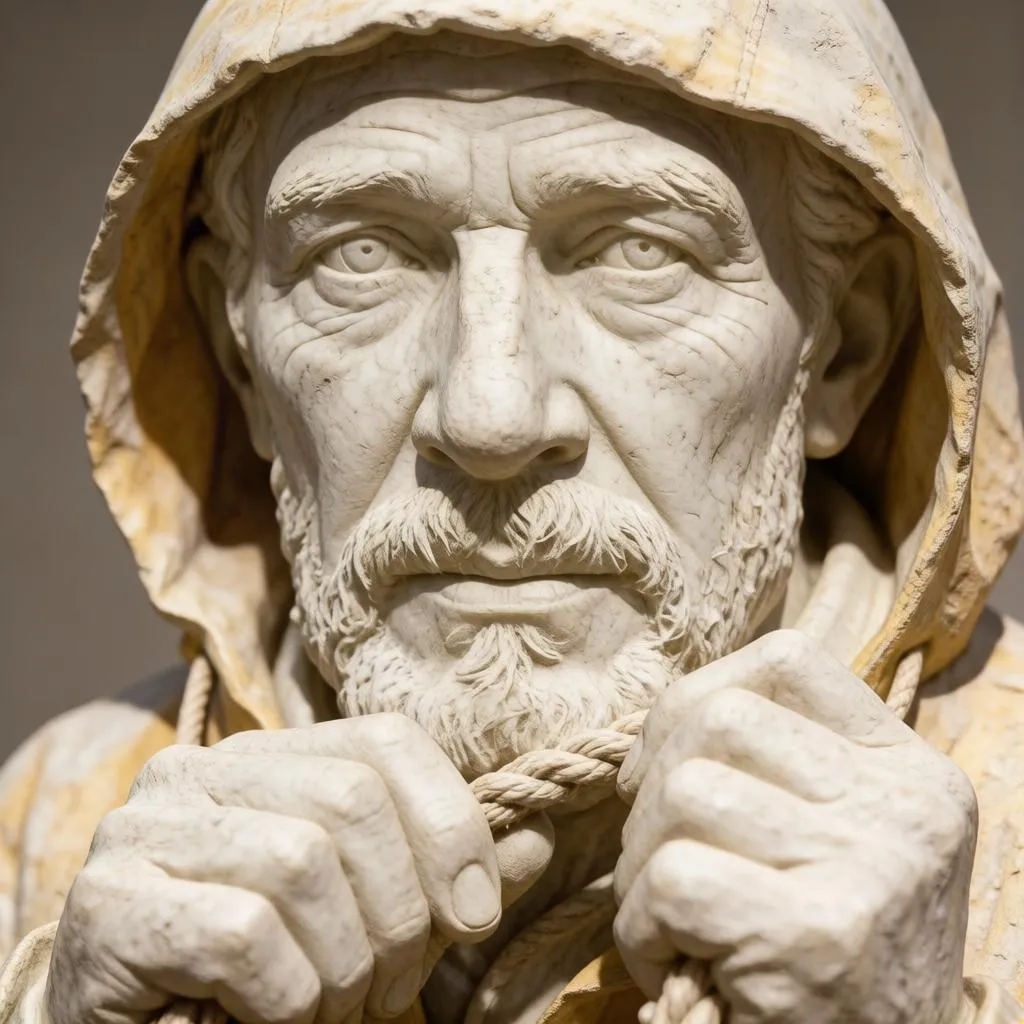 |
The wrinkles, the rope, the hood, even the expression survive the transformation into stone.
💃 Restyling while keeping the pose
| Source | Prompt | Result |
|---|---|---|
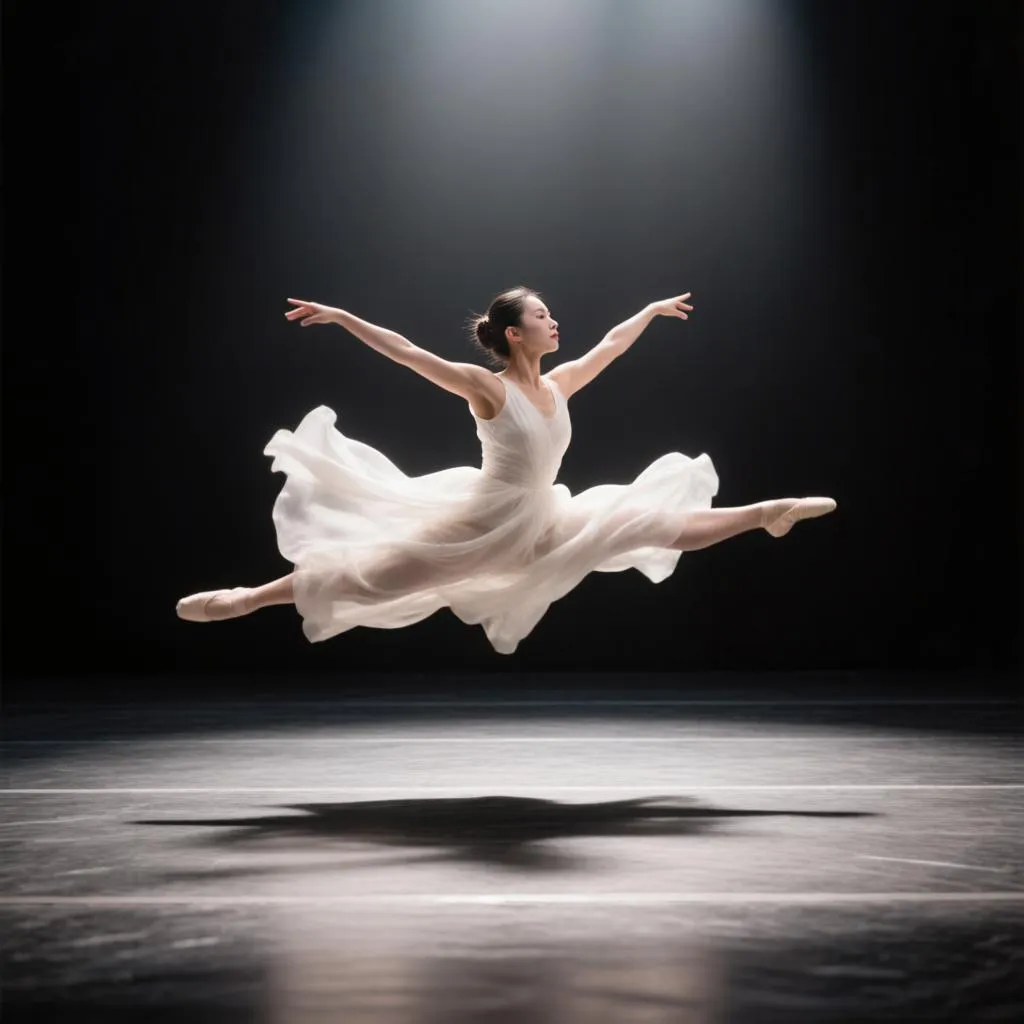 | "Restage the scene in a futuristic cyberpunk theater: the dress becomes a glowing holographic gown in electric blue and magenta, neon light trails follow the motion, keep the exact same pose" | 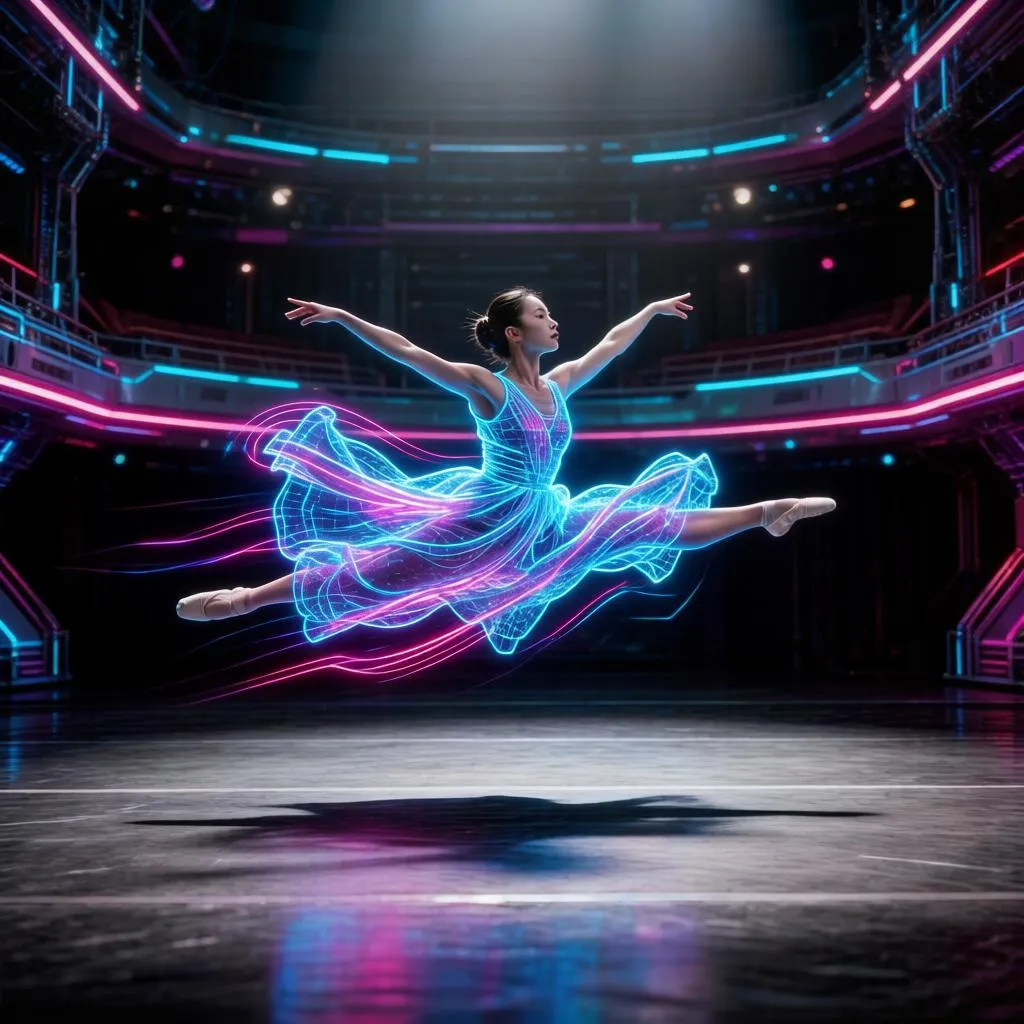 |
🕰️ Rewriting time — the same place, centuries later
| Source | Prompt | Result |
|---|---|---|
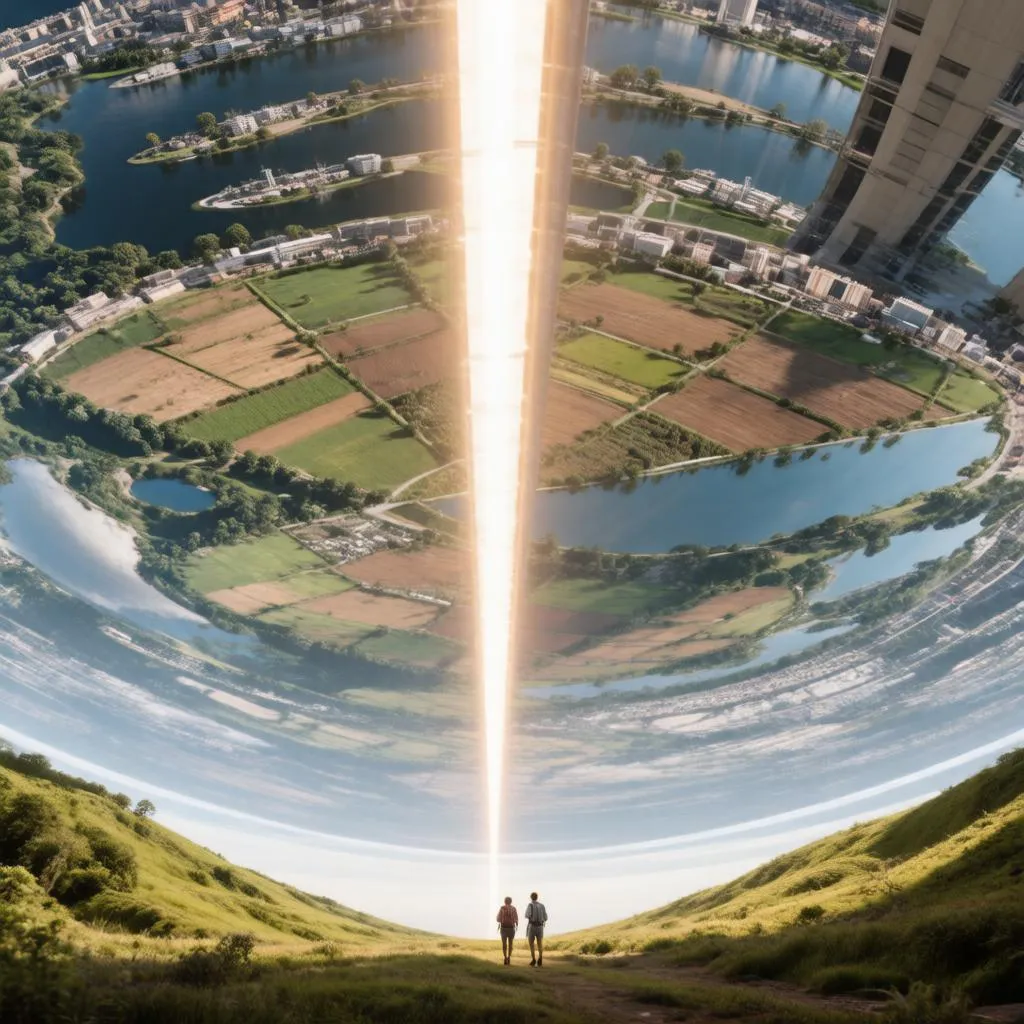 | "The same space habitat centuries after abandonment: fields overgrown with wild forest, the artificial sun flickering and half dark, vines hanging from the structures, keep the same composition and perspective" | 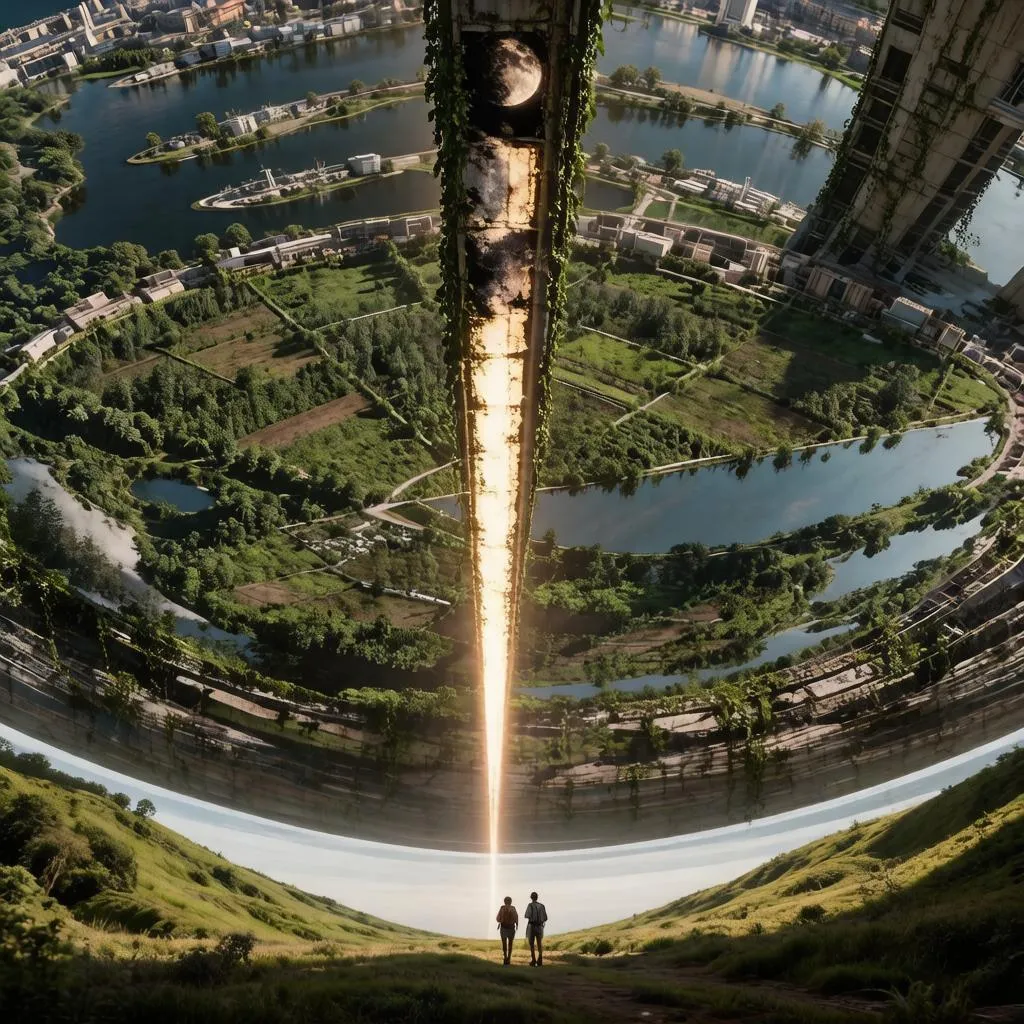 |
❄️ Weather & season changes
| Source | Prompt | Result |
|---|---|---|
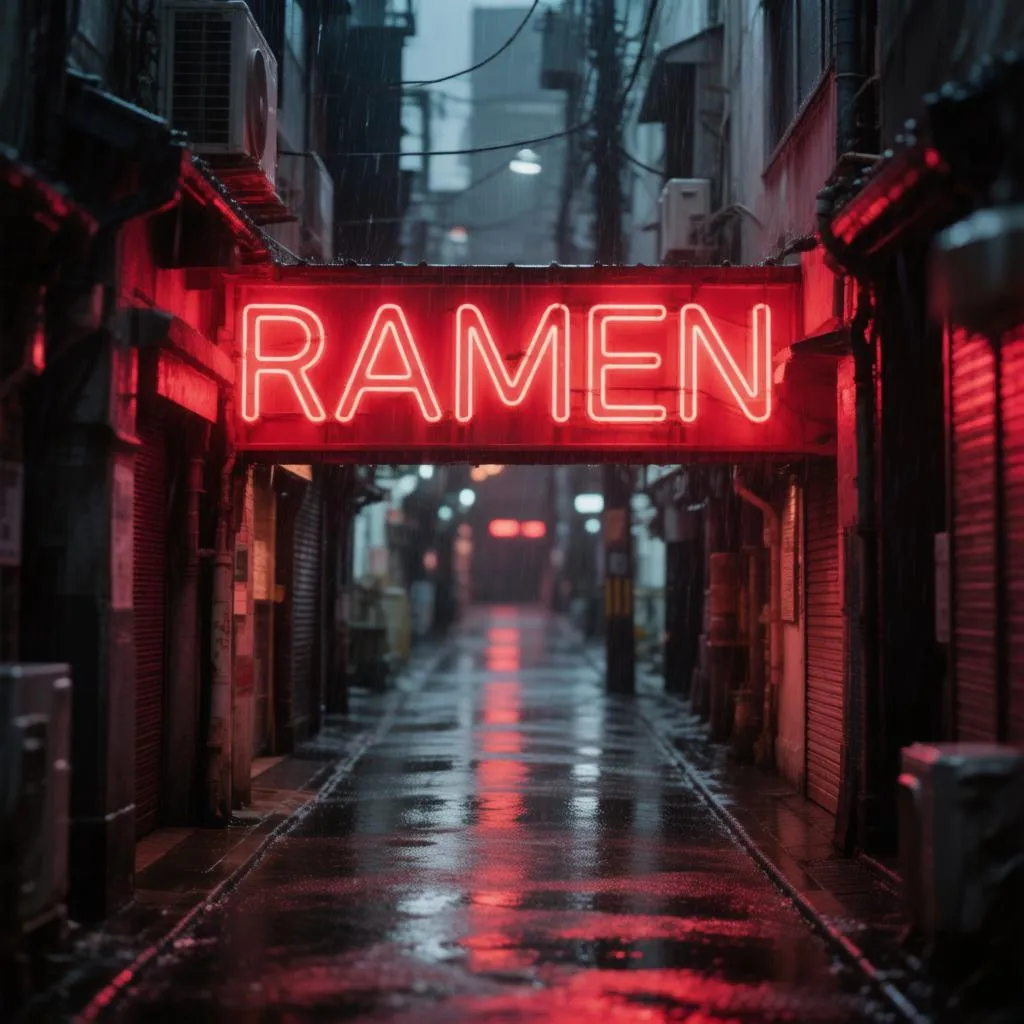 | "The same alley on a bright winter morning: rain replaced by gently falling snow, fresh snow on the awning and ground, soft cold daylight, the neon sign still glowing, keep the same composition, stall and people" | 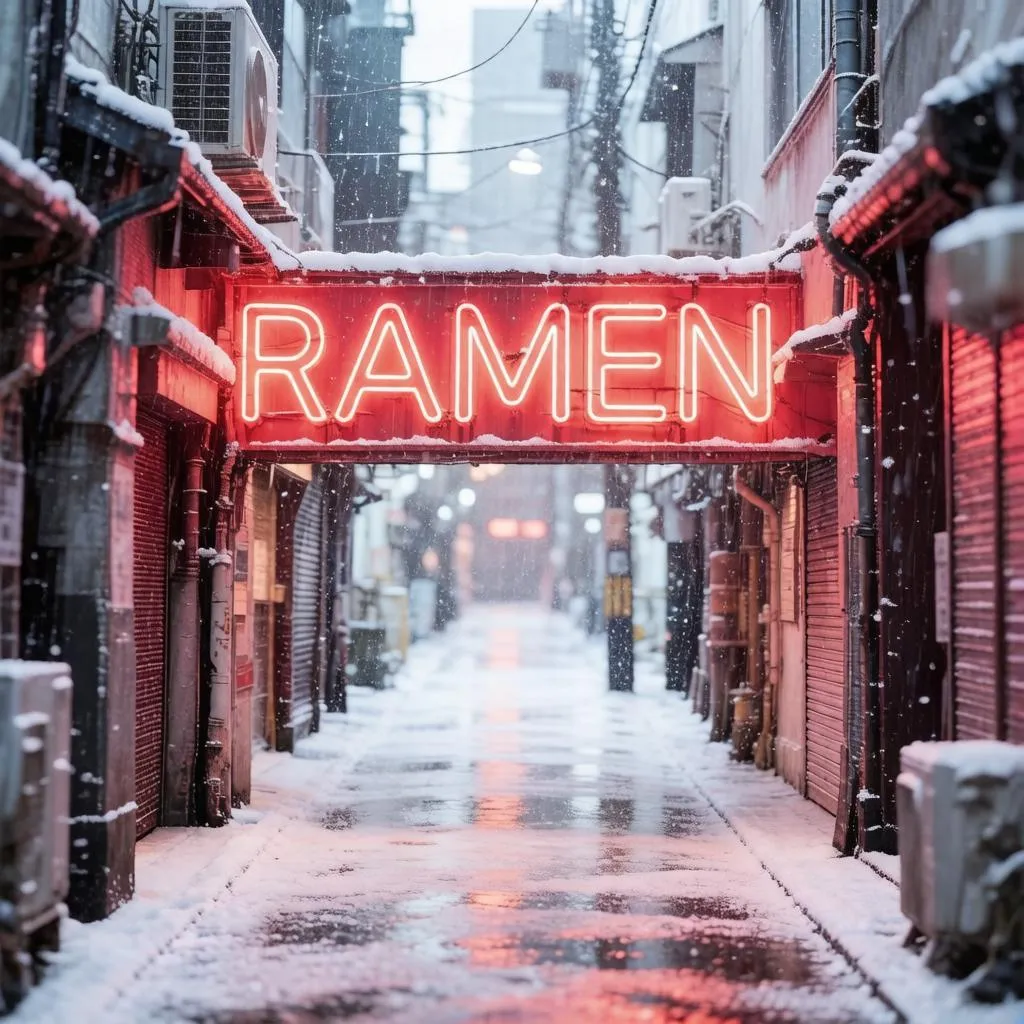 |
Same stall, same cook, same neon "RAMEN" sign, same pedestrian — only the weather changed.
🎨 Classic style transfer
| Source | Prompt | Result |
|---|---|---|
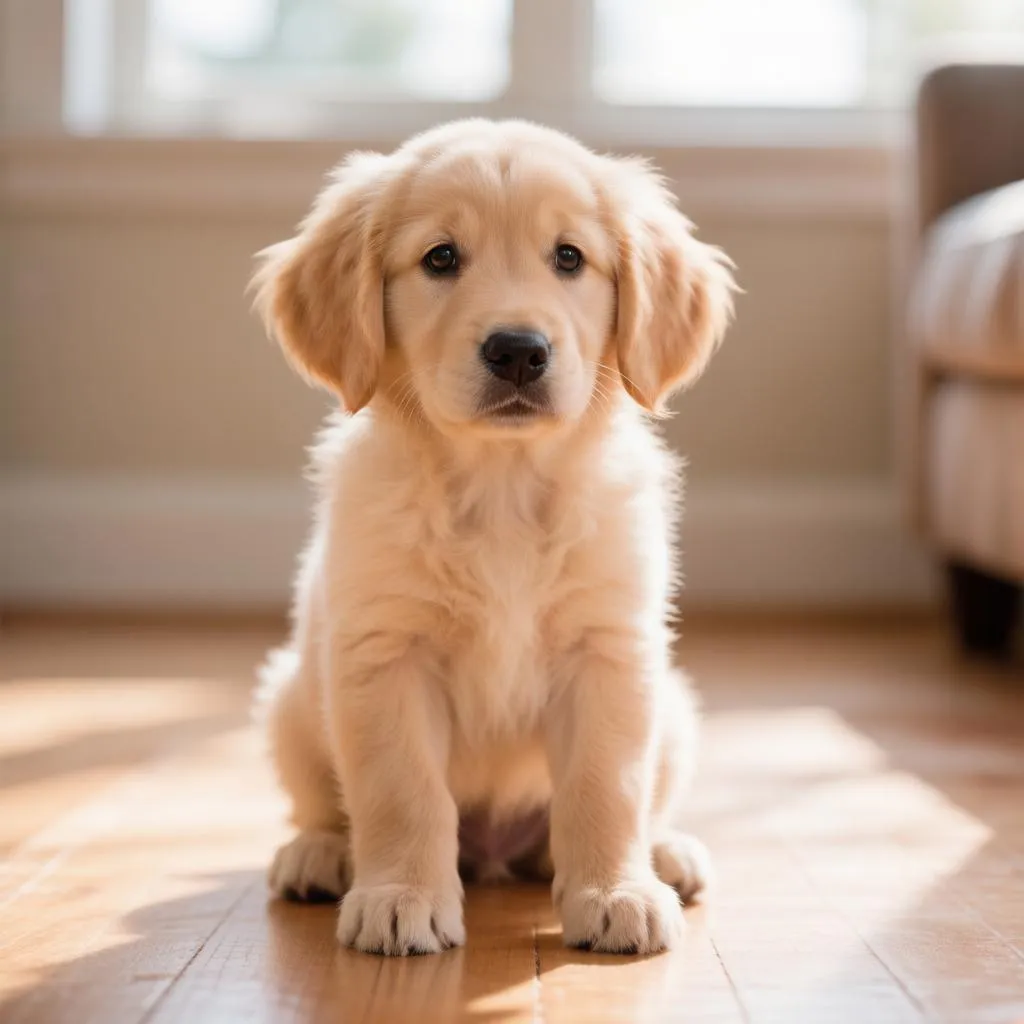 | "turn this into a watercolor painting" | 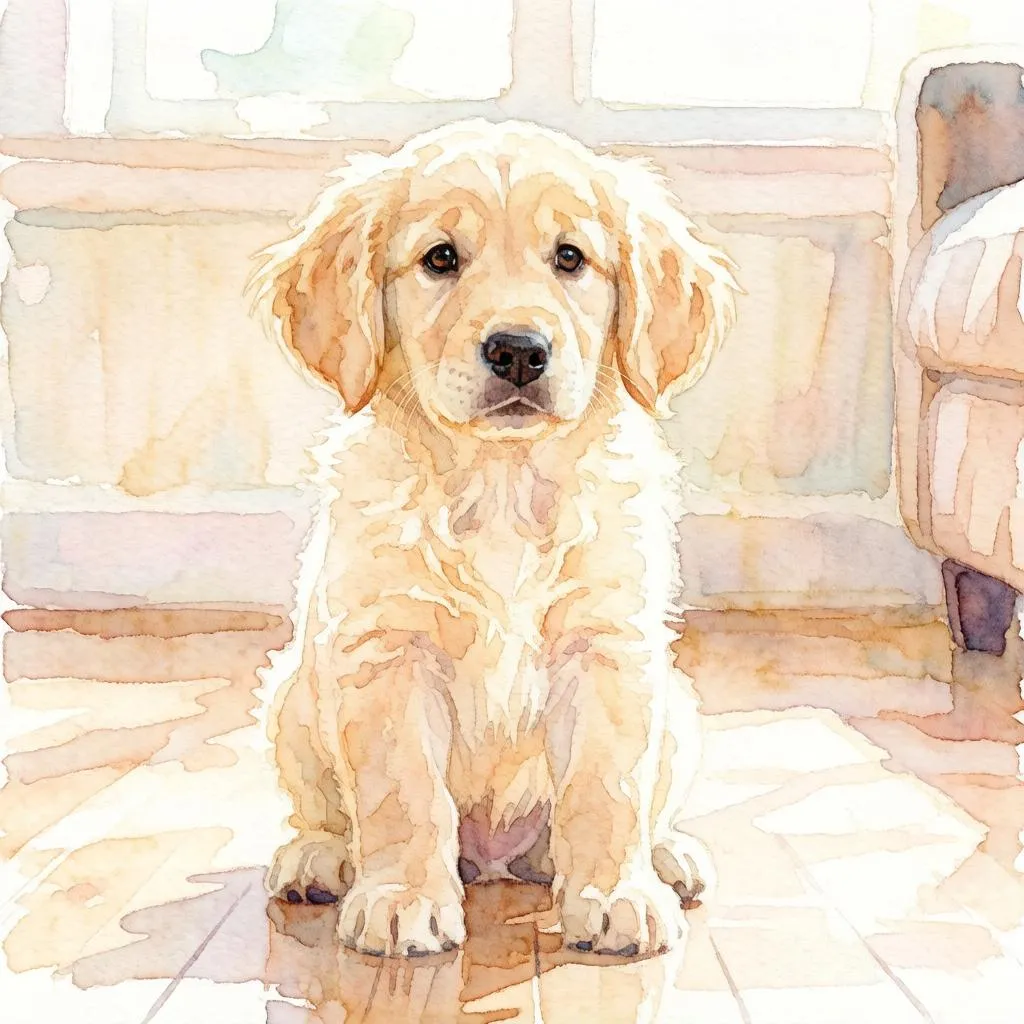 |
Why this Actor?
- 🏆 Flagship quality — Hunyuan Image 3 is one of the largest open-source image models available (80B parameters, MoE architecture). Edits preserve the composition of your source image while following the prompt closely.
- 💸 Pay per image — from $0.05 per edited image, down to $0.04 on higher Apify plans (see Pricing). Pay only for successful images; failed runs are never charged.
- 🔌 Automation-ready — call it from the Apify API, n8n, Make, Zapier, LangChain, or any AI agent via MCP.
- 📐 Flexible formats — 15 aspect ratios (
autokeeps the source ratio); JPEG, PNG, or WebP output. - 🎚️ Controllable — the
strengthsetting lets you choose between subtle touch-ups and bold transformations.
How it works
- Provide a public image URL — the photo to edit (JPG, PNG, or WebP).
- Write a prompt describing the change you want ("turn it into a watercolor", "make it night time").
- The Actor edits your image and stores the result in the run's dataset and key-value store.
- Download the file from the output, or pipe the URL into the next step of your workflow.
Input example
The image URL must be directly downloadable — no Google Drive share links, localhost, or auth-gated URLs. If it opens in an incognito browser tab, it will work here.
Output example
Pricing
Pay per edited image — and the bigger your Apify plan, the less each edit costs:
| Your Apify plan | Price per image | Per 1,000 images |
|---|---|---|
| Free | $0.050 | $50 |
| Starter | $0.047 | $47 |
| Scale | $0.045 | $45 |
| Business | $0.040 | $40 |
Failed generations are never charged — you only pay for images you actually receive. (Apify also applies its standard tiny platform fees for the Actor start and each dataset record.)
Generating from scratch too? The companion Hunyuan Image 3 — Text to Image Generator follows the same plan-tiered pricing, from $0.040 down to $0.025 per image.
Prompting tips
- Describe the change, not the whole scene: "make it winter", "convert to pencil sketch", "add dramatic storm clouds".
- Say what must stay the same: "keep the exact same pose, expression and composition" — see the marble-statue example above.
- Keep
aspectRatioon auto to preserve the source image's framing. - Use strength to control the edit: lower values keep more of the original photo, higher values follow the prompt more freely.
- Set a seed to reproduce or iterate on an edit you like.
No negative prompt? Say it in the prompt
There is deliberately no separate negative-prompt field — Hunyuan Image 3 understands natural language well enough that you simply tell it what to avoid inside the prompt itself:
- State exclusions directly: "turn it into a watercolor painting, no text, no watermark, do not change the framing".
- Even better, describe the positive alternative — image models latch onto nouns, so instead of "no rain" write "a bright clear morning" (that's exactly how the snowy-alley example above was prompted: "rain replaced by gently falling snow, soft cold daylight").
- Replace, don't just remove: empty space gets filled with something, so say what should take its place — "an empty street, wet asphalt reflecting the shop lights" beats "remove the cars".
🧰 Build pipelines with our other Actors
Every Actor below speaks image URLs — pipe this Actor's imageUrl output straight into the next step from the API, n8n, Make, or an AI agent:
- 🖋️ Hunyuan Image 3 — Text to Image Generator — create the source image from a prompt (from $0.025/image) instead of starting from a photo.
- 🎬 Wan 2.2 Image to Video Generator (Lightning) — animate the edited image into a smooth MP4 for TikTok, Reels, and Shorts.
- ✂️ BiRefNet Background Remover — cut the edited subject out to a transparent PNG for stickers, thumbnails, and store listings.
- 🧊 Image to 3D Model Generator — lift the edited object into a textured 3D model for games, AR, and 3D printing.
Popular combos:
Use it from the API
Works the same from the Apify n8n node, Make, Zapier, LangChain, or the Apify MCP server for AI agents.
For the full request/response shape (run-sync, async, polling, downloading the image), see the OpenAPI spec at ./openapi.yaml — import it into Postman, Insomnia, or any OpenAPI client.
Use with AI agents (MCP server)
This Actor works as a tool for any MCP-compatible AI agent (Claude, Cursor, VS Code Copilot, custom agents) through Apify's hosted MCP server. Your agent can edit images as part of a larger task with billing through your Apify account.
Server URL (with this Actor preselected as a tool):
Authenticate with OAuth (you'll be redirected on first connect) or an Authorization: Bearer <APIFY_TOKEN> header.
Claude Code
Cursor / VS Code — add to .cursor/mcp.json (or "MCP: Open User Configuration" in VS Code):
FAQ
How long does an edit take? Usually seconds to about a minute, depending on load — Hunyuan Image 3 is a large flagship model running on dedicated GPUs.
What input formats are supported? JPG, PNG, and WebP via a publicly accessible URL. Output: JPEG, PNG, or WebP — your choice.
What model is used? Hunyuan Image 3 (HunyuanImage-3.0) — Tencent's open-source 80B-parameter image model, in image-to-image mode.
Is there a watermark? No. The output images are clean and ready to publish.
How many images do I get per run? One image per run, so runs stay cheap and predictable. To create variations, start multiple runs with different seeds — they execute in parallel.


