

Image & Banner Generator - Templates + Data to PNG in Bulk
Pricing
$1.00 / 1,000 image createds
Image & Banner Generator - Templates + Data to PNG in Bulk
Make social images, OG cards and ad banners from a template and data rows: 5 built-in designs or your own HTML/CSS, many sizes per row, text auto-shrink with a per-image fit check, PNG/JPEG/WebP. $1 per 1,000 images.
Pricing
$1.00 / 1,000 image createds
Rating
0.0
(0)
Developer

DigiVibeTech
Maintained by CommunityActor stats
0
Bookmarked
2
Total users
1
Monthly active users
2 days ago
Last modified
Categories
Features
Share
Image & Banner Generator — make social images, OG cards and ad banners from a template and data rows: 5 built-in designs or your own HTML/CSS, many sizes per row, text auto-shrink with a per-image fit check, PNG/JPEG/WebP.
Try it free: press Start — the prefilled input runs a small real job (a few items at $0.001 each). Apify's free plan includes monthly platform credit, so a first test costs you nothing. You can also set a maximum cost per run.
- What you get:
fileName,size,width,height,pixelWidth,pixelHeight - Who it's for: marketers, e-commerce teams and developers
- Price: $0.001 per image created
- Data source: Renders images from the templates and data you supply.
What is Image & Banner Generator?
Price: $0.001 per image (event image, charged once for each image file saved to the run's key-value store and listed in the dataset); pay per event, not a seven-day free-run trial. No start fee.
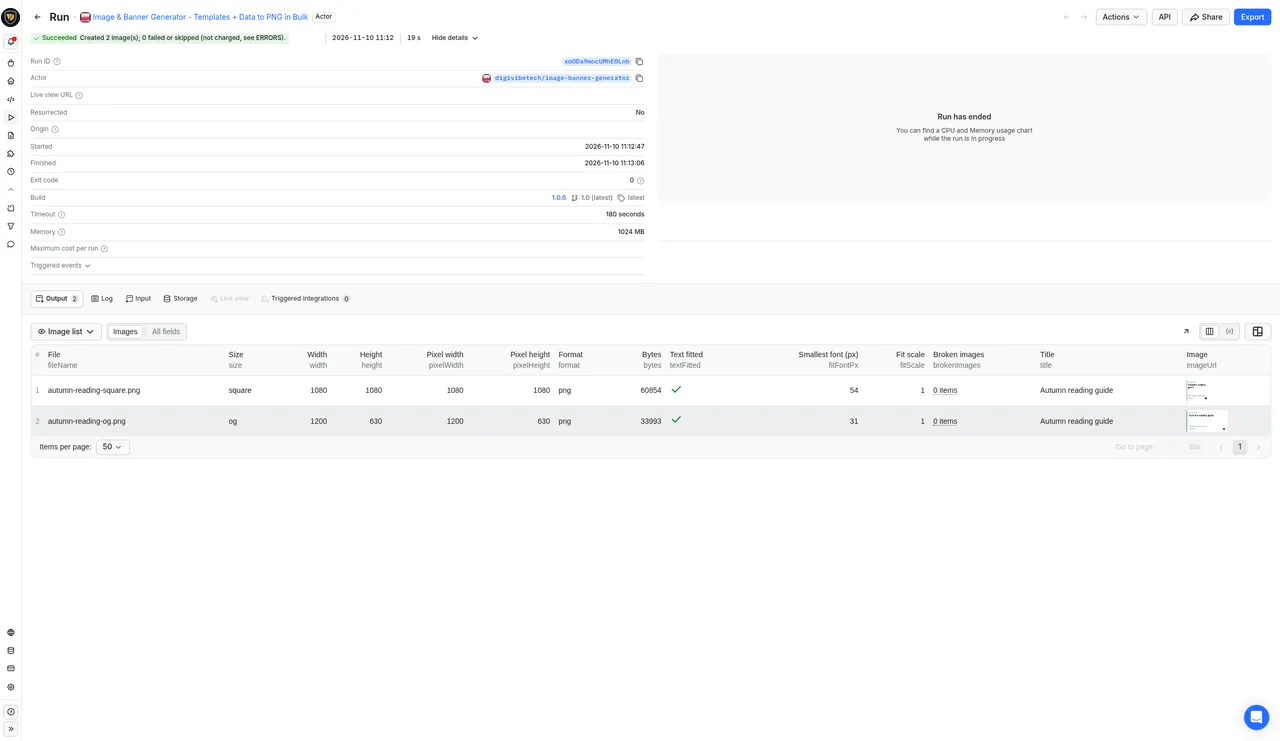
Free output sample: the 2 images of the example input below, made in a 10 November 2026 cloud run: Open Graph 1200x630 PNG and square 1080x1080 PNG.
Processing, storage and payment · Privacy · Support
Make social media images, Open Graph cards and ad banners from a template and a list of data rows. One row can come out in many sizes at once, so a blog post gets its link preview, square post and story image in one go.
✅ Why this one
- $0.001 per image.
- Your own HTML and CSS design with
{{ fields }}, or one of 5 built-in designs. - Many sizes per data row in one run: Open Graph, X, square, story, LinkedIn, Pinterest, YouTube and IAB banners.
- Each output row reports whether the shrink-to-fit text fitted (
textFitted), the smallest font size used (fitFontPx) and how far it was shrunk (fitScale, 1 = not shrunk) and lists images that failed to load (brokenImages).
📸 Real-run screenshots
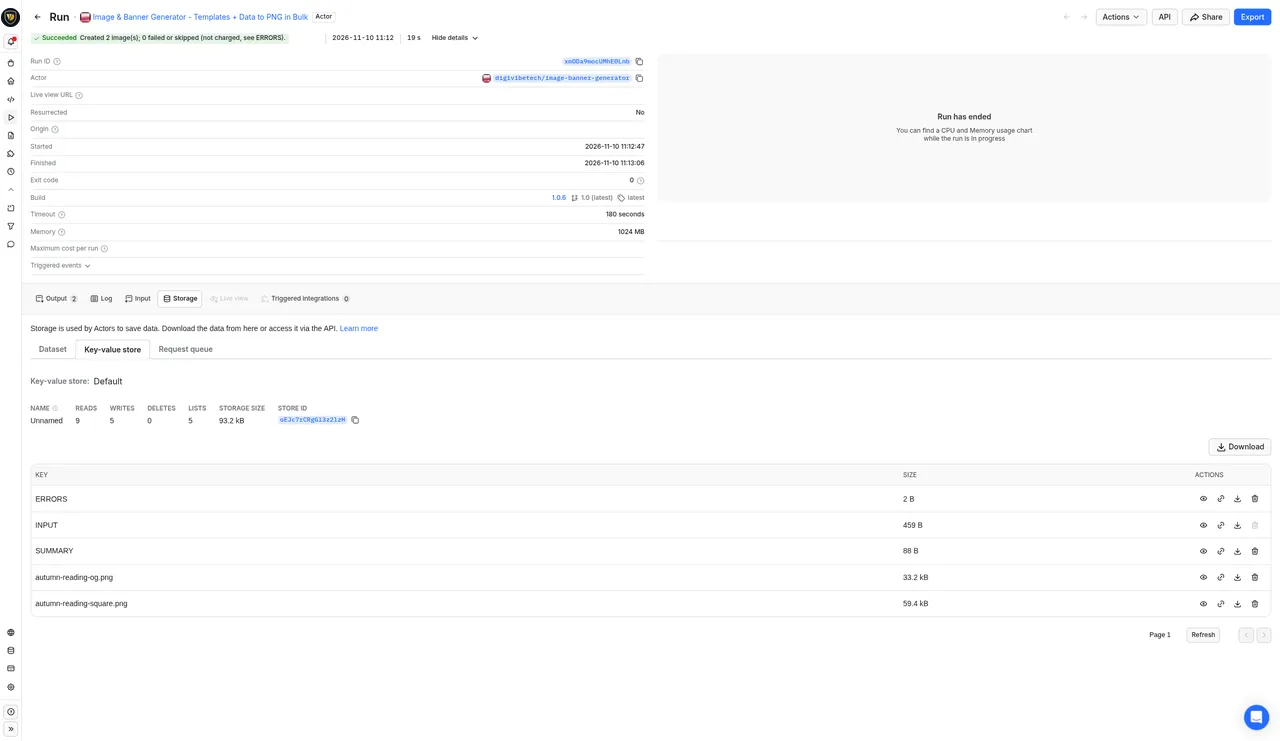
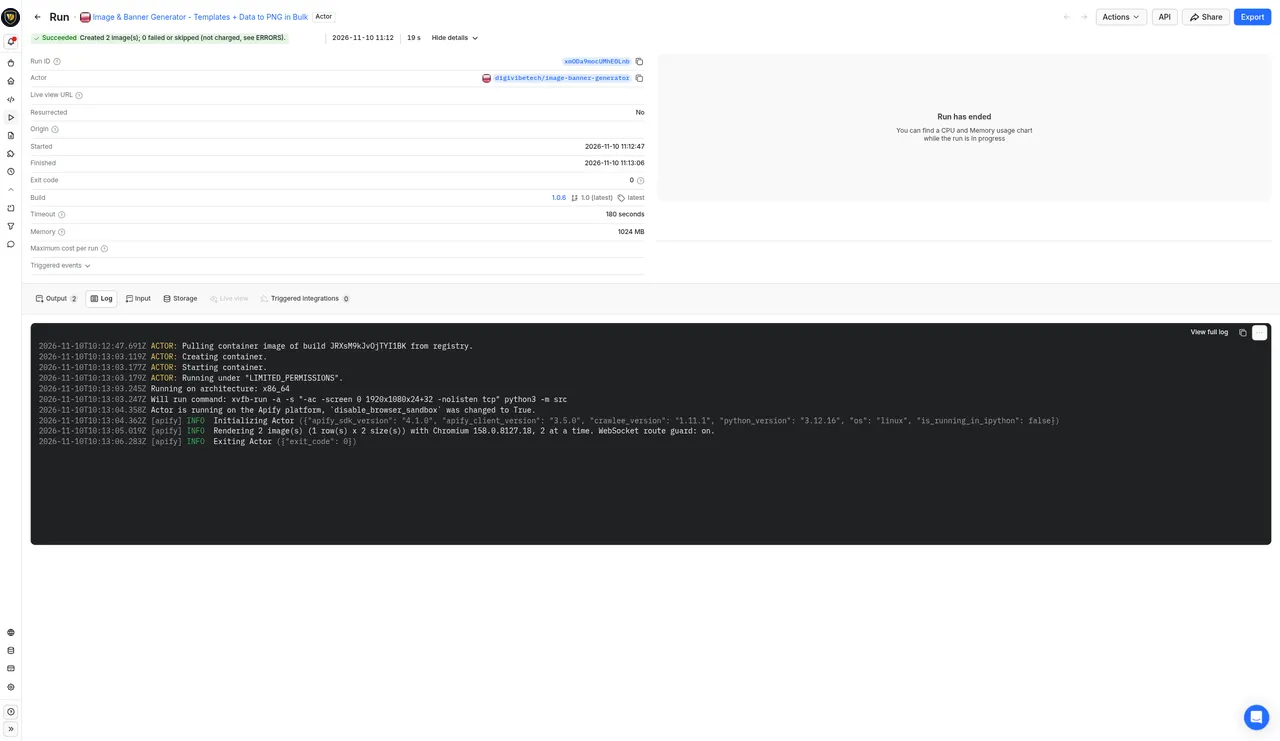
Apify Console views of the 10 November 2026 cloud run of the example input below.
⬇️ What data you get
- 5 built-in designs that scale their layout to the requested size: title card with brand bar, title + photo, quote card, product promo with price and badge, and event announcement. On the three IAB banner sizes the text gets small; check
fitFontPx. - Your own design. Write HTML and CSS with
{{ fields }}(Jinja2 syntax, values are escaped). Adddata-fitto any element to shrink its text to try to fit (seetextFitted). - Many sizes per row. Presets for Open Graph (1200x630), X/Twitter, square, portrait, story, LinkedIn, Pinterest, YouTube thumbnail, Facebook cover and IAB banners (728x90, 300x250, 160x600), or any
WIDTHxHEIGHTfrom 16 to 4000 px per side. - Shrink-to-fit text. The fit option shrinks long titles and subtitles (the
data-fitelements) step by step down to 8 px; fitting is not guaranteed, so each output row says whether the text fitted (textFitted), the smallest font size used (fitFontPx) and the smallest shrink factor (fitScale, 1 = not shrunk). - Data from JSON or CSV. Rows in the input, or a public CSV link (up to 20 MB) such as a Google Sheet published as CSV. Comma, semicolon and tab separators are detected from the header row.
- Brand settings once: brand colour, text and background colour, logo, Google Font, footer. Every row can override them.
- PNG, JPEG or WebP, pixel density 1, 1.5 or 2 (2 gives a 2400x1260 file for Open Graph), and a transparent background for PNG and WebP.
- File names from your data, for example
card-{{ slug }}givescard-autumn-reading-og.png. - Broken image check. Images that fail to load, both
<img>tags and CSS background photos, are listed per output row (brokenImages); fonts and stylesheets that fail are listed infailedResources.
🎯 Use cases
- Create OG images for every blog post from a data sheet
- Make ad banners in many sizes from one template
- Render product promo cards in bulk
▶️ How to use
- Open the actor; the input is prefilled with a small real example.
- Replace it with your own input.
- Press Start. Results appear in the Output tab (Overview view).
- Download JSON, CSV or Excel, call the results via API, or schedule the actor.
⚙️ Input
This batch makes 2 images (1 row in 2 sizes), so it costs $0.002. It loads one logo from digivibetech.com and no photo or web font.
⬆️ Output
Each image is saved in the run's key-value store, and the dataset gets one row per image: row, size, width and height (design size), pixelWidth and pixelHeight (file size in pixels), scale, format, fileName, kvKey, imageUrl, bytes, template, textFitted, fitFontPx, fitScale, brokenImages, failedResources, title and createdAt. Download links are run-storage links, not permanent hosting.
The key-value store also holds SUMMARY (images created, failed or skipped, billed count, rows, sizes) and ERRORS (jobs that were not charged, with the reason). The run's status message gives the number of images created and the number failed or skipped.
Example dataset row of the example input (imageUrl, bytes and createdAt differ per run and are left out):
💵 Pricing and cost estimate
$0.001 per image ($1 per 1,000 images), charged once for each image file saved. No start fee. An image whose photo, logo or font did not load is still made and charged; it is listed in brokenImages or failedResources.
Not charged, and listed in ERRORS: a row that cannot be filled (a field missing from a custom template or file name template, or an invalid colour, image URL or font name in that row), an image the browser cannot draw or whose page does not load within 30 s, and every job left when your maximum cost per run is reached or when the run is within 30 s of its timeout. An input error (for example an unknown size or a CSV that cannot be read) stops the run before any image is made, with nothing charged.
Cost estimate
| Image createds | Cost |
|---|---|
| 100 | $0.10 |
| 1,000 | $1.00 |
| 10,000 | $10.00 |
You pay only for these events: no subscription.
🔌 Integrations and API
Run it from n8n, Make, Zapier, Clay or any tool that can call an HTTP endpoint, connect a webhook to get notified when a run finishes, or let AI agents call it through the Apify MCP server (mcp.apify.com).
Run it and get the results in one call:
Python (pip install apify-client):
⚠️ Limits
- Up to 5,000 images per run (rows x sizes); a larger batch stops at the start, not charged.
- Images, logos, fonts and every other request a template makes must go to public http(s) addresses. Each request and each redirect hop is checked by resolving its host name, requests to private or local network addresses are blocked, and WebSockets are not connected.
- The CSV link is read once, up to 20 MB.
- No AI image generation: designs are drawn from HTML and CSS, so the same input on the same build gives the same layout (remote photos, logos and fonts can change).
- Animated GIF and video output are not supported.
- Google Fonts need the font family name as listed on fonts.google.com; an unknown family falls back to the system font and is listed in
failedResources.
🛡️ Data source, privacy and legality
Renders images from the templates and data you supply.
Processing, storage and payment
Input, run logs, dataset rows and generated files are processed and stored by Apify. Access to a run's storage depends on Apify settings; some generated file URLs may grant access to anyone who has the link. Treat output URLs as sensitive and do not put secrets, customer records or personal data in sample inputs.
Storage retention depends on your Apify plan, storage settings and deletion actions; no fixed retention period or automatic deletion by this Actor is promised. Review and delete input, logs, datasets and key-value stores in your Apify account when no longer needed. Apify handles run billing under pay-per-event pricing. No separate licence key or seven-day free-run window applies. Privacy and support information.
Templates, JSON/CSV rows and branding are rendered in Chromium. Optional CSV, logo, photo, font and other template URLs may contact their hosting providers; Google Fonts is contacted only when requested. Use only material you have permission to process. Generated images and diagnostics are saved to Apify storage.
❓ FAQ
How much does Image & Banner Generator cost?
$0.001 per image created. See the cost estimate table above. There is no monthly fee.
Can I try it for free?
Yes. Press Start with the prefilled input: it runs a small real job (a few items at $0.001 each). Apify's free plan includes monthly platform credit, which covers a first test.
Is it legal to use Image & Banner Generator?
Renders images from the templates and data you supply. Use the results lawfully (terms of the source, GDPR where it applies). This is not legal advice.
Can I use it through the API or an MCP server?
Yes. Every run is available through the Apify API and the official client libraries, and AI agents can call the actor through the Apify MCP server. See Integrations and API above.
Something does not work. Where do I get help?
Open an issue on the Issues tab or use digivibetech.com/support. Include the run ID so we can reproduce it.
📝 Changelog
20 Nov 2026 — listing refresh
- README, listing text and input form restructured to the DigiVibeTech Apify quality standard v1. No feature or price change.
1.0 — builds 1.0.2 to 1.0.6
- First build 2026-10-26, latest build 2026-11-10 (5 successful builds).
🧩 More DigiVibeTech actors
- Bulk Image Converter & Compressor - WebP, AVIF, JPEG, PNG
- Bulk QR & Barcode Generator - PNG, SVG, Label PDFs
- PDF OCR to Markdown - Scanned PDF & Image to Text for RAG
- Bulk WHOIS & DNS Lookup - Domain Expiry, RDAP, SPF, DMARC
Maintained by DigiVibeTech. Questions or bugs: use the Issues tab or digivibetech.com/support; we reply within 2–5 business days.


