

Product Feed Collector - Affiliate Feeds to One Schema
Pricing
$1.00 / 1,000 product delivereds
Product Feed Collector - Affiliate Feeds to One Schema
🥇 Top 5 tested: #1 (tested 22 Nov 2026). Merge Daisycon, Awin, TradeTracker, bol partner and Google Shopping feeds (CSV, XML, JSON) into one schema: EAN dedupe, category mapping, price/stock change detection, free 30/90-day price history with drop flag, CSV/JSON exports. $0.001 per product.
Pricing
$1.00 / 1,000 product delivereds
Rating
0.0
(0)
Developer

DigiVibeTech
Maintained by CommunityActor stats
0
Bookmarked
2
Total users
1
Monthly active users
6 days ago
Last modified
Categories
Features
Share
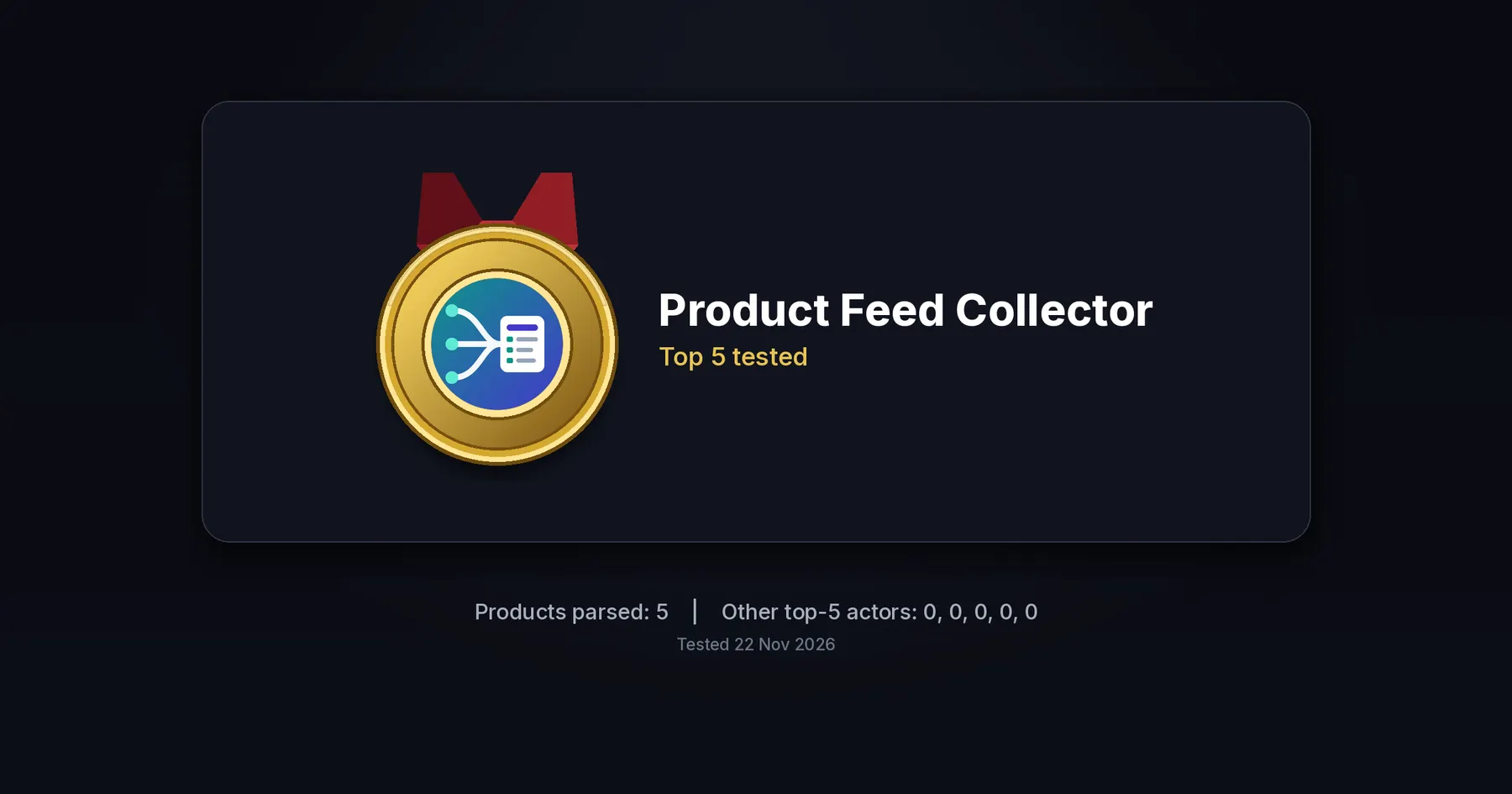
🥇 Top 5 tested: #1
Tested 22 Nov 2026 against the top 5 most-used Apify actors for this job, same input.
Product Feed Collector — merge Daisycon, Awin, TradeTracker, bol partner and Google Shopping feeds (CSV, XML, JSON) into one schema: EAN dedupe, category mapping, price/stock change detection, free 30/90-day price history with drop flag, optional free cross-shop EAN match export, CSV/JSON exports.
Try it free: press Start — the prefilled input runs a small real job (up to 20 × product delivered, about $0.020 in events). Apify's free plan includes monthly platform credit, so a first test costs you nothing. You can also set a maximum cost per run.
- What you get:
changeType,title,price,currency,gtin,brand - Who it's for: affiliate marketers and comparison-site builders
- Price: $0.001 per product delivered
- Data source: Reads the affiliate product feeds you have access to; it does not scrape shop pages.
What is Product Feed Collector?
Turn the product feeds from your affiliate networks and shops into one clean product list. Daisycon, Awin, TradeTracker, bol partner feeds, Google Shopping feeds and any other CSV, XML or JSON feed come out with the same fields, so a comparison site, a shop or a spreadsheet can use them without per-network code.
✅ Why this one
- Reads affiliate feeds from Awin, Daisycon and TradeTracker as well as Google Shopping and bol partner files.
- $0.001 per product, and with
outputMode: changesunchanged products are free. - Dedupes by EAN across shops, maps categories with your own rules and writes
PRODUCTS.csv,PRODUCTS.jsonand an import file in every run. - Feed keys in URLs are masked in logs, errors and output.
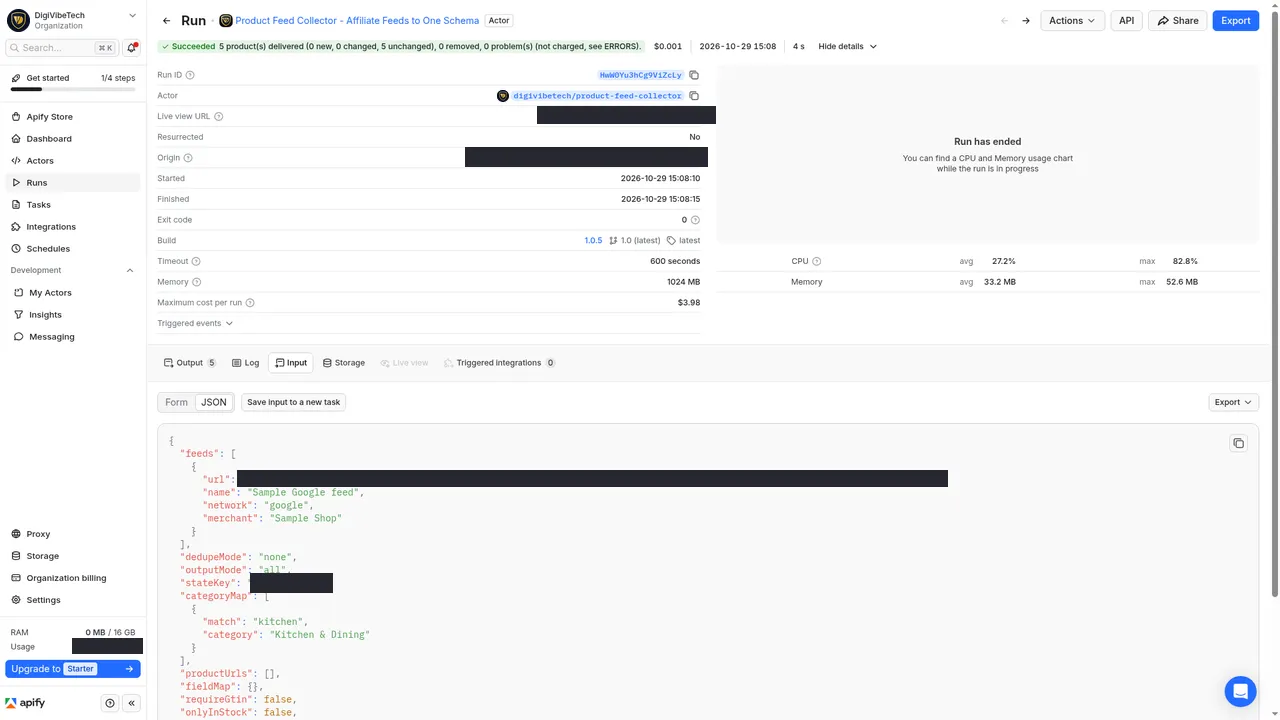
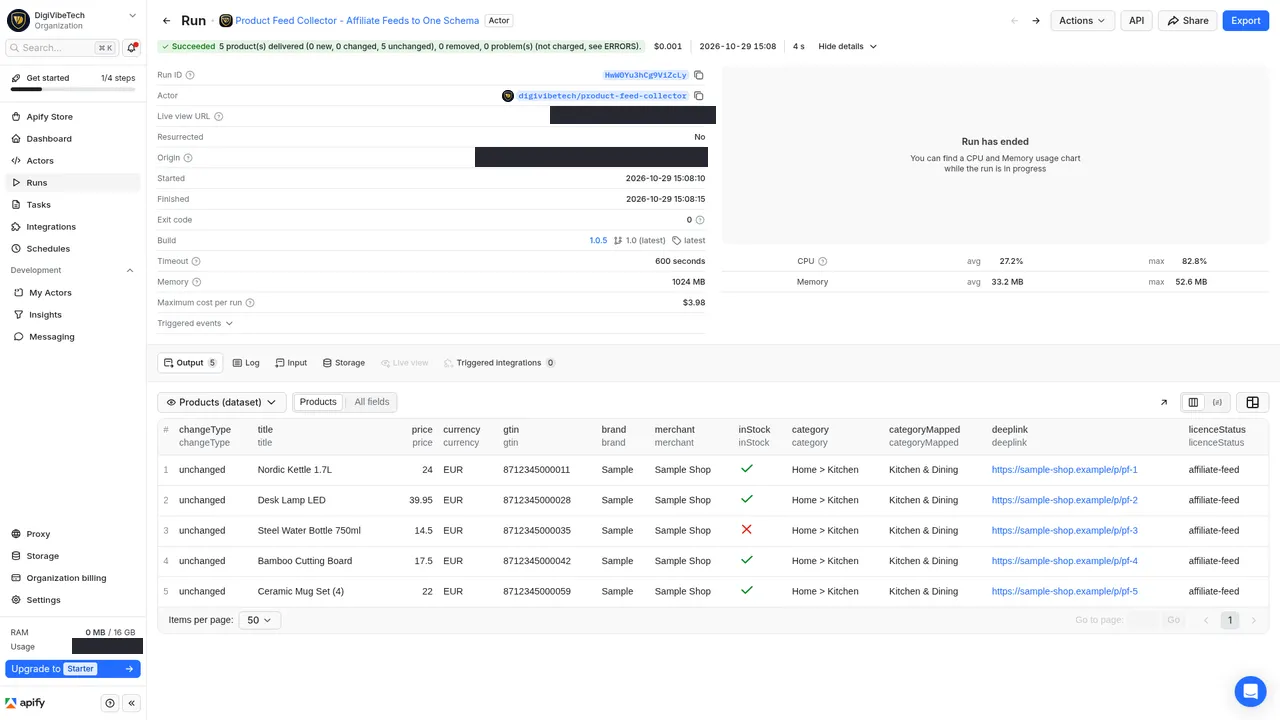
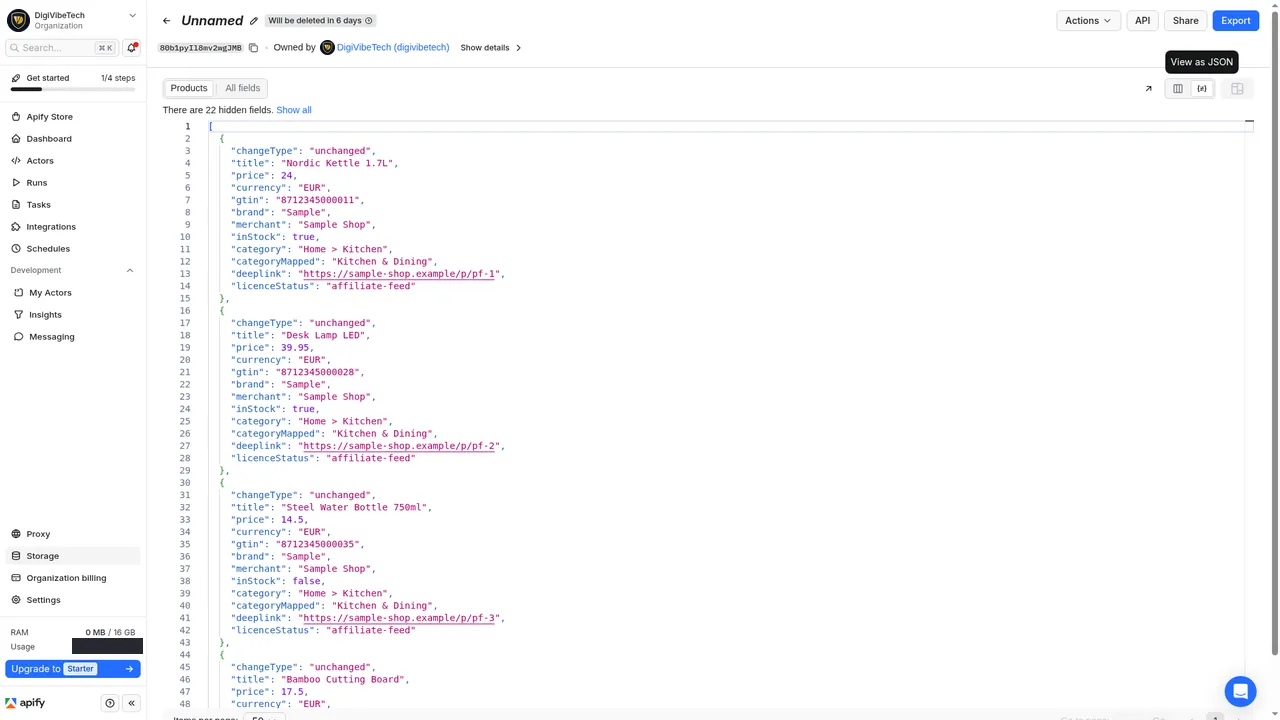
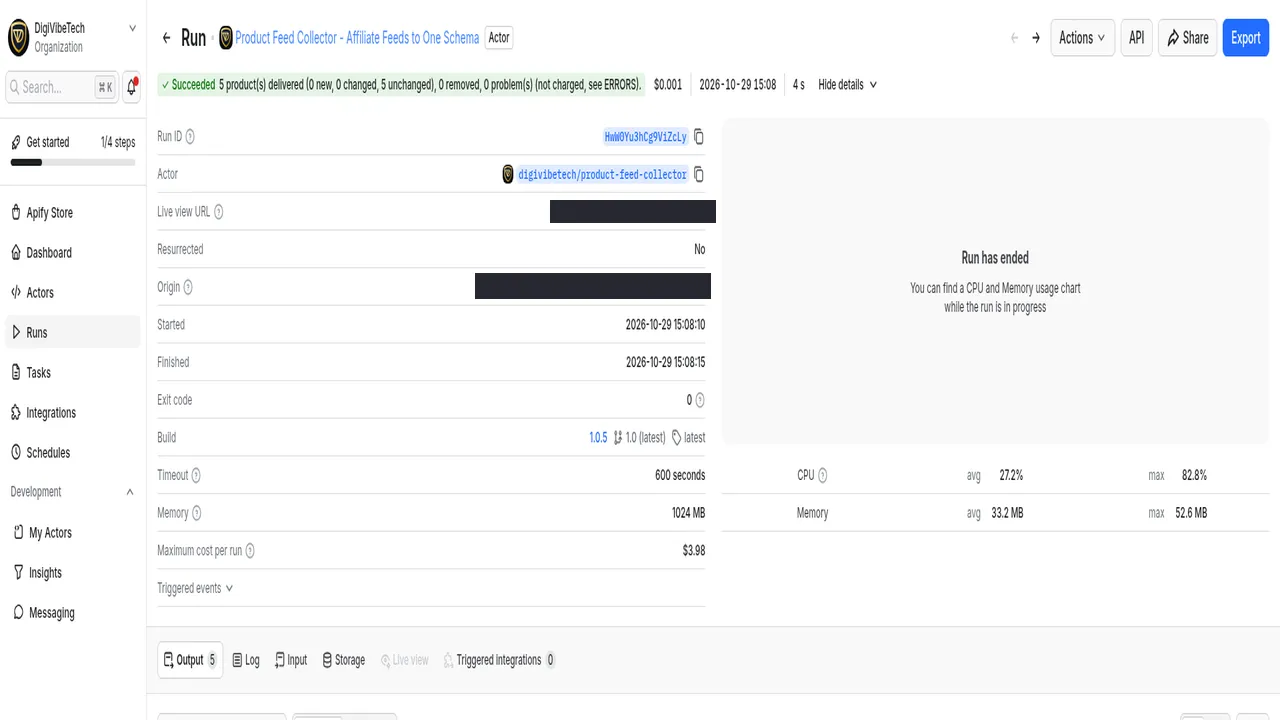
📸 Real-run screenshots
From a real Apify run on a test product feed (made-up sample products), not a live affiliate network feed.
⬇️ What data you get
| Field | Meaning |
|---|---|
title, description | Cleaned of HTML tags and extra spaces |
price, currency | Lowest of price and sale price; "1.299,00", "1,299.00" and "12.99 EUR" are all read correctly |
gtin, gtin14 | EAN/GTIN with the check digit verified. Spreadsheet damage such as 8.71E+12 and in-store codes are rejected and kept in gtinRejected |
brand, images, category | Up to 10 image links; category path as in the feed |
categoryMapped | Your own category, from the mapping rules you give |
inStock, stockQuantity | From any stock style: 0/1 flags, numbers, "in_stock", "op voorraad", schema.org values |
deeplink | The affiliate link from the feed |
merchant, merchantKey | Shop name and a stable key, so "Coolblue" and "coolblue.nl" match |
shippingCost, lastUpdated | When the feed has them |
sourceNetwork, sourceType, licenceStatus | Where the row came from; feed rows are affiliate-feed |
changeType, key | new, priceChanged, stockChanged, priceAndStockChanged, changed, unchanged or removed, with a stable key per product |
changeFields, previousPrice, previousCurrency, priceDelta, priceDeltaPct, previousInStock | What changed since the last run, the old price and stock, and the price difference (empty when not applicable) |
low30, high30, low90, high90 | Lowest and highest price of this product in the last 30 and 90 days, from your own earlier runs (same currency only; empty when there is no history yet) |
dropFlag | true when today's price is below the lowest price of the previous 30 days |
merchantIssues | Google Merchant Center check: codes for missing or invalid fields (empty list = ready). New in 1.1 |
historyPoints, inStockDays30 | How many daily price points are stored for the product, and on how many of the last 30 days it was in stock |
Features
- Every common feed format. CSV and TSV with any delimiter and encoding, XML (also Google Shopping RSS/Atom, TradeTracker properties and Daisycon nesting), JSON and JSON lines, each also as gzip or zip. Columns are recognised automatically;
fieldMapcovers unusual names. Tradedoubler, CJ, Admitad, impact.com, Rakuten Advertising, Webgains, Adtraction and Kwanko feeds are accepted asnetworkvalues (or detected from the feed host withauto) once you have a publisher account; usefieldMapfor any column the auto-detection misses. - Dedupe by EAN.
perMerchantkeeps one row per EAN per shop.onePerGtinkeeps the best offer (in stock first, then the lowest price including shipping, then the most recent) and lists all shop offers inoffers, ready for a price comparison table. - Category mapping. Rules such as
{"match": "kettle", "category": "Kitchen > Kettles"}or a/regex/, first match wins. - Delta updates. With
outputMode: changesyou only get new and changed products. Unchanged products are skipped and not charged. Products that left a feed come as freeremovedrows. When a feed fails, its products are never marked removed. Price and stock changes get their own types:priceChanged(price or currency only),stockChanged(availability only),priceAndStockChanged(both) andchanged(any other field, such as title or image).changeFieldslists the changed fields (e.g.price|inStock), andpreviousPrice,priceDelta,priceDeltaPctandpreviousInStockshow the old values. No price difference is calculated when the currency changed. The first run after upgrading from 1.0.7 marks changed products aschangedonce, because the old state has no stored price and stock. - Price history (free). Every run remembers each product's price and stock per day, keyed like delta mode (per product key / EAN + merchant), for the last 90 days (max 60 points per product). Rows get
low30,high30,low90,high90,dropFlag,historyPointsandinStockDays30. History is built only from your own runs of your own feeds; nothing is crawled. It is stored next to the delta state (HISTORY-<stateKey>) and kept under 4 MB; when full, the products not seen for the longest time are dropped. The run summary addspriceDropsandhistory {keys, droppedKeys}. - Cross-shop match by EAN (optional, free). Set
crossShopMatch: true(default off) to group this run's products by valid EAN/GTIN across shops and saveMATCHES.jsonandMATCHES.csvin the run's key-value store: gtin, title, offerCount, cheapestPrice (incl. shipping), cheapestMerchant, cheapestTie, spreadCents, spreadPct and all offers sorted by price (ties: in stock first). Invalid and restricted (in-store/coupon/internal) barcodes are left out; one best offer per shop. No extra dataset rows and no extra charge. - Exports. Besides the dataset, every run writes
PRODUCTS.csv(opens in Excel and Google Sheets),PRODUCTS.json,CHANGES.csv(all new, changed and removed rows plus one summary row with the counts) andEDGE-PORTAL.ndjson, an import file (format 1.1) with upsert and discontinue lines, prices in minor units and stable product ids. - Shop-ready exports (new in 1.1, free). Every run also writes
GOOGLE-MERCHANT.tsv(Google Merchant Center product data columns: id, title, description, link, image_link, additional_image_link, availability, price, sale_price, brand, gtin, mpn, identifier_exists, condition, product_type, shipping),SHOPIFY-PRODUCTS.csv(Shopify product import template; extra images as extra rows; handle built from the SKU so a re-import updates the same product) andWOOCOMMERCE-PRODUCTS.csv(WooCommerce product CSV importer; affiliate feed rows becomeexternalproducts with your affiliate link as the Buy button). WithoutputMode: changesthese files hold only new and changed products, ready for an update import. - Merchant Center check per product (new in 1.1, free). Each row gets
merchantIssues, a list of codes for what Google Merchant Center would reject or warn about:ID_MISSING,ID_TOO_LONG,TITLE_MISSING,TITLE_TOO_LONG(over 150 characters),DESCRIPTION_MISSING,PRICE_MISSING,LINK_MISSING,LINK_NOT_HTTPS,IMAGE_MISSING,IMAGE_NOT_HTTPS,AVAILABILITY_UNKNOWN,BRAND_MISSING,GTIN_OR_MPN_MISSING. The run summary counts products that are Merchant-ready and products with blocking issues. - Never fails on an empty input (new in 1.1). A run started without feeds or product pages (for example an API or AI-agent call with
{}) reads the small public sample feed (at most 20 products) and says so in the status message, instead of ending as Failed. Sample runs use their own state key, so your own delta state and price history are never touched. - Feed keys stay private. Feed URLs often contain your account key. Logs, errors and output only show a masked form such as
productdata.awin.com/datafeed/download/apikey/…/fid/…. - Optional direct mode. For a shop without a feed,
productUrlsreads only the schema.org Product data (JSON-LD) the shop publishes on public product pages. Only when robots.txt allows it, at most one request per 2 seconds per site, no logins. Seller names of private persons and review authors are never taken. These rows are markedneeds licence or affiliate approval: check that you may reuse the data before you publish it.
🎯 Use cases
- Merge Daisycon, Awin, TradeTracker, bol and Google Shopping feeds into one schema
- Detect price drops with a free 30/90-day history
- Match the same EAN across shops
▶️ How to use
- Open the actor; the input is prefilled with a small real example.
- Replace it with your own input and set
maxItemsPerFeedto control the cost. - Press Start. Results appear in the Output tab (Overview view).
- Download JSON, CSV or Excel, call the results via API, or schedule the actor.
⚙️ Input
Schedule the same input daily and each run only returns what changed since the last run.
⬆️ Output
From a real run of this actor on a small test Google Merchant feed with made-up sample products (5 products in, 5 rows from an earlier test state returned as free removed rows). removed rows are free; only the 5 delivered products are billed. Three records max, long fields shortened:
Full sample from the same run (≤50 rows): JSON · CSV
Try it: run with {"feeds":[{"url":"https://www.yourshop.nl/google-feed.xml","network":"google"}],"outputMode":"all"}. That is 5 products × $0.001 (product event) = $0.0050 (about $0.01). Apify's free plan includes $5 of prepaid usage every month, so this run fits in it many times over.
💵 Pricing and cost estimate
$0.001 per product delivered ($1 per 1,000 products). Try it: start a free run in Apify with your own feed URL or any sample feed URL. No start fee. Only product rows in the dataset are charged. Not charged: the summary row in CHANGES.csv, the price history fields, MATCHES.json / MATCHES.csv from crossShopMatch, rows skipped as unchanged in delta mode, removed rows, rows dropped by your filters, rows without a title or price, and failed feeds or pages. The run stops delivering when your maximum cost per run is reached and tells you how many products were left out.
Cost estimate
| Product delivereds | Cost |
|---|---|
| 100 | $0.10 |
| 1,000 | $1.00 |
| 10,000 | $10.00 |
You pay only for these events: no subscription.
🔌 Integrations and API
Run it from n8n, Make, Zapier, Clay or any tool that can call an HTTP endpoint, connect a webhook to get notified when a run finishes, or let AI agents call it through the Apify MCP server (mcp.apify.com).
Run it and get the results in one call:
Python (pip install apify-client):
⚠️ Limits
- You need your own feed URLs from the networks. This actor does not log in to Awin, Daisycon, TradeTracker or bol and does not create affiliate links.
- The bol Marketing Catalog API (OAuth) is not called; use the bol partner product feed file instead.
- One feed download is capped at 500 MB and 1,000,000 rows (
maxItemsPerFeed). Very large XML feeds need more memory; use 2 GB or more for feeds over 100 MB. - Direct mode reads JSON-LD only. Pages that build their product data with scripts after loading, or that block automated access, are reported and skipped. Access blocks are never bypassed.
- Delta state is kept in a named key-value store in your account (
product-feed-collector-state), one record perstateKey. - Currency is not converted.
GOOGLE-MERCHANT.tsvis meant for products you sell yourself. Google Merchant Center expects landing pages on your own verified domain, so affiliate links from network feeds are usually not accepted there; use the WooCommerceexternalexport for affiliate products instead.merchantIssueschecks the data fields only, not Google's policies.- Rakuten Advertising, Webgains, Adtraction and Kwanko column names are matched from their documented feed layouts; if a column is missed, map it with
fieldMap.
🛡️ Data source, privacy and legality
Reads the affiliate product feeds you have access to; it does not scrape shop pages.
You are responsible for using the results in line with the source's terms and data-protection law (for example GDPR).
❓ FAQ
How much does Product Feed Collector cost?
$0.001 per product delivered. See the cost estimate table above. There is no monthly fee.
Can I try it for free?
Yes. Press Start with the prefilled input: it runs a small real job (up to 20 × product delivered, about $0.020 in events). Apify's free plan includes monthly platform credit, which covers a first test.
Is it legal to use Product Feed Collector?
Reads the affiliate product feeds you have access to; it does not scrape shop pages. Use the results lawfully (terms of the source, GDPR where it applies). This is not legal advice.
Can I use it through the API or an MCP server?
Yes. Every run is available through the Apify API and the official client libraries, and AI agents can call the actor through the Apify MCP server. See Integrations and API above.
Can I import the results into my Shopify or WooCommerce shop, or Google Merchant Center?
Yes. Open the run's key-value store (Storage tab) and download SHOPIFY-PRODUCTS.csv (Shopify admin › Products › Import), WOOCOMMERCE-PRODUCTS.csv (WooCommerce › Products › Import) or GOOGLE-MERCHANT.tsv (Merchant Center › Products › Add products from a file). The files are free and written on every run. Check merchantIssues first to fix missing images, brands or GTINs.
Something does not work. Where do I get help?
Open an issue on the Issues tab or use digivibetech.com/support. Include the run ID so we can reproduce it.
📝 Changelog
1.1 — 21 Nov 2026 (beta build)
- New free exports:
GOOGLE-MERCHANT.tsv,SHOPIFY-PRODUCTS.csv,WOOCOMMERCE-PRODUCTS.csv(affiliate rows as WooCommerceexternalproducts). - New
merchantIssuesfield andmerchantCentercounts in SUMMARY (Google Merchant Center readiness check). - New networks: Rakuten Advertising, Webgains, Adtraction, Kwanko (accepted values + host detection + common column names). Adtraction-style
TrackingUrlis now preferred over the plain product URL, so the affiliate link is kept. - Empty input no longer ends as Failed: it runs the public sample feed (max 20 products) under its own state key.
20 Nov 2026 — listing refresh
- README, listing text and input form restructured to the DigiVibeTech Apify quality standard v1. No feature or price change.
1.0 — builds 1.0.2 to 1.0.13
- First build 2026-10-26, latest build 2026-11-02 (12 successful builds).
🧩 More DigiVibeTech actors
- Broken Link & Image Checker - Sitemap or Crawl
- Bulk Image Converter & Compressor - WebP, AVIF, JPEG, PNG
- Bulk QR & Barcode Generator - PNG, SVG, Label PDFs
- Universal Shop Catalog & Price Monitor
Support
Questions or a feed that is not read correctly: https://digivibetech.com/support/
Maintained by DigiVibeTech. Questions or bugs: use the Issues tab or digivibetech.com/support; we reply within 2–5 business days.


