
1688 Image Search Scraper | Find Suppliers by Photo
Pricing
from $0.38 / 1,000 image matches
1688 Image Search Scraper | Find Suppliers by Photo
Get 1688.com wholesale offers that match your product photos: offer link, title, price in CNY, minimum order, units sold, repeat-buyer rate and supplier details. Many images per run, up to 700 matches each, strict same-style mode, sort by price or sales, no login.
Pricing
from $0.38 / 1,000 image matches
Rating
0.0
(0)
Developer

Flowo
Maintained by CommunityActor stats
0
Bookmarked
2
Total users
0
Monthly active users
5 days ago
Last modified
Categories
Features
Share
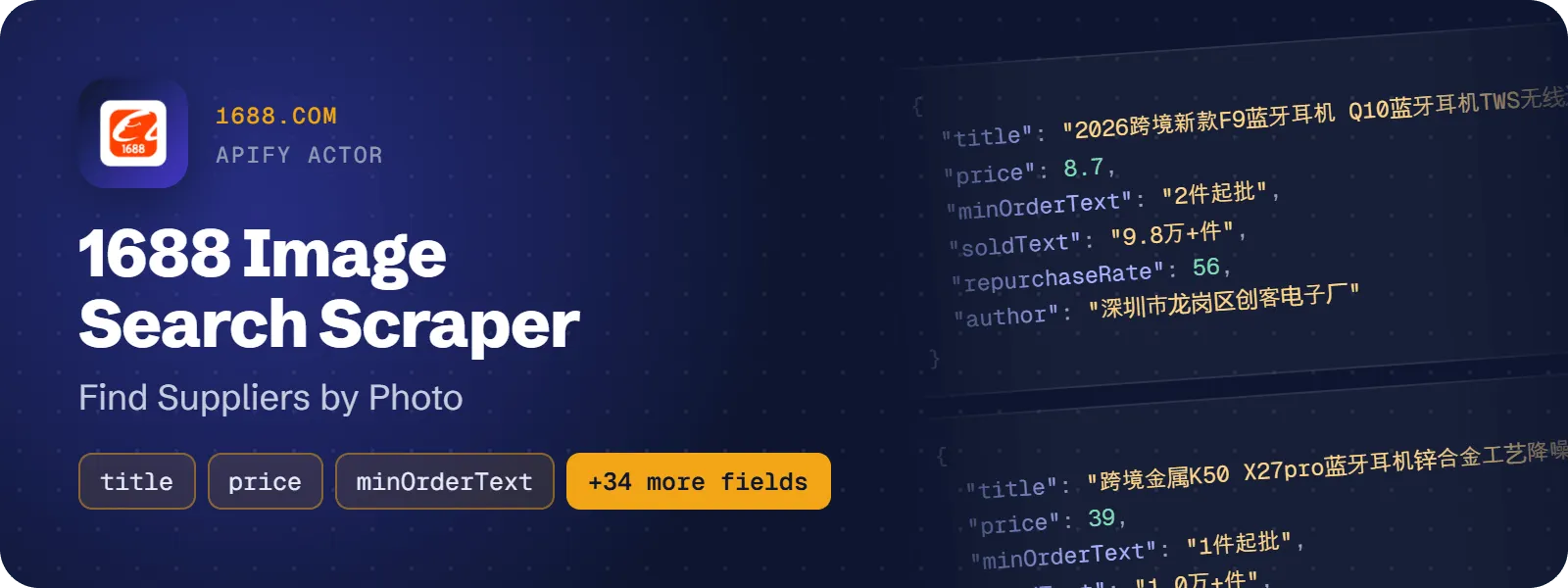
Give this actor product photo URLs and it runs 1688.com's reverse image search for you. For each photo you get the matching wholesale offers with the offer link, title, price in CNY, minimum order, units sold and repeat-buyer rate. Each row also has the supplier: company name, shop link, whether it is a manufacturer or a wholesaler, province and city, years on 1688, service score and inspection badges.
What does 1688 Image Search Scraper do?
It takes one or more public image links (JPG, PNG or WebP, any size) and searches each one on 1688.com with 1688's own image search (以图搜货). It returns up to 700 matching offers per image as flat rows, ranked by best visual match, by price or by 30-day sales. A strict same-style mode keeps only the offers 1688 groups as the same product (同款), so you can find every seller and the factory of one exact item. It is built for dropshippers, e-commerce sellers, sourcing agents and brands who start from a photo, not a keyword. No 1688 login or API key is needed.
How to scrape 1688.com by image
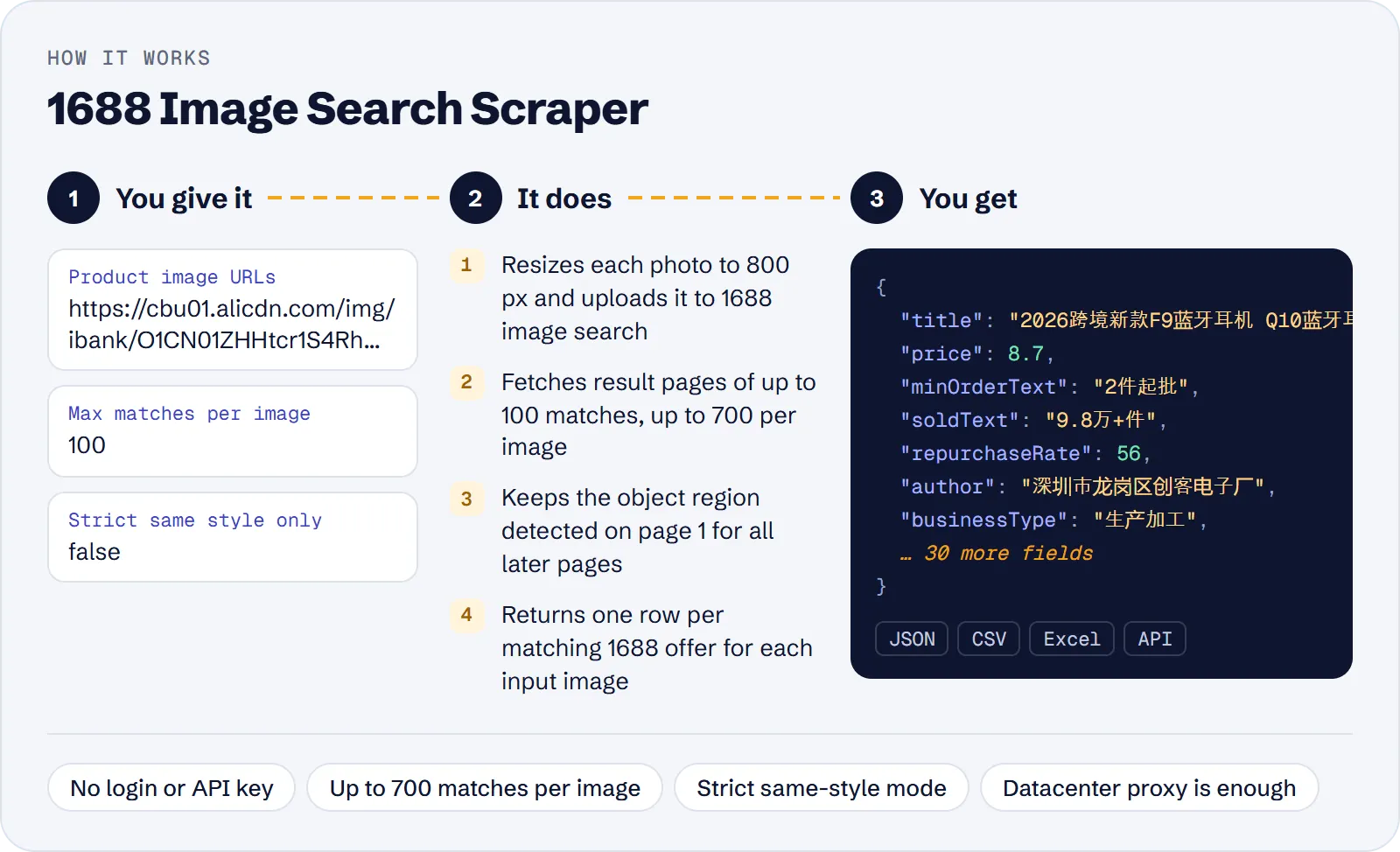
- Open the actor in Apify Console and paste one or more image links into Image URLs, one per line. Use a link to the image file itself, not to a product page.
- Set Max matches per image (1–700, default 100).
- Optionally tick Strict same style only, pick a Sort by order, and set the price range (CNY) or the supplier province (in Chinese, e.g. 广东).
- Click Start. Each image is searched separately; its matches carry the image link in
searchImageUrl. - Download the results as JSON, CSV or Excel, or open the Overview and Suppliers table views.
How much does it cost to scrape 1688.com by image?
Price per event by Apify plan:
| Event | Free | Bronze | Silver | Gold and above |
|---|---|---|---|---|
| Image match | $0.45 per 1,000 | $0.427 per 1,000 | $0.405 per 1,000 | $0.382 per 1,000 |
| Actor start | $0.00005 | $0.00005 | $0.00005 | $0.00005 |
A test run with the API example input below returned 200 rows in 33 s.
You pay per match: one image-match event is one 1688 offer saved to the dataset for one input image. Images that cannot be read and images with no matches (for example, filters that are too narrow) are not charged. There is no per-image fee. A run also pays the standard actor start event once.
| Scenario | Image-match events | Cost on the Free plan (start included) |
|---|---|---|
| 1 photo, 10 matches (quick lookup) | 10 | $0.00455 |
| 2 photos × 100 matches (the prefilled input) | 200 | $0.09005 |
| 3 client photos × 300 matches | 900 | $0.40505 |
| 10 photos × 700 matches (the maximum per image) | 7,000 | $3.15005 |
Strict same-style mode and filters usually return fewer matches, so they cost less.
Input
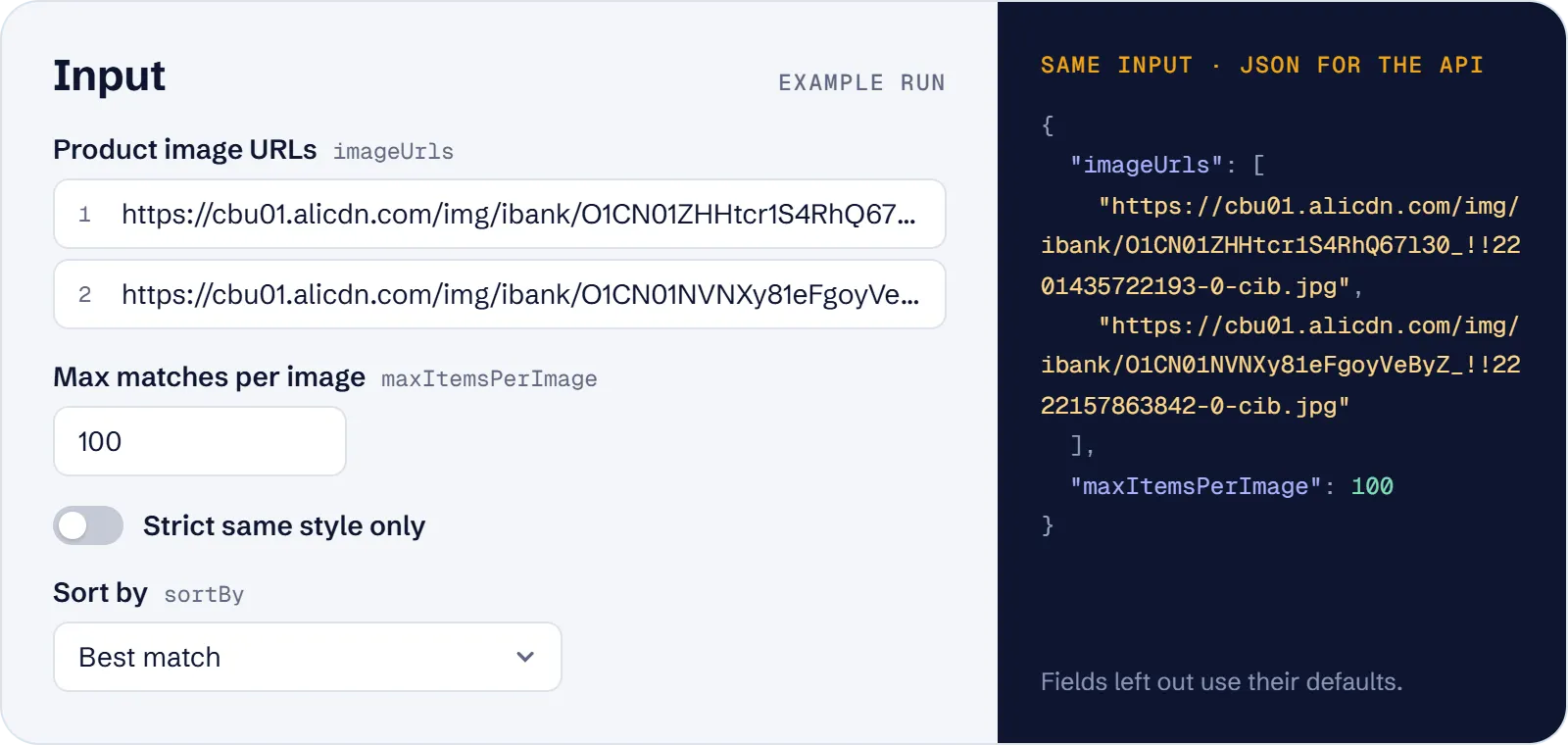
| Field | What it does |
|---|---|
imageUrls (required) | Public http(s) links to product photos, one per line. JPG, PNG and WebP of any size (resized to 800 px before upload). A link that is not an image is skipped with a warning. Duplicate links are dropped. |
maxItemsPerImage | Matches per image, 1–700, default 100. |
strictSameStyle | Only offers 1688 groups as the same product style (同款). Default false. |
sortBy | relevance (best match, default), priceAsc, priceDesc or sales (sales in the last 30 days). |
priceMin / priceMax | Price range in Chinese yuan (CNY), 0 or more. Min must not be greater than max. |
province | Supplier province written in Chinese, e.g. 广东, 浙江, 福建. A trailing 省 is removed. English or pinyin names are rejected with an input error. |
maxItems | Optional cap on all rows of the run across all images. |
proxyConfiguration | Proxy settings. The default Apify datacenter proxy works. |
Example: the cheapest sellers of the exact same earbuds.
What data can you extract from 1688.com image search?
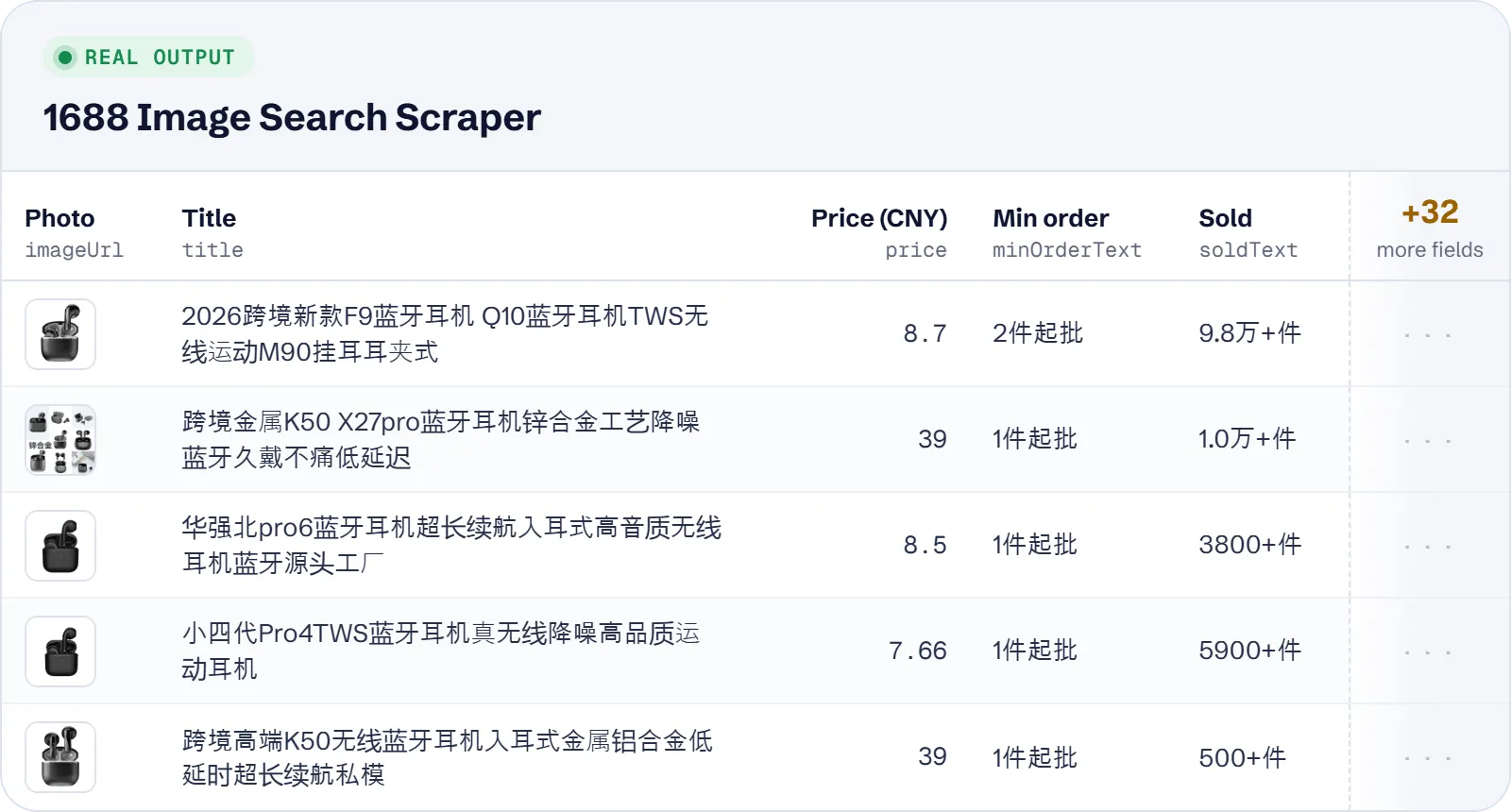
One row is one matching 1688 offer for one input image. The same offer found for two different images gives two rows.
| Field | Meaning |
|---|---|
searchImageUrl, position | The input image and the 1-based rank of the match for it |
id, url, title, imageUrl | Offer id, offer page, title as on 1688 (usually Chinese), main photo |
price, currency, priceLabel | Lowest listed unit price, always CNY, promotion label such as 限时价 |
soldText, soldCount, orderCount | Sales text as shown (e.g. 9.8万+件), units sold, number of orders |
minOrderQuantity, minOrderText | Minimum order as a number and as shown (e.g. 2件起批) |
repurchaseRate | Repeat-buyer rate in percent (56 = 56%) |
author, authorUrl, sellerLoginId, sellerMemberId | Supplier company, shop link, login id and member id |
sellerYears, sellerScore, sellerResponseRate, seller48hPickupRate | Years as a paying 1688 member, composite service score (1–5), 30-day response rate and 48-hour pickup rate in percent |
businessType | 生产加工 (manufacturer) or 经销批发 (wholesaler) |
province, city | Supplier location in Chinese |
isFactoryInspected, isBusinessInspected, isSuperFactory, isAd | Factory inspection, business inspection, Super Factory, paid placement |
tags, attributes | Service tags (e.g. 先采后付, 代发包邮) and key product attributes as "name: value" |
rankScore | 1688's internal ranking score (not a similarity percentage) |
sameStyleUrl | 1688 page with offers of the same style as this match |
detectedRegion, totalFound | Object box 1688 detected in your photo ("x1,x2,y1,y2"), and how many matches 1688 reported (at most 700, approximate) |
scrapedAt | When the row was extracted |
Real example (earbuds photo, position 1, shortened):
Use cases
- Find the factory of a product. Paste a product photo from Amazon, TikTok or AliExpress, turn on strict same style and sort by price to see every seller of that exact item, cheapest first.
businessType生产加工 marks the manufacturers. - Broad visual sourcing. Get up to 700 similar offers for each client photo and filter them in a spreadsheet by price, minimum order and supplier score.
- Sourcing in one region. Keep only suppliers in one province (e.g. 广东) within a CNY price range.
- Validate demand. Sort by 30-day sales to see which similar offers sell most and find a stronger supplier.
- Brand protection. Check who on 1688 sells copies of your product.
Limitations
- At most 700 matches per image. 1688 returns no more; strict mode and filters usually return fewer.
- Image search only. No keyword search and no full product page: price tiers, SKUs/variants, stock, weight and all images are not included. Pass the
urls to a product-details actor for those. - Chinese text, CNY prices. Titles, tags, attributes, supplier names and locations are 1688's Chinese originals; prices are in CNY only, with no USD conversion.
- Fields that can be empty (null):
imageUrl,price,priceLabel,soldText,soldCount,orderCount,minOrderQuantity,minOrderText,repurchaseRate,author,authorUrl,sellerLoginId,sellerMemberId,sellerYears,sellerScore,sellerResponseRate,seller48hPickupRate,businessType,province,city,rankScore,sameStyleUrl,detectedRegion,totalFound.priceLabelis null on most rows.sellerResponseRateandseller48hPickupRateare often 0, as on the 1688 card.attributescan be an empty array. - No "no match" answer. For a photo that is not a product (a cat, a landscape), 1688 still returns loosely related offers, and they are charged as usual.
- Strict mode fallback. When 1688 has no same-style group for a photo, it returns its normal matches; the actor cannot tell the difference.
- Images are fetched through wsrv.nl, a free public image proxy, to resize them before upload. A direct download is the fallback. Some image hosts may block it.
- Images are searched one after another, about 10–15 seconds per 100 matches of one image.
Tips and troubleshooting
- Use a direct image link (it usually ends in .jpg, .png or .webp). A web page link gives no rows and a warning.
- Write the province in Chinese characters (广东, not Guangdong); English or pinyin stops the run with an input error.
- If a run returns 0 rows, the filters are probably too narrow: widen the price range or remove the province. Such runs are not charged.
- Use
maxItemsto cap the cost of a run with many images. When it is reached, later images are not searched. - Strict same style works with every sort and filter, e.g. strict +
priceAsc+priceMin. - 1688 may pick a different object in a busy photo. Check
detectedRegion. A cropped photo of the product alone gives cleaner matches.
API, MCP and integrations
Run the actor from your code with the same JSON input as in Console. Your API token is in Console → Settings → API & Integrations.
Python (pip install apify-client):
Node.js (npm install apify-client):
HTTP — one request runs the actor and returns the results (runs up to 5 minutes; longer ones: run asynchronously):
AI agents (MCP). Add the actor as a tool of the Apify MCP server. Claude Code:
Claude Desktop, Cursor or VS Code: {"mcpServers": {"apify": {"url": "https://mcp.apify.com?tools=genial_candlestand/1688-image-search-scraper"}}}. Then ask, for example:
- "Find the 10 cheapest 1688 sellers of the exact earbuds in my photo link, with minimum order and supplier score"
- "Find 1688 manufacturers in 广东 selling this dress for 10 to 30 CNY, from my photo link"
- "Which 1688 offers that look like my earbuds photo sold the most in the last 30 days?"
Integrations. Run it on a schedule with Apify Schedules and send the results to Google Sheets, Slack, Zapier, Make, n8n or your webhook — see Apify integrations.
FAQ
Can I search 1688 by image without an account?
Yes. The actor uses 1688's image search without a 1688 login or an API key.
How many results can I get per photo?
Up to 700, the most 1688's image search returns for one image. Set maxItemsPerImage to a lower number to get only the top matches.
What is the difference between normal and strict same-style search?
Normal search returns visually similar offers. Strict mode keeps only the offers 1688 groups as the same product (同款), usually 50–100 instead of 700.
Why are the results consistent across pages?
1688 detects the object in the photo again on every request and can pick another one. The actor pins the region detected on page 1 for all later pages and returns it in detectedRegion.
How is it different from other 1688 actors?
The most-used 1688 actors search by keyword or offer id and do not accept a photo. This actor only does image search. It adds strict same-style mode, sorting by price or sales, price and province filters, and supplier quality fields on every row, at one flat price per match with no per-image fee.
Is it legal to scrape 1688.com?
The actor collects only public offer and supplier information that 1688 shows to every visitor. You are responsible for how you use the data and for following 1688's terms and the laws that apply to you, including copyright on images.
Also useful
- AliExpress Product Scraper — compare a 1688 factory price with the AliExpress retail price, variants and shipping
- Amazon Best Sellers Scraper — find best-selling Amazon products whose photos you can source on 1688
- Etsy Search Scraper — check retail prices, shops and rankings of similar products on Etsy
- Google Images Scraper — collect product image URLs to feed into a 1688 image search
- Adobe Stock Scraper — run a reverse image search on Adobe Stock photos instead of wholesale offers


