

Booking.com Reviews Scraper | Scores, Subscores & Filters
Pricing
from $1.53 / 1,000 reviews
Booking.com Reviews Scraper | Scores, Subscores & Filters
Get Booking.com hotel reviews: guest score, liked and disliked text, stay dates, room, traveler type, hotel reply, hotel score and subscores. Monitors new reviews: schedule it with cutoffDate = last run; only newer reviews are returned and charged. Filter by traveler type, score, language. No login.
Pricing
from $1.53 / 1,000 reviews
Rating
0.0
(0)
Developer

Flowo
Maintained by CommunityActor stats
0
Bookmarked
1
Total users
0
Monthly active users
7 days ago
Last modified
Categories
Features
Share
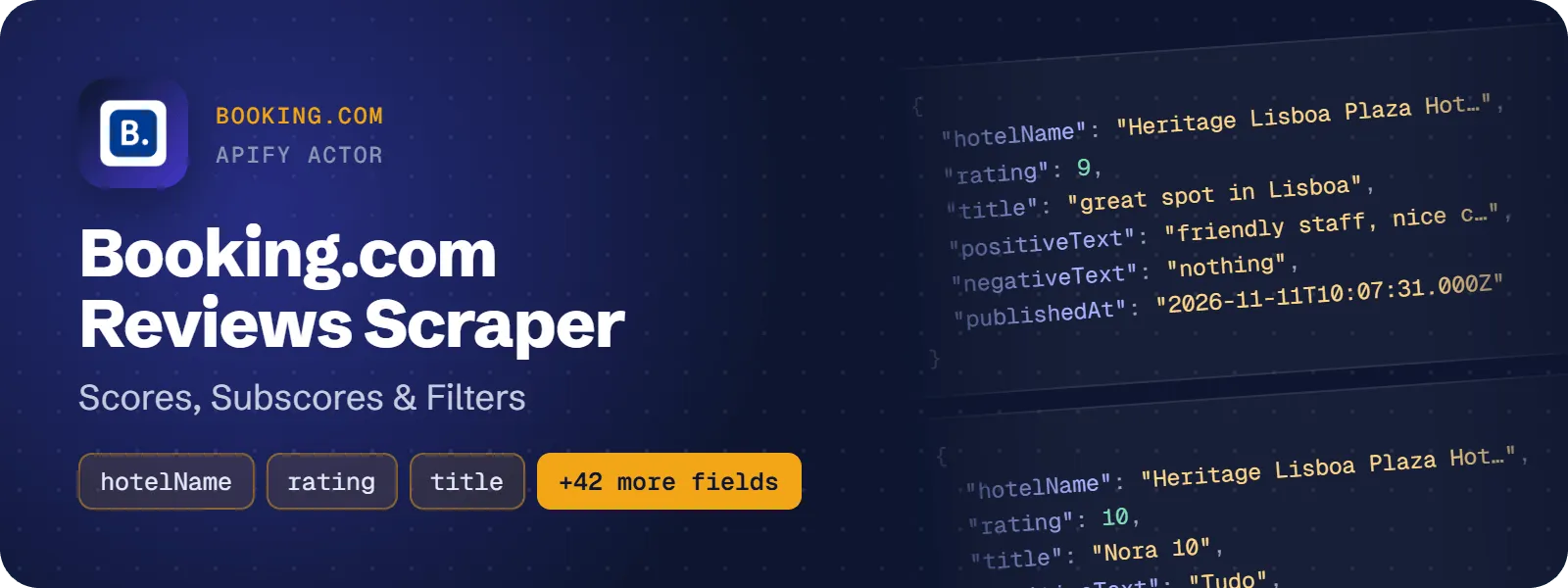
Get Booking.com hotel guest reviews, one row per review: the guest's score, what they liked and disliked, the review title, language, publish date, reviewer first name and country, room, check-in and check-out dates, nights, traveler type and the hotel's reply. Every row also carries the hotel's overall score, its review count, address, coordinates and up to 7 category subscores (staff, facilities, cleanliness, comfort, value for money, location, free WiFi). Filter on Booking.com's side by traveler type, score band, review language, time of year and text. It also monitors new reviews: schedule it with Only reviews since (cutoffDate) set to the last run's date, and only the newer reviews are returned and charged.
What does Booking.com Reviews Scraper do?
You give it one or more Booking.com hotel page URLs. It returns that hotel's guest reviews as flat rows that you can export to JSON, CSV or Excel. You can pick one of 5 sort orders and combine the filters: families' reviews in German about summer stays, say, or only the lowest scores. It is built for hotel revenue and reputation managers, travel and hospitality analysts, review-dashboard agencies and AI agents that answer questions about a hotel. No login or Booking.com account is needed.
How to scrape Booking.com reviews
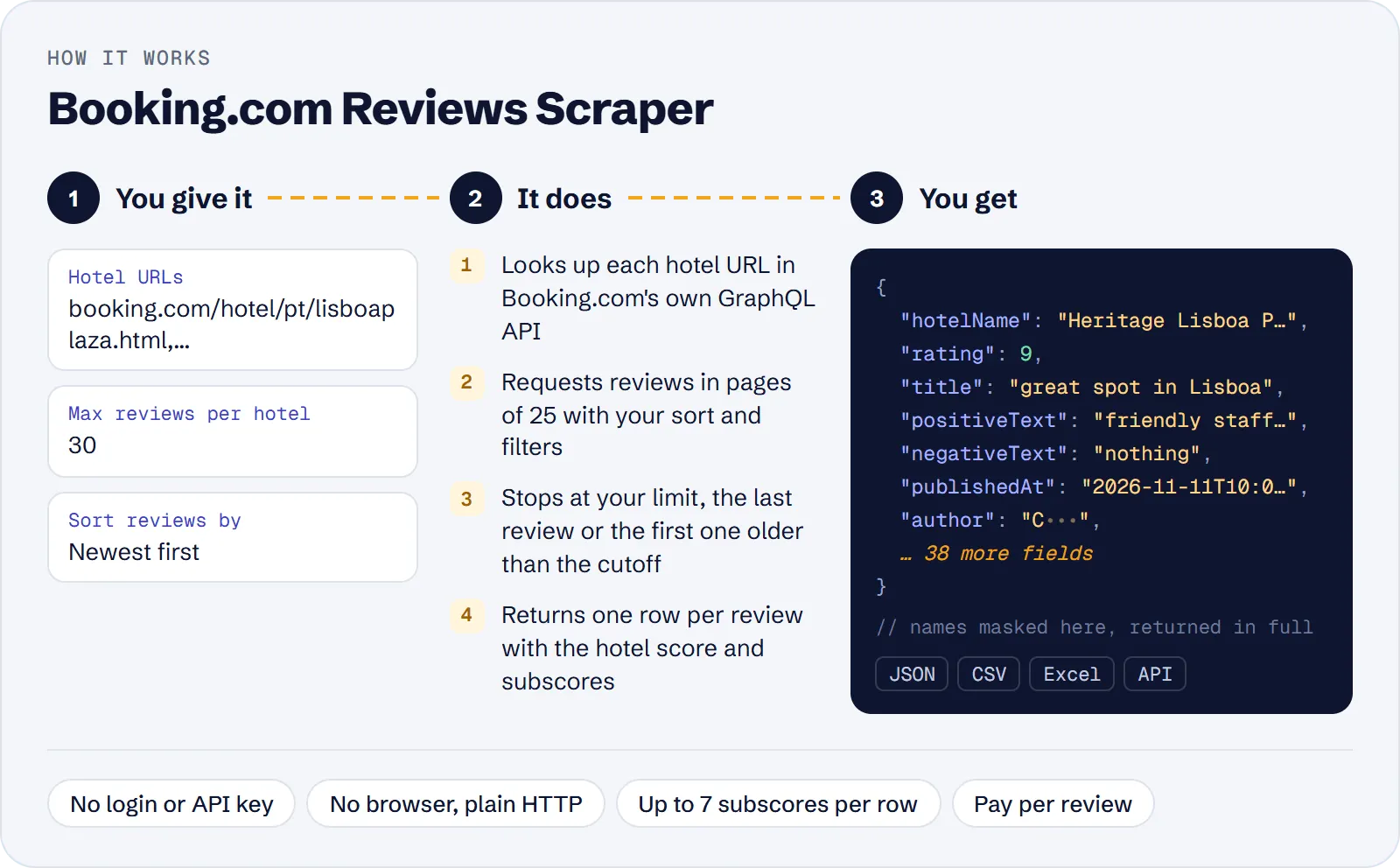
- Open the actor in Apify Console and paste one or more hotel URLs into Hotel URLs, e.g.
https://www.booking.com/hotel/pt/lisboaplaza.html. - Set Max reviews per hotel (default 100). Enter a large number such as 100000 to get every review.
- Optionally choose Sort reviews by and the filters: Traveler type, Review score, Time of year of the stay, Review languages and Text search.
- For monitoring, set Only reviews since (e.g.
7 days) and keep the sort on Newest first. - Click Start. Then download the reviews from the Reviews view, or open the Hotel scores view to compare hotels.
How much does it cost to scrape Booking.com?
Price per event by Apify plan:
| Event | Free | Bronze | Silver | Gold and above |
|---|---|---|---|---|
| Review | $1.80 per 1,000 | $1.71 per 1,000 | $1.62 per 1,000 | $1.53 per 1,000 |
| Actor start | $0.00005 | $0.00005 | $0.00005 | $0.00005 |
A test run with the API example input below returned 60 rows in 9 s.
You pay for each review event, which is one guest review saved to the dataset. Hotels that are not found, hotels with no reviews and reviews removed by your filters cost nothing. Each run also has one small Actor start event ($0.00005 at the default 256 MB).
| Scenario | Events | Cost on the Free plan |
|---|---|---|
Score benchmark: 30 hotels × maxReviewsPerHotel: 1 | 30 reviews + 1 start | $0.054 |
| Default input: 2 hotels × 100 reviews | 200 reviews + 1 start | $0.36 |
| 10 hotels × 1,000 reviews | 10,000 reviews + 1 start | $18.00 |
| Full export of a hotel with about 14,500 reviews | 14,500 reviews + 1 start | $26.10 |
Input
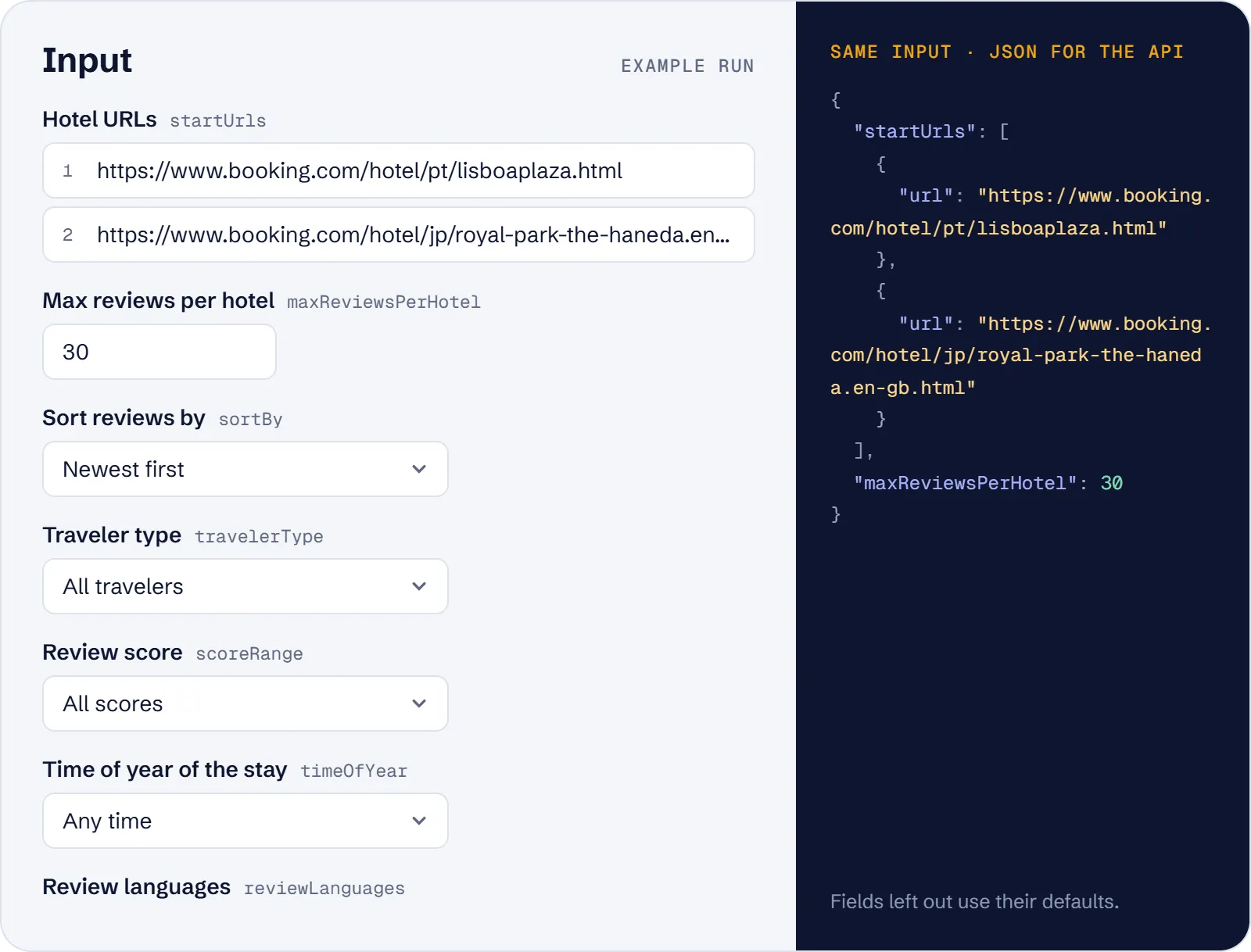
- Hotel URLs (
startUrls, required): Booking.com hotel pages of the formhttps://www.booking.com/hotel/<country>/<name>.html. Language suffixes (.en-gb.html), upper case and query parameters are fine. If the same hotel appears twice, it is fetched once. Search-result pages, city pages and other sites are skipped with a warning. If none of the URLs is a hotel page, the run fails with an input error. - Max reviews per hotel (
maxReviewsPerHotel, default 100, minimum 1): counted after the filters. Set it to 1 to get one row per hotel with its scores. - Max reviews in total (
maxItems, optional): a cap for the whole run, over all hotels. - Sort reviews by (
sortBy):NEWEST_FIRST(default),MOST_RELEVANT,OLDEST_FIRST,SCORE_DESC,SCORE_ASC. - Only reviews since (
cutoffDate): a dateYYYY-MM-DD(UTC) or a relative period such as7 daysor1 month. Works only withNEWEST_FIRST. Any other sort gives an input error. - Traveler type (
travelerType):ALL,FAMILIES,COUPLES,SOLO_TRAVELLERS,GROUP_OF_FRIENDS,BUSINESS_TRAVELLERS. - Review score (
scoreRange):ALL,SUPERB(9–10),GOOD(7–8),PASSABLE(5–6),POOR(3–4),VERY_POOR(1–2). - Time of year of the stay (
timeOfYear):ALL,MAR_MAY,JUN_AUG,SEP_NOV,DEC_FEB, matched on the check-in month. - Review languages (
reviewLanguages): two-letter codes such asen,de,fr,ja.ptincludes Brazilian Portuguese. Codes likept-BRand names likeGermanare rejected. - Text search (
searchText): only reviews that mention a word or phrase, e.g.breakfastornoise. - Language of labels (
language, defaulten-us): one of 20 Booking.com interface languages, which sets the language of the traveler type label, guest country name and hotel city in the output. Review texts stay in the language they were written in. - Proxy (
proxyConfiguration): Apify datacenter proxy by default. Blocked requests are retried through a residential proxy automatically.
All filters can be combined with each other and with any sort order.
What data can you extract from Booking.com?
| Field | What it is |
|---|---|
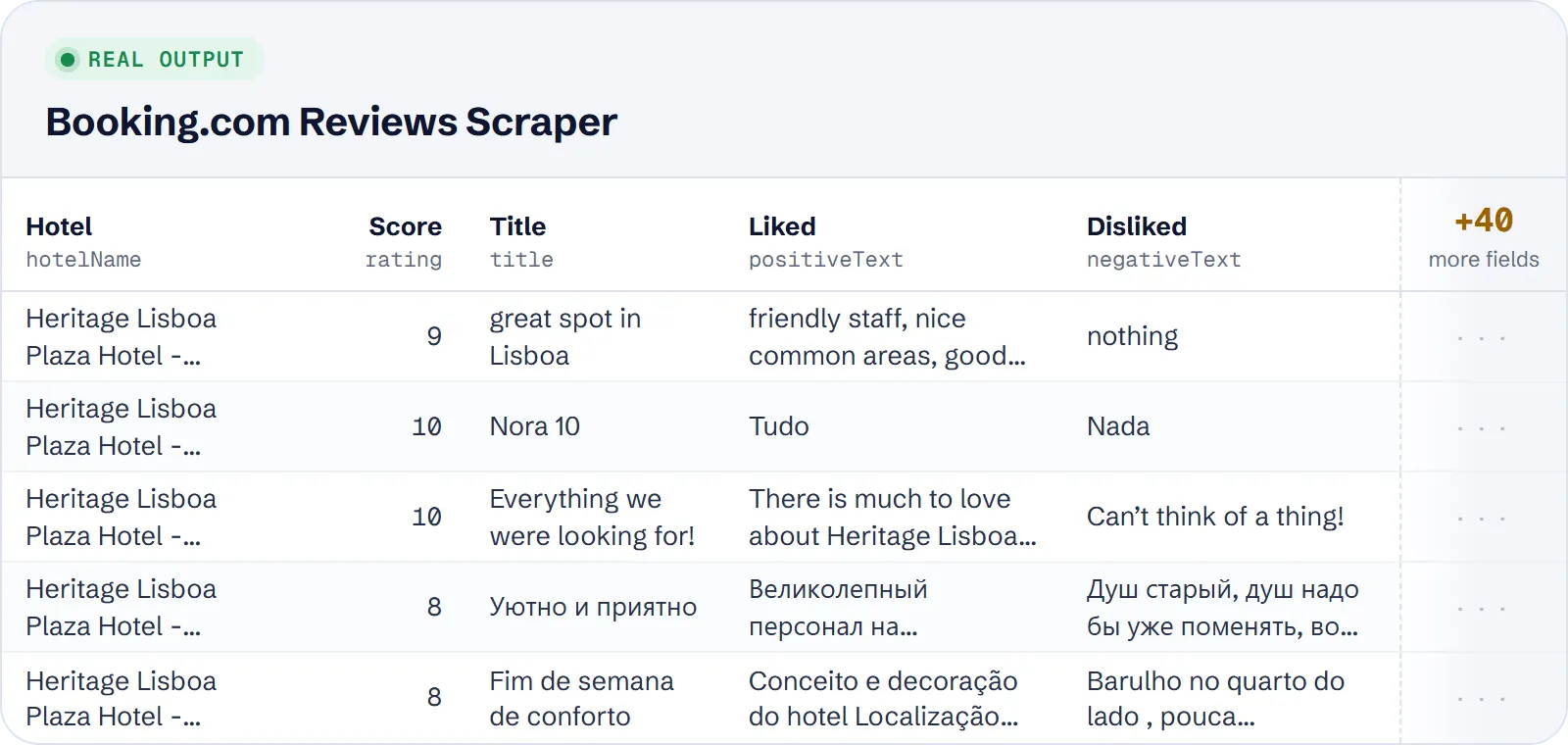
rating | Guest's review score, 1–10 |
title, positiveText, negativeText | Review headline, the "liked" text and the "disliked" text |
language | Booking.com language code of the review (e.g. en, de, xb for Brazilian Portuguese, xu, xm) |
publishedAt | Publish date and time, ISO 8601 UTC |
author, authorAvatarUrl, isAnonymous | Reviewer first name, avatar URL, anonymous flag |
country, countryName | Reviewer country: ISO 3166-1 alpha-2 code and localized name |
travelerType, travelerTypeLabel | Guest type code (FAMILIES, COUPLES, SOLO_TRAVELLERS, GROUP_OF_FRIENDS) and its localized label |
roomId, roomName | Room type booked |
checkinDate, checkoutDate, nights, stayStatus | Stay dates (YYYY-MM-DD), length and status (e.g. stayed) |
helpfulVotesCount | Helpful votes (0 when none) |
ownerReply | The hotel's public reply |
photoUrls | Photos attached to the review, largest size (empty list when none) |
id, position | Review id and its 1-based rank in the sorted, filtered list |
hotelId, hotelName, url, startUrl | Hotel id, name, canonical page URL and the input URL as given |
hotelRating, hotelReviewsCount, matchingReviewsCount | Hotel's overall score, total reviews, and reviews matching your filters |
hotelStarRating, hotelAddress, hotelCity, hotelCountry, hotelLatitude, hotelLongitude | Star class, address, city, country code and coordinates |
staffScore, facilitiesScore, cleanlinessScore, comfortScore, valueScore, locationScore, freeWifiScore | Category subscores, 1–10, over the reviews that match the filters |
scrapedAt | When the row was extracted |
A real row (shortened):
Use cases
- Reputation monitoring: schedule a daily run over your hotels and your competitors with
cutoffDate: "2 days", and pay only for the new reviews. - Sentiment and NLP corpora: export every review of a hotel, in all languages, with the liked and disliked texts kept separate.
- Segment analysis: see what German-speaking families say about summer stays. The subscores on those rows are the families' subscores.
- Complaint mining: use
scoreRange: "POOR"withsortBy: "SCORE_ASC", or search a topic withsearchText: "noise". - Competitive score benchmark:
maxReviewsPerHotel: 1over 100 hotels gives one row per hotel with the overall score, review count and up to 7 subscores, at the price of one review per hotel.
Limitations
- Input must be hotel page URLs. There is no search by hotel name or city. A URL with the wrong country code, or a deleted hotel, gives "Hotel not found" and no rows.
- Only
url,id,hotelIdandscrapedAtare always filled. Any other field can be null when Booking.com leaves it empty. These are often null:title,positiveText,negativeText,ownerReply,authorAvatarUrl(null for the default placeholder),hotelStarRating(null for unrated hotels) andfreeWifiScore(missing for some small hotels).photoUrlsis usually an empty list. languageuses Booking.com's codes, not pure ISO:xbis Brazilian Portuguese. Other regional codes such asxuandxmare kept as given.- With the Business travelers filter, the rows still show the guest type (e.g.
SOLO_TRAVELLERS), because on Booking.com "business" is a trip purpose and not a guest type. - With any filter on, the subscores and
matchingReviewsCountdescribe the matching reviews, not the whole hotel.hotelRatingandhotelReviewsCountstay hotel-wide. - Booking.com serves 25 reviews per request and the actor reads up to 3 hotels at a time. A hotel with about 14,500 reviews takes roughly 18 minutes.
Tips and troubleshooting
- Only new reviews: set
cutoffDateand keepsortByonNEWEST_FIRST. Each hotel stops at the first older review. A future date returns no rows. - Every review: set
maxReviewsPerHotelto a large number such as 100000. Paging stops on its own at the hotel's last review. - 0 rows? Check the log. "Hotel not found" means the URL path is wrong (e.g. a wrong country code). "No reviews match the filters" means the hotel has no reviews or your filter combination matches none. An unknown two-letter language code such as
qqalso matches nothing. - Fewer rows than expected:
maxItemscaps the whole run, andmaxReviewsPerHotelis counted after the filters. - The default datacenter proxy is enough. Blocked requests switch to residential by themselves.
API, MCP and integrations
Run the actor from your code with the same JSON input as in Console. Your API token is in Console → Settings → API & Integrations.
Python (pip install apify-client):
Node.js (npm install apify-client):
HTTP — one request runs the actor and returns the results (runs up to 5 minutes; longer ones: run asynchronously):
AI agents (MCP). Add the actor as a tool of the Apify MCP server. Claude Code:
Claude Desktop, Cursor or VS Code: {"mcpServers": {"apify": {"url": "https://mcp.apify.com?tools=genial_candlestand/booking-com-reviews-scraper"}}}. Then ask, for example:
- "Get the 50 newest reviews of https://www.booking.com/hotel/pt/lisboaplaza.html by families"
- "What do guests complain about at Royal Park Hotel Tokyo Haneda? Get its lowest-score reviews on Booking.com"
- "Compare cleanliness and location subscores of 5 Booking.com hotels in Lisbon from their hotel URLs"
Integrations. Run it on a schedule with Apify Schedules and send the results to Google Sheets, Slack, Zapier, Make, n8n or your webhook — see Apify integrations.
FAQ
Is it legal to scrape Booking.com reviews?
The actor reads only reviews that Booking.com shows publicly on hotel pages, with no login. Reviewer first names, countries and avatars are personal data. You are responsible for using the data lawfully, e.g. under GDPR, and in line with Booking.com's terms.
Can I get the hotel's category scores without paying for many reviews?
Yes. Set maxReviewsPerHotel to 1. Each hotel then gives one row with hotelRating, hotelReviewsCount and up to 7 subscores, charged as one review. Open the Hotel scores view to see them.
Do the filters change the subscores?
Yes. With a traveler type, score, language, season or text filter on, the subscores are calculated over the matching reviews, e.g. cleanliness as rated by families.
Can I get reviews in one language but labels in another?
Yes. reviewLanguages filters which reviews you get. language only changes Booking.com's labels (traveler type label, country name, city). Review texts are never translated.
How is it different from other Booking.com review actors?
The hotel score, review count and up to 7 subscores come as flat columns on every review row at no extra charge. You can filter by traveler type, score band, review language, time of year and text, all combined. On the Free plan it costs $1.80 per 1,000 reviews, against the $2.00 per 1,000 that the most-used Booking.com reviews actor charges.
Also useful
- Booking.com Hotel Search Scraper — find Booking.com hotels and their prices for your dates, then feed their URLs here
- Tripadvisor Reviews Scraper — add Tripadvisor reviews of the same hotels for a fuller reputation picture
- Google Hotels Scraper — compare nightly prices, star class and ratings of the same hotels on Google Hotels
- Google Maps Scraper — get Google Maps ratings, phones and hours for hotels in the same city
- Airbnb Scraper — check Airbnb listing prices competing with your hotel by destination and dates


