
Google Shopping Scraper | Prices, Sellers, Ratings & Deals
Pricing
from $2.81 / 1,000 products
Google Shopping Scraper | Prices, Sellers, Ratings & Deals
Get Google Shopping products by keyword: title, numeric price with ISO currency, was-price, discount, condition, merchant, delivery, rating, reviews count and Google product ids. Many search terms per run, 16 countries, price range filter and sort, no login.
Pricing
from $2.81 / 1,000 products
Rating
0.0
(0)
Developer

Flowo
Maintained by CommunityActor stats
0
Bookmarked
2
Total users
1
Monthly active users
6 days ago
Last modified
Categories
Features
Share
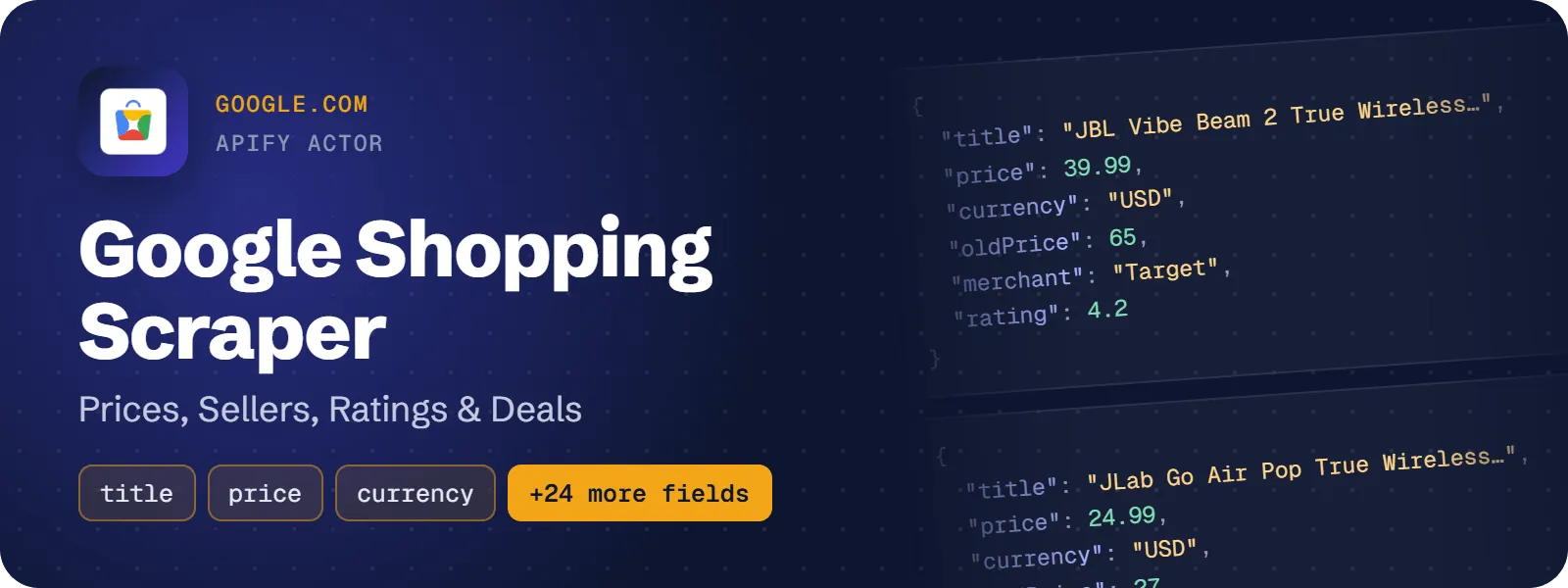
Get Google Shopping products for any search term as flat rows: product title, the current price as a number with its ISO currency, the was-price and discount badge, the merchant, delivery text, star rating and reviews count. Each row also carries the condition (refurbished or used), an image link and Google's catalog, group and offer ids. Search many terms in one run, in 16 countries, with an optional price range and sort.
What does Google Shopping Scraper do?
You give it a list of search terms (a category such as "running shoes", a model such as "Sony WH-1000XM6", or a GTIN) and a country. For each term it reads the Google Shopping results and saves one row per product listing, up to about 250 products per term. It is built for pricing analysts, marketplace sellers checking competitor prices, deal and affiliate sites, and AI agents that need to know what a product costs on Google Shopping in a given country.
How to scrape Google Shopping products
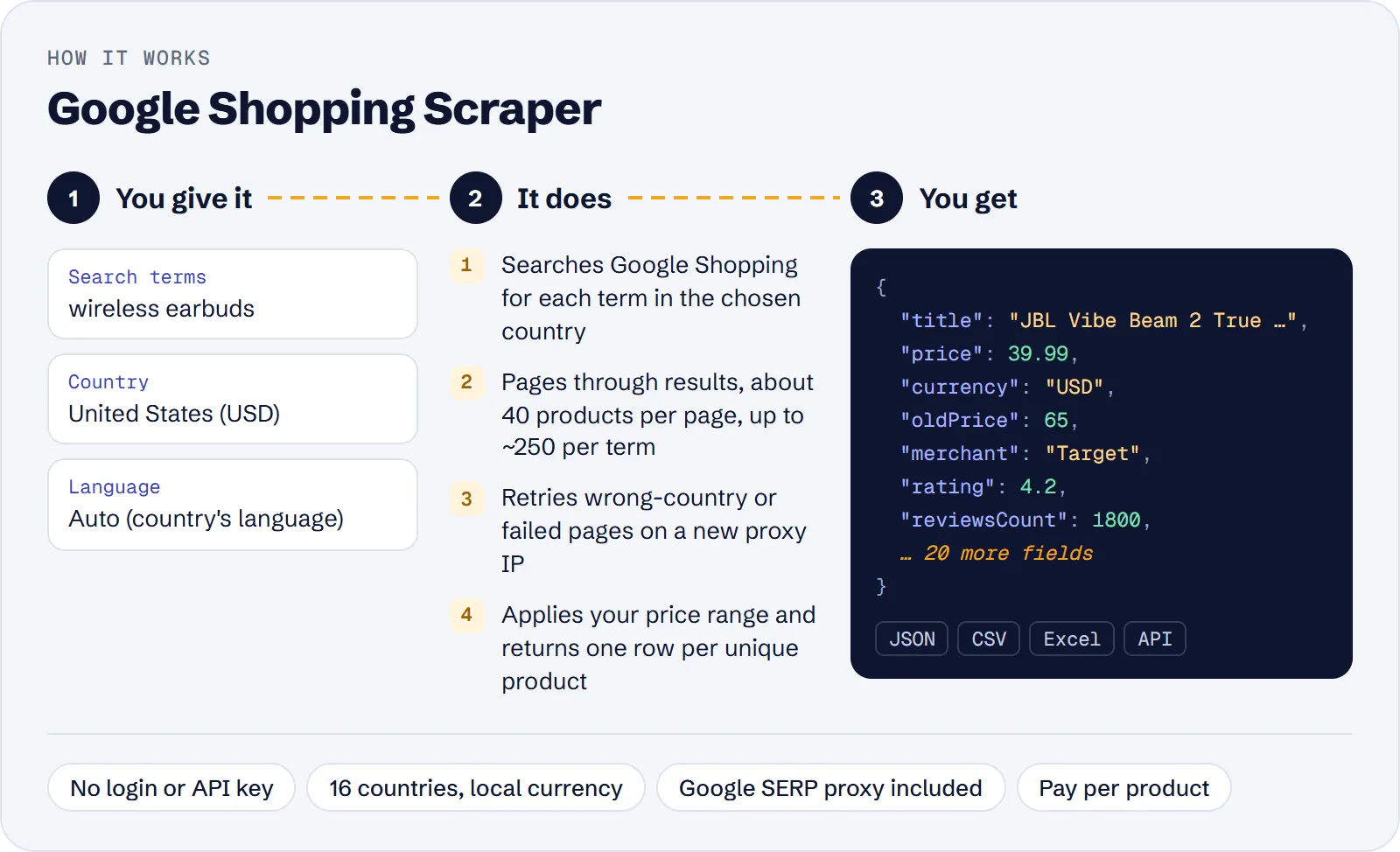
- Open the actor in Apify Console.
- Type your search terms into Search terms, one per line.
- Pick a Country. It decides which products appear and the currency of the prices.
- Optionally set Max products per search term, a Min price / Max price range or a Sort by order.
- Click Start. When the run ends, download the products as JSON, CSV or Excel from the Output tab, or read them through the API.
No Google account, login or API key is needed. The actor always uses Apify's Google SERP proxy in the chosen country; you do not configure a proxy.
How much does it cost to scrape Google Shopping?
Price per event by Apify plan:
| Event | Free | Bronze | Silver | Gold and above |
|---|---|---|---|---|
| Product | $3.30 per 1,000 | $2.97 per 1,000 | $2.64 per 1,000 | $2.31 per 1,000 |
| Actor start | $0.00005 | $0.00005 | $0.00005 | $0.00005 |
A test run with the API example input below returned 100 rows in 27 s.
You pay per product saved to the dataset (the product event) plus a small start fee per run. Platform usage and the proxy are not billed on top.
Not charged: duplicate products within a term, products outside your price range, and search terms that return no products.
| Scenario | Events | Cost on the Free plan |
|---|---|---|
| Quick lookup: 1 term × 20 products | 20 products + 1 start | about $0.07 |
| Default run: 1 term × 100 products | 100 products + 1 start | about $0.33 |
| Category watch: 10 terms × 100 products | 1,000 products + 1 start | about $3.30 |
| Large catalog check: 50 terms × 100 products | 5,000 products + 1 start | about $16.50 |
Use Max products in total to cap the cost of a run.
Input
| Field | What it does |
|---|---|
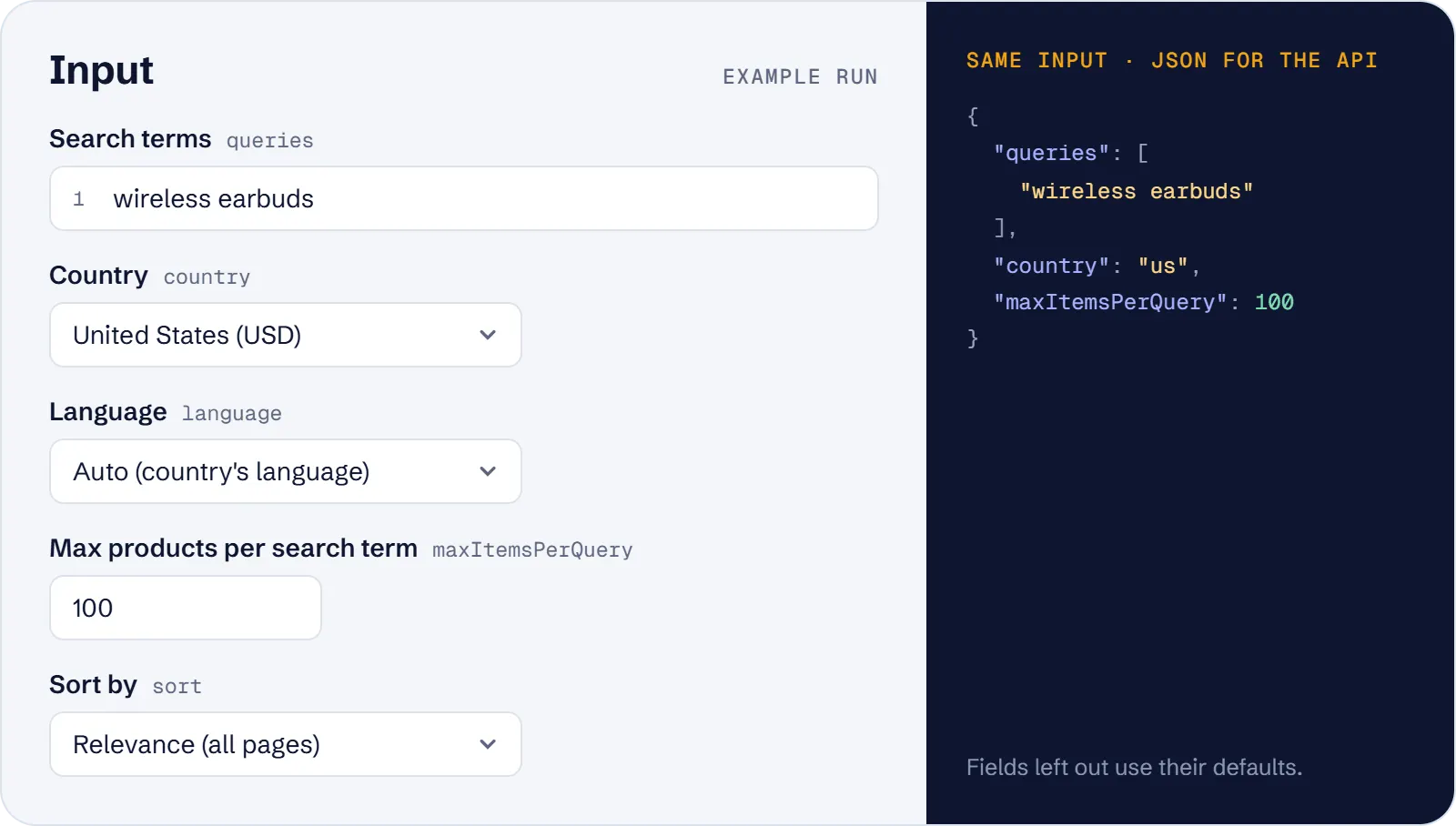
queries (required) | Search terms, one per line. Each term is searched separately. |
country | Google Shopping market: us, gb, de, fr, it, es, nl, pl, se, ch, ca, au, in, jp, br, mx. Default us. |
language | Language of labels such as delivery and condition. Empty = the country's main language. It does not change the products or their currency. |
maxItemsPerQuery | Products per term, 1–300. Default 100. |
maxItems | Optional cap on all products of the run. |
sort | relevance (default), price_low, price_high or rating. A sort other than relevance returns only the first results page per term. |
minPrice / maxPrice | Keep only products in this price range, in the country's currency. |
Example input:
What data can you extract from Google Shopping?
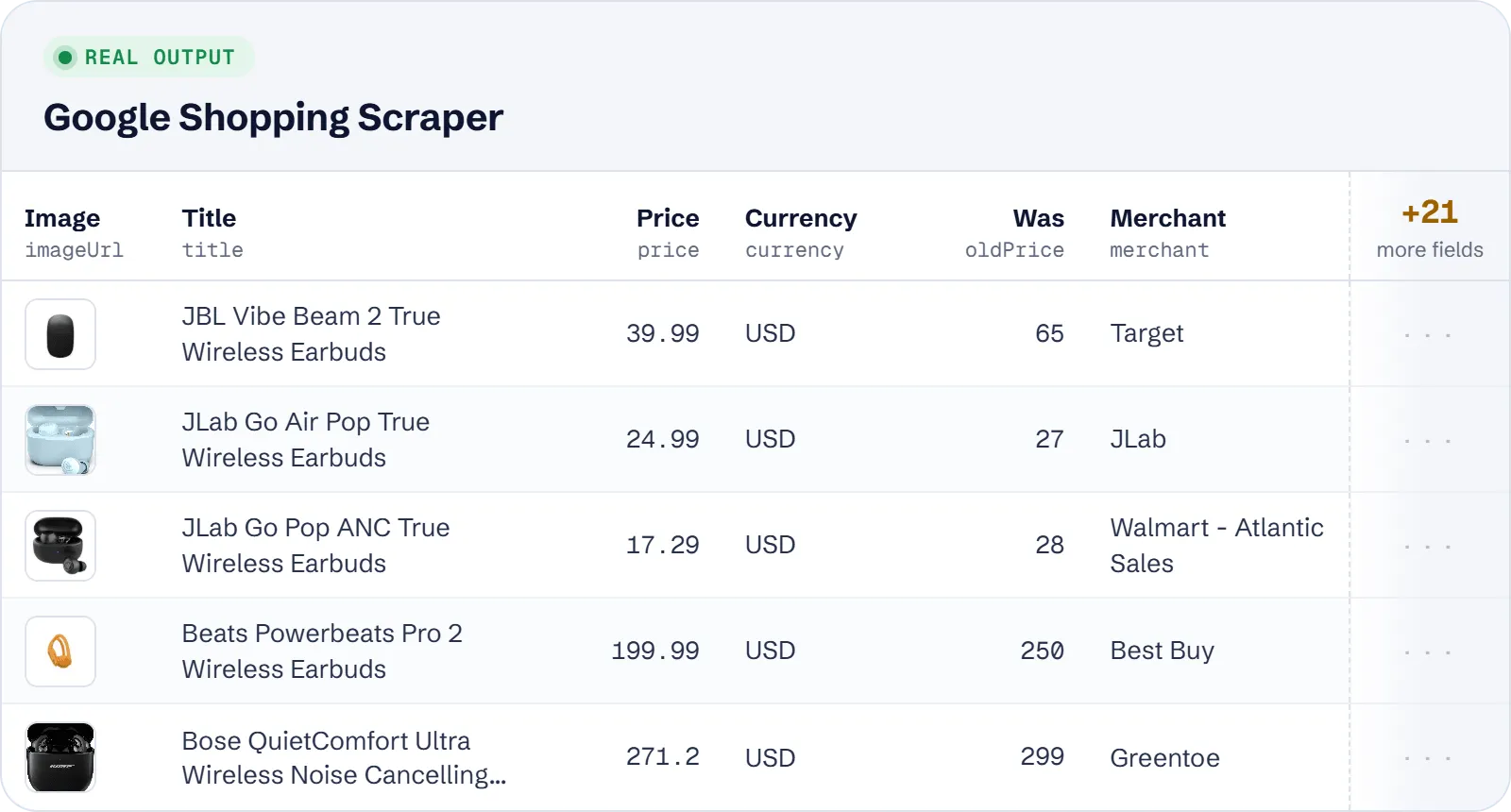
| Field | Meaning |
|---|---|
title | Product title |
price, priceText, currency | Current price as a number, as shown, and its ISO 4217 code |
oldPrice | Struck-through was-price, as a number |
typicalPriceText | "Usually $96" style typical price |
foreignPriceText, unitPriceText, installmentText | Price in another currency, price per unit, monthly instalment |
discount | Discount badge, e.g. "38% OFF" |
condition | Shown for non-new items, e.g. "Refurbished" or "Gebraucht"; empty for new items |
merchant | Seller shown on the card |
hasMoreOffers | true when the card shows several sellers ("& more") |
delivery | Delivery text, e.g. "Free delivery by Mon" |
rating, reviewsCount | Average rating 0–5 and number of reviews |
imageUrl | Product image |
productId, groupId, offerId | Google catalog, product group and offer ids |
query, position, page, country, language | Search term, rank within the term, results page, market and language |
url, scrapedAt | Link to the product in Google Shopping and extraction time |
Real example (US, "wireless earbuds", image link shortened):
Use cases
- Category price monitoring: schedule a run for "wireless earbuds" and "espresso machine" and track prices, merchants, ratings and delivery over time.
- Deal hunting: search "4k tv" between 300 and 800 USD, cheapest first, and spot deals by
oldPriceanddiscount. - One model across sellers: search "Sony WH-1000XM6" to see which merchants sell it, at what price, and whether the item is new or refurbished.
- Local market research: search "kopfhörer" in Germany to get German listings in EUR, or set the language to English for English labels.
- AI agent lookups: ask for the top 20 products of a term and get structured prices in one quick call.
Limitations
- Google shows about 40 products per page and at most about 250 per term. For more products, add variants of the term.
- Sorting is honoured by Google only sometimes and only on the first page. A sort other than relevance returns at most one page per term (about 40–60 products). When Google ignores the sort, the actor sorts that page itself and logs a warning.
- Merchant and product outbound links, the number of offers, descriptions, specs and GTINs are not in the results page, so they are not returned.
- Many fields can be empty when Google does not show them:
ratingandreviewsCounton some products,deliveryin Germany and France,productIdon some cards, and the special price texts on most rows. - In the US, Canada and Australia prices all show a bare
$, so a page from another of these three countries cannot be told apart by currency. Pages in other wrong currencies are detected, retried and never saved. - The
urlpoints to the product in Google Shopping; when Google gives no group id, it points to the results page. - One country per run. Run once per country to compare markets.
Tips and troubleshooting
- Fewer products than expected? Google may simply have fewer results for the term, or your price range removed some. The log names each term and the reason.
- 0 products? The run still succeeds and says why: no products for the term, or all of them outside the price range. Only the start fee is charged.
- Price filters use local currency:
minPrice300 means 300 USD forusand 300 EUR forde. Products without a price are dropped while a price filter is set.minPricemust not be greater thanmaxPrice. - Need many products? Keep
sortat relevance; it pages through all results. - Gibberish terms return loosely related products, not an empty result.
- Duplicate search terms are searched once.
API, MCP and integrations
Run the actor from your code with the same JSON input as in Console. Your API token is in Console → Settings → API & Integrations.
Python (pip install apify-client):
Node.js (npm install apify-client):
HTTP — one request runs the actor and returns the results (runs up to 5 minutes; longer ones: run asynchronously):
AI agents (MCP). Add the actor as a tool of the Apify MCP server. Claude Code:
Claude Desktop, Cursor or VS Code: {"mcpServers": {"apify": {"url": "https://mcp.apify.com?tools=genial_candlestand/google-shopping-scraper"}}}. Then ask, for example:
- "Find 4k TVs on Google Shopping in the US, sorted cheapest first"
- "Which sellers list Sony WH-1000XM6 on Google Shopping in the UK, with ratings?"
- "Get the top 20 Google Shopping products for kopfhörer in Germany"
Integrations. Run it on a schedule with Apify Schedules and send the results to Google Sheets, Slack, Zapier, Make, n8n or your webhook — see Apify integrations.
FAQ
Is it legal to scrape Google Shopping?
The actor reads publicly visible Google Shopping results: product listings, prices and seller names. It does not log in or access private data. You are responsible for how you use the data and for complying with the laws and terms that apply to you.
Which countries are supported?
United States, United Kingdom, Germany, France, Italy, Spain, Netherlands, Poland, Sweden, Switzerland, Canada, Australia, India, Japan, Brazil and Mexico. Each returns prices in its local currency.
Can I search by GTIN or EAN?
Yes, enter the code as a search term; it is searched like any text.
Is the price filter reliable?
Yes. The range is sent to Google as a hint and also applied by the actor on the numeric price, so every saved row is inside the range.
How is it different from other Google Shopping actors?
The price is a number with an ISO currency code, and the was-price, typical price, foreign-currency price, unit price and instalment are kept in separate fields. Rows also include the condition, the discount badge and three Google ids. The actor costs $3.30 per 1,000 products versus $3.50 for the most used alternative, with no platform usage on top.
Also useful
- Amazon Best Sellers Scraper — compare with Amazon's top products: rank, ASIN, local price, rating and reviews
- Naver Shopping Scraper — get Korean shopping prices by keyword: discounts, coupons, delivery fees and reviews
- Google Trends Scraper — check search interest for the same product terms over time and by region
- Woolworths Product Scraper — track Australian grocery prices, was-prices, specials and stock by keyword
- Google Ads Transparency Scraper — see the ads a competing shop or brand runs on Google


