
Shopify Store Products Scraper | Prices, Variants & Stock
Pricing
from $1.26 / 1,000 products
Shopify Store Products Scraper | Prices, Variants & Stock
Get all products of any Shopify store or collection: title, vendor, price range, store currency, compare-at price, on-sale and stock flags, images, tags and every variant with SKU. Many stores per run, collection handles, price and stock filters, duplicates free, no login.
Pricing
from $1.26 / 1,000 products
Rating
0.0
(0)
Developer

Flowo
Maintained by CommunityActor stats
0
Bookmarked
2
Total users
1
Monthly active users
7 days ago
Last modified
Categories
Features
Share
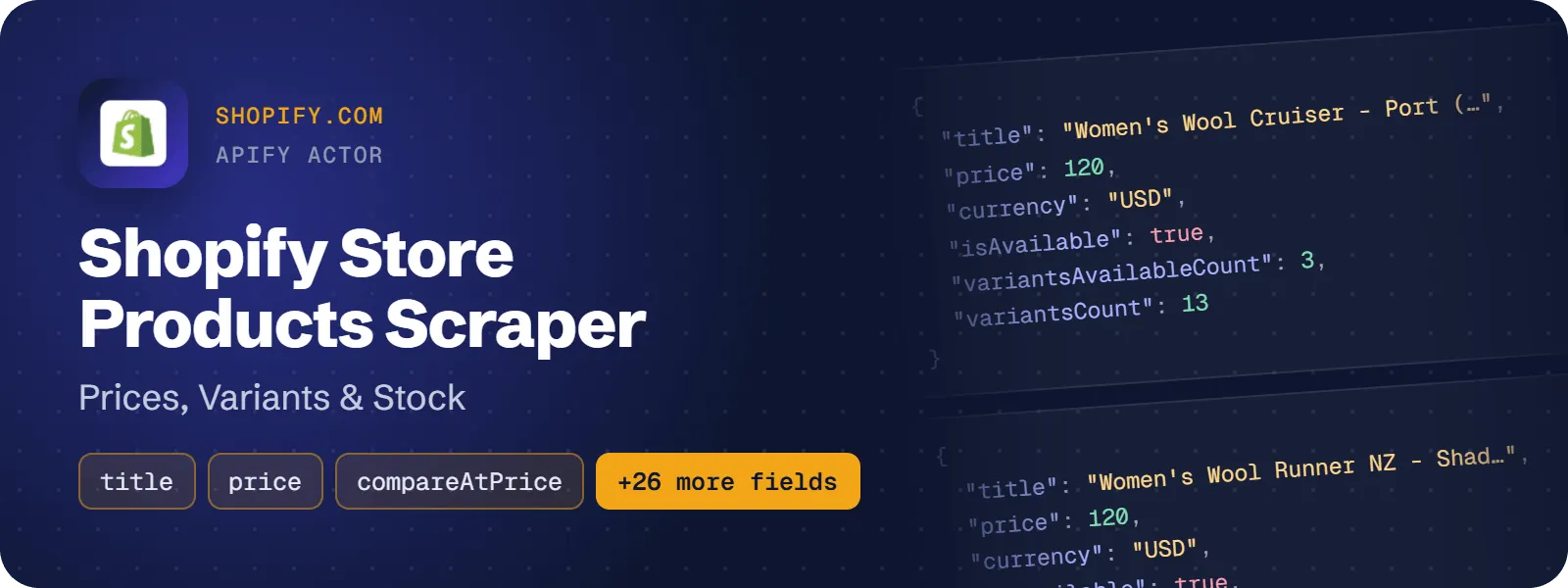
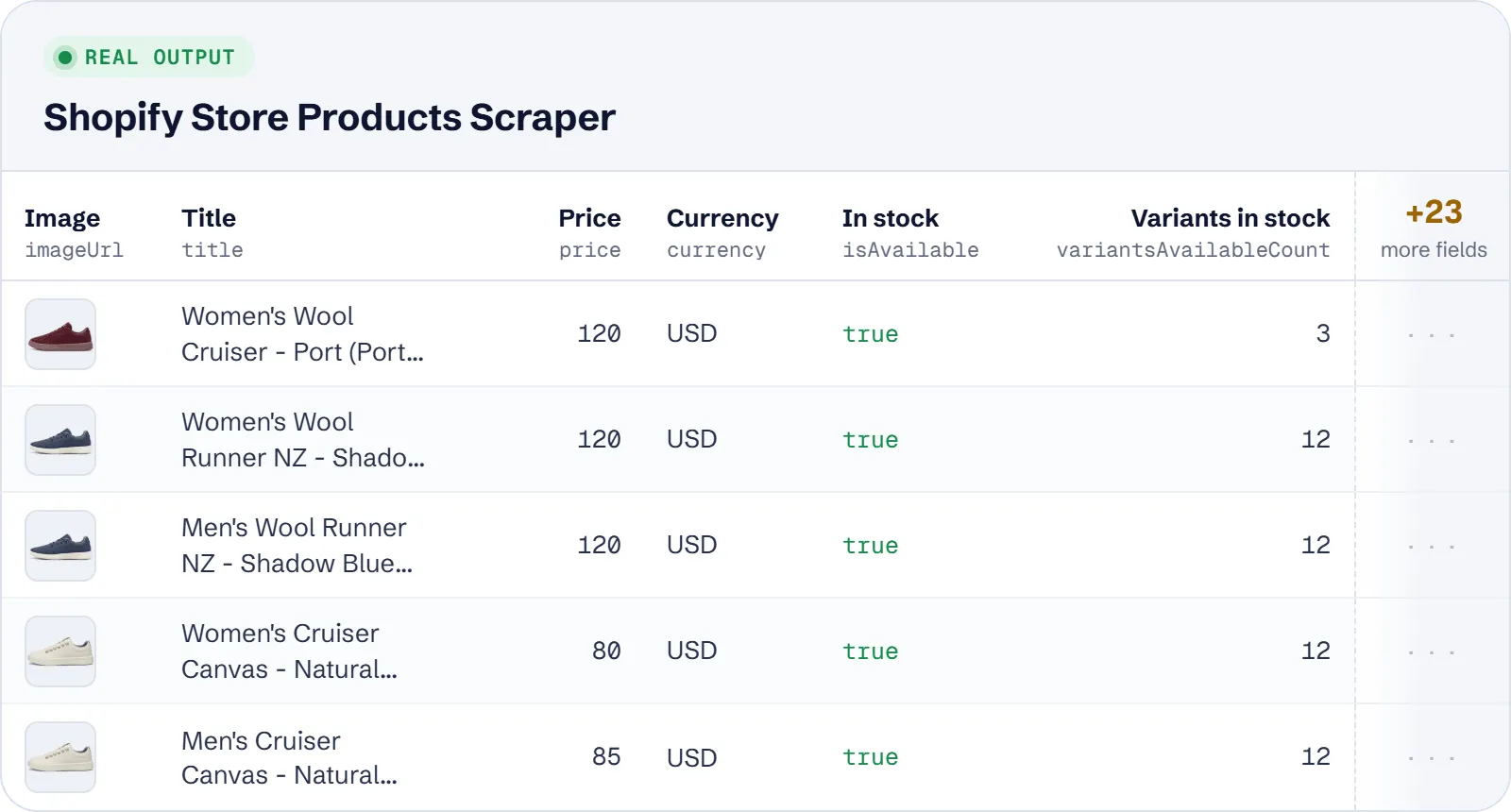
Export every published product of any Shopify store, or of one or more of its collections, one row per product. Each row has the product title, vendor, lowest and highest price with the store currency, the compare-at price and an on-sale flag, stock availability, images, tags and all variants with SKU, price and options.
What does Shopify Store Products Scraper do?
You give it Shopify store addresses (custom domain, bare domain or *.myshopify.com) or collection URLs. It returns the store's full public catalogue, or only the collections you chose, as clean JSON, CSV or Excel. It is made for e-commerce analysts, brands watching competitors' prices and assortment, dropshippers and resellers, and agencies building product feeds or migrating catalogues. Many stores can go into one run, and no login, API key or browser is needed. One store that fails does not stop the others.
How to scrape Shopify store products
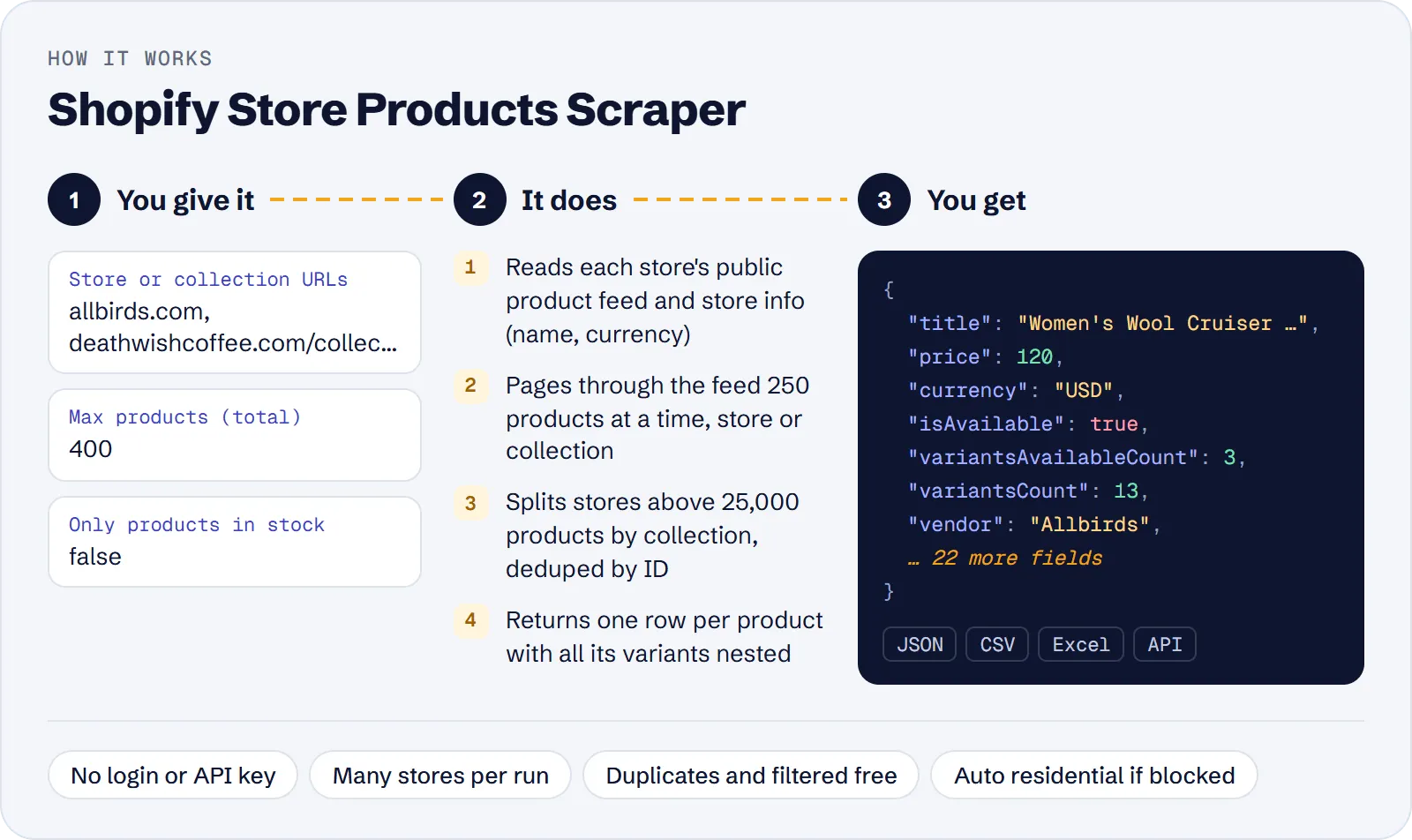
- Open the actor in Apify Console and click Try for free.
- In Store or collection URLs, add one store per line, e.g.
https://www.allbirds.com, or a collection URL such ashttps://www.deathwishcoffee.com/collections/coffee. - Optionally list Collections (categories) handles like
mens, and switch on filters: only products in stock, only discounted products, a min or max price. - Set Max products (total) (default 1,000) and, if you scrape several stores, Max products per store.
- Click Start, then download the dataset as JSON, CSV, Excel or HTML, or read it through the API.
How much does it cost to scrape Shopify products?
Price per event by Apify plan:
| Event | Free | Bronze | Silver | Gold and above |
|---|---|---|---|---|
| Product | $1.80 per 1,000 | $1.62 per 1,000 | $1.44 per 1,000 | $1.26 per 1,000 |
| Actor start | $0.00005 | $0.00005 | $0.00005 | $0.00005 |
A test run with the API example input below returned 368 rows in 38 s.
You pay per product saved: one product event is one dataset row with all its variants, at $0.0018 on the Free plan ($1.80 per 1,000 products), plus a small actor start fee of $0.00005 per run. Products removed by your filters and duplicates (the same store through its custom and myshopify domains, or overlapping collections) are not saved and not charged.
| Scenario | Product events | Cost on the Free plan |
|---|---|---|
| One small store, 100 products | 100 | about $0.18 |
| One store catalogue, 1,000 products | 1,000 | about $1.80 |
| Five competitor stores, 5,000 products | 5,000 | about $9.00 |
| A very large store, 25,000 products | 25,000 | about $45.00 |
Input
| Field | What it does |
|---|---|
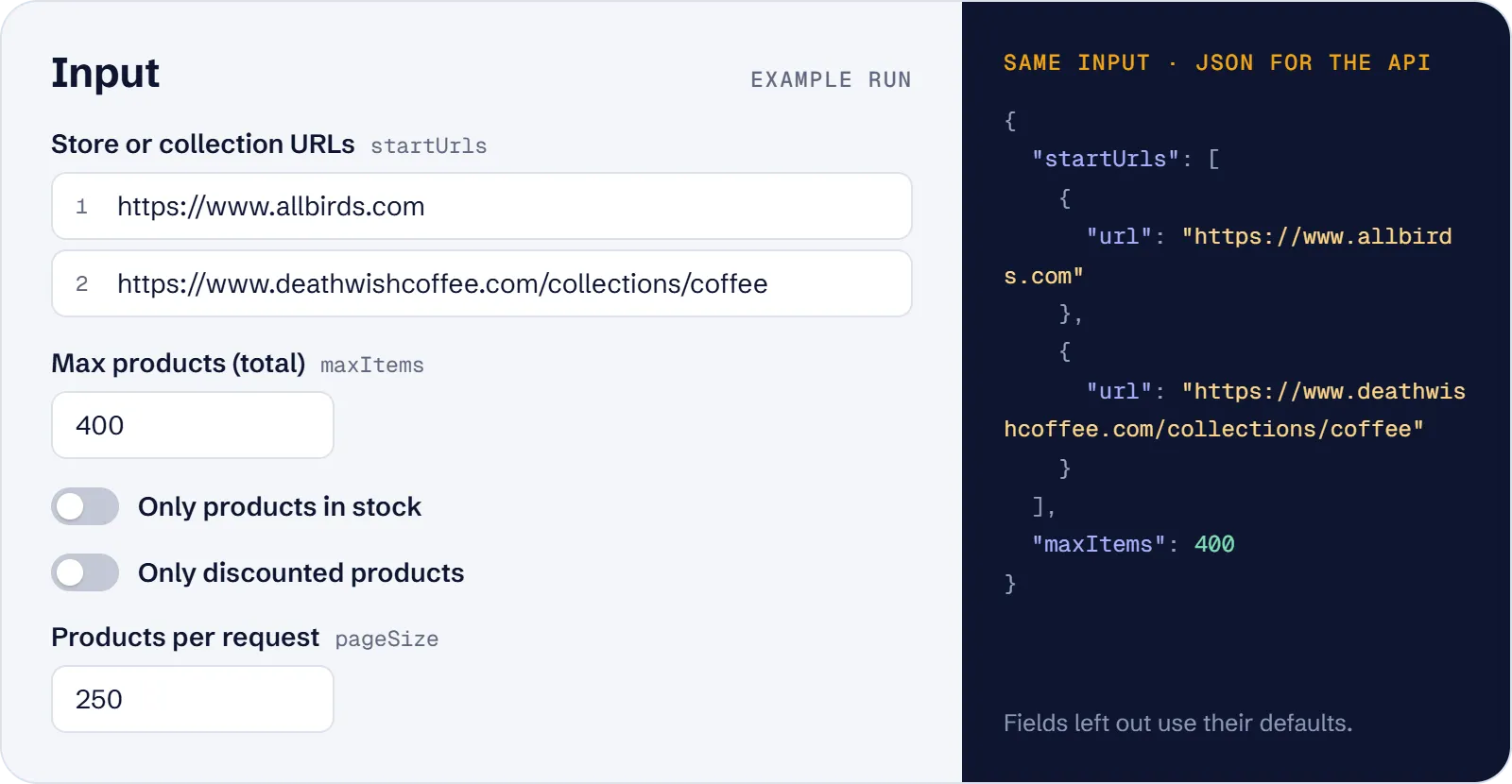
startUrls (required) | Store addresses (whole catalogue) or …/collections/<handle> URLs (that collection only). Other paths are reduced to the store address, with a warning. |
collectionHandles | Collection handles applied to every store URL without its own collection path. Results are merged without duplicates. |
maxItems | Total products across all stores (default 1000). |
maxItemsPerStore | Optional cap per store. |
onlyAvailable | Keep only products with at least one variant in stock. |
onlyOnSale | Keep only products with a compare-at price above the price. |
minPrice / maxPrice | Range for the lowest variant price, in each store's own currency. |
proxyConfiguration | Apify datacenter proxy by default. A store still blocked after retries continues through the residential proxy automatically. |
pageSize | Products per feed request, 1–250 (keep 250). |
Example input:
What data can you extract from Shopify stores?
| Field | Description |
|---|---|
title, handle, url, id | Product title, URL slug, product page and Shopify product ID |
description | Product description as plain text |
vendor, productType, tags | Brand, the store's own product type and its tags |
price, priceMax | Lowest and highest variant price, as numbers in currency units |
compareAtPrice, isOnSale | Original (compare-at) price and whether a variant is discounted |
currency | Store currency (ISO 4217), e.g. USD, EUR, JPY |
isAvailable, variantsCount, variantsAvailableCount | Stock flag and how many variants exist and are in stock |
imageUrl, imageUrls | Main image and all product images |
options, variants | Options (Size, Color…) and every variant with variantId, sku, price, compareAtPrice, isAvailable, option1–option3, grams, requiresShipping, imageUrl |
createdAt, publishedAt, updatedAt | Product dates (ISO 8601) |
storeName, storeDomain, storeUrl, myshopifyDomain | The store the product belongs to |
collectionHandle | The collection the row came from; null for a whole-store export |
scrapedAt | When the product was extracted |
A real item (shortened):
Use cases
- Whole-store export: pull a brand's full catalogue (e.g. allbirds.com) with variants, prices and images for a product feed or a catalogue migration.
- One category: export only a collection, such as the coffee collection of deathwishcoffee.com, or several handles merged without duplicates.
- Competitor price and stock monitoring: schedule several stores with
onlyOnSaleoronlyAvailableand trackprice,compareAtPrice,isOnSale,variantsAvailableCountandupdatedAt. - Regional price comparison: run allbirds.com (USD) and allbirds.de (EUR) together; each row carries its own
currency,storeDomainandstoreName. - Product research for dropshippers and resellers: find discounted or in-stock items in a price range across many stores.
Limitations
- No numeric stock quantities. The public product feed gives availability flags only:
isAvailable,variantsAvailableCountand per-variantisAvailable, not how many units are left. - Base currency only. Prices are in the store's base currency. Market subfolders such as
/en-gb/are not supported; use the store's regional domain instead (e.g. allbirds.de). - Headless, password-protected and non-Shopify sites have no product feed. They are skipped with a warning and the rest of the run continues.
- Rate limits and bot walls. Shopify limits requests per IP (HTTP 429). Each 429 is retried at once from a new proxy IP, up to 4 retries. With the default proxy, a store that is still blocked continues through the Apify residential proxy (only if your account can use it). A store that fails even then is named in a warning, and the other stores continue.
- 25,000 products per listing. Shopify caps one listing at 25,000 products. For bigger stores the actor continues collection by collection, deduplicated; a single collection above 25,000 stops at the cap.
- Only published products are returned.
productType,compareAtPriceandskuare often empty because many stores leave them blank.
Tips and troubleshooting
- 0 rows for a store? Check the log: a headless or password-protected store has no feed. Try its
*.myshopify.comaddress. - 0 rows for a collection? The handle is unknown or the collection has no published products; a warning names it. The handle is the part after
/collections/in the store URL;allgives the whole catalogue. - A collection URL plus
collectionHandles: the URL keeps its own collection; the handles apply only to store URLs without a collection path. - Several stores: set
maxItemsPerStoreso one big store does not use upmaxItems. The same store listed twice (custom and myshopify domain) is saved and charged once. - A store keeps blocking: with the default proxy the switch to residential is automatic and the log names the store. If you chose a proxy group or your own proxies, the actor keeps your choice; pick the residential group yourself.
minPricemust not be abovemaxPrice; price bounds are in each store's own currency.
API, MCP and integrations
Run the actor from your code with the same JSON input as in Console. Your API token is in Console → Settings → API & Integrations.
Python (pip install apify-client):
Node.js (npm install apify-client):
HTTP — one request runs the actor and returns the results (runs up to 5 minutes; longer ones: run asynchronously):
AI agents (MCP). Add the actor as a tool of the Apify MCP server. Claude Code:
Claude Desktop, Cursor or VS Code: {"mcpServers": {"apify": {"url": "https://mcp.apify.com?tools=genial_candlestand/shopify-store-products-scraper"}}}. Then ask, for example:
- "Export all products of allbirds.com with prices, variants and stock"
- "List discounted products in the coffee collection of deathwishcoffee.com"
- "Compare men's product prices of allbirds.com in USD and allbirds.de in EUR"
Integrations. Run it on a schedule with Apify Schedules and send the results to Google Sheets, Slack, Zapier, Make, n8n or your webhook — see Apify integrations.
FAQ
Is it legal to scrape Shopify stores?
The actor reads only the public product data that each store publishes on its own website, without logging in. It collects no personal data. You are responsible for how you use the data and for following the store's terms and the laws that apply to you.
Do I need a Shopify account or API key?
No. The actor uses the public storefront feed of each store, so no login, token or browser is needed.
Which stores work?
Shopify Online Store sites on a custom domain, a bare domain or a *.myshopify.com address, in any language and currency (e.g. USD, EUR, CAD, AUD, JPY).
Can I get only new or changed products?
Each row has createdAt, publishedAt and updatedAt, so you can schedule runs and filter on these dates in your own pipeline.
How is it different from other Shopify actors?
It exports a given store's catalogue or chosen collections (not a keyword search), puts the store currency on every row, splits stores above 25,000 products by collection, and charges duplicates and filtered-out products nothing. The price is $1.80 per 1,000 products on the Free plan, against $2.49 for the most-used Shopify product search actor.
Also useful
- Amazon Best Sellers Scraper — compare store products with Amazon's top sellers: rank, price, rating and category
- Woolworths Product Scraper — track retail prices, was-prices, specials and stock at Woolworths Australia
- Coles Product Scraper — monitor Coles prices, specials, availability and stock quantity
- Naver Shopping Scraper — research Korean market prices, discounts and stores by keyword
- Trustpilot Reviews Scraper — check what customers say about a store: ratings, review text and replies


