

Threads Profile Scraper | Followers, Bio & Instagram Stats
Pricing
from $2.30 / 1,000 profiles
Threads Profile Scraper | Followers, Bio & Instagram Stats
Get Threads profile details by username or URL: exact follower count, name, bio, bio links, emails from the bio, verified and private flags, profile tags, linked Instagram followers and following, last post date and optional latest posts. Many profiles per run, no login.
Pricing
from $2.30 / 1,000 profiles
Rating
0.0
(0)
Developer

Flowo
Maintained by CommunityActor stats
0
Bookmarked
2
Total users
1
Monthly active users
7 days ago
Last modified
Categories
Features
Share
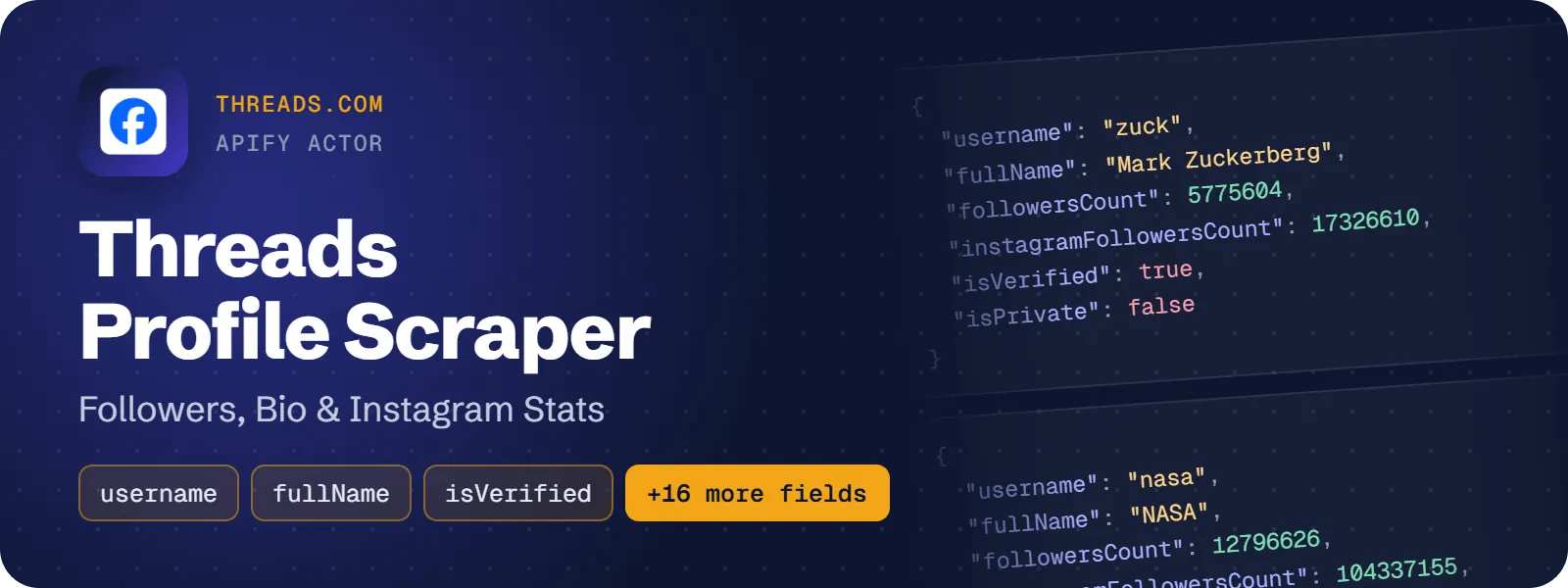
Get public Threads profile details for a list of usernames or profile URLs: the exact follower count, display name, bio, bio links, emails found in the bio, verified and private flags, profile pictures and profile tags. Each row also has the follower and following counts of the linked Instagram account, the date of the newest post and, if you want them, the newest posts with likes, replies, reposts, quotes and shares. No login, no cookies and no browser.
What does Threads Profile Scraper do?
You give it Threads accounts in any common form: zuck, @zuck, https://www.threads.com/@zuck, a threads.net URL or a post URL. It returns one flat, camelCase row per profile, ready for a spreadsheet, a CRM or an AI agent. It suits marketers and agencies vetting creators, sales teams building lead lists from bios and links, analysts tracking account growth on a schedule, and AI agents that need to know "who is @x on Threads" in one call.
How to scrape Threads profiles
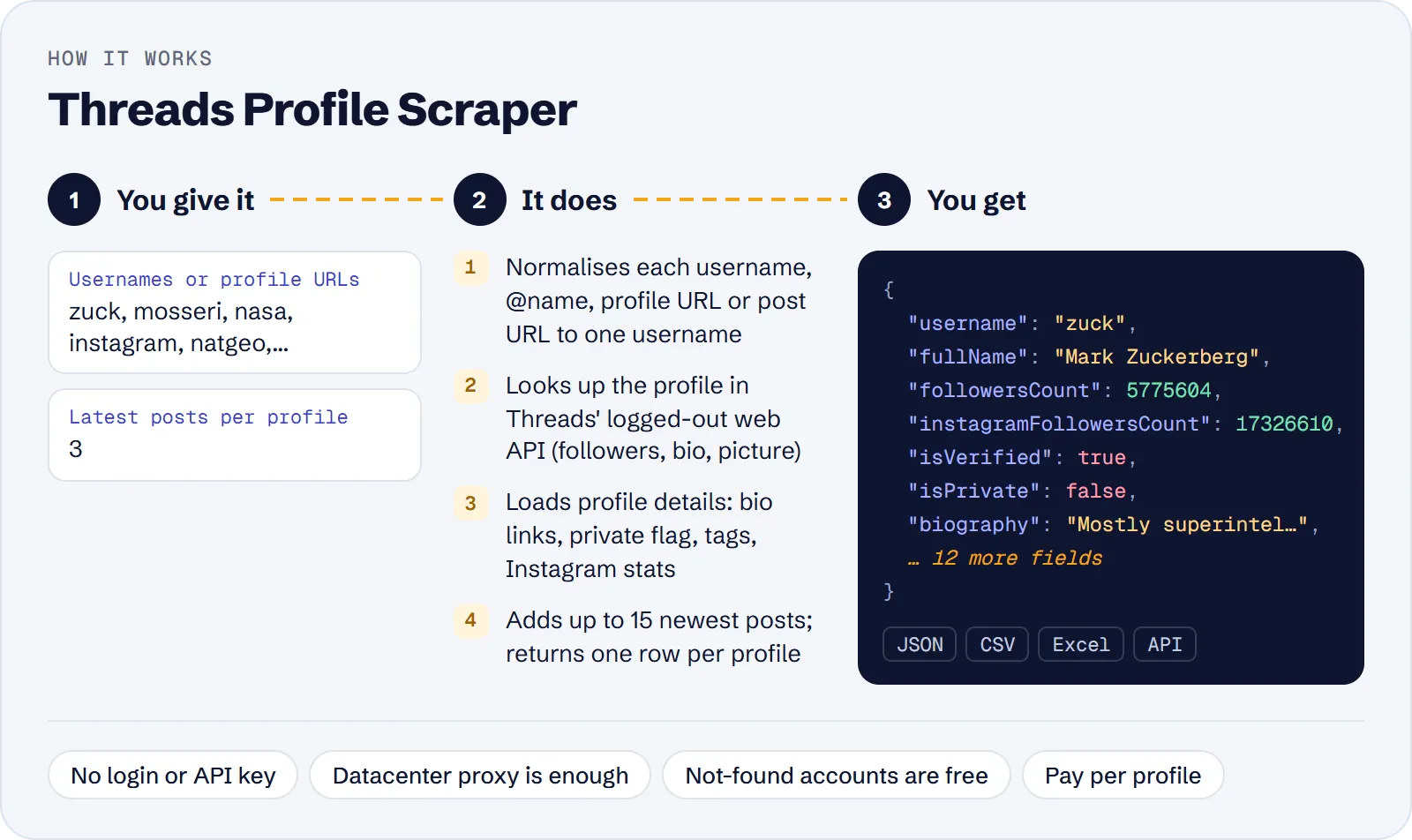
- Open the actor in Apify Console.
- Paste Threads usernames or profile URLs into Usernames or profile URLs, one per line.
- Set Latest posts per profile (0–15, default 3). Use 0 if you only need the profile fields: the run is faster.
- Leave Proxy at the default Apify datacenter proxy.
- Click Start and download the results as JSON, CSV or Excel, or read them through the API.
How much does it cost to scrape Threads?
Price per event by Apify plan:
| Event | Free | Bronze | Silver | Gold and above |
|---|---|---|---|---|
| Profile | $2.70 per 1,000 | $2.565 per 1,000 | $2.43 per 1,000 | $2.295 per 1,000 |
| Actor start | $0.00005 | $0.00005 | $0.00005 | $0.00005 |
A test run with the API example input below returned 10 rows in 21 s.
You pay per profile row: one profile event is one Threads profile in the dataset, with its latest posts included in the same row. Usernames that do not exist on Threads and entries skipped as invalid give no row and are not charged. Apart from Apify's small actor start event, there is no per-run fee.
| Scenario | Profiles (events) | Cost on the Free plan |
|---|---|---|
| Check 10 creators | 10 | about $0.03 |
| Vet 100 influencers before a campaign | 100 | about $0.27 |
| Build a lead list of 1,000 brand accounts | 1,000 | about $2.70 |
| Daily tracking of 1,000 accounts for 30 days | 30,000 | about $81.00 |
The costs include the $0.00005 start event per run. Higher Apify plans get a lower price per profile (see the table above).
Input
| Field | Type | Default | What it does |
|---|---|---|---|
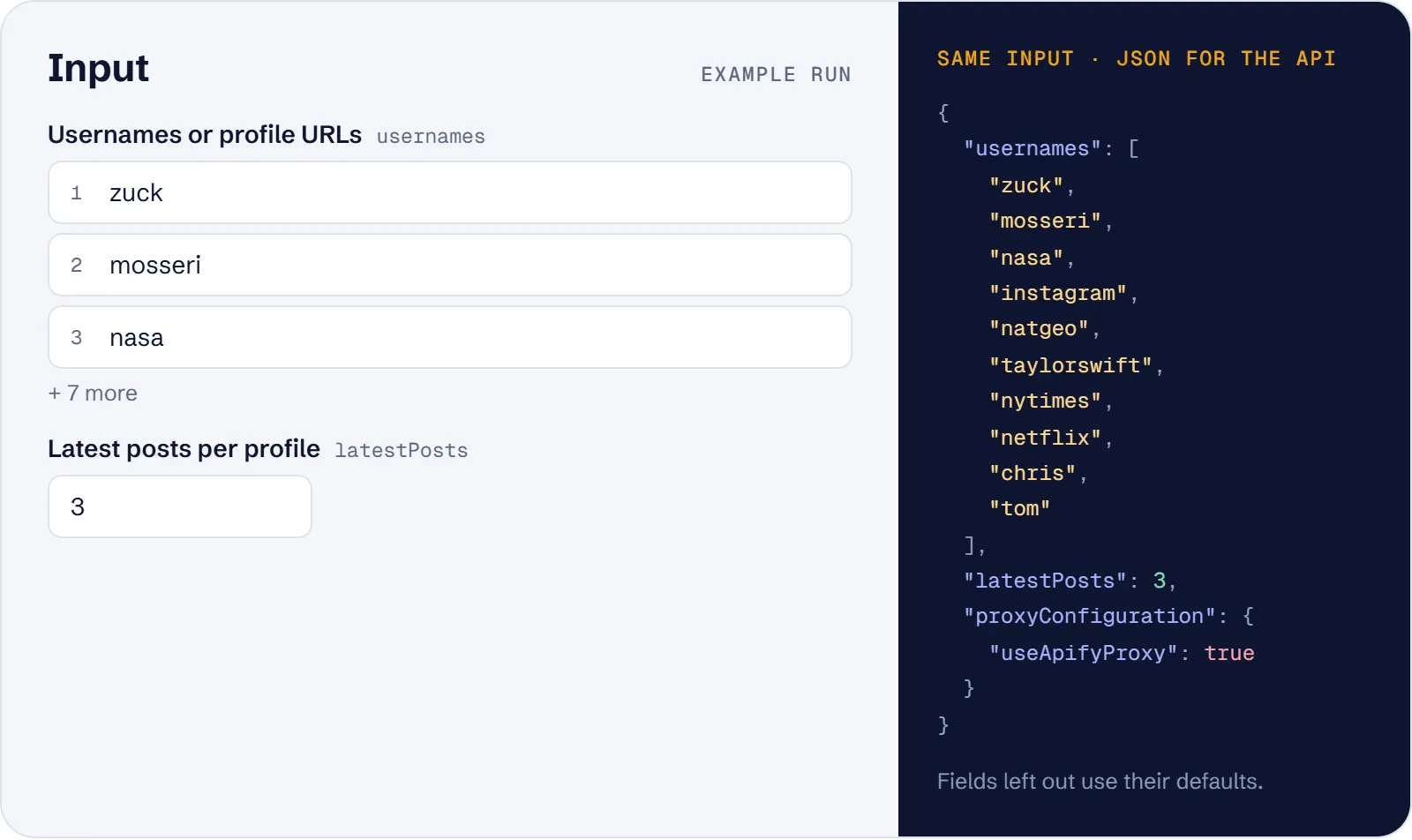
usernames | list of strings, required | — | Threads accounts: zuck, @zuck, https://www.threads.com/@zuck, threads.net URLs, or a post URL such as https://www.threads.com/@zuck/post/DfihFPxkaZ1 (its author is used). Case does not matter; duplicates are looked up once. Entries that are not a valid username (1–30 letters, digits, dots or underscores) are skipped with a warning |
latestPosts | integer 0–15 | 3 | Newest posts per profile, pinned ones included. 0 = no posts. Private profiles never return posts |
proxyConfiguration | proxy object | Apify datacenter | Datacenter is enough; residential is not needed |
Example input:
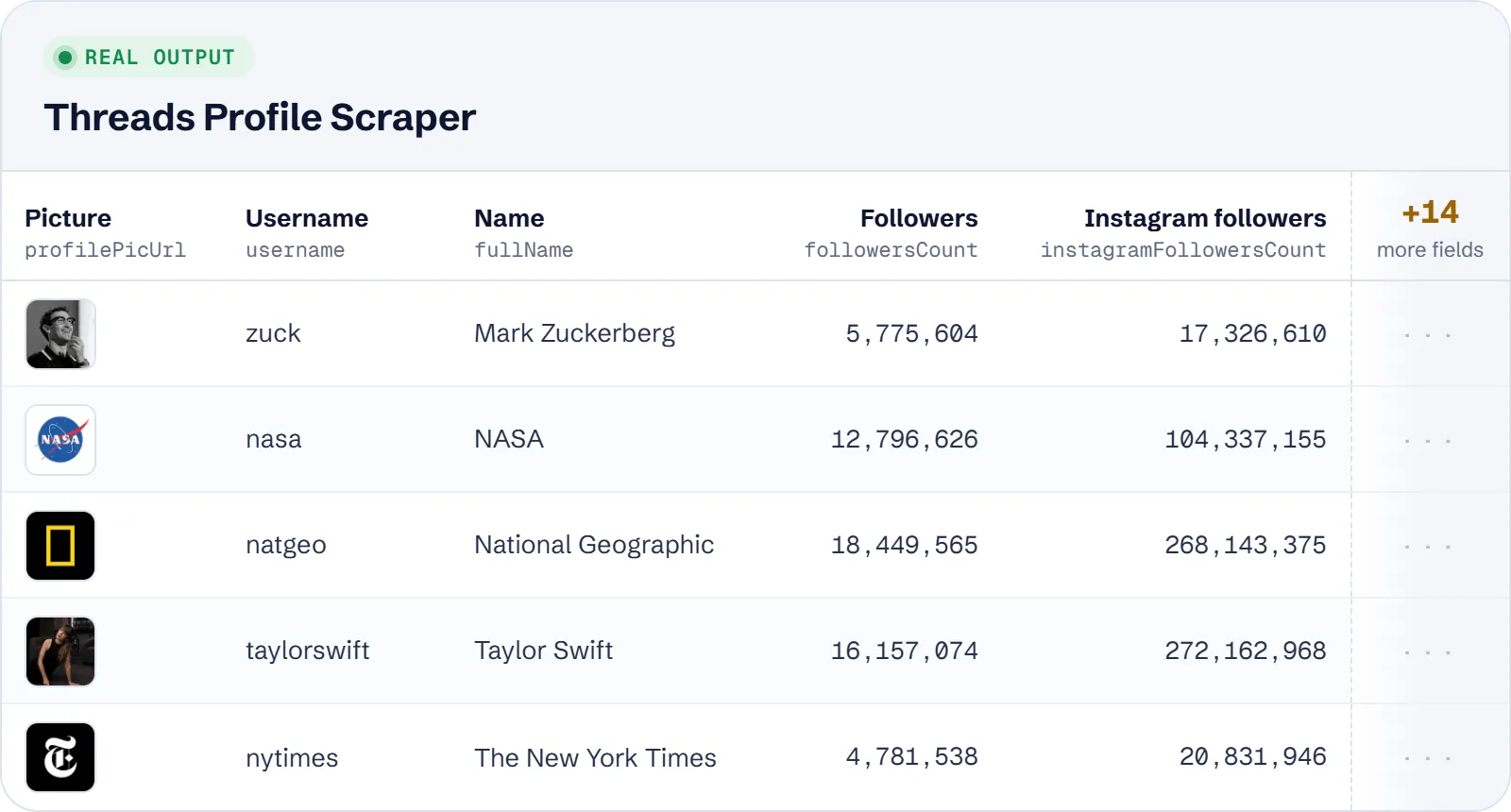
What data can you extract from Threads?
| Field | Type | Description |
|---|---|---|
url | string | Profile page, https://www.threads.com/@<username> |
id | string | Threads user id |
username | string | Username without @ |
fullName | string or null | Display name |
biography | string or null | Bio text |
emails | list of strings | Emails found in the bio (lower-cased, unique); empty list when none |
followersCount | integer or null | Exact Threads follower count |
isVerified | boolean or null | Verified badge |
isPrivate | boolean or null | Private profile |
profilePicUrl | string or null | Profile picture, 150 px |
profilePicUrlHd | string or null | Largest profile picture available, usually 640 px |
bioLinks | list of strings or null | All links shown on the profile, in order |
externalUrl | string or null | First bio link |
profileTags | list of strings or null | Topic and community tags shown on the profile |
instagramFollowersCount | integer or null | Followers of the linked Instagram account |
instagramFollowingCount | integer or null | Accounts the linked Instagram account follows |
lastPostAt | string or null | Time of the newest fetched post (ISO 8601) |
latestPosts | list of objects or null | Newest posts: id, url, text, publishedAt, mediaType (text, image, video, carousel or other), imageUrl, likeCount, replyCount, repostCount, quoteCount, shareCount, isPinned |
scrapedAt | string | When the profile was extracted (ISO 8601) |
Example row from a real run (picture URLs shortened, 1 of 3 posts shown):
Note that lastPostAt is the newest post among the fetched ones, so an old pinned post never hides a newer one (here the pinned post is from January, the newest from October).
Use cases
- Creator vetting: compare exact Threads followers, Instagram followers, the verified flag and
lastPostAt(is the account still active?) for a shortlist likezuck,mosseri,natgeo. - Lead lists from bios: run 500 brand handles with
latestPosts: 0and collectbiography,emails,bioLinksandexternalUrlfor outreach. - Growth tracking: schedule a daily run over the same list; exact
followersCountandinstagramFollowersCountlet you compute day-to-day changes. - Content snapshot: run
https://www.threads.com/@nasawithlatestPosts: 15to get the profile and its 15 newest posts with likes, replies, reposts, quotes and shares. - AI agent lookups: an agent passes any mix of
@name, profile URLs and post URLs; unknown accounts are free and named in the run's status message.
Limitations
- Only public data visible without login. Not available: the Threads following count, the exact number of threads, joined date and country.
- At most 15 latest posts per profile (Threads returns 15 per request). Private profiles return no posts:
latestPostsandlastPostAtare null. - Fields that can be null:
fullName,biography,followersCount,isVerified,isPrivate,profilePicUrl,profilePicUrlHd,bioLinks,externalUrl(null when there are no bio links),profileTags,instagramFollowersCountandinstagramFollowingCount(null when Threads does not show the linked Instagram stats, e.g.@instagram),lastPostAtandlatestPosts.bioLinksandprofileTagsare empty lists when the profile has none and null only when the profile details could not be loaded.emailsis always a list, often empty. - Inside posts,
text,publishedAt,imageUrl(null for text posts),likeCount,replyCount,repostCount,quoteCountandshareCountcan be null. - Many Instagram accounts (for example big brands) have no Threads profile; they return no row.
- Picture URLs are signed CDN links that expire after a few days: download them soon if you need them.
- Large volumes were not load-tested; Meta may throttle an IP at some point.
Tips and troubleshooting
- Faster runs: set
latestPoststo 0 when you only need profile fields; one request per profile is saved. - Fewer rows than usernames? Check the run log and status message: accounts that do not exist on Threads are listed there as "not found" (and not charged), and invalid entries are skipped with a warning. Duplicates (
zuck,@zuck,ZUCK) are looked up once. - 0 rows, run succeeded: none of the usernames exists on Threads. The status message names them.
- A run fails only when the input is invalid (no valid username,
latestPostsoutside 0–15) or when every username failed to load. If some profiles fail, the others are still saved. - Proxy: the default Apify datacenter proxy is enough; residential proxies are not needed.
API, MCP and integrations
Run the actor from your code with the same JSON input as in Console. Your API token is in Console → Settings → API & Integrations.
Python (pip install apify-client):
Node.js (npm install apify-client):
HTTP — one request runs the actor and returns the results (runs up to 5 minutes; longer ones: run asynchronously):
AI agents (MCP). Add the actor as a tool of the Apify MCP server. Claude Code:
Claude Desktop, Cursor or VS Code: {"mcpServers": {"apify": {"url": "https://mcp.apify.com?tools=genial_candlestand/threads-profile-scraper"}}}. Then ask, for example:
- "Compare Threads followers, Instagram followers and last post date of zuck, mosseri and natgeo"
- "Get the bio, bio links and emails of the Threads accounts nytimes and netflix"
- "Show the 15 latest Threads posts of @nasa with likes, replies and reposts"
Integrations. Run it on a schedule with Apify Schedules and send the results to Google Sheets, Slack, Zapier, Make, n8n or your webhook — see Apify integrations.
FAQ
Do I need a Threads or Instagram account?
No. The actor reads public, logged-out data only. No login, cookies or API key.
Can I paste post URLs instead of profiles?
Yes. For a URL like https://www.threads.com/@zuck/post/DfihFPxkaZ1 the author's profile is returned.
Why is instagramFollowersCount empty for some profiles?
Threads shows the linked Instagram stats only for some accounts. When it does not, the field is null.
How is it different from other Threads profile actors?
The row is flat and camelCase, with bio links and profile tags as plain lists. It adds the linked Instagram follower and following counts, emails from the bio and the last post date. It costs $2.70 per 1,000 profiles on the Free plan, against $5 for the most-used Threads profile actor.
Is it legal to scrape Threads?
The actor collects only data that Threads shows publicly without login. Threads' terms and robots.txt restrict automated collection, and profiles can contain personal data, so you are responsible for how you use the results and for complying with the laws that apply to you (such as GDPR). Consult a lawyer if unsure.
Also useful
- Instagram Profile Scraper — get the same creators' Instagram profiles: following counts, category, account type and posts
- TikTok Video Details Scraper — check creators' TikTok videos: views, likes, shares and author follower count
- YouTube Channel Scraper — vet creators on YouTube: subscribers, total views, links and latest videos
- Reddit Scraper — follow what people say about a brand on Reddit: posts, comments and users


