

TikTok Comments Scraper | Comments, Replies & Likes
Pricing
from $0.60 / 1,000 comment or replies
TikTok Comments Scraper | Comments, Replies & Likes
Get TikTok comments and replies as flat rows: text, exact like count, reply count, date, language, pinned and liked-by-creator flags, thread links and commenter username. Video and photo post URLs, short links or ids; pages past the ~400 fold. No login.
Pricing
from $0.60 / 1,000 comment or replies
Rating
0.0
(0)
Developer

Flowo
Maintained by CommunityActor stats
0
Bookmarked
3
Total users
2
Monthly active users
7 days ago
Last modified
Categories
Features
Share
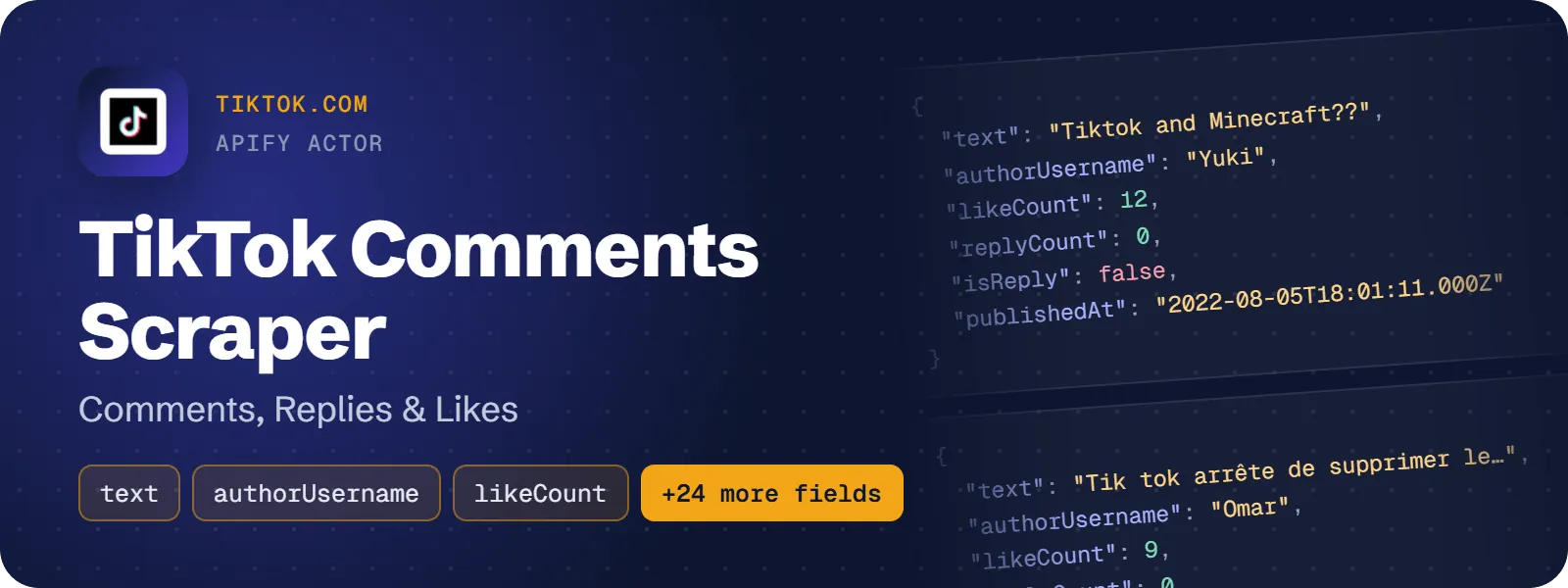
Get the comments and replies of TikTok video and photo posts as flat rows: comment text, exact like count, reply count, publish date, detected language, the "pinned" and "liked by creator" flags, and the commenter's username and profile link. Every reply links to its thread (parent comment id, and the reply it answers), so whole discussions can be rebuilt. Give post URLs, short links or bare post ids; no TikTok account, cookies or API key needed.
What does TikTok Comments Scraper do?
You give it TikTok post links (/@user/video/<id>, /@user/photo/<id>, m.tiktok.com/v/<id>.html, vm.tiktok.com, vt.tiktok.com or tiktok.com/t/ short links) or numeric post ids. It returns one row per top-level comment and, if you want, one row per reply, each reply placed right after its parent comment.
Logged-out TikTok stops showing comments at roughly 400 per post (the "fold"). The actor keeps paging past it, so large posts give thousands of comments (2,709 unique comments were collected from one 113k-comment post in testing). Replies fold too, and the actor pages past that as well.
It is built for brand and social-media managers reading feedback under a campaign video, marketers and researchers doing sentiment or language analysis, agencies monitoring creators, and AI agents that need the comments of a TikTok as a tool call.
How to scrape TikTok comments
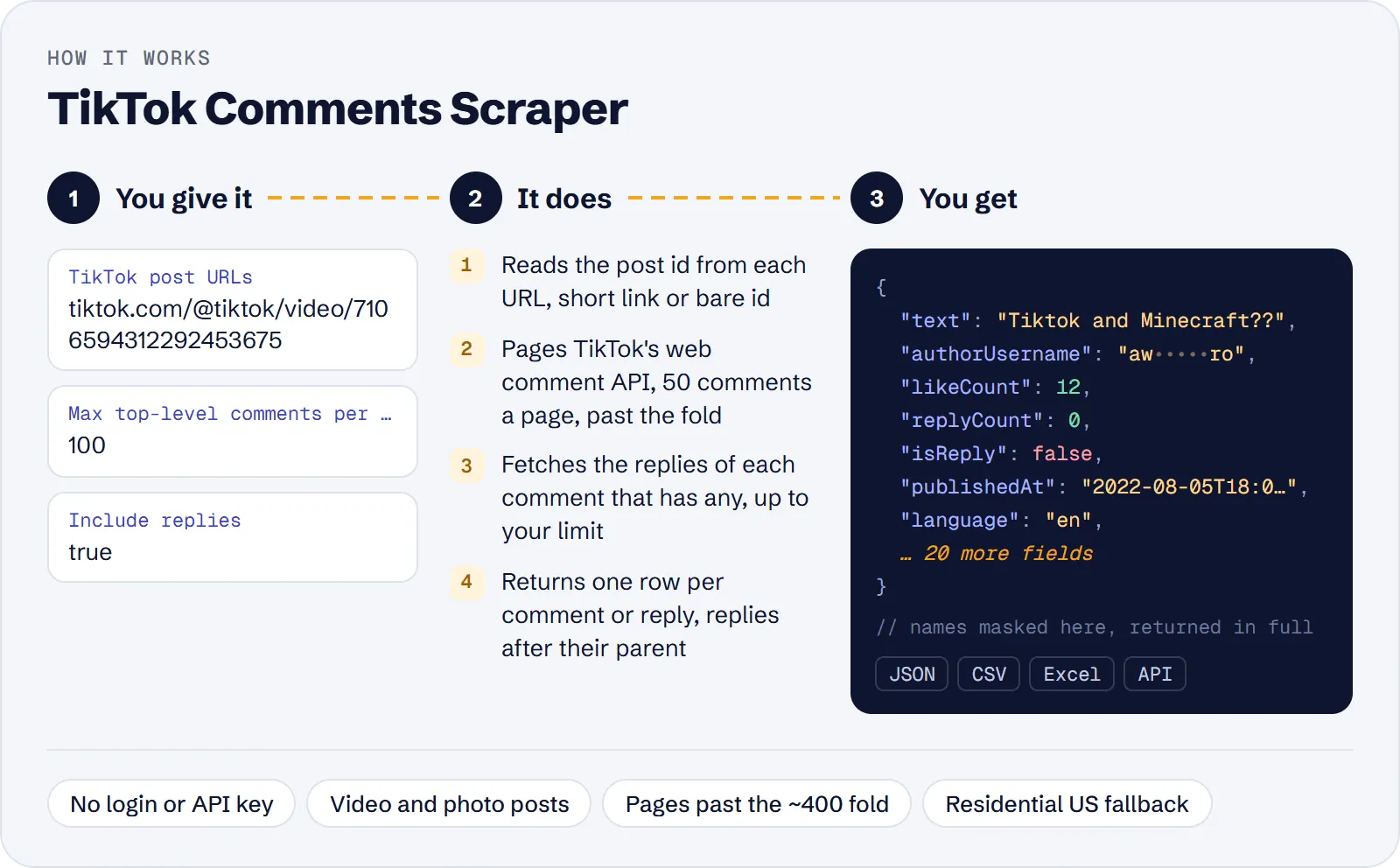
- Open the actor in Apify Console and click Try for free.
- Paste one or more post links into TikTok post URLs, or numeric ids into Post IDs (or both).
- Set Max top-level comments per post (default 100).
- Keep Include replies on to get the replies too, and set Max replies per comment (default 10).
- Optionally set Max rows in total to cap the whole run.
- Click Start, then download the results as JSON, CSV, Excel or HTML, or read them through the API.
How much does it cost to scrape TikTok comments?
Price per event by Apify plan:
| Event | Free | Bronze | Silver | Gold and above |
|---|---|---|---|---|
| Comment or reply | $0.70 per 1,000 | $0.665 per 1,000 | $0.63 per 1,000 | $0.595 per 1,000 |
| Actor start | $0.00005 | $0.00005 | $0.00005 | $0.00005 |
A test run with the API example input below returned 125 rows in 14 s.
You pay per row: one paid event is one comment or one reply saved to the dataset. Posts with comments turned off, deleted or non-existent posts, and links that are not posts give no rows and cost nothing beyond the small start fee.
On the Free plan a row costs $0.0007 ($0.70 per 1,000 rows), plus $0.00005 for the run start.
| Scenario | Rows (events) | Cost on the Free plan |
|---|---|---|
| Top 100 comments of one video, no replies | 100 | $0.07 |
| One video, 100 comments with up to 10 replies each | up to 1,100 | up to $0.77 |
| 50 top comments from each of 20 posts | 1,000 | $0.70 |
| Deep crawl of a viral post, 10,000 comments | 10,000 | $7.00 |
Costs are rounded to the cent and include the start fee. Higher Apify plans pay less per row.
Input
| Field | What it does |
|---|---|
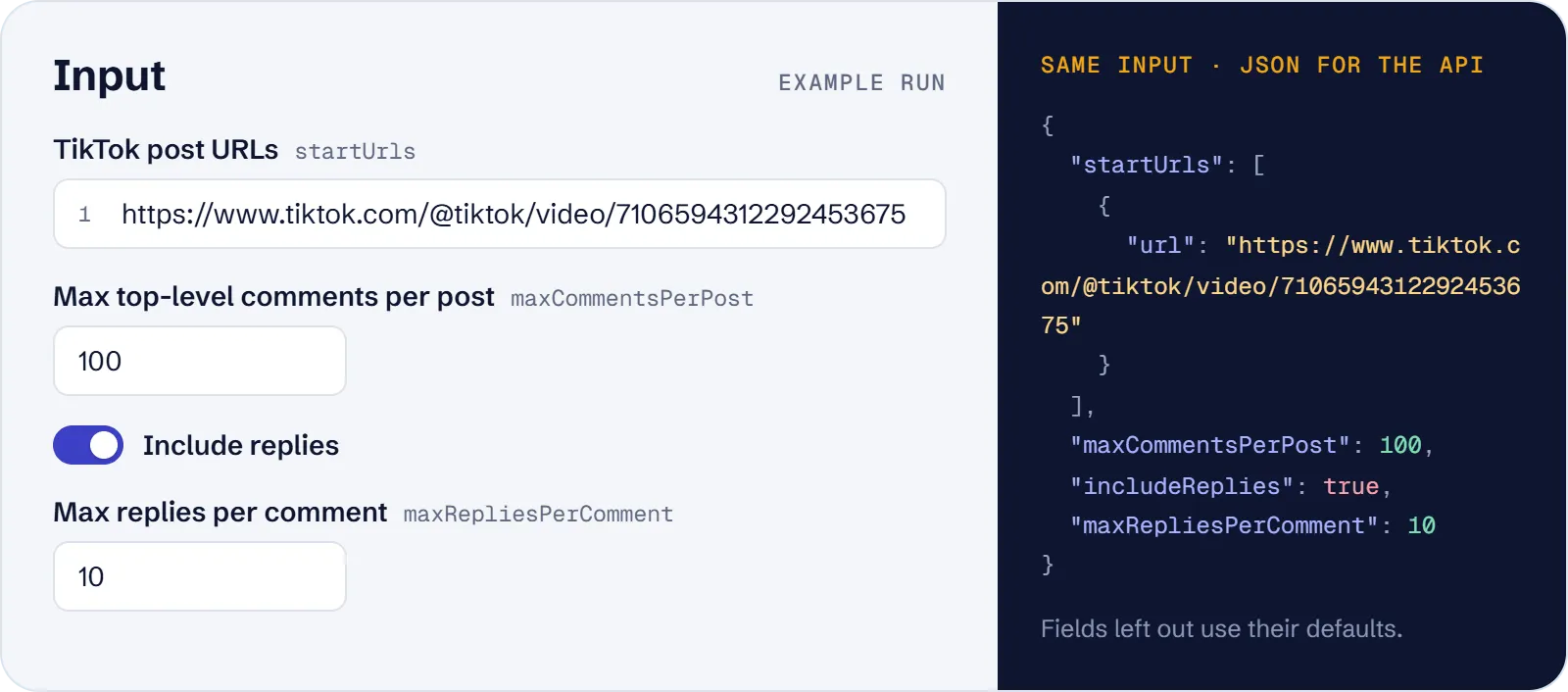
startUrls | TikTok post links, one per line: www.tiktok.com/@user/video/<id>, /@user/photo/<id>, m.tiktok.com/v/<id>.html, or short links vm.tiktok.com, vt.tiktok.com, tiktok.com/t/. Profile, hashtag and search links are skipped with a warning. |
postIds | Numeric post ids (15–21 digits, the number after /video/ or /photo/). |
maxCommentsPerPost | Top-level comments per post, 1–100,000. Default 100. |
includeReplies | Also collect replies of comments that have any. Default on. |
maxRepliesPerComment | Replies per top-level comment, 1–10,000. Default 10. Used only with includeReplies. |
maxItems | Optional cap on all rows (comments plus replies) in the run. |
proxyConfiguration | Apify datacenter proxy by default; a rejected request is retried through a residential US proxy automatically. |
Give at least one post in startUrls or postIds; the same post given twice is processed once.
What data can you extract from TikTok comments?
| Field | Description |
|---|---|
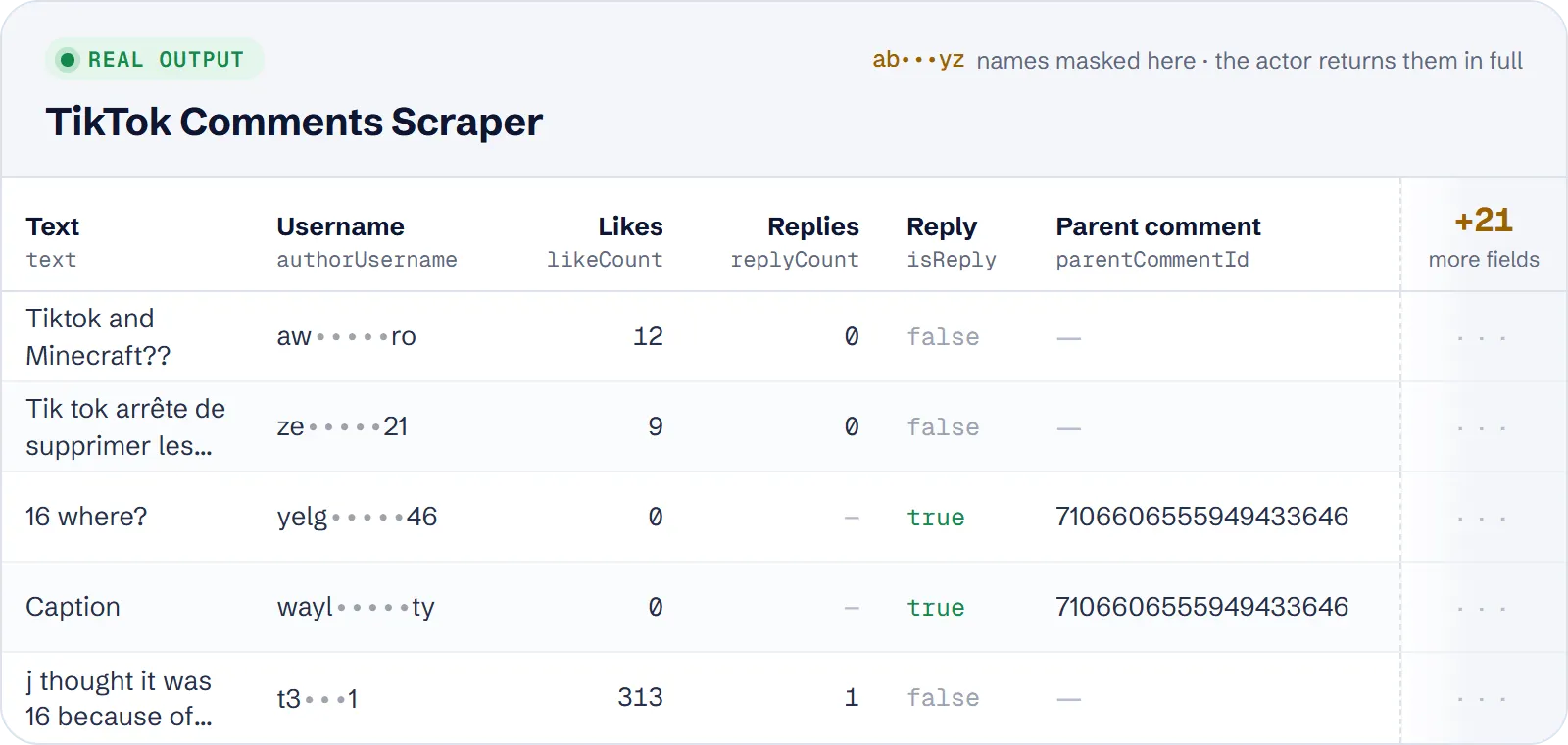
text | Comment text (empty string for sticker or image-only comments) |
likeCount | Exact number of likes |
replyCount | Replies shown by TikTok (top-level comments; null for replies) |
publishedAt | When the comment was posted (ISO 8601, UTC) |
language | Language code detected by TikTok, e.g. en; null when undetermined |
isPinned, likedByAuthor | Pinned by the post author / liked by the creator |
isReply | true for a reply, false for a top-level comment |
parentCommentId | Replies: id of the top-level comment of the thread |
replyToCommentId, replyToUsername | Replies to a reply: the reply being answered and its author's username |
imageUrls | Images or stickers attached to the comment (empty array when none) |
mentions | Usernames mentioned with @ in the text, without the @ (empty array when none) |
author, authorUsername, authorId, authorSecUid, authorUrl, authorAvatarUrl, authorVerification | Commenter's display name, username, numeric id, secUid, profile link, avatar image and verification text |
id, url | Comment id and comment link (post URL with ?comment_id=) |
postId, postUrl, postDescription, inputUrl | The post's id, normalised URL and caption, and the input entry the row came from |
scrapedAt | When the row was extracted |
A real reply row (to another reply) from a run on the prefilled post:
Use cases
- Brand feedback on a campaign video: collect every visible comment with its replies, likes, language and the "liked by creator" flag.
- Top comments of many posts: pass a list of post ids with 50 comments per post and no replies for a dashboard or an AI agent.
- Deep crawl of a viral post: one URL with a high comment limit for sentiment or topic research, paging past the fold.
- Full discussion threads: replies with
parentCommentId,replyToCommentIdandreplyToUsernameto rebuild who answered whom. - Cheap sample: cap any run with
maxItems, e.g. 100 rows in total.
Limitations
- Only public posts and logged-out data. Posts with comments turned off, deleted, private or non-existent posts give 0 rows and a warning naming the post.
- TikTok hides some replies from logged-out viewers depending on the region, so a thread can return fewer replies than its
replyCount. The run's final message says so. - The number of comments returned can be lower than the count TikTok shows: deleted or filtered comments are not served, and a post ends when TikTok stops returning comments.
- There is no sort option: comments come in TikTok's own order.
- No profile, hashtag or search input: pass post links or ids (for example from a TikTok video scraper).
- Commenter follower counts, bio and country are not in the comment data.
- Fields that can be empty:
postDescription,parentCommentId,replyToCommentId,replyToUsername,replyCount,language,author,authorUsername,authorId,authorSecUid,authorUrl,authorAvatarUrlandauthorVerificationcan benull;textcan be an empty string;imageUrlsandmentionscan be empty arrays. authorAvatarUrlis a signed TikTok link that expires; download the images soon if you need them.
Tips and troubleshooting
- 0 rows? Check the log: each skipped entry or post without comments has its own warning. Profile links (
/@user) are not posts and are skipped. - Need more comments? Raise
maxCommentsPerPost; the actor pages past the logged-out fold until the limit or TikTok's natural end. - Faster, cheaper runs: turn
includeRepliesoff when you only need top-level comments; each thread with replies needs extra requests. maxItemswith several posts: posts are fetched 3 at a time, so which posts fill the cap first is not fixed.- Proxy: the default datacenter proxy works; running without a proxy or with a residential proxy also works.
API, MCP and integrations
Run the actor from your code with the same JSON input as in Console. Your API token is in Console → Settings → API & Integrations.
Python (pip install apify-client):
Node.js (npm install apify-client):
HTTP — one request runs the actor and returns the results (runs up to 5 minutes; longer ones: run asynchronously):
AI agents (MCP). Add the actor as a tool of the Apify MCP server. Claude Code:
Claude Desktop, Cursor or VS Code: {"mcpServers": {"apify": {"url": "https://mcp.apify.com?tools=genial_candlestand/tiktok-comments-scraper"}}}. Then ask, for example:
- "Get the 200 top comments with replies of https://www.tiktok.com/@tiktok/video/7106594312292453675"
- "Collect 50 top-level comments each from TikTok posts 7453477561163631918 and 7106594312292453675"
- "Which languages do commenters use under TikTok post 7306395531645963550? Check 1000 comments"
Integrations. Run it on a schedule with Apify Schedules and send the results to Google Sheets, Slack, Zapier, Make, n8n or your webhook — see Apify integrations.
FAQ
Is it legal to scrape TikTok comments?
The actor reads only public comments that anyone can see on TikTok without logging in. Commenters' names and usernames are personal data in many jurisdictions, so you are responsible for how you store and use them (for example under GDPR or CCPA). If unsure, ask a lawyer.
Do I need a TikTok account or API key?
No. The actor uses no login, cookies or API key.
Does it work with photo posts and short links?
Yes. /@user/photo/<id> posts return the same fields as videos, and vm.tiktok.com, vt.tiktok.com and tiktok.com/t/ short links are resolved to their post.
Can I get more than about 400 comments from a post?
Yes. Logged-out TikTok stops at roughly 400 comments; the actor continues paging past that point. In testing it reached 2,709 unique comments on one post.
How is it different from other TikTok comment actors?
It returns the comment language, a reply-to-reply link (replyToCommentId, replyToUsername), the post caption, the commenter's display name, secUid and verification text as flat camelCase rows, with no item cap on free plans. It costs $0.70 per 1,000 rows on the Free plan, against $1.25 per 1,000 for the most used TikTok comments actor.
What happens if a post has comments turned off?
It gives 0 rows, a warning in the log and no charge; the other posts in the run continue.
Also useful
- TikTok Video Details Scraper — get the views, likes, shares, saves and caption of the posts whose comments you collect
- Instagram Profile Scraper — check the same creators on Instagram: followers, bio and links
- YouTube Comments Scraper — collect comments and replies of YouTube videos and Shorts for the same campaign
- Reddit Comments Scraper — add Reddit discussion threads about the same brand or topic
- Bilibili Scraper — get Bilibili videos and comments with replies for Chinese-language audiences


