

YouTube Transcript Scraper | Captions, Subtitles & Metadata
Pricing
from $0.77 / 1,000 transcripts
YouTube Transcript Scraper | Captions, Subtitles & Metadata
Get YouTube video transcripts as plain text and timestamped segments, optional SRT/VTT subtitles, caption language, title, channel, views, likes and publish date. Many videos or Shorts per run, original spoken language by default, no login or API key.
Pricing
from $0.77 / 1,000 transcripts
Rating
0.0
(0)
Developer

Flowo
Maintained by CommunityActor stats
0
Bookmarked
3
Total users
2
Monthly active users
5 days ago
Last modified
Categories
Features
Share
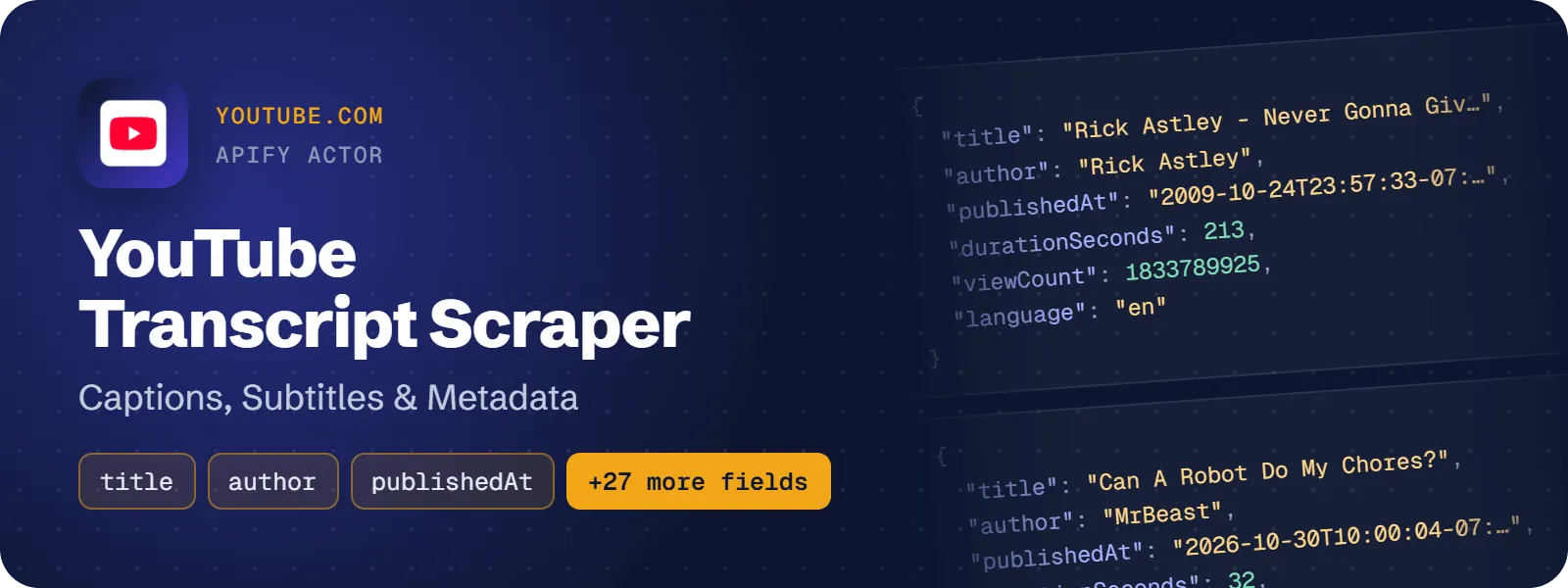
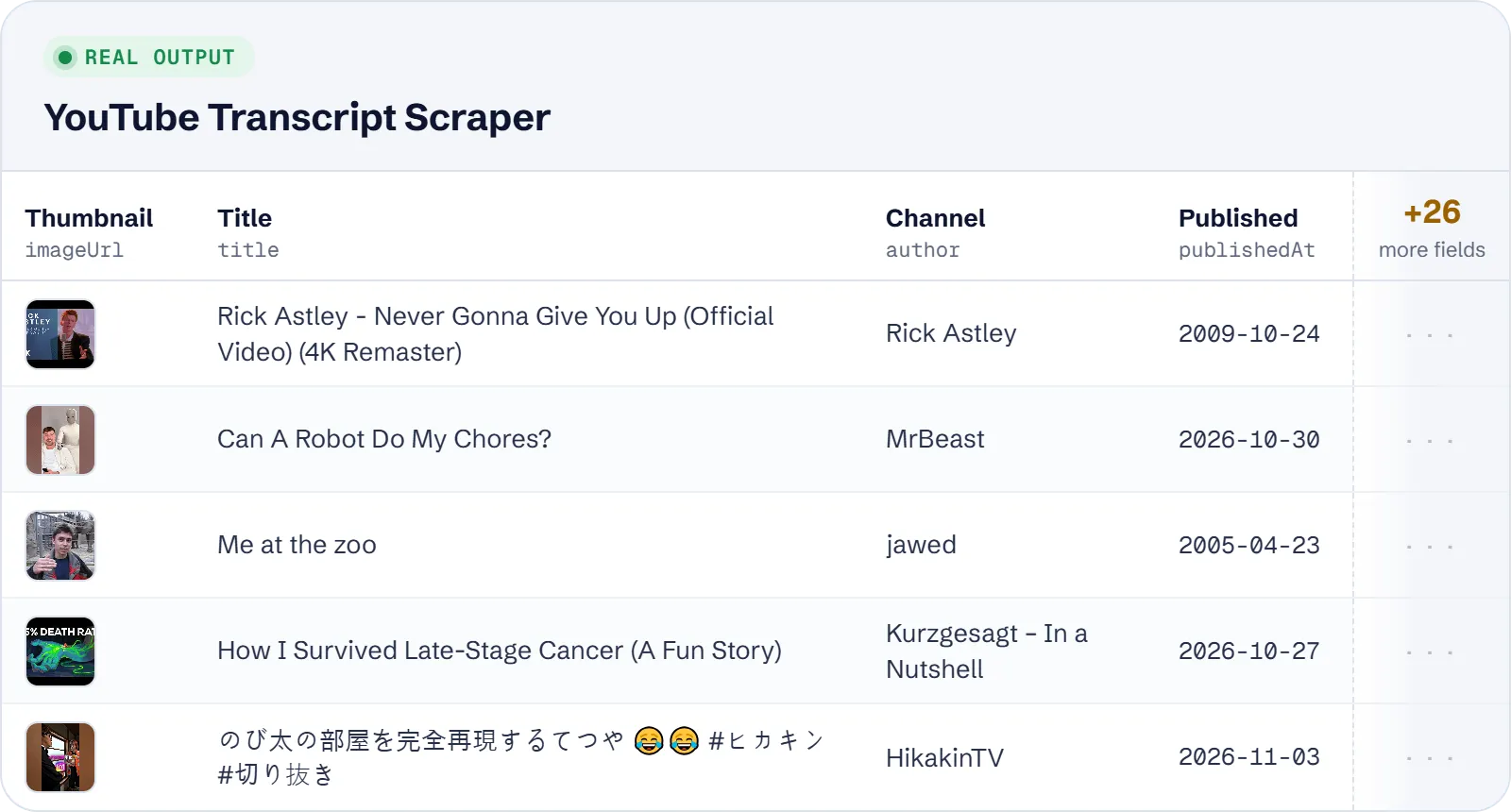
Get the transcript of any YouTube video or Short as plain text and as timestamped segments (start time, duration and text), with an optional SRT or WebVTT subtitles file. Every row also has the caption language, whether the captions are auto-generated, the languages available on the video, and the video metadata: title, channel name, view count, like count, publish date, category, tags and thumbnail.
What does YouTube Transcript Scraper do?
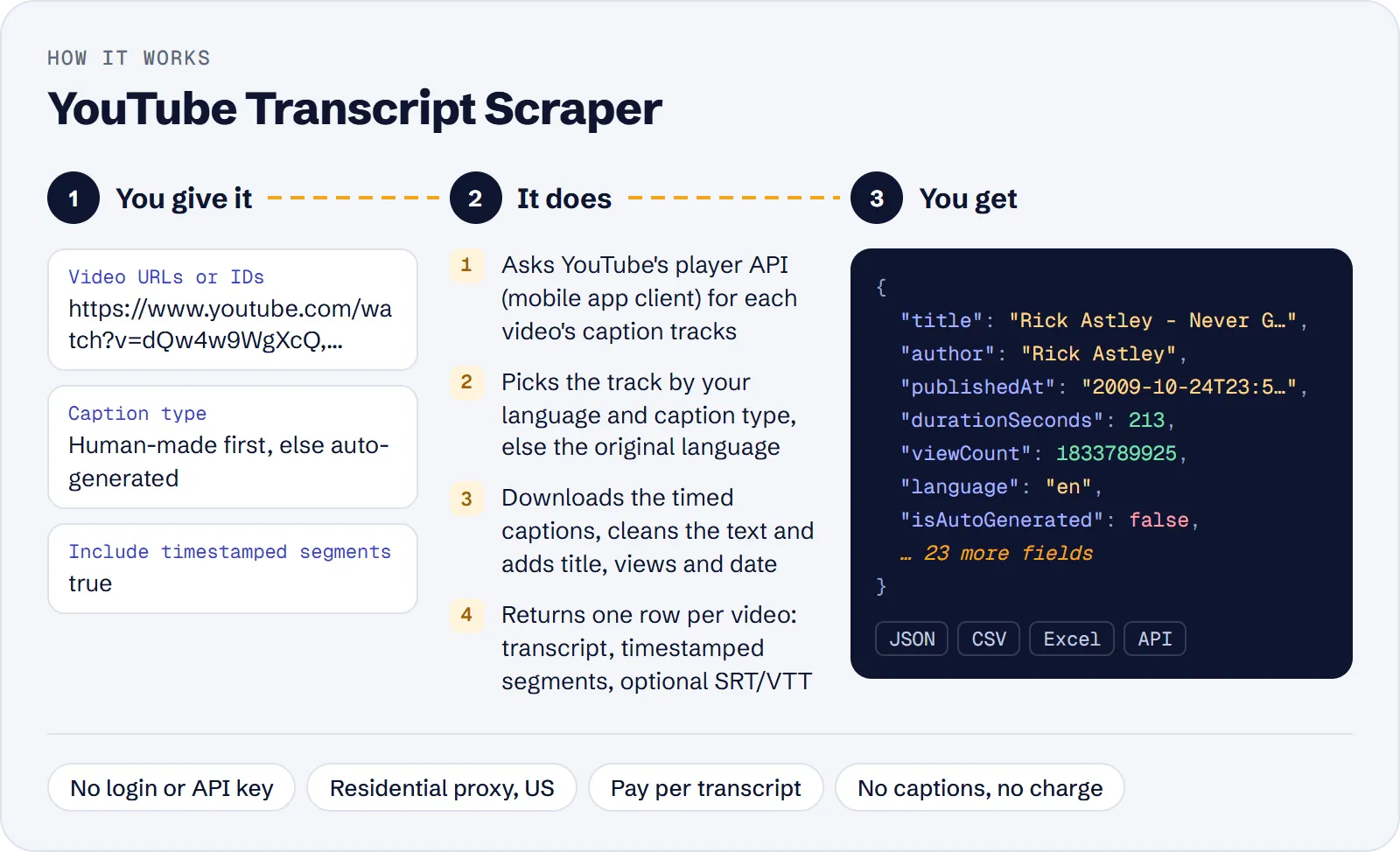
You paste a list of YouTube video URLs or 11-character video IDs. The actor returns one row per video with the full transcript, taken from the video's own captions (human-made or auto-generated), and about 20 metadata fields. By default it picks the transcript in the video's original spoken language. You can also ask for a language code such as en, ja or pt-BR. It is built for AI and LLM pipelines (RAG, summaries, agents), content research, repurposing videos into articles or subtitles, and building text datasets. No login, no YouTube API key and no browser are needed.
How to scrape YouTube transcripts
- Open the actor in Apify Console.
- In Video URLs or IDs, paste one video per line. You can use
watch?v=,youtu.be/,/shorts/,/live/,/embed/,m.ormusic.youtube.comlinks, or bare video IDs. - Optionally set Preferred language (e.g.
en), Caption type, Subtitles file format (SRT or WebVTT) or Max transcripts. - Leave the proxy on the default residential setting.
- Click Start. When the run ends, download the dataset as JSON, CSV or Excel, or read it through the API.
How much does it cost to scrape YouTube transcripts?
Price per event by Apify plan:
| Event | Free | Bronze | Silver | Gold and above |
|---|---|---|---|---|
| Transcript | $1.10 per 1,000 | $0.99 per 1,000 | $0.88 per 1,000 | $0.77 per 1,000 |
| Actor start | $0.00005 | $0.00005 | $0.00005 | $0.00005 |
A test run with the API example input below returned 5 rows in 10 s.
You pay per transcript: one paid event is one video transcript, which is one dataset row. The title, channel, views, likes, publish date, category and the optional subtitles file are included in that price, with no extra metadata event. There is also a small Actor start event per run.
Not charged: videos without captions, deleted, private or unavailable videos, invalid URLs, videos skipped by the Caption type filter (e.g. a video with only auto-generated captions when you ask for human-made only), and videos that failed after retries.
| Scenario | Events | Cost on the Free plan |
|---|---|---|
| Try the 5 prefilled videos | 5 transcripts + 1 start | ≈ $0.006 |
| A course of 100 lectures | 100 transcripts + 1 start | ≈ $0.11 |
| 1,000 videos for an LLM dataset | 1,000 transcripts + 1 start | ≈ $1.10 |
| 10,000 videos in one run | 10,000 transcripts + 1 start | ≈ $11.00 |
Input
| Field | What it does |
|---|---|
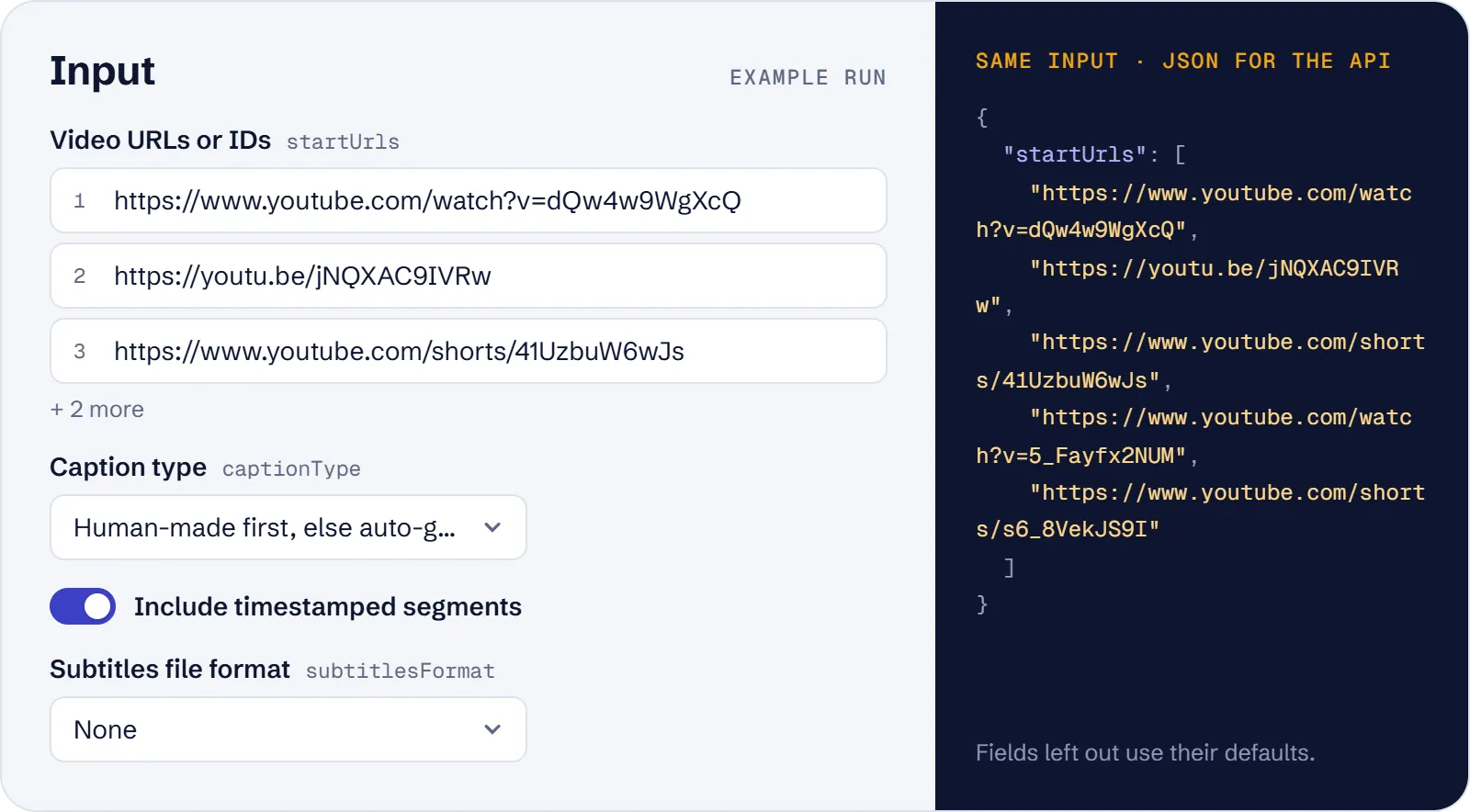
startUrls (required) | YouTube video URLs or IDs, one per line. No limit on the count. Playlists and channels are skipped with a warning. |
language | Preferred language code (en, es, ja, pt-BR…). pt also matches pt-BR. Empty = the video's original language. |
captionType | manualFirst (default), autoFirst, manualOnly or autoOnly. |
includeSegments | Add the timestamped segments array (default on). |
subtitlesFormat | none (default), srt or vtt: adds a ready subtitles file in subtitles. |
maxItems | Stop after this many transcripts. |
proxyConfiguration | Residential proxy, US, by default. |
Example input:
What data can you extract from YouTube?
| Field | Description |
|---|---|
transcript | The full transcript as one plain-text string |
segments | Timestamped lines: start and duration in seconds, text |
segmentsCount | Number of segments |
subtitles | SRT or WebVTT document (when subtitlesFormat is set) |
language, languageName | Code and name of the chosen caption track, e.g. en, "English (auto-generated)" |
isAutoGenerated | true for YouTube's automatic (ASR) captions |
originalLanguage | The video's original spoken language |
languageMatched | Whether the requested language was found; null when none was requested |
availableLanguages | All caption tracks of the video, e.g. ["en", "en (auto)", "ja"] |
id, url, inputUrl | Video ID, canonical watch URL, and your input entry |
title, description, tags, category, imageUrl | Video details and thumbnail |
author, channelId, authorUrl, channelHandle | Channel name, ID, URL and @handle |
durationSeconds, viewCount, likeCount, publishedAt | Length, exact views, likes, publish date (ISO 8601) |
isShort, isLiveStream, isFamilySafe, isUnlisted | Video flags |
scrapedAt | When the row was scraped |
A real row (a Short; transcript and segments shortened):
Use cases
- LLM and RAG pipelines — feed transcripts of many videos into summaries, search indexes or AI agents, with the title and channel as context.
- Content research — analyse what competitors or creators say, next to their views, likes and publish dates.
- Repurposing videos — turn talks and tutorials into articles, or download ready
.srt/.vttsubtitles. - Speech and text datasets — collect human-made captions only (
captionType: "manualOnly") for higher-quality text. - Multilingual work — get a given language track where the video has one, and see every available language per video.
Limitations
- The actor returns the captions YouTube already has (human-made or auto-generated). Videos without captions give no row. There is no AI/Whisper transcription.
- No machine translation. YouTube answered its translation endpoint with errors (429) on almost every attempt in testing. If the requested language is missing, you get the original-language transcript with
languageMatched: false. - Playlists and channels are not supported in this version. Pass video URLs or IDs.
- Age-restricted, private and members-only videos were not tested. When YouTube refuses them, they are skipped with a warning and not charged.
- Live or upcoming streams usually have no captions until the stream is archived.
likeCountis empty when the owner hides likes. If the extra metadata request fails, the row is kept, but the publish date, category, likes, handle and theisShort/isFamilySafe/isUnlistedflags are empty.
Tips and troubleshooting
- Keep the residential proxy. YouTube bot-checks most datacenter IPs ("Sign in to confirm you're not a bot"). Runs without residential proxy are allowed but get a warning and can be slow or fail videos.
- 0 rows or fewer rows than videos? Read the run log: each skipped video has a warning naming it, e.g. no captions, unavailable video, no human-made captions, or not a YouTube video URL.
- Wrong language? Leave Preferred language empty to get the original spoken language. This avoids the auto-dubbed track that YouTube lists first on some videos. Check
originalLanguageandavailableLanguagesin the row. - Smaller output: turn off Include timestamped segments.
transcriptandsegmentsCountstay, and SRT/VTT subtitles still work. - The same video given twice in different URL forms gives one row and one charge.
- Use Max transcripts to cap the cost of a long list. Videos beyond the cap are not requested.
API, MCP and integrations
Run the actor from your code with the same JSON input as in Console. Your API token is in Console → Settings → API & Integrations.
Python (pip install apify-client):
Node.js (npm install apify-client):
HTTP — one request runs the actor and returns the results (runs up to 5 minutes; longer ones: run asynchronously):
AI agents (MCP). Add the actor as a tool of the Apify MCP server. Claude Code:
Claude Desktop, Cursor or VS Code: {"mcpServers": {"apify": {"url": "https://mcp.apify.com?tools=genial_candlestand/youtube-transcript-scraper"}}}. Then ask, for example:
- "Get the transcript of https://www.youtube.com/watch?v=5_Fayfx2NUM and summarise it in five bullet points"
- "Fetch Japanese captions for dQw4w9WgXcQ and list the languages the video has"
- "Download SRT subtitles for https://youtu.be/jNQXAC9IVRw and https://www.youtube.com/shorts/41UzbuW6wJs"
Integrations. Run it on a schedule with Apify Schedules and send the results to Google Sheets, Slack, Zapier, Make, n8n or your webhook — see Apify integrations.
FAQ
Is it legal to scrape YouTube transcripts?
The actor reads only public video captions and metadata that YouTube shows to any visitor, without logging in. You are responsible for how you use the data, including copyright on the transcript text and YouTube's terms. The rows contain no personal data beyond the public channel details.
Do I need a YouTube API key or a Google account?
No. The actor needs no login, cookies or API key.
Can I get transcripts in many languages?
Yes, when the video has caption tracks in those languages. Set language to a code such as ja or pt-BR. availableLanguages lists every track of the video, so you can run again for the other ones.
How many videos can I process in one run?
There is no cap on the list. Use maxItems if you want to stop after a given number of transcripts.
How is it different from other YouTube transcript actors?
Each row includes the publish date, likes, category and tags at the base price of $1.10 per 1,000 transcripts. The leading actor charges $2.75 per 1,000 videos plus $3 per 1,000 for extended metadata, and caps a run at 100 URLs. Every row also shows originalLanguage, availableLanguages and languageMatched, so a language fallback is visible.
Also useful
- YouTube Channel Scraper — list a channel's videos, Shorts and streams with views, likes and dates, then fetch their transcripts
- YouTube Comments Scraper — add the comments and replies of the same videos, with like counts and dates
- Google Trends Scraper — check search interest over time for the topics your videos cover
- Google News Scraper — collect news articles on the same topics by keyword


