

YouTube Channel Search Scraper | Subscribers & Emails
Pricing
from $0.43 / 1,000 channels
YouTube Channel Search Scraper | Subscribers & Emails
Find YouTube channels by keyword: subscriber count, exact video and view counts, ISO country, joined date, external links and public emails as flat rows. Many search terms per run, subscriber, video, verified and country filters, duplicates removed, no login or API key.
Pricing
from $0.43 / 1,000 channels
Rating
0.0
(0)
Developer

Flowo
Maintained by CommunityActor stats
0
Bookmarked
2
Total users
1
Monthly active users
4 days ago
Last modified
Categories
Features
Share
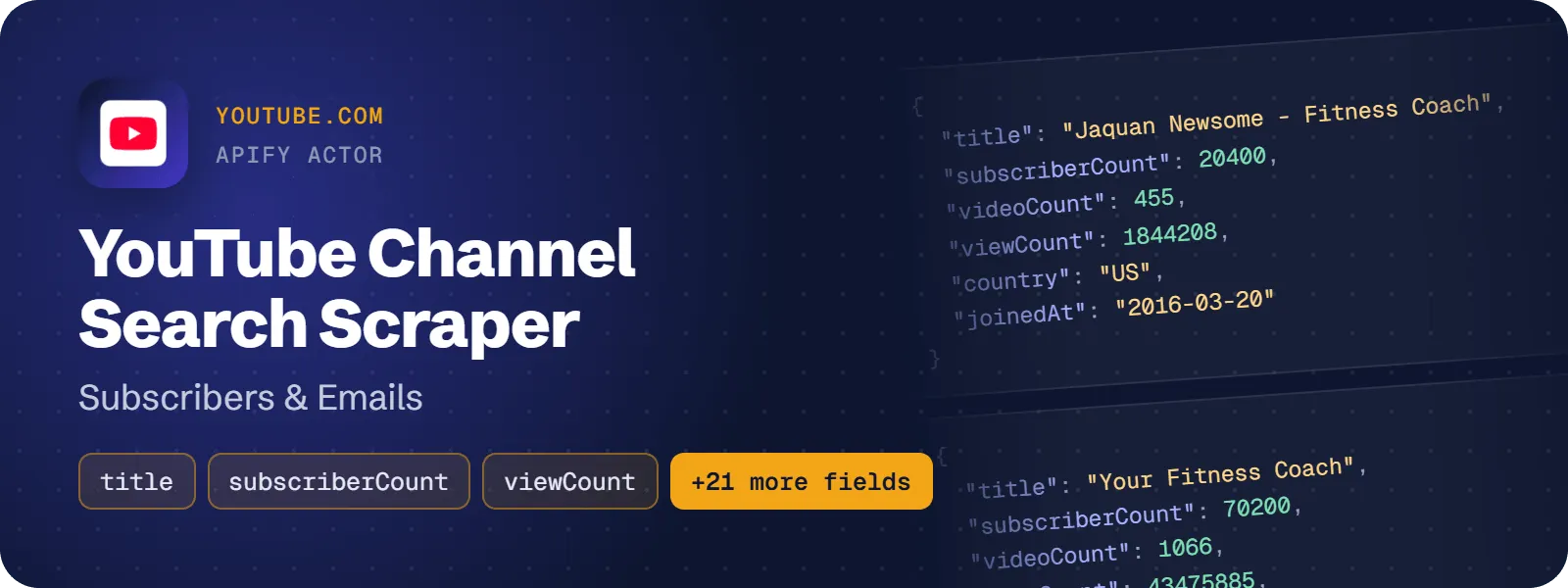
Find YouTube channels by keyword and get one flat row per channel: channel name, @handle, subscriber count, exact video and view counts, country as an ISO code, joined date, external links and the email addresses written in the public channel description. Many search terms per run, filters for subscribers, videos, verified badge and channel country, and duplicates across terms are removed. No login, cookies or API key.
What does YouTube Channel Search Scraper do?
You enter search terms such as "fitness coach" or "vegan recipes". The actor runs YouTube's channel search for each term and saves the channels it finds, in YouTube's order (relevance or popularity). With channel details on (the default), it also reads each channel's About panel: full description, exact video and view counts, country, joined date, links and public emails. It is built for influencer-marketing and agency teams building creator lists, sales and lead-gen teams looking for channels in a niche, market researchers and AI agents.
How to scrape YouTube channels by keyword
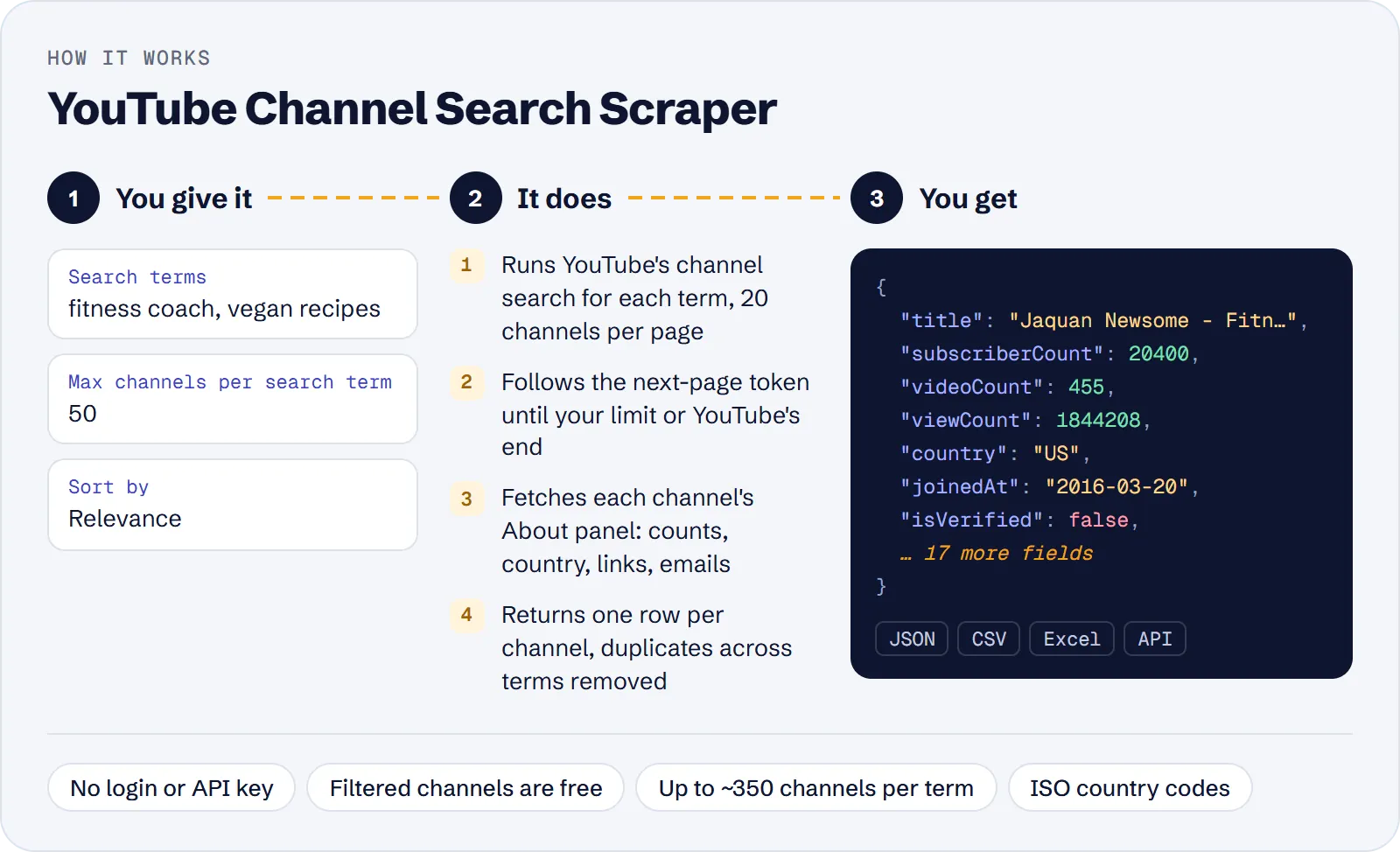
- Open the actor in Apify Console.
- Add one or more Search terms, one per line, in any language.
- Optionally set Max channels per search term (default 50), Sort by, Search country and the filters (subscribers, videos, verified, channel countries).
- Click Start and wait for the run to finish.
- Download the channels as JSON, CSV, Excel or HTML from the Output tab, or read them through the API.
How much does it cost to scrape YouTube channels?
Price per event by Apify plan:
| Event | Free | Bronze | Silver | Gold and above |
|---|---|---|---|---|
| Channel | $0.50 per 1,000 | $0.475 per 1,000 | $0.45 per 1,000 | $0.425 per 1,000 |
| Actor start | $0.00005 | $0.00005 | $0.00005 | $0.00005 |
A test run with the API example input below returned 100 rows in 43 s.
You pay for one channel event per channel saved to the dataset ($0.0005 on the Free plan, $0.50 per 1,000 channels), plus Apify's apify-actor-start event of $0.00005 per run. The About panel request is included in the channel price: details on or off cost the same.
Not charged: channels removed by your filters (subscribers, videos, verified, country), duplicates found by several search terms, and terms that return no channels.
| Scenario | Channel events | Cost on the Free plan |
|---|---|---|
| Prefill: 2 terms × 50 channels | 100 | $0.05005 |
| 10 terms × 50 channels | 500 | $0.25005 |
| 5 terms × 200 channels | 1,000 | $0.50005 |
| 40 terms × 250 channels | 10,000 | $5.00005 |
Input
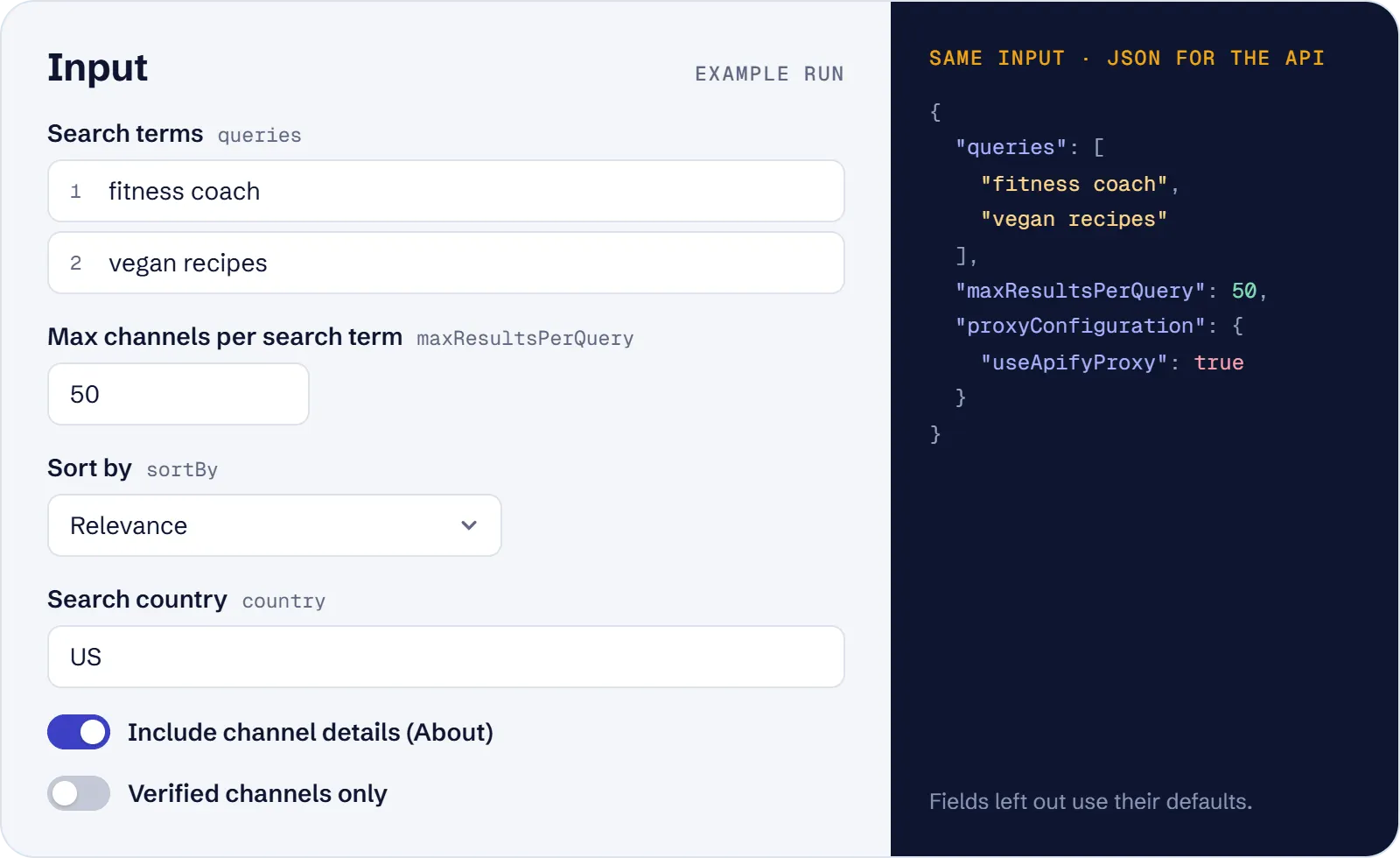
| Field | Type | What it does |
|---|---|---|
queries | array of strings, required | Search terms, any language. A @handle or channel URL is searched as text. |
maxResultsPerQuery | integer 1–500, default 50 | Saved channels per term, after filters and duplicates. |
maxItems | integer ≥ 1, optional | Cap on saved channels in the whole run. Later terms are not searched once it is reached. |
sortBy | relevance (default) or popularity | Order of YouTube's channel search. |
country | 2-letter code, default US | YouTube location the search runs from. It changes ranking, not the channels' own country. Only YouTube's 111 locations work; codes such as CN or AF give an input error. Lowercase is accepted. |
includeDetails | boolean, default true | Fetch each channel's About panel (description, exact counts, country, joined date, links, emails, business-email flag). |
minSubscribers / maxSubscribers | integer ≥ 0, optional | Bounds on YouTube's rounded subscriber count. Min must not be above max. Channels with a hidden count are skipped when set. |
minVideos | integer ≥ 0, optional | Minimum exact video count. Needs includeDetails: true. |
verifiedOnly | boolean, default false | Only channels with the verified or verified-artist badge. Works with details on or off. |
channelCountries | array of 2-letter ISO codes, optional | Only channels whose About country is in the list; channels with no country are skipped. Needs includeDetails: true. |
proxyConfiguration | proxy object, default { "useApifyProxy": true } | Apify datacenter proxy by default. |
Example input:
What data can you extract from YouTube channels?
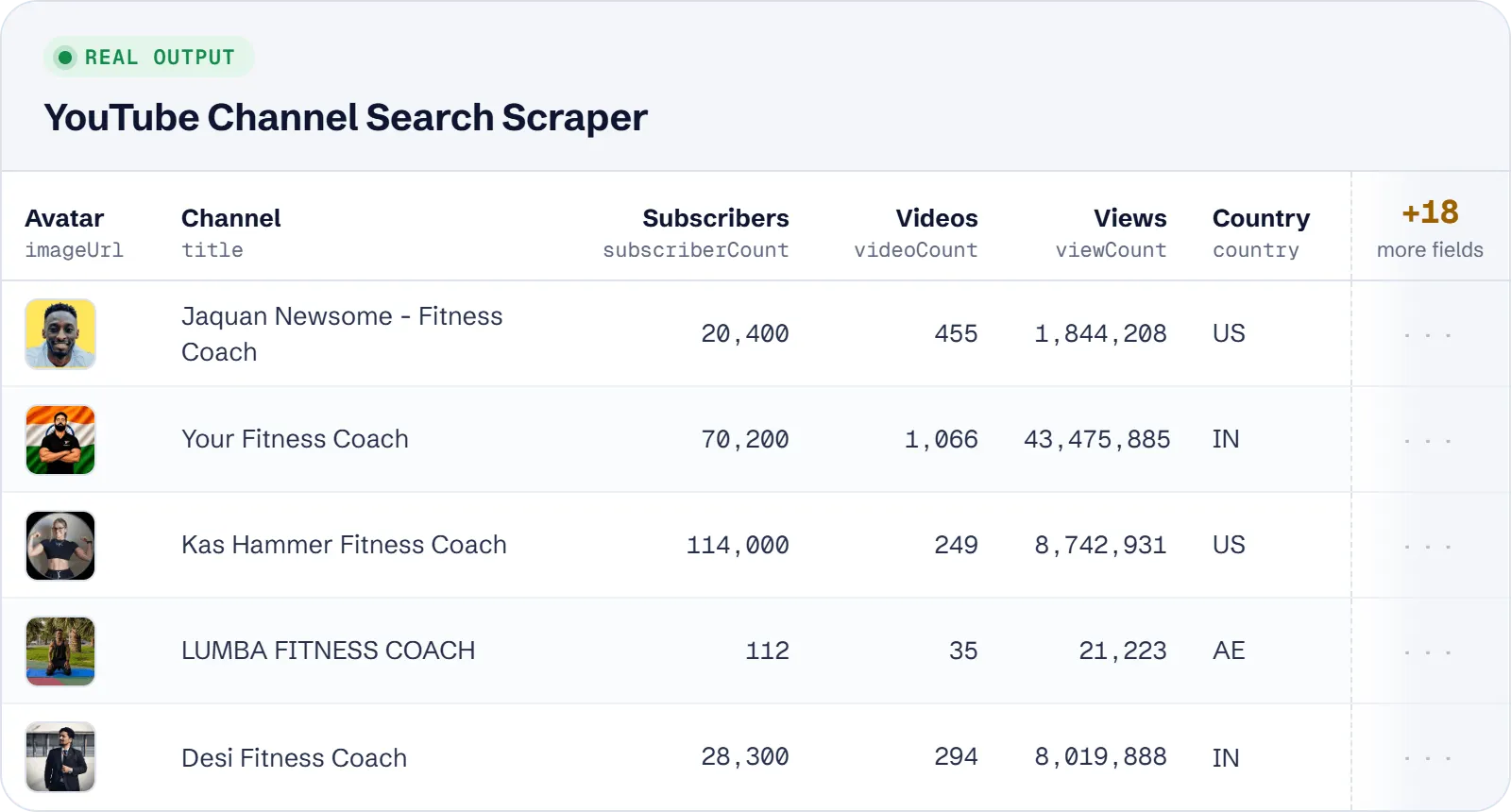
| Field | Description |
|---|---|
channelId | YouTube channel id (UC…) |
title | Channel name |
handle, handleUrl | @handle and the URL by handle; null for topic channels |
url | Channel URL by id |
imageUrl | Channel avatar URL |
subscriberCount, subscriberCountText | Subscribers as a number (from YouTube's rounded text, 1.36M → 1360000) and the original text; null when hidden |
isVerified, isVerifiedArtist | Verified badge, verified-artist badge |
descriptionSnippet | Short description from the search results |
description | Full channel description (About) |
videoCount, viewCount | Exact video count and total views (About) |
country, countryName | Channel country as an ISO 3166-1 alpha-2 code and the name YouTube shows (About) |
joinedAt | Channel creation date, YYYY-MM-DD (About) |
links | External links of the channel, real target URLs (About) |
emails | Email addresses written in the public description |
hasBusinessEmail | Whether the channel has a business email behind YouTube sign-in (flag only) |
detailsFetched | true when the About panel was fetched and parsed |
query, position | The search term and the channel's 1-based rank in it, after duplicates are removed |
scrapedAt | Time of scraping |
Detail fields (description, videoCount, viewCount, country, countryName, joinedAt, links, emails, hasBusinessEmail) are null when includeDetails is off or the About request failed (detailsFetched: false).
Example item from a real run (description shortened):
Use cases
- Creator lists for a niche: search "fitness coach" and "home workout" with 10,000–500,000 subscribers to get mid-size channels with links and emails for outreach.
- Biggest channels on a topic in one market: search "cricket" from India (
country: "IN"), sorted by popularity, verified channels only. - Channels from given countries: search "vegan recipes" and keep only channels from GB and IE with at least 20 videos.
- Fast, light discovery: turn details off to get search data only (one request per 20 channels), e.g. for "東京 旅行" and "minecraft" with a 300-channel total cap.
- AI agent lookups: find a channel by its @handle (e.g. "@mrbeast") and get its full details.
Limitations
- YouTube returns at most about 350 unique channels per search term (about 23 pages). A higher
maxResultsPerQueryends the term early with a warning; add more terms for more channels. - Subscriber counts are YouTube's rounded values ("1.36M"). Hidden counts are
null. - Not every channel shows a country: in test runs 56–68 % of the About panels had one.
countryandcountryNamearenullotherwise. emailsholds only addresses written in the public description, often empty. The hidden business email is never fetched (it is behind sign-in and captcha);hasBusinessEmailonly tells you it exists.linksare taken as YouTube shows them; a link entered without a scheme stays as written (e.g.Beacons.ai/thekoreanhulk).- Topic channels have no @handle and often no video count.
- Ranking can differ a little by IP location even with the same search country, so the order of live results can change between runs.
- Not returned: banners, channel tags/keywords, tab lists and recent videos.
- The interface language is fixed to English so counts and dates parse correctly; titles and descriptions stay in the channel's own language.
Tips and troubleshooting
- More channels: add more and narrower terms (variants, other languages) rather than raising
maxResultsPerQueryabove about 350. - Input errors:
minVideosandchannelCountriesneedincludeDetails: true;minSubscribersmust not be greater thanmaxSubscribers;countrymust be one of YouTube's locations (e.g. US, GB, DE, IN, JP, BR). - Fewer rows than expected: check the run log. It warns per term when no channels were found, when all were removed by filters, or when YouTube returned no more channels.
detailsFetched: false: the About request for that channel failed after retries. The row keeps its search data; withminVideosorchannelCountriesset, such channels are skipped and not charged.- Faster discovery:
verifiedOnlyand the subscriber filters work with details off, so you can screen channels from search data only. - The default Apify datacenter proxy worked without blocks in testing; residential proxy is not needed.
API, MCP and integrations
Run the actor from your code with the same JSON input as in Console. Your API token is in Console → Settings → API & Integrations.
Python (pip install apify-client):
Node.js (npm install apify-client):
HTTP — one request runs the actor and returns the results (runs up to 5 minutes; longer ones: run asynchronously):
AI agents (MCP). Add the actor as a tool of the Apify MCP server. Claude Code:
Claude Desktop, Cursor or VS Code: {"mcpServers": {"apify": {"url": "https://mcp.apify.com?tools=genial_candlestand/youtube-channel-search-scraper"}}}. Then ask, for example:
- "Find YouTube fitness coach channels with 10,000 to 500,000 subscribers and list their emails and links"
- "Get the most popular verified YouTube cricket channels in India with subscriber and video counts"
- "Find vegan recipe YouTube channels from GB or IE with at least 20 videos"
Integrations. Run it on a schedule with Apify Schedules and send the results to Google Sheets, Slack, Zapier, Make, n8n or your webhook — see Apify integrations.
FAQ
Is it legal to scrape YouTube channels?
The actor reads only public channel data that YouTube shows without login. It does not sign in or fetch hidden business emails. You are responsible for how you use the data, including data-protection and anti-spam rules when you contact channels.
Do I need a YouTube API key or account?
No. The actor needs no login, cookies or API key.
Why are some emails empty when hasBusinessEmail is true?
hasBusinessEmail means the channel has an email behind YouTube's sign-in and captcha, which the actor never fetches. emails only lists addresses written in the public description.
Can I search for channels in a specific country?
Use country to search from a YouTube location (it changes the ranking), and channelCountries to keep only channels whose About country matches.
Are duplicate channels charged?
No. A channel found by several terms is saved once, with the first term and its position; later hits are free.
How is it different from other YouTube channel search actors?
Rows are flat (no nested objects), so they open directly in CSV or Excel; country is an ISO code next to the country name; the price is $0.50 per 1,000 channels against $1.00 per 1,000 for the most used channel search actor in the Store; defaults are bounded (50 channels per term) and the log says when YouTube's per-term limit is reached.
Also useful
- YouTube Channel Scraper — get the videos, Shorts and streams of the channels you found, with exact views and likes
- YouTube Search Scraper — search YouTube for videos, Shorts and playlists by keyword, with views and duration
- YouTube Comments Scraper — collect comments and replies on a creator's videos to judge audience engagement
- YouTube Transcript Scraper — pull transcripts of a channel's videos to check topics and brand mentions
- Google Search Scraper — find a creator's website and other profiles in Google results


