

YouTube Video Details Scraper | Views, Tags & Chapters
Pricing
from $2.30 / 1,000 videos
YouTube Video Details Scraper | Views, Tags & Chapters
Get YouTube video details by URL or ID: exact view, like and comment counts, tags, chapters, category, publish date, duration, description and channel with subscribers. Watch, Shorts, live and youtu.be links, many videos per run, unavailable videos free, no login or API key.
Pricing
from $2.30 / 1,000 videos
Rating
0.0
(0)
Developer

Flowo
Maintained by CommunityActor stats
0
Bookmarked
2
Total users
1
Monthly active users
8 days ago
Last modified
Categories
Features
Share
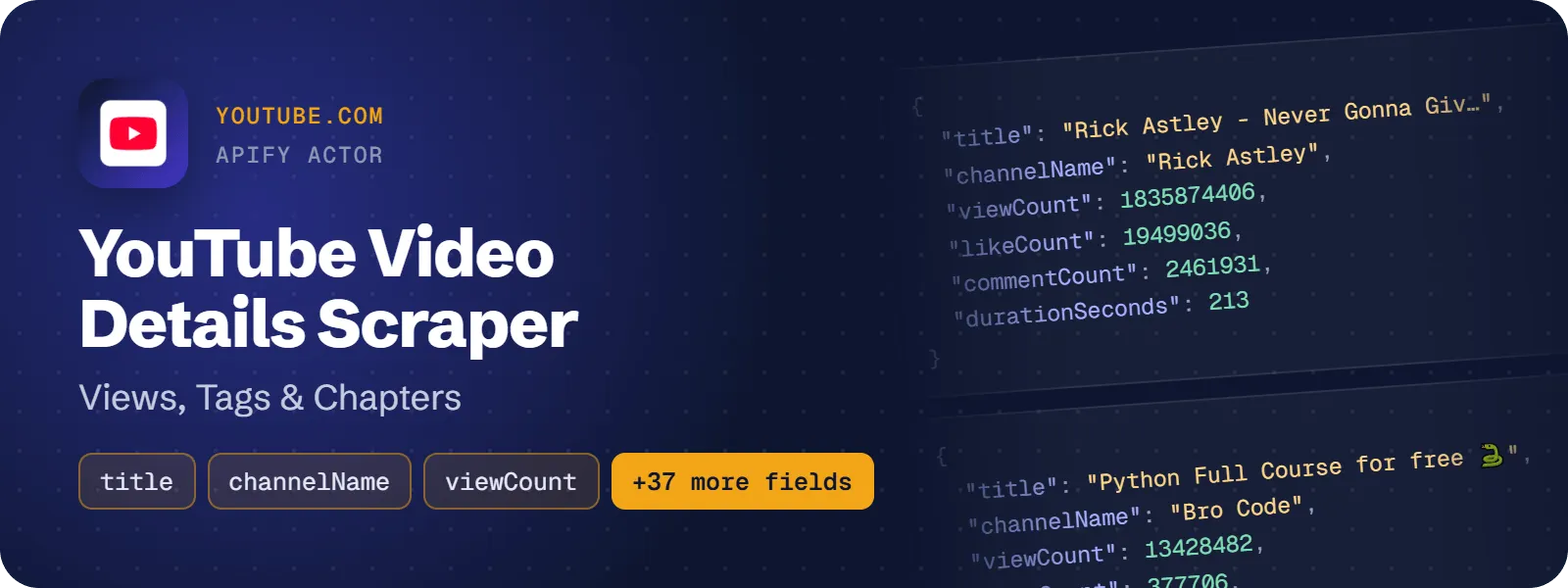
Get the details of YouTube videos from a list of URLs or video IDs: exact view count, like count and comment count, creator tags, chapters with start times, category, publish date, duration and the full description. Each row also carries the channel (name, @handle, subscriber count, verified badge), collaborators and flags such as Short, live now, age-restricted and unlisted. One row per video, no login or API key.
What does YouTube Video Details Scraper do?
You give it YouTube video links in any form (watch, youtu.be, Shorts, live, embed, m. and music.youtube.com URLs) or bare 11-character video IDs. It returns one dataset row per unique video with 40 fields of public metadata. It is made for people who already have the videos — marketers tracking campaign or influencer videos, data teams enriching a video list from a spreadsheet, and AI agents that got a video link and need its metadata in one call. It does not search YouTube, crawl channels or download transcripts.
How to scrape YouTube video details
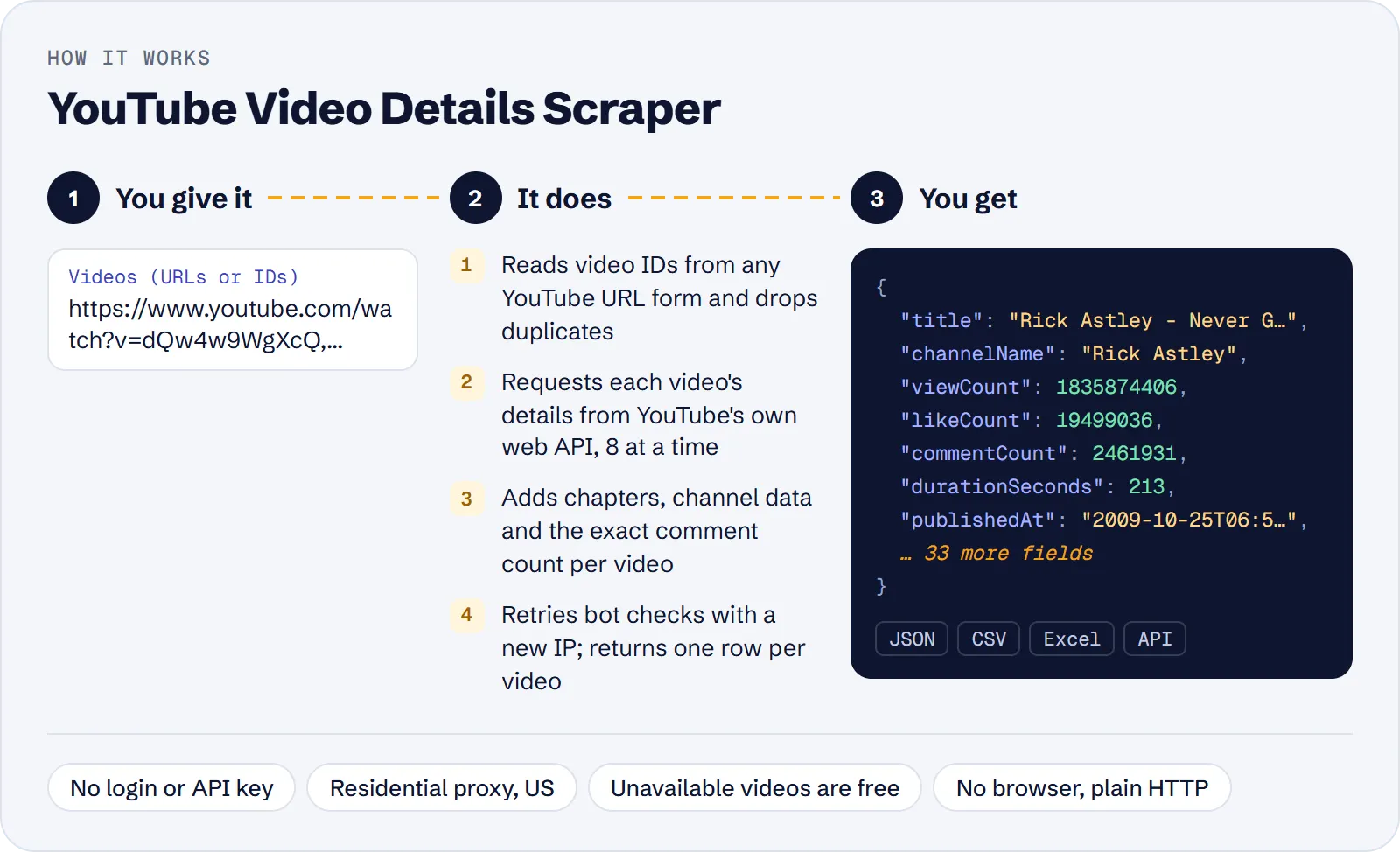
- Open the actor in Apify Console.
- Paste your video URLs or IDs into Videos (URLs or IDs), one per line. Mixed URL forms and duplicates are fine.
- Keep the default Residential proxy (under Advanced).
- Click Start. A video takes about a second; a 1,000-video run finishes in a few minutes.
- Download the dataset as JSON, CSV or Excel, or open the Overview and Channels views in the Output tab.
How much does it cost to scrape YouTube?
Price per event by Apify plan:
| Event | Free | Bronze | Silver | Gold and above |
|---|---|---|---|---|
| Video | $2.70 per 1,000 | $2.565 per 1,000 | $2.43 per 1,000 | $2.295 per 1,000 |
| Actor start | $0.00005 | $0.00005 | $0.00005 | $0.00005 |
A test run with the API example input below returned 4 rows in 21 s.
One paid video event = one video row in the dataset. You pay only for videos that are returned:
- videos that are unavailable, private, removed or never existed are skipped with a warning and not charged;
- videos YouTube keeps blocking after retries are skipped and not charged;
- channel, playlist, search and non-YouTube URLs are skipped without any request and not charged;
- the same video given several times (for example as a URL and as an ID) is fetched and charged once.
Cost scenarios on the Free plan ($0.0027 per video plus the $0.00005 actor start event at the default memory):
| Scenario | Video events | Cost |
|---|---|---|
| One video looked up by an AI agent | 1 | $0.00275 |
| A campaign list of 100 videos | 100 | $0.27005 |
| A spreadsheet of 1,000 videos | 1,000 | $2.70005 |
| A daily run over 10,000 videos | 10,000 | $27.00005 |
Input
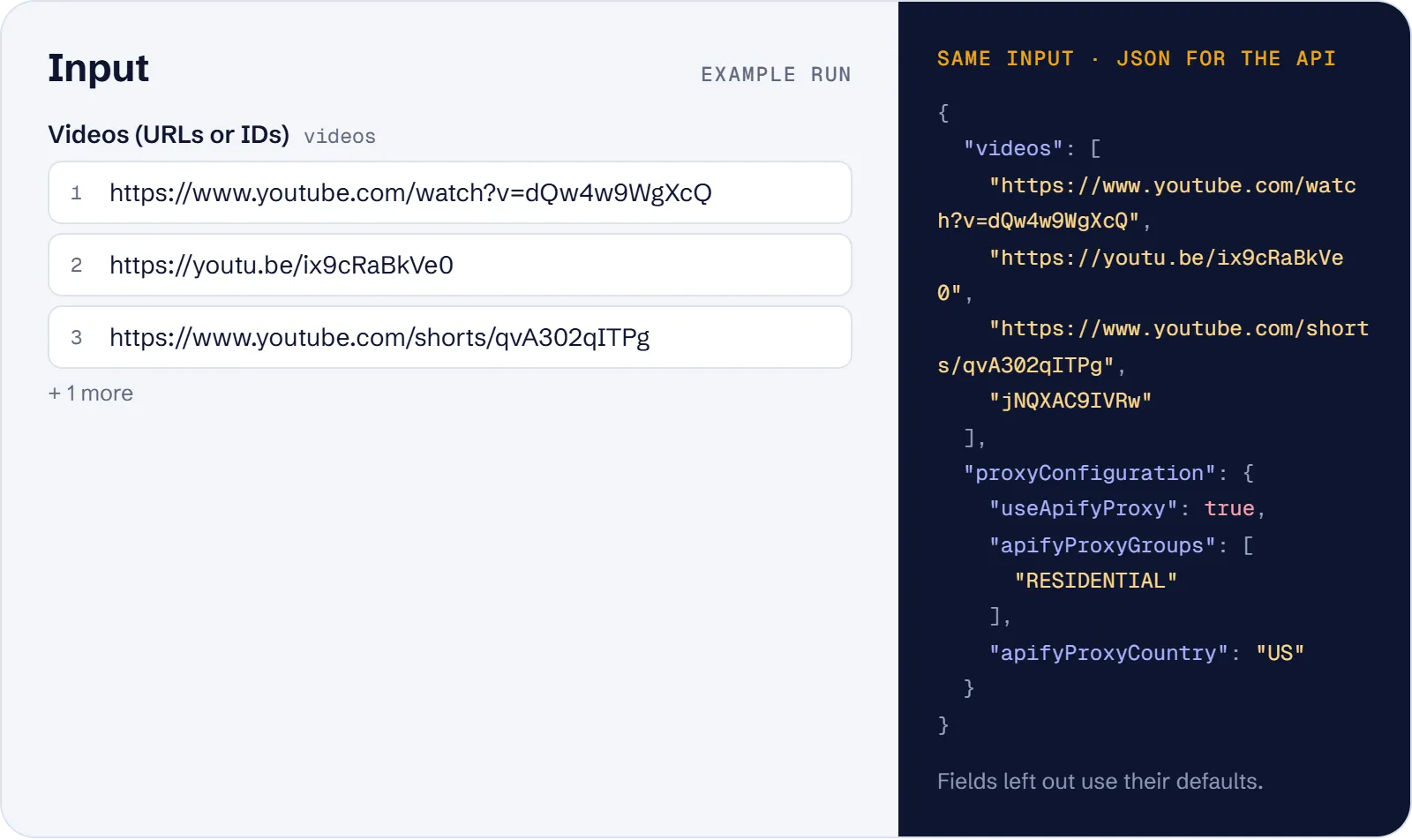
| Field | Type | Description |
|---|---|---|
videos | array of strings, required | Video URLs or bare 11-character IDs, one per line. Accepted: any watch, youtu.be, Shorts, live, embed, m. or music.youtube.com URL (in a watch URL with &list= only the video is used). Channel, playlist and search URLs are skipped with a warning. Duplicates are fetched once. |
proxyConfiguration | object, optional | Default: Apify Residential proxy, country US. A datacenter proxy or no proxy is allowed, but YouTube bot-checks those IPs and about 40% of videos are then lost (skipped, not charged). The proxy country decides which region-blocked videos still return a view count. |
startUrls (an array of strings or { "url": "…" } objects) is also accepted as an alias for videos; it is merged after videos.
Example input:
What data can you extract from YouTube videos?
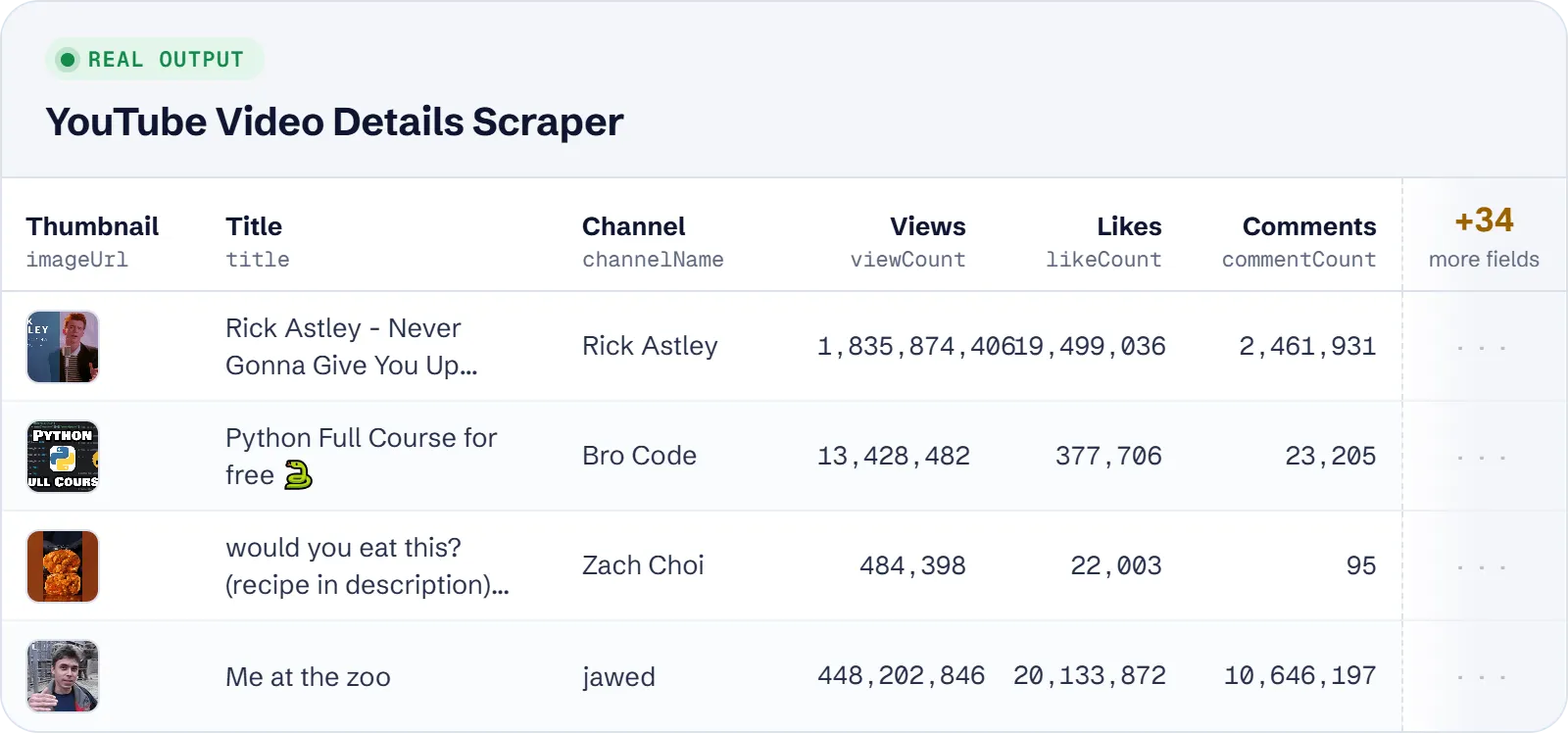
| Field | What it holds |
|---|---|
id, url, title | Video ID, canonical watch URL https://www.youtube.com/watch?v=<id>, title |
description | Full description as written by the creator (null when empty) |
durationSeconds | Length in seconds (null while a stream is live) |
publishedAt, uploadedAt | Publish and upload date and time, ISO 8601 in UTC |
dateText | Date as shown under the video, in English |
category | YouTube category, e.g. Music, Education |
tags, hashtags, superTitle | Creator tags, hashtags above the title, the full text above the title |
chapters, chapterCount | Chapters as { title, startSeconds } and their number |
imageUrl | Largest thumbnail |
viewCount, likeCount, commentCount | Exact counts |
commentsDisabled, allowRatings | Comments turned off; likes enabled |
channelId, channelName, channelHandle, channelUrl | The uploading channel |
channelSubscriberCount, channelSubscriberText | Subscribers, parsed from the rounded text (4.56M → 4560000) and as shown |
channelVerified, channelAvatarUrl | Verified badge, avatar image |
collaborators | Channels of a collaboration video: name, channelId, handle, subscriberText (uploader first) |
isShort, isLiveContent, isLiveNow, liveStartedAt, liveEndedAt | Short, stream and live status and times |
isAgeRestricted, isFamilySafe, isUnlisted | Status flags |
availableCountryCount | Number of countries where the video is available |
missingParts | Parts that could not be fetched after retries (pageDetails, commentCount); empty when complete |
scrapedAt | When the row was extracted |
A real row (description, tags and chapters shortened):
Use cases
- Campaign and influencer tracking — schedule a daily run over the same list and build a time series of exact views, likes, comments and channel subscribers.
- Enriching a video list — turn 500 mixed URLs and IDs from a sheet or a CRM into one clean row per live video; dead links are skipped and free.
- Content and SEO analysis — compare tags, category, chapters, hashtags, duration and the Short flag of competitor videos.
- Shorts and live streams —
/shorts/and/live/links work like normal ones, withisShort,isLiveNowandliveStartedAt. - AI agents — fetch the metadata of a video link in one call.
Limitations
- Only videos you list: no YouTube search, channel crawling, playlists, comments text or transcripts.
channelSubscriberCountis parsed from the rounded number YouTube shows, not the exact count. Dislikes are not available (YouTube removed them).- Fields can be empty:
likeCountis null when the creator disabled ratings;commentCountis null when comments are off, for live streams, age-restricted videos or when the count could not be fetched;viewCountcan be null for videos region-blocked in the proxy country;durationSecondsis null while a stream is live;channelHandleis null for system channels such as YouTube Movies;channelAvatarUrlis null for collaboration videos. - Age-restricted videos return a full row with
isAgeRestricted: true, but withoutcommentCountanddateText. - Private, removed and non-existent videos return no row (YouTube gives no details for them).
- Texts such as
dateTextandchannelSubscriberTextare always in English. - Members-only videos, upcoming premieres and scheduled streams were not tested: they return a row only when YouTube gives their details, and counts or duration may be null.
Tips and troubleshooting
- Fewer rows than inputs? Check the run log: every skipped input gets a warning (not a video URL, unavailable, or blocked), and the status message counts them. Duplicates are merged into one row.
- The run failed at once?
videosis empty or none of its lines is a YouTube video URL or ID — channel and playlist URLs are not accepted. - Keep the Residential proxy. On datacenter IPs YouTube bot-checks requests and many videos are skipped.
missingPartsis not empty? One part of the page could not be fetched after retries; the core fields (title, views, tags, duration) are still there. Run the video again to fill it.- Region-blocked video without views? Set the proxy country to a country where the video is available.
- Large lists: set a maximum cost per run; the run stops cleanly when it is reached and does not request the remaining videos.
API, MCP and integrations
Run the actor from your code with the same JSON input as in Console. Your API token is in Console → Settings → API & Integrations.
Python (pip install apify-client):
Node.js (npm install apify-client):
HTTP — one request runs the actor and returns the results (runs up to 5 minutes; longer ones: run asynchronously):
AI agents (MCP). Add the actor as a tool of the Apify MCP server. Claude Code:
Claude Desktop, Cursor or VS Code: {"mcpServers": {"apify": {"url": "https://mcp.apify.com?tools=genial_candlestand/youtube-video-details-scraper"}}}. Then ask, for example:
- "Get views, likes, comment count and tags of https://youtu.be/dQw4w9WgXcQ"
- "List the chapters with start times of the YouTube video ix9cRaBkVe0"
- "Is youtube.com/shorts/qvA302qITPg a Short, and how many subscribers does its channel have?"
Integrations. Run it on a schedule with Apify Schedules and send the results to Google Sheets, Slack, Zapier, Make, n8n or your webhook — see Apify integrations.
FAQ
Is it legal to scrape YouTube video details?
The actor reads only public video metadata that YouTube shows to any visitor without login. You are responsible for how you use the data and for complying with YouTube's terms and the laws that apply to you, such as GDPR for personal data.
Do I need a YouTube API key or an account?
No. The actor needs no login, cookies or API key.
How is it different from other YouTube scrapers?
Each row combines tags, chapters with start seconds, category, the exact comment count, collaborators and flags like isShort, isAgeRestricted and availableCountryCount, and duration is given in seconds. It accepts a single video URL, with no minimum number of videos. The price is $2.70 per 1,000 videos, against $4.00 per 1,000 for the most used general YouTube scraper, and videos that are not found are not charged.
Can I scrape YouTube Shorts and live streams?
Yes. Paste /shorts/ or /live/ URLs; the row has isShort, isLiveNow, liveStartedAt and liveEndedAt.
Why is the comment count null for some videos?
YouTube does not show a comment count when comments are turned off, for streams that are live now (they have live chat) and for age-restricted videos.
Also useful
- YouTube Comments Scraper — get the comments and replies of the same videos with like counts, authors and dates
- YouTube Transcript Scraper — add the transcript text and timestamped captions of the same videos
- YouTube Channel Scraper — list all videos, Shorts and streams of a channel with its subscriber and view totals
- YouTube Search Scraper — find videos by keyword first, then pass their URLs here for full details
- Google Trends Scraper — check search interest over time for the topics of your videos


