
Flights MCP Server — live flights for AI agents
Pricing
from $22.00 / 1,000 tool calls
Flights MCP Server — live flights for AI agents
MCP server that gives an AI agent live flight data: search fares, compare Google Flights against KAYAK, find the cheapest dates for a route and the cheapest destinations from an airport. Works with Claude, Cursor, ChatGPT and any MCP client. $0.03 per tool call.

Flights MCP Server
Give your AI agent live flight data. This is an MCP server: connect it once in Claude, Cursor, ChatGPT or any MCP client, and the agent can search fares, compare two sources, find the cheapest dates and the cheapest destinations — on its own, mid-conversation.
$0.03 per tool call that answers; a call that cannot answer is free. No run fee, no subscription. The tool runs our flight Actors on your Apify account, which bill their rows at their own price — about $0.004 for a 20-flight answer.
Tested head-to-head — 9 October 2026
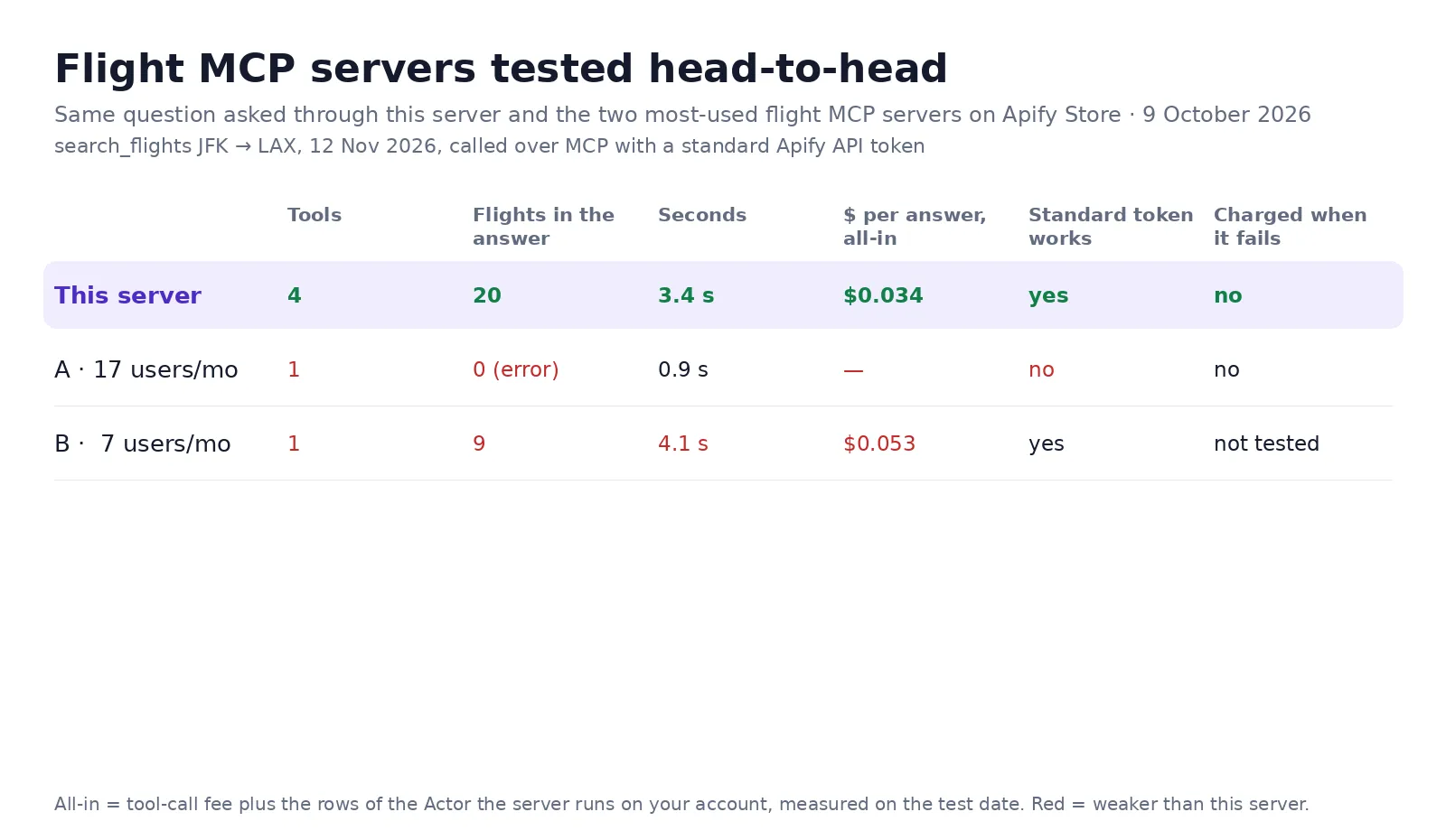
The same question — search_flights JFK → LAX, 12 November 2026 — was asked through this server and through the
two most-used flight MCP servers on Apify Store, over MCP with a standard Apify API token:
| Tools | Flights in the answer | Seconds | $ per answer, all-in | Works with a standard token | |
|---|---|---|---|---|---|
| This server | 4 | 20 | 3.4 | $0.034 | yes |
| A · 17 users a month | 1 | 0 — "insufficient permissions" error | 0.9 | — (not charged) | no |
| B · 7 users a month | 1 | 9 | 4.1 | $0.053 | yes |
All-in = the tool-call fee plus the rows of the Actor the server runs on your account, as charged on the test
account. A failed call on this server is not charged (checked the same day: a cheap_destinations call with
nothing under the price cap cost $0).
The four tools
| Tool | What the agent can finally answer |
|---|---|
search_flights | "How much is DPS–SIN on 15 March, business class, nonstop?" — live fares with airline, flight numbers, times, stops and Google's low/typical/high verdict |
compare_flight_prices | "Find me the cheapest" — the same search on Google Flights and KAYAK, with which source won and by how much |
cheapest_dates | "When is it cheapest to fly there?" — lowest fare for every day over up to a year, cheapest days first |
cheap_destinations | "Where can I go from Bali for under $200?" — destinations with price, airline, stops and dates |
Connect it
Claude Desktop / Claude Code / Cursor — add to your MCP config:
Any other MCP client — endpoint https://lergassy--flights-mcp-server.apify.actor/mcp, transport streamable HTTP, auth a Bearer token (your Apify API token from Settings → Integrations).
That is the whole setup. There is no server to host, no key to rotate, nothing to start by hand — the server wakes on the first call and sleeps when the conversation ends.
What it costs
$0.03 per tool call that returns data. A normal planning conversation makes three to six calls, so it lands around ten to twenty cents. Each tool runs one of our flight Actors on your Apify account, and those rows are billed at that Actor's price: $0.20 per 1,000 rows for Google Flights searches, calendars and destinations (a 20-flight answer adds $0.004), $0.80 per 1,000 for the Google Flights + KAYAK comparison.
A tool that cannot answer returns a short reason to the agent — for example that no destination is under your price cap — and the call is not charged.
Why an MCP server and not an API
An agent with an API needs you to write the glue: build the request, parse the response, handle the retries. An agent with this server just has four tools with self-describing arguments, so it picks the right one and fills the fields itself. The difference shows up in prompts like "we have a week in March and $400 — where should we go and when do we book?", which needs three of these tools in sequence and no code at all.
Example prompts once connected
- "Cheapest nonstop from Bali to Singapore in March, in USD — and is that a good price?"
- "Compare Google Flights and KAYAK for JFK–LHR on 15 March and tell me where to book."
- "When is the cheapest week to fly DPS–BKK in the next six months?"
- "Where can I fly from London for under £150 next month?"
- "Plan a two-week trip from Bali in March under $600 of flights — pick the destination and the dates."
Notes and limits
Prices are live and move during the day, so a quote is a quote for right now. Round-trip prices are the total for both directions. Tools read publicly displayed fares without logging in or collecting personal data; the sites' terms restrict automated access, and the legality of scraping public data depends on your jurisdiction and use.
Need another tool?
Open an issue on this Actor's page and say what the agent should be able to do — tools get added on request.
The same data as plain Actors, if you would rather call them directly: Google Flights Scraper · Flight Price Comparison · Kayak Flights Scraper · Flight Price Calendar · Cheap Flight Destinations
Use via API
Run this Actor from your own code or pipeline. Get your token in Apify Console → Settings → API & Integrations. Every input field below has the same name as in the JSON tab of the input form.
Python
JavaScript
cURL (runs the Actor and returns the results in one call)