Google Search Results to LLM Text
Pricing
from $6.40 / 1,000 google results pages
Google Search Results to LLM Text
Get Google search results as one condensed text of titles and snippets, ready for LLM prompts, AI agents and market research. Build the query from market, industry and location.
Pricing
from $6.40 / 1,000 google results pages
Rating
0.0
(0)
Developer

AI_Builder
Maintained by CommunityActor stats
1
Bookmarked
26
Total users
0
Monthly active users
13 days ago
Last modified
Categories
Security
Limited permissionsShare
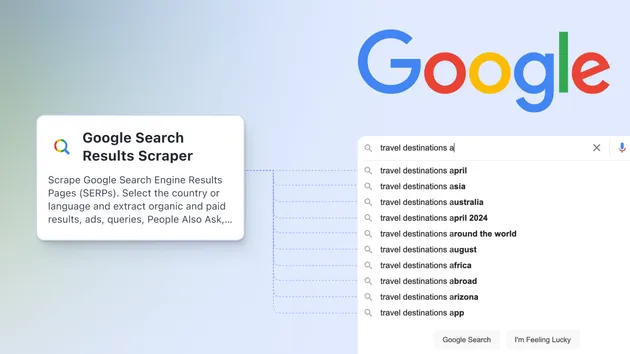
Google Search Results to LLM Text searches Google for a query built from a few simple fields (market, industry, location, information you want) and returns one condensed text block with the title and snippet of every result it collected. It is a lightweight Google Search API alternative for LLM prompts, market research and lead ideas, when you want a compact summary of the results pages instead of a row per result.
It does not open the result websites and does not extract emails or phone numbers from them. It only condenses what Google shows on its results pages.
What does Google Search Results to LLM Text do?
- Builds the query
<base> <domain> <location> "<info to retrieve>"from your input. - Reads Google results pages one after another (10 results per page) until it has Maximum Results or Google has no more.
- Joins every result as
Title: snippetinto one text field, ready to paste into a prompt. Duplicate URLs across pages are kept once. - Fetches Google over plain HTTP through Apify's Google SERP proxy (no browser), so runs are fast and need only 512 MB of memory.
- Saves progress to the key-value store, so an aborted run still keeps what was collected.
Who is Google Search Results to LLM Text for?
- AI and automation builders who want Google results as context for an LLM in one field.
- Sales and growth teams scanning a market ("AI consulting firms in Paris") for lead ideas.
- Researchers and analysts who need a quick overview of what Google shows for a topic.
Use cases for condensed Google results
- Give an AI agent a compact summary of Google results before it decides which sites to visit.
- Generate a first list of companies in a niche and location for prospecting.
- Compare how a market looks on Google across cities by changing one field.
What data can Google Search Results to LLM Text extract?
Each successful run produces one dataset item:
| Field | Type | Description |
|---|---|---|
resultsText | string | Every result as Title: snippet, joined with /**/ |
searchUrl | string | Google Search URL of the first results page for the generated query |
resultsCount | integer | Number of results in resultsText |
pagesUsed | integer | Number of Google results pages that contributed at least one result |
How to scrape condensed Google search results
- Open the Actor and go to the Input tab.
- Enter a Search Query Base, for example
consulting company. - Fill in Domain (industry or a Google operator such as
site:linkedin.com/company), Location and Information to Retrieve. - Set Maximum Results (10 results per Google page).
- Click Start and read the summary in the Output tab or through the API.
How much will it cost to scrape Google results?
You pay per Google results page; see the Pricing tab for current prices. There is no subscription and no rental. One page holds up to 10 results, and pagesUsed in the output shows how many pages your summary used. The summary row itself is free. Pages that add no new result, retries of blocked pages, and failed runs are not charged. If nothing could be extracted, the run fails with a clear message and no page is charged. A small standard Actor start event also applies. Lower Maximum Results to cap the number of pages, or set a maximum cost per run: the Actor then stops before fetching pages your budget does not cover.
The Pricing tab is authoritative for current prices, including discounts on higher Apify plans.
Input
See the Input tab for all options. This is the default input, used for the output below:
- All four query fields are required. Use them to steer the query, for example
domain: "site:linkedin.com/company". - Proxy configuration defaults to the Google SERP group, which fetches Google result pages over plain HTTP. Other groups are often blocked by Google with HTTP 429.
Output
You can download the dataset in various formats such as JSON, HTML, CSV, or Excel. Real result from a run with the default input, text shortened:
Where to find the output
The run's Output tab lists these outputs, by the title it shows:
- Results: the default dataset with the one condensed summary row (Overview view).
- Run state: the
STATEkey-value store record with the query, collected pages and charging counters, kept even if the run is aborted. - Debug page: the
DEBUG_PAGE1_HTMLkey-value store record, saved only when no result could be parsed from Google page 1.
Key-value store records are not billed.
Tips for condensed Google searches
- Lower Maximum Results for faster runs. 10 results = 1 Google page.
- Use Google operators in Domain, such as
site:linkedin.com/companyor-jobs, to sharpen results. - Google sometimes answers page 2+ of a query with
-keywordoperators with "did not match any documents". The Actor then re-requests that page without the operators and drops results whose title, snippet or URL contains an excluded word or phrase (or that come from an excluded-site:). Known limitation: this operator-free list can return fewer results. - Google blocks some requests. Blocked pages are retried automatically; if a run still fails with "No search results could be extracted", run it again or broaden the query.
Integrations: API, AI agents (MCP), Make, Zapier and n8n
- Apify API: call the Actor and read the single summary item from Python, JavaScript or cURL. See the API tab.
- AI agents (MCP): add
quaking_pail/google-condensed-serp-scraperthrough the Apify MCP server so Claude, Cursor or your own agent can get Google context in one call. - No-code: pass
resultsTextto an LLM step in Make, Zapier or n8n, or send it to webhooks.
FAQ, disclaimers and support
Is it legal to scrape Google search results?
You should be aware that your results could contain personal data. Personal data is protected by the GDPR in the European Union and by other regulations around the world. You should not scrape personal data unless you have a legitimate reason to do so. If you're unsure whether your reason is legitimate, consult your lawyers.
Why did I get fewer results than Maximum Results?
Google sometimes has fewer results for a narrow query, or blocks some pages. The Actor returns what it collected instead of running until the timeout.
Why did my run fail?
Google blocked every page or the query had no results. No Google results page is charged in that case. Try again or broaden the query.
How do I report a problem?
Open an issue in the Issues tab with the run ID. If the Actor saved you time, a rating on the Reviews tab helps other users find it.
Changelog
0.9 quality update (2026-10-25)
- Output tab now lists the dataset and run records; README name matches the Store title. No change to input or output fields.
0.9.2 pricing update (October 2026)
- Pricing is now per Google results page (
serp-pageevent) instead of per summary row. The summary row is no longer charged. See the Pricing tab. - A run that is restarted or migrated by the platform never pushes the summary twice or charges a page twice.
0.9
- Rewritten to fetch Google over plain HTTP (no browser). Default proxy is now Google SERP (was Residential), default memory 512 MB.
- Output: new fields
resultsCountandpagesUsed. ExistingsearchUrlandresultsTextare unchanged (same format and separator). - Snippets now come from Google's basic HTML results layout (
gbv=1), so the snippet wording inresultsTextcan differ slightly from earlier versions. - Results are deduplicated by URL across pages; at most 30 Google pages per run.
-keyword/-"phrase"/-site:exclusions are honored on later pages by client-side filtering when Google rejects them.- Charging per Google results page used (
serp-pageevent) once the new pricing is active; until then a run is charged as one result, as before.
Related actors by quaking_pail
- Website to Markdown Scraper for AI & LLMs: open the websites you found and get their content as Markdown.
- Website Contact Scraper: Emails & Phones: get emails, phones and team names from those company websites.
- SEO Audit & Markdown Content Scraper: on-page SEO audit plus Markdown content for every page.
- LinkedIn Jobs Scraper: LinkedIn job listings with full descriptions.